
startbuddi vs QuickBooks Online: an honest comparison
QuickBooks Online is full accounting software for bookkeeping, bills, reports, inventory and, as an add-on, payroll, with a free plan and four paid plans. startbuddi is a business workspace with invoicing, payment links, expenses and cash flow next to your contacts and marketing; pick QuickBooks when you need proper books for an accountant, and startbuddi when you mainly need to bill customers and get paid.
startbuddi is best for
Small businesses that mainly need to bill customers and get paid, next to their CRM
 QuickBooks Online
QuickBooks Online is best for
Small businesses that need full bookkeeping, bills and reports for their accountant
At a glance
Where each one is stronger
The short version. QuickBooks Online first, because it does some things better than we do.
QuickBooks Online is stronger at
startbuddi is stronger at
Feature by feature
| Feature | startbuddi | QuickBooks Online |
|---|---|---|
| Free planFree plan includes 5 invoices a month | Yes | YesSource (opens in a new tab) |
| Invoices on the free plan | 5 a month | 2 a monthSource (opens in a new tab) |
| Bank connectionsNo bank feeds; expenses are entered by hand | No | YesSource (opens in a new tab) |
| Bill payRecord and approve bills; you pay them outside startbuddi | Record bills | Simple Start and upSource (opens in a new tab) |
| Budgets | Yes | Plus plan and upSource (opens in a new tab) |
| Project profitabilityRevenue minus attributed expenses; no labour costs | Yes | Plus plan and upSource (opens in a new tab) |
| Payroll | No | Paid add-onSource (opens in a new tab) |
| Sales tax and 1099 filingTax summary on the profit and loss; no filing | No | Advanced planSource (opens in a new tab) |
| Mobile app | Web only | Paid plansSource (opens in a new tab) |
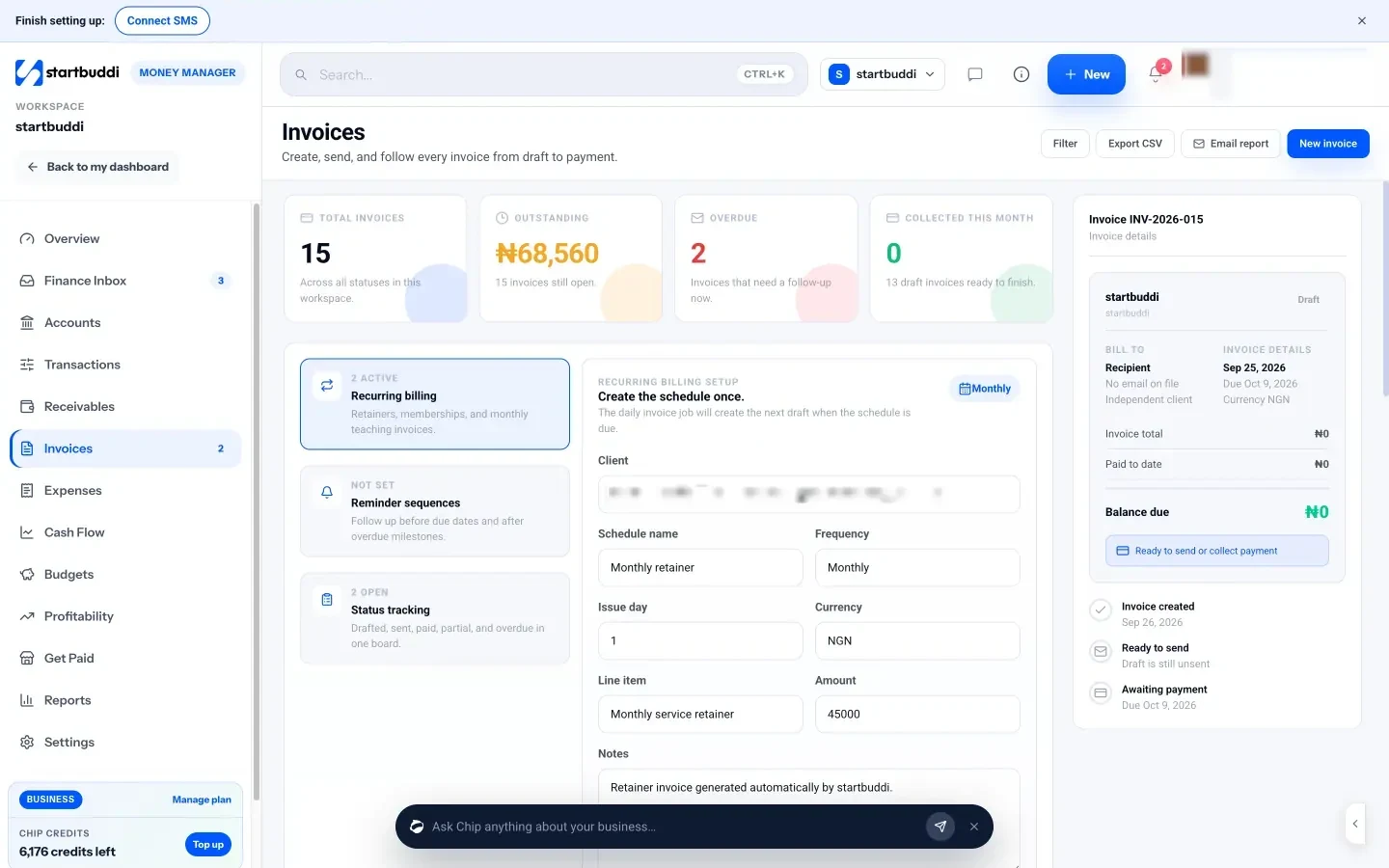
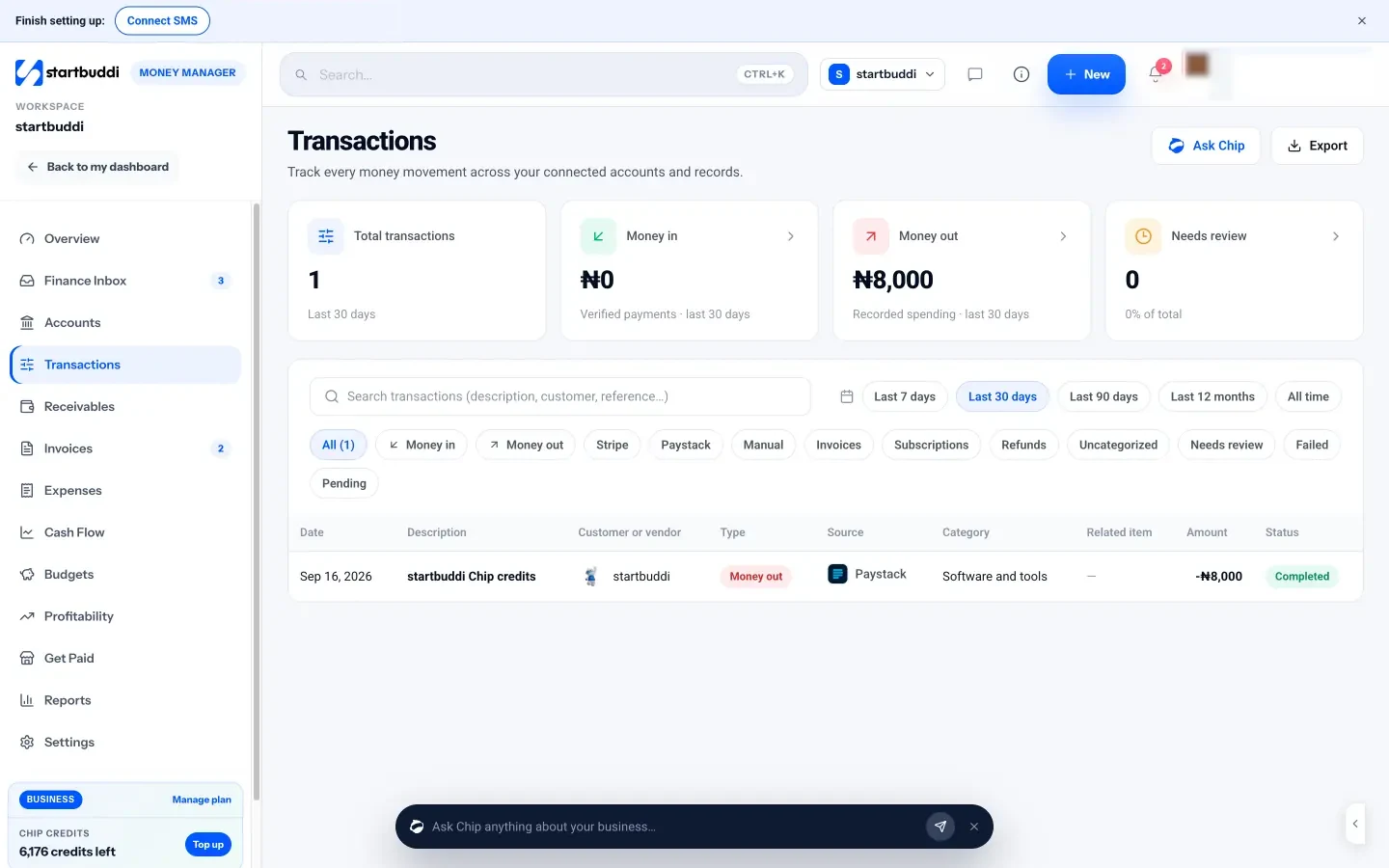
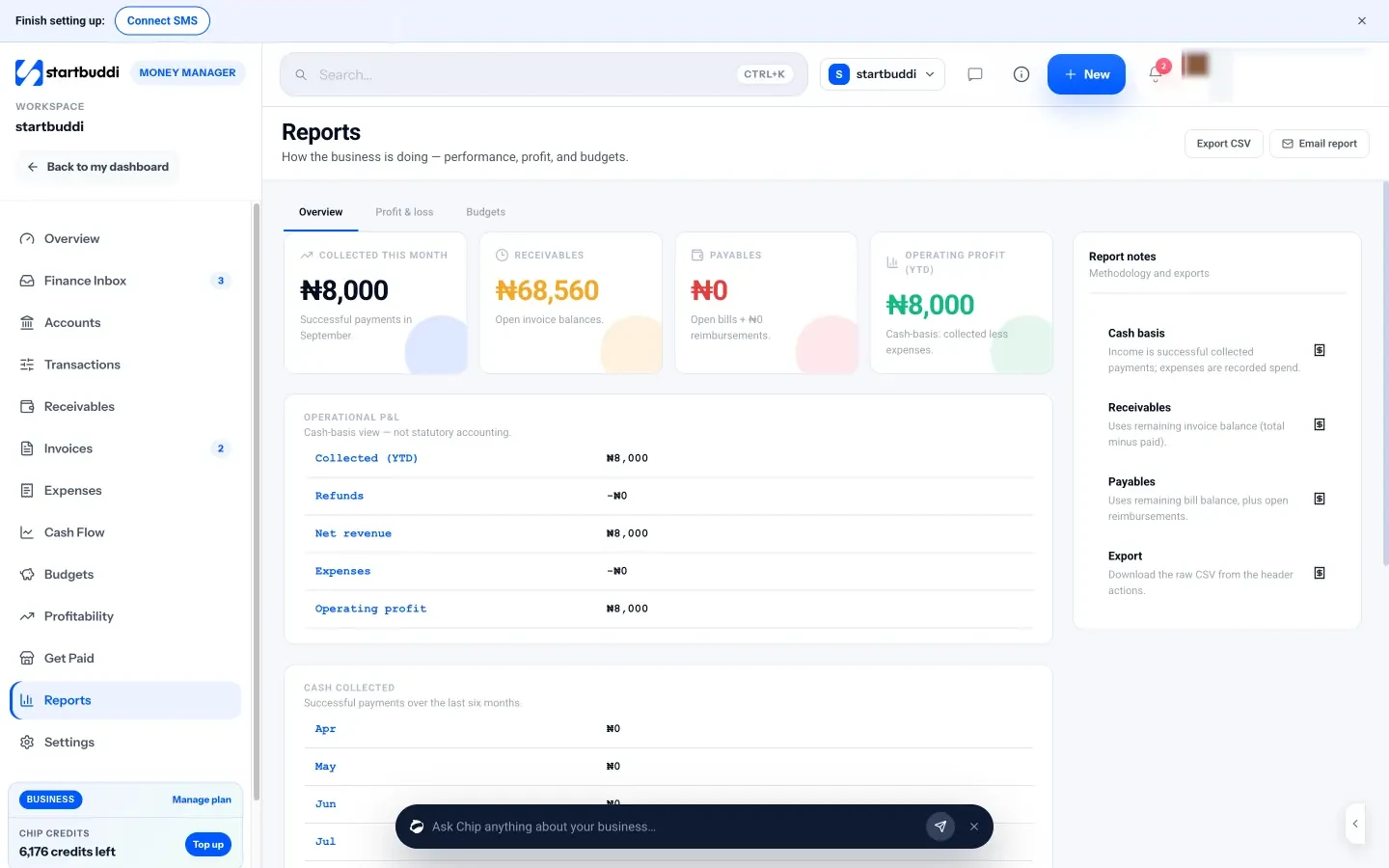
What each one looks like
Real screens, captured by us or taken from the official press kit, each dated.
Pricing side by side
List prices as each company publishes them. We never convert currencies.
startbuddi
- FreeFree
- Starter$29 a month
- Growth$79 a month
- Scale$199 a month
QuickBooks Online
- FreeFreeSource (opens in a new tab)
- Simple Start$38 USD per month, 1 user (offer shown: 50% off for 3 months)Source (opens in a new tab)
- Essentials$85 USD per month, 3 users (offer shown: 50% off for 3 months)Source (opens in a new tab)
- Plus$140 USD per month, 5 users (offer shown: 50% off for 3 months)Source (opens in a new tab)
- Advanced$340 USD per month, 25 users (offer shown: 50% off for 3 months)Source (opens in a new tab)
Switching from QuickBooks Online
What moving across involves.
- Export your customers from QuickBooksQuickBooks' help explains how to export your customer list to Excel from Customers & leads or from the Customer Contact List report. Save the file as CSV.
- Import them into startbuddi ContactsGo to Contacts, click Import, upload the CSV, map each column and review before importing. Up to 10,000 contacts go in at a time.
- Connect how you get paidIn Money Manager → Settings, connect Paystack or Stripe and add your bank-transfer details, then set your invoice prefix, due days and tax rate under Invoice defaults.
- Decide where your books livestartbuddi doesn't sync with QuickBooks. Many businesses keep QuickBooks or an accountant for the books; if you switch fully, re-enter open invoices by hand and export your profit and loss as CSV for your accountant.
Sources
- QuickBooks Online pricing (US) (opens in a new tab)
- QuickBooks help: export customer data to Excel (opens in a new tab)
- startbuddi Money Manager (opens in a new tab)
- startbuddi invoicing (opens in a new tab)
- startbuddi estimates, proposals and contracts (opens in a new tab)
- startbuddi expenses (opens in a new tab)
- startbuddi cash flow and budgets (opens in a new tab)
- startbuddi reports (opens in a new tab)
- startbuddi get paid (opens in a new tab)
- startbuddi contacts (CSV import) (opens in a new tab)
- startbuddi pricing (opens in a new tab)
Questions people ask
Does startbuddi sync with QuickBooks?
No. There is no QuickBooks or Xero sync. You can export startbuddi's reports as CSV for your accountant.
Can startbuddi replace QuickBooks?
Only if you don't need accounting. startbuddi covers invoices, payments, expenses, bills, cash flow and a cash-basis profit and loss, but has no general ledger, bank reconciliation, bank feeds, payroll or tax filing.
Can I move my customers from QuickBooks?
Yes. QuickBooks exports your customer list to Excel; save it as CSV and use Import in startbuddi Contacts to map the columns.
Does startbuddi have a free plan?
Yes. The Free plan includes Money Manager with 5 invoices a month, and paid plans have unlimited invoices. Every paid plan has a 30-day trial.
Other comparisons
All comparisons


Try startbuddi alongside QuickBooks Online.
Start on the free plan with a copy of your contacts and see how it fits before you decide.
Free plan available. Every paid plan starts with a 30-day trial.