How CRMs handle multi-channel lead tracking (and how to set it up)
How CRMs handle multi-channel lead tracking: capturing leads from every channel, tagging sources, merging duplicates and seeing which channels bring customers.


Chinonye wrote this while on the startbuddi team. The product has changed since, so the team updated it on .
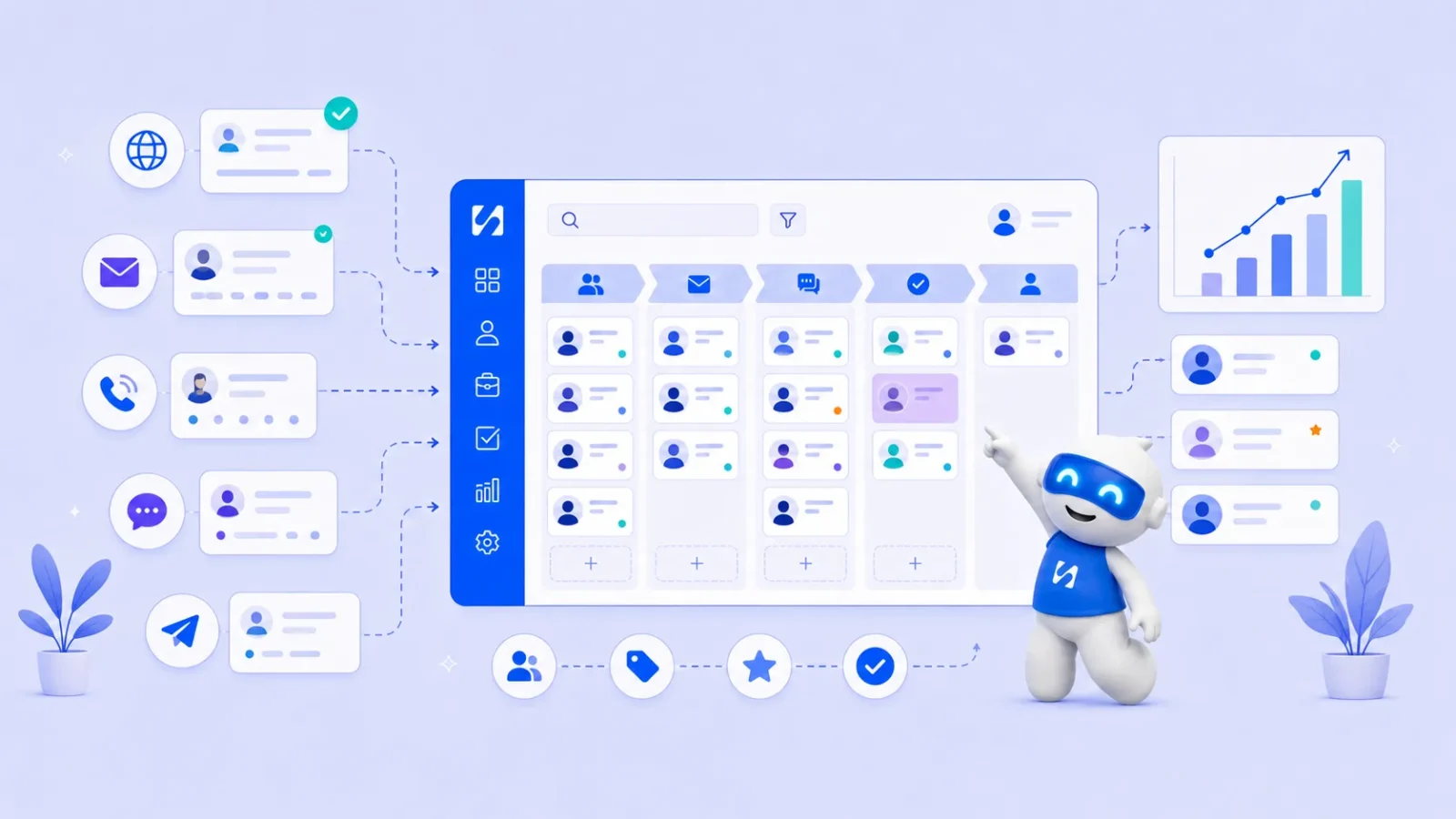
- A CRM tracks leads across channels by bringing each enquiry into one record, stamping a source on it, merging duplicates, moving it through one pipeline and reporting revenue by source. A fixed source list and one shared inbox get a small business most of the way.
Multi-channel lead tracking means capturing every enquiry, wherever it arrives (website form, WhatsApp, email, Instagram, phone, a referral), into one list, recording where each lead came from, and following each one through to a sale. A CRM handles it in five moves: it collects leads from each channel into one record per person, stamps a source on that record, merges duplicates when the same person shows up twice, moves the lead through a pipeline, and reports which channels actually produce paying customers.
This guide explains how CRMs handle multi-channel lead tracking in practice, the setup a small business needs (it’s less than you’d think), how to tag sources properly, and the mistakes that make channel reports useless. It’s for small businesses anywhere that get enquiries from more than one place, which in 2026 is almost everyone.
Why tracking leads across channels is hard
A potential customer might see your Instagram post, look at your website, message you on WhatsApp three days later and finally email a question. Each of those channels lives in a different app. Without a system:
- Enquiries sit unread in DMs while you’re busy with work.
- The same person exists three times, once per channel, with a third of the story each.
- Nobody knows which channel actually brings paying customers, so marketing money follows gut feel.
- Follow-ups depend on memory, and memory doesn’t scale.
The goal isn’t to be on fewer channels. Your customers choose how they contact you. The goal is for every channel to feed one place.
What counts as a lead?
A lead is anyone who has shown interest but hasn’t bought yet: they filled in a form, asked for a quote, booked a call, messaged you or were referred. In a CRM, each lead gets a record with their contact details, where they came from, what they want and where they are in your sales process. If the idea of a CRM is new, our glossary explains what a CRM is and what a lead management system does.
How CRMs handle multi-channel lead tracking, step by step
1. Capture leads from every channel into one list
Each channel needs a route into the CRM:
| Channel | How leads usually get in |
|---|---|
| Website | A form or live chat widget that creates a contact on submit |
| Landing pages | A form on the page, with the page name saved on the record |
| A connected inbox, so new senders can become contacts | |
| WhatsApp, Instagram, Facebook | Connected business accounts that bring messages into a shared inbox |
| Facebook and Instagram lead ads | A lead-ads connection that sends form answers straight in |
| Phone and walk-ins | Added by hand, quickly, with the source picked from a list |
| Referrals and events | Added by hand or imported from a sign-up sheet |
Automatic routes are better wherever you can get them, because they don’t rely on someone remembering. For more on this, see our guide on lead capture automation.
2. Stamp a source on every lead
The source is the single most useful field for multi-channel tracking. Decide on a short, fixed list and use it everywhere:
- Google search
- Google Business Profile
- Referral (plus the name of who referred them)
- Email newsletter
- Event
- Paid ads
- Walk-in or phone
Automatic channels can fill this in themselves. For manual entries, make source a required dropdown, not free text, so “insta”, “IG” and “Instagram” don’t become three sources.
3. Add campaign tags to your links
When you share a link to your website in an Instagram bio, a newsletter or an ad, add UTM parameters: short labels on the end of the link that tell your analytics where the visit came from. Google explains the standard ones (utm_source, utm_medium and utm_campaign) in its guide to collecting campaign data with custom URLs. For example, a link in your June newsletter might end with ?utm_source=newsletter&utm_medium=email&utm_campaign=june-offer. Keep the naming consistent, lower case and written down.
4. Merge the same person across channels
The customer who messaged on WhatsApp and then filled in your form is one lead, not two. Good CRMs match new enquiries against existing contacts by email or phone number and add the new activity to the existing record. When a duplicate slips through, merge it rather than leaving two half-records. This is why phone numbers should always be saved with the country code: +44 7700 900123 and 07700 900123 look different to a computer.
5. Move every lead through one pipeline
Once captured, leads from every channel follow the same stages, for example New, Contacted, Qualified, Proposal sent, Won, Lost. One pipeline for all channels is what lets you compare them fairly. Every lead gets an owner and a next step with a date. Our glossary entry on what a sales pipeline is explains stages in more detail.
6. Follow up quickly, on the channel they chose
A lead who messaged on WhatsApp usually wants a reply on WhatsApp. A shared inbox lets you reply from one place without switching apps, and automated follow-ups can send a confirmation or a reminder while you’re busy. Speed matters here: a fast, helpful first reply sets the tone for everything after. See how to follow up with leads for timing and templates.
7. Report on sources that turn into customers
The payoff comes when you can see, per source: how many leads came in, how many became customers, and how much those customers spent. The source with the most leads is often not the one with the most revenue. A referral channel that sends five leads a month and closes four is worth more than an ad that sends 50 and closes one.
Example: one lead, four channels
Here is how it looks for a small interior design studio in Accra with a connected CRM.
- Monday: Efua sees a before-and-after post on Instagram and taps the link in the bio, which is tagged utm_source=instagram. She reads the services page and leaves.
- Wednesday: she sends a WhatsApp message asking about prices for a living room. The message lands in the shared inbox, a contact is created with her number, and the source is set to WhatsApp. Kojo, who owns new enquiries, replies within the hour.
- Thursday: she fills in the quote form on the website with the same phone number. Instead of a new contact, the form response is added to her existing record, and her answer to “How did you hear about us?” says Instagram. Kojo updates the source to Instagram, since that’s where she first found them.
- The following week: she emails to accept the quote. The deal moves to Won, and the invoice is sent from the same record.
At the end of the month, the report shows one new customer from Instagram, with the full value of the job. Without the system, the studio would have seen a WhatsApp chat, a form entry and an email, and credited none of them.
What to review each month
A simple monthly table is enough for most small businesses:
| Source | New leads | Became customers | Revenue | Average reply time |
|---|---|---|---|---|
| 24 | 3 | $2,100 | 3 hours | |
| Referral | 6 | 4 | $5,600 | 1 hour |
| Google search | 15 | 4 | $3,900 | 5 hours |
The figures above are made up to show the shape. In this example, referrals close best and Google leads wait longest for a reply, which tells you two things to act on: ask happy customers for referrals, and answer search enquiries faster.
First touch, last touch: a plain-English note on attribution
Attribution is the question of which channel gets credit when a customer touched several before buying. Two simple approaches:
- First touch: credit goes to where they first found you. Good for knowing what brings new people in.
- Last touch: credit goes to the channel just before they enquired or bought. Good for knowing what closes.
Big companies use complex models that split credit across every touch. A small business rarely needs that. Record the source the lead gave you, or the first channel you saw, and ask a simple question on your form or first call: “How did you hear about us?” That answer, recorded consistently, will tell you more than most dashboards.
A simple setup for a small business
Here is a setup you can put in place in an afternoon.
- List your channels. Everywhere a lead could contact you, including the ones you’d rather they didn’t use.
- Pick your source list (ten or fewer) and share it with the team.
- Connect what you can. Website forms, WhatsApp Business, email and social inboxes into one CRM.
- Add “How did you hear about us?” to your contact form as a dropdown.
- Tag your links in your bio, email signature and newsletters with UTM parameters.
- Set one pipeline with five or six stages.
- Agree a response time, for example within two working hours for new enquiries.
- Review monthly: leads, customers and revenue by source.
That’s it. You don’t need an ads platform, a data warehouse or a consultant to know which of your channels are worth your time.
What most businesses use, and why it gets messy
Without a connected system, a typical setup is a form tool, a spreadsheet, an email platform, WhatsApp on someone’s phone, a booking tool and a payment tool. Large-business CRMs such as Salesforce, HubSpot and Zoho CRM can bring channels together, often with add-ons and connections to set up. The more tools involved, the more places a lead can fall between. Whatever you use, test it: send yourself an enquiry through each channel and check that each one lands in the same place with the right source.
Common mistakes in multi-channel lead tracking
- Free-text sources. Twenty spellings of “Instagram” make reports useless.
- Channels left out. If WhatsApp enquiries stay on one person’s phone, your reports are missing a big share of leads.
- Counting leads, not customers. Always follow the source through to revenue.
- Overwriting the source every time the person gets in touch. Keep the original source and log later touches as activity.
- Never testing the routes. Forms break, connections expire and phone numbers change. Send yourself a test enquiry through each channel once a quarter and check it arrives with the right source.
- No owner. A lead seen by everyone in a shared inbox can end up answered by nobody. Assign it.
How startbuddi handles multi-channel lead tracking
With startbuddi, your channels and your customer list live in one place. The Inbox in Customers collects conversations from WhatsApp, email, SMS, website chat, Instagram and Facebook, so you reply from one screen and each conversation sits with the contact’s record. You can assign conversations to teammates, add internal notes and, on the Growth plan, let Chip reply when nobody on the team does. WhatsApp and SMS need the Starter plan or above.

Forms add submitters to your contacts and record where each response came from, including device and the entry point. Leads from Facebook lead ads can land in Forms as responses. Landing pages save the source page and campaign with each lead, and the website live chat widget sends visitor conversations to the same inbox.
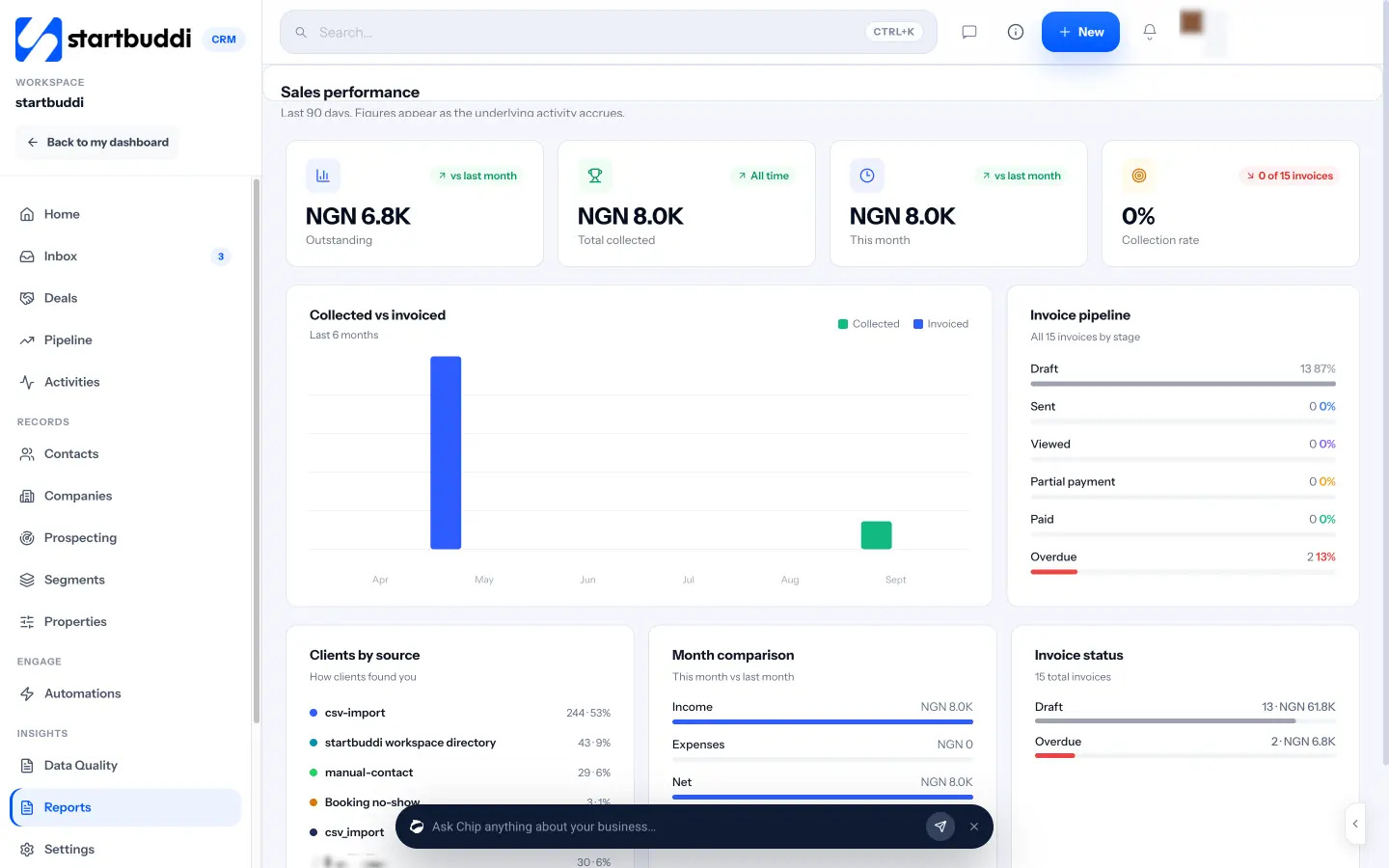
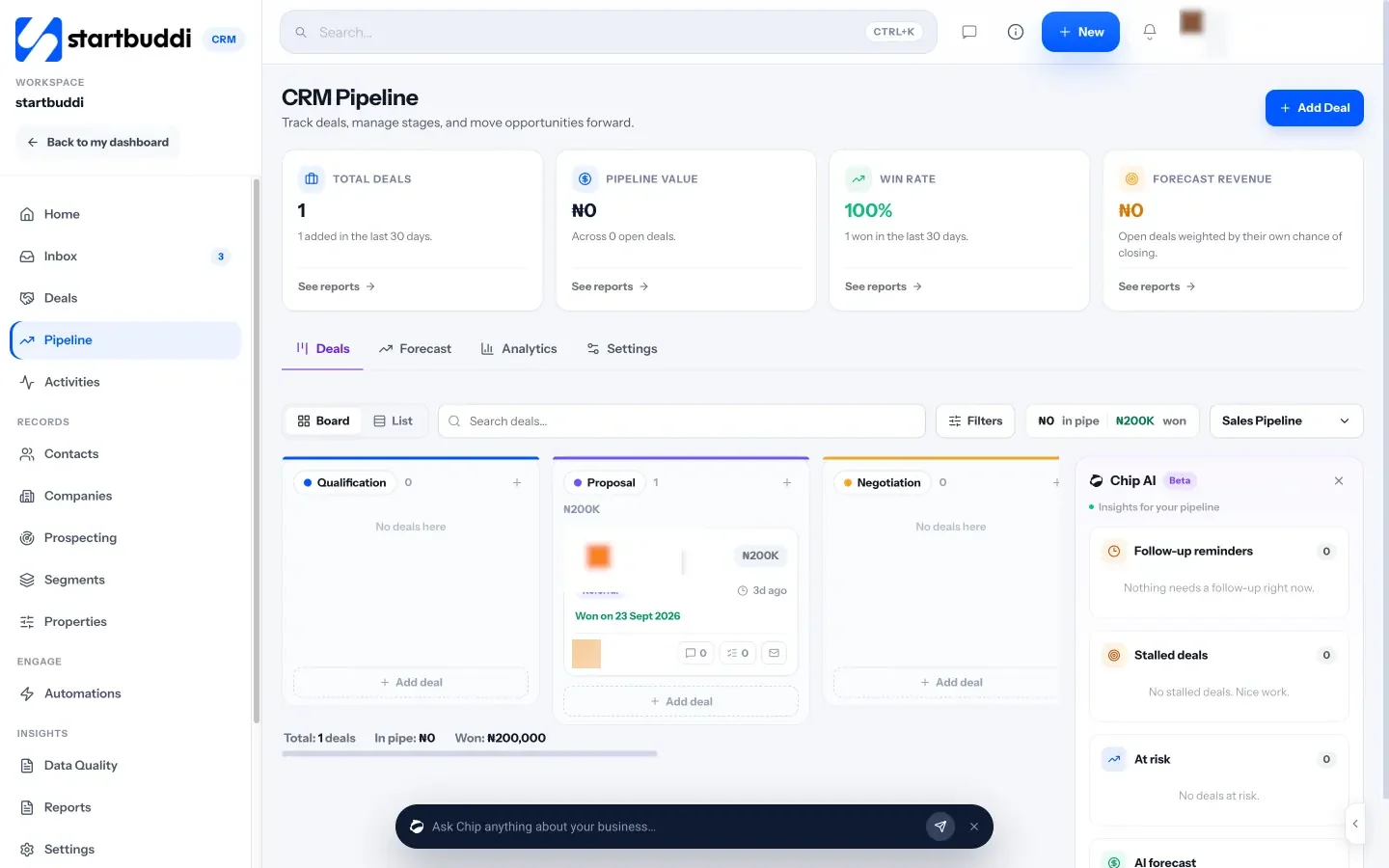
In Contacts, you can filter by source and last contacted date and save any filter as a segment. Every lead moves through the sales pipeline, and CRM Reports include a “How clients found you” breakdown and your lead response time.
Automations can send an email, SMS or WhatsApp message and create a task the moment a form is submitted or a contact is added, so no lead waits on memory. Free includes 2 active automations, and Starter allows 10.
The Free plan covers up to 250 contacts, and every paid plan has a 30-day trial (see pricing). See pricing.
Your next step
Send yourself a test enquiry through every channel you use this week and see where each one ends up. Any that don’t reach one shared list are your gaps. If you’d like them all in one inbox with the source recorded, connect your first channel to startbuddi.
Sources
Frequently asked questions
What is multi-channel lead tracking?
Capturing enquiries from every channel into one list, recording where each came from, and following each lead through to a sale so you can compare channels.
How do I track lead sources in a CRM?
Use a short, fixed list of sources as a dropdown, let automatic channels fill it in, add UTM tags to your links, and ask new leads how they heard about you.
How do I stop the same lead appearing twice?
Save phone numbers with the country code, let the CRM match new enquiries by email or phone, and merge any duplicates you find.
Do small businesses need attribution software?
Rarely. Recording a consistent source per lead and reviewing leads, customers and revenue by source each month answers most questions.
SEO Copywriter| Email growth Specialist| I help businesses increase revenue with strategic SEO content & high-converting email funnels.