WhatsApp Business app vs WhatsApp Business API: which do you need?
The WhatsApp Business app and the WhatsApp Business API compared: features, limits, per-message pricing, coexistence and when to switch.


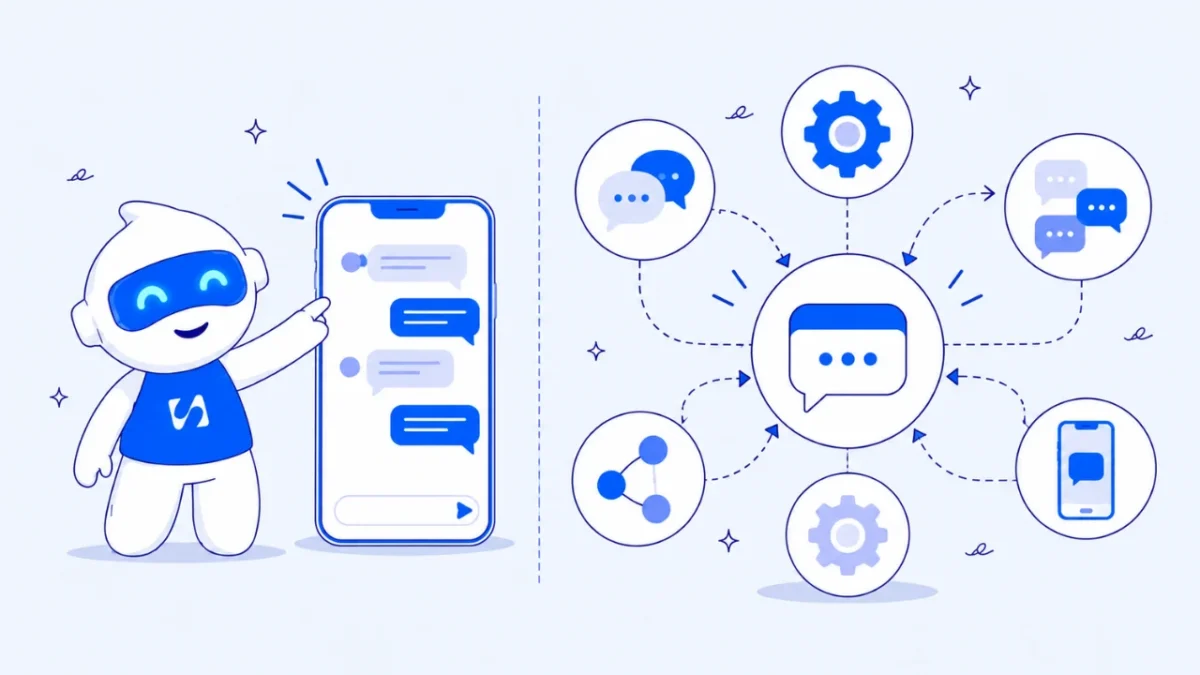
- The WhatsApp Business app is free and fine for one person chatting with customers. The WhatsApp Business API adds campaigns to opted-in contacts, a team inbox, chatbots and reports, with Meta charging per delivered template. With coexistence, many businesses can use both on one number.
The WhatsApp Business app is a free phone app for chatting with customers one at a time. The WhatsApp Business API, which Meta now calls the WhatsApp Business Platform, is a connection that lets software send and receive your WhatsApp messages: approved broadcasts to thousands of opted-in customers, chatbots, a shared team inbox and automated updates. Most small businesses start on the app and move to the API when they need to message more people than they can handle by hand, or when more than a few people need to answer chats.
You may not have to choose. Meta now lets many businesses keep the WhatsApp Business app on their phone and connect the same number to the API. This guide compares the two side by side, explains how the API is priced, and helps you decide what you need today.
WhatsApp Business app vs API at a glance
| WhatsApp Business app | WhatsApp Business API (Platform) | |
|---|---|---|
| What it is | A phone app, like WhatsApp but with business tools | A connection used through software such as an inbox or CRM |
| Cost | Free to download and use | Meta charges per delivered template message; replies to customers are free |
| Who can reply | You, plus linked devices | A whole team through a shared inbox |
| Messaging many people | Broadcast lists of up to 256 contacts, delivered only to people who saved your number | Campaigns to opted-in contacts using approved templates, within Meta’s messaging limits |
| Automation | Greeting and away messages, quick replies | Chatbots, step-by-step flows, forms inside the chat, automatic updates |
| Reporting | Basic | Sent, delivered, read and replied for each campaign |
| Set-up | Minutes, on your phone | Through a provider, with a Meta business portfolio |
What the WhatsApp Business app gives you
The app is where most small businesses start, and for many it is enough for a long time. According to WhatsApp’s own feature page, it includes:
- A business profile with your logo, description, hours and website.
- Greeting and away messages that reply automatically on first contact or outside business hours.
- Quick replies: saved answers to common questions.
- Labels to sort chats, such as “new customer” or “paid”.
- A catalogue of your products or services, which customers can browse in the chat.
- Linked devices: WhatsApp says you can link up to 10 devices and agents to your account.
- Ads that click to WhatsApp from Facebook and Instagram.
Where the app runs out of road
- Broadcasts are small and unreliable for new contacts. The WhatsApp Help Center explains that broadcast lists reach only customers who have your number saved in their phone’s address book, and a list holds up to 256 contacts. WhatsApp is also rolling out paid business broadcasts in the app in select countries, so check what is available to you.
- Everything lives on phones. Chats are hard to hand over, easy to lose when a staff member leaves, and impossible to link to your customer records or invoices.
- No real automation. Beyond greeting and away messages, every reply is typed by a person.
- Little reporting. You cannot easily see which messages were read or which campaign led to a sale.
What the WhatsApp Business API gives you
The API does not come with its own app. You use it through software from Meta or a provider, which gives you a screen for campaigns, templates, a team inbox and automation. Since Meta retired its self-hosted On-Premises API in October 2025, the Cloud API hosted by Meta is the standard way in.
What it makes possible
- Broadcast campaigns to opted-in customers, whether or not they saved your number, using templates Meta has approved.
- A shared inbox, so several people can answer from one number without passing a phone around.
- Chatbots and flows that answer common questions, collect details and hand over to a person.
- Automatic updates such as booking confirmations, order updates and payment reminders.
- Delivery and read reports for every campaign.
- Connection to your other tools: contacts, deals, bookings and invoices.
The rules that come with it
Templates. To start a conversation, or to message someone more than 24 hours after they last wrote to you, you must use a message template that Meta has approved. Templates are categorised as marketing, utility or authentication.
The 24-hour customer service window. When a customer messages you, Meta’s pricing documentation explains that a 24-hour customer service window opens. Inside it, you can reply freely without a template.
Opt-in. The WhatsApp Business Messaging Policy says you may only contact people who have given you their number and agreed to receive messages from you, and you must respect every opt-out request.
Messaging limits. Meta caps how many different people you can start conversations with in a rolling 24 hours. Its messaging limits documentation says new business portfolios start at 250 unique contacts, then move up through 2,000, 10,000, 100,000 and unlimited. Verifying your business, or sending enough good-quality messages, raises the limit. Limits apply to the whole business portfolio, not each number.
How WhatsApp Business API pricing works
Meta moved to per-message pricing on 1 July 2025. In short, from Meta’s pricing page:
- You pay when a template message is delivered. The rate depends on the template’s category (marketing, utility or authentication) and the country of the person receiving it.
- Service messages are free. Replies inside the 24-hour customer service window cost nothing.
- Utility templates sent inside an open customer service window are free, for example an order confirmation while the customer is chatting with you.
- When someone messages you from a click-to-WhatsApp ad, a 72-hour free entry point window opens.
Rates change by country and over time, so check Meta’s current rate card for the countries you message. Your software provider may charge its own fee on top, or not; ask before you sign up.
What this means in practice
If most of your WhatsApp traffic is customers writing to you and you replying, the API can cost very little in Meta fees. Costs grow with outbound marketing: each promotional template delivered is charged. A small business sending a monthly promotion to a few hundred opted-in customers should budget for those marketing messages and measure what they bring back.
Can you use both? WhatsApp Business app coexistence
Yes, in many cases. Meta’s coexistence documentation describes how a business can connect its existing WhatsApp Business app number to the Cloud API and keep using the app on the phone. Key points:
- Your number keeps working in the app, and messages show in both places.
- Chat history from the most recent six months can be synchronised.
- Numbers used both ways have a fixed throughput of 20 messages a second.
- Some app features change: broadcast lists become read-only in the app, and disappearing messages, view once and live location are switched off for those chats.
Coexistence suits owners who want campaigns, a team inbox and automation without giving up the phone app customers already know. It needs a recent version of the WhatsApp Business app and a provider that supports it.
Common myths about the WhatsApp Business API
“The API is only for big companies”
It used to feel that way, when set-up meant developers and servers. With Meta hosting the Cloud API and providers offering a signup window, a small business can connect in an afternoon. What matters more is whether you have enough conversations or customers to benefit.
“The API lets me message anyone”
It does not. You still need each person’s permission, and Meta limits how many new people you can reach each day until you build a track record. Buying a list of numbers and blasting them is the quickest way to damage your number’s standing.
“I’ll lose my WhatsApp chats if I move”
With coexistence, many businesses keep the app, the number and recent chat history. Without it, moving a number to the API means it stops working in the app, so check which option your provider supports before you start.
“Every message costs money”
Replies to customers who wrote to you in the last 24 hours are free. You pay for templates, mainly the ones you use to start conversations and send marketing.
“A chatbot will annoy my customers”
A badly made one will. A good chatbot answers the handful of questions you get every day (prices, hours, delivery areas, how to book), never makes up answers, and hands over to a person quickly. Customers get a reply at 11pm instead of waiting until morning.
Which one do you need?
Stay on the WhatsApp Business app if:
- You answer most chats yourself and have fewer than a few dozen conversations a day.
- Your customers already save your number, and you message small groups.
- You do not need reports or links to other tools yet.
Move to the WhatsApp Business API if:
- You want to send campaigns to hundreds or thousands of opted-in customers.
- Two or more people need to answer chats from one number.
- You get the same questions all day and want a chatbot to handle the first reply.
- You want booking confirmations, order updates or payment reminders sent automatically.
- You want to know which campaign or ad led to which sale.
Use both through coexistence if:
- You like chatting on the phone app but need the API’s reach, team inbox and reporting.
How to move to the API without losing customers
- Tidy your contact list. Save numbers with country codes and note who has agreed to hear from you.
- Collect opt-in properly. Add a clear line to your forms, booking pages and receipts, such as “Tick to get offers and updates on WhatsApp”.
- Verify your business with Meta. It helps your messaging limit grow and builds trust.
- Write two or three templates first: a welcome, an order or booking update, and one offer. Keep them short and personal.
- Start small. Send your first campaign to your most engaged customers, watch replies and opt-outs, then widen it.
- Protect your quality rating. Make opting out easy and stop messaging anyone who asks. Meta only raises your messaging limit when your messages are good quality.
For campaign ideas that work, read how to do WhatsApp marketing for your business, and if you are weighing channels, WhatsApp vs SMS marketing.
How startbuddi helps you run WhatsApp on the API
WhatsApp in startbuddi runs on Meta’s Cloud API, on your own business number, with every reply landing in the same inbox as your email, SMS and live chat.
Connect in Meta’s own window, and keep your app. Click Connect WhatsApp and Meta’s signup opens in a popup, where you pick your business and number. If the number is already on the WhatsApp Business app, choose to connect your existing account: it keeps working on your phone, and contacts and chats are imported once, up to 180 days back. A setup checklist shows what is left, such as registering the number and getting a first template approved.
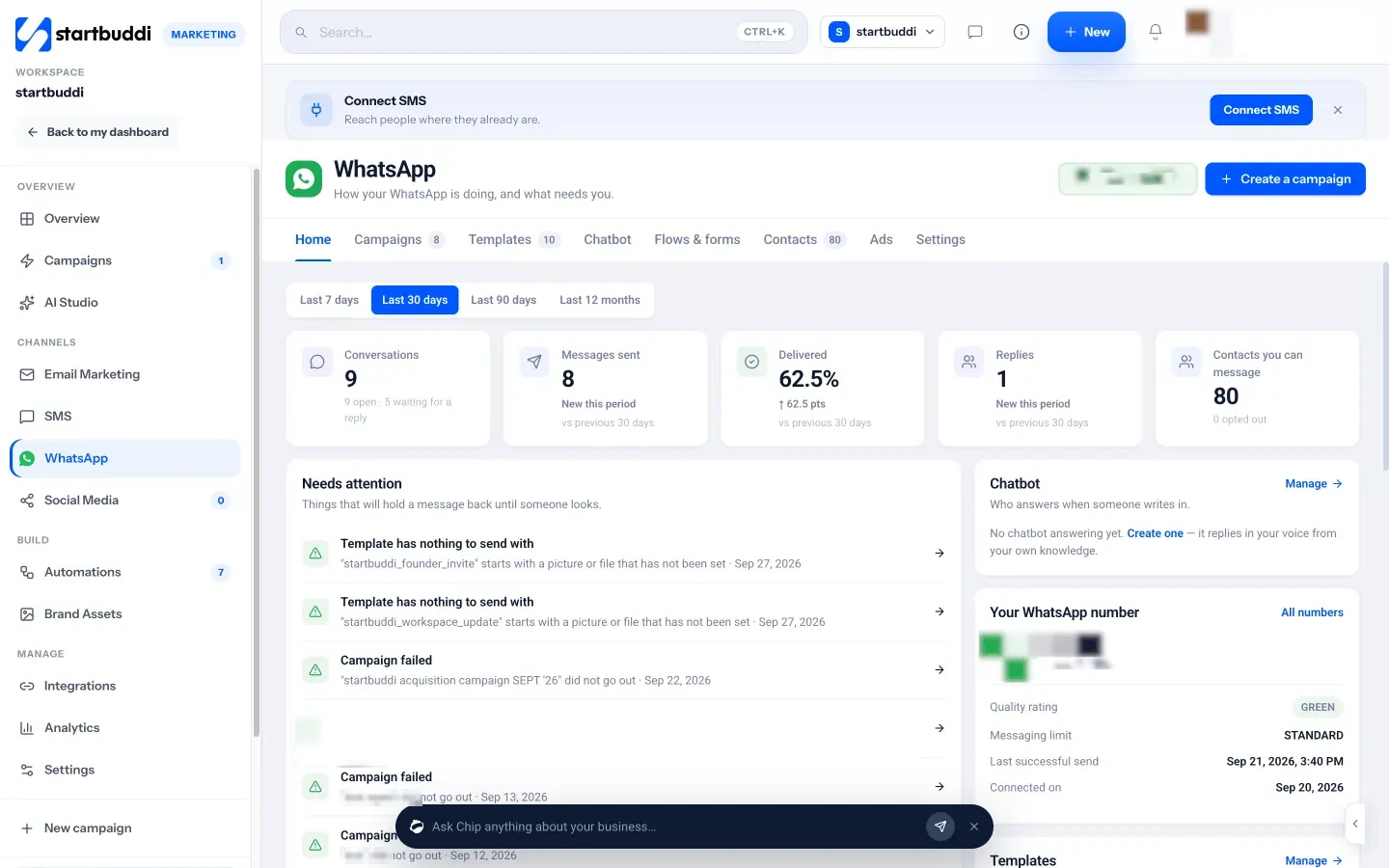
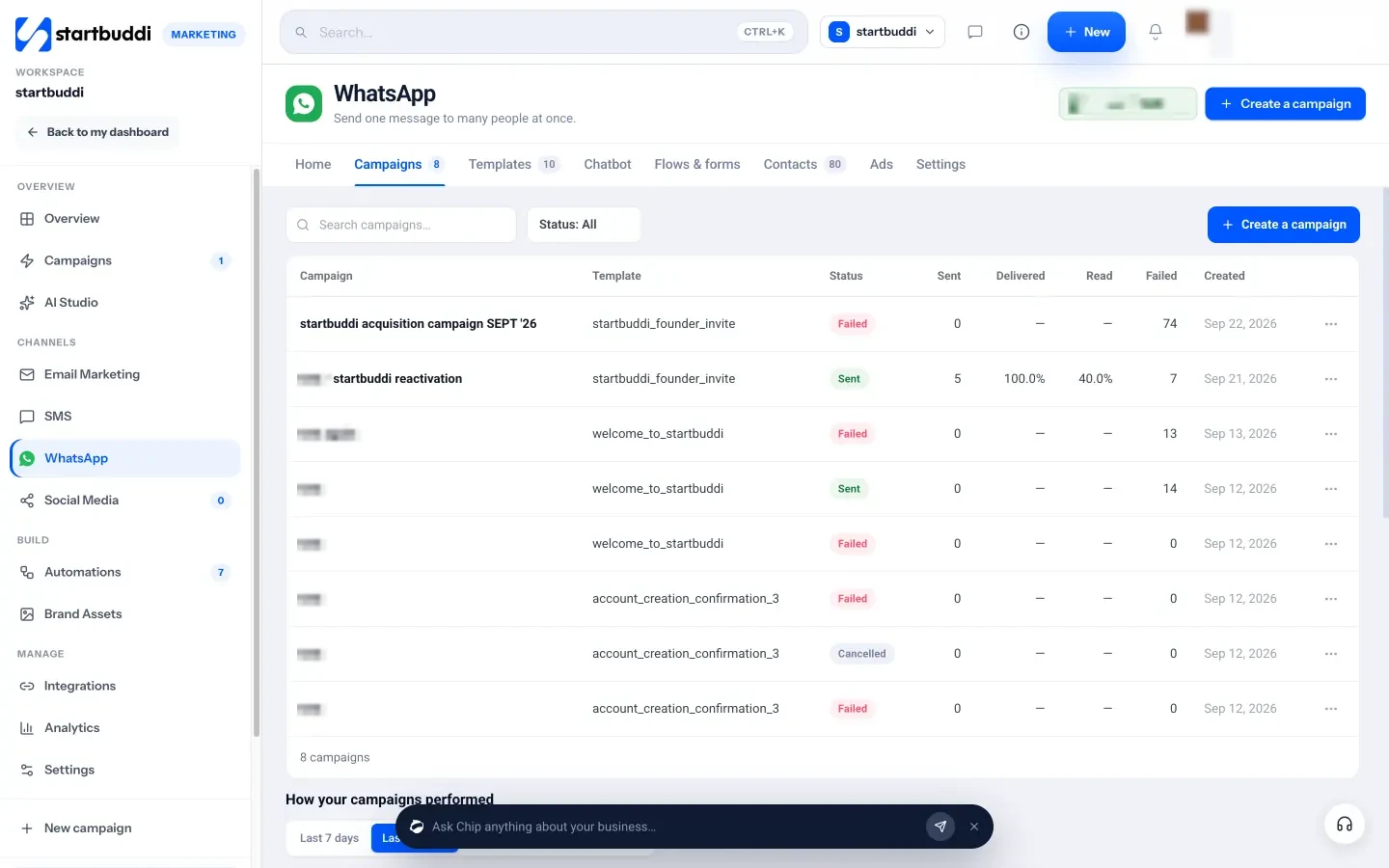
Templates and campaigns. Write a template or pick one from Meta’s library, send it to Meta for review and track its status. A five-step wizard (Audience, Template, Personalise, Schedule, Review) sends a campaign to opted-in contacts, and the Campaigns tab shows where your messages got to: sent, delivered, read, replied and failed.
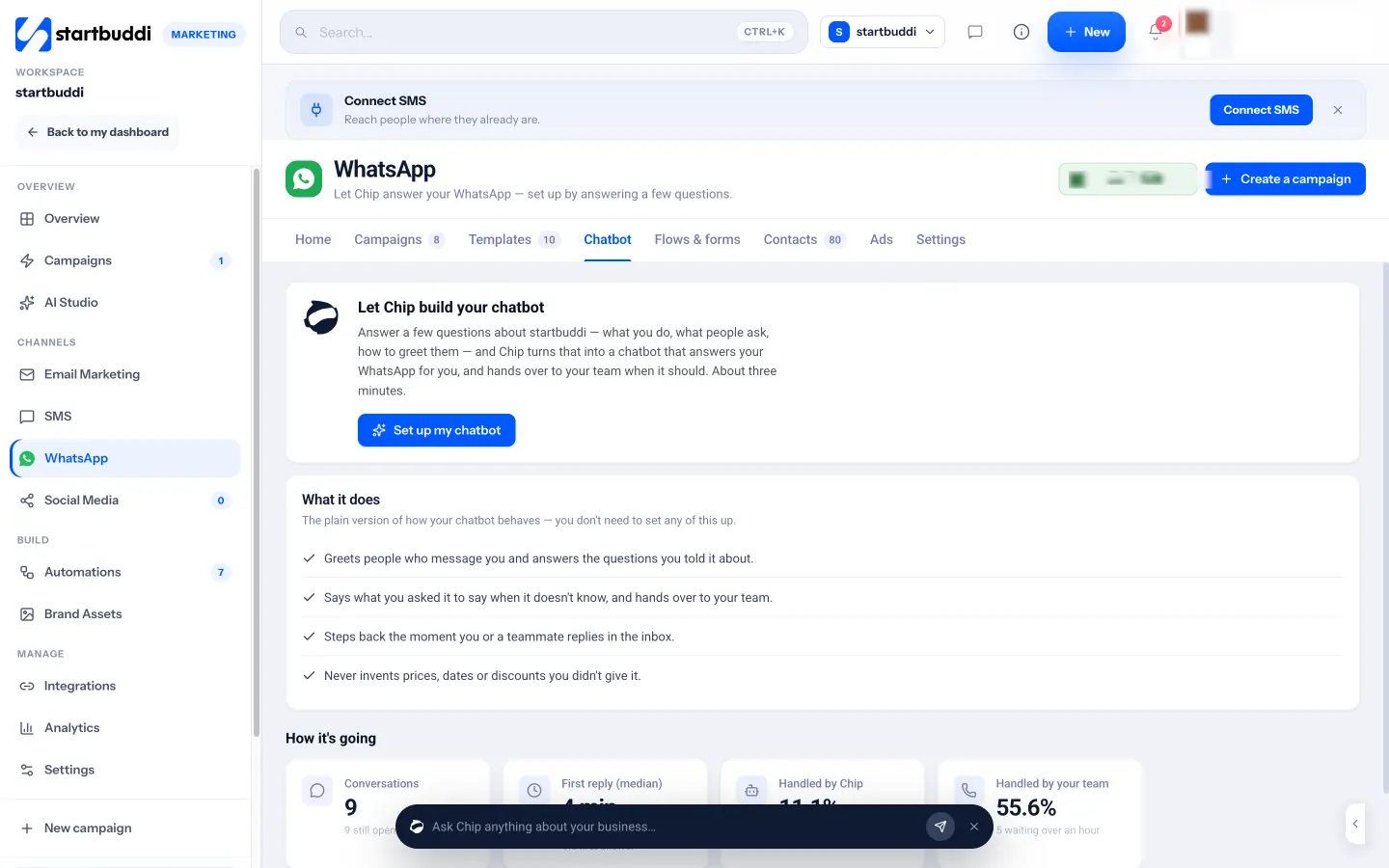
A chatbot built by Chip. Answer a few questions about your business and Chip builds a chatbot that replies in your voice and steps back the moment you or a teammate replies. You can build it on Starter; switching it on to answer customers automatically needs the Growth plan.
One inbox for the team. WhatsApp chats sit in the Inbox alongside other channels. After 24 hours the composer switches to templates, so you stay within Meta’s rules.
WhatsApp needs the Starter plan or above, and every paid plan has a 30-day trial. Meta’s own message charges apply to your WhatsApp account.
Your next step
Count how many WhatsApp conversations you handle in a normal week and how many customers you would message with an offer. If either number is more than you can manage from one phone, it is time for the API. See how WhatsApp marketing in startbuddi works, learn more about what the WhatsApp Business API is, or compare plans on the pricing page.
Sources
- WhatsApp Business: Business app features
- WhatsApp Help Center: How to use broadcast lists on the WhatsApp Business app
- Meta for Developers: WhatsApp Business Platform pricing
- Meta for Developers: Messaging limits
- Meta for Developers: Onboarding WhatsApp Business app users (coexistence)
- Meta for Developers: On-Premises API sunset
- WhatsApp Business Messaging Policy
Frequently asked questions
Is the WhatsApp Business API free?
Replies inside the 24-hour customer service window are free. Meta charges for delivered template messages, at rates that depend on category and country.
Can I use the same number on the app and the API?
Often, yes. Meta's coexistence option lets an existing WhatsApp Business app number connect to the Cloud API and keep working in the app.
How many people can I message with the API?
New business portfolios start at 250 unique contacts in a rolling 24 hours outside the service window, rising to 2,000 and beyond as you verify and send good-quality messages.
Do customers need to opt in?
Yes. WhatsApp's policy requires permission before you message someone, and you must honour every opt-out.
Olabimpe Salami is the email and outreach specialist at startbuddi. Olabimpe writes about the messages that bring customers in and back: email, WhatsApp and SMS campaigns, follow-ups, and turning enquiries into paying clients.
Runs email and outreach at startbuddi