WhatsApp marketing in 2026: the complete guide for small businesses
A practical 2026 guide to WhatsApp marketing for small businesses: which WhatsApp tool to use, consent, templates, what to send, costs and a 30-day plan.


Chinonye wrote this while on the startbuddi team. The product has changed since, so the team updated it on .
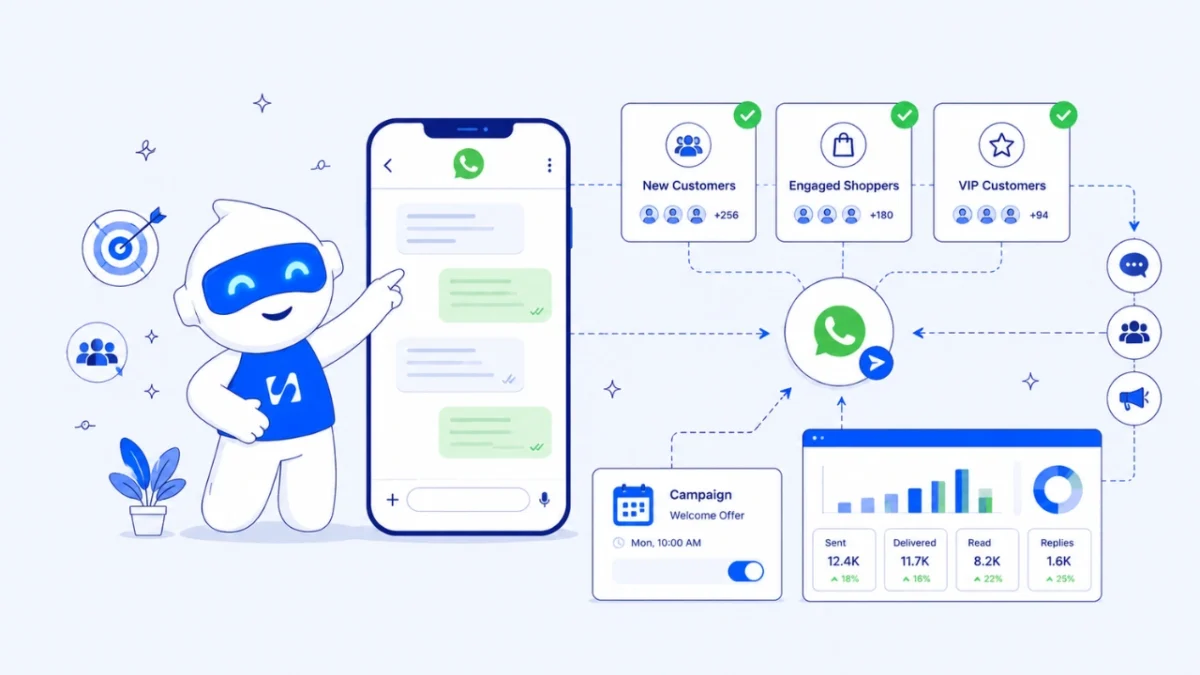
- Start with the free WhatsApp Business app, collect clear opt-ins, and send one useful message a week to people who asked for it. Move to the WhatsApp Business Platform when you need a team inbox, larger lists, approved templates and proper reporting, and check Meta's current per-message rates for your customers' country.
WhatsApp marketing works best when you treat WhatsApp as a shop counter, not a loudspeaker. Collect permission, set up a proper business profile, send a small number of useful messages to people who asked to hear from you, and answer fast when they reply. Use the free WhatsApp Business app while you are small, and move to the WhatsApp Business Platform (the API) when you need to reach more people, share the work with a team, or measure results properly.
This guide walks through each step for a small business in 2026: which WhatsApp tool to use, how consent works, what to send and how often, what it costs, templates and campaign examples, and a 30-day plan you can start this week. It works wherever your customers live on WhatsApp, from Nigeria and Kenya to India, Brazil and the UK, with a short section on the rules in Nigeria.
Why WhatsApp marketing is worth doing properly
People increasingly message businesses rather than call. Meta said in June 2026 that there are more than one billion active threads with businesses on WhatsApp, Messenger and Instagram every day. In many countries WhatsApp is where customers ask about prices, send proof of payment and follow up on orders. If you sell cakes, run a salon or offer deliveries, your customers are probably already messaging you there.
That is the opportunity and the risk. Because WhatsApp feels personal, a badly timed or unwanted message feels more intrusive than an ignored email. People block and report numbers that spam them, and on the WhatsApp Business Platform those reports lower your number’s quality rating, which can limit how many people you can reach. Doing it properly is not only polite. It protects the channel you depend on.
Choose the right WhatsApp tool for your business
There are three ways to market on WhatsApp, and most small businesses move through them in order.
| WhatsApp Business app | Business broadcasts (in the app) | WhatsApp Business Platform (API) | |
|---|---|---|---|
| Best for | One person answering customers | Sending promotions from the app to your contacts | Teams, larger lists, automation and reporting |
| Reach | Broadcast lists of up to 256 people who saved your number | Contacts in your app, as private 1:1 messages | Opted-in contacts, within Meta’s messaging limits |
| Cost | Free | Check WhatsApp’s current pricing for your country | Meta charges per delivered template message |
| Who can reply | You and your linked devices | You and your linked devices | A whole team from a shared inbox |
The WhatsApp Business app
The free app gives you a business profile, a catalogue, greeting and away messages, quick replies and labels, as listed on WhatsApp’s business app features page. Its classic broadcast lists hold up to 256 contacts each, and a message only arrives if the person has saved your number, as the WhatsApp Help Center explains. That saved-number rule is a built-in consent check, and it is why broadcast lists often reach fewer people than you expect.
Business broadcasts in the app
WhatsApp has added business broadcasts to the Business app, with scheduling, buttons and read and reply rates. Availability and pricing vary by country, so check the Help Center inside your app before you plan around it.
The WhatsApp Business Platform (API)
The Platform is the connection that software uses to send and receive your WhatsApp messages. Marketing messages to people who have not written to you in the last 24 hours must use a template that Meta has approved. Since 1 July 2025 Meta has charged per delivered template message, with rates that depend on the message category and the recipient’s country, according to Meta’s pricing documentation. Replies inside the 24-hour customer service window are free, and conversations that start from a click-to-WhatsApp ad are free for 72 hours. Look up the current rate for your customers’ country on Meta’s rate card rather than trusting a figure in a blog post, because rates change.
New business portfolios can message 250 unique people in a rolling 24 hours outside the service window. That rises to 2,000 and beyond once you verify your business or send enough good-quality messages, as set out in Meta’s messaging limits guide. For a deeper comparison, read our plain guide to the WhatsApp Business API.
Get permission before you send anything
Consent is where most WhatsApp marketing goes wrong. A number in your phone is not permission to market to it. Someone who bought from you once, or whose number you found in a group, has not agreed to receive your promotions.
Two sets of rules apply. The WhatsApp Business Messaging Policy requires you to get opt-in before you message people and to respect every request to stop. On top of that, data protection law where your customers live decides what counts as valid consent. In the UK, the ICO’s electronic marketing guidance covers messages as well as email, and EU countries apply the GDPR; Nigeria’s rules are covered below. The common thread: silence isn’t consent, you must be able to show when someone agreed, and people can object to direct marketing at any time. This is general information, not legal advice; check the rules where you trade.
Simple ways to collect opt-ins
- At checkout or delivery: “Can we send you new stock and offers on WhatsApp? Reply YES.” Save the reply.
- On a form or landing page: an unticked box that says exactly what you will send and how often.
- A QR code at your counter or on packaging that opens a chat with a pre-filled message like “Add me to your offers list”.
- Click-to-WhatsApp ads on Facebook or Instagram, followed by a welcome message that asks if they want updates.
Record when and how each person agreed, and make stopping easy: “Reply STOP to stop these messages” at the end of promotions is enough.
Set up a business profile customers trust
Before you send a single promotion, make the profile look like a real business. Buyers are cautious about fake sellers, and the profile is the first thing they check.
- Name and photo: your trading name and logo, not a personal photo.
- Description, address and hours: say what you sell, which areas you deliver to, and when you reply.
- Catalogue: add your top 10 to 20 products or services with prices in your currency. Customers can browse without asking “how much?”.
- Greeting message: “Hi, thanks for messaging Ada’s Kitchen. Tell us what you’d like and your area, and we’ll reply with price and delivery time.”
- Away message: “We’re closed now and reply from 8am. You can still browse our catalogue.”
- Quick replies: saved answers for delivery fees, bank details and opening hours.
- Labels: “New enquiry”, “Paid”, “Delivered”, “VIP” so you can see who needs what.
What to send: a WhatsApp content mix that earns replies
The best WhatsApp messages feel like a note from a shop you like. Short, specific, and worth opening. A useful rule is that most of your messages should help or inform, and only some should ask for a sale.
Five message types that work
- New stock or new service: “Fresh ankara prints just landed: 12 designs, ₦18,500 per 6 yards. Reply with a number to reserve.”
- Limited offer with a real deadline: “Friday only: free delivery across Leeds on orders over £40.”
- Useful tip: a salon sharing “How to keep knotless braids neat for 6 weeks” builds trust between bookings.
- Reminder or restock nudge: “It’s been 4 weeks since your last gas refill. Want us to deliver on Saturday?”
- Proof and social proof: a photo of a finished job, with the customer’s permission.
How often to send
For most small businesses, one planned promotion a week is plenty, plus replies and order updates. If opt-outs or blocks rise after a send, slow down. On the Platform, your quality rating is the signal to watch.
Status updates
WhatsApp Status is free, reaches people who saved your number, and does not interrupt anyone. Post new stock, behind-the-scenes clips and customer results there most days, and keep direct messages for things worth a notification.
Turn replies into paid orders
Marketing is only half the job. The sale happens in the conversation that follows, and speed matters. Research reported in Harvard Business Review found that firms that contacted online leads within an hour were far more likely to qualify them than firms that waited longer.
- Answer within the hour during business hours. Use quick replies for the questions you get every day.
- Confirm the order in writing: item, price, delivery fee, address and date, in one message.
- Make paying easy: send bank details or a payment link in the same chat, and confirm when the money arrives.
- Follow up once if someone goes quiet: “Still want the blue one? I can hold it until 5pm.”
- Save every buyer to a customer list with what they bought, so your next message can be relevant.
Measure what WhatsApp is doing for you
Track a few numbers each month, whatever tool you use:
- Messages delivered and read: if reads are low, your list may be stale or your timing off.
- Replies: the clearest sign a message was relevant.
- Opt-outs and blocks: a rising number means you are sending too often or to the wrong people.
- Orders from WhatsApp: label chats as “Paid” and count them, or ask “How did you hear about us?”.
- Quality rating (Platform only): Meta shows green, yellow or red. Keep it green.
Common mistakes to avoid
- Buying number lists or scraping groups. It breaks WhatsApp’s policy and data protection law in most countries, and it gets numbers blocked.
- Using your personal line. Keep business on a business number so you can hand it to staff later.
- Long messages with no clear ask. One offer, one action, one link.
- No way to stop. Always tell people how to opt out.
- Replying days later. A fast “we’ll check and come back by 3pm” beats silence.
If you are weighing WhatsApp against text messages, our comparison of WhatsApp vs SMS marketing covers when each one fits.
A 30-day WhatsApp marketing plan for a small business
| Week | Do this | Done when |
|---|---|---|
| 1 | Set up the Business app profile, catalogue, greeting, away message, quick replies and labels | A stranger could order without asking a basic question |
| 2 | Start collecting opt-ins at checkout, on your forms and with a counter QR code | You have a list of people who said yes, with dates |
| 3 | Send your first planned message: one offer, one action, a way to stop | You have tracked reads, replies and opt-outs |
| 4 | Review what worked, post Status updates most days, plan next month’s four messages | You know your best message type and send time |
Once your list outgrows the app, or more than one person needs to answer chats, it is time to look at the Platform.
WhatsApp marketing in Nigeria: what’s different
Nigeria had about 109 million internet users at the end of 2025, according to DataReportal’s Digital 2026 Nigeria report, and for many of them WhatsApp is the main way to talk to a business. Three points matter there:
- Consent under the NDPA. The Nigeria Data Protection Act 2023 says, in section 26, that silence or inactivity is not consent and that the business must be able to prove consent was given. Section 36 gives people the right to object to direct marketing. The Nigeria Data Protection Commission publishes guidance.
- Numbers in +234 format. Many saved numbers start with 0; store them with the country code so campaigns reach them.
- Local rates. Meta sets a per-message rate for Nigeria, so check the rate card before you plan a big send.
Our guide to bulk WhatsApp marketing in Nigeria covers sending at larger scale.
How startbuddi helps with WhatsApp marketing
WhatsApp in startbuddi connects your business number to the WhatsApp Business Platform and puts campaigns, templates, contacts and replies in one place. It sits in the Marketing module, which needs the Starter plan or above (see pricing). It is not available on the Free plan.
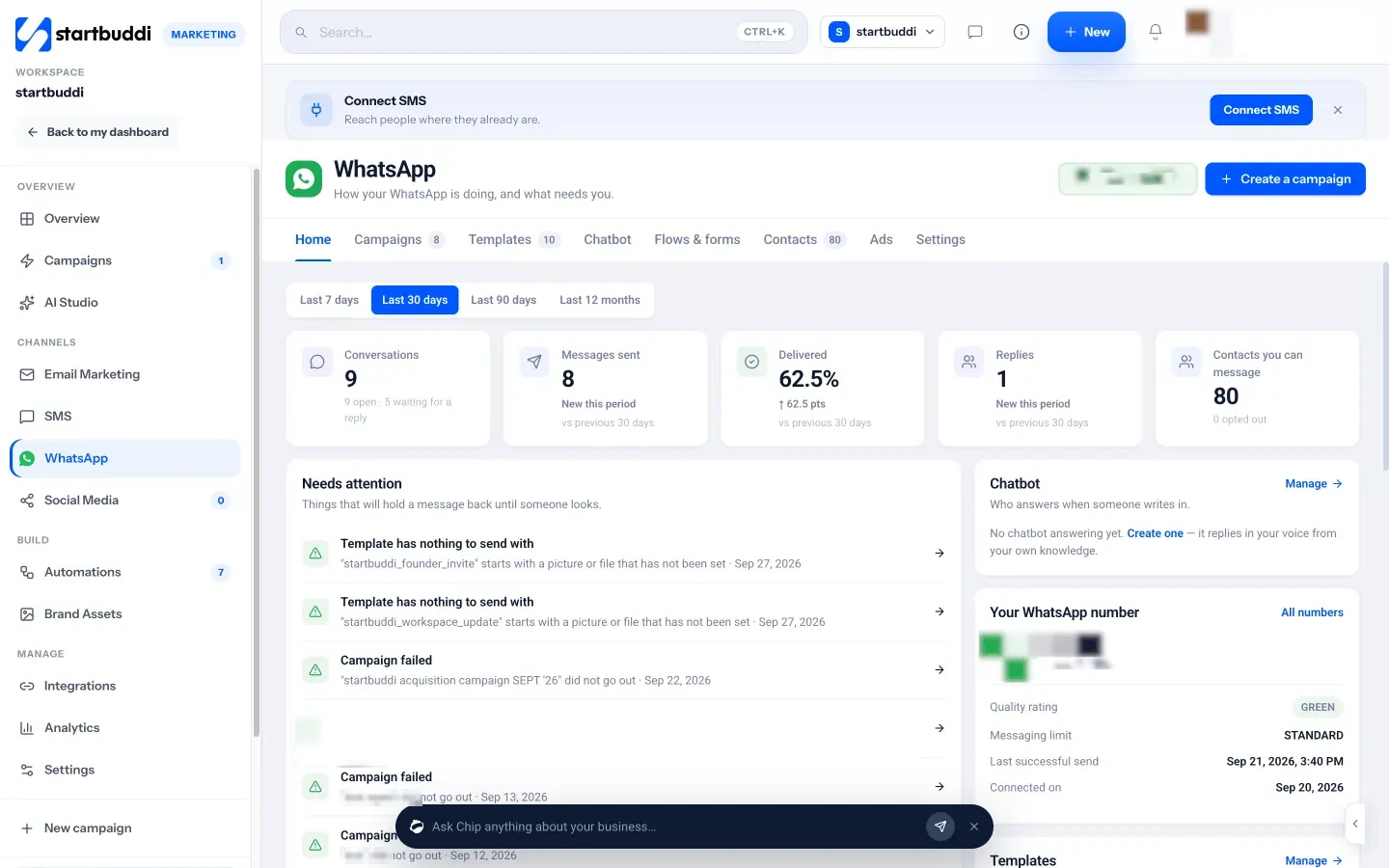
- Connect in a Meta popup. You pick your business and number in Meta’s own window. If you already use the WhatsApp Business app, you can keep it: startbuddi supports Meta’s coexistence option, so replies arrive in both places. The steps are in our help article on connecting WhatsApp to startbuddi.
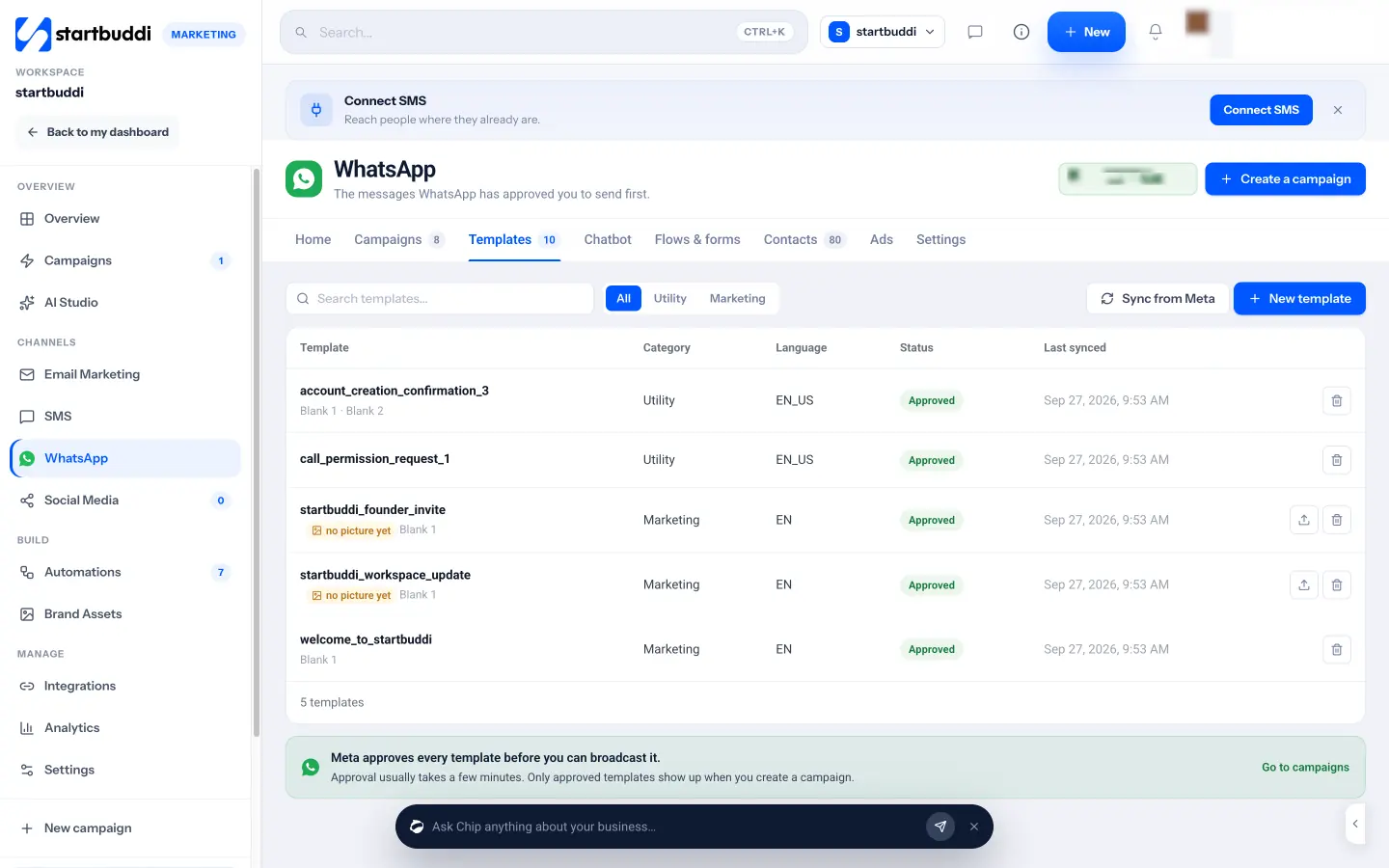
- Templates. Write a template, choose Utility or Marketing, preview it, and click Send to Meta for review. Or pick one from Meta’s library that is already approved. Languages include English, Hausa, Yoruba and Igbo.
- Campaigns. A five-step flow: Audience, Template, Personalise, Schedule, Review. Marketing templates only reach contacts marked as opted in, and results show sent, delivered, read and replied.
- Contacts. See who has opted in or out, and fix numbers saved without a country code, such as +234.
- One inbox. Replies land in the Customers inbox beside email and live chat. After 24 hours the composer switches to templates, so you stay within Meta’s rules.
- Forms inside the chat for booking a slot or getting a quote, with answers saved to the contact.
- Click-to-WhatsApp ads are tracked from the first message to the deal.
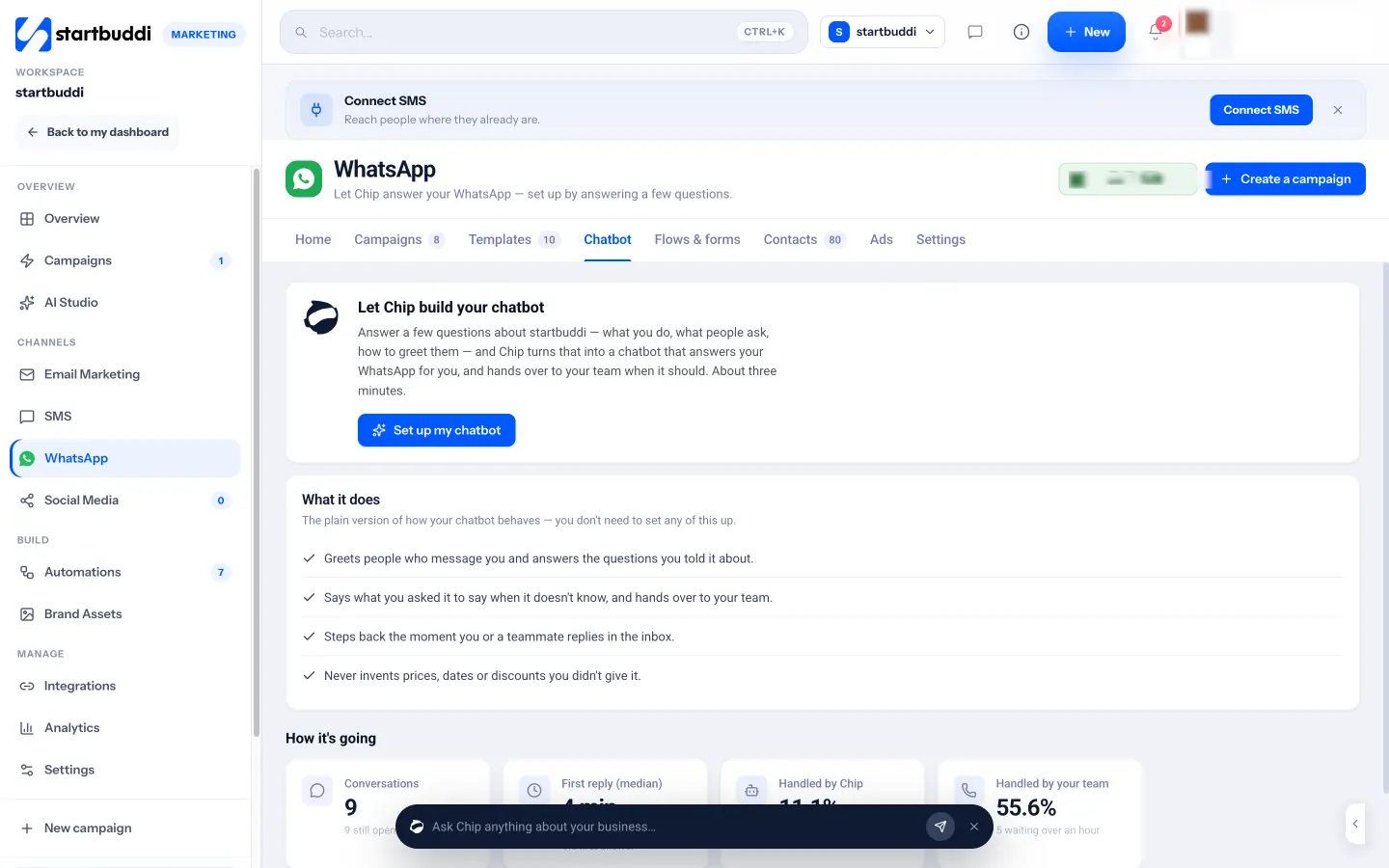
Chip, the AI assistant, can build a WhatsApp chatbot from a short interview about your business: what you sell, common questions, your greeting and what it must never promise. It steps back when a teammate replies. You can build one on Starter, but switching it on to answer customers needs the Growth plan or above, and replies use Chip credits.
Be clear about the limits. Meta’s own per-message charges apply to your WhatsApp account on top of your startbuddi plan. A Meta test number cannot create templates or run campaigns. And no tool can make an unwanted message welcome: the consent and content advice above still decides your results. To go further with automation, see how to set up WhatsApp automation sequences.
Your next step
This week, tidy your WhatsApp Business profile and start collecting opt-ins. When you are ready to send campaigns from a shared inbox with a team, compare plans on our pricing page and start the 30-day trial on Starter.
Sources
- Meta Newsroom: Meta Business Agent (June 2026)
- ICO: electronic mail marketing
- DataReportal: Digital 2026 Nigeria
- WhatsApp Business: Business app features
- WhatsApp Help Center: How to use broadcast lists on the WhatsApp Business app
- WhatsApp Business: Business broadcasts
- Meta for Developers: WhatsApp Business Platform pricing
- Meta for Developers: Messaging limits
- WhatsApp Business Messaging Policy
- Nigeria Data Protection Commission: Nigeria Data Protection Act 2023
- Harvard Business Review: The Short Life of Online Sales Leads
Frequently asked questions
Is WhatsApp marketing legal?
Yes, if people have agreed to hear from you and can easily stop. WhatsApp's own policy requires opt-in, and data protection laws such as the UK GDPR and Nigeria's Data Protection Act 2023 set out what valid consent looks like.
How much does WhatsApp marketing cost?
The WhatsApp Business app is free. On the Business Platform, Meta charges per delivered template message at a rate set for each country and message type, so check Meta's current rate card.
Can I send WhatsApp messages to people who have not saved my number?
Not with classic broadcast lists, which only deliver to people who saved your number. The Business Platform can reach opted-in contacts with approved templates.
How many WhatsApp marketing messages should I send a week?
For most small businesses, one planned promotion a week is enough. Watch replies and opt-outs, and slow down if blocks rise.
Do I need the WhatsApp Business API?
Not at first. Consider it when several people need to answer chats, your list is too big for broadcast lists, or you want delivery and reply reports.
SEO Copywriter| Email growth Specialist| I help businesses increase revenue with strategic SEO content & high-converting email funnels.