Bulk WhatsApp marketing in Nigeria: everything you need to know
How bulk WhatsApp marketing in Nigeria really works: the three ways to send, what Meta charges, the limits and rules, and how to run a campaign without getting banned.


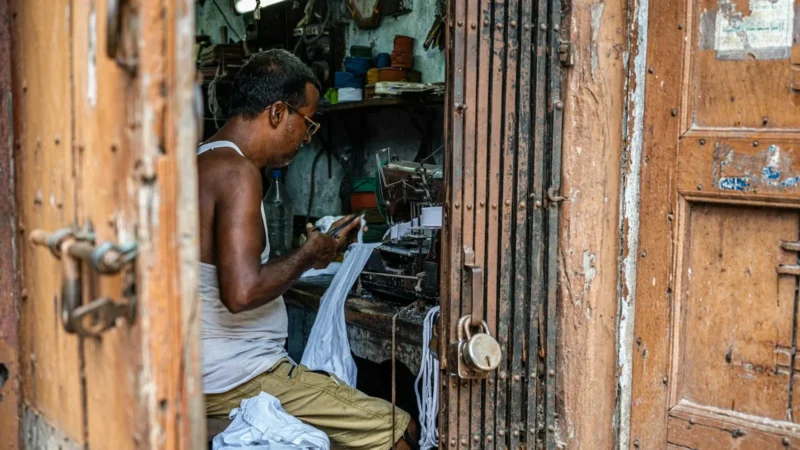
Photo: Andreea Munteanu / Unsplash
- Bulk WhatsApp marketing works when you send approved templates to people who opted in, through the official WhatsApp Business Platform. Broadcast lists in the phone app cap at 256 people, and unofficial bulk senders risk a ban. Start small, build a clean opt-in list, and let your quality rating grow your limits.
Bulk WhatsApp marketing in Nigeria means sending one message to many customers at once on WhatsApp, usually a promotion, a restock alert or a reminder. The safe way to do it is through the official WhatsApp Business Platform: you message only people who agreed to hear from you, you use message templates Meta has approved, and you pay Meta for each delivered marketing message. Broadcast lists in the free WhatsApp Business app work too, but only for small groups of people who saved your number. The “bulk sender” tools sold on social media that blast thousands of numbers from an ordinary account are the fastest route to a banned number.
This guide explains the three ways businesses send in bulk, what each costs, the limits Meta sets, the consent rules (including Nigeria’s data protection law), and a step-by-step plan for your first campaign. Most of it applies wherever you are: the platform rules are the same in Lagos, Nairobi, Johannesburg or London. Where the law differs, we point you to the regulator.
What bulk WhatsApp marketing in Nigeria actually involves
WhatsApp is where many Nigerian customers already talk to the businesses they buy from, which is why a broadcast there often gets read faster than an email. But “bulk” can mean very different things, and the difference decides whether your number survives the month.
- A broadcast is one message sent to a list of people, each of whom receives it as a private chat. Replies come back to you one to one. Our glossary has a short explainer on what a WhatsApp broadcast is.
- A campaign is a broadcast with a goal, an audience, a schedule and a way to measure results, such as “30% off braids this weekend, sent to past customers in Lekki on Thursday at 6pm”.
- A group is not a broadcast. Everyone sees everyone else’s number and replies, which is rarely what customers want from a business.
WhatsApp’s own terms are clear about the line you can’t cross. Its Help Center article on unauthorised automated or bulk messaging says bulk messaging, auto-messaging and auto-dialling from ordinary accounts is not allowed, and that WhatsApp uses machine learning and user reports to find and ban accounts that send unwanted automated messages.
Three ways to send WhatsApp messages in bulk
There are really only three routes. Two are allowed. One isn’t.
| Broadcast lists (WhatsApp Business app) | WhatsApp Business Platform (API) | Unofficial bulk senders | |
|---|---|---|---|
| Allowed by WhatsApp? | Yes | Yes | No |
| How many people | Up to 256 per list | Starts at 250 a day, grows with good quality | Claims “unlimited” |
| Who receives it | Only people who saved your number | Anyone who opted in, saved or not | Anyone, which is the problem |
| Cost | Free | Meta charges per delivered template message | A fee to the seller, plus the risk of losing your number |
| Reporting | Read ticks per chat | Sent, delivered, read and failed for every message | Usually none you can trust |
1. Broadcast lists in the WhatsApp Business app
The free app lets you create broadcast lists of up to 256 contacts each, and you can make as many lists as you like. There’s a catch many sellers discover late: according to WhatsApp’s Help Center guide on how to use broadcast lists, only contacts who have saved your number in their phone’s address book receive the message. If a customer never saved you, the broadcast quietly never arrives.
Broadcast lists are fine for a small business with a few hundred loyal customers. They become painful when you need to reach 2,000 people (eight lists, sent by hand), when you want to know who read what, or when two staff members need to share the work.
2. The WhatsApp Business Platform (API)
The Business Platform, often called the WhatsApp Business API, is Meta’s official system for businesses messaging at scale. You don’t use it directly: you connect your number through a provider or a tool built on it, such as startbuddi. Our glossary explains what the WhatsApp Business API is in plain words.
On the platform, you can message anyone who has opted in, whether or not they saved your number. To start a conversation, or to message someone more than 24 hours after they last wrote to you, you must use a message template that Meta has approved. Replies inside the 24-hour window can be normal free-form messages. If templates are new to you, our post on WhatsApp message templates that get replies has 20 examples.
3. Unofficial bulk senders
These are the Chrome extensions, “GB” or modified apps and cheap bulk-sending services that load your phone with thousands of numbers. They break WhatsApp’s terms, and WhatsApp’s guidance says it bans accounts that are reported repeatedly or that send automated messages at scale. If your business number is also your personal line, a ban takes your customer chats with it. We don’t recommend this route at any price.
What bulk WhatsApp messages cost
Since 1 July 2025, Meta charges per message rather than per conversation. Its WhatsApp Business Platform pricing page explains the main rules:
- You’re charged for template messages when they are delivered. Rates depend on the template category (marketing, utility or authentication) and on the country of the person receiving it.
- Non-template messages you send inside an open 24-hour customer service window are free.
- Utility templates sent inside an open customer service window are also free.
- Marketing templates are always charged.
Meta publishes rate cards by recipient country, and Nigeria is priced as its own market. Check the current card before you plan a big send, because rates change. Two practical points follow. First, a promotional broadcast to 5,000 people is a real cost, so send it to the people most likely to buy rather than everyone you have ever met. Second, conversations are cheaper than broadcasts: a campaign that gets people replying opens free 24-hour windows where your team can answer, share prices and close the sale.
Any tool you use may add its own subscription on top. That’s separate from what Meta charges your WhatsApp account.
The limits Meta sets on bulk sending
Two kinds of limits shape every campaign. Knowing them saves you from wondering why half a send failed.
Messaging limits: how many people a day
Meta’s messaging limits documentation defines the limit as the number of unique people your business can deliver template messages to, outside a customer service window, in a moving 24-hour period. New businesses start at 250. The tiers then rise to 2,000, 10,000, 100,000 and unlimited. You can move past 250 by verifying your business, or by delivering 2,000 messages to unique people within 30 days using high-quality templates. After that, Meta raises your limit automatically if your quality stays high and you use at least half your current limit.
Meta now sets these limits at the level of the business portfolio, so every number in the portfolio shares one limit. Adding a second number doesn’t double your daily reach.
Per-user marketing limits: how many promotions one person gets
WhatsApp also limits how many marketing templates a single person receives from businesses, based on how they have engaged recently. Meta’s page on per-user marketing template limits says messages held back this way fail with error 131049, and asks businesses to wait at least 24 hours before trying again. The same page notes that WhatsApp doesn’t currently deliver marketing templates to US phone numbers, which matters if you sell to the diaspora.
The lesson: don’t treat a failed promotional message as a technical glitch to retry at once. It usually means that person is getting too many promotions. Send less, and make each message more useful.
Quality rating
Every number has a quality rating based on how people react to your messages, including blocks and reports. A falling rating can freeze your limit or lead to restrictions. The WhatsApp Business Messaging Policy says WhatsApp may limit or suspend businesses that get a lot of negative feedback or break its rules.
Opt-in and the law in Nigeria (and elsewhere)
This is general information, not legal advice.
WhatsApp’s policy says you may only contact people who gave you their number and who agreed to receive messages from you, and that the opt-in should match what you’ll send, such as order updates or offers. You must also respect any request to stop, whether it comes on WhatsApp or somewhere else.
In Nigeria, the Nigeria Data Protection Act 2023 gives people the right to object to their data being used for direct marketing at any time. The Nigeria Data Protection Commission oversees the law. In practice that means keeping a record of how and when each person agreed, and removing people promptly when they say stop.
Selling abroad? The rules follow the customer. In the UK, the ICO’s guidance on electronic mail marketing covers texts and similar messages. In Kenya, check the Office of the Data Protection Commissioner. Wherever you are, check the rules where your customers live.
Good ways to collect opt-ins
- A tick box on your order or booking form: “Send me offers on WhatsApp”.
- A click-to-WhatsApp link on your Instagram bio or flyer, with a first reply that asks “Want our weekly deals here? Reply YES.”
- A QR code at the till or on the delivery bag.
- A line at the end of a support chat: “Can we message you when new stock lands?”
Numbers scraped from groups, bought lists or old phone contacts are not opt-ins. Our guide on turning WhatsApp chats into a customer database shows how to organise the customers you already have properly.
How to run a bulk WhatsApp campaign, step by step
Here’s a simple plan for a first campaign, using a Lagos fashion seller as the example.
- Pick one goal. “Sell out the new Ankara collection this weekend” is a goal. “Engagement” isn’t.
- Choose the audience. Past buyers who opted in, not everyone. A smaller, warmer list protects your quality rating and your budget.
- Write the template. Keep it to three short lines: who you are, the offer, one action. Add the customer’s first name and a quick-reply button such as “Show me”.
- Get it approved. Submit it as a marketing template. Approval is often quick, but allow a day before a planned send.
- Test on your team. Send it to two or three staff phones to check the image, the name field and the button.
- Send at a sensible time. Evenings and weekends often suit consumer offers. Business customers usually prefer working hours. Try both and compare.
- Answer fast. Every reply opens a free 24-hour window. Have someone ready to share sizes, prices and a payment link.
- Measure. Look at delivered, read, replied and, most importantly, sold. Note which messages failed and why.
An example template
Hi {{1}}, it’s Adaeze from Ada’s Closet. The new Ankara collection lands Friday, and you get first pick before we post it on Instagram. Want to see the pieces?
Buttons: “Show me” and “Not now”. The “Not now” button matters: it’s an easy way out that isn’t a block.
How to avoid getting your number banned
- Use the official platform for anything beyond a few hundred saved contacts.
- Message only people who opted in, and match the message to what they agreed to.
- Send less often. Once or twice a month is plenty for most small businesses. Daily promotions invite blocks.
- Make stopping easy. A “Stop” button or “Reply STOP to opt out” line, honoured straight away.
- Segment. Send the men’s collection to people who bought menswear. Relevance is the best protection you have.
- Watch your quality rating after each send, and slow down if it drops.
- Keep the phone app and the platform in step. If you move an existing Business app number onto the platform, choose a provider that supports running both.
Still weighing WhatsApp against text messages? Our comparison of WhatsApp vs SMS marketing covers when each one wins.
How startbuddi helps with bulk WhatsApp marketing
The WhatsApp marketing workspace in startbuddi runs on Meta’s official WhatsApp Business Platform, on your own business number. Here’s what it does, and where its limits are.
- Connect your number through Meta. Meta’s own signup opens in a popup: you pick your business and number, then come back. If you already use the WhatsApp Business app on your phone, you can keep it, and your contacts and recent chats are imported once. The help article on connecting WhatsApp walks through it.
- Write templates and send them for review. Choose Utility or Marketing, pick a language (English, Yoruba, Hausa, Igbo and Swahili are among the options), add variables such as first name, preview it on a phone, then send it to Meta. You can also pick a pre-approved template from Meta’s library.
- Send campaigns in five steps: audience, template, personalise, schedule, review. Marketing templates only go to contacts marked as opted in.
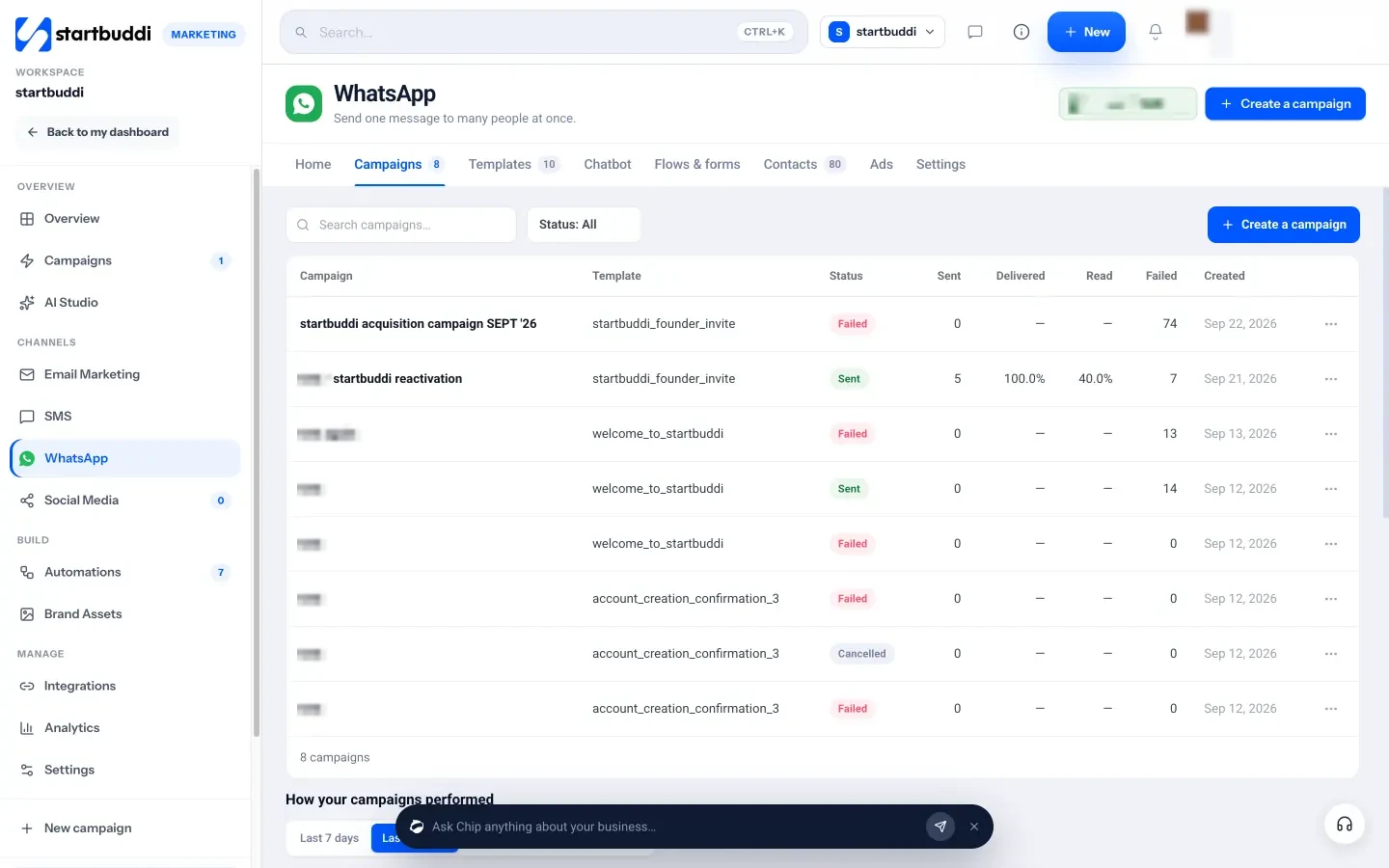
- Track every send. The Campaigns tab shows sent, delivered, read, replied and failed, and each campaign lists failure reasons so you can see why a message didn’t land.
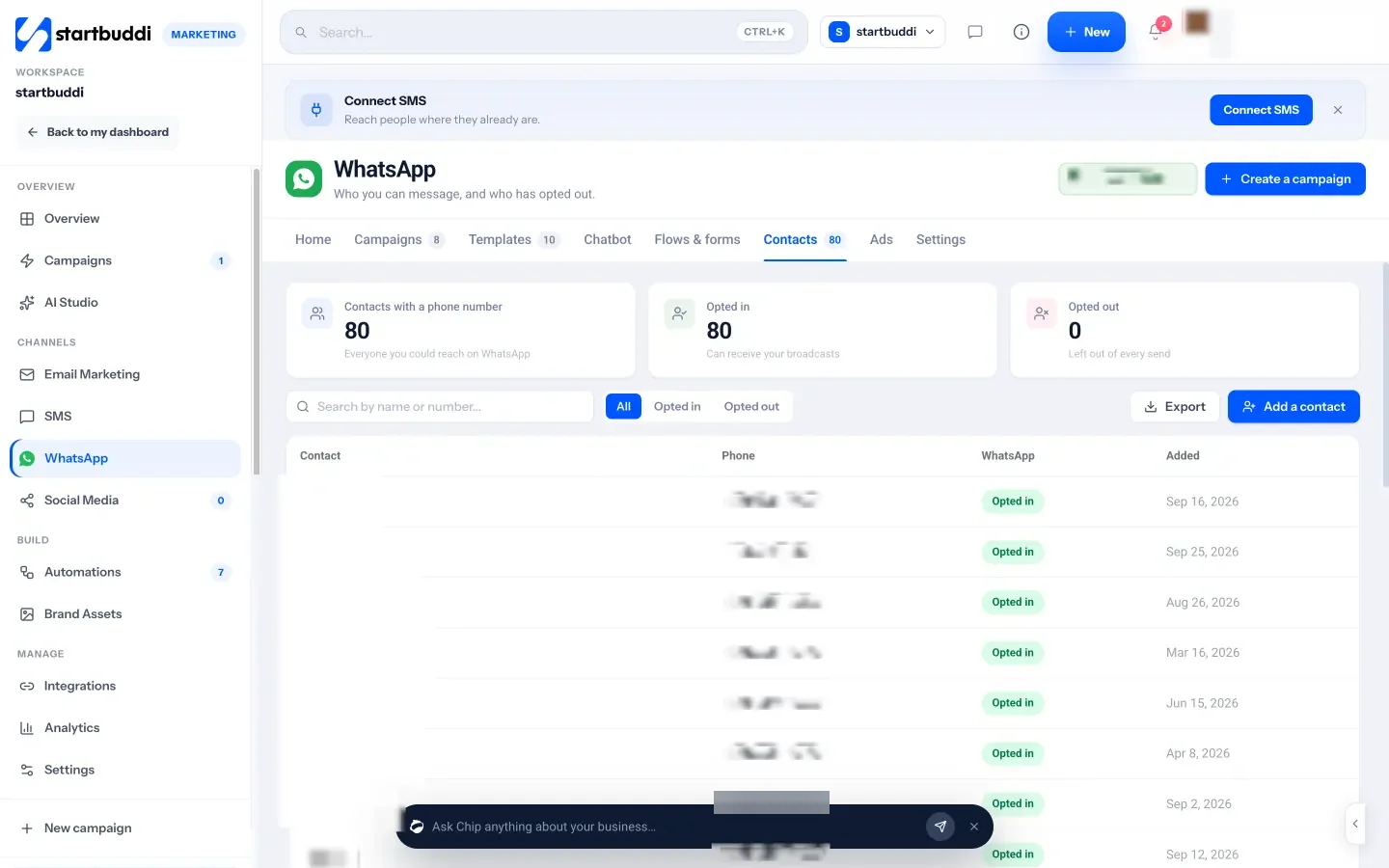
- Keep your list clean. The Contacts tab separates opted-in and opted-out people, and fixes local numbers such as 0814… that are missing the +234 country code.
- Reply from one inbox. Replies land in the shared customer inbox next to email and website chat. When the 24-hour window closes, the reply box switches to your templates.
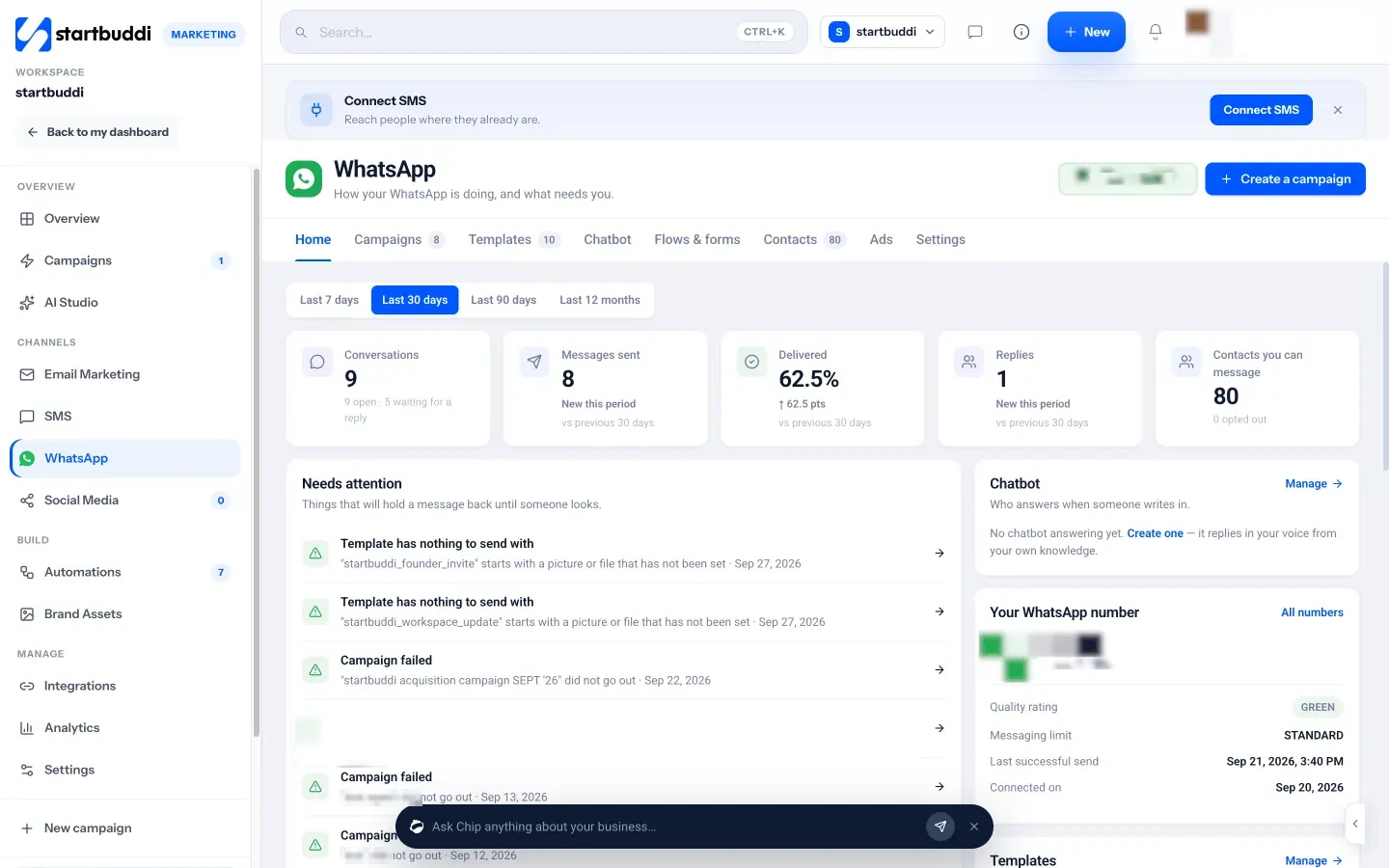
The Home tab also shows your number’s quality rating and messaging limit in plain words, so you can see Meta’s health signals before a big send.
What to know before you start. WhatsApp is part of the Marketing module, which needs the Starter plan or above, and every paid plan comes with a 30-day trial. Meta’s message charges are billed to your own WhatsApp account. A Meta test number can’t create templates or run campaigns, so you’ll need a real business number. You can build a chatbot with Chip on Starter, but switching it on to answer customers automatically needs the Growth plan. Step-by-step instructions are in the help article on sending a WhatsApp campaign.
Your next step
This week, count how many of your customers have actually said yes to WhatsApp messages. If it’s under 250, start with a broadcast list and an opt-in link on your bio and receipts. If it’s more, write one marketing template, send it to your best 200 buyers, and see what comes back. When you’re ready to send and track campaigns from one place, compare the startbuddi plans and start a trial.
Sources
- Meta for Developers: WhatsApp Business Platform pricing
- Meta for Developers: Messaging limits
- Meta for Developers: Per-user marketing template message limits
- WhatsApp Business Messaging Policy
- WhatsApp Help Center: Unauthorised use of automated or bulk messaging
- WhatsApp Help Center: How to use broadcast lists
- Nigeria Data Protection Act 2023 (full text)
- Nigeria Data Protection Commission
- ICO: Electronic mail marketing
Frequently asked questions
Is bulk WhatsApp messaging legal in Nigeria?
Sending to people who opted in, through the official WhatsApp Business Platform, is allowed. Blasting numbers you collected without consent breaks WhatsApp's rules and can conflict with the Nigeria Data Protection Act.
How many WhatsApp messages can I send in a day?
On the Business Platform you start at 250 unique people a day outside a customer service window. Verifying your business or sending good-quality templates moves you up to 2,000, 10,000, 100,000 and then unlimited.
Why do some of my bulk WhatsApp messages fail?
Common reasons are numbers without a country code, people who aren't on WhatsApp, and Meta's per-user limit on marketing messages (error 131049). Wait at least 24 hours before resending to anyone held back.
Can I send bulk WhatsApp messages without the API?
Yes, with broadcast lists in the WhatsApp Business app: up to 256 contacts per list, and only people who saved your number receive them. Beyond that, use the official platform.
Olabimpe Salami is the email and outreach specialist at startbuddi. Olabimpe writes about the messages that bring customers in and back: email, WhatsApp and SMS campaigns, follow-ups, and turning enquiries into paying clients.
Runs email and outreach at startbuddi