What is a client portal?
Also called: Customer portal, client area, client dashboard, client hub
A client portal is a private, secure page where a client can follow the work you do for them, including progress, files, approvals, invoices and messages, seeing only what you choose to share.
A client portal is a private, secure web page where a client can see everything to do with the work you are doing for them: project progress, files, documents to approve, invoices to pay and messages with your team. Instead of hunting through email threads and WhatsApp chats, the client opens one link and finds it all in one place.
Think of it as a shared folder, a project update and a customer service desk rolled into one, built for a single client and showing only what you choose to share.
Why a client portal matters for a small business
Service businesses spend a surprising amount of time on “where are we?” messages. Clients ask for the latest file, forget which version they approved, or cannot find last month’s invoice. Each request takes only a few minutes, but they pile up across every client, every week.
- Fewer status emails. Clients check progress themselves, whenever they like.
- Faster approvals. A clear “approve” step beats a vague “looks good” buried in a chat.
- A professional first impression. A branded portal tells clients you run a serious operation, even if you are a team of one.
- A single record. Files, decisions and payments sit in one place, which helps if there is ever a disagreement about what was agreed.
- Quicker payment. When invoices sit next to the finished work, clients have fewer reasons to delay.
How a client portal works: an example
Amaka runs a small branding studio. When she signs a rebrand for a restaurant, she creates a portal called “Mama’s Kitchen rebrand”:
- She links it to the rebrand project and picks what the client can see: tasks, milestones, files and invoices.
- She invites the restaurant owner by email. He clicks a sign-in link and lands on a page with Amaka’s logo and a welcome message.
- When the first logo concepts are ready, Amaka shares them “for approval”. The owner approves one and asks for a colour change on another.
- They discuss details in the portal’s messages, so the conversation stays with the project.
- At the end, the final invoice appears in the portal and the owner pays it.
Amaka no longer digs through her inbox to prove which logo was approved. It is all logged.
Key parts of a client portal
- Secure sign-in: a password, or a one-time email link so clients have nothing to remember.
- Project progress: tasks, milestones and deliverables with their status.
- Files and documents: the latest versions, in one place.
- Approvals: a clear step where the client signs off a deliverable.
- Invoices and contracts: what they owe and what they agreed to.
- Messages: a conversation tied to the work, not scattered across apps.
- Branding: your logo, colours and a welcome message.
- Control over sharing: clients see only what you share, never your internal notes.
Best practices
- Set it up at kickoff. Introduce the portal in your first meeting so the client uses it from day one, rather than falling back on email.
- Share deliberately. Keep rough drafts and internal discussions private. Share what is ready for the client’s eyes.
- Use approvals for anything that matters. Designs, copy and scope changes deserve a clear yes.
- Keep it current. A portal with month-old updates is worse than no portal. A short weekly update is enough.
- Make it easy. Clients are busy. A sign-in link that just works beats yet another password.
Common mistakes
- Using it as a dumping ground. Too many files with unclear names confuse clients. Keep it tidy.
- Running two channels. If you keep replying on WhatsApp too, clients will not bother with the portal. Gently point them back to it.
- Forgetting to switch it off. Pause access when the project ends if the client no longer needs it.
Related terms
A client portal usually sits on top of project management software, which is where your team plans the work. It pairs well with a CRM, which holds the client’s contact history, and with invoices, which the client can pay from the portal. For the business case in more depth, read why client portals save service businesses hours each week.
Client portals in startbuddi
In startbuddi, client portals live in Work. You pick the client contact and company, name the portal, link one or more projects and tick what the client sees, choosing from modules such as projects, tasks, milestones, deliverables, files, documents, contracts, invoices, approvals and messages. You can add your brand colour, logo and a welcome message.
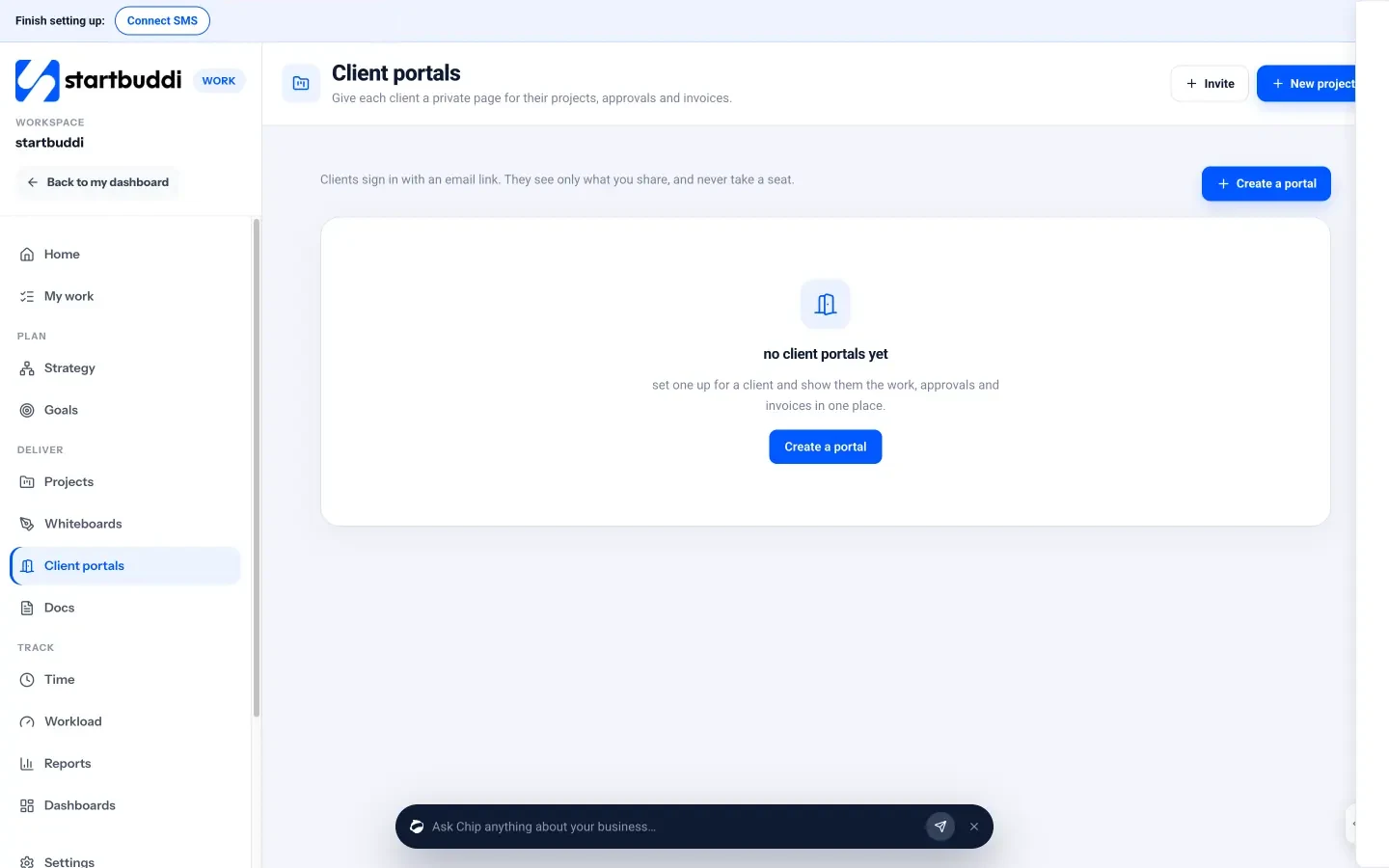
Clients sign in with a one-time email link: no password, no startbuddi account and no paid seat. You decide how items reach the portal, either only what you share or everything in its projects marked client-visible. With approvals switched on, a deliverable shared for approval cannot be marked done until the client approves it. Each portal has two-way messages and an activity log of invites, shares, approvals and requests, and you can preview it as the client before inviting anyone. When a deal is won in your sales pipeline, Chip offers to create a portal for that client.
On the Free plan you can build and preview a portal. Inviting clients needs a paid plan: Starter includes 1 live portal, Growth 10 and Scale 50. Your next step: set up a portal for your next new client and send the link at kickoff. Compare plans on the pricing page.
Related terms
FAQ
Is a client portal secure?
A good portal needs a sign-in, such as a password or a one-time email link, and shows each client only their own items. Check what access controls your tool offers before you share sensitive files.
Do my clients need an account to use a portal?
It depends on the tool. In startbuddi, clients sign in with an email link, so they do not need a password, an account or a paid seat.
What should I share in a client portal?
Share work that is ready for the client: progress on milestones, finished files, items for approval, contracts and invoices. Keep internal notes and rough drafts private.
Is a client portal worth it for a freelancer?
Often, yes. Even with a few clients, one link for files, approvals and invoices cuts down status messages and makes you look more organised.
Tiwalade Joanna Okedara-Kalu is the founder, CEO and CTO of startbuddi, the business system that brings clients, bookings, invoices, projects, marketing and the Chip AI assistant into one place. Tiwalade builds software around how service businesses really work day to day, and writes about client management, getting paid on time and why small businesses outgrow the tools they start with.
Founded startbuddi and leads its product and engineering