
Online Booking for Nail Salons: How to Set Up a Nail Salon Booking App
Set up a nail salon booking app the right way: service times for gel and acrylics, removal questions, deposits, buffers, reminders and a menu you can copy.

A nail salon booking app works when it’s set up around how nail appointments really run: each service booked for its true length, a question about what the client is wearing now, a buffer to clean the desk, a deposit on long appointments, and a reminder the day before. Get those five right and the calendar looks after itself.
Key takeaways
- Time each service properly, including removal. A full set booked into a 45-minute slot will make every appointment after it late.
- Ask one question before every booking: “What’s on your nails now?” Removal changes the length of the appointment.
- Add buffer time between clients for cleaning, filing dust and fresh air. Health and safety bodies take ventilation in nail work seriously.
- Take a deposit for anything over an hour, and say plainly what happens if someone doesn’t show.
- Put the booking link where your clients already are: your Instagram bio, your WhatsApp status and a QR code at the desk.
Why a nail salon booking app needs a different setup
A barber can book most clients into the same slot length. A nail technician can’t. The same client might come in for a 45-minute gel refresh one week and a two-hour acrylic full set with art the next, and both look like “nails” on a booking page.
Three things make nail appointments harder to schedule than most:
- Removal. Soaking off old gel or acrylic adds real time, and you often don’t know it’s needed until the client sits down.
- Add-ons. Nail art, extra length, French tips and repairs stretch an appointment in small amounts that add up across a day.
- The desk itself. Filing creates dust and products give off fumes. The UK’s Health and Safety Executive advises nail bars to “provide an extractor hood or down draught table for nail work” and to “keep the workplace well ventilated” (HSE: COSHH and beauticians, checked on 1 October 2026). Cleaning between clients takes minutes you need to plan for.
A booking system that ignores these will look full on paper and run late by 2pm. If you’re still choosing software, our comparison of salon appointment software covers the main options. This chapter is about setting it up so it works for nails.
Step 1: Build a service menu with honest times
Start with the services people actually book, and time them on a real working day, not on your best day. Write down how long each one takes your slowest technician, then round up.
Here is an example menu for a small studio. The times and prices are illustrative; replace them with your own.
| Service | Time to book | Example price (Lagos) | Example price (London) |
|---|---|---|---|
| Gel polish, hands | 45 min | ₦12,000 | £30 |
| Gel removal and new gel, hands | 60 min | ₦15,000 | £38 |
| Builder gel (BIAB) overlay | 60 min | ₦18,000 | £40 |
| Acrylic full set, short to medium | 90 min | ₦25,000 | £45 |
| Acrylic full set with nail art | 2 hours | ₦35,000 | £60 |
| Acrylic infill | 60 min | ₦15,000 | £32 |
| Pedicure with gel | 60 min | ₦15,000 | £40 |
| Removal only | 30 min | ₦5,000 | £15 |
Two rules make the menu work online:
- Make the long version its own service. Online, a client books one service at a time. If nail art regularly adds 30 minutes, “Full set with art” should be a separate service with its own length and price, rather than a note you discover on the day.
- Keep the list short. Ten to twelve services is plenty. Clients scrolling a 40-item menu on a phone give up and send you a WhatsApp message instead, which is the thing you were trying to avoid.
Step 2: Ask what’s on their nails now
Before the booking is confirmed, ask one or two questions. The answers tell you whether the time you’ve blocked is right.
Good pre-booking questions for a nail salon:
- What’s on your nails now? None, gel polish, BIAB, acrylic, press-ons.
- Was it done here? Yes, no. (Other salons’ work can take longer to remove.)
- Any broken or lifted nails? Yes, no.
- Describe the look you want. A short text answer. Ask them to send inspiration pictures on WhatsApp if they have them.
- Anything we should know? Allergies, sensitive skin, a recent reaction to a product.
If a client books a 45-minute gel refresh but answers “acrylic, done elsewhere”, you can message them before the day and move them to the right service. That one question saves more running-late days than anything else on this list.
Step 3: Add buffer time between clients
Buffer time is the gap the calendar keeps free after each appointment. In a nail salon it covers wiping down and disinfecting tools and the desk, clearing filing dust, letting the room air, and the client paying and booking their next visit.
Ten to fifteen minutes is a sensible starting point for most studios. Watch a week of real appointments and adjust. The US Occupational Safety and Health Administration lists chemical, biological and ergonomic hazards for nail salon workers (OSHA: health hazards in nail salons). A calendar with no gaps leaves no time for the cleaning and short breaks that help with all three.
Step 4: Decide how clients pick a technician
There are two ways to run bookings across several technicians, and many salons use both.
- Any available technician. The client picks a service and a time, and the system shares bookings across whoever is free. This is round robin scheduling, and it fills the calendar evenly.
- A personal link per technician. Regulars want their own nail tech. Give each technician their own booking page with their photo, and let them put it in their own Instagram bio.
Each technician should set their own working hours, so the calendar only offers slots when they’re actually in. For shifts and rotas across the team, see our guide to employee scheduling for small teams.
Step 5: Take a deposit on long appointments
A no-show on a 2-hour acrylic set loses you a quarter of a technician’s day. A booking deposit gives clients a reason to turn up, and if they don’t, it covers part of the loss.
A simple deposit policy for a nail salon:
- No deposit on appointments of 45 minutes or less, for clients who have visited before.
- A deposit of about a third on anything 60 minutes or longer, and on every first visit.
- The deposit comes off the final bill.
- Cancel or move at least 24 hours ahead and the deposit carries over to the new date. Later than that, or a no-show, and it’s kept.
Worked example (illustrative): an acrylic full set with art is ₦35,000. A one-third deposit is about ₦11,700; round it to ₦12,000. The client pays ₦12,000 when booking and ₦23,000 at the appointment. If she doesn’t show, the salon keeps ₦12,000 against a 2-hour slot it couldn’t resell at short notice.
If asking for money up front feels awkward, our guide on how to ask for a deposit has wording you can use. Put your rules in writing with the no-show policy template or the free cancellation policy template.
Step 6: Send a reminder the day before
Plenty of no-shows are people who simply forgot. A reminder 24 hours before gives the client time to confirm, rearrange childcare or cancel early enough for you to refill the slot.
Keep the reminder short: the date and time, the service, the technician’s name, your address with a landmark, and how to cancel or move. For a Lagos studio, the landmark matters more than the street number. For the wider picture on cutting missed appointments, read how to reduce no-show appointments and how to automate appointment reminders.
Step 7: Put the link where your clients already are
Many nail clients find a salon on Instagram or through a friend, and many of them would rather message on WhatsApp than call. Make the booking link the easiest next step from each of those:
- Instagram bio: your main booking page, plus each technician’s link in their own bio.
- WhatsApp: pin the link in your business profile and add it to your quick replies, so “how much for a full set?” gets a price and a link in one message.
- At the desk: a printed QR code that opens your booking page, so clients book the next appointment before they leave. The free booking link QR code tool makes one.
- Your website: if you have one, embed the booking page on it. The beauty website templates include price menus and booking pages.
Step 8: Handle walk-ins, regulars and days off
Online booking doesn’t replace the front desk; it takes the routine work off it.
- Walk-ins and phone bookings: add them to the same calendar straight away, so the next online client can’t book over them.
- Holidays, training and lunch: block the time in the calendar before you post on Instagram that you’re closed.
- Regulars on a fortnightly infill: book their next appointment before they leave the chair. It’s the simplest way to keep a regular regular.
Mistakes to avoid
- One slot length for everything. It’s the fastest way to run an hour late by mid-afternoon.
- No removal question. You find out at the desk that the 45-minute booking is a 75-minute job.
- Zero buffer. Technicians skip cleaning, rush, or both.
- A deposit nobody told the client about. State it on the booking page and in the confirmation, with the cancellation rule next to it.
- Hiding the link. If the booking link is three taps deep in your Instagram highlights, clients will message you instead.
Copy this: a nail salon booking setup checklist
- Every service timed on a real day and rounded up
- Separate services for anything that regularly adds 30 minutes or more (art, extra length, removal from another salon)
- A “What’s on your nails now?” question on every service
- 10 to 15 minutes of buffer after each appointment
- Working hours set for each technician
- A personal booking page for each technician
- A deposit on appointments of 60 minutes or longer and on first visits
- Deposit and cancellation rules written on the booking page
- A reminder 24 hours before each appointment
- Booking link in the Instagram bio, the WhatsApp profile and on a QR code at the desk
- Holidays and training blocked in the calendar in advance
How to do this in startbuddi
startbuddi’s Bookings module covers each step above. Here’s the setup in order.
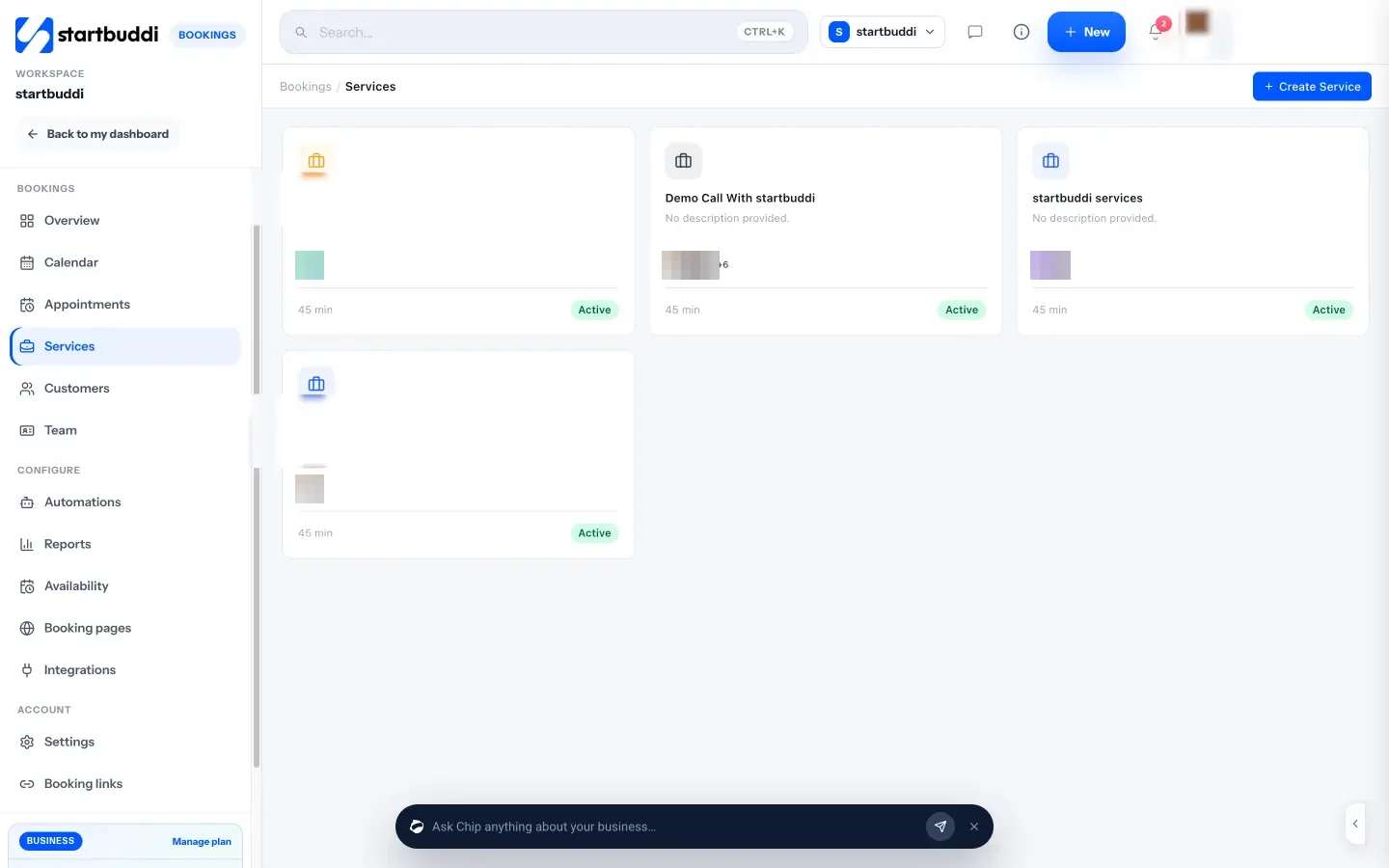
- Create your services. Go to Bookings → Services → Create Service. Set the name, duration (15, 30, 45, 60 or 90 minutes, or 2 hours) and the technicians who do it. Open the service to set the price and currency. You can also ask Chip in chat to set up a service from a plain description; it shows you a preview and waits for your yes.
- Add booking questions. In the service, add Booking questions: single choice for “What’s on your nails now?”, short answer for the look they want. Name, email, date and time are always collected. Chip can suggest questions for you to keep or drop.
- Take a deposit. Turn on Require payment to book and choose a deposit or the full amount. Clients pay through your Paystack account (card, bank transfer, USSD or mobile money) or Stripe (card), and the slot is held for 30 minutes while they pay.
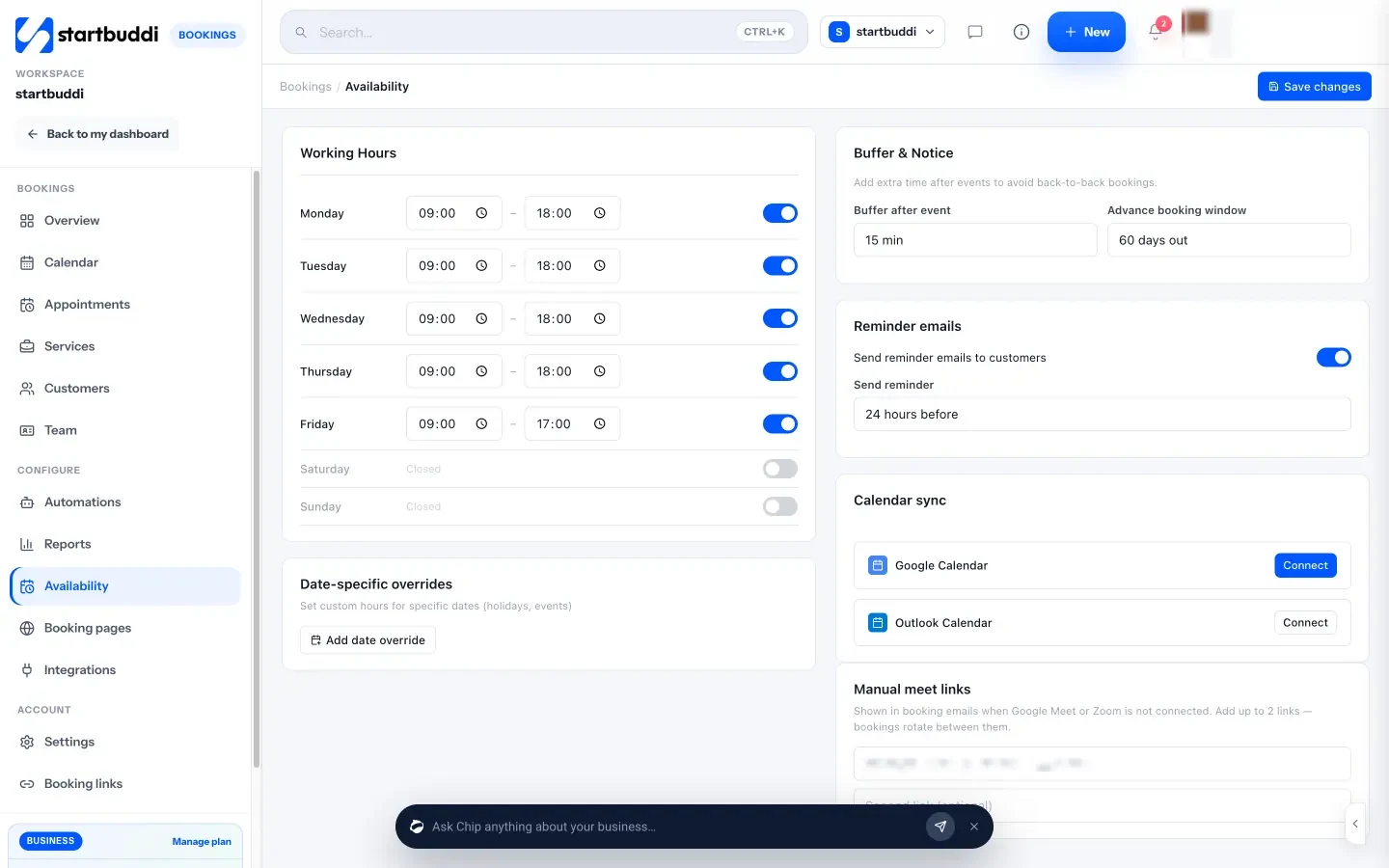
- Set hours, buffer and reminders. In Availability, set working hours for each day, the Buffer after event and how far ahead people can book. Each confirmed booking gets one automatic reminder at the time you choose, from 1 to 48 hours before (24 hours by default). In Bookings → Settings → Notifications you can switch on reminders by email, WhatsApp (once a WhatsApp number is connected) and SMS (once SMS is connected, on a plan that includes it).
- Add your technicians. In Team, add each technician and have them Set my hours. Choose them under staff on each service so bookings are shared round robin, and create a personal booking page for each one in Booking pages.
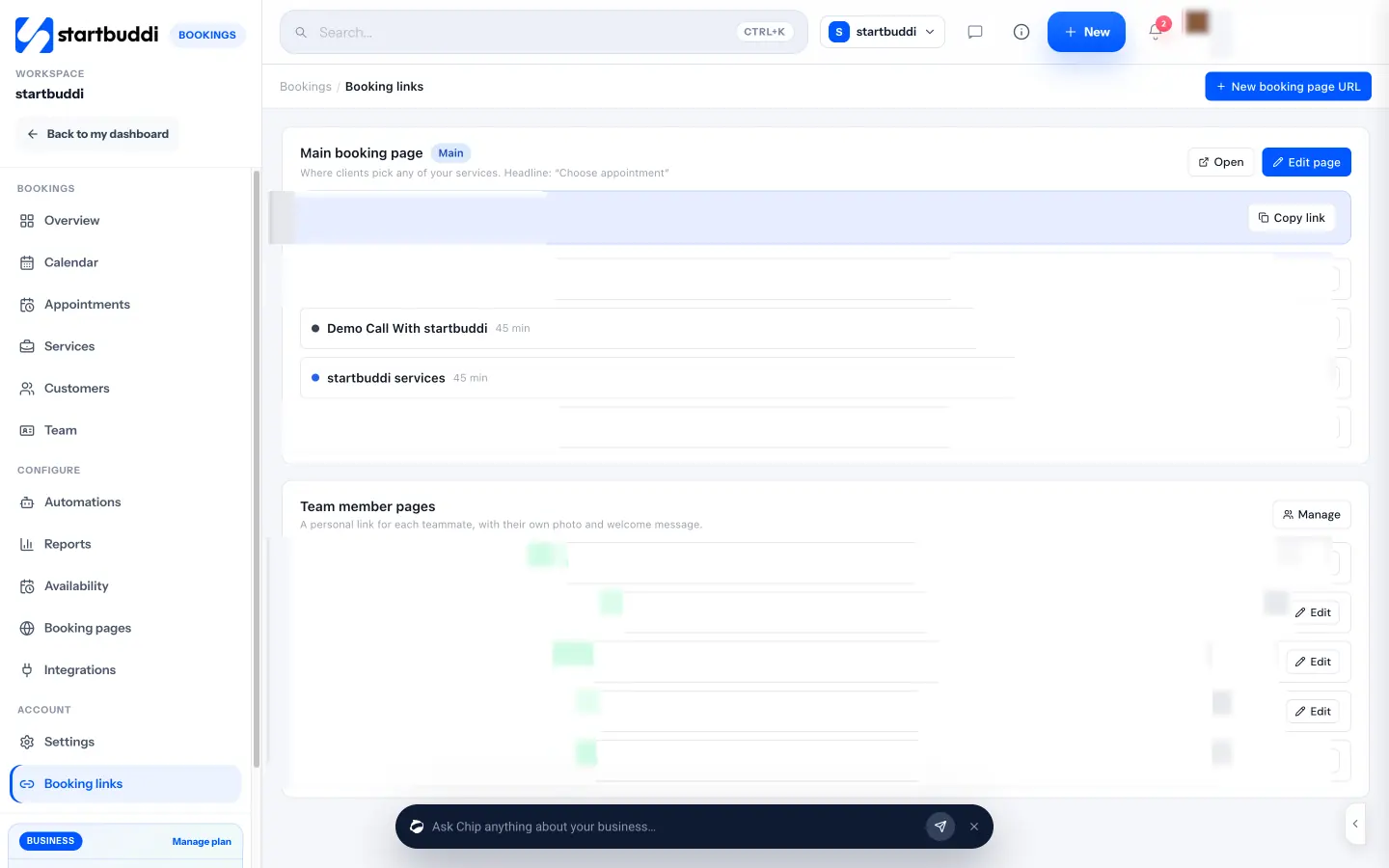
- Share your links. In Booking links, copy your main booking page and each team member’s page. From the Overview, Share booking link gives you the link, WhatsApp and email sharing, an embed code and a QR code.
Walk-ins go in with New Booking, and holidays or training with Block time. Every booking also creates or updates the client in your contacts, so you can see their visit history in one place.
What it doesn’t do yet, so you can plan around it: there are no recurring bookings (book regulars’ next visit at checkout instead), one booking is one service, and Google Calendar sync is one way (your bookings appear in Google Calendar, but personal Google events don’t block booking slots). It isn’t a till or card terminal either; it handles online deposits and payments, not in-salon card machines. See all of it on the Bookings page.
Related guides and terms
- Building the page itself: how to create a booking page walks through what to put on it, and the glossary explains what a booking page is.
- Avoiding clashes: what double booking is and why one calendar for online, phone and walk-in bookings prevents it.
- Regulars on a fixed rhythm: what a recurring appointment is, and why booking the next visit at checkout does the same job here.
- Running the whole salon: our guide on how to run a salon business covers client records, payments and marketing.
FAQs
What should a nail salon booking app do?
It should let clients book a specific service for its real length, pick a technician or take the next available one, and pay a deposit online. It should also send a reminder before the appointment and let you add walk-ins and block time off, so the calendar is always accurate.
How long should I book for an acrylic full set?
Time it on a real working day and round up. The example menu in this chapter uses 90 minutes for a short to medium full set and 2 hours with nail art, but your technicians’ actual times are what count. Add 10 to 15 minutes of buffer after it for cleaning.
Should a nail salon take deposits?
Yes, for long appointments and first visits. A deposit of about a third of the price, taken when the client books and deducted from the final bill, gives clients a reason to turn up. Write the cancellation rule next to it so clients know where they stand.
How do I stop clients booking the wrong service online?
Ask “What’s on your nails now?” as a required booking question, and make long variations (full set with art, removal from another salon) separate services. If an answer doesn’t match the booking, message the client before the day and move them.
Can clients book a specific nail technician?
Yes, if your booking system gives each technician a personal booking page. Regulars can use their technician’s link, while new clients book “any available” so bookings are shared across the team.
Is a nail salon booking app worth it for a one-person studio?
Usually, yes. A solo technician loses the most from a no-show and spends the most time answering “are you free Saturday?” messages. A booking link with deposits and reminders gives that time back.
Set up your nail salon bookings free
Copy the checklist above, then build your service menu, deposits and reminders in startbuddi Bookings. Start free, no card needed.
Tiwalade Joanna Okedara-Kalu is the founder, CEO and CTO of startbuddi, the business system that brings clients, bookings, invoices, projects, marketing and the Chip AI assistant into one place. Tiwalade builds software around how service businesses really work day to day, and writes about client management, getting paid on time and why small businesses outgrow the tools they start with.
Founded startbuddi and leads its product and engineering