Project management software for freelancers: when to leave the spreadsheet, and what to choose
Most freelancers run projects in a spreadsheet, and that's fine until it isn't. Here's how to spot the moment to switch and how to choose software you'll keep using.


- A spreadsheet is a sensible way to run one or two client projects. Switch to project management software when clients keep asking for updates, a second person joins, or work finishes without anyone billing for it. Choose on four things: client visibility, time and billing, a view you'll open daily, and a price that suits one person.
The best project management software for freelancers is the one that shows every client project, what’s due this week and what you can bill, without asking you to learn a system built for a 50-person engineering team. For many freelancers that means staying on a spreadsheet longer than the software companies would like, and that’s a reasonable choice. The switch makes sense at a specific moment: when the spreadsheet starts costing you time, clients or money.
This guide is about choosing software, not about running projects day to day (our post on project management for freelancers covers that). You’ll learn why the spreadsheet wins by default, the signs it has stopped working, the four things that matter when you compare tools, the questions to ask before you pay, and how to move over in a day.
Why most freelancers still run projects in a spreadsheet
A spreadsheet has three things going for it. It’s free or already paid for. You already know how to use it. And you can reshape it for whatever this week’s project needs without asking anyone. For one or two clients, a sheet with a row per task and columns for client, due date and status does the job.
Many tools marketed as project management software were designed for product teams running sprints. They ask you to set up boards, workflows, custom fields and permissions before you’ve tracked a single task. For someone who mainly needs to know what’s due on Thursday and whether the last invoice went out, that setup feels like more work than the problem. So the spreadsheet stays.
That isn’t a discipline problem. It’s a sensible response to tools that didn’t fit. The trick is noticing when your work has grown past what a sheet can hold.
Signs your spreadsheet has stopped working
There’s no magic number of clients. The break usually shows up as one of these moments:
- Status questions take digging. A client asks “where are we?” and the honest answer needs three tabs, an email search and a guess. The sheet tracks tasks, not what the client can see.
- Someone else joins. A subcontractor or assistant starts editing the same file, and “which version is current?” becomes a weekly question.
- Finished work goes unbilled. A milestone is done, but nothing reminds you to invoice it. You notice weeks later, or the client does.
- You can’t see which project is slipping. Rows don’t show health. You find out a project is late when the deadline passes.
- Your hours are a guess. You quote fixed prices but have no idea how many hours each project took, so you can’t tell which clients are profitable.
- Only you understand the system. If you were ill for a week, nobody could pick it up.
If two or more of these sound familiar, the spreadsheet is costing you more than a switch would. If none do, keep it and spend the time on client work. Our guide on moving your business off spreadsheets looks at the same decision for contacts, invoices and bookings too.
What project management software should do for a freelancer
Forget the long feature lists. For a freelancer or a two-person studio, project management software earns its place by doing four jobs a spreadsheet can’t do well.
1. Give clients a view without a status email
Clients aren’t only paying for the finished work. They’re paying for the feeling of knowing what’s happening. A client-facing view (often called a client portal) lets them see progress, files and approvals whenever they like, so you stop writing update emails. Check whether clients need a paid seat to see it: for a freelancer with ten clients, per-seat pricing for clients adds up fast. Our post on why client portals save time goes deeper.
2. Connect time, budget and billing
If you bill by the hour, a timer on each task turns into billable hours without a separate app. If you charge fixed fees, logging time still tells you whether a project paid well. The strongest setups put hours, budget and invoices in the same place as the tasks, so finishing work and getting paid aren’t two separate acts of memory. Our guide to time tracking for freelancers explains how to do this without it taking over your day.
3. Show one list of everything that’s yours
You work across several clients at once. You need one list of every task due today and this week, across every project, plus a calendar or timeline so you can see crunch weeks coming. If a tool only shows one project at a time, you’ll end up back in a spreadsheet to see the whole picture.
4. Tie the work to the client record
A project board that doesn’t know who the client is means copying details between apps: contact info in one place, the proposal in another, invoices in a third. Look for a tool where the project links to the client, their messages and their invoices, or accept that you’ll keep a separate client list.
Notice what’s not on this list: sprints, story points and complex dependency charts. They’re useful for some teams, and you may grow into them, but they shouldn’t decide your first tool.
Spreadsheet vs project management software at a glance
| Spreadsheet | Project management software | |
|---|---|---|
| Cost | Free or already paid for | Free plans exist; paid plans usually per user a month |
| Setup | Minutes | An hour to an afternoon |
| Client updates | You write an email each time | Client portal or share link |
| Deadlines | A date column you have to check | Due dates, reminders, overdue lists |
| Time tracking | Manual entries, often forgotten | Timer on the task, weekly totals |
| Working with others | Shared file, last edit wins | Assignees, comments, activity history |
| Billing link | None | Varies: some connect to invoices, others leave billing to a separate app |
How to choose project management software as a freelancer
Run any tool you’re considering through these questions before you commit. Spend 30 minutes with a real project, not a demo board.
- Would I open this every morning? If the daily view is cluttered, you won’t. Look for a “my tasks” list that works across projects.
- Can a client see progress without an account or a paid seat? Try sharing something with a friend as a pretend client.
- Where do my hours go? Is there a timer, and can you mark time as billable? Can you see a weekly total?
- How do I invoice when a job is done? Is invoicing in the same tool, connected to it, or a separate app you’ll copy numbers into?
- What happens if I add one person? Check the price for two users, and whether a subcontractor needs a full paid seat.
- Is there a template for my kind of project? A website build, a brand identity, a monthly retainer. Templates save the first hour on every new job.
- Can I get my data out? An export to CSV matters if you ever leave.
- Does it work on my phone? At least for checking today’s tasks and ticking things off.
Be honest about scope too. If you mostly need a client list with follow-ups, a CRM may matter more than a project tool. If your pain is late payments, start with invoicing. The best first tool fixes your biggest leak.
Popular options and their free plans
These are widely used, general project management tools. Details below are as published on each tool’s own pricing page when we checked in September 2026. Prices change, so confirm on the linked page. We haven’t ranked them: the right one depends on how you work.
| Tool | Free plan | Paid plans start at |
|---|---|---|
| Trello | Yes: up to 10 collaborators and 10 boards per workspace | Standard $5 per user a month billed annually, $6 monthly |
| Asana | Yes: Personal, up to 2 users | Starter $10.99 per user a month billed annually |
| ClickUp | Yes: Free Forever, with storage and feature limits | Unlimited $7 per user a month billed annually |
| Notion | Yes, with limits | See the pricing page for your region |
General tools like these are good at tasks and boards. What they usually leave to other apps is the client side: contacts, proposals, invoices and payments. If you’d rather keep those together, compare an all-in-one option. We’ve written side-by-side comparisons of startbuddi and Trello, Asana, ClickUp and Notion, and a wider list of project management software.
Mistakes to avoid when you pick a tool
- Choosing for the business you might have in five years. A tool built for 200 people will slow down a team of one. Pick for the next 12 months; you can move later.
- Setting everything up before using it. Custom fields, colour codes and ten statuses feel productive. Start with To do, In progress and Done, and add more only when you miss them.
- Running two systems “for now”. If the spreadsheet stays open alongside the new tool, one of them will be wrong within a week.
- Ignoring the client side. Most freelancers lose more time to status emails and unbilled work than to task tracking. Weigh the portal and billing questions above as heavily as the task board.
- Paying yearly on day one. Use the free plan or trial with real work first, then commit.
How to move off the spreadsheet in a day
Switching doesn’t need a weekend. Here’s a plan that fits into one working day.
- Morning: list your live projects. Only active work. Archive finished projects in the old sheet; you don’t need to move history.
- Create one project per client job, from a template if the tool has one, and link it to the client.
- Add the next two weeks of tasks with due dates. Don’t try to plan everything to the end.
- Afternoon: set up your daily view. Make “my tasks, due this week” the screen you open first.
- Start the timer on your next task. Even if you bill fixed fees, a month of time data tells you a lot about your pricing. Our hourly rate calculator helps you turn those hours into a rate.
- Invite one client to a portal, ideally a friendly one, and ask what they’d like to see.
- Close the spreadsheet. Rename it “old” so you’re not tempted to keep two systems.
Give it two weeks before you judge it. The first few days always feel slower than the sheet.
How startbuddi helps freelancers run projects
As an all-in-one business system, startbuddi keeps projects next to your clients, invoices and bookings rather than in a separate app. The project side lives in Work.
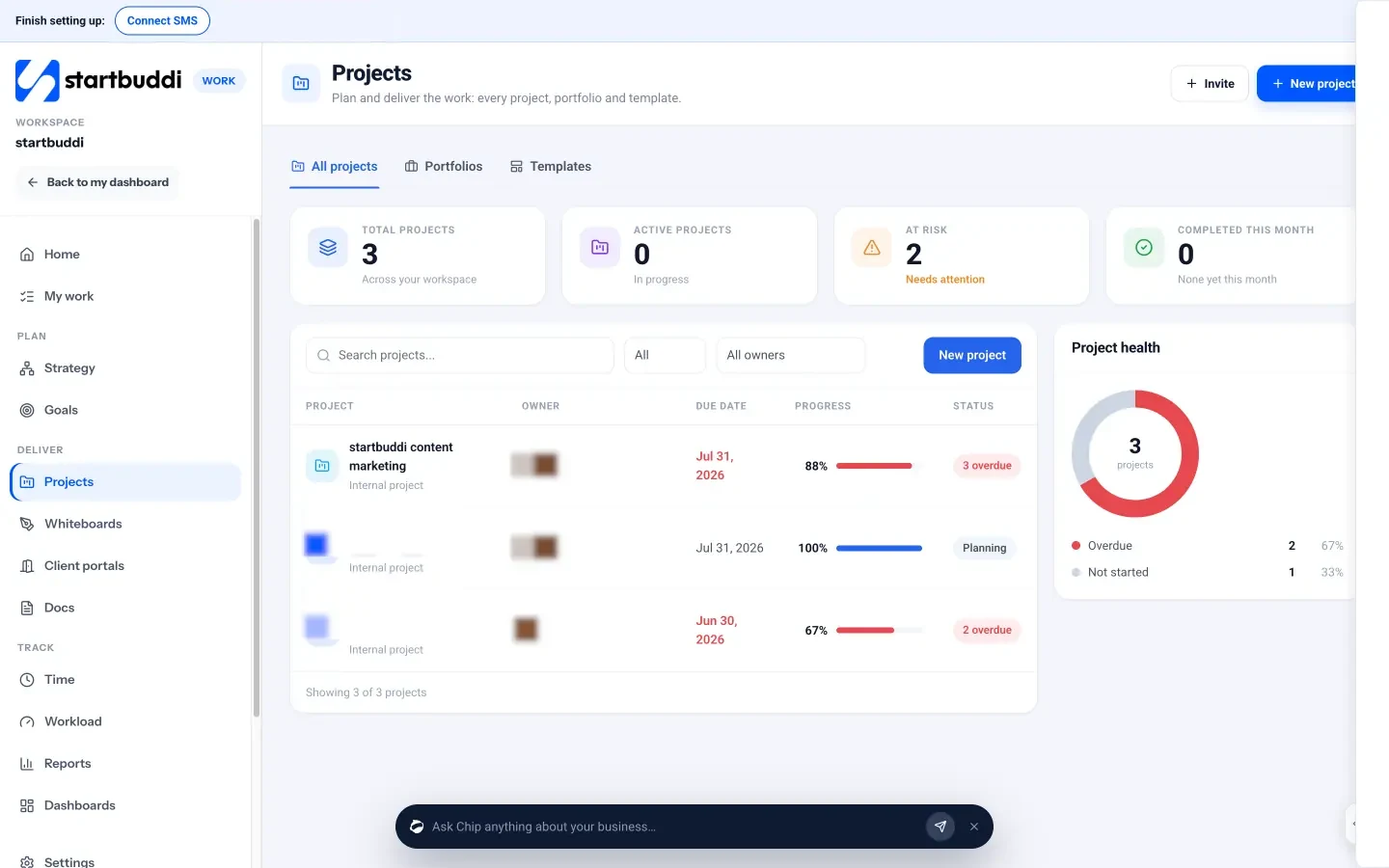
- Projects with a client attached. Start a project with just a name, then add tasks, milestones and a timeline. Pick a customer or mark it internal. See Projects.
- Templates. Starting points such as Client delivery, Website project, Consulting engagement and Creative production set up milestones and tasks you can change.
- One list of your tasks. My work shows everything assigned to you across every project, as a list, board, timeline or calendar. See My work.
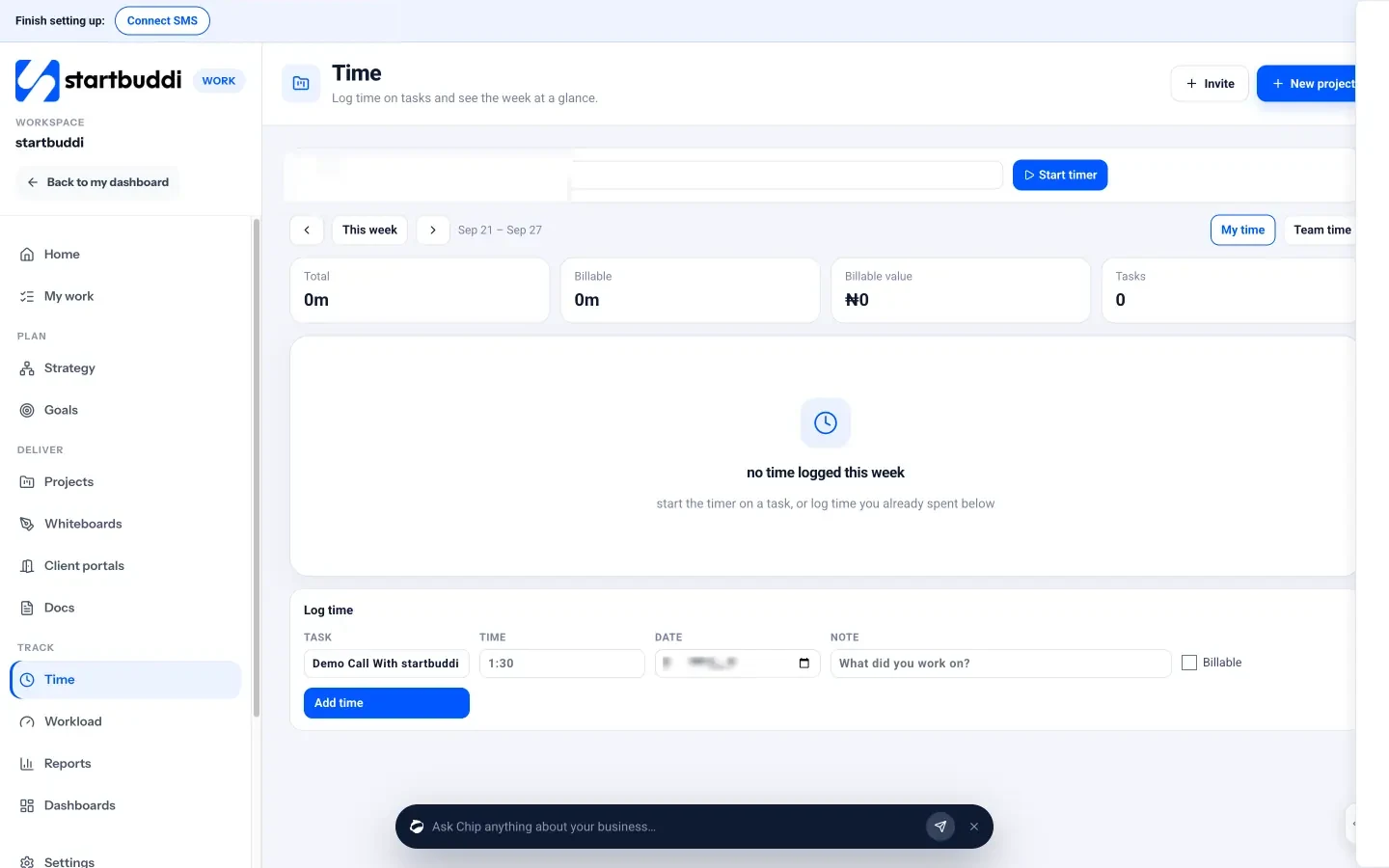
- Time tracking. Start a timer on a task, mark time as billable and see weekly totals and billable value. A project’s Budget tab shows hours logged against the hours budget. See time tracking.
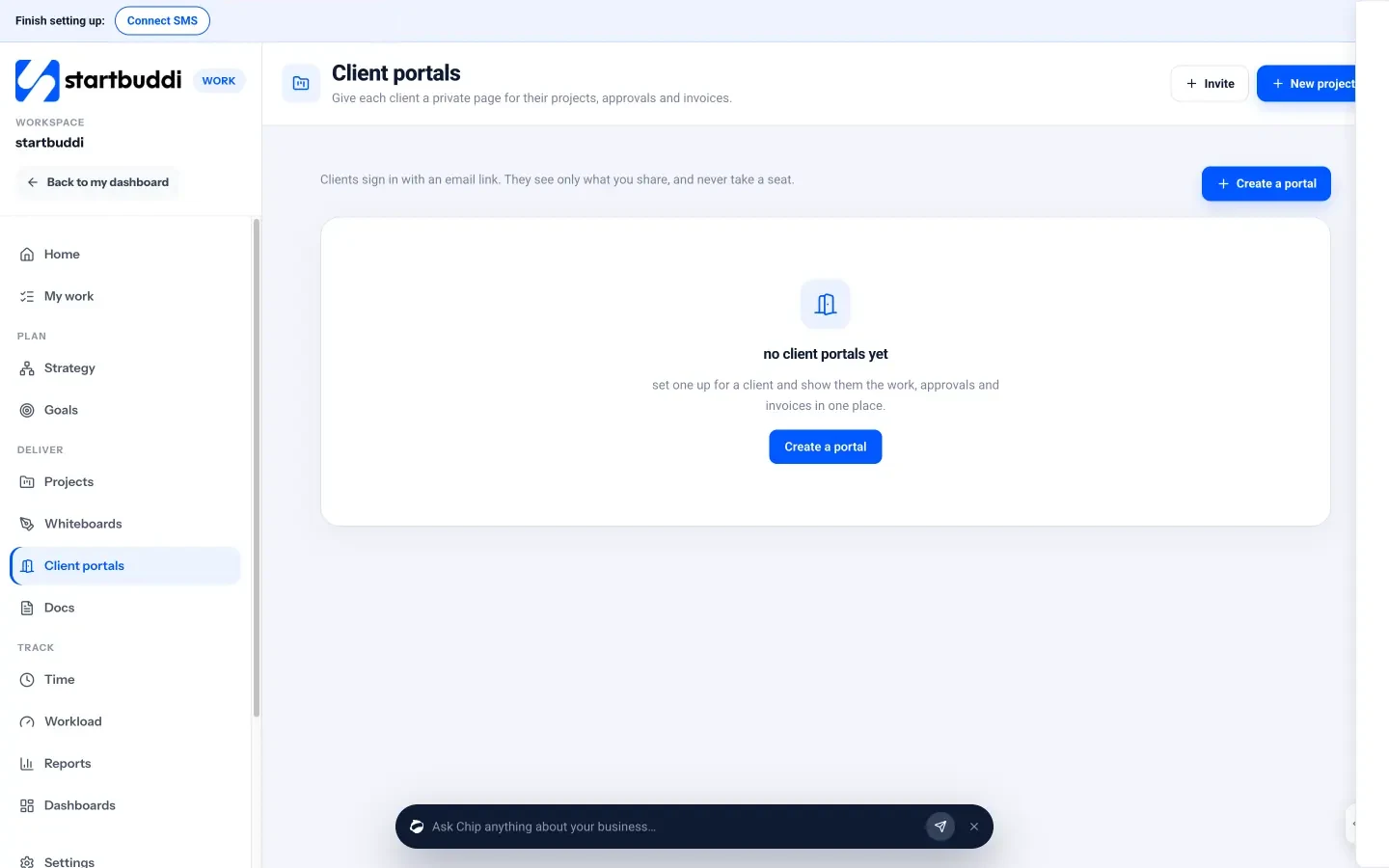
- Client portals. Give each client a private page for their projects, approvals and invoices. Clients sign in with an email link, with no password and no paid seat. The Free plan lets you build and preview a portal; inviting clients needs a paid plan (Starter includes one live portal, Growth ten). See client portals.
- Invoices in the same place. Money Manager handles invoicing and payment links, so the client you worked for is the client you bill. Logged time doesn’t become an invoice automatically, so you still create the invoice, but the numbers are one click away.
The Free plan costs nothing for one user. Paid plans start at Starter, and every paid plan comes with a 30-day trial (see pricing). See pricing for what each plan includes.
Next step
Look at your live projects and count how many of the warning signs above you hit this month. If it’s two or more, pick one tool, move just your active projects over, and give it two weeks. If you want projects, clients and invoices in one place, start with startbuddi Work on the Free plan.
Sources
Frequently asked questions
Do freelancers really need project management software?
Not always. With one or two clients, a well-kept spreadsheet works. It's worth switching when status updates take digging, someone else joins, or finished work goes unbilled.
What is the best free project management software for freelancers?
Several tools have free plans, including Trello, Asana, ClickUp and Notion, and startbuddi has a Free plan too. The best one is the tool you'll open every morning, so try two with a real project.
Should I use a project management tool or a CRM as a freelancer?
Fix your biggest leak first. If you lose track of deadlines, start with projects. If you lose track of leads and follow-ups, start with a CRM. All-in-one tools cover both.
Can clients see my project without paying for a seat?
It depends on the tool. Some charge per user, including clients. In startbuddi, clients join a portal by email link and never take a seat.
Chinedu Kalu is the co-founder and chief operating officer of startbuddi, responsible for how the company runs day to day. Chinedu writes about the operational side of a small business: registering and running the company, money, hiring and the routines that keep a team on track.
Co-founded startbuddi and runs its operations