Project management for freelancers: how to handle multiple clients without the stress
A light project management routine for freelancers: know your capacity, break work into dated tasks, plan the week across clients and track time on every job.


Chinonye wrote this while on the startbuddi team. The product has changed since, so the team updated it on .

- Project management for freelancers is a light routine: know your billable capacity before you say yes, break projects into small dated tasks, keep one list and a simple board, plan your week across all clients, and track time even on fixed-price work.
Project management for freelancers is the routine you use to plan, schedule and deliver work for several clients at once without dropping anything: knowing how much you can take on, breaking each job into dated tasks, planning your week across all clients, and tracking time and payments as you go. You don’t need a team process built for 50 people. You need a light system that fits one person and that you’ll actually keep up.
This post covers the practice itself: capacity, weekly planning, simple boards, time tracking and handling clashes between clients. If you’re choosing an app, our companion post on project management software for freelancers covers the tools side.
Why project management is hard when you work alone
As a freelancer, you are the salesperson, the project manager, the person doing the work and the accounts department. Every one of those jobs competes for the same hours. The typical week looks like this: a brief arrives on WhatsApp, a revision request comes by email, a new lead wants a call, an invoice is overdue, and somewhere in there a deadline passes quietly.
The problem is rarely effort or skill. It is that nothing shows you the whole picture. The common symptoms:
- Saying yes to too much, because you can’t see how full next month already is.
- Deadlines living in your head, so a busy week pushes one out of memory.
- Context switching between five clients a day, which makes every task take longer.
- Admin eating billable time: status messages, finding files, chasing payments.
- No idea where the hours went, so fixed prices turn out to pay far less than you thought.
A simple project management routine fixes each of these. The rest of this post builds it step by step.
Step 1: know your capacity before you say yes
Good project management for freelancers starts before a project is accepted. If you don’t know how many hours you have, you can’t promise a date you’ll keep.
Work it out once:
- Start with the hours you want to work in a week, for example 40.
- Take off time for admin, sales, learning and messages. For many freelancers this is 25 to 35 percent. Say 12 hours.
- What’s left is your billable capacity: here, 28 hours a week.
- List your active projects with the hours each still needs and their deadlines. Spread those hours across the weeks.
A quick example. Chidi, a freelance developer, has 28 billable hours a week. Client A’s app needs 40 more hours over the next two weeks, and client B’s website needs 20 hours this week. That’s 40 hours this week against 28 available, before any new work. Without doing the sum, he would have said yes to a third client’s “small job” on Monday. With it, he offers a start date the following week and keeps every promise.
Review your capacity whenever a project starts, ends or changes size. It takes five minutes and prevents most of the overload freelancers put down to bad luck.
Now when a new client asks “can you start next week?”, you can check whether next week actually has 10 free hours, and give a start date you can defend. Knowing your billable hours also helps you price properly. The hourly rate calculator turns your target income and billable hours into a rate.
Step 2: break every project into small, dated tasks
A project called “Website for Kemi” can’t be scheduled. Tasks like “draft homepage copy (3h, due Tue)” can. For every new project:
- List the milestones the client cares about, such as “design approved”, “site live”.
- Break each milestone into tasks of half a day or less. If a task feels vague, it’s too big.
- Estimate each task in hours and give it a due date.
- Add the client’s tasks too, such as “client sends logo files by Mon”. When they’re late, the plan shows the knock-on effect.
This takes 20 minutes at the start of a project and saves hours of stress later. It also gives you something concrete to share with the client, which builds trust. Our post on managing client projects covers the client side of this: scope, updates and approvals.
Step 3: use one list and a simple board
The single most useful habit is keeping every task for every client in one place. Not one list per client in different apps, and not tasks scattered through your inbox. One list you can sort by due date.
A simple board helps you see flow. Three or four columns are enough:
| To do | Doing | Waiting on client | Done |
|---|---|---|---|
| Everything planned but not started | No more than two or three tasks at once | Blocked until feedback or content arrives | Finished this week |
The “Waiting on client” column is the one most freelancers are missing. It stops blocked work from hiding in your to-do list and reminds you who to nudge. Limiting “Doing” to a couple of tasks forces you to finish things instead of starting everything.
If you’re new to this way of working, our glossary entry on a task management system explains the basics.
Step 4: plan your week across all clients
Daily firefighting happens when there’s no weekly plan. Spend 30 minutes every Monday (or Friday afternoon, for next week) on this routine:
- Review deadlines for the next two weeks across every project.
- Check your “waiting on client” column and send nudges for anything overdue.
- Block time per client in your calendar: for example, Monday and Tuesday mornings for client A, Wednesday for client B. Protect those blocks like meetings.
- Leave a buffer block of two to four hours for surprises, revisions and urgent requests.
- Put admin in its own slot: invoices, messages and follow-ups on Friday afternoon, not scattered through the week.
Then each morning, take five minutes to look at what’s due today and pick your top three tasks before opening email or chat. Most freelancers find this one habit halves the feeling of chaos.
Step 5: track time, even on fixed-price work
Time tracking isn’t only for hourly billing. On fixed-price projects it tells you whether the price was right. If a “20-hour” website took 34 hours, you’ve just learned something worth money for the next quote.
Keep it light:
- Start a timer when you begin a task, or log time at the end of each block.
- Mark time as billable or not, so admin doesn’t inflate client totals.
- Look at the week’s totals every Friday. Compare estimates with actuals per project.
After two or three months, you’ll have real numbers for how long your work takes, which makes estimates, capacity planning and pricing far more accurate. Our post on time tracking for freelancers goes deeper.
Step 6: handle clashes, delays and extra requests
Even with a good plan, two clients will want the same week. A few rules make these moments easier:
When two deadlines collide
Decide by commitment, not by who shouts loudest. The deadline you agreed first, or the one with a fixed launch date, usually wins. Tell the other client early, with a new date and a clear reason. Early warnings are forgiven. Last-minute ones aren’t.
When a client is late with feedback
Move their task to “waiting”, send a friendly nudge with the impact (“If I get your feedback by Thursday, we still launch on the 20th”), and fill the gap with other work. Don’t sit idle, and don’t absorb their delay by working the weekend.
When a client asks for extras
Treat every addition as a new task with an estimate. Tell the client what it costs in time and money, and get a yes before you start. Small unrecorded extras are how a profitable project becomes an unprofitable one.
Step 7: connect projects to invoices and follow-ups
Project management for freelancers doesn’t end when the work is delivered. The job is done when you’ve been paid and the client is happy enough to come back.
- Invoice at milestones on bigger projects, not only at the end. A deposit plus one or two milestone payments keeps cash flowing.
- Send the final invoice the day you deliver. Waiting two weeks makes payment feel less urgent to the client.
- Close each project properly: handover files, ask for feedback, ask for a referral if they’re happy, and set a reminder to check in later.
For the relationship side of this, from setting expectations to getting repeat work, see our post on client management for freelancers.
Keep clients informed without living in your inbox
Constant “quick question” messages are one of the biggest drains on a freelancer’s focus. You can’t stop them completely, but you can make most of them unnecessary.
- Agree reply times at the start. “I reply within one working day, Monday to Friday” sets a clear expectation and takes the pressure off instant replies.
- Send updates before they’re asked for. A short Friday note with what’s done, what’s next and what you need from them answers most questions in advance.
- Batch your messages. Check and answer messages at two or three set times a day rather than the moment they arrive. Turn notifications off during focus blocks.
- Share the plan. When clients can see the milestones and dates, they stop asking “where are we?”.
- Keep decisions in writing. Chat is fine for quick questions, but confirm changes to scope, price or dates in writing so there’s one record to point back to.
Common project management mistakes freelancers make
| Mistake | What happens | What to do instead |
|---|---|---|
| Quoting dates without checking capacity | Overlapping deadlines and weekend work | Check free hours per week before you commit |
| One giant task per project | No idea if you’re on track until it’s too late | Tasks of half a day or less, each with a date |
| A separate list per client | Deadlines hidden in lists you didn’t open | One list across all clients, sorted by due date |
| No buffer | Every revision or sick day becomes a missed deadline | A few hours of buffer each week and extra days per phase |
| Admin scattered through the week | Constant context switching | One fixed admin slot for invoices and follow-ups |
| Never comparing estimates with actuals | The same underpriced quote, again and again | Track time and review it at the end of each project |
You don’t need to fix all of these at once. Pick the one that hurts most this month and change that habit first.
A sample freelancer week
Here’s how the routine fits into a real week for a freelance designer with three active clients:
| Day | Morning | Afternoon |
|---|---|---|
| Monday | 30-minute weekly plan, then client A design work | Client A design work |
| Tuesday | Client B brand guidelines | Client B, then send update |
| Wednesday | Client C website pages | Buffer block for revisions and urgent requests |
| Thursday | Client A revisions | Client C website pages |
| Friday | Client updates, finish loose ends | Admin: invoices, follow-ups, log time, sales |
It isn’t rigid. Things move. But having a default shape for the week means changes are decisions, not accidents.
How startbuddi helps with project management for freelancers
With startbuddi, your tasks, projects, time and invoices live in one account, so the routine above has one home.
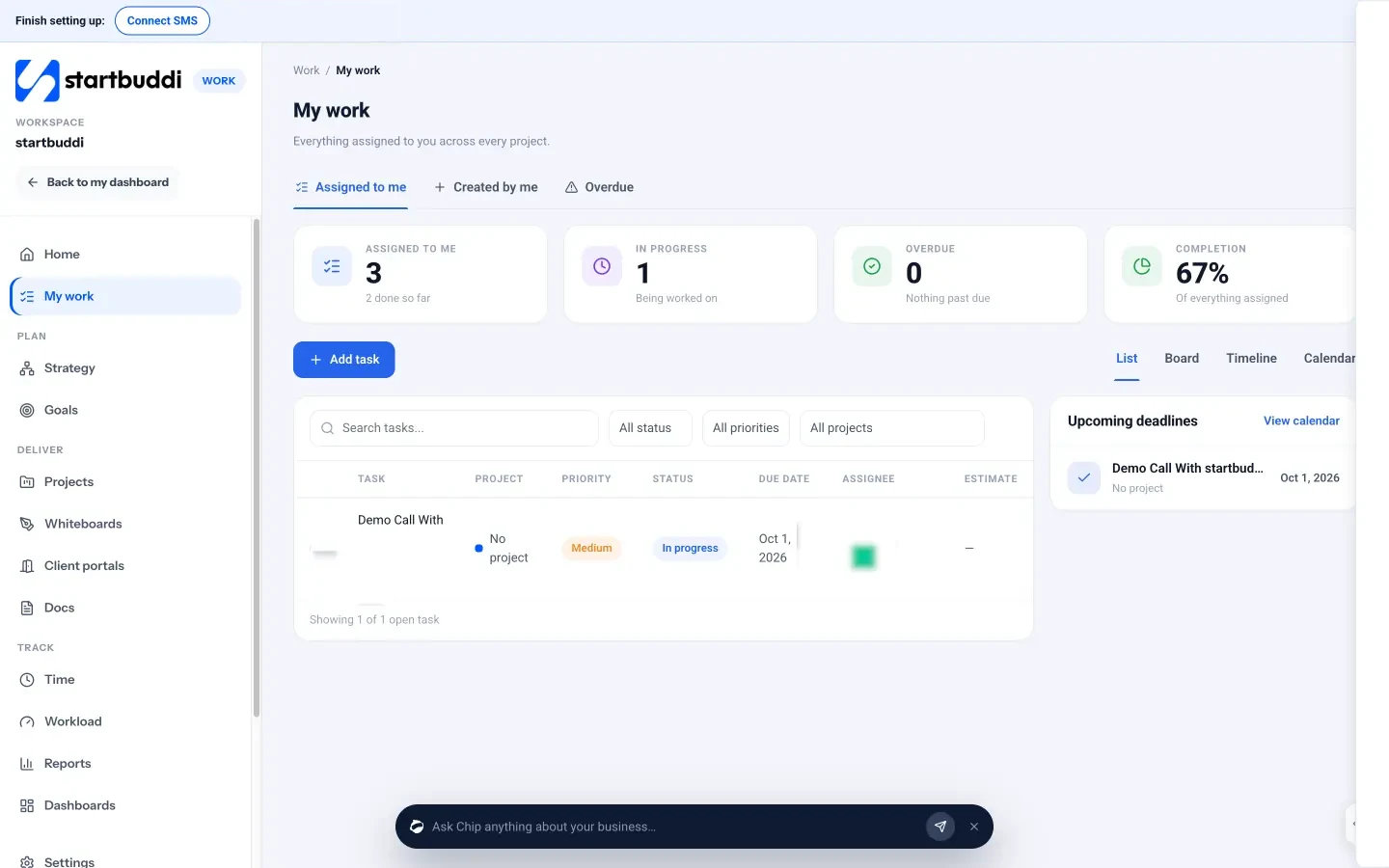
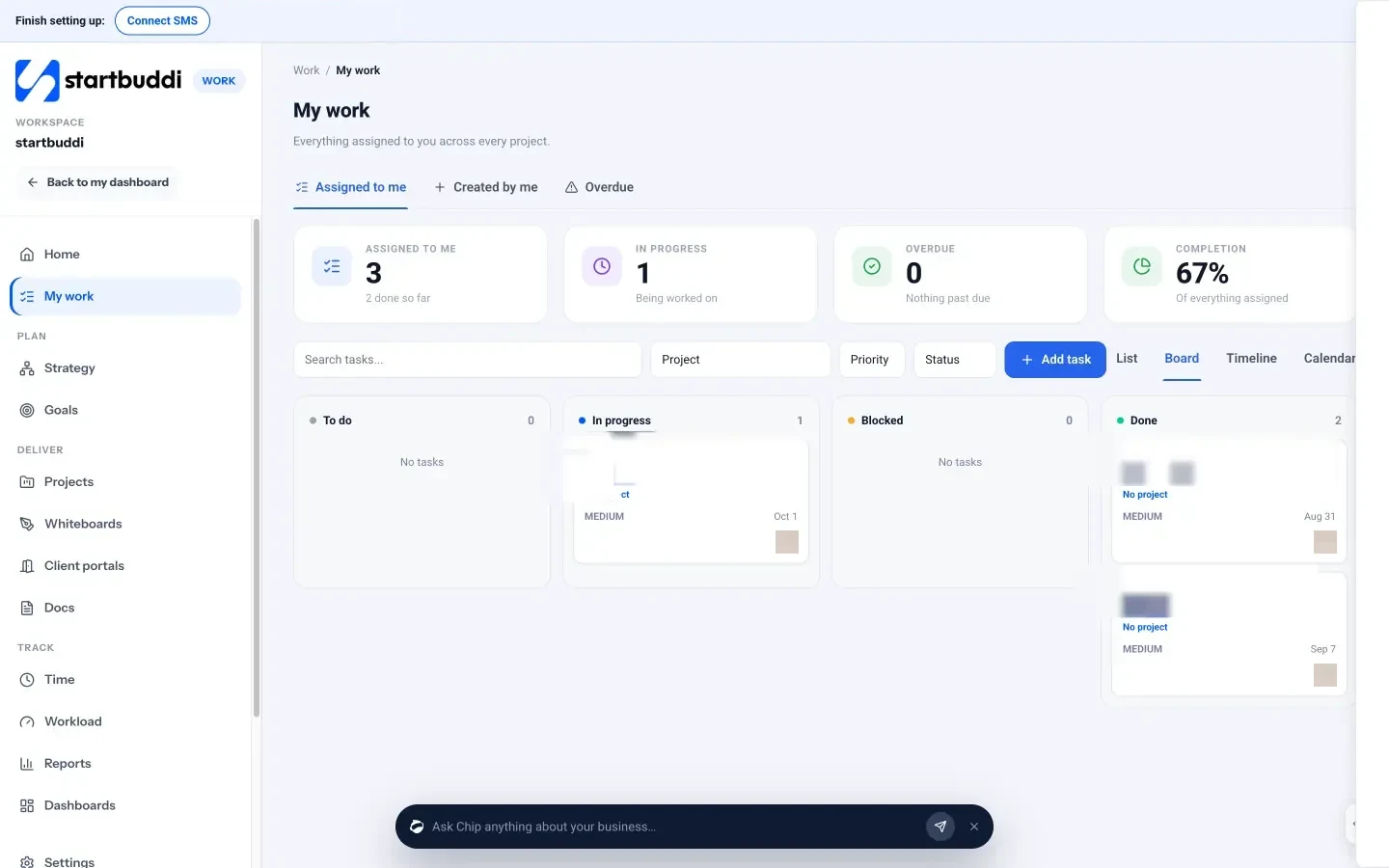
- One list of everything that’s yours. My work shows every task assigned to you across every project, with list, board and calendar views, so you can plan the week in one place.
- Projects built from templates. Projects include templates such as Client delivery and Website project that set up milestones, tasks and due dates you can change. Each project has a timeline, milestones and an overview of progress and overdue items.
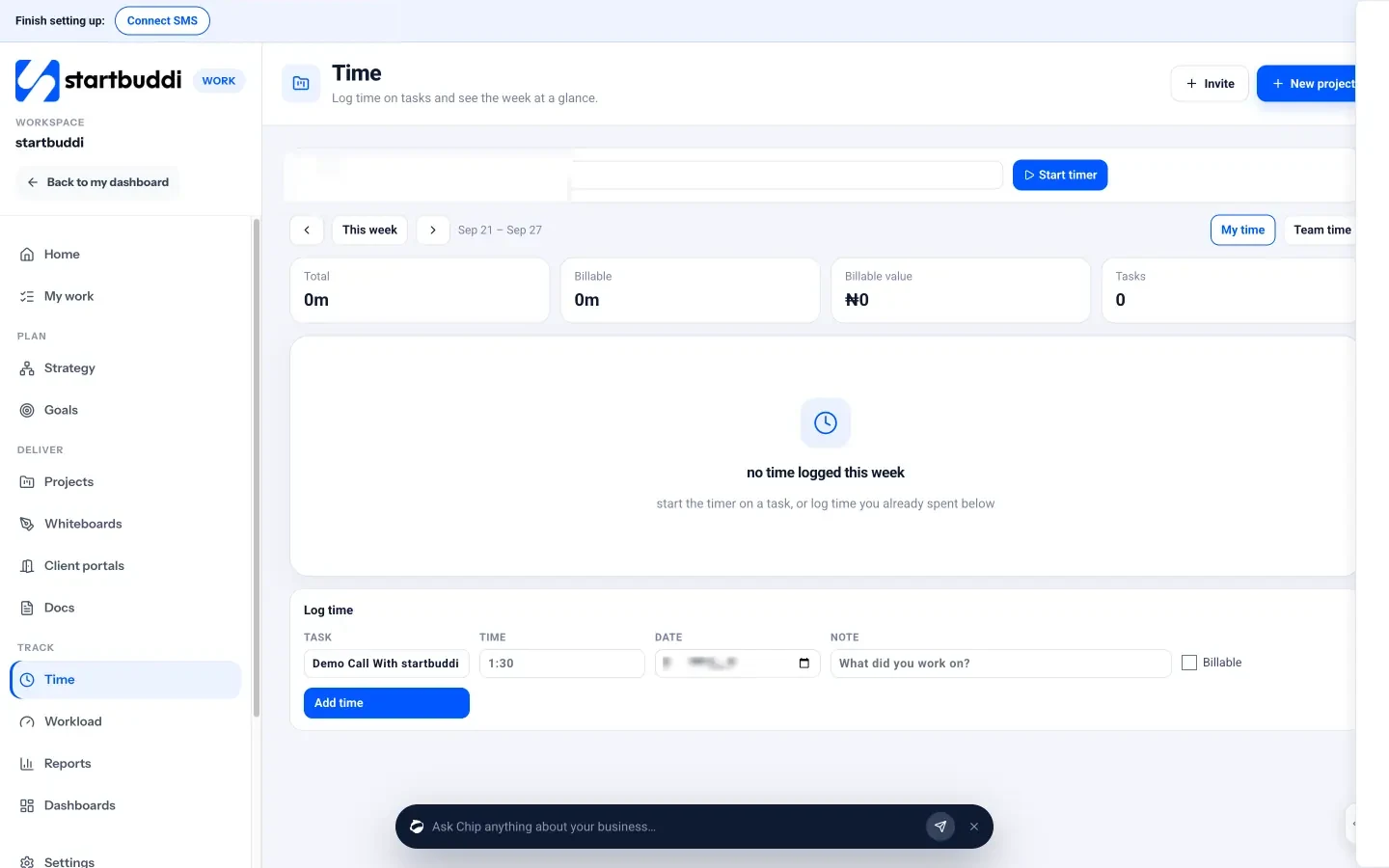
- Time tracking. Time lets you start a timer on a task or log time, mark it billable, and see your week at a glance.
- Clients and invoices next door. Your contacts and invoices live in the same account, so billing a finished milestone doesn’t mean switching apps.
You can use projects, tasks and time tracking on the Free plan. See how it fits your work on our page for freelancers.
Your next step
This week, do two things: work out your real billable hours, and move every open task for every client into one list with a due date. Next Monday, run your first 30-minute weekly plan. If you’d like one place to do it, start free with startbuddi and add your first project from a template.
Frequently asked questions
How many projects can a freelancer handle at once?
It depends on the size of each job and your billable hours. Add up the hours your active projects still need per week and compare them with your real capacity before taking more.
Do freelancers need project management software?
Not at first. A list and a calendar work for one or two clients. Once you juggle several, a tool that shows all tasks, deadlines and time in one place saves you mistakes.
Should I track time on fixed-price projects?
Yes. It shows whether your price was right and gives you real numbers for future quotes and capacity planning.
How do I stop clients interrupting my focus time?
Agree reply times and an update rhythm at the start, then batch messages into set slots. Clients worry less when they know when they'll hear from you.
SEO Copywriter| Email growth Specialist| I help businesses increase revenue with strategic SEO content & high-converting email funnels.