How to manage client projects and keep every job on track
The five stages of every client project, what to do at each one, the mistakes that cost you clients, and a weekly routine for running several projects at once.



- To manage client projects, agree a written scope, plan milestones and dated tasks (including the client's own), update on a fixed rhythm, get written approval at each milestone and close with a clean handover. Log extras as change requests instead of absorbing them.
To manage client projects well, you need five things in place: a written scope the client has agreed, a plan broken into milestones and dated tasks, a fixed rhythm for updates, a formal review and approval step, and a clean handover. Get those right and most jobs finish on time, disputes are rare and clients come back.
This post is for freelancers, consultants, agencies and small service teams who deliver work for paying clients. It walks through the stages every client project goes through, what to do at each one, the mistakes that quietly cost you clients, and a weekly routine that keeps several projects moving at once. If you want a longer, lesson-by-lesson version, our guide on how to run client projects without chaos covers the same ground in four chapters.
What makes client projects different
Internal projects only have to finish. Client projects have to finish and keep someone outside your business confident the whole way through. That adds work most project advice ignores:
- Expectations are set by a sale. The client heard a pitch, a price and a date, and they will measure you against all three.
- You depend on the client. Feedback, content, logins and approvals often arrive late, and your timeline has to survive that.
- Visibility matters as much as progress. A project that is on track but silent feels off track to the person paying for it.
- Money is tied to the work. Deposits, milestone payments and the final invoice all hang on delivery and sign-off.
The good news is that all of this can be handled with a repeatable process. You don’t need a project management qualification. You need the same steps every time.
The five stages of a client project
Almost every client job, from a logo to a website to a three-month consulting engagement, moves through the same stages:
| Stage | What happens | What the client should have at the end |
|---|---|---|
| 1. Scope and kickoff | Agree what is included, dates, price and how you’ll work together | A written scope and a start date |
| 2. Plan | Break the work into milestones and tasks with owners and dates | A plan they can see |
| 3. Deliver and update | Do the work and report progress on a fixed rhythm | Regular updates, no surprises |
| 4. Review and approve | Share work for feedback and get a clear yes | Written approvals |
| 5. Hand over and close | Deliver final files, invoice, ask for feedback | Everything they paid for, in one place |
The rest of this post takes each stage in turn.
Stage 1: scope the project and hold a kickoff
Most project problems start before any work is done. A vague scope is the single biggest cause of arguments later, because the client and you each fill the gaps with your own assumptions.
A good scope is short and specific. It lists the deliverables, what is not included, the number of revision rounds, the timeline and what you need from the client. For example: “Brand identity: logo, colour palette, two typefaces and a one-page style guide. Two rounds of changes. Excludes website and printed materials. Client sends brief answers by 3 May.” Our statement of work template gives you a structure to fill in.
Then hold a short kickoff call, even for small jobs. Use it to confirm the scope, introduce who does what, agree how and when you’ll send updates, and list the first things you need from the client. Our post on running a project kickoff meeting includes an agenda you can copy.
Stage 2: plan milestones, tasks and dates
A plan turns “deliver the website in six weeks” into something you and the client can track. Build it in three layers:
- Milestones: the big checkpoints the client cares about, such as “design approved”, “pages built”, “launch”. Three to six is plenty for most projects.
- Tasks: the actual pieces of work under each milestone, each with one owner and a due date.
- Dependencies: which tasks can’t start until another is done. Building pages depends on approved designs, and approved designs depend on the client’s feedback.
Two rules keep plans realistic. First, add buffer: if a phase looks like a week, plan eight or nine working days. Second, put the client’s own tasks in the plan with dates, such as “client sends product photos by 10 June”. When their delay pushes the launch, everyone can see why. The free project plan template is a good starting point if you’re planning on paper first.
Example: a six-week website project
Here is what a simple plan looks like for a five-page business website. Notice that the client’s tasks sit in the plan next to yours.
| Week | Milestone | Key tasks | Client owes |
|---|---|---|---|
| 1 | Kickoff done | Kickoff call, sitemap, content checklist | Brief answers, logo files, logins |
| 2 | Design approved | Homepage design, one inner page design | Feedback within 3 working days |
| 3 and 4 | Pages built | Build five pages, contact form, mobile checks | Final copy and photos by end of week 3 |
| 5 | Changes done | One round of changes, speed and link checks | One consolidated list of changes |
| 6 | Launched | Go live, handover notes, training call | Sign-off and final payment |
If the photos arrive a week late, the launch moves a week, and the plan already shows both of you why. Share this plan with the client at kickoff and ask them to confirm the dates they own. Most clients are happy to commit once they see how their part affects the launch.
If you run similar projects again and again, save your plan as a template. The second time you start a website project, your milestones, tasks and typical durations are already there.
Stage 3: deliver the work and keep the client in the loop
During delivery, your job is to do the work and to make progress visible. Clients rarely complain about the pace of good work. They complain when they don’t know what’s happening.
Set a fixed update rhythm
Agree at kickoff when updates will come, such as every Friday or at each milestone, then never miss one. A useful update has three parts: what was done, what’s next, and what you need from the client (with a date). Keep it to a few lines.
Keep one place for files and decisions
Feedback that arrives by voice note, email and a comment on a document gets lost. Pick one place where the plan, the latest files and decisions live, and move anything important there the same day. A client portal does this job well, because the client sees the same plan you do.
Watch time and budget
If you charge by the hour or have a fixed budget, track time against the project as you go. Checking hours weekly lets you raise an overrun while it’s still small and gives you real numbers for pricing the next job.
Stage 4: review, approvals and change requests
Build a formal review step into every milestone. Share the work, say exactly what feedback you need and by when, and ask for a clear approval. “Approved, go ahead” in writing protects you from being asked to redo finished work weeks later.
Keep revision rounds to what the scope allows. When feedback goes beyond it, don’t argue about it in the moment. Log it as a change request, then offer options:
- add it now for an extra fee and a new date,
- swap it for something of similar size already in scope, or
- move it to a second phase after launch.
Confirm the choice in writing before you do the work. Unrecorded “small extras” are how projects grow past their budget without anyone deciding they should. Our post on preventing scope creep goes into this in more depth.
Stage 5: hand over and close the project
A clean ending is what clients remember and what earns referrals. Before you call a project done:
- Deliver all final files, logins and instructions in one place.
- Get written sign-off that the scope is complete.
- Send the final invoice the same day.
- Ask two feedback questions: what went well and what could be better.
- If they’re happy, ask for a review or an introduction to one person who could use your help.
- Write down what you learned, and update your template so the next project runs smoother.
Set a reminder to check in 60 to 90 days later. Many repeat projects start with “how is everything going?”
Common mistakes when managing client projects
These aren’t failures of talent. They’re process gaps, and every one has a simple fix.
| Mistake | What it costs | The fix |
|---|---|---|
| Starting on a verbal agreement | Arguments about what was included | A one-page written scope, confirmed by the client |
| Optimistic deadlines | Missed dates and lost trust | Buffer in every phase, client tasks dated in the plan |
| Waiting for the client to ask | Anxious clients, constant “any news?” messages | Updates on a fixed rhythm |
| Saying yes to extras silently | Unpaid work and a late project | A change request with options, confirmed in writing |
| No formal approval | Rework on “finished” parts | Written sign-off at each milestone |
| Invoicing weeks later | Slow payment and cash flow gaps | Invoice on delivery or at each paid milestone |
Managing several client projects at once
Running one client project is manageable. Running five is where things slip. A short weekly routine keeps them all moving:
- Monday, 20 minutes: look at every active project in one list. Note which are on track, at risk or overdue, and what each is waiting on.
- Daily, 5 minutes: check tasks due today across all projects before opening your inbox.
- Friday, 30 minutes: send each client their update, log any remaining time, and send any invoices due.
Give each client a block of focused time rather than switching every hour, and keep templates for things you repeat: onboarding checklists, update messages, handover notes. If you’re a consultant juggling engagements, our post on project management for consultants has more on this.
What to look for in a tool for client projects
You can run a single project from a document and a calendar. Once you have several clients, a tool pays for itself in avoided mistakes. Look for these five things rather than the longest feature list:
- Templates, so every new project starts with your usual milestones and tasks.
- One view across projects, showing what’s overdue or at risk without opening each one.
- A client-facing view, such as a portal, so clients can see progress and approve work without email chains.
- Time and budget tracking on the project, if you bill by the hour or work to a fixed fee.
- A link to your client records and invoices, so you don’t retype details or forget to bill.
Avoid tools that need a week of setup or charge per client login. The best tool is the one you and your clients will actually use.
How startbuddi helps you manage client projects
In startbuddi, Projects sit inside Work, next to your clients and your invoices, so the plan, the people and the money stay connected.
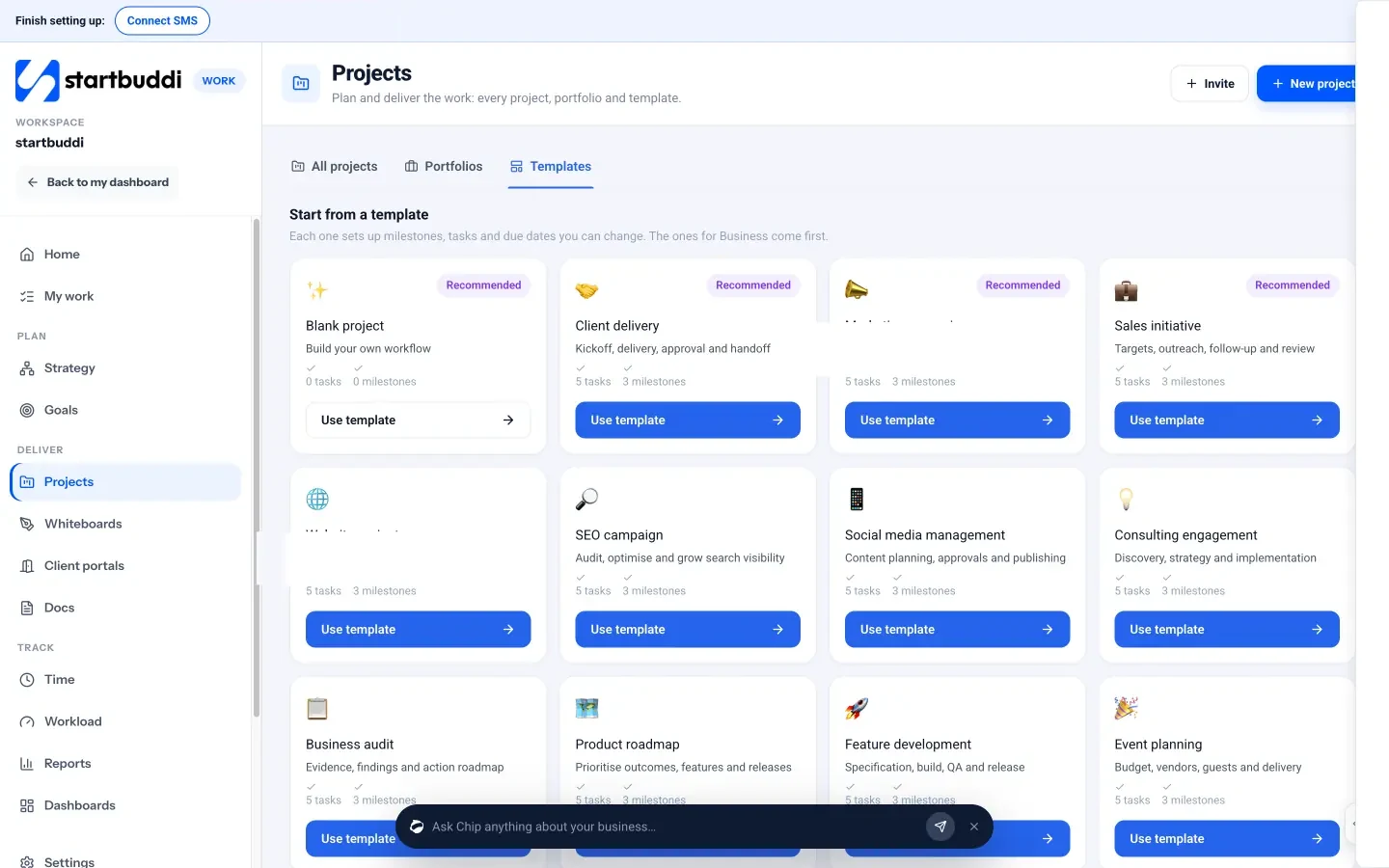
- Start from a template. Pick one such as Client delivery, Website project or Consulting engagement. Each sets up milestones, tasks and due dates you can change. Starting blank only needs a name.
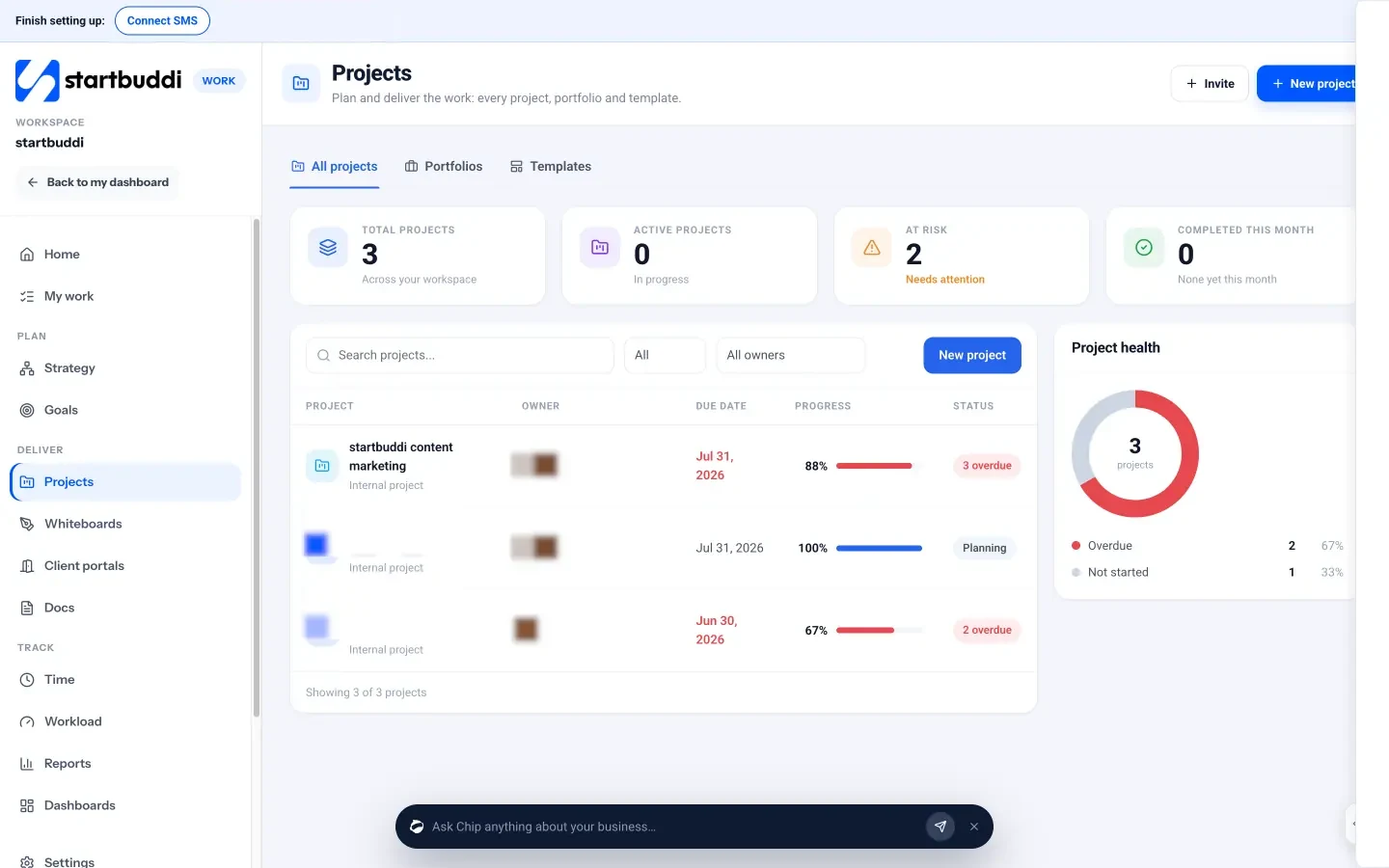
- Plan and track. Each project has tasks (list, board, calendar or table), a timeline with dependencies and milestones, and an overview showing progress, overdue items and what needs attention.
- Time and budget. Time tracking lets you start a timer on a task or log time and mark it billable. A project’s Budget tab shows hours used, money spent and what’s left.
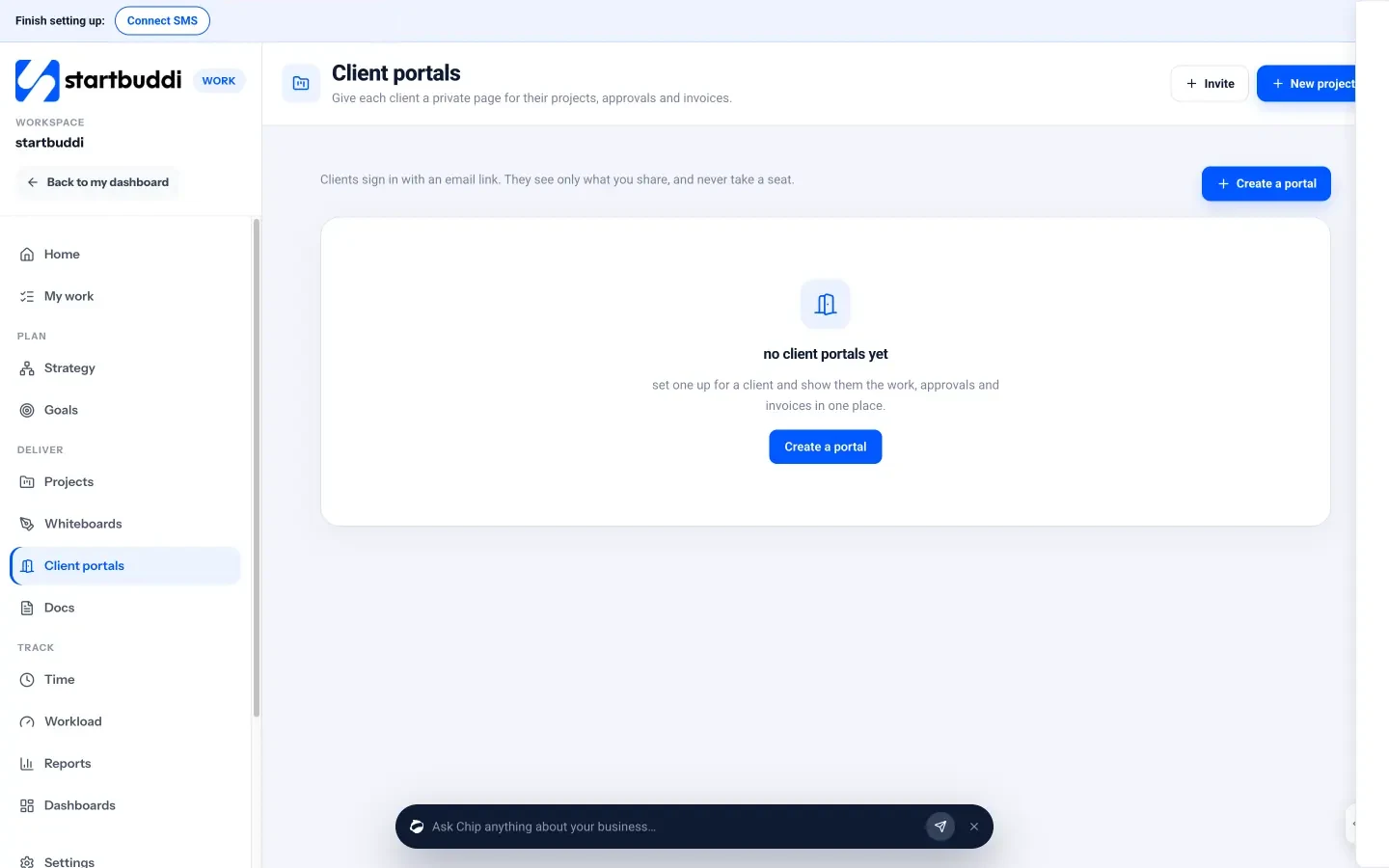
- A page for the client. Client portals give each client a private page where you share progress, files and items for approval, and message each other. Clients sign in with an email link, with no password and no seat.
You can create projects on the Free plan. Client portals can be built and previewed on Free, and inviting clients starts on Starter (see pricing). Our help article on creating your first project walks through the setup.
Your next step
Take the project you’re most worried about right now and check it against the five stages. Is the scope written down? Are the client’s own tasks dated? Is there an update scheduled this week? Fix the first gap you find today. When you’re ready to run your client work from one place, start free with startbuddi and set up your first project from a template.
Frequently asked questions
How is client project management different from normal project management?
It adds the client relationship: setting expectations from the sale, depending on the client's feedback, and keeping them confident with updates and approvals.
How often should I update a client during a project?
Agree a rhythm at kickoff, usually weekly or at each milestone, and stick to it even when there's little news.
What should I do when a client asks for extra work mid-project?
Log it as a change request and offer options: an extra fee and new date, a swap for something in scope, or a later phase. Confirm in writing first.
Do I need a client portal?
Not for one small job. Once you run several projects or bigger clients, a shared page for progress, files and approvals cuts status questions a lot.
Omolola Akiyode is the operations and project manager at startbuddi, leading cross-functional projects and the content that helps founders get set up. Omolola writes about projects, websites and getting found online, and turns complex ideas into clear, practical steps.
Runs operations and projects at startbuddi