CRM for consultants: how to manage every client engagement in one place
What consultants need from a CRM: companies with several contacts, long sales cycles, proposals, renewals and delivery, plus a pipeline you can set up in an afternoon.


Chinonye wrote this while on the startbuddi team. The product has changed since, so the team updated it on .

- Consultants need a CRM that handles several contacts per client, slow decisions, proposals and contracts, and renewals. Keep the setup small: five or six stages, a value and a dated next step on every deal, notes after every call, and reminders before contracts end.
A CRM for consultants keeps every client, conversation, proposal and follow-up in one place, so you never lose a deal because a reply slipped or forget what a client said three months ago. Consultants need a few things most sales CRMs treat as extras: several contacts per client company, long sales cycles, proposals and contracts, retainers and renewals, and a link between winning the work and delivering it. Choose a tool that handles those, keep your setup simple, and review it weekly.
This guide explains why consulting is different, the features that matter, how to set up your pipeline, a routine for keeping clients longer, and how to pick a tool. It’s for solo consultants and small firms anywhere: management, HR, marketing, IT, finance or any other advisory work.
Why consultants need a CRM (and why a spreadsheet stops working)
Consulting is a relationship business with a slow clock. A prospect might take weeks or months to decide, involve three people in the decision, and come back a year later for a second project. That rhythm is exactly what memory and spreadsheets handle badly.
- Long gaps between conversations. A prospect says “let’s talk after our budget round in Q3”. Without a dated reminder, Q3 comes and goes.
- Several people per client. You talk to the CEO about strategy, the operations lead about delivery and finance about invoices. They need to sit under one company, not in three unrelated rows.
- Proposals that need chasing. A proposal sent without a follow-up plan often sits unread in someone’s inbox.
- Repeat work and referrals. Most consultants get a large share of work from past clients and their networks. Keeping in touch is the pipeline.
A CRM turns those relationships into a list you can act on: who to call this week, which proposals are waiting and which clients you haven’t spoken to in a while.
What to look for in a CRM for consultants
Most CRMs were designed for sales teams selling products. These are the features that matter for advisory work.
Companies with several contacts
You should be able to create a client company, attach every person you deal with, and see all conversations, deals and invoices for that company on one page.
A pipeline that matches how you sell
Your stages should reflect your real process, for example: introduction, discovery call, proposal sent, negotiating scope, won, lost. If the tool forces a generic sales process on you, you’ll stop updating it.
Proposals, contracts and invoices connected to the client
Consulting deals end in a document. Being able to send a proposal, get a contract signed and raise the first invoice against the same client saves retyping and mistakes.
Reminders and follow-up tasks
Every open deal needs a next step with a date. Look for tasks you can create in a click and automatic reminders when a deal hasn’t moved.
Scheduling for discovery calls
A booking link that logs the call against the right contact removes the “does Tuesday work?” email chain. Our post on appointment tracking for consultants covers the calendar side.
Delivery after the sale
Once a deal is won, the work begins. A CRM that connects to projects, time tracking and a client-facing space means the handover from selling to delivering doesn’t lose information.
Privacy and access
HR, finance and legal consultants handle sensitive information. Check who on your team can see what, and keep confidential documents out of chat threads.
How to set up your consulting pipeline
Keep the first version small. You can add detail once you’re using it daily.
- Import your people. Export contacts from your email or phone, clean the list (remove duplicates and people you’ll never contact) and import it. Tag past clients, current clients and prospects.
- Create companies. Group contacts under the organisations they work for.
- Set five or six stages. For example: Introduced, Discovery booked, Proposal sent, Negotiating, Won, Lost.
- Add every live opportunity as a deal. Give each a value, even a rough one, and an expected close date.
- Give every deal a next step. “Send case study Friday”, “Call Ngozi after board meeting on the 12th”.
A sample consulting pipeline
| Stage | What it means | Next step rule |
|---|---|---|
| Introduced | Referral or enquiry, no call yet | Reply within one working day with a booking link |
| Discovery booked | First call in the diary | Send a short agenda the day before |
| Proposal sent | Scope and price with the client | Follow up after 3 and 7 days, offer a call |
| Negotiating | Talking about scope, timing or price | Agree a decision date and diarise it |
| Won | Signed and first invoice raised | Kick-off within a week |
| Lost | Declined or went silent | Record the reason, set a check-in in 3 to 6 months |
Managing the full client engagement, not just the sale
For consultants, the most valuable part of a CRM often comes after the contract is signed. Keep these on the client record:
- Scope and key dates: what you agreed, when phases end, when the contract renews.
- Meeting notes: two or three lines after every call, including decisions and who owns what.
- Stakeholders: who signs off, who uses the work, who pays the invoices.
- Billing: retainer amount, invoice dates, anything overdue.
When a client calls unexpectedly, you open one page and you’re prepared. When a colleague covers for you, they can pick up without a briefing. For the delivery side, our guide to project management for consultants goes further.
Using your CRM to keep clients and win renewals
Keeping a client is usually easier than finding a new one, and a CRM makes the habits that keep clients almost automatic.
Treat contract end dates as opportunities
Add a task 60 days before any retainer or contract ends: “Book a review with the client”. A review meeting before the end date turns renewal from a question into a conversation about what’s next.
Check in when nothing is wrong
Set a reminder to contact each active client every few weeks outside project updates. A short “I saw this and thought of your expansion plans” message builds more goodwill than another status report.
Watch for quiet clients
If a client who normally replies in a day hasn’t answered in two weeks, something may have changed: a new boss, a budget cut, a competitor. Your CRM’s “last contacted” date is an early warning.
Keep a one-paragraph account plan for your biggest clients
For the three to five clients that bring in most of your revenue, write a short note on the company record: what they’re trying to achieve this year, who else influences decisions, what else you could help with, and the risks (a new finance director, a merger, a budget freeze). Read it before every meeting. It keeps you thinking about the client’s goals rather than just the current project, and it makes the next proposal much easier to write.
Ask for referrals at the right moment
The best time to ask is just after you delivered something the client is pleased with. Add a task to your project close-out: “Ask for a referral and a testimonial”.
A 30-minute weekly CRM routine for consultants
A CRM only works if you look at it on a schedule. This routine fits into a Monday morning or Friday afternoon.
- Clear the inbox of new enquiries (5 minutes). Every new name gets a contact record, a company and a reply with a booking link.
- Walk the pipeline left to right (10 minutes). For every deal, ask: is the stage right, is the next step dated, and is the date still realistic? Move anything that has been stuck for a month to Lost with a reason, or give it a new plan.
- Chase proposals (5 minutes). Anything sent more than three days ago without a reply gets a personal note.
- Check renewals (5 minutes). Which contracts end in the next 90 days? Is a review meeting booked for each?
- Nurture one relationship (5 minutes). Pick one past client or contact and send something useful: an article, an introduction or a quick congratulations.
A proposal follow-up that gets replies
Hi Ngozi, following up on the operations review proposal. The one decision that affects the start date is whether phase one covers both sites or just Abuja. Would a 15-minute call on Thursday help you settle that?
It works because it points to a real decision, not “any thoughts?”. Our post on following up with leads without being pushy has more templates.
Common CRM mistakes consultants make
- Too many fields. If creating a deal needs 20 fields, you’ll skip it. Start with name, company, value, stage and next step.
- Logging nothing after calls. A CRM without notes is just an address book. Two lines per call is enough.
- Keeping past clients out. Your past clients are your best source of new work. Keep them in, with a status and a check-in reminder.
- Running sales and delivery in separate tools that never meet. Details promised in the sale get lost in the handover.
- Buying for a firm you aren’t yet. Enterprise sales software can take weeks to configure. A solo consultant needs to be up and running in an afternoon.
How to choose a CRM for your consulting business
There are three broad kinds of tool consultants use:
| Type | Good for | Watch out for |
|---|---|---|
| Sales-focused CRM | Firms with a dedicated business development team and a high volume of deals | Proposals, projects and invoicing usually need other tools |
| Enterprise CRM platforms | Larger firms needing heavy customisation and reporting | Set-up time, admin effort and cost |
| All-in-one business systems | Solo consultants and small firms who also want bookings, proposals, invoices and projects | Check that the CRM part is deep enough for your pipeline |
Before deciding, list your five most common weekly tasks (for example “send a proposal”, “book a discovery call”, “invoice a retainer”) and try each one in a free trial. Our best CRM software for small business list compares the main options with links to their own pricing pages, and our guide to choosing a CRM walks through the decision.
How startbuddi works as a CRM for consultants
startbuddi puts the CRM next to everything else a consultant uses, so a client’s whole history sits in one place.
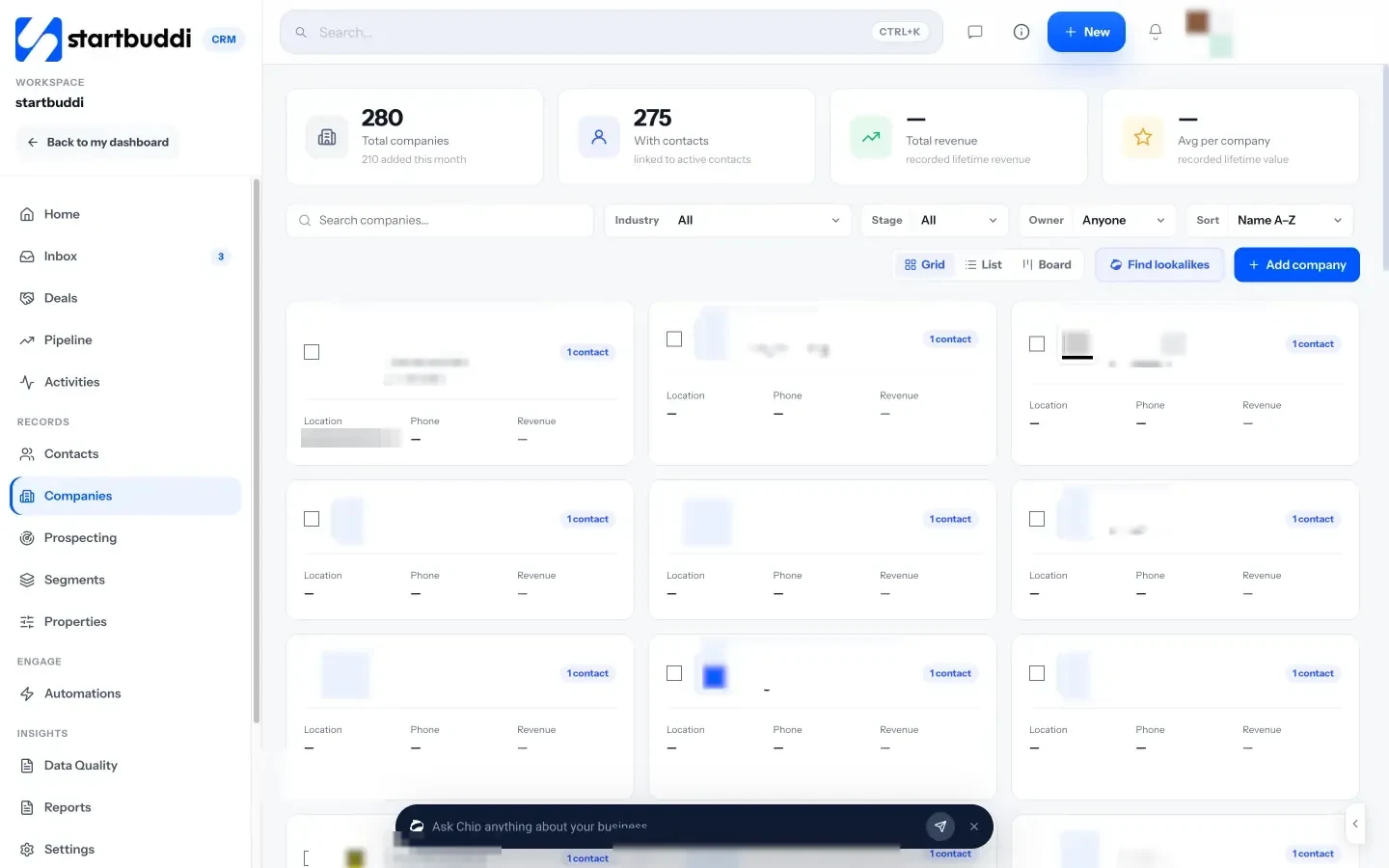
Contacts and companies. In Contacts & companies, each client company has its own page listing its contacts, conversations, deals, invoices, projects and bookings. Add a company by typing its website and startbuddi fills in the logo and details where it can.
A pipeline for your deals. The sales pipeline shows deals by stage with values and a forecast. You can rename stages, mark deals won or lost with a reason, and create more than one pipeline, for example one for new clients and one for renewals.
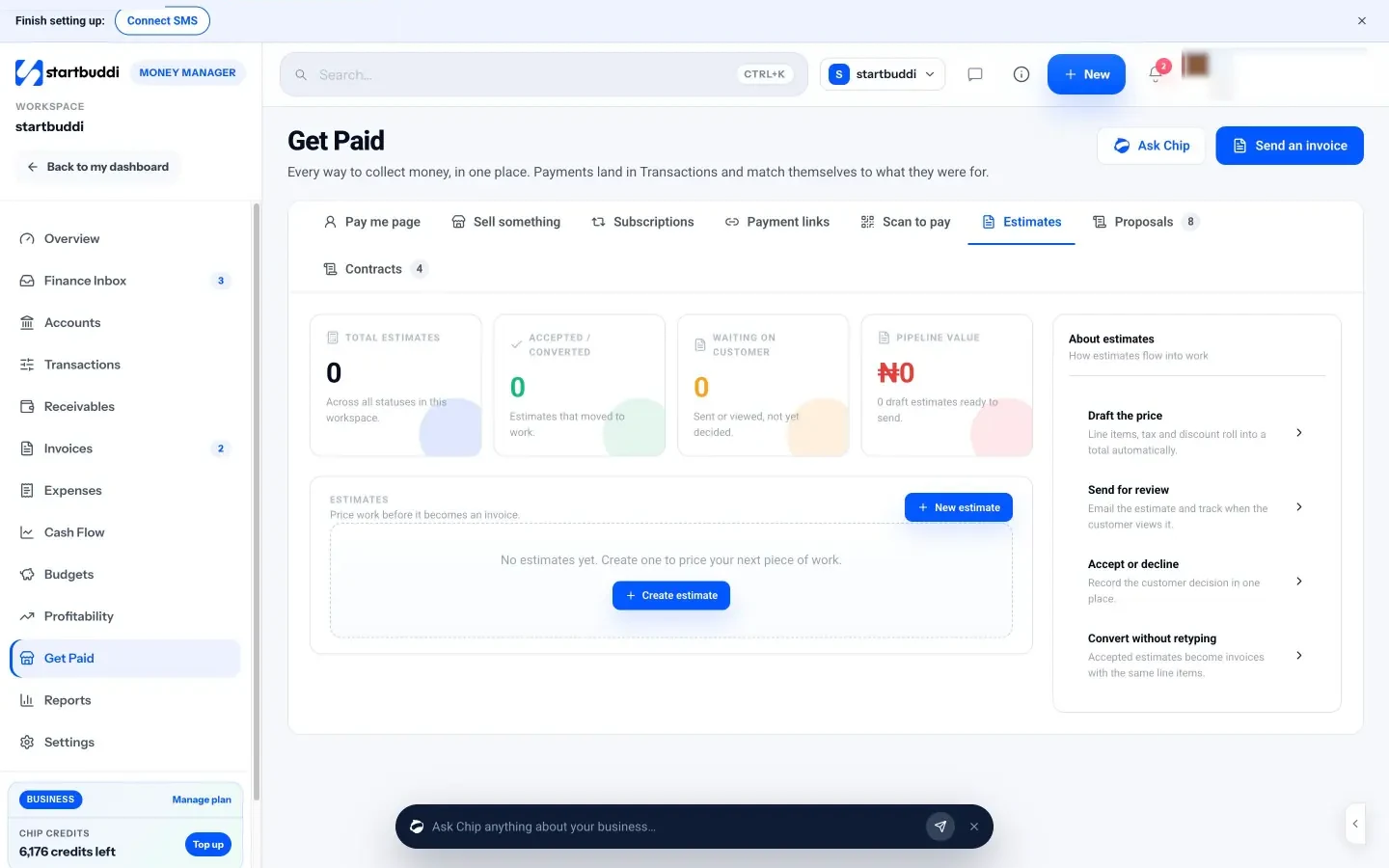
Proposals, contracts and invoices. In Money Manager you can create estimates, proposals and contracts, send contracts for signature, and then raise invoices for the same client. Our free consulting agreement template is a starting point for the wording.
Discovery calls. Bookings gives you a link clients use to book a call in your free times. Each booking lands on the contact’s record.
Delivery and client access. Won work moves into Projects, where you can log billable time. Client portals give each client a private page with the projects, approvals and invoices you choose to share; they sign in with an email link and don’t need an account.
Chip, the AI assistant. On the Customers home, Chip summarises what’s waiting on you and can answer questions like “Which deals are at risk?” or “Plan my follow-ups” from your own data.
The Free plan includes up to 250 contacts. Client portals, WhatsApp and more automations start on Starter (see pricing), and every paid plan has a 30-day trial. See pricing for the details, or the startbuddi page for consultants.
Your next step
This week, list every open opportunity you have, however small, and give each a stage, a rough value and a dated next step. Then list your five past clients you haven’t spoken to in six months and send each a short, personal note. That one hour will tell you more about your pipeline than any software demo, and it’s the start of a CRM habit you can keep.
Frequently asked questions
What is the best CRM for a solo consultant?
One you can set up in an afternoon that also handles the things you do weekly, such as booking calls, sending proposals and invoicing. Try your five most common tasks in a free trial before choosing.
How is a CRM for consulting firms different from a sales CRM?
Consulting firms need several contacts per client company, long follow-up gaps, proposals and contracts, and a link to project delivery. Many sales CRMs cover the pipeline well but leave those to other tools.
How long does it take to set up a CRM as a consultant?
A basic setup with contacts, companies, five or six stages and your live deals usually takes two to four hours. Add automations and templates later, once the daily habit is in place.
Should I track past clients in my CRM?
Yes. Past clients are often your best source of new work and referrals. Keep them with a clear status and a reminder to check in every few months.
SEO Copywriter| Email growth Specialist| I help businesses increase revenue with strategic SEO content & high-converting email funnels.