Time tracking for freelancers: bill for every hour you work
How freelancers can track time in a few minutes a day, invoice every billable hour, and use the numbers to price the next job better.



- Freelancers lose billable hours to quick jobs, calls and memory-based timesheets. Track time as you go with a timer or quick manual entries, mark what's billable, and review the totals weekly. Use the data to invoice accurately and to see your real hourly rate on fixed-price work.
Time tracking for freelancers means recording the time you spend on each client and task, and marking which of those hours you can bill. Done simply, it takes a few minutes a day and pays for itself quickly: you invoice for work you’d otherwise forget, you see which clients and projects actually earn money, and you price your next job on real numbers instead of hope.
This guide covers why freelancers lose billable time, what to track, which method suits you, how to round and invoice, and how to use your time data to raise your rates. It works whether you bill by the hour or charge fixed prices.
Why freelancers lose billable hours
Very few freelancers deliberately undercharge. The hours slip away in small, forgettable pieces:
- Quick jobs. A “two-minute” logo tweak that takes 25 minutes, done between other tasks and never written down.
- Communication. Calls, voice notes and WhatsApp replies that add up to hours a week.
- Research and setup. Reading a brief, learning a client’s system, preparing files.
- Revisions. The third and fourth rounds that went beyond what you agreed.
- Guesswork at invoice time. Reconstructing a week from memory on Friday almost always comes out short.
There’s also a well-known bias at work. In a classic study published in the Journal of Personality and Social Psychology, Buehler, Griffin and Ross asked students to predict when they’d finish their final-year thesis. On average they predicted about 34 days; it actually took about 56. This is called the planning fallacy: people consistently underestimate how long their own work will take, even when they’ve been wrong before.
For a freelancer, the planning fallacy shows up in two places: in quotes that assume the job will go smoothly, and in memory-based timesheets that forget the messy parts. Tracking time as you go fixes both.
What to track: billable and non-billable time
Billable hours are the hours you can charge a client for. Non-billable hours are everything else it takes to run your business. You should track both, because the second group decides how many hours you can realistically sell.
| Billable (usually) | Non-billable (usually) |
|---|---|
| Design, writing, development or other delivery work | Marketing yourself and posting on social media |
| Client calls and meetings about the project | Sales calls and writing proposals |
| Revisions within the agreed rounds | Invoicing, bookkeeping and admin |
| Extra revisions or new requests (billed as extras) | Learning new skills and tools |
| Research specific to the client’s project | General research and reading |
| Travel to a client, if your contract says so | Fixing your own laptop or software |
What counts as billable should be in your contract, not decided at invoice time. Our free freelance agreement template gives you a place to write this down.
What unbilled time really costs
It’s easy to shrug off a few forgotten minutes. Run the numbers on your own business and they stop looking small.
Imagine you lose three billable hours a week to untracked calls, quick fixes and memory gaps. That’s not unusual for a busy freelancer. Over a working year of about 46 weeks, it adds up to roughly 138 hours. At any sensible hourly rate, that’s several weeks of income given away, every year, for work you actually did.
You don’t need to recover all of it. Even getting half of those hours onto invoices is usually worth far more than the few minutes a day tracking takes. And the benefit isn’t only money: clients who see clear timesheets tend to question invoices less, which means faster payment.
Set up time tracking in 15 minutes
A little setup makes daily tracking almost automatic. Do this once:
- Create one project per client. If a client has several separate jobs, give each job its own project so you can compare them.
- Add internal projects for your own business. For example “Admin”, “Marketing” and “Learning”. This is how you see your non-billable time.
- Add the main tasks for each job. Broad tasks such as “Design”, “Revisions” and “Calls” are enough. You don’t need a task for every hour.
- Set your default: billable or not. Client tasks are usually billable, internal ones aren’t.
- Add rough estimates. Even a guess in hours gives you something to compare against later.
Keep the structure simple. If choosing where to log time takes longer than a few seconds, you’ll stop doing it.
Choose a time tracking method that fits how you work
The best method is the one you’ll actually keep using. Here are the three common options.
| Method | How it works | Good for | Watch out for |
|---|---|---|---|
| Live timer | Start a timer when you begin a task, stop it when you finish | Hourly billing, deep work sessions | Forgetting to stop it at lunch |
| Manual log | Enter time after each task or at the end of the day | Short, frequent tasks and calls | Leaving it until Friday |
| Time blocks | Plan your day in blocks, then confirm what really happened | People who already plan their calendar | Plans that don’t match reality |
Most freelancers end up mixing the first two: a timer for focused work and quick manual entries for calls and small jobs. If you’re still using a spreadsheet, our free timesheet template is a good start, and how to track billable hours without a spreadsheet explains when it’s time to move on.
A five-minute daily time tracking routine
Tracking only works if it’s a habit. This routine takes about five minutes spread across the day.
- Morning (1 minute): look at today’s tasks and start a timer on the first one.
- Every switch (seconds): when you change task or client, stop one timer and start the next.
- After calls (30 seconds): log the call against the right client with a short note, such as “Feedback on homepage draft”.
- End of day (2 minutes): check the day’s entries, fill any gaps, tick what’s billable.
- Friday (5 minutes): review the week’s totals by client before you invoice.
Write short, clear notes. “Work” tells a client nothing. “Built contact form and tested on mobile” explains the value and heads off questions about the invoice.
Rounding and minimum increments
Most freelancers round time to a set increment rather than billing to the minute. Common choices:
- 6 minutes (a tenth of an hour): precise, common in law and consulting.
- 15 minutes: a popular choice for creative and technical freelancers.
- 30 minutes or 1 hour minimum for calls: reflects the setup and follow-up around a call.
Whichever you choose, put it in your contract and apply it consistently. Rounding every 3-minute email up to 15 minutes will feel unfair to a client. A fair rule is to round each day’s total per client, not every tiny entry.
Turning tracked time into invoices
If you bill by the hour
Invoice from your timesheet, not from memory. Group entries into a few clear line items rather than listing every entry:
| Description | Hours | Rate |
|---|---|---|
| Homepage and services page design | 9.5 | Your hourly rate |
| Client calls and feedback sessions | 2.0 | Your hourly rate |
| Extra revision round (requested 12 October) | 1.5 | Your hourly rate |
Offer the detailed timesheet as an attachment or on request. Being open about time builds trust and makes invoices easier to approve.
If you charge fixed prices
Many freelancers think time tracking doesn’t matter if they charge per project. It matters more. Your time data tells you your real hourly rate on each job.
Say you quoted a fixed price for a small website, expecting 30 hours of work. That price was meant to earn your usual hourly rate. You track the job and it takes 48 hours. Your effective rate on that project dropped by more than a third, and without tracking you’d never have known.
That number is gold for your next quote. Either raise the price for similar jobs, tighten the scope, or find where the extra 18 hours went (often revisions and back-and-forth). Our guide on how to price your services shows how to build that into your pricing, and the hourly rate calculator helps you set the target rate in the first place.
What your time data tells you
After a month or two of tracking, look at the totals. Freelancers are often surprised by what they find.
- Your real billable share. If you work 45 hours but only 25 are billable, your hourly rate has to cover the other 20.
- Your best and worst clients. Some clients need twice the calls for the same fee. That’s worth knowing when they ask for more work.
- Where scope creep happens. If revisions keep taking longer than planned, tighten your revision limits. See how to scope a client project so it doesn’t creep.
- How accurate your estimates are. Compare estimated and actual hours per task. Most people find a steady gap they can plan for.
Sharing time with clients
Clients who pay by the hour appreciate seeing where the time went. A weekly summary with hours per task keeps surprises off the invoice. For retainers, a monthly report of hours used against hours included shows value and makes renewal conversations easier.
Here’s a simple retainer summary you can adapt: “This month: 14 of 20 included hours used. Main work: blog posts (8 hours), newsletter (4 hours), calls (2 hours). Six hours roll into next month, as agreed.” Three lines like that answer most questions before they’re asked, and they remind the client what the retainer is paying for.
If a project starts running over its estimate, tell the client early. “We’re at 20 of the 25 hours estimated, and two pages are left. Here’s what I suggest” is a much better conversation than a surprise invoice.
When you work with other freelancers
As you grow, you might bring in a subcontractor or a second freelancer for bigger jobs. Ask them to track time the same way you do, against the same tasks. It lets you check that their hours match what you’re billing the client, compare their pace with your estimates, and pay them accurately if they charge by the hour.
It also protects you. If a client questions an invoice, you can show exactly who did what and when.
Common time tracking mistakes
- Tracking only billable time. You’ll never know your true hourly rate or how much admin costs you.
- Filling timesheets from memory. Memory always leaves out the small tasks.
- Vague notes. “Admin” or “work” invites questions from clients.
- Never looking at the data. Tracking without reviewing is just paperwork.
- Using a tool separate from your tasks. If you have to copy task names into a separate timer, you’ll eventually stop.
How startbuddi helps
In startbuddi, time tracking is built into your projects and tasks, so every hour is already linked to the client work it belongs to.
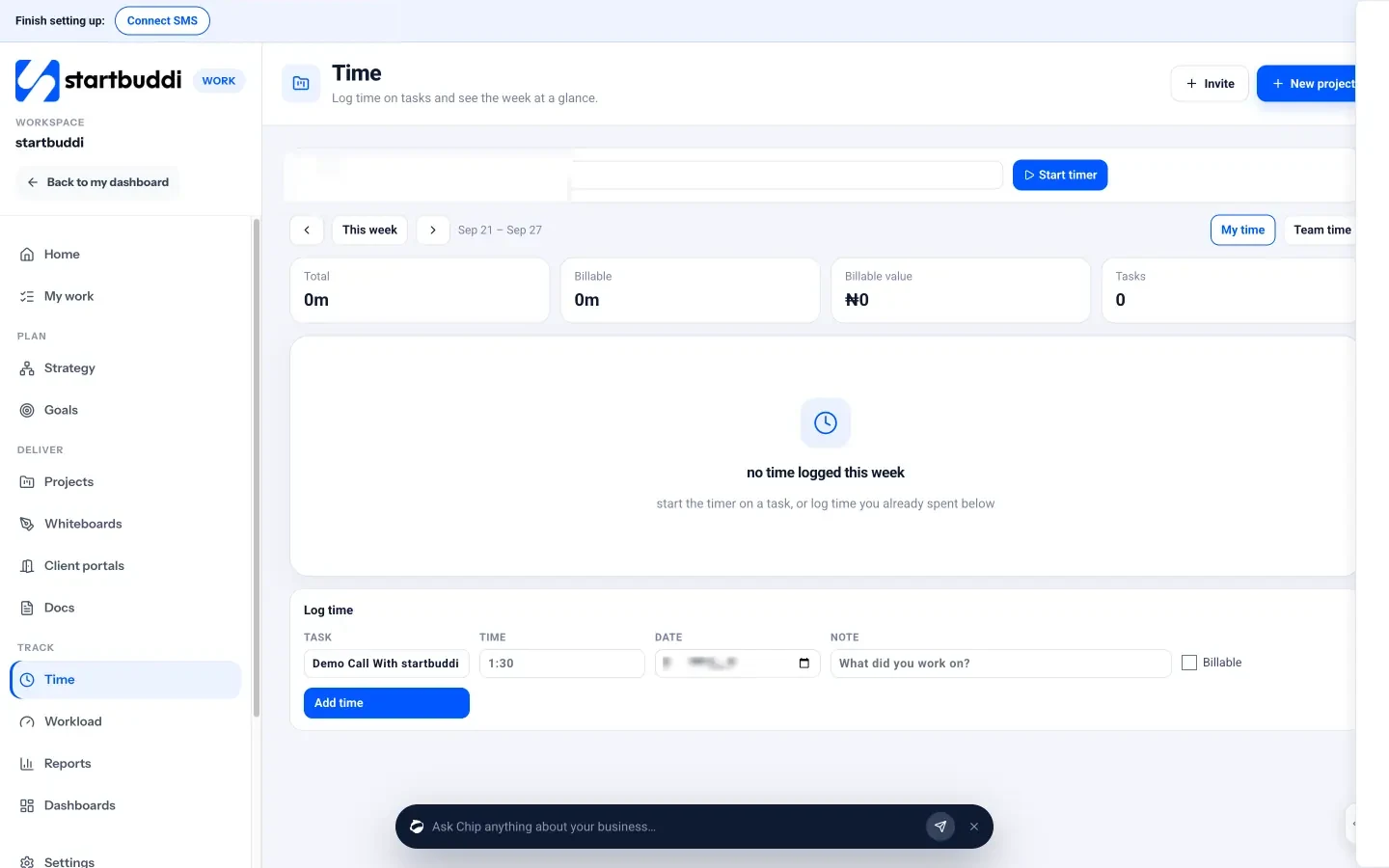
- Start a timer on a task. Open Work, then Time. Pick a task and click Start timer, then Stop when you’re done.
- Log time by hand. Use Log time to add a task, the time (for example 1:30), the date, a note about what you worked on, and tick Billable.
- See your week. The week view shows your Total and Billable hours, a Billable value where you’ve set rates, and a grid of hours per task per day.
- Track against estimates. Add an estimate in hours to each task and log time from the task itself. A project’s Budget tab turns logged time into time logged, spent so far and cost to complete, with an hours burn-down chart.
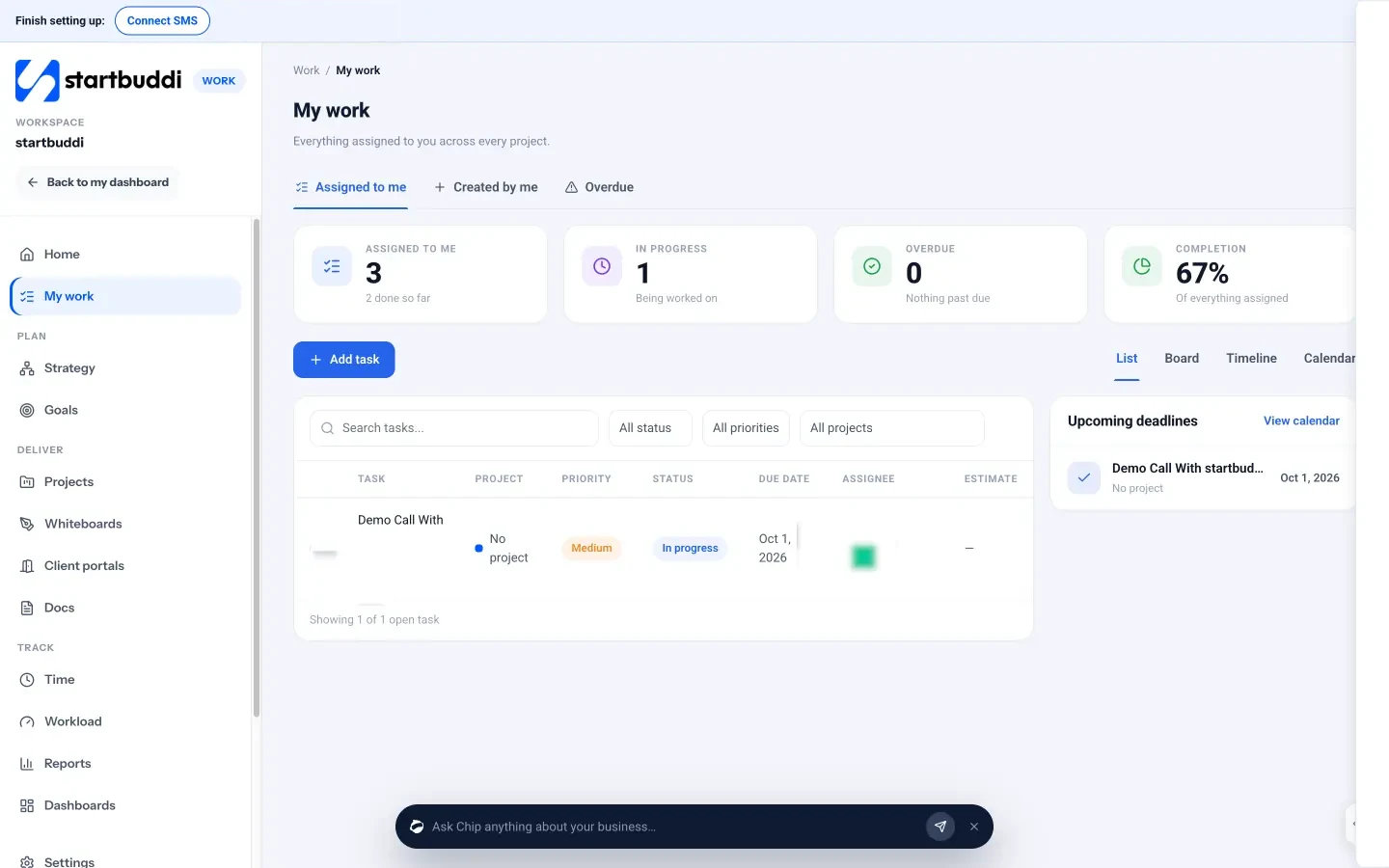
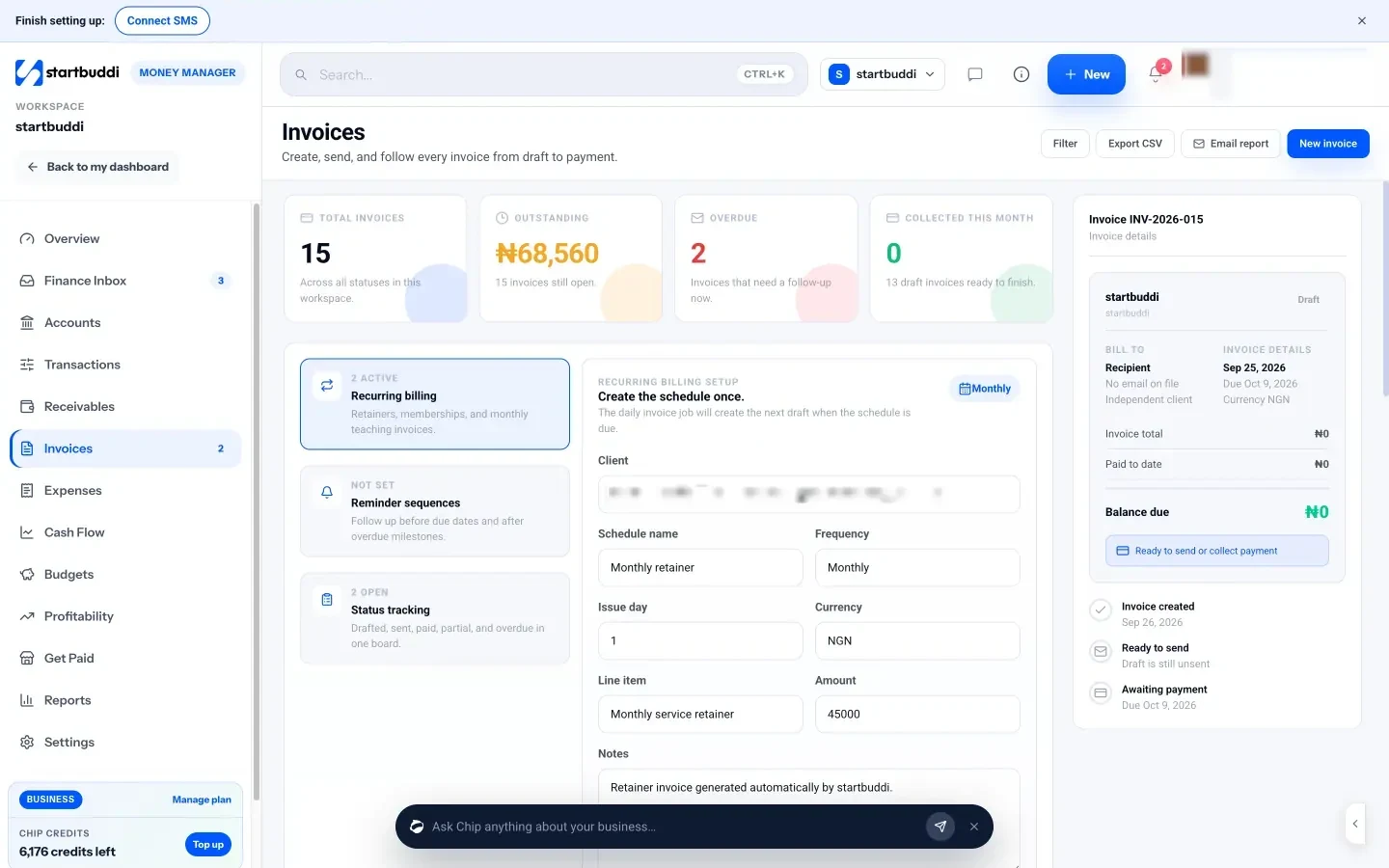
When it’s time to bill, take your week’s billable hours by client and add them as line items to an invoice in Money Manager. Clients can pay online by Paystack or Stripe, and you can set reminder emails for invoices that are due or overdue.
Your next step
Track every working hour for the next two weeks, billable or not, with short notes. At the end, compare your billable hours with your total hours and with what you actually invoiced. That one comparison usually pays for the effort. If you’d like a timer that lives next to your tasks and invoices, you can start with startbuddi for free.
Sources
- Buehler, Griffin and Ross (1994), Exploring the planning fallacy, Journal of Personality and Social Psychology
- The Decision Lab: Planning fallacy
Frequently asked questions
Should I track time if I charge fixed prices?
Yes. It shows your real hourly rate on each project, so you can price similar jobs better next time.
Should I bill clients for emails and calls?
If they're about the client's project, usually yes. Say so in your contract so it's never a surprise.
What's the best rounding increment for freelancers?
Fifteen minutes is a popular choice. Six minutes suits detailed hourly work. Pick one, put it in your contract and use it consistently.
How long does time tracking take each day?
About five minutes once it's a habit: starting timers as you switch tasks and a quick check at the end of the day.
Tiwalade Joanna Okedara-Kalu is the founder, CEO and CTO of startbuddi, the business system that brings clients, bookings, invoices, projects, marketing and the Chip AI assistant into one place. Tiwalade builds software around how service businesses really work day to day, and writes about client management, getting paid on time and why small businesses outgrow the tools they start with.
Founded startbuddi and leads its product and engineering