Best Market Research Tools for Small Businesses in 2026: Options Compared
Market research tools for small business compared: ten options for demand, surveys, competitors and market data, with prices, free plans and honest limits.


Photo: ThisisEngineering / Unsplash
The best market research tools for small business are mostly free. Our top three picks: Google Trends for free demand and seasonality signals, Google Forms for free customer surveys, and startbuddi if you want forms, sourced web research by Chip and prospect lists in the same place as your contacts. Pay only when a free tool runs out.
startbuddi is our product. We have tried to be fair about where other tools are the better choice, and we list startbuddi’s limits as plainly as everyone else’s.
Key takeaways
- Market research tools do four jobs: show demand, ask customers, study competitors and size the market. Pick by job, not by brand.
- Most small service businesses can do useful research with free tools: Google Trends, official statistics, a free survey tool and competitor reviews.
- Paid tools such as Semrush, Similarweb and Statista make sense when research is a regular part of your work, not a one-off.
- No tool replaces talking to ten real customers. Tools help you ask better questions and check the answers.
- Prices below were checked on each vendor’s own pricing page on 1 October 2026, in US dollars, and change often.
Market research tools for small business compared
| Tool | Best for | Starting price (USD) | Free plan | Standout feature |
|---|---|---|---|---|
| startbuddi | Service businesses that want research, forms and contacts in one place | See pricing | Yes | Chip web and competitor research with sources |
| Google Trends | Checking interest and seasonality | Free | Yes (free) | Compare search interest by place and time |
| Official statistics portals | Sizing a local market | Free | Yes (free) | Population, business and price data from the state |
| Google Forms | Simple customer surveys | Free with a Google account | Yes | Answers flow into Google Sheets |
| SurveyMonkey | Larger or more structured surveys | $34 a month (Advantage, billed annually) | Yes (10 questions per survey) | Survey templates and analysis |
| Typeform | Surveys people actually finish | $28 a month (Basic, billed annually) | Yes | One question at a time |
| Semrush | Keyword and competitor search research | $139 a month (SEO plan, monthly) | Yes (10 reports a day) | Competitor keywords and traffic |
| Similarweb | Estimating competitors’ website traffic | Not listed publicly | Yes (limited free checker) | Traffic sources for any website |
| Statista | Ready-made statistics and charts | $199 a month (Starter, billed annually) | Yes (Basic) | Large library of sourced statistics |
| AnswerThePublic | Finding the questions people search | $20 a month (Starter, monthly) | Not shown on pricing page | Question and comparison searches around a keyword |
If you want the method before the software, our guide to market research for small business walks through desk research, interviews, surveys and competitor research step by step. This page is about which tools to use.
How we chose these market research tools
We looked for tools a business with one to twenty people can use without a research team or agency. Each tool had to meet at least three of these:
- A free plan or a low starting price, so you can try it before paying.
- Useful for a service business, not only for online shops or large brands.
- Clear about where its data comes from. A number you can’t trace shouldn’t go into a business plan.
- Works outside the US, or has a good local alternative, because many of our readers are in Nigeria, Kenya, Ghana and the UK.
- Quick to learn: useful results within an hour.
We did not test these tools hands-on for this article. Features and prices come from each vendor’s own website, checked on 1 October 2026.
1. startbuddi
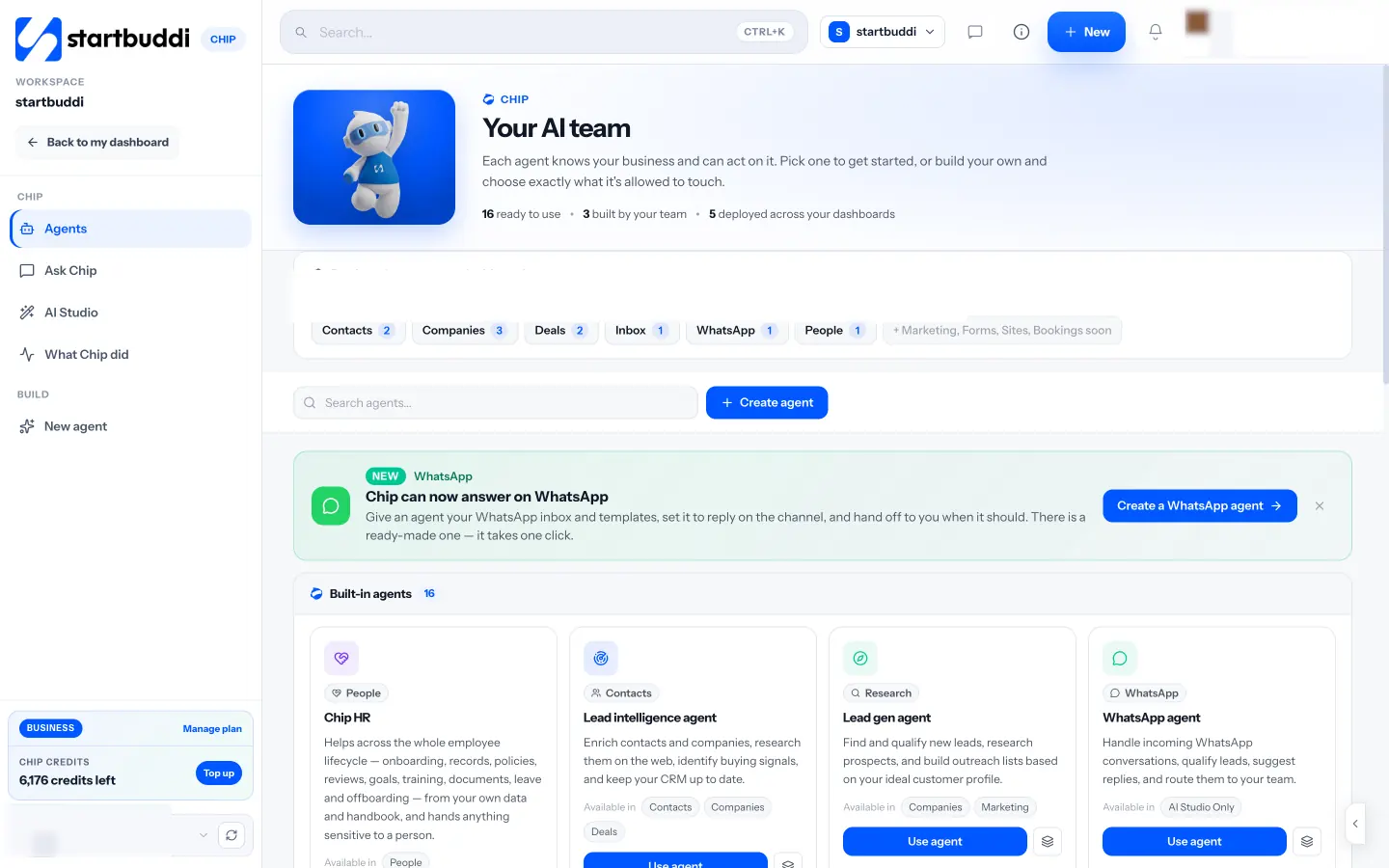
startbuddi is an all-in-one workspace for service businesses: contacts, inbox, bookings, projects, invoices and marketing, with an AI assistant called Chip. For market research, three parts are useful: Chip’s Research tab, Forms and Prospecting.
Best for: service businesses that want what they learn about customers and competitors to sit next to the contact list they sell from.
Key features:
- Chip’s Research tab: “Search the web” and “Research a competitor”, with every answer coming with sources you can open and check.
- Forms for short customer questionnaires. Each answer creates or updates a contact, so you can follow up with the people who replied.
- Prospecting: describe the customers you want to find, for example “private clinics in Abuja with 10 to 50 staff”, and Chip finds companies and people on the web, with the reasons and sources for each pick.
Pricing: a free plan is available. See pricing for what each plan includes.
Pros:
- Research, survey answers and prospects end up in one contact list, ready for follow-up.
- Chip shows sources, so you can check a claim before you rely on it.
- Takes payments through Paystack and Stripe, so the same system carries you from research to first invoice.
Cons:
- Forms have conditional logic, but there’s no dedicated survey or quiz mode and no survey analysis like SurveyMonkey’s.
- The Free plan includes one live form, and hosted forms show a small “Powered by startbuddi” line.
- Research and prospecting use Chip credits.
- No keyword volume data, panels of paid respondents or ready-made market statistics.
Who should skip it: anyone who needs a large structured survey with branching and statistical analysis, or a research agency that needs paid panels.
2. Google Trends
Google Trends shows how interest in a search term changes over time and by place, and lets you compare up to several terms at once.
Best for: checking whether interest in a service is growing, shrinking or seasonal before you invest in it.
Key features: interest over time, interest by region or city, related topics and queries, and comparisons between terms such as “house cleaning” and “deep cleaning”.
Pricing: free.
Pros: free, fast and global; great for spotting seasonality, such as when interest in “AC servicing” peaks.
Cons: it shows relative interest on a 0 to 100 scale, not search volumes. Google’s own explanation of Trends data (checked on 1 October 2026) says the numbers are scaled by a topic’s share of all searches and that only a sample of searches is used. Small towns and niche terms often show too little data.
Who should skip it: nobody, as a first step. But don’t treat it as proof of demand on its own.
3. Official statistics portals
Every country has a statistics office that publishes population, business and price data for free. In Nigeria it’s the National Bureau of Statistics, whose website (checked on 1 October 2026) offers an e-library of reports, a National Data Archive and an Open Data Portal. In the UK it’s the Office for National Statistics. In the US, the Census Bureau’s Census Business Builder packages local demographic and business data by location and type of business.
Best for: sizing your market: how many households, businesses or people in your area match your customer.
Key features: population and household figures, business counts by sector, inflation and price data, and downloadable tables.
Pricing: free to browse.
Pros: authoritative and free; the best source for “how many potential customers live within 10 km?”.
Cons: figures can be several years old, and local detail varies by country. Expect to dig.
Who should skip it: businesses selling mainly online to a global audience, where search and competitor data say more.
4. Google Forms
Google Forms is Google’s free form and survey builder, used with a Google account.
Best for: quick customer surveys with a handful of questions, sent by WhatsApp, email or a link.
Key features: multiple question types, logic to skip sections, automatic charts of answers, and export to Google Sheets.
Pricing: free with a Google account.
Pros: free; quick to build; most people have filled one in before.
Cons: limited design control; answers live in a spreadsheet, not your contact list, so following up with respondents is manual. Our startbuddi vs Google Forms comparison covers the differences.
Who should skip it: businesses that want every respondent to become a contact they can follow up with automatically.
5. SurveyMonkey
SurveyMonkey is a long-established survey tool with templates, question banks and analysis features.
Best for: larger or repeated surveys, such as an annual customer satisfaction survey, where you want built-in analysis.
Key features: survey templates, many question types, filtering and comparing results, and exports.
Pricing: SurveyMonkey’s individual plans page (checked on 1 October 2026) lists a free Basic plan with up to 10 questions per survey, Standard Monthly at $35 a month with 1,000 responses a month, Advantage at $34 a month billed annually ($408 a year), and Premier at $99 a month billed annually. Extra responses cost $0.15 each.
Pros: strong analysis; many ready-made templates; familiar to respondents.
Cons: the free plan is restrictive; the cheapest annual plan is a year’s commitment; response limits apply on every plan.
Who should skip it: anyone running a one-off survey of 30 customers. Google Forms will do.
6. Typeform
Typeform builds forms and surveys that show one question at a time, which many people find easier to finish on a phone.
Best for: customer surveys and questionnaires where completion matters more than volume.
Key features: one-question-at-a-time layout, logic, templates and integrations.
Pricing: Typeform’s pricing page (checked on 1 October 2026) lists a free plan with 100 responses a month, Basic at $28 a month billed annually ($39 monthly) with 100 responses, Plus at $56 a month annually with 1,000 responses, and Business at $91 a month annually with 10,000 responses.
Pros: pleasant to fill in; good on mobile; clear design.
Cons: response caps are low on the cheaper plans, and prices rise quickly with volume. See our startbuddi vs Typeform comparison for more.
Who should skip it: businesses expecting hundreds of responses a month on a tight budget.
7. Semrush
Semrush is a search marketing platform. For market research, its value is showing which keywords competitors rank for and how people search for a service.
Best for: businesses that win customers through Google search and want to research competitors’ websites and keywords.
Key features: keyword research with search volumes, competitor domain analysis, and tracking of rankings and AI search visibility.
Pricing: Semrush’s pricing page (checked on 1 October 2026) lists a free account with one demo project and 10 reports a day, then paid plans from $139 a month (SEO plan, monthly billing) or $117.33 a month billed annually, up to Advanced at $549 a month.
Pros: deep search data; shows exactly how people phrase their searches; good for content and SEO planning.
Cons: expensive for occasional use; a lot to learn; data is thinner for small local markets. Our small business SEO guide covers free alternatives.
Who should skip it: businesses that get most customers from referrals and WhatsApp rather than search.
8. Similarweb
Similarweb estimates traffic to any website and shows where that traffic comes from.
Best for: sizing up an online competitor: roughly how many visits they get and from which channels.
Key features: traffic estimates, traffic sources, top keywords and referring websites.
Pricing: Similarweb’s pricing page (checked on 1 October 2026) does not list prices for most plans; it offers free trials and a contact-sales route. Its free website traffic checker gives a limited number of free searches a day.
Pros: quick competitor overview; the free checker is enough for a few lookups.
Cons: estimates are less reliable for small websites; full plans are aimed at larger companies.
Who should skip it: local service businesses whose competitors barely have websites.
9. Statista
Statista collects statistics and charts from many sources on markets, industries and consumers.
Best for: finding a sourced market statistic quickly for a business plan or pitch.
Key features: a large statistics library, sources listed for each chart, and an AI research assistant.
Pricing: Statista’s accounts page (checked on 1 October 2026) lists a free Basic account with free statistics and 5 Research AI queries, Starter at $199 a month billed annually, and Professional on request.
Pros: saves hours of searching; each statistic shows its source.
Cons: the useful statistics are mostly behind the paid plan; national figures rarely tell you about your town.
Who should skip it: most small service businesses. Your national statistics office is free.
10. AnswerThePublic
AnswerThePublic shows the questions, comparisons and phrases people search around a keyword.
Best for: learning how customers describe their problem, for content, FAQs and survey questions.
Key features: question and comparison searches around a keyword, with an AI content suite bundled into paid plans.
Pricing: AnswerThePublic’s pricing page (checked on 1 October 2026) lists Starter at $20 a month (or $160 a year), Growth at $99 a month and Business at $199 a month, in US dollars; prices vary by region.
Pros: fast way to see real questions; cheap starting plan.
Cons: overlaps with free tools such as Google’s own “People also ask”; the bundled content tools may be more than you need.
Who should skip it: anyone who only needs a handful of searches. Google’s search results show many of the same questions.
How to choose market research tools for your small business
Start with the question you need answered, then pick the cheapest tool that answers it.
| Your question | Start with (free) | Pay for, if needed |
|---|---|---|
| Is interest in this service growing? | Google Trends | Semrush |
| How many potential customers are near me? | Your national statistics office | Statista |
| What do customers want and pay today? | Google Forms, startbuddi Forms, interviews | SurveyMonkey, Typeform |
| Who are my competitors and what do they charge? | Google search, Maps reviews, Chip’s Research tab | Similarweb, Semrush |
| How do people describe the problem? | Google’s “People also ask”, customer interviews | AnswerThePublic |
| Who exactly could I sell to? | Your own contacts | startbuddi Prospecting |
A worked example: a cleaning business in Nairobi
Wairimu wants to add office cleaning to her home cleaning business in Nairobi. Here’s a research plan that costs nothing in tools. The time estimates are illustrative.
- Demand (30 minutes): compare “office cleaning” and “house cleaning” in Google Trends for Kenya over five years to see the trend and any seasonal pattern.
- Market size (2 hours): use Kenya National Bureau of Statistics publications to estimate how many businesses operate in the parts of Nairobi she can reach.
- Customers (1 week): send a five-question form to 40 office managers she knows or can reach on LinkedIn, and interview five of them.
- Competitors (2 hours): list ten office cleaning firms from Google Maps, note their prices where shown, and read their reviews for complaints she could solve.
Total tool cost: zero. She only needs a paid tool if she later decides to compete for search traffic, at which point Semrush or a similar tool earns its price.
Mistakes to avoid when choosing research tools
- Buying before asking. Name the decision the research is for. If you can’t, you don’t need a paid tool yet.
- Trusting one number. Check every figure against a second source, especially anything an AI tool gives you.
- Surveying the wrong people. Friends and family will be kind. Survey people who match your buyer persona.
- Losing the people who replied. Survey respondents are often your first customers. Keep their details where you can follow up.
If you’re choosing a form tool mainly for surveys, our best form builder comparison and form builder definition go deeper. And once research tells you who to target, our round-up of lead generation tools for small businesses covers the next step.
Keep what you learn next to your customers
Ask customers questions, research competitors with sourced answers and keep every reply in one contact list. Start free with startbuddi, no card needed, or see how forms feed your contacts on our lead capture form builder page.
Frequently asked questions
What are the best free market research tools for small businesses?
Google Trends, your national statistics office and a free survey tool such as Google Forms cover most small business research for free. Add customer interviews and a read through competitors' Google reviews. startbuddi, SurveyMonkey, Typeform, Semrush and Statista also have free plans with limits.
Do small businesses need paid market research software?
Usually not at the start. Free tools answer most early questions about demand, market size and competitors. Paid tools such as Semrush or Similarweb make sense when research becomes a regular part of your marketing, for example if you compete for search traffic every month.
How much should a small business spend on market research?
Spend time before money. A useful round of research can cost nothing but a few days of work. If you pay for a tool, take one month and cancel if you're not using it weekly, and compare that cost with the cost of getting the decision wrong.
Can AI tools do market research for a small business?
AI tools can summarise sources, suggest questions and research competitors quickly, but they can be wrong. Use tools that show their sources, open those sources yourself, and never put an AI-generated statistic in a plan without checking it. They don't replace talking to customers.
What is the difference between primary and secondary market research tools?
Primary research tools help you collect new information yourself, such as surveys, forms and interview notes. Secondary research tools give you information others have already collected, such as Google Trends, government statistics and Statista. Most small businesses need a little of both.
Which survey tool is best for a small business?
For short surveys, Google Forms is free and familiar. Typeform suits surveys you want people to finish on a phone, and SurveyMonkey suits larger surveys that need built-in analysis. If you want respondents to become contacts you can follow up with, a form tool connected to your contact list, such as startbuddi Forms, saves manual work.
Olabimpe Salami is the email and outreach specialist at startbuddi. Olabimpe writes about the messages that bring customers in and back: email, WhatsApp and SMS campaigns, follow-ups, and turning enquiries into paying clients.
Runs email and outreach at startbuddi