What is a form builder?
Also called: Online form builder, form maker, form creator, web form builder
A form builder is a tool that lets you create online forms, such as contact forms, quote requests, registrations or surveys, without code. You choose the questions, share the form as a link or embed, and collect every answer in one place.
A form builder is a tool for creating online forms without writing code. You choose the questions, set which ones are required, style the form and share it as a link, an embed on your website or a popup. Every time someone fills it in, the answers are saved in one place.
Contact forms, quote requests, event registrations, client intake forms, job applications and feedback surveys are all made with form builders.
Why a form builder matters for a small business
Many small businesses collect information through chat messages, phone calls and paper. The details end up scattered: a phone number in WhatsApp, a budget in an email, a date on a sticky note. Following up means hunting for them.
An online form builder fixes this by asking every customer the same questions, in the same order, and storing the answers together. That gives you:
- Complete information: required fields mean you never forget to ask for a phone number.
- Less back-and-forth: customers answer your questions before the first call.
- A professional first impression: a clean form looks more organised than “DM me”.
- A contact list that grows itself: every response can become a contact you can follow up.
How a form builder works
- Create a form from scratch, a template or, in some tools, a written description.
- Add questions using field types like text, email, phone, dropdown, date and file upload.
- Set the rules: required fields, answer formats and logic that shows or skips questions.
- Choose what happens after submit: a thank-you message, a redirect, or a confirmation email.
- Share it as a link, embed, popup or QR code.
- Review responses and follow up.
Example: a catering company replaces its “send us your details” message with a form asking for event date, guest count, location, budget and dietary needs. Every enquiry now arrives complete, and quotes go out the same day.
Where the answers go
This is the biggest difference between form builders. Basic tools email you each response or add a row to a spreadsheet, and you take it from there. Connected tools save each response as a customer record, tag it, notify the right person and start a follow-up automatically. If you get more than a handful of enquiries a week, the connected approach saves the most time, because nothing has to be copied by hand.
Types of business forms
| Form | What it collects |
|---|---|
| Contact or enquiry form | Name, contact details and a message |
| Lead capture form | Details in exchange for a free guide or offer |
| Quote request form | Project details so you can price the job |
| Client intake form | Background you need before starting work |
| Registration form | Sign-ups for events, classes or webinars |
| Order or payment form | What someone wants to buy, plus payment |
| Feedback form | Ratings and comments after a job |
Best practices and common mistakes
Keep it short. Ask what you need to take the next step, and collect the rest later.
Write questions the way you would say them. “What’s your budget?” beats “Budget allocation”.
Use logic for long forms. Only show questions that apply to the person answering.
Be clear about data. Say why you are asking and how you will use the answers, and ask for separate permission before sending marketing messages. In Nigeria, the Nigeria Data Protection Commission oversees the Nigeria Data Protection Act 2023, which sets rules for consent. This is general information, not legal advice.
Follow up fast. The most common mistake is collecting responses and replying days later. Set up an automatic confirmation and a reminder for yourself.
Related terms
A drag-and-drop form builder is a visual type of form builder. A CRM is where form responses become customer records. A payment link is another way to collect money when a form is more than you need.
The form builder in startbuddi
With Forms in startbuddi, you can create a form in minutes from scratch or a template, or describe what you need and let Chip draft it. Templates cover lead capture, client onboarding, event registration, job applications, feedback and more.
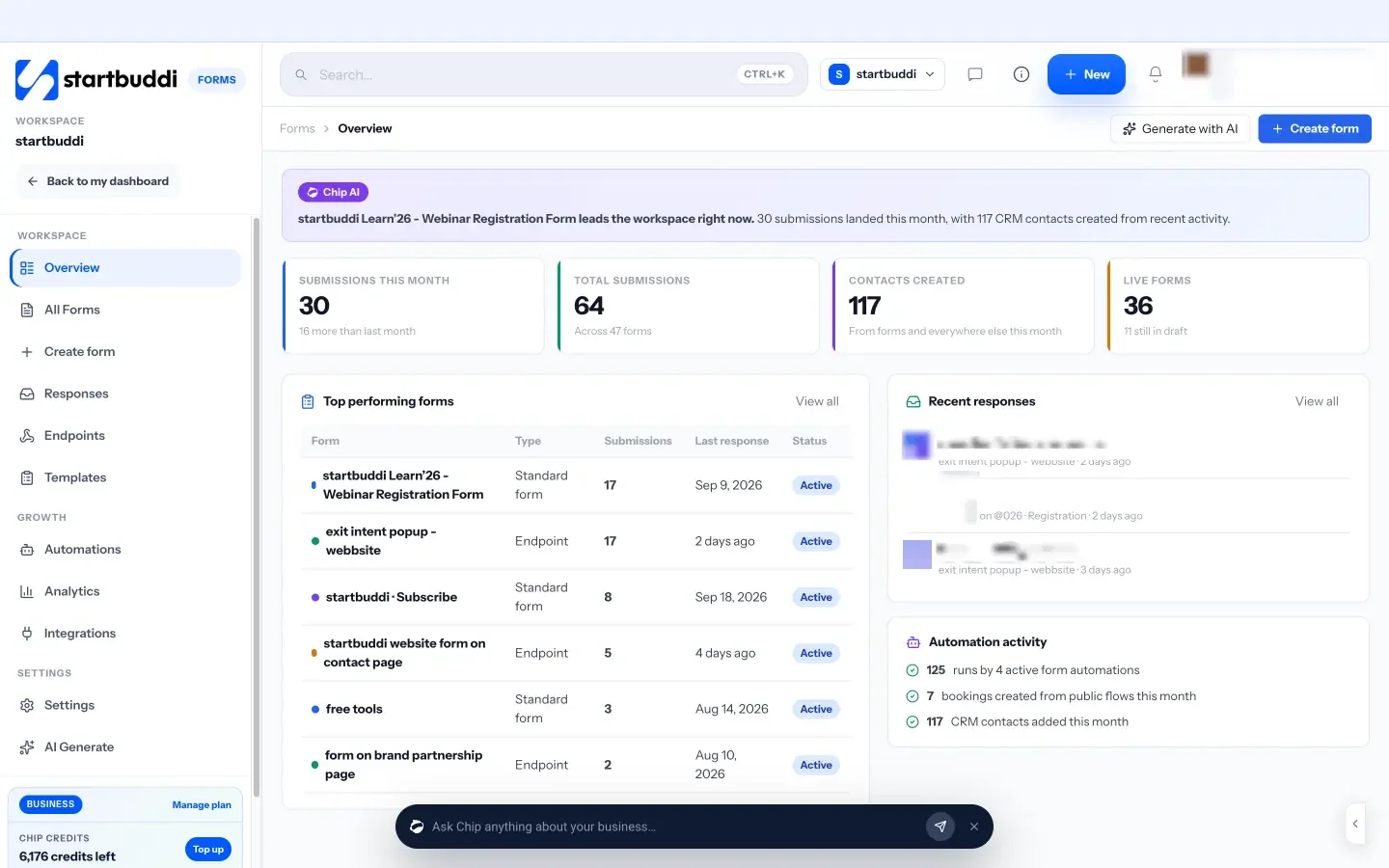
The builder includes text, email, phone, choice, date, file upload, signature and rating fields, plus a consent block and a payment field that takes money through Paystack or Stripe. Logic shows, hides or skips questions, and multi-step mode asks one question per screen. You can share a direct link, an iframe embed, a popup button or a QR code, or keep your own website form and send its answers to a startbuddi endpoint.
Each response can create or update a contact in Contacts, send a confirmation email and start an automation. Free includes one form, Starter 20, and Growth and Scale are unlimited, with no limit on submissions. Compare tools in our guide to the best form builder for business or see startbuddi vs Google Forms.
Your next step: replace one “send me your details” message with a real form in startbuddi Forms.
Related terms
FAQ
Are online form builders free?
Many have a free plan with limits on forms, responses or features. On startbuddi, the Free plan includes one form with no limit on submissions.
Can a form take payments?
Some form builders can. In startbuddi you add a payment field, set a fixed amount or let people choose, and they pay through Paystack or Stripe after submitting.
Where do form responses go?
In a basic tool, to a spreadsheet or email. In a connected tool like startbuddi, they are saved with the form and can also become contacts that start a follow-up.
Should I use a form or just ask on WhatsApp?
Use both. Share the form link in your WhatsApp replies so every enquiry arrives with the same complete details.
Tiwalade Joanna Okedara-Kalu is the founder, CEO and CTO of startbuddi, the business system that brings clients, bookings, invoices, projects, marketing and the Chip AI assistant into one place. Tiwalade builds software around how service businesses really work day to day, and writes about client management, getting paid on time and why small businesses outgrow the tools they start with.
Founded startbuddi and leads its product and engineering