What is a landing page builder?
Also called: Landing page maker, landing page creator, lead capture page builder, squeeze page builder
A landing page builder is a tool for creating standalone web pages with one goal, such as collecting sign-ups, taking bookings or selling one offer. You build the page from templates and blocks without code, publish it on its own address and track how many visitors take action.
A landing page builder is a tool for making single web pages that have one job. That job might be collecting email addresses, getting people to book a call, taking sign-ups for a waitlist or selling one product. You build the page from templates and ready-made blocks, with no code, and publish it on its own web address.
A landing page is different from a homepage. A homepage introduces your whole business and has many links. A landing page removes distractions and asks the visitor to do one thing.
Why a landing page builder matters for a small business
When you run an ad, share a link on WhatsApp or post about a new offer, you want the people who click to act. Sending them to a busy homepage gives them many ways to wander off. Sending them to a focused page with one clear button gives them one obvious next step.
A landing page builder lets you make these pages yourself, quickly, for each offer or campaign. You don’t need a full website, and you don’t need to wait for a developer. That means you can test an idea this week instead of next month.
Relevance matters too. Google says its landing page experience rating looks at how relevant and useful your page is to the people who click your ad, which is one more reason to match each page to one offer.
How a landing page builder works
- Choose a goal: collect leads, sell something, take bookings or build a waitlist.
- Pick a template or start blank. Templates give you a proven layout for that goal.
- Edit the blocks: headline, short description, benefits, a form or button, and proof such as reviews.
- Connect the form: decide where sign-ups go and what happens next, such as a thank-you email.
- Publish and share the page link in ads, social posts, emails or messages.
- Watch the numbers: visits, sign-ups and conversion rate (the share of visitors who took action).
Example: a fitness coach launches a free seven-day plan. She builds a landing page with a headline, three benefits, a short form asking for name and email, and a photo. She shares it on Instagram. Every sign-up gets the plan by email and joins her contact list.
Common types of landing pages
| Type | Goal | Example |
|---|---|---|
| Lead capture page | Collect contact details | “Get our free pricing checklist” |
| Booking page | Get people to book a call or appointment | “Book a free 30-minute consultation” |
| Sales page | Sell one product or service | “Brand identity package” |
| Coming soon or waitlist page | Build interest before launch | “Join the waitlist” |
| Thank-you page | Confirm and suggest the next step | “You’re in. Here’s what happens next” |
Best practices and common mistakes
One page, one goal. If the page asks visitors to sign up, follow you and read your blog, it is doing three jobs badly.
Lead with the outcome. The headline should say what the visitor gets, not what you are called.
Keep the form short. Ask only for what you need now. Name and email is often enough.
Match the message. The page should repeat the promise in the ad or post that brought people there.
Check the phone view. Many visitors will arrive on mobile, so make sure the button is visible without much scrolling.
Change one thing at a time. If sign-ups are low, test a new headline or a shorter form, then compare the results before changing anything else.
Plan the follow-up. A common mistake is collecting sign-ups and then doing nothing. Set up at least a thank-you message before you share the page.
Related terms
A website builder makes full sites with many pages. A form builder creates the forms landing pages use to collect details. Lead nurturing is what you do with the people who sign up.
The landing page builder in startbuddi
In startbuddi, Landing pages live in Publish. When you create one, you pick a goal (collect leads, sell something, take bookings or build a waitlist), then choose how to start: build with Chip from a sentence, start from a template, or start blank. All three end in the same visual editor.
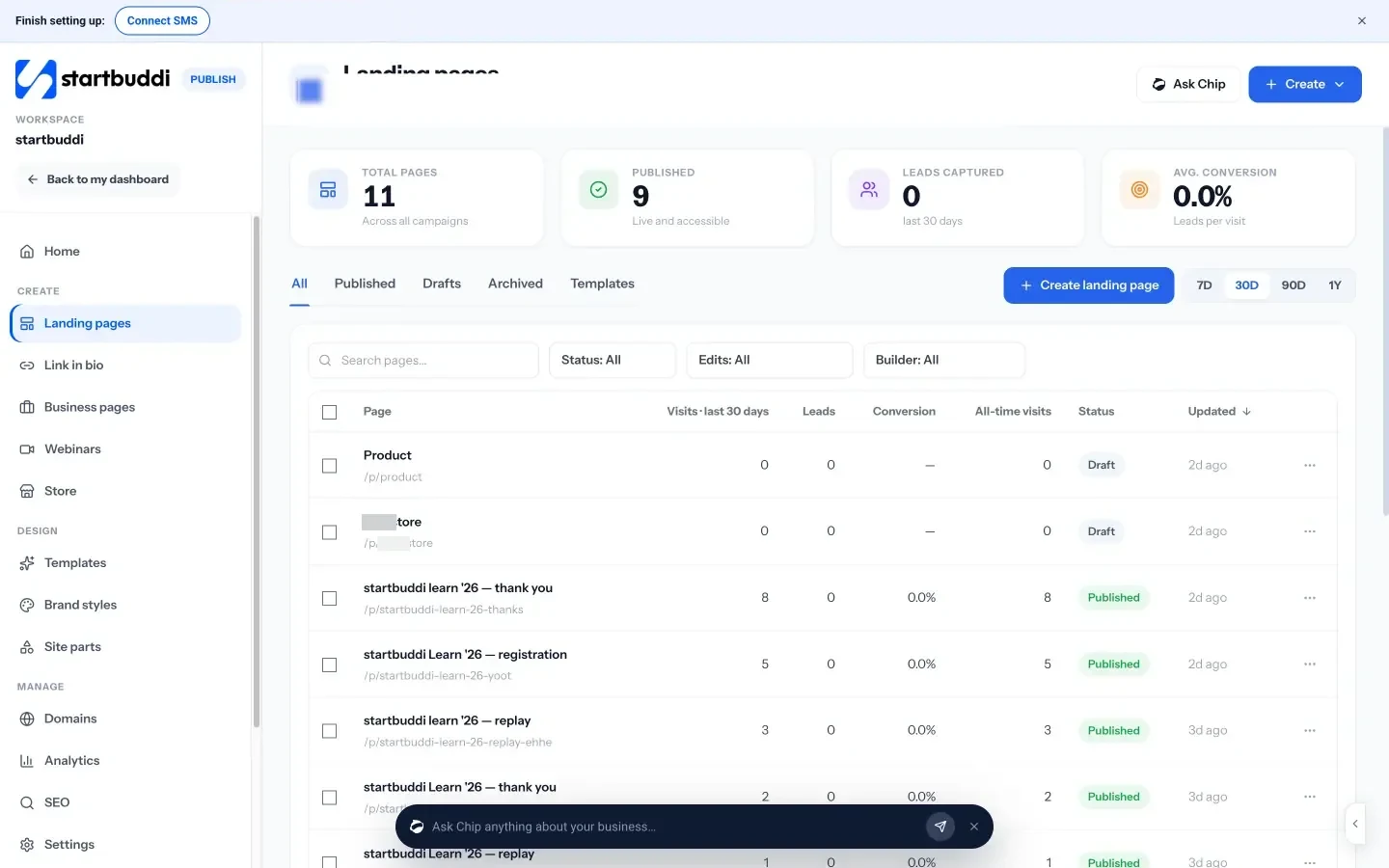
The editor lets you add forms, pricing, countdowns, testimonials and booking widgets, and switch between desktop, tablet and phone. Before you publish, a publish check suggests fixes such as a missing page title, description or image alt text. You can publish straight away or schedule the page to go live, and come down, at set times.
Every submission creates or updates a contact with its source page kept, and can start an automation, such as a thank-you email, the moment it lands. You can add steps after the page, like a thank-you page or a checkout. Building a landing page with Chip costs 15 Chip credits, and templates and blank pages are free to use. See our tips in how to build a landing page that converts or browse templates.
Your next step: pick one offer you want more people to act on, then build a page for it with startbuddi landing pages.
Related terms
FAQ
Do I need a website to have a landing page?
No. A landing page can live on its own web address. Many small businesses start with landing pages and add a fuller site later.
What is a good conversion rate for a landing page?
It depends on your offer, price and traffic source, so compare against your own past pages rather than a general number. Track it and try one change at a time.
How many fields should a landing page form have?
As few as you need to take the next step. For a free download, name and email is usually enough. Ask for more later.
Can I use my own domain for landing pages?
With most builders, yes. In startbuddi you can connect a custom domain in Publish so your pages use your own web address.
Tiwalade Joanna Okedara-Kalu is the founder, CEO and CTO of startbuddi, the business system that brings clients, bookings, invoices, projects, marketing and the Chip AI assistant into one place. Tiwalade builds software around how service businesses really work day to day, and writes about client management, getting paid on time and why small businesses outgrow the tools they start with.
Founded startbuddi and leads its product and engineering