
startbuddi vs Typeform: an honest comparison
Typeform is a dedicated form tool with conversational forms, quizzes, scoring and a large set of integrations, sold by monthly response limits. startbuddi Forms is one part of a wider business workspace, so answers go straight into your contacts, can take a Paystack or Stripe payment and can start a follow-up; pick Typeform for advanced form design and quizzes, and startbuddi if you want forms tied to your CRM, inbox and invoicing.
startbuddi is best for
Small businesses that want form answers to land on the customer record
 Typeform
Typeform is best for
Teams that want conversational forms, quizzes and scoring
At a glance
Where each one is stronger
The short version. Typeform first, because it does some things better than we do.
Typeform is stronger at
startbuddi is stronger at
Feature by feature
| Feature | startbuddi | Typeform |
|---|---|---|
| Free plan1 live form on Free | Yes | YesSource (opens in a new tab) |
| AI builds the form for youChip drafts fields and logic from a description | Yes | YesSource (opens in a new tab) |
| Conditional logic | Yes | YesSource (opens in a new tab) |
| Take payments in a form | Paystack or Stripe | StripeSource (opens in a new tab) |
| Quizzes and scoring | No | YesSource (opens in a new tab) |
| Remove the tool's branding'Powered by startbuddi' stays on hosted forms | No | Plus plan and upSource (opens in a new tab) |
| Custom domain for forms | No | Enterprise onlySource (opens in a new tab) |
| Answers saved as contactsBuilt into Customers on every plan | Yes | Growth Flow plan or add-onSource (opens in a new tab) |
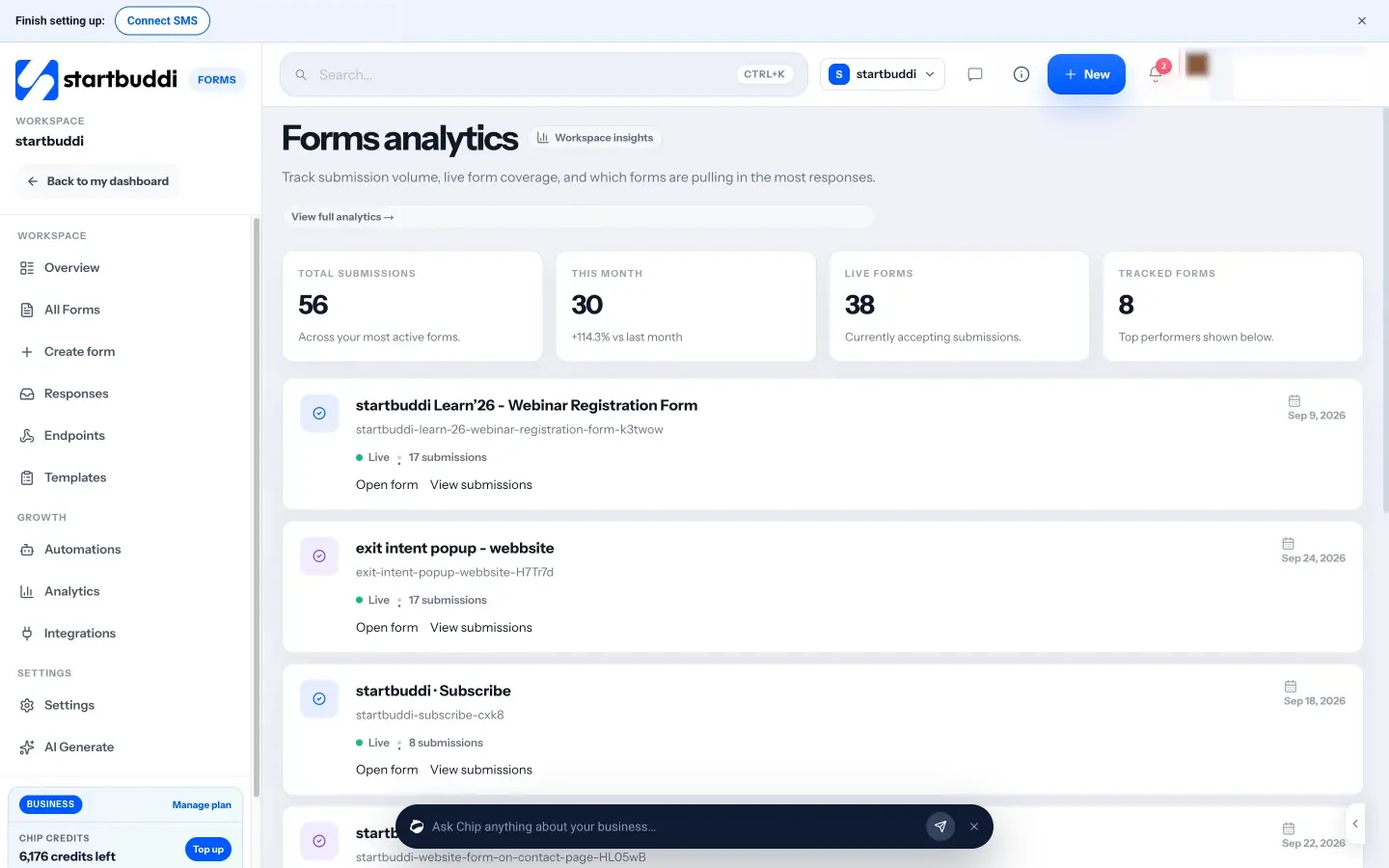
| Question drop-off analysisViews, completion % and answers per question | Answers by question | Business plan and upSource (opens in a new tab) |
| Download responses | CSV or JSON | XLSX or CSVSource (opens in a new tab) |
| Zapier connection | Yes | YesSource (opens in a new tab) |
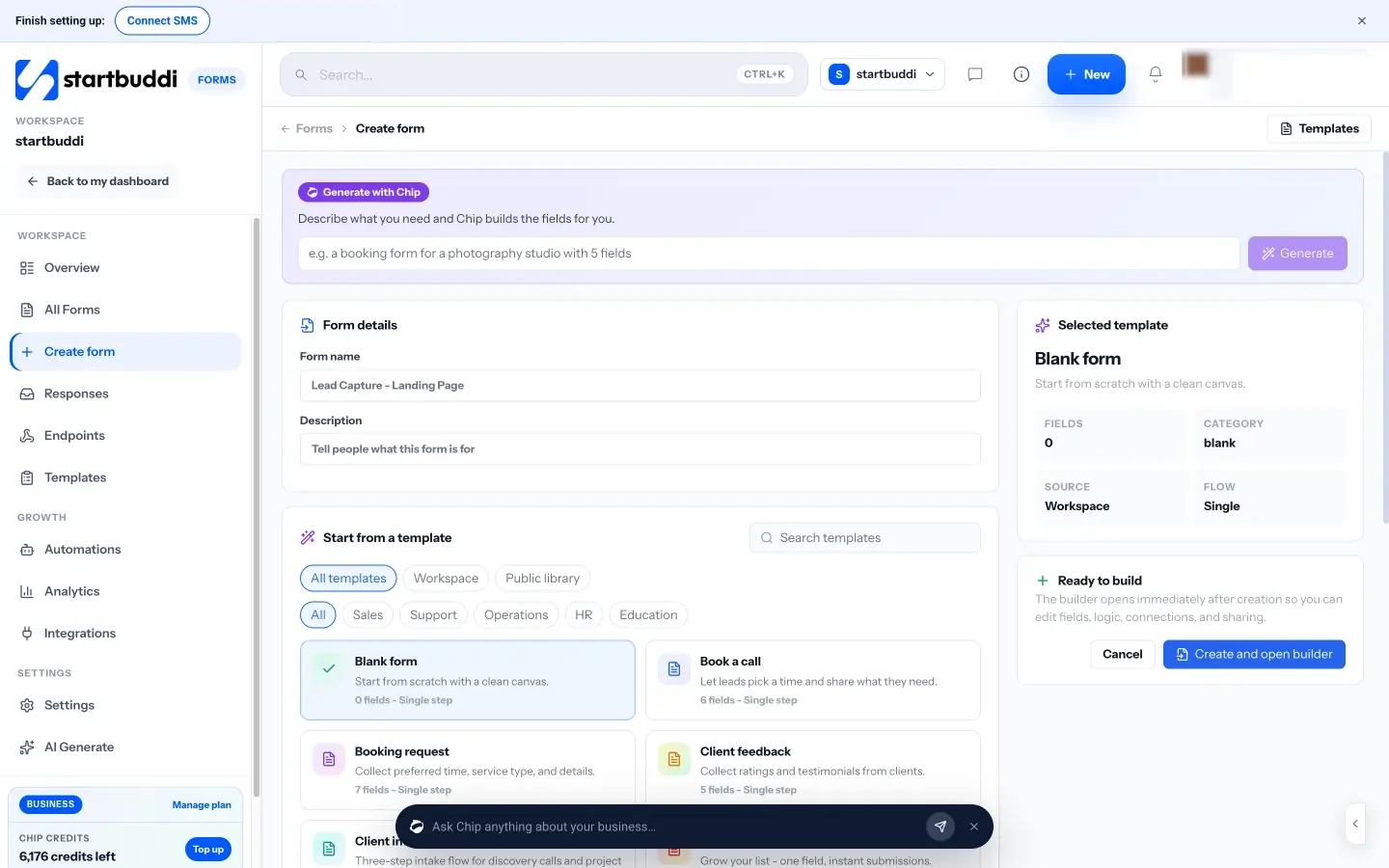
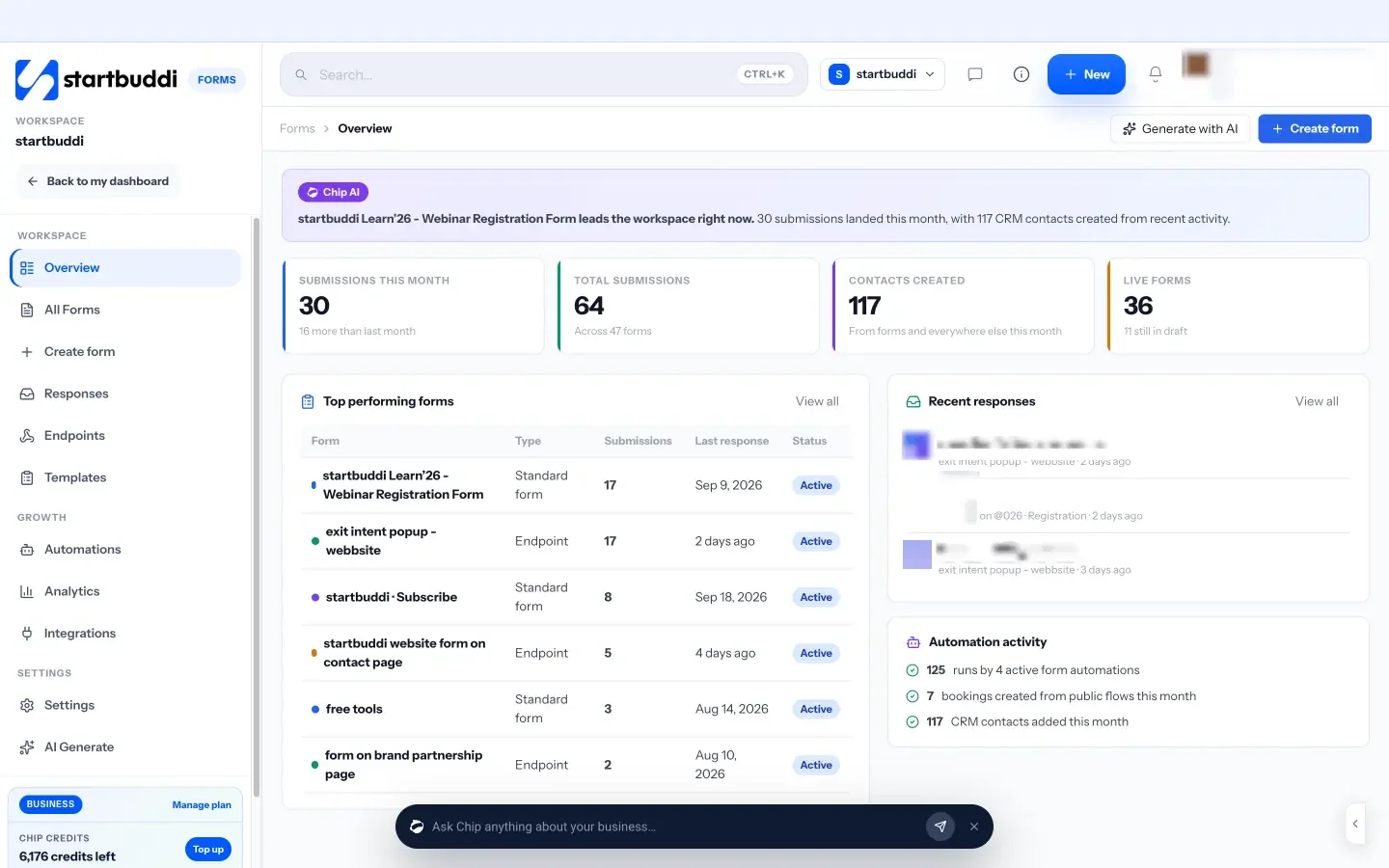
What each one looks like
Real screens, captured by us or taken from the official press kit, each dated.
Pricing side by side
List prices as each company publishes them. We never convert currencies.
startbuddi
- FreeFree
- Starter$29 a month
- Growth$79 a month
- Scale$199 a month
Typeform
- FreeFreeSource (opens in a new tab)
- Basic$28 USD per month, billed yearly ($468 per year); $39 per month billed monthlySource (opens in a new tab)
- Plus$56 USD per month, billed yearly ($948 per year); $79 per month billed monthlySource (opens in a new tab)
- Business$91 USD per month, billed yearly; $129 per month billed monthlySource (opens in a new tab)
- Talent$119 USD per month, billed yearly ($2,028 per year); $169 per month billed monthlySource (opens in a new tab)
- Growth Flow$266 USD per month, billed yearly, after a 14-day free trial; $379 per month billed monthlySource (opens in a new tab)
- EnterprisePricing on requestSource (opens in a new tab)
Switching from Typeform
What moving across involves.
- Download your Typeform responsesTypeform lets you download responses in XLSX or CSV format. Save a CSV of each form you want to keep.
- Import the people into startbuddi ContactsIn Customers → Contacts, click Import and follow the three steps (file, map columns, review). You can bring in up to 10,000 contacts at a time and check the result later under past imports.
- Rebuild your formThere is no importer for Typeform forms, so rebuild each one in Forms: start from one of the 12 templates, click to add fields, or describe the form and let Chip draft it. Add logic rules and a Paystack or Stripe payment field if you need them.
- Share it and set up follow-upsCopy the direct link, iframe embed, popup button or QR code from the Share tab and replace the old form on your site. On paid plans, add an automation that sends an email, SMS or WhatsApp message, or creates a task, after each submission.
Sources
Questions people ask
Can I move my Typeform forms to startbuddi?
Not automatically. You can download your responses as a CSV from Typeform and import the people into startbuddi Contacts, then rebuild each form by hand or with Chip.
Does startbuddi have a free plan for forms?
Yes. The Free plan includes one live form, and submissions are not metered; paid plans raise the number of forms and unlock Automations.
Does startbuddi have one-question-at-a-time forms?
Yes. Multi-step mode shows one question per screen with a question counter, similar to a conversational form.
Can I remove the 'Powered by startbuddi' footer?
No, not on hosted form links at the moment. The footer is hidden when the form is embedded on your own site.
Other comparisons
Typeform alternatives


Try startbuddi alongside Typeform.
Start on the free plan with a copy of your contacts and see how it fits before you decide.
Start with the one thing you need. The rest is there when you're ready.
Free plan available. Every paid plan starts with a 30-day trial.