
startbuddi vs Acuity Scheduling: an honest comparison
Acuity Scheduling is dedicated booking software from Squarespace, with intake forms, payments, packages, text reminders and calendar sync, priced by the number of calendars. startbuddi puts bookings inside a wider business workspace with contacts, invoices, forms and marketing, so pick Acuity for deep appointment features and startbuddi if you want bookings tied to the rest of your business.
startbuddi is best for
Service businesses that want bookings, deposits, contacts and invoices in one workspace
 Acuity Scheduling
Acuity Scheduling is best for
Appointment-based businesses that need packages, text reminders and intake forms
At a glance
Where each one is stronger
The short version. Acuity Scheduling first, because it does some things better than we do.
Acuity Scheduling is stronger at
startbuddi is stronger at
Feature by feature
| Feature | startbuddi | Acuity Scheduling |
|---|---|---|
| Free planOne live service on Free | Yes | NoSource (opens in a new tab) |
| Intake questions at bookingAnswers can be saved to the contact | Yes | YesSource (opens in a new tab) |
| Take payment when bookingFull amount or a deposit, through Paystack or Stripe | Yes | Stripe, Square, PayPalSource (opens in a new tab) |
| Text (SMS) remindersReminders are by email | No | Standard plan and upSource (opens in a new tab) |
| Checks your calendar for busy timesPushes bookings to Google or Outlook; doesn't read busy times | No | YesSource (opens in a new tab) |
| Zoom meeting linksGoogle Meet via Google Calendar, or paste your own link | No | YesSource (opens in a new tab) |
| Remove 'Powered by' branding | Footer toggle on booking pages | Premium plan onlySource (opens in a new tab) |
| AI help setting upChip creates services in chat and asks before saving | Chip sets up services | Premium plan onlySource (opens in a new tab) |
| Built-in contact list and invoicesBookings land in Customers; Generate Invoice from a booking | Yes | Not statedSource (opens in a new tab) |
| Mobile app | Web only | YesSource (opens in a new tab) |
What each one looks like
Real screens, captured by us or taken from the official press kit, each dated.
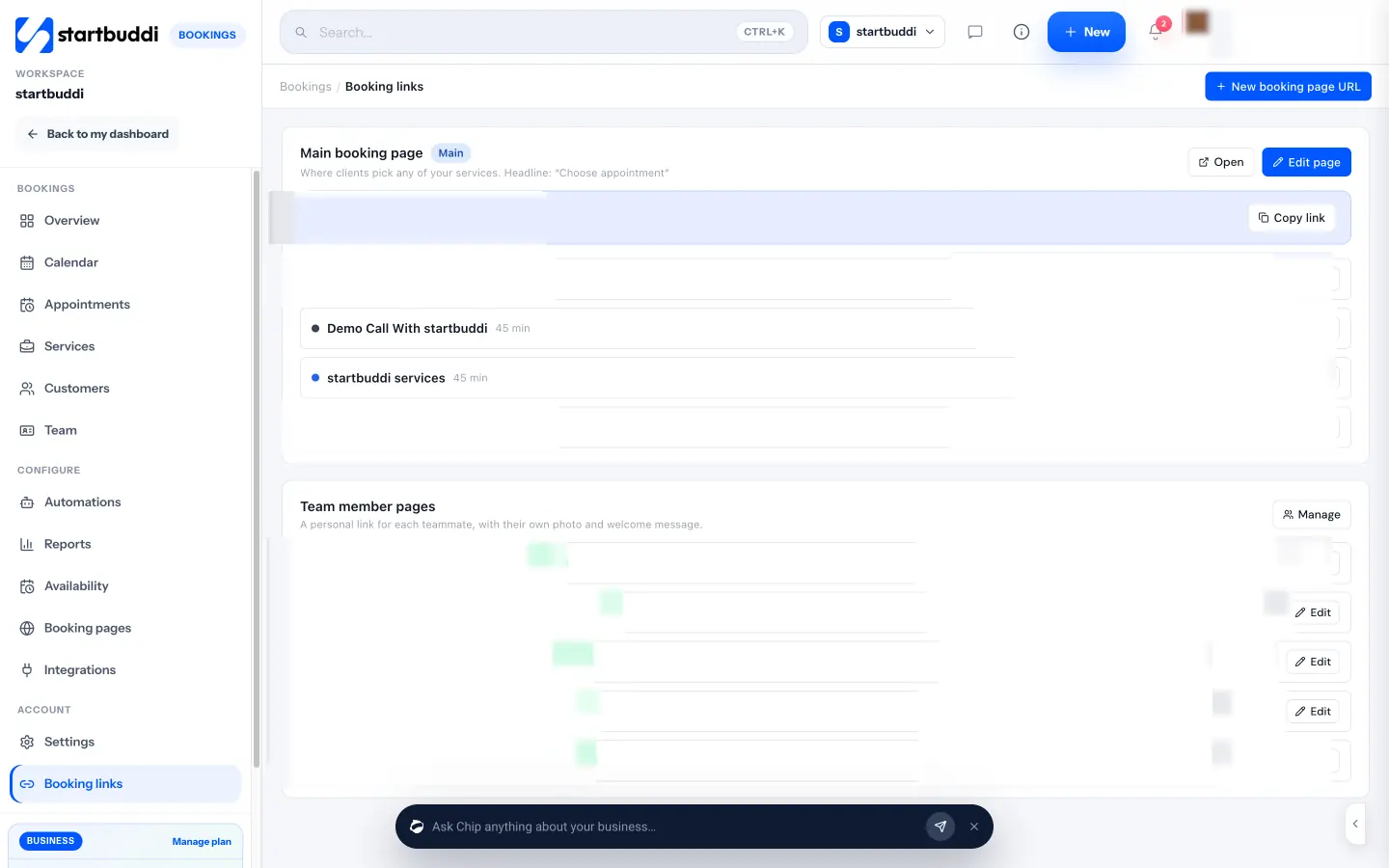
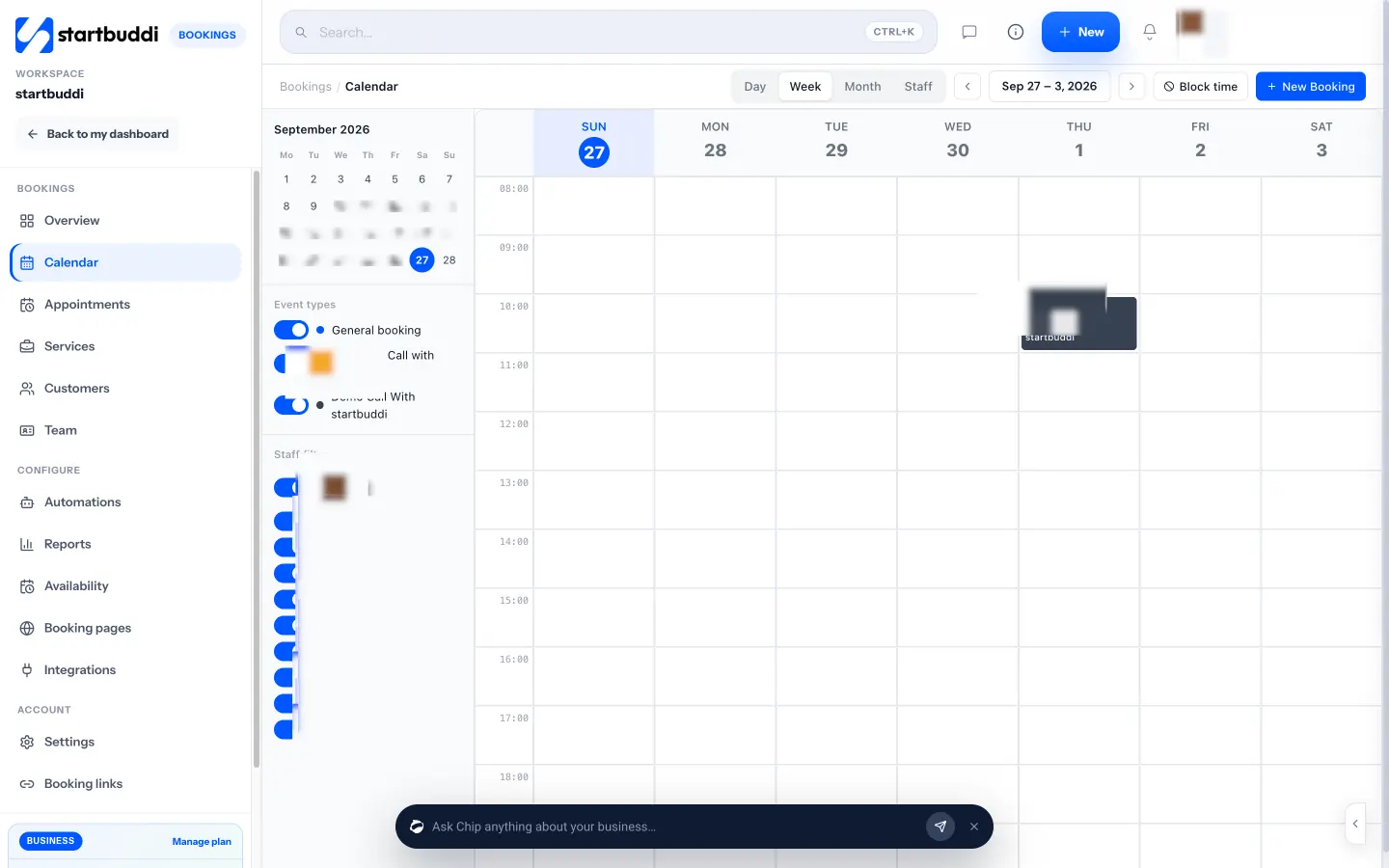
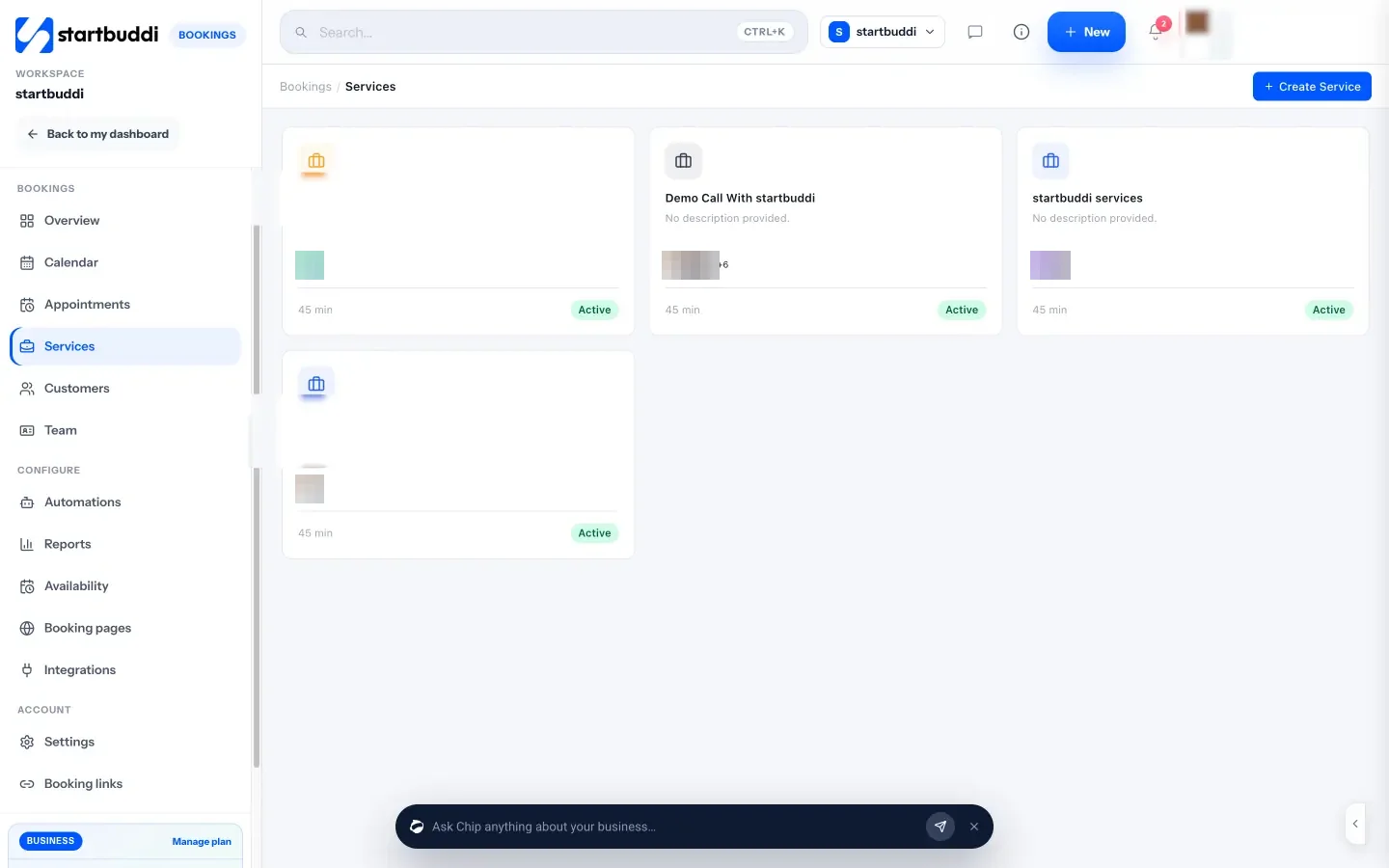
Pricing side by side
List prices as each company publishes them. We never convert currencies.
startbuddi
- FreeFree
- Starter$29 a month
- Growth$79 a month
- Scale$199 a month
Acuity Scheduling
- Starter$16 USD per month, billed yearly ($20 billed monthly); 1 calendarSource (opens in a new tab)
- Standard$27 USD per month, billed yearly ($34 billed monthly); up to 6 calendarsSource (opens in a new tab)
- Premium$49 USD per month, billed yearly ($61 billed monthly); up to 36 calendarsSource (opens in a new tab)
Switching from Acuity Scheduling
What moving across involves.
- Get your client list out of AcuityAcuity's help centre has a guide to exporting appointments and clients. Download your client list as a spreadsheet.
- Import your clients as contactsIn startbuddi, go to Customers → Contacts → Import, upload the CSV, map the columns and review before importing.
- Recreate your appointment types as servicesIn Bookings → Services, create each service with its duration, price, staff and booking questions. There's no automatic importer, so intake questions and reminders are set up by hand.
- Set your hours and share the new linkSet working hours, buffers and reminder emails in Availability, connect Google Calendar, then share your booking link by copy, WhatsApp, email, embed code or QR code.
Sources
- Acuity Scheduling pricing (opens in a new tab)
- Acuity Scheduling features (opens in a new tab)
- Acuity help: exporting appointments and clients (opens in a new tab)
- startbuddi Bookings (opens in a new tab)
- startbuddi Contacts (opens in a new tab)
- startbuddi Invoices (opens in a new tab)
- startbuddi pricing (opens in a new tab)
Questions people ask
Does startbuddi send text reminders like Acuity?
Yes, once set up. Each booking gets one automatic reminder at the time you choose, by email, WhatsApp or SMS. WhatsApp needs a connected WhatsApp number, and SMS needs an SMS connection and a plan that includes SMS.
Can I move my clients from Acuity?
Acuity's help centre explains how to export appointments and clients. You can import a client CSV into startbuddi Contacts, then set up your services by hand.
Does startbuddi have a free plan?
Yes. The Free plan includes one live bookable service with unlimited bookings, and every paid plan has a 30-day trial.
Can I sell appointment packages in startbuddi?
Not in Bookings. Each booking can take the full price or a deposit, and recurring billing is handled separately in Money Manager.
Other comparisons
All comparisons


Try startbuddi alongside Acuity Scheduling.
Start on the free plan with a copy of your contacts and see how it fits before you decide.
Start with the one thing you need. The rest is there when you're ready.
Free plan available. Every paid plan starts with a 30-day trial.