10 Keap Alternatives for Small Businesses
Keap alternatives for small businesses: 10 CRM and email automation tools compared on price, free plans, setup fees and limits, checked 14 October 2026.



The best Keap alternatives for a small business are ActiveCampaign, for email automation at a fraction of the price; HubSpot, for a free CRM you can grow into; and startbuddi, for service businesses that want WhatsApp, bookings and invoices with their contacts. People leave Keap mainly over its $299 monthly starting price, required implementation and annual contract.
startbuddi is our product. We’ve listed its limits as plainly as everyone else’s, and every price below comes from the vendor’s own website, checked on 14 October 2026.
Key takeaways
- Keap starts at $299 a month billed monthly, or $2,988 a year, with 2 users. Implementation services are required on top, and annual contracts carry a $299 early termination fee.
- Keap is now part of Thryv, which bought it in October 2024. Keap says existing accounts and products stay the same.
- If automated email follow-ups are what you use Keap for, ActiveCampaign and Ontraport are the closest swaps.
- If you want a free start, HubSpot, Zoho CRM, Brevo, Systeme.io and startbuddi all have free plans, each with limits.
- If you run appointments and client projects, HoneyBook or startbuddi will feel closer to your day than an automation-first tool.
Why look for a Keap alternative?
Keap is a mature CRM and marketing automation platform, formerly Infusionsoft. Its pricing page sells one plan with contacts, a sales pipeline, email and text marketing, an automation builder, landing pages, quotes, invoices, payments and appointments. The reasons small businesses look elsewhere come straight from that page.
The price and the contract
Keap is “$299/mo” billed monthly, or $2,988 billed annually (about $249 a month). That includes 2 users; extra users are $39 a month each, and contacts above the included amount are priced in tiers. On the annual plan, the page says you’ll be charged “a $299 early termination fee” if you cancel before the end of the one-year term, and cancelling requires a phone call at least 10 days before your next invoice.
Implementation is required
Keap’s pricing FAQ asks “Why is a Keap implementation package required?”, and its implementation services page showed a one-time package at $500 (struck through from $1,500) when we checked. The package includes a business mapping session, two automations built for you and a basic data import. That help is useful, but it’s a cost a lighter tool won’t ask for.
Some features are US-only
Text broadcasts and automated texts are marked “(U.S. only)” on the pricing page, and one-to-one texting and the dedicated phone line are for the US and Canada. A business in Lagos, Nairobi or London pays the same subscription without those features.
The trial is restricted
Keap’s free trial needs no card, but it’s limited to 25 email sends, with no payments and no texting. That makes it hard to test the automations you’d actually be paying for.
The ownership change
Thryv announced its acquisition of Keap on 29 October 2024. Keap’s own transition page says Keap is now part of Thryv and that existing accounts and products “will remain the same”. Some owners simply use a change like this as a moment to review what they pay for.
Keap alternatives compared
| Tool | Best for | Starting price (checked 14 Oct 2026) | Free plan | Standout feature |
|---|---|---|---|---|
| startbuddi | Service businesses that sell on WhatsApp and take bookings | See pricing | Yes | Inbox, bookings, invoices and contacts together |
| ActiveCampaign | Email automation on a budget | $15/month billed annually (1,000 contacts) | No (14-day trial) | Deep email automation from a low entry price |
| HubSpot | A free CRM to grow into | Free; Starter Customer Platform $20 per seat/month list | Yes | Free CRM for 2 users and 1,000 contacts |
| Ontraport | The closest like-for-like automation platform | $99/month (Plus, 500 contacts) | No (14-day trial) | Automation, pages and payments priced by contacts |
| HighLevel | Funnels, SMS and multi-location setups | $97/month (Starter) | No (14-day trial) | Unlimited contacts and users |
| Zoho CRM | A low-cost CRM with automation | $14 per user/month billed annually | Yes (3 users) | Workflow automation on the free edition |
| HoneyBook | Freelancers and small creative studios | $29/month billed yearly (Starter) | No (30-day trial) | Proposals, contracts, invoices and scheduling in one flow |
| Brevo | Email and SMS campaigns on a budget | $9/month (Starter) | Yes (300 emails a day) | Pay by email volume, not contacts |
| Systeme.io | Funnels, courses and email | $17/month (Startup) | Yes (2,000 contacts) | A free plan with unlimited emails |
| Less Annoying CRM | A plain contact manager | $15 per user/month | No (30-day trial) | One simple plan |
Prices are in US dollars, before tax, as shown on each vendor’s site. Some vendors show different prices by country.
How we chose these alternatives
Each tool had to cover at least one of the jobs people buy Keap for: a contact database, automated email follow-ups, or the client side of a service business (quotes, invoices and appointments). It had to publish its prices so we could check them, and be sold directly to small businesses. All facts come from the vendors’ own pricing and help pages, checked on 14 October 2026. We didn’t run hands-on tests or use review scores.
1. startbuddi
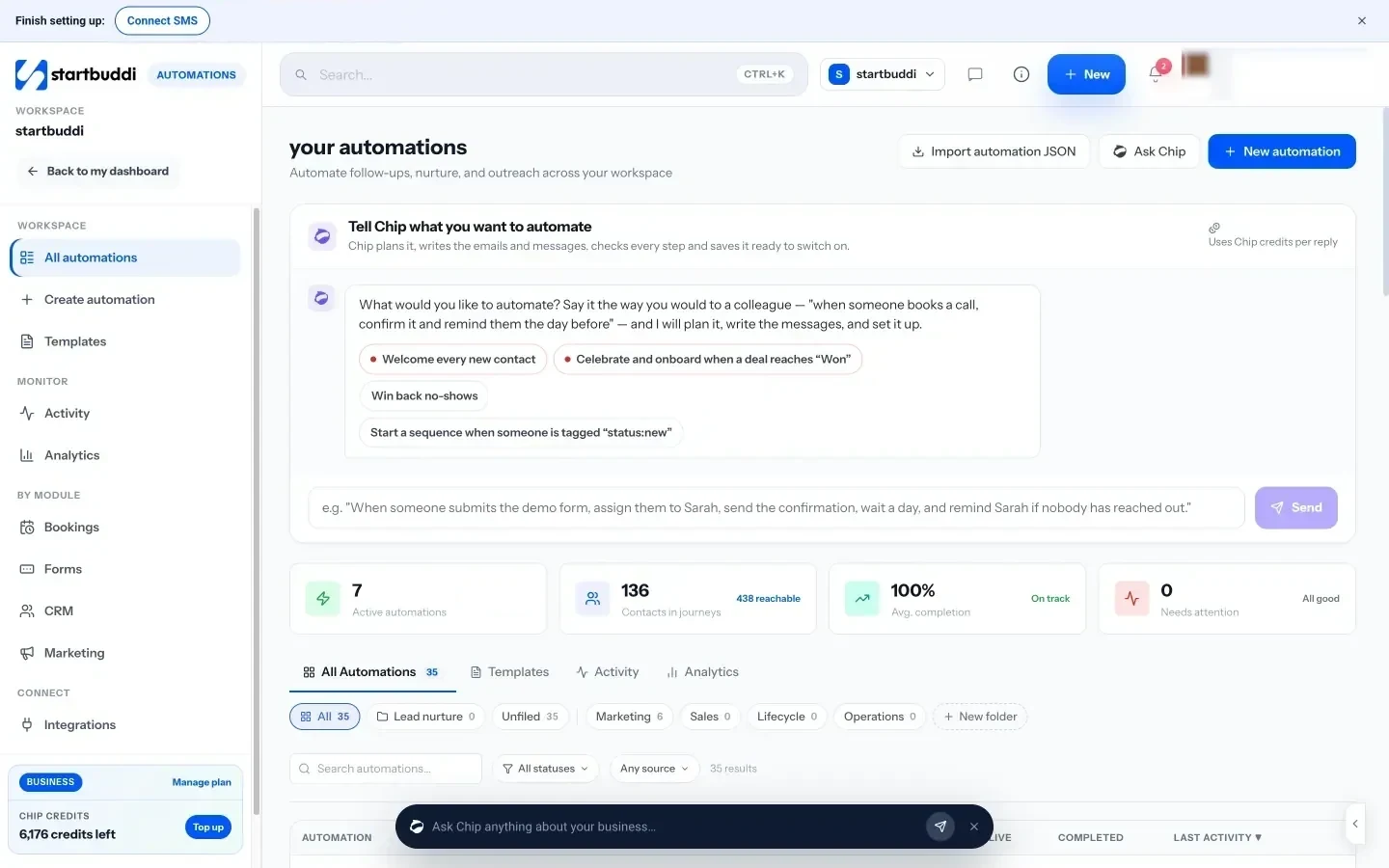
startbuddi is our product: a workspace for service businesses with contacts and deals, an inbox for WhatsApp, email, SMS and website chat, booking pages, invoices and payments, email campaigns, automations, projects and documents, with an AI assistant called Chip on every screen.
Best for: salons, cleaners, consultants, agencies and other service businesses, especially in Nigeria and across Africa, whose customers message on WhatsApp and who want follow-ups, bookings and invoices in one place.
Key features
- Contacts, companies and a deal pipeline, filled automatically from forms, bookings and website chat.
- One inbox for WhatsApp, email, SMS, Instagram, Messenger and website chat.
- Booking pages with deposits and automatic reminders.
- Estimates, invoices and payment links. Customers pay by card through Stripe, or by card, bank transfer, USSD or mobile money through Paystack.
- Email campaigns and automations on paid plans, including WhatsApp messages once a template is approved by Meta.
Pricing: a free plan is available; see pricing.
Pros
- No implementation fee or annual contract to start.
- WhatsApp and Paystack suit businesses outside the US, where Keap’s texting doesn’t work.
- Bookings, projects and documents in the same account.
Cons
- Automations are simpler than Keap’s, and there’s no funnel builder.
- The Marketing module and Automations aren’t on the free plan, which also has a small contact limit.
- No native mobile app (it runs in a phone browser) and no public API.
- No direct Keap connection: you move contacts by CSV import.
Skip it if your business depends on long, branching email funnels for online sales. The full startbuddi vs Keap comparison shows where Keap is stronger.
2. ActiveCampaign
ActiveCampaign is an email marketing and automation platform with a CRM.
Best for: businesses that mainly used Keap for automated email sequences.
Key features
- A visual automation builder for email sequences and tagging.
- Segmentation and forms.
- More users and higher send limits on higher plans.
Pricing: for 1,000 contacts, ActiveCampaign’s pricing shows Starter at $15 a month billed annually ($19 monthly), Plus at $49 ($59), Pro at $79 ($99) and Enterprise at $145 ($179). Starter includes 1 user and is capped at 25,000 contacts. There’s a 14-day trial, and the page says there are no setup costs.
Pros
- Similar automation depth to Keap for a fraction of the price at low contact counts.
- No implementation fee.
Cons
- Prices rise with contacts.
- Invoices and appointments aren’t built in the way they are in Keap.
Skip it if you rely on Keap’s quotes, invoices and payments. See startbuddi vs ActiveCampaign for an all-in-one angle.
3. HubSpot
HubSpot is a CRM platform with separate hubs for marketing, sales and service.
Best for: small teams that want a free CRM now and may add marketing automation later.
Key features
- Free CRM with contacts, deals, forms and marketing email.
- Starter plans add basic automation and remove HubSpot branding.
- A large app marketplace.
Pricing: HubSpot’s product catalogue says free tools allow up to 2 users, 1,000 contacts and 2,000 email sends a month with HubSpot branding. The Starter Customer Platform lists at $20 per seat a month, with a new-customer offer of $7 a seat on an annual plan when we checked. Marketing Hub Professional, where Keap-style automation lives, is $800 a month billed annually with 3 seats, plus a required $3,000 onboarding fee.
Pros
- A genuinely useful free tier.
- Easy to start, with room to grow.
Cons
- Real automation depth means Professional, which costs more than Keap once onboarding is counted.
- Seats and marketing contacts add up.
Skip it if you want Keap-level automation on a small budget. Our HubSpot alternatives page covers that.
4. Ontraport
Ontraport is a CRM and marketing automation platform for small businesses, and the tool most often compared with Keap feature for feature.
Best for: businesses that want to keep Keap-style automation, pages and payments but pay less.
Key features
- A visual automation builder and email marketing.
- Landing pages and forms.
- Contact records with tags and lead tracking.
Pricing: Ontraport’s pricing page lists Plus at $99 a month for 500 contacts, Pro at $149 and Enterprise at $299, rising with contacts (Plus is $135 at 1,000 contacts). All plans start with a 14-day trial and no card. Optional done-with-you setup is $897.
Pros
- The closest like-for-like replacement.
- No required implementation fee.
Cons
- Prices climb quickly as contacts grow.
- Built around online sales, so service features such as bookings are thinner.
Skip it if you don’t use Keap’s automations heavily.
5. HighLevel
HighLevel is an all-in-one marketing platform built for agencies, with funnels, a CRM, calendars, email, SMS and workflows.
Best for: businesses that want funnels and SMS automation, or that run several locations.
Key features
- Funnels, websites, calendars and a pipeline CRM.
- Workflows across email, SMS and calls.
- Unlimited contacts and users.
Pricing: HighLevel’s pricing page lists Starter at $97 a month or $970 a year with 3 sub-accounts, and Unlimited at $297. There’s a 14-day trial and no long-term contract. AI, SMS and calls are charged by usage on top, and WhatsApp is $10 a month per sub-account.
Pros
- Cheaper than Keap with more channels.
- Unlimited contacts on every plan.
Cons
- Designed for agencies, so there’s a lot to set up.
- Usage charges make the monthly bill less predictable.
Skip it if you want something you can run in an afternoon. Our GoHighLevel alternatives explains the trade-offs.
6. Zoho CRM
Zoho CRM is a customisable CRM that’s part of the wider Zoho suite.
Best for: small teams that want automation and a pipeline at a low per-user price.
Key features
- Workflow automation even on the free edition.
- Mass email, multiple pipelines and forecasting from Standard.
- Links to Zoho Campaigns, Books and other Zoho apps.
Pricing: Zoho CRM’s pricing page lists a Free edition for 3 users, then Standard at $14 per user a month billed annually ($20 monthly), Professional at $23 and Enterprise at $40.
Pros
- Very low cost for what you get.
- No contract; monthly or yearly billing.
Cons
- Marketing campaigns live in a separate Zoho app.
- Lots of settings to work through.
Skip it if you want one simple screen. See Zoho CRM alternatives for lighter options.
7. HoneyBook
HoneyBook is client management software for freelancers and small service businesses: proposals, contracts, invoices, scheduling and automations.
Best for: photographers, designers, planners and consultants who send proposals and contracts.
Key features
- Proposals that combine a quote, contract and invoice.
- Scheduling and automated follow-ups.
- A client portal.
Pricing: HoneyBook’s pricing page lists Starter at $29 a month billed yearly ($36 monthly), Essentials at $49 ($59) and Premium at $109 ($129), with a 30-day trial. Its availability statements vary on the page (the US, Canada, the UK and Australia in one place; the US and Canada in another), so check your country first.
Pros
- Built around the client journey, not marketing funnels.
- Much cheaper than Keap.
Cons
- Limited country availability.
- Not built for large email marketing lists.
Skip it if you’re outside its countries. Compare it with startbuddi vs HoneyBook.
8. Brevo
Brevo is an email, SMS and WhatsApp marketing platform with a light CRM.
Best for: businesses that mostly send newsletters and campaigns.
Key features
- Email campaigns and marketing automation.
- A sales CRM with a pipeline and meeting scheduler.
- SMS and WhatsApp campaigns.
Pricing: Brevo’s pricing page lists a Free plan with up to 300 emails a day, Starter from $9 a month and Standard from $18, priced by email volume.
Pros
- A free plan for small lists.
- You pay for sends rather than contacts.
Cons
- No invoicing or appointments.
- Advanced features sit on the Professional plan at $499 a month.
Skip it if you need quotes and payments.
9. Systeme.io
Systeme.io is an online business platform for funnels, email, courses and a simple store.
Best for: coaches and course sellers who used Keap for funnels and email.
Key features
- Funnels, a blog, courses and an affiliate programme.
- Email marketing with unlimited sends.
- Payments through providers such as Stripe and PayPal.
Pricing: Systeme.io’s pricing lists a Free plan with 2,000 contacts, 3 funnels, 1 course and unlimited emails, then Startup at $17 a month, Webinar at $47 and Unlimited at $97.
Pros
- A free plan that never expires.
- Very low cost for funnels and courses.
Cons
- Thin on client records and service work.
- The free plan allows only 1 automation rule.
Skip it if you run appointments and client projects.
10. Less Annoying CRM
Less Annoying CRM is a simple contact manager for small businesses.
Best for: owners who used Keap mainly as an address book with follow-up reminders.
Key features
- Contacts, pipelines, tasks and a calendar.
- One plan with everything.
Pricing: Less Annoying CRM’s pricing is $15 per user a month, with no contracts and a 30-day trial with no card.
Pros
- Cheap and easy to learn.
- No tiers to compare.
Cons
- No marketing automation or email campaigns.
- No invoicing or bookings.
Skip it if automated follow-ups are why you bought Keap.
How to choose your Keap alternative
Choose by what Keap was doing for you.
| If you mostly used Keap for… | Look at |
|---|---|
| Automated email sequences | ActiveCampaign, Ontraport |
| A CRM to grow into | HubSpot, Zoho CRM |
| Funnels and courses | Systeme.io, HighLevel |
| Newsletters | Brevo |
| Proposals, contracts and invoices | HoneyBook, startbuddi |
| WhatsApp, bookings and payments outside the US | startbuddi |
| A simple address book with reminders | Less Annoying CRM |
Then check three things: which of your Keap automations you can rebuild on the new tool, what your contact count will cost in a year, and whether customers can pay the way they prefer. For service businesses, our CRM for service businesses page shows how startbuddi fits, and our Pipedrive alternatives list covers sales-first tools.
Migrating from Keap
Moving takes a week or two. Plan it before your renewal date.
- Check your contract. On an annual plan, cancelling early triggers the $299 early termination fee, and cancelling needs a phone call at least 10 days before your next invoice.
- List your live automations. Write down each trigger, wait and email. Most tools can rebuild them, but none import them.
- Export contacts with tags to a CSV. Keep tags; they’re how you’ll rebuild your segments.
- Export invoices and payment history you need for tax and records.
- Import contacts into the new tool. In startbuddi, go to Customers → Contacts → Import: up to 10,000 contacts at a time, mapped column by column. It imports contacts only, not deals, so recreate open deals by hand.
- Rebuild your top three automations first, usually the new-lead welcome, the quote follow-up and the payment reminder.
- Switch forms and booking links on your website and social profiles, then run both tools for a short overlap.
Try startbuddi without a setup fee
If you’re a service business paying for automation you barely use, start startbuddi free, import your contacts and set up your inbox and booking page in an afternoon. See pricing for what each plan includes.
Frequently asked questions
What is the best alternative to Keap?
For email automation, ActiveCampaign is the closest affordable alternative, starting at $15 a month billed annually for 1,000 contacts. For a free CRM to grow into, HubSpot is the safest choice. For service businesses that want WhatsApp, bookings and invoices together, startbuddi is the closer fit.
Is there a free alternative to Keap?
Yes. HubSpot, Zoho CRM, Brevo, Systeme.io and startbuddi all have free plans, each with limits on users, contacts or sends. Keap itself has no free plan, only a restricted free trial.
Why is Keap so expensive?
Keap sells one plan with its full platform, starting at $299 a month billed monthly with 2 users, as checked on 14 October 2026. Implementation services are required on top, and contacts above the included amount cost more. The price suits businesses that use most of what's included.
Is Keap the same as Infusionsoft?
Yes. Infusionsoft was renamed Keap, and Keap is now part of Thryv, which announced the acquisition in October 2024. Keap says existing accounts and products remain the same.
Can I cancel Keap at any time?
On a monthly plan you can cancel by phone at least 10 days before your next invoice. On an annual plan, Keap's pricing page says a $299 early termination fee applies if you cancel before the end of the one-year term.
How do I move my contacts out of Keap?
Export your contacts and tags from Keap to a CSV file, then import them into the new tool. In startbuddi you can import up to 10,000 contacts at a time. Automations, emails and deals need to be rebuilt by hand.
Olabimpe Salami is the email and outreach specialist at startbuddi. Olabimpe writes about the messages that bring customers in and back: email, WhatsApp and SMS campaigns, follow-ups, and turning enquiries into paying clients.
Runs email and outreach at startbuddi