Business Year End Checklist: Step-by-Step List + Free Template
A business year end checklist for small firms: money, tax deadlines, clients, team, systems and next year's plan, with a copy-ready template to tick off.


A business year end checklist covers six areas: close off the year’s money (invoices, expenses, receipts and a profit figure), diary every tax and filing deadline, review your clients and prices, sort out your team’s records, tidy your systems and subscriptions, and set next year’s targets. Start four to six weeks before your year ends.
Key takeaways
- Your year end is the end of your accounting year. For many small businesses that’s 31 December, but companies choose their own date and the UK tax year for individuals ends on 5 April.
- Chase unpaid invoices before the year closes. If you use accrual accounting, money owed to you at year end can count as this year’s income, so you may owe tax on it before you’ve been paid.
- Put every deadline for the next 12 months in your calendar now, with a reminder two weeks early.
- The client and pricing review is the part most owners skip, and it often makes the most money next year.
- Copy the template below, delete what doesn’t apply, and work through it over a month rather than in one panicked weekend.
When to start your year-end checklist
Give yourself four to six weeks. For a 31 December year end, start in mid-November. That leaves time to chase invoices while clients are still working, book a call with your accountant before their busiest month, and make decisions such as buying equipment before, not after, the year closes.
A rough timeline:
| When | Focus |
|---|---|
| 6 weeks before | Chase unpaid invoices, book your accountant, list your deadlines |
| 4 weeks before | Receipts, expenses, subscriptions and client review |
| 2 weeks before | Team records, prices for next year, backups |
| Year end week | Final invoices, cash count, closing figures |
| First 2 weeks after | Profit and loss, hand-over to your accountant, next year’s plan |
The business year end checklist
Copy this list into your notes, a spreadsheet or your task app. Delete what doesn’t apply to your business.
1. Money: close off the year
2. Tax and compliance: diary every deadline
3. Clients and sales: review before you plan
4. Team: tidy the records
5. Systems and admin: clear the clutter
6. Plan next year
Year-end filing deadlines in different countries
Rules depend on your country and structure. These are examples to check against your own position, all checked on 1 October 2026.
Nigeria. The Corporate Affairs Commission requires companies to file annual returns every year, and since 1 January 2024 it has applied the full penalties for failing to file annual returns, including against directors. Registered business names also file annual returns. For income tax and VAT under the Nigeria Revenue Service and your state tax office, see the Nigeria section of our tax checklist.
United Kingdom. For the 2025 to 2026 tax year, GOV.UK’s Self Assessment deadlines are 31 October 2026 for paper returns and 31 January 2027 for online returns, with payment also due by 31 January 2027. Limited companies must file a confirmation statement at least once every 12 months, up to 14 days after the review period ends.
United States. The IRS instructions for Form 1099-NEC say you must file it and give the payee their copy by 31 January. For tax years beginning after 2025, the reporting threshold rose to $2,000.
Kenya, Ghana and elsewhere. Check your revenue authority’s website for annual return and payment dates, and your companies registry for annual filings.
A worked example: one hour that saves ₦378,000
These figures are illustrative.
Chidi runs a three-person digital marketing studio in Lagos. During his year-end subscription check he lists every tool the business pays for each month:
| Tool | Monthly cost | Used in the last 3 months? |
|---|---|---|
| Design software | ₦25,000 | Yes |
| Email marketing tool | ₦15,000 | No, campaigns moved elsewhere |
| Project board | ₦12,000 | Yes |
| Scheduling app | ₦9,500 | No |
| Stock photo plan | ₦7,000 | No |
| Video editing tool | ₦18,000 | Yes |
| Total | ₦86,500 |
Three tools haven’t been used in three months: ₦15,000 + ₦9,500 + ₦7,000 = ₦31,500 a month. Cancelling them saves ₦31,500 × 12 = ₦378,000 next year.
The same hour also turned up ₦640,000 in unpaid invoices older than 60 days. Two clients paid within a week of a polite reminder, which was more than the subscriptions saved.
Common year-end mistakes
- Leaving it until January. Receipts are harder to find, clients are on holiday and your accountant is busy.
- Not chasing invoices before the year closes. Late payers become later payers once a new year starts.
- Mixing personal and business spending. Untangling it at year end costs more in accountant time than keeping it separate all year.
- Skipping the client review. The year’s numbers tell you which clients and services are worth growing; looking only at tax misses that.
- Planning without a budget. A target with no cost plan isn’t a plan.
How to do this in startbuddi
startbuddi isn’t accounting software and doesn’t file tax returns, but it keeps the records your accountant needs and turns this checklist into tasks.
- Turn the checklist into tasks. In Work → My work, add each item with a due date, so it shows in your list and calendar. Add filing dates two weeks early.
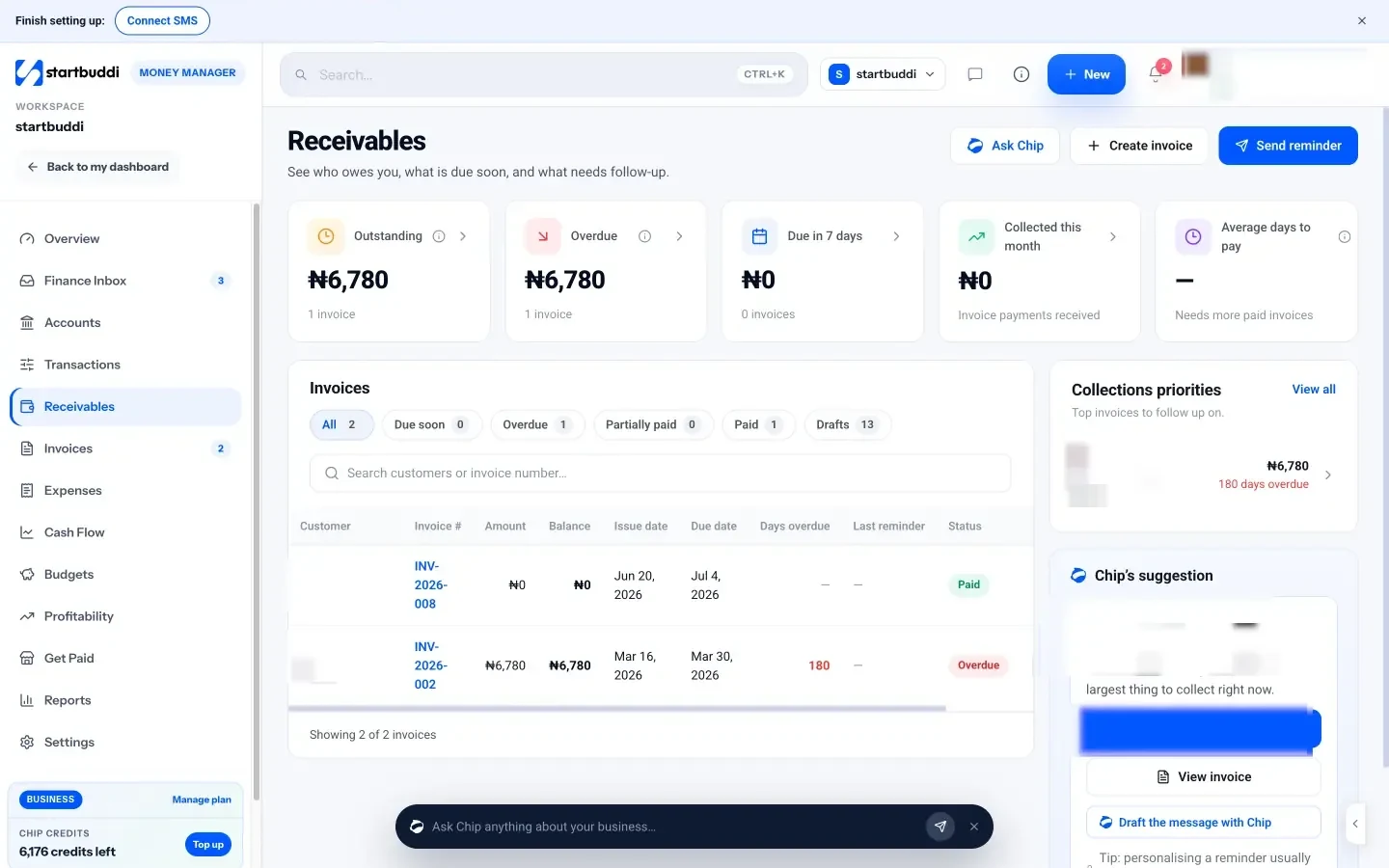
- Chase what you’re owed. In Money Manager → Receivables, open the Overdue tab, then use Send reminder, or ask Chip to draft the message.
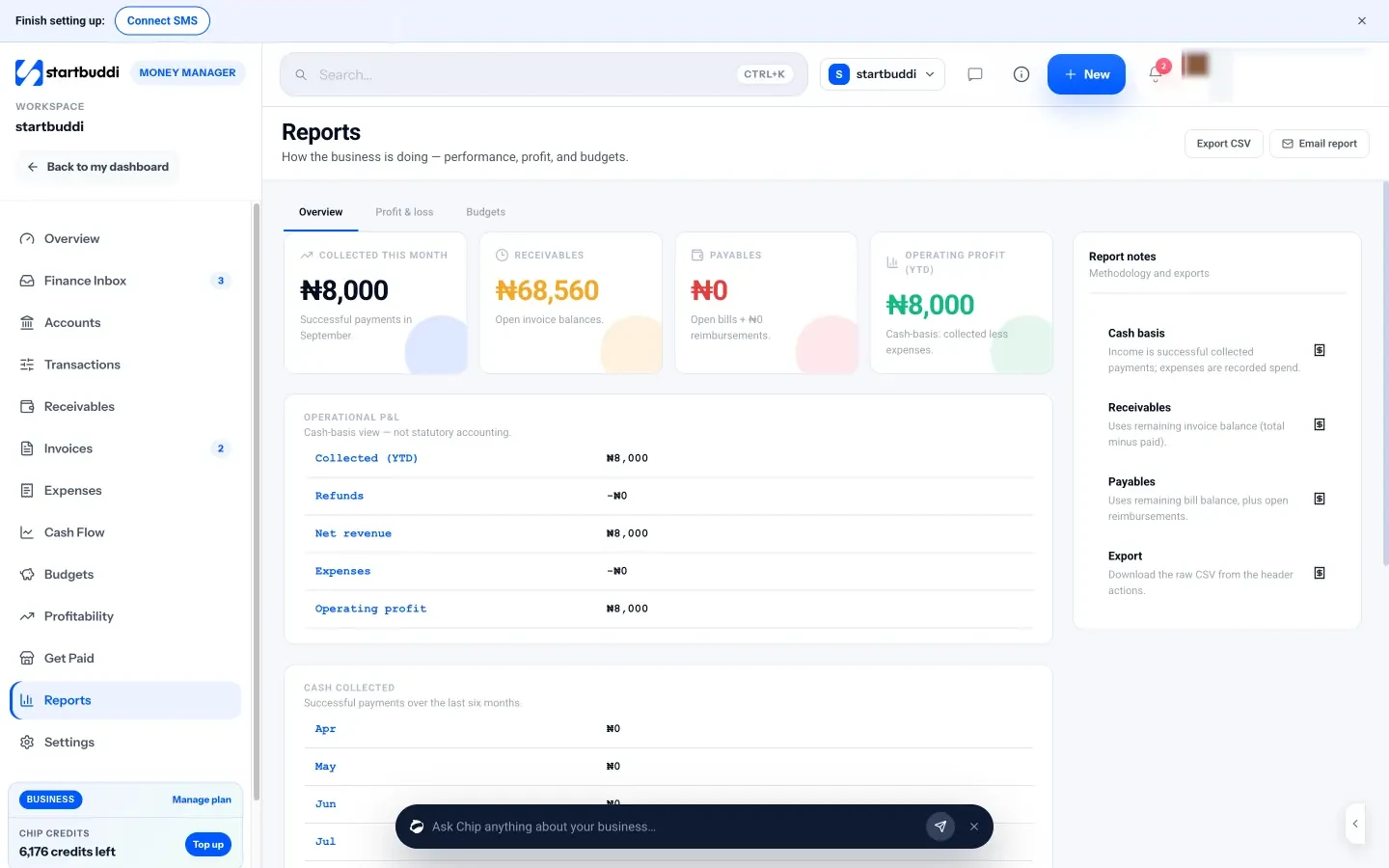
- Check your year in numbers. In Money Manager → Reports → Profit & loss, choose This year, review income and expenses by category, then click Export CSV for your accountant. It’s a cash-basis view, not statutory accounts.
- Review your clients. In Customers, filter contacts by Last contacted (more than 90 days) to find clients who’ve gone quiet, and save it as a segment for next year. Our guide to client management for small businesses covers what to do with that list.
- Log missing expenses. Add them in Money Manager → Expenses with the receipt, or use our free expense report template first.
See how Money Manager handles invoices and payments on our invoice management software page. A free plan is available; see pricing.
Close this year with a plan for the next
Copy the checklist, put the first three items in your calendar this week and book your accountant. Start startbuddi free to turn the checklist into tasks, chase unpaid invoices and export the year’s figures in one place. For the full set-up guide, see our guide to starting a service business.
Frequently asked questions
What should be on a business year end checklist?
A business year end checklist should cover closing off the year's money (invoices, receipts, bills and profit), every tax and filing deadline for the year ahead, a review of clients and prices, team records such as leave and contracts, a tidy-up of subscriptions and backups, and a plan with targets and a budget for next year.
When should a small business start its year-end checklist?
Start four to six weeks before your year end. For a 31 December year end, that means mid-November, which leaves time to chase invoices, find missing receipts and book your accountant before their busiest weeks.
Is my business year end always 31 December?
No. Your year end is the last day of your accounting year. Many sole traders and small businesses use 31 December, companies can choose their own accounting date, and in the UK the tax year for individuals ends on 5 April. Check the date that applies to you.
What do I need to give my accountant at year end?
Usually a list of income and invoices, expenses with receipts, bank statements, a list of unpaid invoices and bills, details of equipment bought or sold, and any loans or grants. A single export of income and expenses saves your accountant time and saves you fees.
Should I buy equipment before year end?
Only if the business needs it. Buying equipment before year end can bring a tax deduction or allowance forward, but spending money just to cut tax still leaves you with less cash. Ask your accountant how equipment is treated in your country before you buy.
Tiwalade Joanna Okedara-Kalu is the founder, CEO and CTO of startbuddi, the business system that brings clients, bookings, invoices, projects, marketing and the Chip AI assistant into one place. Tiwalade builds software around how service businesses really work day to day, and writes about client management, getting paid on time and why small businesses outgrow the tools they start with.
Founded startbuddi and leads its product and engineering