Business management apps: what they are and how to choose one
What a business management app does, when one app beats five separate tools, what to look for, and a simple way to choose and move in without chaos.



Photo: Priscilla Du Preez 🇨🇦 / Unsplash
- A business management app puts the daily jobs of running a business, such as customers, sales, invoices, projects and your team, in one place with one customer record. It suits small teams short on time; specialist tools still win for deep needs like accounting, payroll or a till. Choose by listing the jobs you do every week, trialling with real work for a week, and checking you can export your data.
A business management app is one piece of software that handles the everyday jobs of running a business: keeping track of customers, following up on sales, sending invoices, organising work and seeing how things are going. Instead of a contacts spreadsheet, a notes app, an invoice template and three group chats, you get one place where it all connects.
The right one depends on the jobs you actually do each week. This guide explains what these apps cover, when one app is better than several, what to check before you commit, and how to move in without losing a week.
What a business management app does
There’s no single definition, and “business management” can mean anything from a to-do list to a full enterprise system. For a small business, it usually means an app that covers most of these jobs:
- Customers. A contact list with the history of every call, message, booking and purchase.
- Sales. Tracking who’s interested, what they might buy and what happens next.
- Money. Quotes, invoices, payments and expenses, and a view of who owes you.
- Work. Projects, tasks and deadlines, so jobs get delivered on time.
- Marketing. Emails, messages and social posts to bring customers back.
- Team. Who does what, and how people share information.
- Overview. A home screen or report that shows what needs attention today.
The value isn’t in any single feature. It’s in the connections: a form fill becomes a contact, the contact becomes a deal, the deal becomes an invoice, and the paid invoice shows up in your numbers without anyone copying anything.
All-in-one app vs separate tools
Most small businesses start with separate tools, often free ones. That works until the copying starts: typing the same customer’s details into three places, or hunting through chats for a quote you sent. Here’s how the two approaches compare.
| One business management app | Separate specialist tools | |
|---|---|---|
| Setup | One account, one login, one place to learn | Several accounts, each with its own settings |
| Customer record | One record everyone sees | Copies in each tool, often out of date |
| Depth | Covers most small business needs well | Each tool goes deeper in its own area |
| Cost | One subscription | Several subscriptions that add up |
| Connections | Built in | Need integrations or manual copying |
Neither is always right. If your business depends on one specialist job, such as detailed accounting, payroll or a busy shop till, you’ll likely keep a specialist tool for that job and use a business management app for the rest. Our post comparing an all-in-one workspace with five separate tools works through the cost side.
Signs you need a small business management app
You don’t need one on day one. You probably need one when two or three of these are true:
- You’ve lost a lead because a message got buried in WhatsApp, Instagram or email.
- You can’t answer “who owes me money right now?” without opening several files.
- A new team member asks where things are, and the answer is “in my head”.
- You type the same customer details into more than one tool.
- You pay for four or more subscriptions and use a small part of each.
- Your “system” is a spreadsheet that only you understand.
If the spreadsheet is the problem, our guide on moving your business off spreadsheets is a good first read.
What to look for in business management apps
Feature lists are long and mostly look the same. These questions separate the apps that will help from the ones that will sit unused.
Does it cover the jobs you do every week?
Write down the ten things you do most often: replying to enquiries, sending quotes, chasing payments, booking appointments, posting on social media. Then check that the app handles at least eight of them well. Features you’ll never use don’t make an app better; they make it harder to learn.
Is there one customer record?
This is the single most important test. When a customer books, pays or sends a message, does it all land on the same record? If the app has a separate customer list in each section, you’ve bought several tools with one logo.
Does it take payments the way your customers pay?
A business in the US or UK may need card payments and Apple Pay. A business in Nigeria or Kenya may need bank transfer, USSD or mobile money. Check which payment providers the app connects to and whether they work in your country.
Can you use it on your phone?
Many owners run the business from a phone between jobs. Try the key tasks on a phone during your trial: find a customer, send an invoice, reply to a message.
Is the AI actually useful?
Many apps now include an AI assistant. The useful ones know your data, so you can ask “who haven’t I followed up with?” and get real names, and they show you what they’ll do before they do it. Our guide to AI tools for small business covers what to expect.
What does it cost as you grow?
Check how the price changes when you add a team member, more contacts or more sends. Per-user pricing can be cheap for one person and expensive for five.
Can you leave?
Check that you can export your contacts, invoices and other records. A good app earns your loyalty; it doesn’t trap your data.
What different businesses need from a business management app
The same app can feel perfect for one business and clumsy for another. Start from the way you earn money.
Freelancers, consultants and agencies
Your day is enquiries, proposals, projects and invoices. Look for a pipeline to track who’s interested, quotes that turn into invoices without retyping, projects with deadlines, and time tracking if you bill by the hour. A client portal, where clients see files and progress, saves a lot of “any update?” emails.
Salons, clinics, coaches and other appointment businesses
Your day is bookings. Put online booking, reminders and deposits at the top of your list, then a customer record that shows past visits and spend. Payment links are useful for deposits taken over WhatsApp or Instagram.
Shops and online sellers
You need products, orders and payments first. If you sell in person every day, you’ll probably want a dedicated point-of-sale system with a card reader and stock control, and a business management app for customers, marketing and follow-ups around it.
Trades and home services
Plumbers, electricians and cleaners need quotes, job scheduling and quick invoicing from a phone. If you run several vans with route planning and GPS, a field-service tool built for that is worth a look alongside a general app.
Small teams of three to ten
Once there’s a team, roles and shared information matter. Check that you can invite people, set what each person can see, assign tasks and keep conversations about a customer on that customer’s record rather than in private chats.
Examples of business management apps
There are many apps in this category, built for different sizes of business. A few facts from their own websites, to help you see the range:
- Zoho One bundles a large suite of Zoho business apps under one subscription, priced per user, with a free trial.
- Odoo is a set of business apps (sales, invoicing, inventory, website and more). Its pricing page lists a free plan for one app with unlimited users, and paid plans per user for all apps.
- startbuddi is an all-in-one workspace for small businesses, covering customers, marketing, pages, bookings, invoices, projects and a team, with an AI assistant called Chip. It has a free plan, and the pricing page shows what the paid plans cost.
For a researched side-by-side view, see our list of the best all-in-one business software, or our startbuddi vs Zoho comparison. If you only need one or two jobs covered, the round-up of apps a small business actually needs may suit you better.
How to choose: a five-step process
- List your weekly jobs. Use the ten-job list from above and mark the three that cost you the most time.
- Map your current tools. Write down every app and subscription you use today and what it costs. This is your baseline.
- Shortlist two or three apps. Only those that cover your top three jobs well and work with your payment methods.
- Trial with real work for a week. Add ten real customers, send one real invoice, run one real project. Demo data hides the rough edges.
- Test with your team. If others will use it, ask them to do their normal tasks in it for two days. If they avoid it, keep looking.
To keep the decision honest, score each app from one to five on the same five questions after your trial week: did it cover my top three jobs, did customers end up on one record, did payments work, did it work on my phone, and did my team use it without being chased. Add up the scores and compare them with what each app costs for your team size. A short scorecard like this stops the flashiest demo from winning by default.
Pick the app that made your week easier, not the one with the longest feature list.
Common mistakes when choosing an app
- Choosing on price alone. The cheapest app costs more if nobody uses it and you keep paying for the old tools too.
- Buying for the business you might be in five years. Enterprise software built for a hundred staff will slow a team of three down. Choose for the next 12 to 18 months.
- Skipping the phone test. If it’s awkward on a phone and you work on the move, you’ll drift back to WhatsApp and notes.
- Moving everything at once. Years of old records don’t need to come across on day one. Move what’s live and keep the archive where it is.
- Not agreeing the rules. Decide as a team where enquiries, quotes and tasks go from now on. An app only works if everyone uses it the same way.
How to move into a new app without chaos
The move is where most people give up. Keep it small and in order:
- Customers first. Import your contacts from a spreadsheet or your phone. Clean duplicates as you go.
- Open work second. Add current jobs, quotes and unpaid invoices. Leave old, finished work in the old tool for reference.
- New activity from a set date. Pick a Monday. From that day, every new enquiry, invoice and task goes into the new app.
- Switch one old tool off at a time. Once a job has run in the new app for two weeks, cancel the old subscription.
Within a month you should be able to answer “what needs me today?” from one screen. To check it’s working, pick three or four numbers, such as enquiries answered and invoices paid on time, and look at them weekly.
How startbuddi helps as your business management app
startbuddi is built as one business system for small teams. Home shows what needs you today: overdue tasks, unpaid invoices, today’s bookings and new enquiries, with Chip’s brief on top. You can ask Chip questions such as “What should I focus on today?” and it answers from your own data.
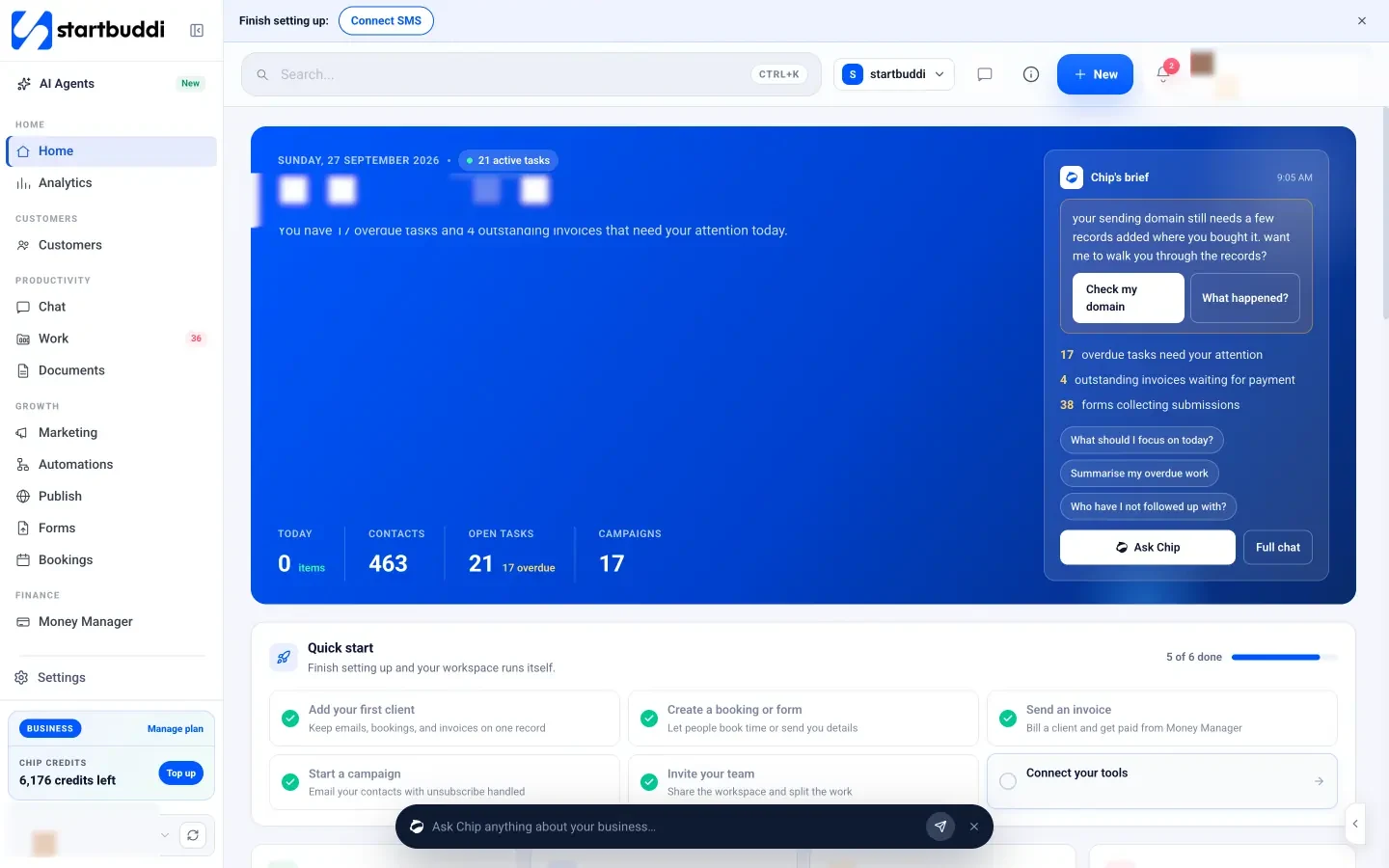
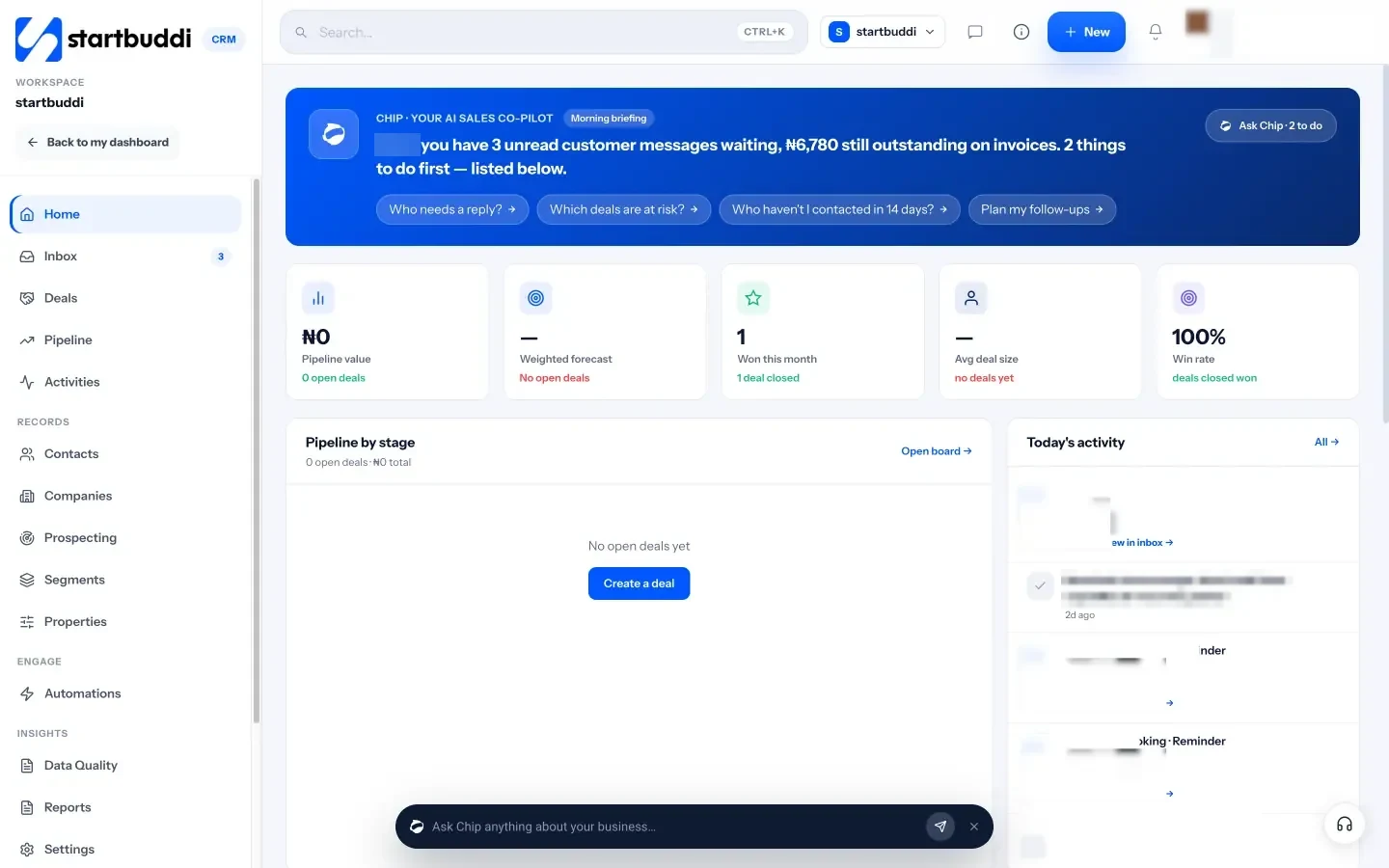
Customers keeps one record per contact, with conversations from email, WhatsApp, SMS and website chat in a shared inbox, and a sales pipeline for deals. Forms, bookings and invoices all read and write the same contact, so nobody copies details between tools.
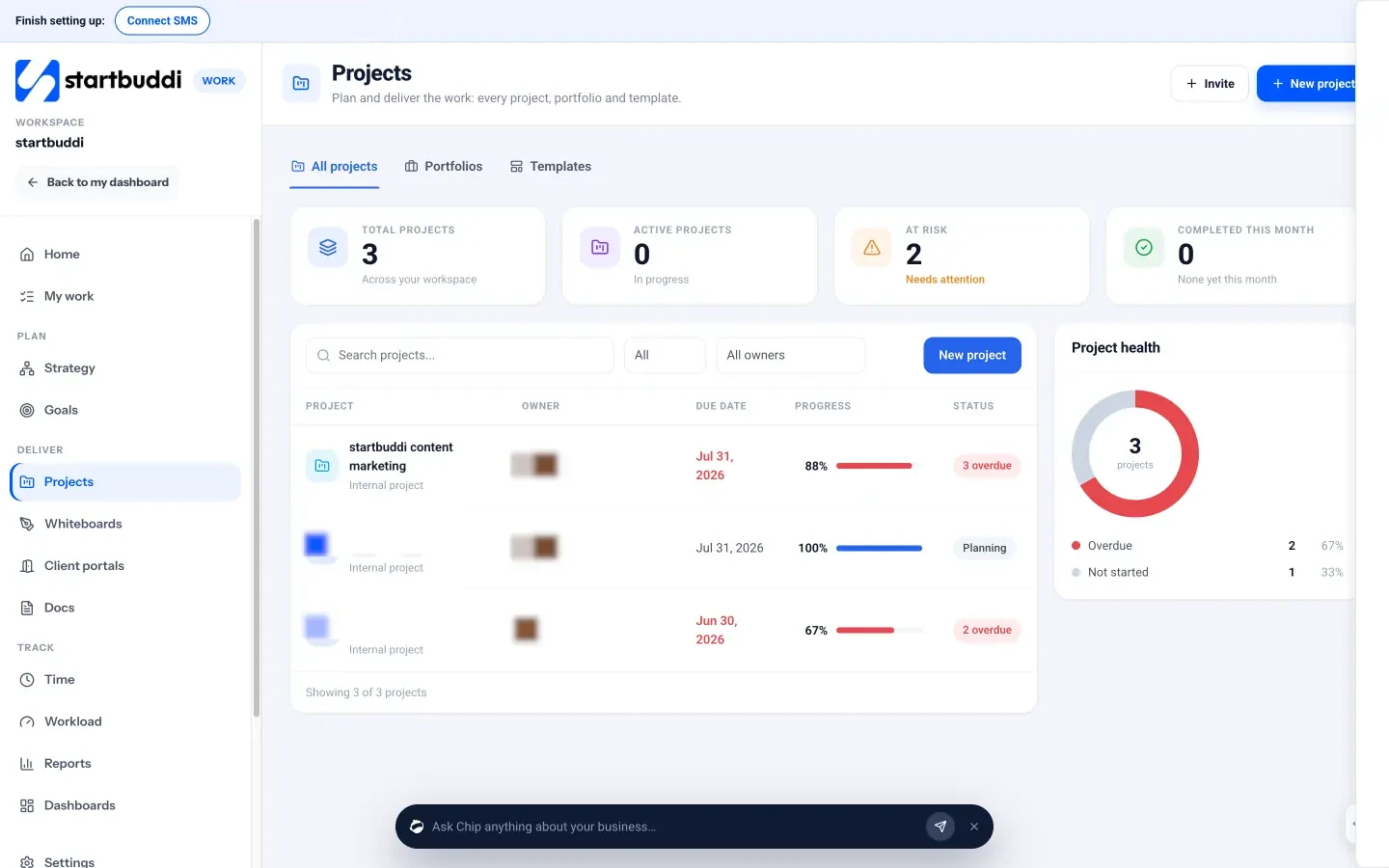
Work handles projects, tasks, goals and time tracking, and Money Manager covers quotes, invoices, payment links, expenses and cash-basis reports. Payments through Paystack or Stripe are recorded for you. Around those sit Marketing, Publish (pages, link in bio and a store), Bookings, Forms, Chat and People.
It’s honest to say what it isn’t. startbuddi is not accounting software: it has no bank feeds, tax filing or payroll, so many businesses keep an accountant or accounting tool alongside it. It’s also not a shop till or a field-service dispatch system. The Free plan includes one seat and 250 contacts; the whole Marketing module, WhatsApp and SMS need Starter or above, and Free includes 2 active automations against 10 on Starter. Paid plans start at $19 a month, and each comes with a 30-day trial.
Your next step
Spend 15 minutes today writing your list of ten weekly jobs and your current tools with their costs. Then trial one business management app with real work for a week. If you want to try startbuddi, compare what each plan includes on the pricing page.
Sources
Frequently asked questions
What is the best business management app for a small business?
The one that covers the jobs you do every week and keeps one record per customer. Shortlist two or three, trial each with real work for a week, and pick the one your team actually uses.
Is a small business management app the same as accounting software?
No. Business management apps focus on customers, sales, work and invoicing. Accounting software handles the books: bank feeds, reconciliation and tax returns. Many small businesses use both.
Are there free business management apps?
Yes. Several apps, including startbuddi and Odoo, offer free plans with limits. Free plans are a good way to test the fit before paying.
How long does it take to move into a business management app?
Moving customers and open work usually takes a day or two. Give yourself two to four weeks before switching off your old tools.
Tiwalade Joanna Okedara-Kalu is the founder, CEO and CTO of startbuddi, the business system that brings clients, bookings, invoices, projects, marketing and the Chip AI assistant into one place. Tiwalade builds software around how service businesses really work day to day, and writes about client management, getting paid on time and why small businesses outgrow the tools they start with.
Founded startbuddi and leads its product and engineering