12 Best Free Booking Apps for Small Businesses in 2026
The best free booking app for your business: 12 apps with genuine free plans, what each free plan limits, and picks for barbers, salons and photographers.


The best free booking app for most small service businesses is Square Appointments, if you’re in one of Square’s eight countries: its free plan takes deposits and sends text reminders. Setmore is best for a free team of up to four. startbuddi is best for businesses in Africa that want deposits by transfer, USSD or mobile money. Every app here has a real free plan, checked on 14 October 2026.
startbuddi is our product. It’s included because it has a genuine free plan, and its limits are listed as plainly as everyone else’s.
Key takeaways
- Only apps with a free plan you can use indefinitely made this list. Free trials don’t count, so Acuity, Fresha, Booksy and GlossGenius are out.
- Free plans differ most on three things: deposits, automatic reminders and how many people can take bookings.
- Deposits on a free plan: Square Appointments and startbuddi. Payments without a deposit option: Setmore, Picktime (PayPal), Cal.com, TidyCal and YouCanBookMe.
- Automatic reminders on a free plan: Square (text and email), Setmore, startbuddi, SimplyBook.me and Zoho Bookings (email). Calendly, Koalendar and Picktime have none on Free.
Free booking apps compared
| App | Best for | Who can take bookings on Free | Deposits on Free | Reminders on Free | Paid plans from (checked 14 Oct 2026) |
|---|---|---|---|---|---|
| Square Appointments | Salons, barbers, nail techs in Square’s countries | Unlimited staff calendars, 1 location | Yes | Text and email | $49/month per location (Plus) |
| Setmore | Small teams | Up to 4 users | No (payments yes) | 1 email reminder | $5/user/month billed yearly |
| startbuddi | Service businesses in Africa | 1 seat, 1 live service | Yes | 1 automatic email reminder | See pricing |
| SimplyBook.me | Very low volume | 1 provider, 50 bookings a month | No | €11.9/month billed annually | |
| Zoho Bookings | Solo owners who need two-way sync | 1 user | No | US$6/user/month billed yearly | |
| Picktime | Small teams with rooms or classes | 3 users | No (PayPal payments) | No | $3/user/month billed annually |
| Calendly | One type of call | 1 person, 1 event type | No | No | $10/seat/month billed yearly |
| Cal.com | Solo pros with several services | 1 user | Payments yes | Email and SMS notifications | $12/user/month billed yearly |
| TidyCal | Solo freelancers selling sessions | 1 user, 1 calendar | Payments yes | Not stated | $12/month (Pro) |
| YouCanBookMe | Occasional bookings | 1 booking page | Payments yes | No (confirmations only) | $9/month |
| Koalendar | Free one-to-one meetings | 1 person | No | No | $9/month billed annually |
| Google Calendar | Personal accounts | 1 booking page | No | No | Google One or Workspace |
“Payments yes” means the free plan can charge the full price at booking, but a separate deposit setting isn’t listed. Prices are in each vendor’s currency, before tax and card processing.
How we chose
We checked each vendor’s own pricing page on 14 October 2026 and kept only apps with a free plan that never expires. We then judged the free plan, not the paid one, on:
- Can it take bookings for services, with real availability?
- Does it protect you from no-shows: deposits, payments or reminders?
- How many people can take bookings before you have to pay?
- Where it works: the countries and payment methods supported.
We didn’t run trials or collect review scores. Each entry says what the free plan leaves out, because that’s what you’ll bump into first.
1. Square Appointments
Square Appointments is Square’s booking app, part of its point of sale.
Best for: salons, barbers, nail techs and therapists in the US, UK, Canada, Australia, Ireland, France, Spain or Japan.
What’s free: online booking site, unlimited staff calendars, deposits and prepayments, automatic contracts, text and email reminders, and booking from Instagram, Facebook and Google, according to Square’s pricing page. You pay processing fees when you take a card payment.
What the free plan leaves out: cancellation policies and no-show fees, the waitlist, classes and packages, multi-location management and Google Calendar sync, which start on Plus at $49 a month per location (£29 in the UK).
Pros: the most complete free plan for a shop with staff; card readers and point of sale from the same company.
Cons: payments go only through Square, and Square processes cards in only eight countries.
Skip it if you’re outside those countries.
2. Setmore
Setmore is appointment software for service businesses with a small team.
Best for: barbershops, tutoring centres and clinics with up to four people taking bookings.
What’s free: up to 4 users, unlimited appointments, a team booking page, online and in-person payments through Square, Stripe or PayPal, email confirmations, one email reminder and mobile apps, per Setmore’s pricing page.
What the free plan leaves out: deposits, SMS reminders, a second reminder, two-way calendar sync, recurring and video appointments, and removing Setmore branding. Pro is $5 a user a month billed yearly or $12 monthly.
Pros: the most people on a free plan of any service-booking app here.
Cons: no deposits until Pro. Our Setmore alternatives page covers what to do if that’s a problem.
Skip it if no-shows are costing you money and you need a deposit.
3. startbuddi
startbuddi is an all-in-one workspace for service businesses, with Bookings alongside client records, an inbox for WhatsApp and email, and invoices.
Best for: salons, nail techs, consultants and tutors in Nigeria and across Africa who take deposits.
What’s free: a booking page with one live service, one seat, unlimited bookings received, and Require payment to book, which takes the full price or a deposit before the booking is confirmed. Through Paystack, clients pay by card, bank transfer, USSD or mobile money; through Stripe, by card. Each booking gets one automatic email reminder at the lead time you choose, and it creates or updates the client’s contact.
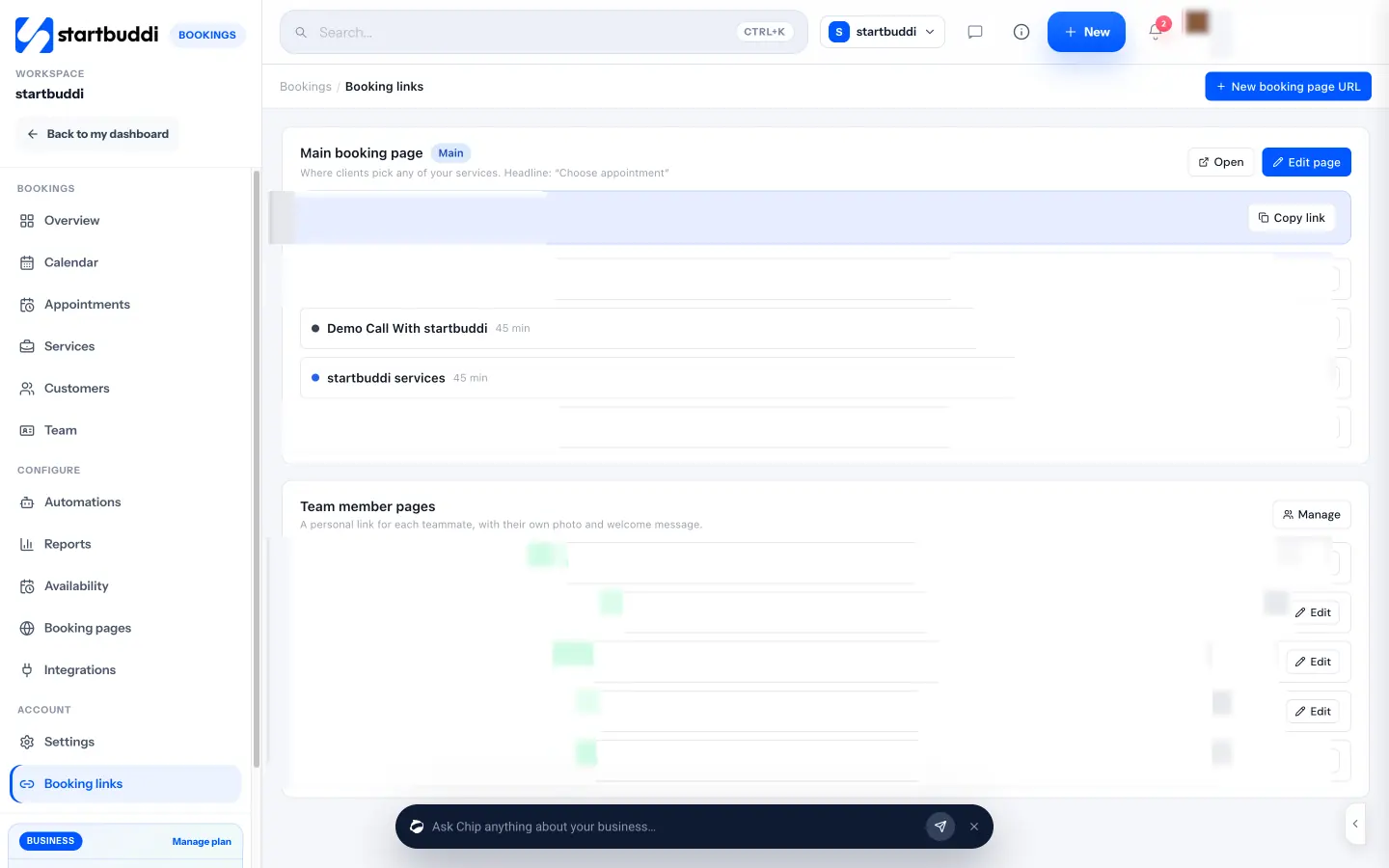
What the free plan leaves out: more than one live service, more than one seat, embedding the booking page on your website and the booking QR code. WhatsApp and SMS reminders need a paid plan and a connected number or SMS provider. See pricing.
Pros: deposits in naira, cedis, shillings or rand with local payment methods; bookings and client history in one place; no marketplace commission.
Cons: calendar sync pushes bookings to Google Calendar but doesn’t read busy times; no recurring bookings; no point of sale; the calendar is managed on a computer or tablet, not a phone.
Skip it if you offer a long menu of services and want to stay free, or you need a till.
4. SimplyBook.me
SimplyBook.me is general booking software priced by the number of bookings.
Best for: a driving instructor, tutor or occasional therapist who takes a few bookings a month.
What’s free: 50 bookings a month, one provider, a booking website and widget, an admin app, email confirmations and reminders, per SimplyBook.me’s pricing page.
What the free plan leaves out: payments, deposits and tips, which start on Basic at €11.9 a month billed annually (€13.9 monthly). SMS is sold separately.
Pros: recurring appointments and event bookings on every plan.
Cons: the 50-booking cap arrives fast for any busy business.
Skip it if you take more than about two bookings a working day.
5. Zoho Bookings
Zoho Bookings is Zoho’s scheduling app.
Best for: solo consultants and therapists who keep personal appointments in Google or Outlook.
What’s free: one user, online meetings, email notifications and reminders, and two-way calendar sync with Zoho, Google and Microsoft calendars, per Zoho Bookings pricing.
What the free plan leaves out: more users; online payments are presented as a Premium feature (US$9 a user a month billed yearly).
Pros: two-way sync on Free, so personal events block booking slots.
Cons: single user; no payments on Free.
Skip it if you need to charge at booking.
6. Picktime
Picktime is booking software for appointments, classes and rooms.
Best for: small teams with a couple of rooms or classes, such as a yoga studio or a tutoring centre.
What’s free: 3 users, 3 resources, 2 locations, 2 classes, unlimited appointments, PayPal payments and email notifications, per Picktime’s pricing page.
What the free plan leaves out: email and SMS reminders, two-way sync and Stripe or Square payments, which start on Starter at $3.00 per user a month billed annually.
Pros: classes and resources for free.
Cons: no automatic reminders on Free.
Skip it if reminders matter more to you than rooms.
7. Calendly
Calendly is the best-known meeting scheduler.
Best for: a consultant or freelancer with one type of call.
What’s free: one event type, one calendar connection, unlimited one-on-one meetings and a booking page, per Calendly’s pricing page.
What the free plan leaves out: reminders, payments, a second event type, group events and integrations, all from Standard at $10 a seat billed yearly ($12 monthly).
Pros: a booking experience clients already know.
Cons: too thin for a business with several services. See Setmore vs Calendly.
Skip it if you sell more than one thing.
8. Cal.com
Cal.com is a scheduling platform with a generous free plan for one person.
Best for: solo coaches, consultants and photographers with several session types.
What’s free: one user with unlimited event types and calendars, email and SMS notifications, Stripe and PayPal payments, and more than 100 integrations, per Cal.com’s pricing page.
What the free plan leaves out: team features such as round robin, and removing Cal.com branding. Teams is $12 a user a month billed yearly.
Pros: the most for one person at no cost.
Cons: single user; built for meetings rather than a shop floor. See Calendly vs Cal.com.
Skip it if more than one person takes bookings.
9. TidyCal
TidyCal is a simple booking tool from AppSumo.
Best for: freelancers and photographers who sell sessions and want to stop paying monthly.
What’s free: unlimited bookings and booking types, paid bookings, recurring and package bookings and your own booking page, with one calendar connection, per TidyCal’s pricing page.
What the free plan leaves out: automatic Zoom, Meet or Teams links, group bookings, custom emails and team features. Payments on Free carry a platform fee set out on the pricing page. Pro is $12 a month or $99 a year, and a lifetime deal is $29 one-off.
Pros: paid bookings and packages without a subscription.
Cons: one calendar; a fee on payments on Free.
Skip it if you have staff.
10. YouCanBookMe
YouCanBookMe puts a booking page on top of your calendar.
Best for: occasional bookings, such as a photographer taking a few shoots a month.
What’s free: 1 calendar connection, 1 booking page, custom booking questions, video links and Stripe payments, per YouCanBookMe’s pricing page.
What the free plan leaves out: reminder emails, branding control (the free page carries a “Powered for free” button) and more pages. SMS is an extra charge. Individual is $9 a month.
Pros: flexible page with payments.
Cons: confirmations but no reminders on Free.
Skip it if you need reminders to cut no-shows.
11. Koalendar
Koalendar is a scheduling tool with a free-forever plan.
Best for: free one-to-one meetings with clean calendar sync.
What’s free: unlimited bookings, booking pages and event types, Google, Outlook and Apple calendar sync, video links, embedding on your site and mobile apps, per Koalendar’s pricing page.
What the free plan leaves out: reminders, payments, booking form questions and group sessions, which start on Pro at $12 a month ($9 billed annually).
Pros: checks your calendars for conflicts at no cost.
Cons: no payments or reminders on Free.
Skip it if you charge at booking.
12. Google Calendar appointment schedules
Google Calendar has a built-in booking page.
Best for: a sole trader who already lives in Google Calendar and needs one simple booking page.
What’s free: with a personal Google account you can create a single booking page, according to Google’s premium features comparison.
What the free plan leaves out: multiple schedules, automatic reminder emails, checking several calendars, and payments, which need an eligible Google One or Google Workspace plan.
Pros: nothing new to learn.
Cons: very basic on a personal account.
Skip it if you sell more than one service.
When to stop using a free booking app
A free plan is the right start for most small businesses. These are the signs you’ve outgrown it, and they usually arrive in this order.
- You’re turning clients away or juggling. You’ve hit a cap: 50 bookings on SimplyBook.me, one event type on Calendly, one live service on startbuddi, one user on Cal.com or Zoho Bookings. If the cap is costing you a booking a week, the paid plan has paid for itself.
- No-shows are a pattern, not a one-off. If two or three clients a month don’t turn up, a deposit or a no-show fee is worth more than the subscription. On Setmore that means Pro; on Square, Plus adds card-on-file fees on top of the deposits you already have.
- Someone else needs to take bookings. A second stylist or a part-time assistant usually pushes a one-user free plan onto a paid one. Setmore (up to 4), Picktime (3) and Square (unlimited staff calendars) are the exceptions.
- Your calendar and your booking app disagree. If personal events keep getting double-booked, you need two-way sync, which is free on Zoho Bookings, Cal.com and Koalendar and paid on most others.
- You want it to look like yours. Removing the vendor’s branding is a paid feature on Setmore, Calendly, Cal.com and YouCanBookMe, and embedding the booking page on your website is paid on startbuddi.
When you do move up, compare the next plan’s price across two or three of these apps, not just the one you’re on. A free plan is a good way to try a tool, but the paid plan is the one you’ll live with.
Best free booking app by trade
| Trade | Best free pick | Why | Runner-up |
|---|---|---|---|
| Barbers | Square Appointments | Unlimited staff calendars, deposits and text reminders on Free | Setmore (up to 4 barbers) |
| Salons | Square Appointments | Staff, deposits and point of sale | startbuddi, if you’re in Africa |
| Nail techs | Square Appointments or startbuddi | Deposits on the free plan stop no-shows on long sets | Setmore |
| Photographers | TidyCal or Cal.com | Paid bookings for several session types | YouCanBookMe |
| Consultants and coaches | Cal.com | Several meeting types and payments for one person | Zoho Bookings |
| Tutors and driving instructors | SimplyBook.me | Recurring appointments; fine under 50 bookings | Setmore |
| Small business with a team, no deposits needed | Setmore | Up to 4 people free | Picktime (3 people, rooms) |
How to choose a free booking app
Ask these four questions in order, and most of the list falls away.
- Will a no-show cost me money? If a missed slot is worth more than a few minutes, you need a deposit. That leaves Square Appointments and startbuddi on a free plan, or a paid plan elsewhere. Our guide to how to reduce no-show appointments explains why deposits beat reminders, and the booking policy writer drafts the rules for you.
- How do my clients pay? Card in the US or UK is easy. Bank transfer, USSD or mobile money in Lagos, Accra or Nairobi narrows the field quickly.
- How many people take bookings? One person: Cal.com, Zoho Bookings or TidyCal. Two to four: Setmore. More: Square Appointments.
- What will I outgrow first? A 50-booking cap, a one-event-type limit or a missing reminder is fine for a month and painful after that. Check the paid price of the next plan before you commit.
Here’s an illustrative case. A nail tech in Abuja does 60 appointments a month at ₦15,000 each and loses 6 to no-shows. That’s ₦90,000 a month in empty chair time. A free app with reminders but no deposit might bring that down; a ₦5,000 deposit means each remaining no-show still pays ₦5,000. The figures are illustrative, and our page on no-show appointments covers what to do when someone doesn’t turn up.
If you’re new to all this, start with what booking software does. If you’re happy to pay, our best booking software list covers paid tools too, and Acuity vs Square Appointments compares two of the biggest. For salons in detail, see salon appointment software, and for startbuddi against Square, the startbuddi vs Square Appointments comparison.
Try startbuddi Bookings free
If your clients pay by transfer or mobile money and no-shows cost you, set up one service with a deposit and share the link on WhatsApp. Start free with startbuddi, no card needed, and see the Bookings features.
Frequently asked questions
What is the best free booking app for a small business?
Square Appointments, if you're in one of Square's eight countries, because its free plan takes deposits and sends text reminders for unlimited staff. Setmore is best for a free team of up to four. In Nigeria and across Africa, startbuddi takes deposits by transfer, USSD or mobile money on its free plan.
What is the best free booking app for barbers?
Square Appointments, in the countries Square serves: unlimited staff calendars, deposits and text and email reminders on the free plan. Setmore is a good second for up to four barbers, though deposits need its Pro plan.
What is the best free booking app for photographers?
TidyCal or Cal.com. Both let one person offer several session types and take payment at booking without a subscription. TidyCal also lists package bookings on its free plan, and Cal.com includes SMS notifications.
What is the best free booking app for nail techs?
One that takes a deposit, because long appointments make no-shows expensive. Square Appointments does on its free plan in Square's countries, and startbuddi does through Paystack or Stripe.
Are free booking apps really free?
The plans here cost nothing each month, but card payments are charged by the payment provider, and some apps add their own fee on free-plan payments. Free plans also cap users, services, bookings or reminders, so check what the next plan costs.
Which booking apps have no free plan?
Acuity Scheduling, Fresha, Booksy and GlossGenius offer free trials, not free plans, according to their pricing pages on 14 October 2026. They can still be the right choice; they just aren't free.
Olabimpe Salami is the email and outreach specialist at startbuddi. Olabimpe writes about the messages that bring customers in and back: email, WhatsApp and SMS campaigns, follow-ups, and turning enquiries into paying clients.
Runs email and outreach at startbuddi