How to get more bookings online: a practical guide for service businesses
Make booking the easiest thing to do: one clear booking page, your link everywhere, fast replies, deposits, reminders and a rebooking routine.


Chinonye wrote this while on the startbuddi team. The product has changed since, so the team updated it on .
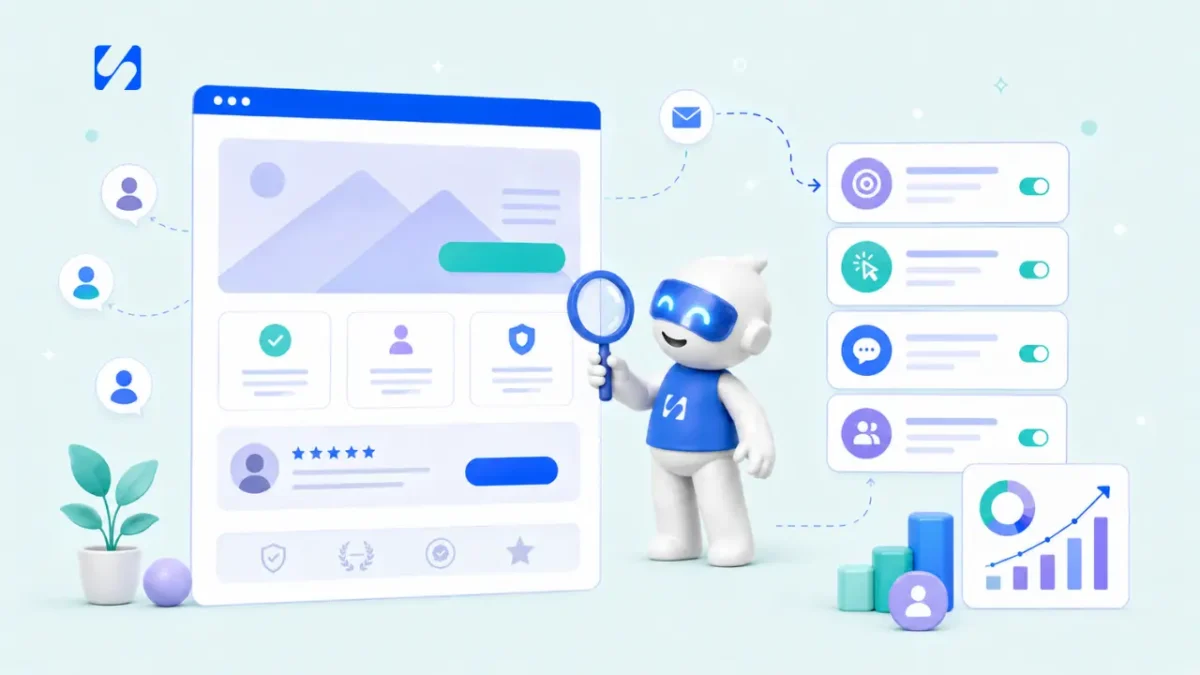
- To get more bookings online, set up one clear booking page with services, prices and live availability, put the link everywhere people find you, reply to enquiries fast, take deposits and send reminders, and follow up after every visit so clients book again.
To get more bookings online, make booking the easiest thing a visitor can do: put one booking link everywhere people find you, show your services, prices and free times clearly, let people book and pay a deposit in a couple of minutes on their phone, reply to enquiries fast, and follow up after every visit so clients book again. Most businesses don’t need more traffic to fill their calendar. They need fewer steps between “I’m interested” and “I’m booked”.
This guide is for service businesses that sell time: salons and barbers, consultants and coaches, therapists and trainers, tutors, photographers, cleaners and repair services. It walks through where bookings leak, the fixes that matter most, and how to turn one booking into regular ones.
Why people visit but don’t book
Think about what a potential client goes through today. They see your post, tap your profile, find a phone number, send a WhatsApp message asking “are you free Saturday?”, wait a few hours, get a reply offering 2pm, reply that they can only do 11am, and wait again. Somewhere in that loop, they book with someone who let them pick a time straight away.
The usual leaks:
- No way to book directly. “DM to book” or “call us” means every booking needs you to be available.
- Unclear services or prices. People don’t want to ask what something costs. Many just leave.
- Too many steps or questions. A long form before they can even see times.
- Slow replies to enquiries that come by message or form.
- A slow or awkward page on mobile, where most people will try to book.
- No follow-up after a first visit, so one-off clients never become regulars.
Each of these has a simple fix. Start with whichever one hurts most.
Step 1: create one booking page with clear services
Your booking page is your shop window. Before you promote it anywhere, make sure it answers the questions people would otherwise message you about:
- What you offer: a short list of services with plain names, such as “Knotless braids, mid-back” rather than “Package B”.
- How long each takes and what it costs, or a clear starting price.
- Where it happens: in person (with the area), at their home, by phone or by video.
- What happens next: confirmation, reminders, what to bring or prepare.
Keep the list short. Five clear services convert better than twenty confusing ones. Group them under headings if you offer several types, such as “Hair”, “Nails” and “Treatments”.
A quick example from a home cleaning business. Before: “Cleaning service, price on request”. After: “Standard clean, 1 to 2 bedrooms, 3 hours, $90”, “Deep clean, 1 to 2 bedrooms, 5 hours, $150” and “End of tenancy clean, from $220, final price after a photo check”. The second version answers the questions people were messaging about, so more of them book straight away.
Step 2: make booking quick on a phone
Most people will open your booking link on their phone, often from Instagram, WhatsApp or Google. Speed and simplicity matter. Google has reported that 53% of mobile visits are likely to be abandoned if a page takes longer than three seconds to load. Your booking flow should be fast and short:
- Choose a service.
- Pick a date and time from slots that are actually free, shown in the client’s time zone.
- Enter details: name, email, phone, and only the questions you truly need before the appointment.
- Confirm, and pay if a deposit is required.
Test it yourself on your phone once a month, start to finish. If it takes more than about two minutes, cut something.
Step 3: share your booking link everywhere people find you
A booking page nobody sees books nobody. Put the same link in every place a potential client might look:
| Where | How |
|---|---|
| Google Business Profile | Add the link as your booking or website link. See our guide to setting up a Google Business Profile. |
| Instagram, TikTok, Facebook | Put it in your bio and in stories. A link in bio page helps if you have several links. |
| WhatsApp Business | Add it to your profile and your away and greeting messages |
| Your website | A “Book now” button in the header, on every service page and at the bottom of each page |
| Email signature and invoices | “Book your next session: [link]” |
| In person | A QR code at the counter, on business cards and on receipts. Try our free booking link QR code tool. |
When someone messages to ask about availability, reply with a friendly line and the link: “Here are my free times this week, pick whatever suits you.” You save the back-and-forth, and they can book at midnight if that’s when they decide.
Step 4: reply to enquiries fast
Some people will always message before booking. How fast you reply decides whether they book with you. Research published in Harvard Business Review found that businesses contacting online leads within an hour were nearly seven times as likely to qualify them as those waiting even an hour longer.
- Set up a greeting or away message with your booking link, so people can book even when you’re busy.
- Keep saved replies for common questions: prices, location, parking, what to bring.
- Answer the question, then offer the link: “Yes, we do evening appointments until 8pm on weekdays. You can see the free slots and book here: [link].”
- Check messages at set times each day, such as mid-morning, lunchtime and early evening, rather than only when you remember.
Step 5: set availability that fills your calendar sensibly
Your availability settings shape how many bookings you get and how your days feel.
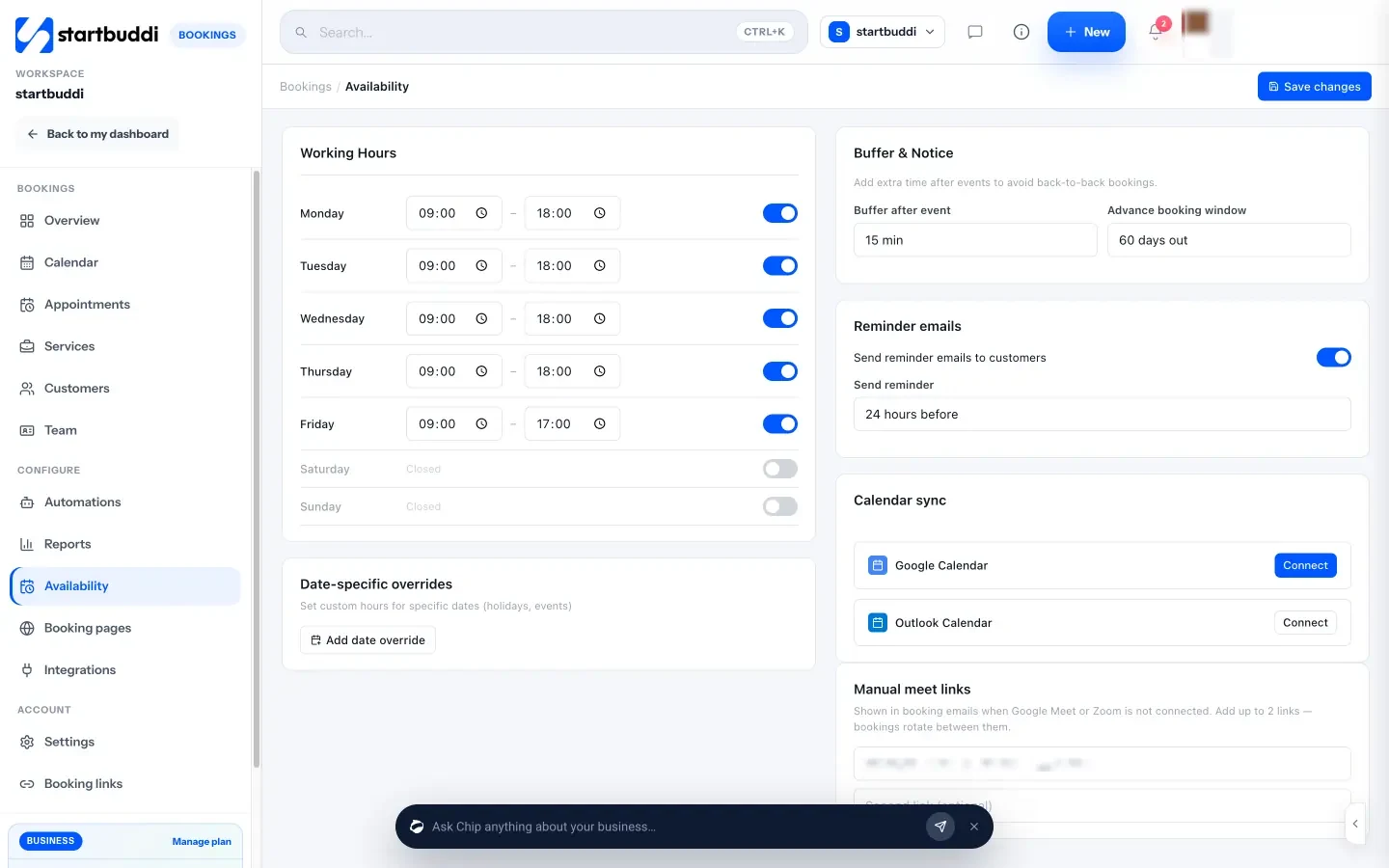
- Working hours per day, including evenings or weekends if your clients want them.
- Buffers between appointments for cleaning up, travel or notes, so you don’t run late all day.
- Minimum notice, so nobody books a slot starting in ten minutes.
- How far ahead people can book, for example up to 60 days.
- Blocked time for lunch, holidays and training.
If you work with a team, sharing bookings between staff (for example in turn, or to the next available person) means clients see more free times, which means more bookings.
Step 6: take deposits and send reminders to protect bookings
A booking only earns money if the client turns up. Two habits cut no-shows a lot.
Deposits
Asking for a deposit or full payment when people book filters out casual bookings and gives clients a reason to show up. Explain the policy clearly on the booking page: how much, whether it counts towards the final price, and what happens if they cancel or move the appointment. Our posts on how much deposit to charge and writing a cancellation policy help you set the rules, and the booking policy writer drafts the wording.
Reminders
Reminders work. A Cochrane review of trials in healthcare found that text message reminders increased attendance compared with no reminders. A common pattern is a reminder a day before and another a couple of hours before, with a clear way to reschedule rather than just not turning up. For more ideas, see how to reduce no-show appointments.
Step 7: turn first bookings into repeat bookings
The easiest booking to win is the next one from a happy client. Build a short routine after every appointment:
- Thank them the same day, with the booking link for their next visit.
- Suggest when to come back, based on the service: “Most clients come back for a trim after six weeks.”
- Ask for a review if they were happy. Reviews on Google and social profiles help new clients choose you.
- Follow up with no-shows kindly, with a link to rebook. Many simply forgot.
- Check in with regulars who go quiet, for example anyone who hasn’t booked in twice their usual gap.
Offering packages or memberships, such as “five sessions for the price of four”, can also turn one-off visits into regular ones.
Referrals matter too. Word of mouth is still the channel people trust most: in a 2021 Nielsen study, 88% of respondents said they trust recommendations from people they know more than any other channel. Make it easy by sending happy clients your booking link to pass on.
Measure where your bookings come from
Once your booking page is live, a few numbers tell you what to improve next. Check them once a month:
- Bookings by service: which services people book most, and which nobody books. Rename, reprice or drop the quiet ones.
- Busiest days and hours: add availability where demand is highest, or move quiet hours to when people want them.
- Cancellations and no-shows: if these are high, tighten your deposit or reminder timing.
- Repeat clients: the share of bookings from people who have booked before. A rising number means your rebooking routine is working.
- Where people found you: ask “How did you hear about us?” as an optional booking question if you don’t have this data.
You don’t need all of these at once. Pick the one that answers your biggest question and look at it every month.
Common mistakes that cost you bookings
- Hiding prices. If you truly can’t give a fixed price, give a “from” price and explain what changes it.
- Offering too few times. If your next free slot is three weeks away, many people will go elsewhere. Open a few extra slots or add a waiting list.
- Asking for everything up front. Keep booking questions to what you need before the appointment.
- Different links in different places. Use one main booking link so updates happen once.
- Forgetting the booking link in replies. Every “are you free?” message is a chance to send it.
- No confirmation. Without one, clients aren’t sure the booking worked and may book elsewhere too.
Quick checklist: how to get more bookings online
| Check | Done? |
|---|---|
| One booking page with clear services, durations and prices | |
| Booking takes under two minutes on a phone | |
| Booking link on Google, social bios, WhatsApp, website and email signature | |
| QR code in your shop or on your cards | |
| Enquiries answered within a few hours, with the booking link | |
| Buffers, notice period and blocked time set | |
| Deposit policy stated on the booking page | |
| Reminders before every appointment | |
| Thank-you, review request and rebooking link after every visit |
How startbuddi helps you get more bookings online
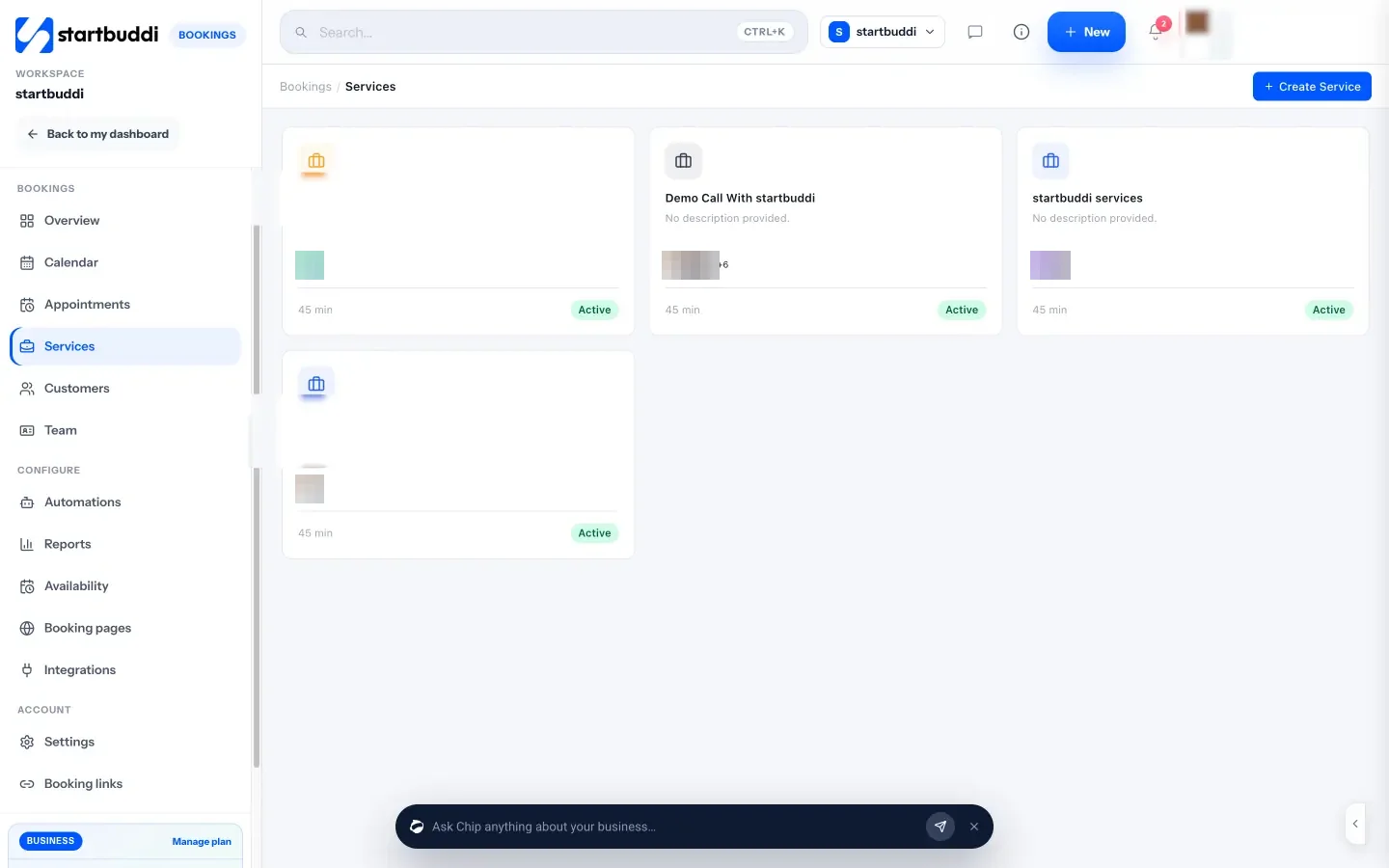
In startbuddi, Bookings gives you a booking page, your calendar and your client list in one account.
- A booking page that looks like your business. Add services with duration, price and currency, booking questions, your logo and accent colour. Group services under headings, and run extra booking pages for different offers or a personal page for each teammate.
- Easy to share. Copy your link, share it by WhatsApp or email, embed it on your website or download a QR code.
- Deposits at booking. Turn on “Require payment to book” to take the full amount or a deposit through Paystack or Stripe. The slot is held while the client pays.
- Availability and reminders. Set working hours, date-specific hours, buffers and how far ahead people can book, and choose when reminder emails go out. Bookings can be pushed to your Google Calendar.
- Follow-ups. Mark a booking as a no-show and send a follow-up inviting them to rebook, or send a message after a completed booking. With Automations (Starter plan and above), you can add email, WhatsApp or SMS steps after a booking is made, completed or cancelled.
- Clients in one list. Every booking creates or updates a contact, and the Customers view shows total bookings and last booking for each client.
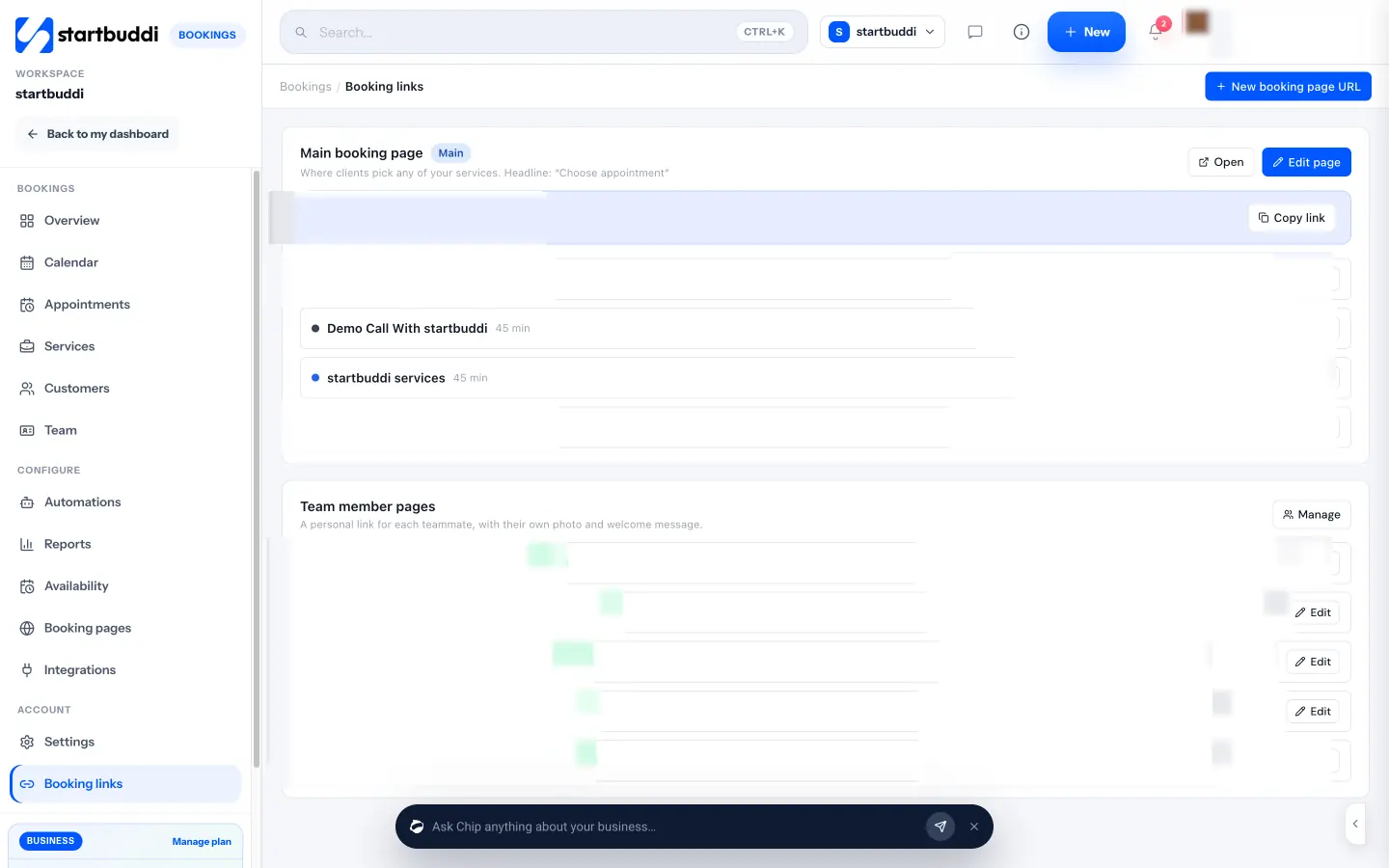
The Free plan includes one live bookable service and unlimited bookings received. See our help article on setting booking reminders and notifications, or compare options in our list of the best booking software.
Your next step
Today, try booking yourself from your Instagram bio on your phone and time it. Then fix the slowest step, and put your booking link in the three places people find you most. If you don’t have a booking page yet, start free with startbuddi and share your first link today.
Sources
- Google AdSense Help: Make your mobile pages load faster
- Harvard Business Review: The Short Life of Online Sales Leads
- Nielsen: Beyond martech, building trust with consumers (2021)
- Cochrane: Mobile phone messaging reminders for attendance at healthcare appointments
Frequently asked questions
Why do people visit my booking page but not book?
Usually friction: unclear prices, too many questions, no suitable times or a slow page on mobile. Test the flow on your phone and remove steps.
Should I ask for a deposit when people book online?
For most appointment businesses, yes. A deposit reduces no-shows. State the amount and your cancellation policy clearly on the booking page.
Where should I put my booking link?
Everywhere people find you: Google Business Profile, social media bios, WhatsApp Business, your website header, your email signature and a QR code in person.
How do I get clients to book again?
Thank them after the visit with a rebooking link, suggest when to come back, and check in with regulars who go quiet.
SEO Copywriter| Email growth Specialist| I help businesses increase revenue with strategic SEO content & high-converting email funnels.