
How to start an HVAC business: licences, pricing, scheduling and your first customers
A four-part guide to starting an HVAC business: licences and pricing, scheduling and online booking, quotes, invoices and maintenance plans, and winning repeat customers.


This guide explains how to start an HVAC business, from the licences you need and the prices you charge to booking jobs, getting paid and building a list of customers who call you back every year. It is written for qualified heating, ventilation and air conditioning technicians who are thinking about going out on their own, and for people who already run a van and a phone and want a proper system behind them.
Each chapter starts with the business thinking: why it matters, how to plan it, worked numbers, templates and the mistakes new owners make. Each one ends with how to set it up in startbuddi. By the end you will have a costed service list, a booking link customers can use, a quoting and invoicing routine, a maintenance plan you can sell, and a simple plan for winning your first 100 customers. It is general information, not legal or tax advice, so check the rules where you work.
How to start an HVAC business: licences, costs and pricing
- What an HVAC business actually sells
- Pick a niche you can explain in one sentence
- A starting budget, with example numbers
- Work out your true hourly cost
- Flat-rate or time and materials?
- A starter price list you can adapt
- Write a one-page plan
Starting an HVAC business is less about tools and more about three decisions: what work you will sell, who you will sell it to, and what each hour of your time really costs. Most technicians who go solo are already good at the work. What catches them out is pricing too low, taking every job that rings in, and running out of cash between the busy seasons.
Here is the short answer to how to start an HVAC business. Get the certifications and licences your country or state requires, set up a legal business with insurance, decide on a narrow set of services and customers, work out your true hourly cost, set prices that cover it with a margin, and put a simple system in place for booking, quoting and invoicing before the phone gets busy. The rest of this chapter walks through each step.
How to start an HVAC business: the first decisions
What an HVAC business actually sells
HVAC work splits into four kinds of job, and each one earns money in a different way. Knowing the mix you want shapes your pricing, your van stock and the customers you chase.
| Type of work | Typical job | How it pays |
|---|---|---|
| Installation | New split system, heat pump, furnace or boiler; replacing an old unit | Large tickets, but you need quotes, deposits and more cash tied up in equipment |
| Repair | No cooling, no heat, noisy unit, leaks, tripped breakers | Call-out fee plus parts and labour; urgent, and customers pay for speed |
| Maintenance | Seasonal service, filter and coil cleaning, safety checks | Small tickets that repeat every year; the best source of steady income |
| Commercial contracts | Shops, offices, restaurants, server rooms | Regular visits and larger jobs, but longer payment terms |
New owners often want installations because the numbers look big. In practice, repair and maintenance work is what keeps the diary full while you build a name. A healthy starting mix is repair and maintenance for residential customers, with installations as they come from people who already trust you.
Pick a niche you can explain in one sentence
"I do HVAC" is hard to market. "I install and service ductless mini-splits for homes in the north suburbs" is easy to remember and easy to search for. A niche also keeps your van stock smaller and your skills sharper.
- By equipment: heat pumps, mini-splits, gas boilers, commercial refrigeration, ventilation and air quality.
- By customer: homeowners, landlords and property managers, restaurants, small offices.
- By place: a set of postcodes or neighbourhoods you can reach in under 30 minutes.
Climate matters too. In hot cities such as Lagos, Nairobi, Dubai or Phoenix, air conditioning installation and servicing is a year-round business. In the UK, Canada or the northern US, heating work dominates the winter and cooling peaks for a few summer months, so maintenance plans that fill the quiet weeks matter more.
Licences, certification and insurance
HVAC is regulated almost everywhere, mainly because refrigerants harm the climate and gas work can kill. You need two layers: the personal qualification to handle refrigerant or gas, and whatever business registration and trade licence your area requires. Some examples:
- United States: the EPA requires technicians who attach gauges to, add refrigerant to or remove refrigerant from equipment to hold Section 608 certification, which comes in Type I, II, III and Universal. Many states and cities also license HVAC contractors, so check your state board. The Bureau of Labor Statistics notes that licensing rules vary by location.
- United Kingdom: anyone installing, servicing or recovering refrigerant from air conditioning and heat pump systems needs the right F gas qualification, and the business needs a company certificate. Gas work on boilers and appliances must be done by a Gas Safe registered engineer.
- Australia: anyone handling fluorocarbon refrigerant needs a refrigerant handling licence from the Australian Refrigeration Council, and businesses that buy refrigerant need a trading authorisation.
- Elsewhere: check your national environment agency and trade body. In Nigeria, register the business with the Corporate Affairs Commission and ask your local trade association which technical certificates clients and landlords expect.
Refrigerant rules are also changing as countries phase down high global-warming refrigerants. In the US, the EPA's technology transitions rules affect which refrigerants new systems can use, so keep up with your suppliers and training body before you quote an installation.
On the business side, register a business name or company, open a separate bank account, and get insurance before your first job. In the US, the SBA's guide to business insurance explains general liability, commercial auto and workers' compensation. HVAC work happens inside people's homes and on their roofs, so liability cover is not optional, and many commercial clients will ask for your certificate before they book you.
What it costs to start, and what an hour of your time costs
A starting budget, with example numbers
Your costs depend on whether you already own tools and a vehicle. Here is an example budget for a solo technician who already has hand tools. The numbers are illustrative, to show the structure; get real quotes from your suppliers.
| Item | Example cost (USD) | Notes |
|---|---|---|
| Used van, fitted with shelving | $18,000 | Or lease to protect cash |
| Specialist tools: gauges, vacuum pump, recovery machine, leak detector, scales | $4,500 | Buy quality for the tools you use daily |
| Starting parts stock | $2,000 | Capacitors, contactors, fuses, filters, fittings |
| Licences, certification and registration | $800 | Varies widely by place |
| Insurance, first year | $3,000 | Liability and vehicle |
| Phone, software, website, signage | $1,200 | Keep this lean at first |
| Cash buffer, three months of personal costs | $9,000 | The most important line |
| Total | $38,500 |
The cash buffer matters because HVAC is seasonal and because installations often mean paying for equipment before the customer pays you. In the UK the same structure might total around £30,000; in Nigeria the van and tools might be bought second-hand and the total far lower, but the buffer is just as important.
Work out your true hourly cost
New owners often price by copying the last company they worked for. That company had different costs. Work out your own:
- Add up a year of business costs: van, fuel, insurance, tools, software, phone, accountant, marketing. Say $22,000.
- Add the salary you want to pay yourself. Say $60,000, close to the US median pay for HVAC technicians of $61,010 in 2025.
- Estimate billable hours. A year has about 2,000 working hours, but travel, quoting, admin and quiet weeks eat a lot. Assume 1,100 billable hours.
- Divide: ($22,000 + $60,000) ÷ 1,100 = about $75 an hour just to break even.
Add a profit margin of 15 to 25 per cent and your minimum charge-out rate is around $86 to $94 an hour, before parts. If that is higher than you expected, that is normal. It is why so many solo technicians work long weeks and still feel broke. You can test your own figures with the hourly rate calculator.
Flat-rate or time and materials?
There are two common ways to price HVAC work:
- Time and materials: you charge a call-out or diagnostic fee, then an hourly rate plus parts at a markup. It is simple and fair, but customers dislike open-ended bills.
- Flat-rate: you publish a price per task, such as "replace capacitor, $180 including part". Customers know the price before you start, and you earn more when you work quickly. It needs a price book you keep up to date.
Many small firms mix both: a fixed diagnostic fee, flat prices for the 20 most common repairs, and written quotes for installations. Start with a short price list of the jobs you do most, and add to it as you go. The quote and estimate template is a good starting format for installation quotes.
A starter price list you can adapt
Here is the shape of a first price list for a residential cooling and heating business. The figures are examples built from the $90 an hour rate above plus parts at a markup; replace them with your own.
| Service | Example price | What is included |
|---|---|---|
| Diagnostic visit | $95 | Up to 60 minutes on site, written findings, taken off the repair if booked the same day |
| Seasonal service, one system | $140 | Clean filters and coils, check drainage, pressures and electrics, short report |
| Replace capacitor | $180 | Part and fitting, tested after |
| Clear blocked condensate drain | $120 | Clear, flush and test |
| Out-of-hours call-out | $150 plus labour | Evenings, weekends and public holidays |
| Installation survey | $75 | Taken off the installation price if accepted |
Publish the routine prices and keep installations to written quotes. A clear list does two things: it answers the "how much?" message before it is sent, and it stops you giving different prices to different people on a busy day. If you sell in more than one currency, for example to expatriate landlords in Lagos who pay in dollars, say which currency and exchange date you use.
Write a one-page plan
You do not need a 30-page business plan to start an HVAC business, but you do need your decisions on one page, so you can check them in six months. Keep it to these headings:
- What we do: the services and systems you work on, in one sentence.
- Who for: the customers and the area you cover.
- Prices: your hourly rate, diagnostic fee and top five flat prices.
- How people find us: the three places your first customers will come from.
- Money: your monthly costs, your cash buffer and the number of jobs a week you need to cover them.
- First 90 days: three goals, such as 60 completed jobs, 20 reviews and 25 maintenance plan members.
The number of jobs you need each week is the one most people skip. If your monthly costs and salary come to $6,800 and an average job brings in $210, you need about 33 jobs a month, or eight a week, before you make a profit. Knowing that number turns a vague worry into a target you can plan around.
Mistakes new HVAC owners make
- Taking every job. A two-hour drive for a $150 repair loses money. Set a service area and stick to it.
- No written quotes. Verbal prices for installations lead to arguments. Put scope, equipment, price and payment terms in writing.
- No deposit on equipment. Never buy a $4,000 unit for a customer who has paid nothing.
- Customer details on scraps of paper. Every job should leave a record: who, where, what equipment, what you did, when it is next due. That record is how you sell maintenance next year.
- Ignoring the quiet season. Plan maintenance campaigns and commercial contracts for the months between heating and cooling peaks.
Setting up the foundations in startbuddi
startbuddi is not specialist HVAC software: it does not do GPS dispatch, route planning, equipment parts catalogues or accounting. What it gives a small HVAC business is one place for customers, bookings, quotes, invoices, payments, follow-ups and jobs, so the basics are organised from the first week. Here is how to set up the foundations.
1. Answer the setup questions. When you sign up, startbuddi asks four short questions about your business and what you do. Chip, the built-in AI assistant, uses the answers to draft a simple page, a contact form, a first draft invoice and a sample contact, so you are not starting from a blank screen. Edit anything that does not fit.
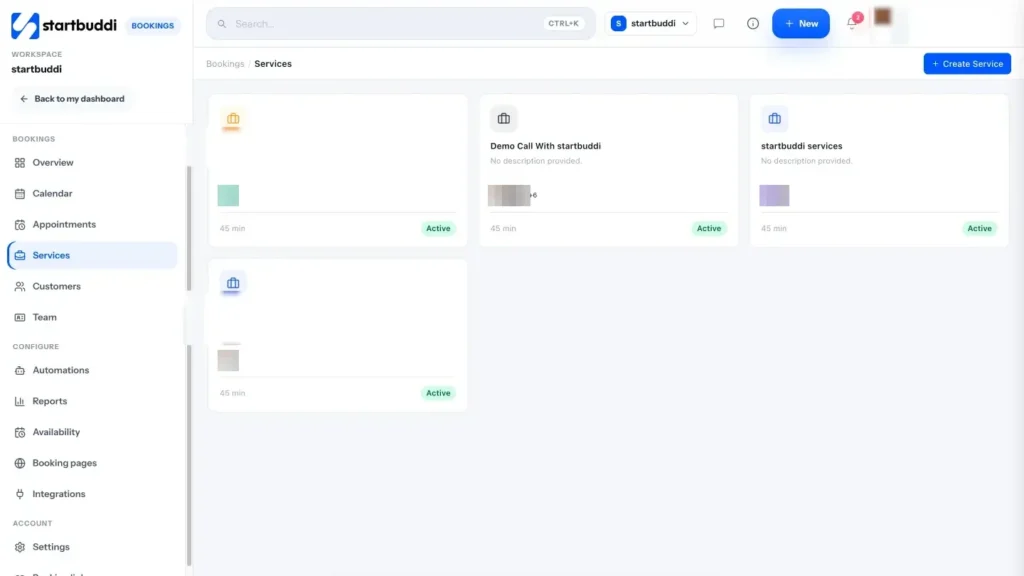
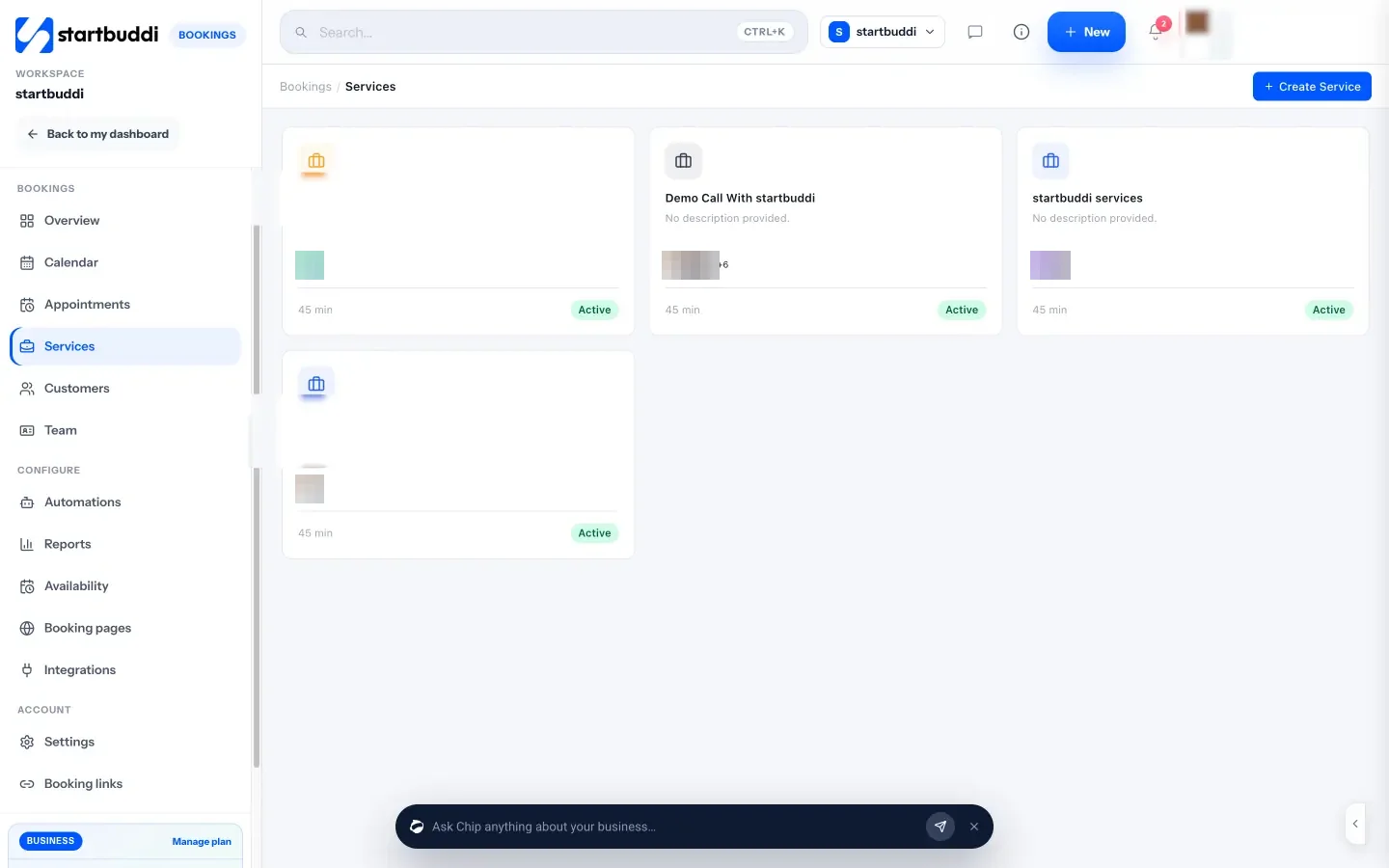
2. Add your services with prices and durations. Open Bookings, go to Services and click Create Service. Add your standard jobs, such as "AC diagnostic visit, 60 minutes" or "Seasonal service, 90 minutes", with a price and currency. These become the options customers pick when they book, which we set up in chapter 2.
3. Bring in the customers you already have. If you have past customers in a phone, a spreadsheet or another tool, import them into Customers. Each contact keeps its own history of bookings, invoices and messages, which becomes your equipment and service record. Our guide to importing contacts explains the steps.
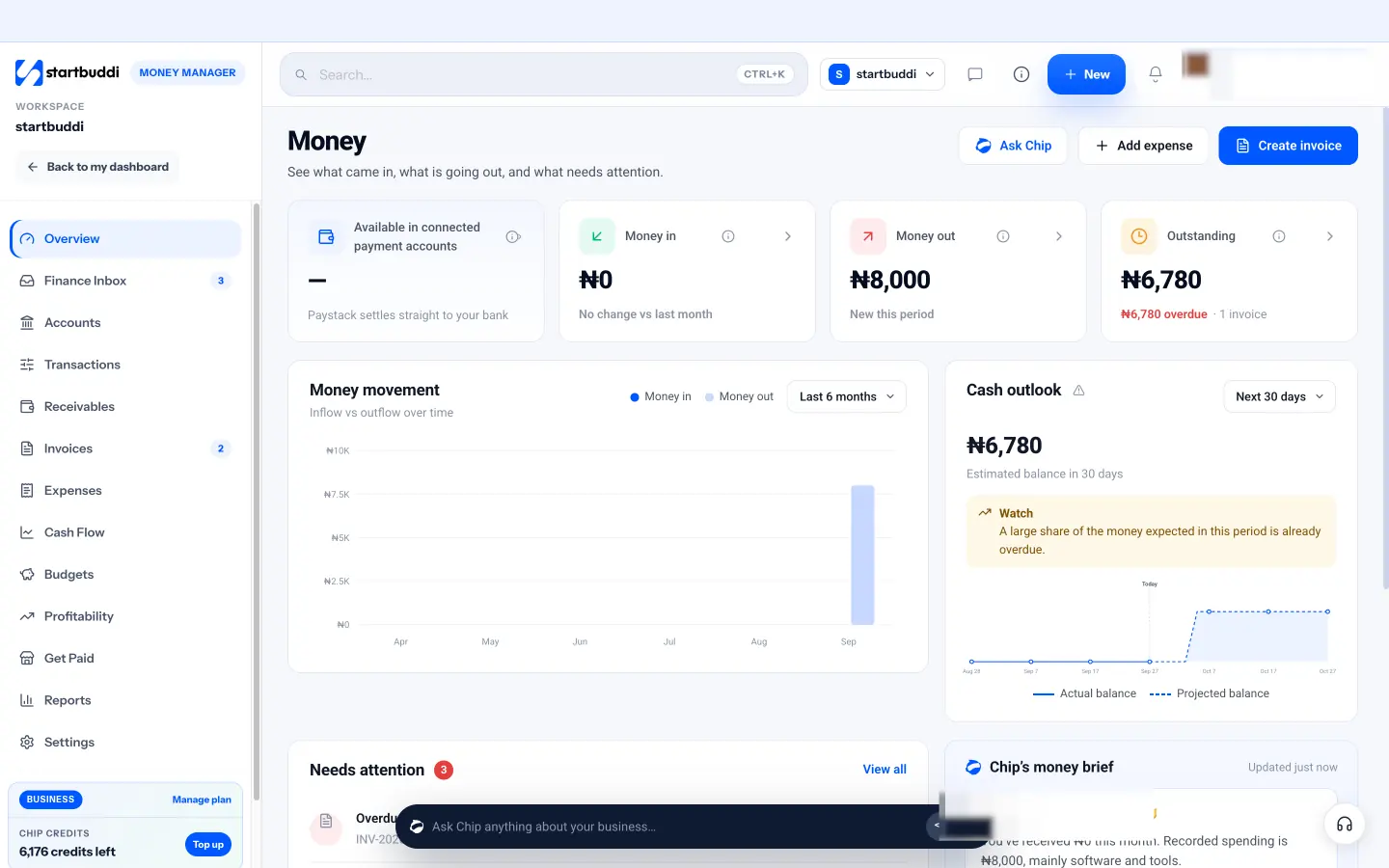
4. Set your money basics. In Money Manager, open Settings to set your invoice prefix, default due days and tax label, and connect Paystack or Stripe if you want customers to pay online. Money Manager is on every plan, including Free, which includes 5 invoices a month; Starter and above include unlimited invoices.
With your services priced and your customers in one place, the next job is making it easy for people to book you, and keeping your diary under control when the weather turns.
HVAC scheduling and online appointment booking
- Know how long each job really takes
- Group jobs by area and type
- Use arrival windows, not exact times
- Leave room for emergencies
- A sample week for a solo technician
- What to ask on an emergency call
- What to let customers book online
- What to ask when they book
- Deposits and call-out fees
- Confirmations and reminders
- Cancellations, rescheduling and running late
- Scheduling commercial maintenance
- When you need field service software
In an HVAC business, the diary is the business. Every hour you spend driving to the wrong address, waiting for a customer who is not home or rearranging jobs by text is an hour you cannot bill. Good HVAC scheduling fills your days with the right mix of work, leaves room for emergencies, and gets customers to turn up and pay.
This chapter covers how to plan your week, how to offer online HVAC appointment booking without losing control, how to handle emergencies and the seasonal rush, and when a small team needs proper field service software.
HVAC scheduling: how to plan a week that pays
Know how long each job really takes
Scheduling goes wrong when every job gets a one-hour slot. Time your real jobs for a month, including travel, and set standard durations. A typical starting list might look like this:
| Job | Time on site | Slot to book |
|---|---|---|
| Diagnostic visit | 45 to 60 minutes | 90 minutes including travel |
| Seasonal service, one system | 60 to 90 minutes | 2 hours |
| Minor repair after diagnosis | 1 to 2 hours | Book as a follow-up |
| Site survey for an installation | 45 minutes | 90 minutes |
| Split system installation | 4 to 8 hours | Full day |
Group jobs by area and type
Driving is the hidden cost in HVAC. If you cover four areas, give each area its own days: north on Monday and Thursday, south on Tuesday and Friday. Put maintenance visits in the same area back to back, and keep installations on days with nothing else booked. Even without route-planning software, this simple rule cuts hours of driving each week.
Use arrival windows, not exact times
Customers want to know when you will arrive; you cannot promise 10:15 when the job before might overrun. Most HVAC firms offer arrival windows, such as "8am to 10am" or "morning" and "afternoon", then send a message when they are on the way. If you book online with exact slots, add buffer time after each job so one overrun does not wreck the day.
Leave room for emergencies
A broken air conditioner in a heatwave or a dead boiler in January is urgent, and urgent work pays more. Keep one slot a day open during peak season, or plan to run late on busy days. Decide in advance what you charge for same-day or out-of-hours calls and write it on your price list so nobody argues on the doorstep.
A sample week for a solo technician
Here is one way to lay out a week in the cooling season. It mixes paid-up-front maintenance, repairs and one installation, keeps areas together and leaves a daily slot for emergencies.
| Day | Morning | Afternoon |
|---|---|---|
| Monday | North area: three maintenance visits | North area: two repairs, one emergency slot |
| Tuesday | South area: two diagnostics, one survey | South area: repairs, one emergency slot |
| Wednesday | Installation day, nothing else booked | Installation continues; commission and hand over |
| Thursday | North area: maintenance and follow-up repairs | Emergency slot, then quotes and ordering |
| Friday | South area: maintenance visits | Admin: invoices, reminders, next week's plan |
Notice the Friday afternoon block. If you do not schedule admin, it happens at 10pm on Sunday. An hour or two a week for quotes, chasing payments and planning is part of running the business, not a failure to be busy.
What to ask on an emergency call
When someone rings in a panic, a short script keeps you calm and helps you decide whether it really is an emergency. Ask:
- Is anyone at risk? For example, an elderly person in extreme heat, a smell of gas or burning, water near electrics. If there is a gas smell, tell them to follow their gas emergency advice first.
- What exactly is happening, and since when?
- Have they checked the simple things: power, thermostat settings, a tripped breaker, a blocked filter?
- Can they send a photo or short video of the unit and any error code?
Then give them a clear price and arrival time. Some calls end with a two-minute fix over the phone. That customer will remember you, and it frees the slot for someone who really needs it.
Online HVAC appointment booking
Most homeowners would rather pick a time on their phone than play phone tag, especially in the evening when you are not answering. Online booking also means fewer interruptions while you are on a roof. For a deeper look at the booking side, read our post on HVAC appointment booking.
What to let customers book online
Not everything should be bookable. A good rule:
- Let them book: diagnostic visits, seasonal servicing, filter and cleaning visits, and site surveys for new installations.
- Keep for a call or message: emergencies, large installations and commercial work, which need a conversation first.
What to ask when they book
The right questions save a wasted trip. Keep the list short, and only ask what changes how you prepare:
- What type of system is it (split, central air, heat pump, boiler, furnace)?
- What is the problem, in their words?
- How old is the system, roughly? Brand if they know it.
- Is there access to the outdoor unit, loft or plant room?
- Full address and any parking or gate instructions.
Ask for a photo of the unit's rating plate if they can send one. It tells you the model before you arrive, so you bring the right parts.
Deposits and call-out fees
No-shows cost HVAC businesses real money because the time slot and the drive are both wasted. Taking the diagnostic fee, or a deposit, when someone books is the simplest fix. People who have paid turn up. If you are not sure how much a missed visit costs you, try the no-show cost calculator, and see the deposit calculator for setting a deposit.
Confirmations and reminders
Send a confirmation straight away with the date, arrival window, price and what to prepare (clear access, pets inside). Send a reminder the day before. These two messages remove most no-shows and most "I forgot you were coming" doorsteps.
Cancellations, rescheduling and running late
Write a short policy and put it in every confirmation. It protects your time without upsetting good customers. A simple version:
- Free rescheduling or cancellation up to 24 hours before the visit.
- Later than that, the deposit or diagnostic fee is kept, or moved once to a new date at your discretion.
- If nobody is home when you arrive and you cannot reach them after 15 minutes, the visit counts as missed.
Our cancellation policy template gives you wording to adapt. The same courtesy works in the other direction. If you are running late, tell the customer before the window starts, not after it ends:
Hi David, it is Sam from CoolFix. The job before yours has taken longer than planned. I now expect to reach you between 11:30 and 12:00. If that no longer works, reply and I will rebook you at a time that suits. Sorry for the change.
Customers rarely mind a delay they were told about. They mind waiting in all morning with no word.
Scheduling commercial maintenance
Commercial customers such as restaurants, clinics and offices want visits at set intervals, often outside opening hours, and they want a record of each visit. Put their visits in your calendar months ahead, agree a standard day (for example, the first Tuesday of each quarter) and send the site contact a reminder a week before. Early mornings before opening are often easier for both of you.
Managing the seasonal rush
HVAC demand is lumpy. The first hot week of summer or the first cold snap of winter brings a flood of calls, followed by quiet weeks. You cannot change the weather, but you can move routine work out of the peak.
ENERGY STAR advises homeowners to have a contractor do annual pre-season check-ups, cooling in spring and heating in autumn, when contractors are less busy. That is your marketing message. Contact every past customer six to eight weeks before the season and invite them to book a service while slots are easy to get. It fills the quiet weeks and cuts emergency calls from your own customers during the peak.
Scheduling a team of technicians
When you hire a second technician, scheduling gets harder. Each person has their own hours, skills and area. You need to decide who takes which job, and customers need a time that works with somebody's diary. Two common approaches:
- Share work in turn (round robin): bookings go to whoever is free, in rotation, so the work is shared fairly. Our glossary explains round robin scheduling in more detail.
- Assign by skill: gas work to the Gas Safe engineer, commercial refrigeration to the specialist.
When you need field service software
Be honest about scale. Once you run several vans, dispatch jobs through the day, track technicians by GPS or plan routes, you need dedicated field service management software. Those tools handle live dispatch, route optimisation, parts inventory in each van and mobile job sheets with photos and signatures. A one to three person business rarely needs all that, and it costs more than the problems it solves at that size. Our list of booking software for service businesses is a good place to compare simpler options.
Common HVAC scheduling mistakes
- Same slot length for every job. Set real durations.
- No buffer. One overrun makes you late for everyone after it.
- Booking across the whole city. Group by area.
- No confirmation or reminder. The cheapest no-show fix there is.
- Letting customers book emergencies online with no fee. Keep emergencies to a call and a clear price.
Setting up HVAC scheduling in startbuddi
Bookings in startbuddi gives you one link customers can use to pick a service and a time, pay a deposit if you ask for one, and get confirmations and reminders by email. It is a booking system for appointments, not a dispatch board, so it suits solo technicians and small teams. Here is how to set it up.
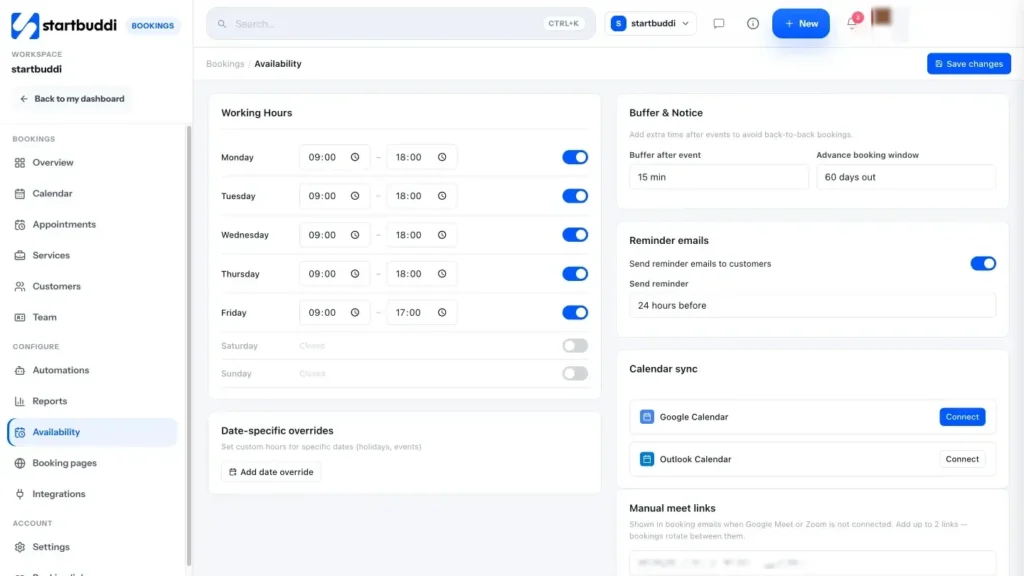
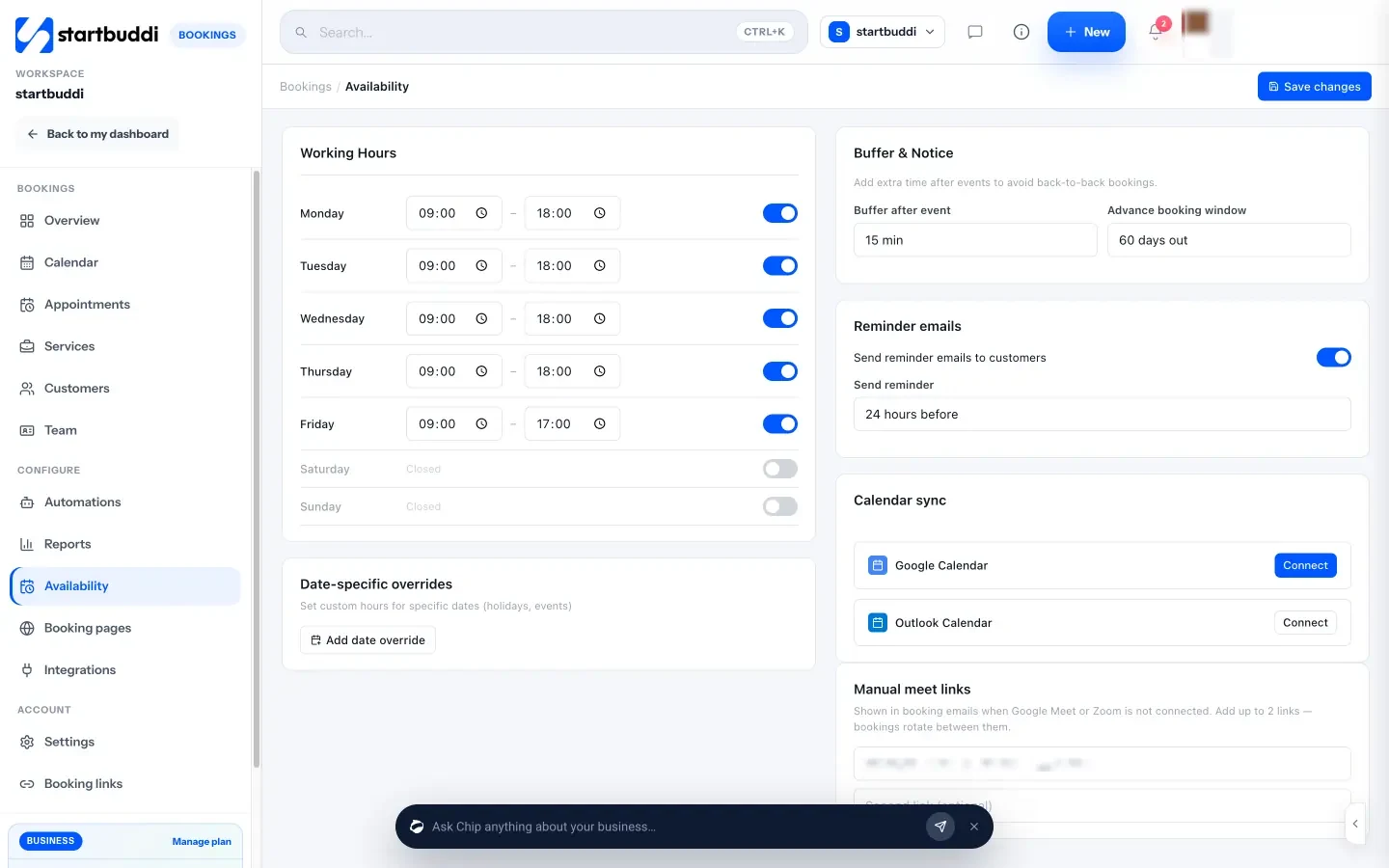
1. Set your working hours and buffers. In Bookings, open Availability. Set Working Hours for each weekday, and use Buffer & Notice to add time after each job (up to 60 minutes) for travel and overruns. You can also set how far ahead people can book. For holidays, open the Calendar and use Block time.
2. Add booking questions and a deposit to each service. Open a service and add Booking questions such as system type, problem and access notes. Answer types include short answer, long answer, single choice and multiple choice, and you can save an answer to a contact property. To cut no-shows, turn on Require payment to book and choose the full amount or a deposit; customers pay by Paystack or Stripe checkout and the slot is held while they pay.
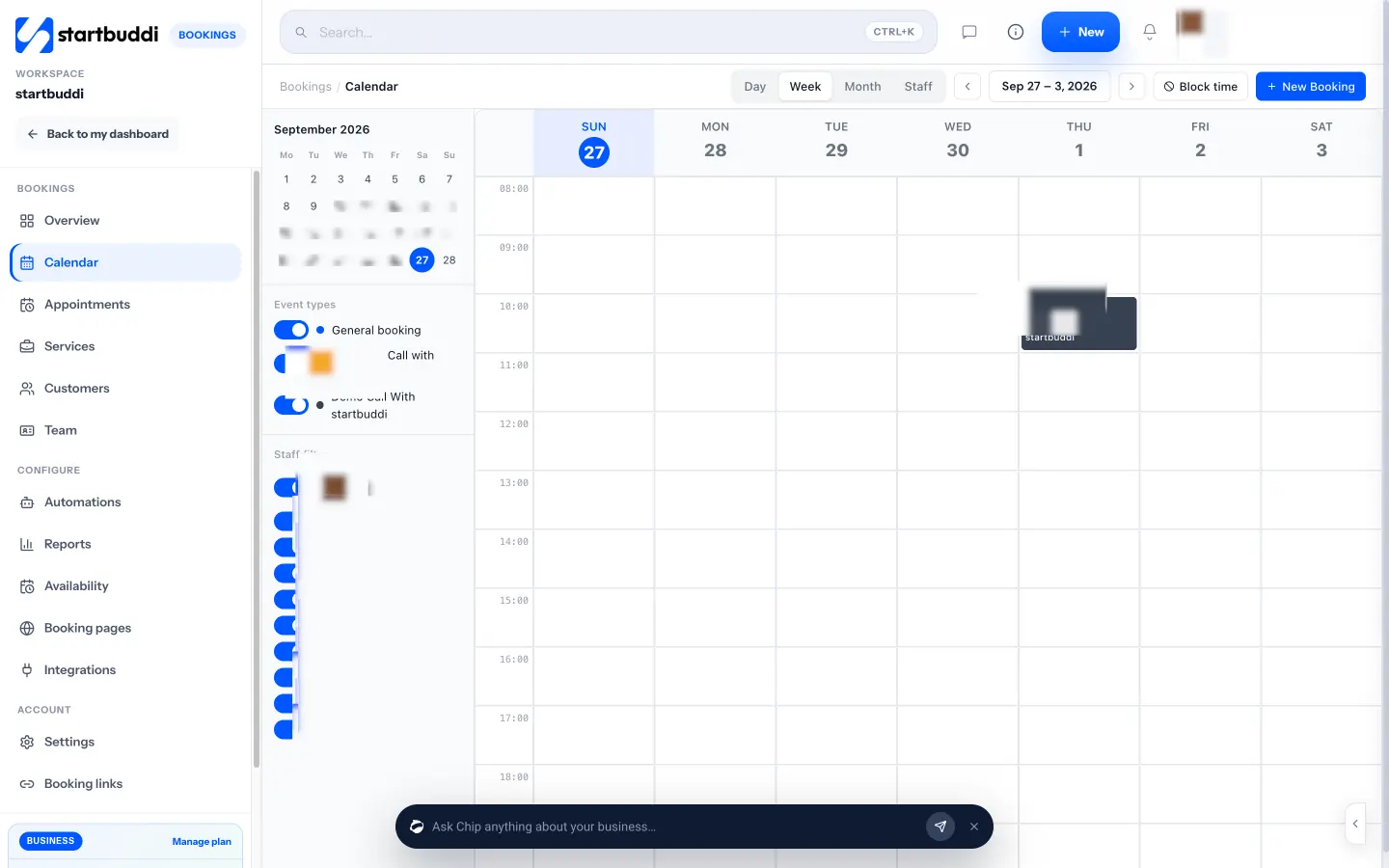
3. Block time for emergencies and installs. On the Calendar, use Block time to hold your emergency slot or an installation day so nobody can book over it. You can see everything by day, week, month or staff member.
4. Turn on reminders. In Availability, choose when reminder emails go out, from 1 to 48 hours before the visit. Confirmation emails go out when the booking is made.
5. Add your technicians. In Team, add each technician, let them set their own hours, and keep them in the Booking rotation so bookings are shared round robin. Assign staff to each service so gas jobs only go to your gas engineer.
6. Share your booking link everywhere. From Overview, use Share booking link to copy it, share it on WhatsApp or email, embed it on your website or download a QR code for your van and invoices. The booking link QR code tool also makes a printable code.
A note on calendar sync: startbuddi pushes bookings into Google Calendar, but it does not read your other calendar events to block slots, so add personal commitments as blocked time. You can compare the whole Bookings module on the Bookings page.
Quotes, invoices and maintenance plans that pay
- Always do a site survey
- Offer good, better, best
- What every HVAC quote should include
- Pricing parts and equipment
- Follow up quotes that go quiet
- Make paying easy
- Taking payment before you leave
- Follow up late payments calmly
- What to put in a plan
- Worked numbers: what a plan base is worth
- A simple plan agreement
- Warranties and callbacks
- How to sell plans without being pushy
Good technicians lose money in two places: quotes that are vague or too cheap, and invoices that are slow to go out and slow to be paid. This chapter covers how to quote installations so you win the right jobs at the right price, how to invoice on the day, and how to build maintenance plans that bring in money every month, even when the weather is mild.
Quoting HVAC installations
Always do a site survey
Installation prices that are guessed over the phone are usually wrong. Visit, measure, and check the electrics, the route for pipework and drainage, access to the outdoor unit location and anything that will add time. Charge for the survey if your market allows it, and offer to take the fee off the job if they go ahead. Book surveys as their own service so they do not squeeze into a repair slot.
Offer good, better, best
Many customers do not know what they want; they know their budget and their problem. Offering three options makes the decision easier and often lifts the average sale, because people can see what they gain by spending more. For example, for a two-bedroom flat that needs cooling:
| Option | What it includes | Example price |
|---|---|---|
| Good | One standard wall-mounted split unit in the main bedroom, basic install | $2,400 |
| Better | Two efficient inverter units, neat trunking, first service included | $4,900 |
| Best | Multi-split system for all rooms, extended parts warranty, two years of servicing | $7,800 |
The prices are illustrative; build yours from your supplier costs, labour hours and margin. Keep each option honest. Never add a "good" option that you know will not solve the problem just to make the others look better.
What every HVAC quote should include
- Your business name, contact details and any licence or registration numbers your area requires.
- The customer's name and site address.
- Exactly what you will supply: make, model, capacity and quantity.
- What the work includes and what it does not (electrical work by others, making good plaster, permits).
- Price, tax and currency, with a breakdown of equipment and labour if your customers expect one.
- Deposit and payment terms, for example "50 per cent deposit to order equipment, balance on completion".
- How long the quote is valid. Equipment prices move, so 14 to 30 days is common.
- Warranty terms for parts and labour.
Our free quote template gives you a layout to copy, and the quote generator builds a quick PDF.
Pricing parts and equipment
Parts are not a favour to the customer. You find them, buy them, carry them, fit them and stand behind them if they fail. Most trades add a markup to parts to cover that time, the stock sitting in the van and warranty returns. A common approach is a sliding markup: a higher percentage on small, cheap parts and a lower one on expensive equipment, where a large percentage would make your quote look out of line with the market.
| Your cost | Example markup | Price to customer |
|---|---|---|
| $12 capacitor | 150 per cent | $30, plus labour |
| $180 fan motor | 60 per cent | $288, plus labour |
| $2,600 outdoor unit | 25 per cent | $3,250, plus installation |
The percentages are examples, not a rule. Check what customers in your area expect and what your competitors charge, and make sure the total job price still covers your hourly cost from chapter 1.
Follow up quotes that go quiet
Many installation quotes get no reply at all. That rarely means no. It usually means the customer is busy, comparing prices or waiting for payday. Follow up twice: once after three days to ask if they have questions, and once after ten days to say when the quote expires. Keep the message short and helpful, and offer to talk through the options. A quote you follow up is worth far more than one you send and forget.
Invoice on the day, not at the weekend
The longer you wait to invoice, the longer you wait to be paid. For repair and service visits, the best time to invoice is before you leave the site, while the customer is happy their system is working. For installations, invoice the deposit when the quote is accepted and the balance on the day you finish.
A clear HVAC invoice lists the date of the visit, what you found, what you did, the parts used and their prices, labour, any call-out fee, tax and the total, plus how to pay. If you are new to invoicing, our guide on how to send your first invoice covers the details, and the glossary explains what an invoice must include.
Make paying easy
Offer at least two ways to pay: a card or online payment link, and bank transfer. For homeowners, a link they can pay on their phone while you pack up is the quickest route to cash. For commercial clients, agree terms up front, often 14 or 30 days, and ask who approves invoices before the first job.
Taking payment before you leave
The simplest habit in a trade business is to ask for payment at the end of the visit, politely and as a normal step. "That is all done. I will send the invoice to your phone now, and you can pay by card or transfer before I go." Most homeowners are happy to pay while you are there and the system is working. Waiting for them to "sort it later" is how small invoices become month-long chases. For landlords and businesses who pay on terms, send the invoice from the site and diary a check on the due date.
Follow up late payments calmly
Some invoices will be late. Send a friendly reminder the day after the due date, a firmer one a week later, and a phone call after two weeks. Most late payers have simply forgotten. The payment reminder generator writes a polite reminder for you.
Maintenance plans: your steady income
A maintenance plan (also called a service agreement or membership) is a yearly or monthly fee that covers scheduled servicing, often with priority booking and a discount on repairs. For the customer, it means fewer breakdowns and a technician who knows their system. For you, it means predictable income, a full diary in the quiet months and a list of people who will call you first when something breaks.
What to put in a plan
- One or two scheduled visits a year, timed before the cooling and heating seasons.
- A checklist for each visit: filters, coils, drainage, refrigerant pressures, electrical connections, safety checks for gas appliances.
- Priority booking when something goes wrong.
- A discount on repair labour, for example 10 or 15 per cent.
- No call-out fee for plan members, if your margins allow it.
Worked numbers: what a plan base is worth
Say you charge $19 a month (or $190 a year paid up front) for a single-system plan with two visits. Each visit takes you about 90 minutes including travel.
- 150 members × $19 × 12 months = $34,200 a year of predictable income.
- Visits: 150 × 2 = 300 visits, about 450 hours, which you can place in the quiet spring and autumn weeks.
- Effective rate: $34,200 ÷ 450 hours = about $76 an hour, before the repair and replacement work those visits uncover.
The visits themselves roughly cover your costs. The profit comes from the repairs you spot early, the replacements customers ask you to quote, and the fact that members rarely shop around. In the UK the same plan might be £15 a month; in Nigeria or Kenya you might price in naira or shillings per unit serviced, with a separate rate for offices.
A simple plan agreement
Put the plan in writing, even if it is one page. Customers should know exactly what they are paying for, and you should know what you have promised. Include:
- The systems covered, by location and type.
- The number and timing of visits, and what each visit includes.
- What is not included: parts, refrigerant top-ups, repairs beyond the discount.
- The price, how it is paid and when it renews.
- How to cancel, and any notice period.
- How priority booking works in practice, for example "we aim to visit within one working day".
Only promise response times you can keep in your busiest week. A plan that promises next-day visits and then misses them in a heatwave does more harm than no plan.
Warranties and callbacks
Every HVAC business gets callbacks: the repair that did not hold, the new unit that trips a breaker. Decide in advance how you handle them. A common approach is a labour warranty on your own work, for example 90 days on repairs and 12 months on installations, on top of the manufacturer's parts warranty. Go back quickly and without argument when it is your fault. How you handle a callback is often what customers remember and tell their neighbours.
How to sell plans without being pushy
Offer the plan at the end of every repair or service visit, when the customer has just seen the value. Explain it in one sentence: "For $19 a month we service it twice a year, you jump the queue if it breaks, and repairs are 15 per cent off." Write it on the invoice too. Some customers will say no; that is fine. Add them to your list for a pre-season reminder instead.
Common money mistakes
- Quoting installations without a survey.
- No deposit before ordering equipment.
- Invoicing days or weeks after the job.
- Only accepting cash, which makes it harder for people to pay on the spot and harder for you to keep clean records of who paid what.
- Giving plan members discounts so large that repair work stops being profitable.
- Mixing personal and business money in one account, which makes every tax return a detective job.
- Letting a commercial client run up several unpaid invoices before you ask about the first one.
Quotes, invoices and plans in startbuddi
startbuddi keeps quotes, invoices, payments and recurring plans in Money Manager, all tied to the same customer record as their bookings. It is not accounting software, so you will still want a bookkeeper or accounting tool for tax returns, but the day-to-day money flow sits in one place.
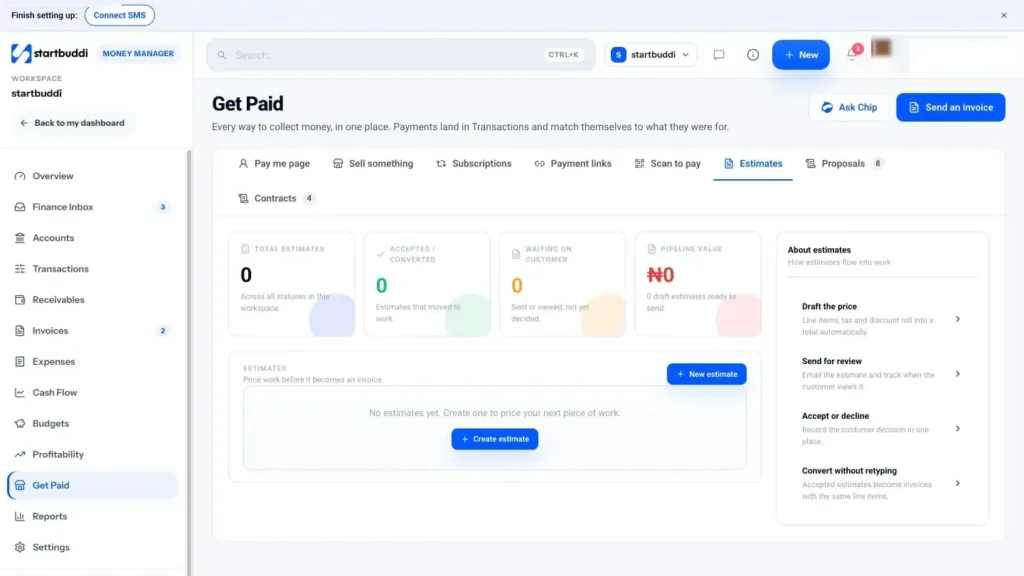
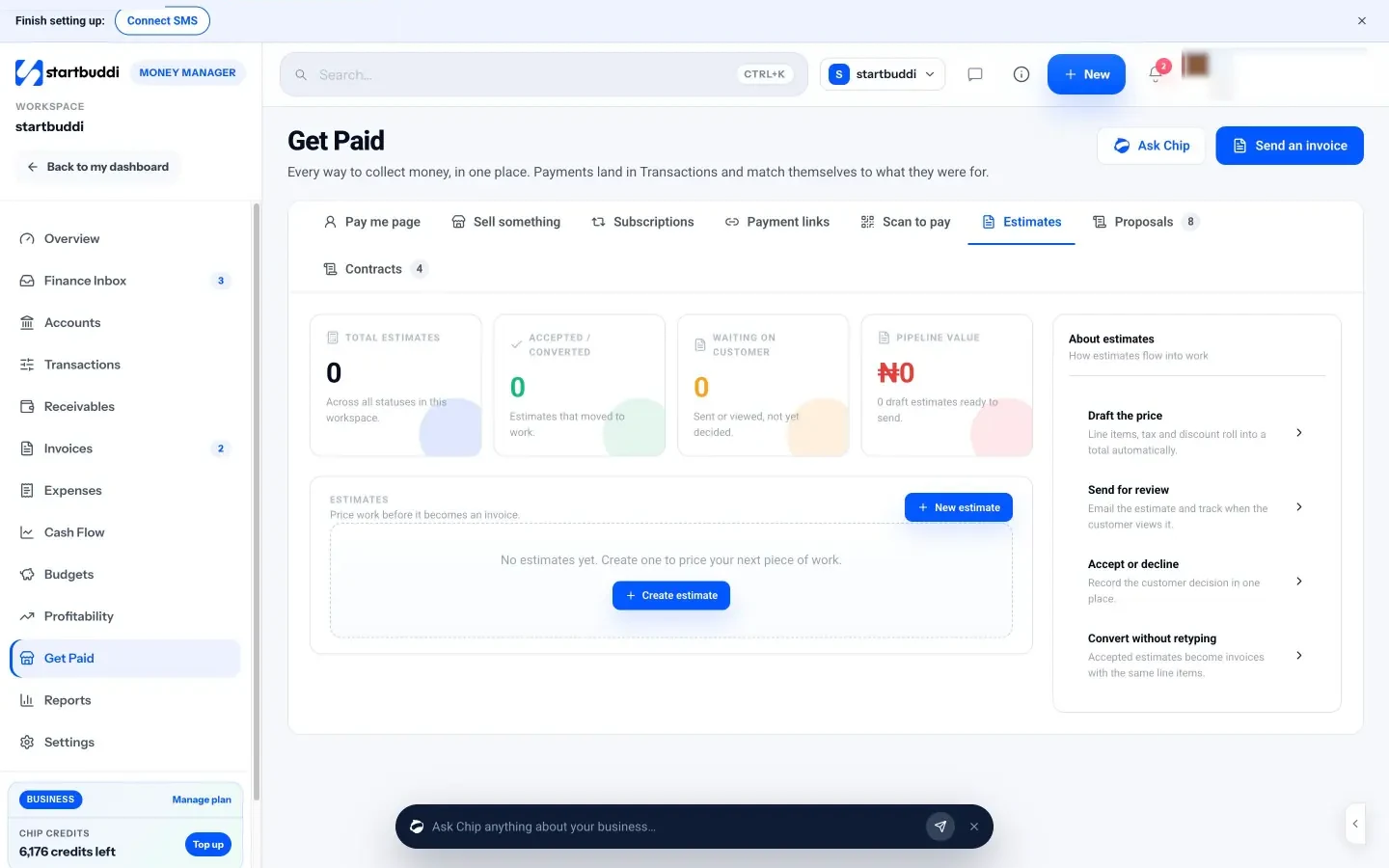
1. Send an estimate for installations. In Money Manager, open Get Paid and choose Estimates. Click New estimate, pick the customer, add line items for equipment and labour, and put your deposit and validity terms in the notes, for example "Valid for 30 days. 50% deposit to begin." Send it by email. The customer replies to accept, and you click Mark accepted, then Convert to invoice so the same line items become an invoice without retyping.
2. Invoice straight from the booking. On a completed booking, use Generate Invoice to create an invoice with the service already filled in. Add parts as extra line items, leave Paystack or Stripe payment switched on, and click Create and send. The customer gets an email with a link to pay by card or bank, and a paid invoice is marked paid automatically. For bank transfers, use Record payment when the money arrives.
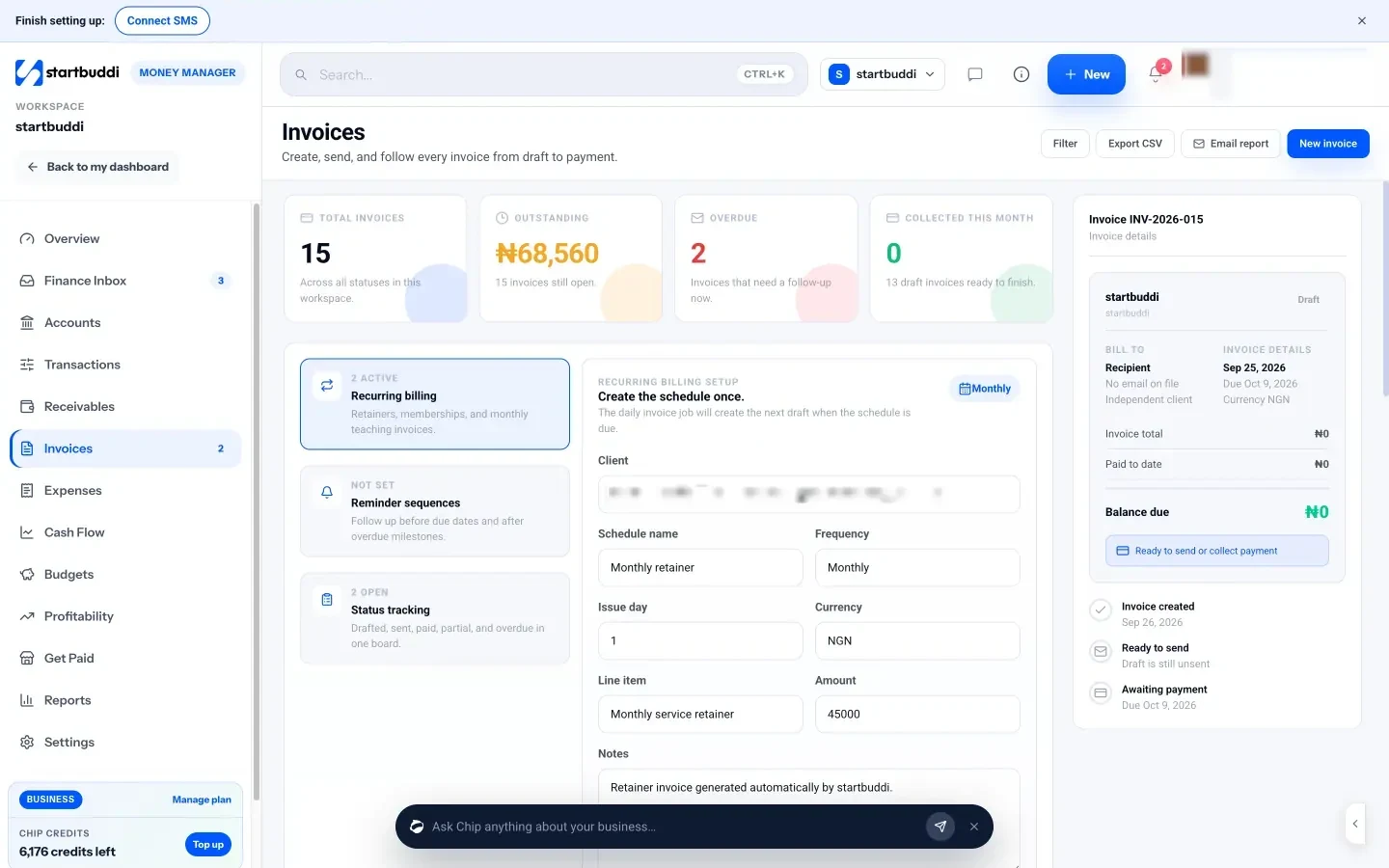
3. Take deposits with a payment link. For a quick deposit, go to Get Paid, then Payment links, enter the amount and a title such as "Deposit, heat pump install" and share the link on WhatsApp or email.
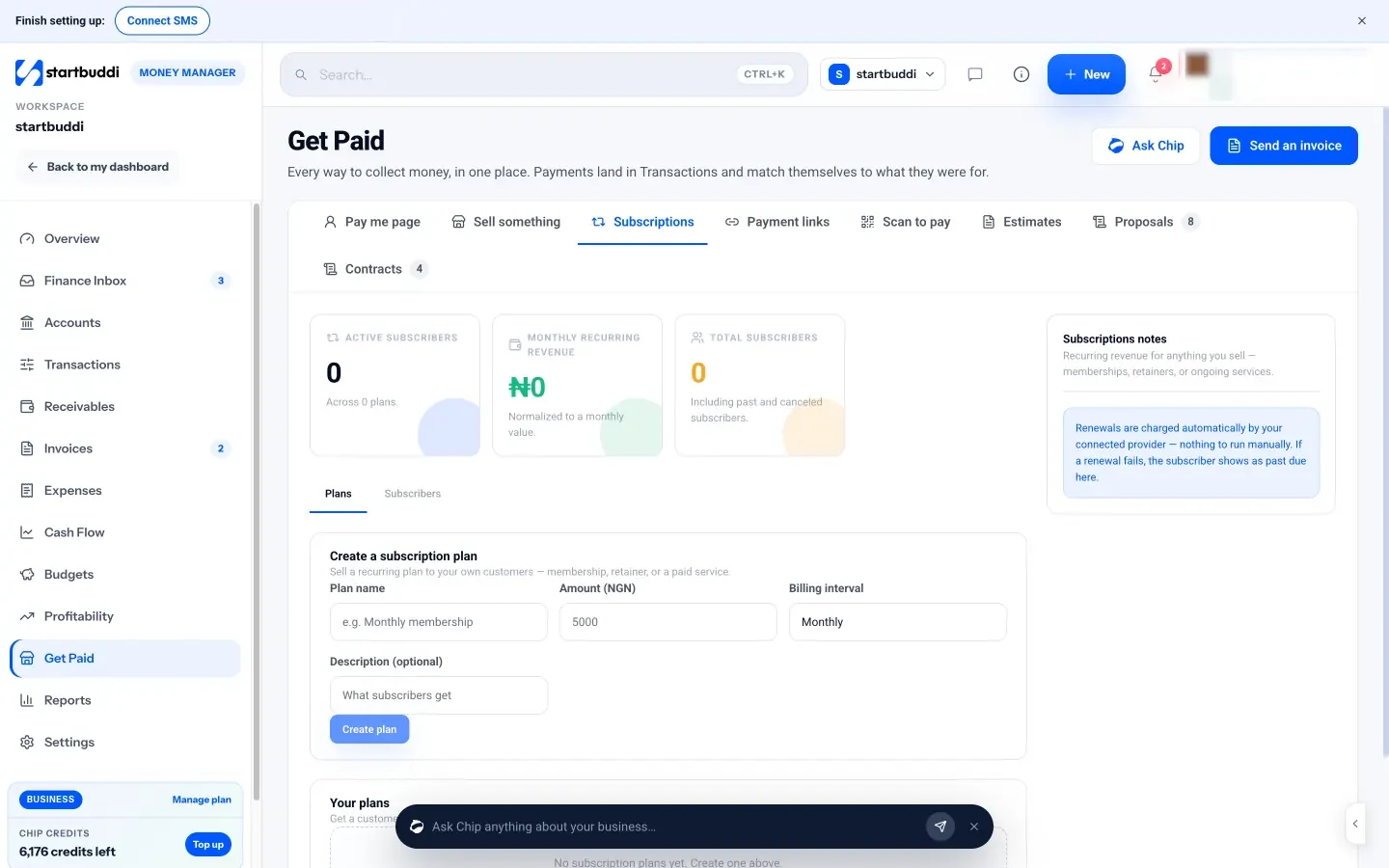
4. Sell maintenance plans as subscriptions. In Get Paid, open Subscriptions and create a plan with a name, amount and monthly or yearly billing. Use Add subscriber to create a subscribe link for each customer. Renewals are charged by your connected Paystack or Stripe account, so you are not chasing plan fees every month. You need a connected, verified payment provider to create plans.
5. Chase what is late. The Receivables view shows what is outstanding and overdue, with a Remind button on each open invoice, and you can ask Chip to draft a personal reminder message. You can read more on the invoicing page and the Get Paid page.
Win customers, keep them and grow the team
- Start with the people who already know you
- Get found on Google and maps
- Reviews are your best salesperson
- Partner with people who see HVAC problems first
- Keep a record of every system
- Follow up at the right moments
- Keep conversations in one place
- Run seasonal campaigns
- A booking page before a website
- What to post on social media
- Onboard a new technician properly
- Handle complaints quickly
- A 90-day plan for a new HVAC business
- Review your prices every year
The first year of an HVAC business is mostly about getting known. Once people have used you and been happy, most of your work should come from them: repeat servicing, referrals to neighbours and replacement jobs when their old system dies. This chapter covers how to win your first customers, how to turn them into repeat customers, how to run installations as small projects, and when to hire.
Winning your first 100 HVAC customers
Start with the people who already know you
If you worked for another company, you may not be able to approach its customers, so check your contract. You can tell friends, family, neighbours and old colleagues that you have started, and ask them to pass your number on. Hand a card or leaflet with a QR code for booking to everyone you work for in the first months.
Get found on Google and maps
Most people search "AC repair near me" or "boiler service" plus their town when something breaks. A complete Google Business Profile with your service area, hours, photos of your work and real reviews is the most useful free marketing an HVAC business can do. Add your booking link as the appointment link so people can book straight from the search result.
Reviews are your best salesperson
Ask every happy customer for a review, the same day, while they are pleased. Make it easy: one short message with a direct link. A good request sounds like this:
Hi Amara, thanks for having us today. Your system should be quieter and cooler now. If you were happy with the visit, a quick review would help a small local business a lot: [link]. Thank you!
Reply to every review, good or bad, politely. A calm, helpful reply to a complaint often wins more trust than a page of five-star reviews.
Partner with people who see HVAC problems first
- Letting agents and property managers, who need reliable contractors for tenants.
- Electricians, plumbers and builders who do not do HVAC but are asked about it.
- Estate agents, whose buyers want an inspection or a service before moving in.
- Restaurants and small offices near your base, who need regular servicing.
Offer these partners fast response times and simple, consistent pricing. One good property manager can send you more work than a year of adverts.
Turn one job into a customer for life
Keep a record of every system
Your customer list is the most valuable thing in an HVAC business. For each customer, record the address, the equipment (make, model, age), what you did on each visit, what you recommended and when the next service is due. When they call, you know their system before you arrive. When a unit is getting old, you can mention replacement options before it fails in the middle of summer.
Follow up at the right moments
Four messages do most of the work:
- After a visit: thank them, confirm what you did, ask for a review.
- Before the season: invite them to book a pre-season service.
- After a quote with no reply: check in once after three days, once after ten.
- After a cancellation or no-show: a friendly note with a link to rebook.
Sending these by hand is easy when you have ten customers and impossible when you have 500. That is where automation helps, which we cover in the startbuddi section below and on the Automations page.
Keep conversations in one place
Customers will contact you any way they can: a phone call, a text, a WhatsApp message with a photo of the unit, an email from a property manager, a comment on your Facebook page. When those messages live in five different apps, things get missed, and a missed message in a heatwave is a lost job. Pick one place where every customer conversation ends up, reply from there, and note anything important on the customer's record: the model number they sent, the access code for the plant room, the date they asked you to call back. Six months later, when they book again, you will not have to ask twice.
If you use WhatsApp for business, set up a WhatsApp Business profile with your hours, service area and booking link, and use a short greeting that tells people what to send you: address, system type, a photo and the problem.
Run seasonal campaigns
Plan two campaigns a year around the heating and cooling seasons: an email or message to past customers and plan members, a post on your social pages, and an update to your Google profile. Keep the message about the customer, not a discount: "Get your system checked before the first heatwave, while slots are easy to book."
A booking page before a website
You do not need a large website to start. A simple page with what you do, where you work, your prices for common jobs, photos, reviews and a button to book is enough for most local customers. Put the booking link on your Google profile, your van, your invoices and your WhatsApp Business profile. Add a full website later if search results show it is worth it.
What to post on social media
HVAC is not glamorous content, which is exactly why a few honest posts stand out. Useful ideas:
- Before and after photos of a dirty coil or a neat installation.
- A 20-second tip, such as how to clean a filter or why the outdoor unit needs space around it.
- Seasonal reminders: "Heatwave next week. If your AC is struggling, check the filter first."
- A customer review, with permission.
Two posts a week, done consistently, beat a burst of daily posts that stops after a fortnight.
Run installations as small projects
A repair is one visit. An installation is a project with steps: survey, quote, deposit, order equipment, confirm delivery, book the install day, commission the system, register the warranty, hand over, invoice the balance, book the first service. When any step is forgotten, customers notice. A simple checklist for each installation stops that happening, and it becomes essential once someone else does some of the steps.
A basic installation checklist:
- Survey completed and photos saved.
- Quote sent and accepted in writing.
- Deposit received.
- Equipment ordered; delivery date confirmed.
- Permits or notifications arranged where required.
- Installation day booked and confirmed with the customer.
- System commissioned and tested; readings recorded.
- Warranty registered with the manufacturer.
- Handover: how to use it, filter cleaning, who to call.
- Balance invoiced and paid; first service booked.
When to hire your first technician
Hire when you are turning away profitable work regularly, not when you have one busy month. The BLS expects employment of HVAC mechanics and installers in the US to grow 11 per cent from 2025 to 2035, much faster than average, which also means good technicians are in demand and not cheap. Before you hire:
- Check the work pays for them: their wage, van, tools and insurance, against the billable hours you can realistically give them.
- Check their certifications, such as EPA 608, F gas or Gas Safe, match the work you will send them.
- Write down how you do things: how you quote, what you check on a service, how you leave a site. Our SOP template helps.
- Decide who books their jobs and how they see their day.
Onboard a new technician properly
A new technician represents your business in customers' homes from day one. Spend the first week working together, then have them lead jobs while you watch, then let them work alone on routine visits before emergencies and installations. Give them a short written pack: your price list, your service checklist, how you talk to customers, how to photograph and record each job, and what to do when something goes wrong. Check in at the end of every day for the first month. It feels slow, but a technician who does things your way protects the reviews you worked hard for.
Handle complaints quickly
Even good businesses get complaints. What matters is the response. Reply the same day, listen without arguing, and offer a clear next step, such as a free return visit to check the work. If you made a mistake, say so and fix it. If you did not, explain calmly what you found, with photos if you have them. Write down what happened on the customer's record, so whoever speaks to them next knows the history. A complaint handled well often turns into a loyal customer and a good review.
Measure a few numbers each month
- Jobs booked and completed, by type.
- Where new customers came from (search, referral, partner, repeat).
- Quote win rate for installations.
- Maintenance plan members, new and cancelled.
- Money in, money owed and average days to be paid.
Five numbers, checked once a month, tell you more than a spreadsheet you never open. Put the review in your calendar for the first working day of each month, and write one decision next to the numbers each time.
A 90-day plan for a new HVAC business
| Weeks | Focus | Done when |
|---|---|---|
| 1 to 2 | Licences, insurance, price list, booking link, customer list set up | You can take and confirm a paid booking online |
| 3 to 4 | Tell everyone you know; Google profile live; first partner conversations | Ten completed jobs and five reviews |
| 5 to 8 | Offer the maintenance plan on every visit; follow up every quote | First ten plan members |
| 9 to 12 | Pre-season campaign to past customers; review prices and numbers | Next season's quiet weeks already half booked |
Review your prices every year
Your costs rise every year: fuel, insurance, parts, your own wages. Review your price list once a year, before your busy season, and raise prices in small steps rather than one large jump every few years. Tell plan members a month before their renewal price changes. Customers who value a reliable technician will stay; the ones who only chase the lowest price were never going to be loyal.
Growing your HVAC business with startbuddi
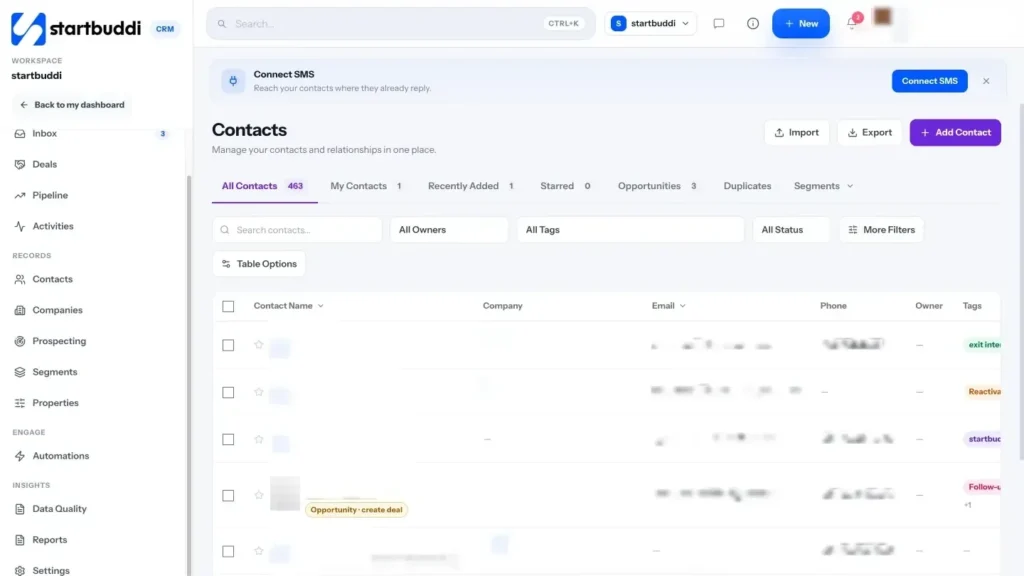
1. Keep one record per customer. In Customers, every contact collects their bookings, invoices, payments and messages over time. Add tags such as "plan member", "mini-split" or "landlord", and write equipment details and recommendations in the notes, so you can find the right people for each campaign.

Bonus: one inbox for messages. The Inbox in Customers brings email, website chat, Instagram and Facebook messages into one shared place, and WhatsApp and SMS on Starter and above, so a photo sent at 9pm is not lost in your personal phone.
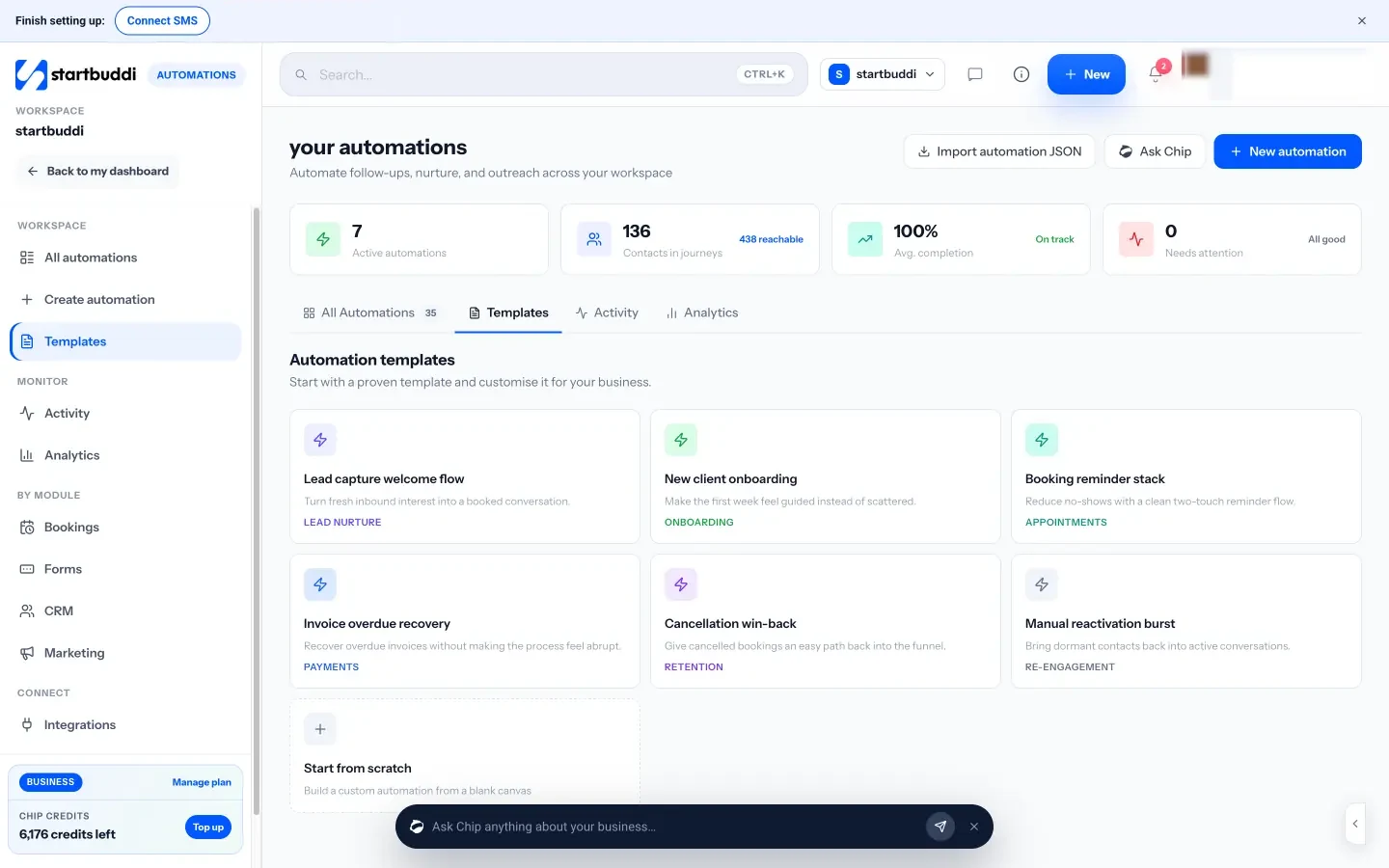
2. Automate the follow-ups. Automations (on Starter and above) can run your follow-ups for you. Start from a template such as Booking reminder stack or Cancellation win-back, or set up your own flow, for example "when a booking is completed, wait one day, then send a thank-you email with a review link". You can also describe what you want in plain words and let Chip plan and draft it; Chip saves it as an inactive draft so you review before switching it on.
3. Send seasonal campaigns. With Marketing (Starter and above), send an email campaign to a tagged group, such as every past cooling customer, before the season starts. SMS and WhatsApp campaigns are also available from Starter.
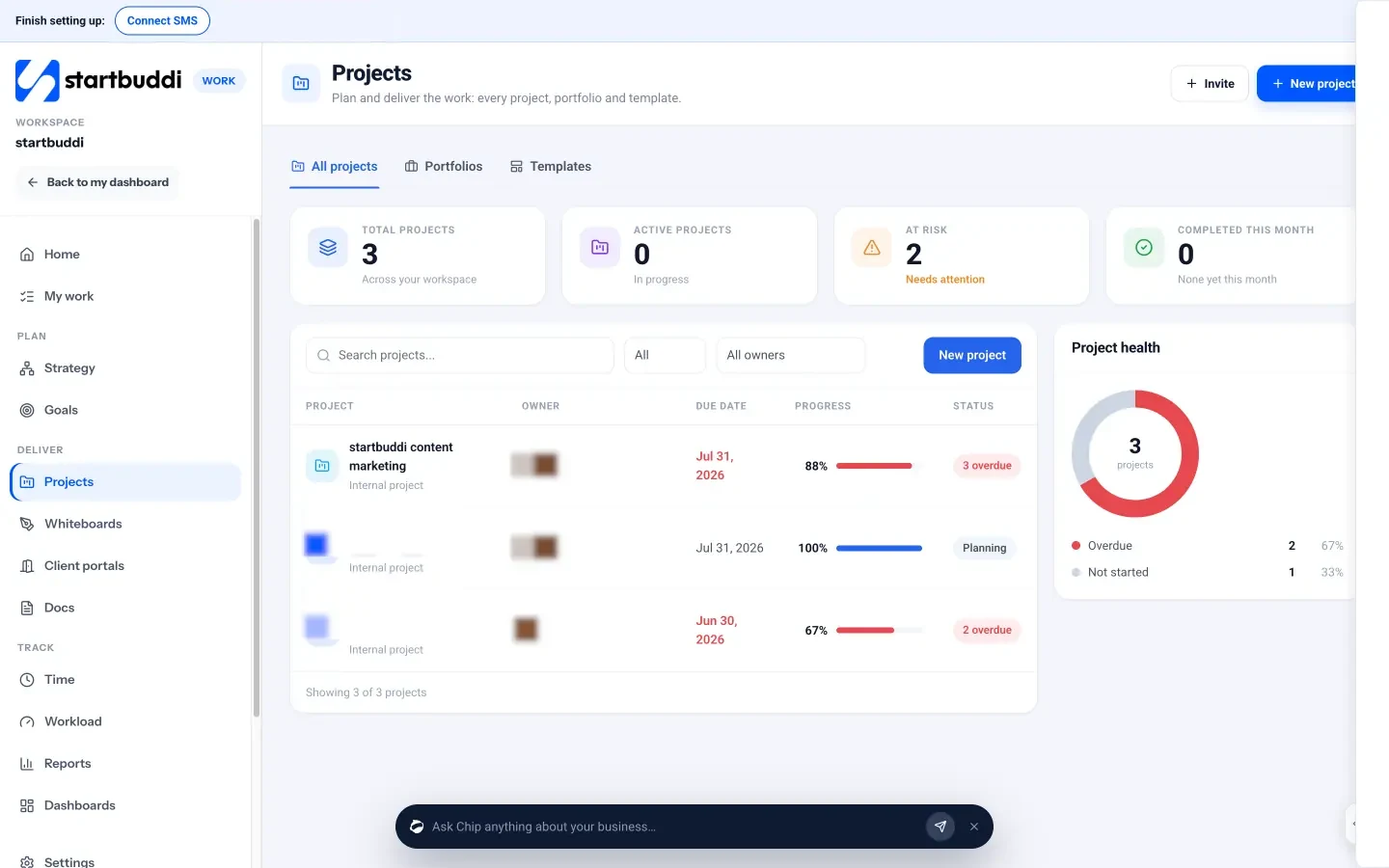
4. Run installations as projects. In Work, create a project for each installation, add the checklist as tasks with due dates and owners, and track progress in one list or a board. Save your checklist as a project template so every installation starts the same way. See the Projects page for more.
5. Check your numbers. Analytics shows bookings made, no-shows, money received, new contacts and where they came from, compared with the period before, in plain words.
You can start on the Free plan and unlock Marketing and more automations with Starter, with a 30-day trial on every paid plan. Compare plans on the pricing page, then set up your services and share your booking link this week.
Tiwalade Joanna Okedara-Kalu is the founder, CEO and CTO of startbuddi, the business system that brings clients, bookings, invoices, projects, marketing and the Chip AI assistant into one place. Tiwalade builds software around how service businesses really work day to day, and writes about client management, getting paid on time and why small businesses outgrow the tools they start with.
Founded startbuddi and leads its product and engineering
