
How to write standard operating procedures (SOPs) for a small business
Learn how to write standard operating procedures your team will use: what to document first, a copyable SOP template, turning SOPs into systems and keeping them current.


This guide shows you how to write standard operating procedures (SOPs) for a small business: the short, written instructions that let anyone on your team do a recurring job the same way, to the same standard, without asking you. It is for owners who are tired of answering the same questions, who want to hire or delegate but worry about quality, or who simply want the business to run on a Tuesday when they are not there.
The short answer: pick a process you repeat often, watch or record how it is done today, write the steps as a numbered list in plain language with one action per step, add who does it, what tools they need and what “done well” looks like, test it with someone who has never done the job, then store it where people will find it and review it every six to twelve months.
By the end of the four chapters you will have a ready-to-copy SOP template, a list of the processes to document first, a method for turning SOPs into repeatable projects and automations, and a routine for keeping them up to date. Each chapter ends with how to do it in startbuddi.
What an SOP is and which procedures to write first
- SOPs, policies, checklists and process maps: what is the difference?
- SOP ideas by type of business
- A quick example: closing the shop
Every business already has procedures. The question is whether they live in writing or only in someone's head. When they live in a head, usually the owner's, the business depends on that person being available, remembering every step and explaining it again each time someone new joins. Writing them down is one of the least glamorous and most valuable things a small business can do.
This chapter explains what an SOP is, how it differs from policies, checklists and process maps, why it matters so much for a small business, and how to choose which procedures to write first.
What is a standard operating procedure?
The US Environmental Protection Agency, whose guidance on SOPs is widely used well beyond environmental work, defines a standard operating procedure as "a set of written instructions that document a routine or repetitive activity followed by an organization" (US EPA, guidance for preparing standard operating procedures). Three words matter in that definition.
- Written. If it only exists as "the way Sarah does it", it is a habit, not a procedure.
- Routine or repetitive. SOPs are for work that happens again and again: every order, every new client, every month-end, every morning opening. One-off work is better handled as a project.
- Followed. A document nobody uses is not an SOP; it is a file. Chapter 4 covers how to make sure procedures are actually used.
In a small business, an SOP might be as simple as a one-page checklist for opening the shop, or as detailed as a step-by-step guide to onboarding a new client, with screenshots and example emails.
SOPs, policies, checklists and process maps: what is the difference?
People use these words loosely. It helps to know which is which, because each does a different job.
| Document | Answers the question | Example |
|---|---|---|
| Policy | What is the rule, and why? | "Refunds are available within 14 days of purchase." |
| SOP | How exactly do we do this task? | The steps to process a refund, from checking the order to sending the confirmation. |
| Checklist | Did we do everything? | A tick list used while processing each refund. |
| Process map | How does the work flow between people? | A diagram showing a refund passing from customer service to finance and back to the customer. |
| Work instruction | How do I do this one step in detail? | How to issue a refund in your payment provider's dashboard, with screenshots. |
For most small businesses, the SOP and the checklist do the heavy lifting. A good SOP often includes a checklist at the end, and links to a policy where the rules matter.
Why a small business needs SOPs
Big companies write procedures because regulators and auditors ask for them. Small businesses write them for more practical reasons.
- Consistency. Customers get the same quality whether you or a new hire does the work. Consistency is what makes a small business feel professional.
- Delegation. You cannot hand work over safely if the only instructions are in your head. SOPs make it possible to delegate without constant checking.
- Faster training. New staff and freelancers get up to speed in days rather than weeks, and ask fewer questions.
- Fewer mistakes. Written steps catch the easy-to-forget parts: the follow-up email, the backup, the final check.
- Less dependence on one person. Holidays, illness and resignations do not stop the business.
- A more valuable business. A business that runs on documented processes is easier to grow, franchise or sell, because the know-how belongs to the business, not just the owner.
Signs you need to start writing SOPs
- You answer the same "how do I...?" questions every week.
- Quality varies depending on who did the job.
- You cannot take a week off without the business slowing down.
- Training a new person takes weeks of shadowing you.
- Mistakes repeat, such as forgotten follow-ups, missed steps or wrong prices.
- You want to hire or use freelancers but are nervous about handing work over.
Which procedures to write first
You do not need to document everything. Start with the few processes where written steps will save the most time or prevent the most damage. A simple way to choose is to score each process from 1 to 3 on three questions:
- How often does it happen? (1 = monthly or less, 3 = daily)
- How costly is a mistake? (1 = minor annoyance, 3 = lost money, lost customer or safety risk)
- How much does it depend on one person? (1 = anyone can do it, 3 = only you know how)
Add the scores and start with the highest. Here is an example for a small digital marketing agency:
| Process | Frequency | Cost of mistake | Depends on one person | Total |
|---|---|---|---|---|
| New client onboarding | 2 | 3 | 3 | 8 |
| Monthly client report | 2 | 2 | 3 | 7 |
| Publishing a social post for a client | 3 | 2 | 1 | 6 |
| Sending and chasing invoices | 2 | 3 | 1 | 6 |
| Ordering office supplies | 1 | 1 | 1 | 3 |
This agency should write the onboarding SOP first and leave supplies until much later, or never.
SOP ideas by type of business
- Service businesses and agencies: client onboarding, project kickoff, monthly reporting, handling a complaint, offboarding a client.
- Shops and restaurants: opening and closing, cash handling, receiving deliveries, cleaning schedules, handling returns.
- Trades and home services: preparing for a job, on-site safety checks, quoting, job completion and photos, follow-up for reviews.
- Online businesses: processing orders, handling refunds, publishing a product, answering support messages.
- Every business: invoicing and payment follow-up, onboarding a new team member, backing up important files, month-end admin.
What a good SOP looks like
Before you write, it helps to know what you are aiming for. Good small business SOPs share five qualities.
- Findable. Anyone who needs it can find it in under a minute, from one known place.
- Short. One or two pages for most procedures. Longer documents get skimmed or ignored.
- Clear. A new starter can follow it without asking questions. Every step starts with a verb.
- Current. It matches how the job is done today, with a date that proves it.
- Owned. One named person is responsible for keeping it right.
If a procedure fails any of these, people stop trusting it and go back to asking. That is why the rest of this guide spends as much time on storing and maintaining SOPs as on writing them.
A quick example: closing the shop
Here is how short a useful SOP can be. A small café might use this for closing each evening:
Close the café (closing shift, every day)
1. Turn the door sign to Closed at 17:30 and serve customers already inside.
2. Switch off the coffee machine and run the cleaning cycle.
3. Cover and date all open food; throw away anything past its date.
4. Count the cash drawer and record the total on the daily sheet.
5. Wipe all surfaces and sweep the floor.
6. Check the back door is locked and the alarm is set.
Done well when: the daily sheet is complete and the opener finds nothing left to do.
Six steps, one page, and anyone on the team can close properly on their first evening.
Who should write your SOPs?
The owner often assumes they must write every procedure. It is usually better if the person who does the job most often writes the first draft, and the owner reviews it. They know the real steps, including the workarounds. It also builds ownership: people follow procedures they helped write. Your role is to set the template, agree the priorities, check that each SOP meets the standard your customers expect, and make sure nothing important is missing. If you are a solo founder, write them yourself, but write them for the first person you will hire, not for yourself.
SOPs when you are a team of one
Solo founders sometimes think procedures are only for businesses with staff. In fact, writing down your own processes pays off early. It frees your memory for the work that matters, it makes your service more consistent on busy days, and it means you are ready the moment you hire a freelancer, an assistant or your first employee. Start with the jobs you do every week and find tedious, such as invoicing, onboarding and publishing content. They are also the jobs you are most likely to hand over first.
Explain to your team why you are doing this
Some people hear "we are writing procedures" and worry that it means less trust, more control or that their job is being prepared for someone else. Address this directly. Explain that SOPs are there to cut repeat questions, make training easier, let people take proper holidays and give everyone credit for the way they do the job well. Invite the team to write the first drafts. When people see their own methods written up as the standard, the response is usually pride rather than suspicion.
How SOPs help when you hire or bring in freelancers
Hiring is where written procedures pay back fastest. A new starter with a set of clear SOPs can do real work in their first week instead of shadowing you for a month. A freelancer can take on a defined job, such as editing podcasts or publishing blog posts, with a short procedure and a quality check, so you review results rather than supervise every step. SOPs also make it easier to write clear job descriptions and freelance briefs, because you already know exactly what the work involves and what good looks like.
Common mistakes before you even start
- Trying to document everything at once. Pick three processes. Finish them. Then pick the next three.
- Writing about how things should work, not how they do. Start by capturing reality, then improve it.
- Writing alone. The person who does the job every day knows the shortcuts and pitfalls. Involve them.
- Waiting for the perfect format. A clear numbered list in a shared document is better than a beautiful template nobody finishes.
Where SOPs live in startbuddi
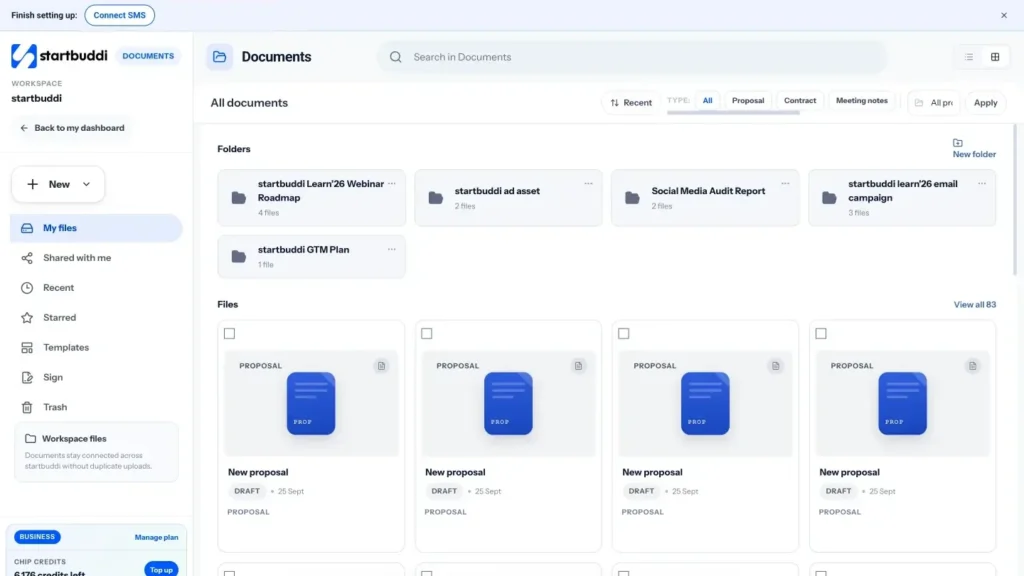
In startbuddi, the natural home for SOPs is Documents. The library works like a shared drive: folders and files, a search box, list or grid view, and filters by type. SOP is one of the built-in document types, alongside proposals, contracts, meeting notes, project briefs and reports, so you can filter the library to show only your procedures. Each file shows its project, owner and status.
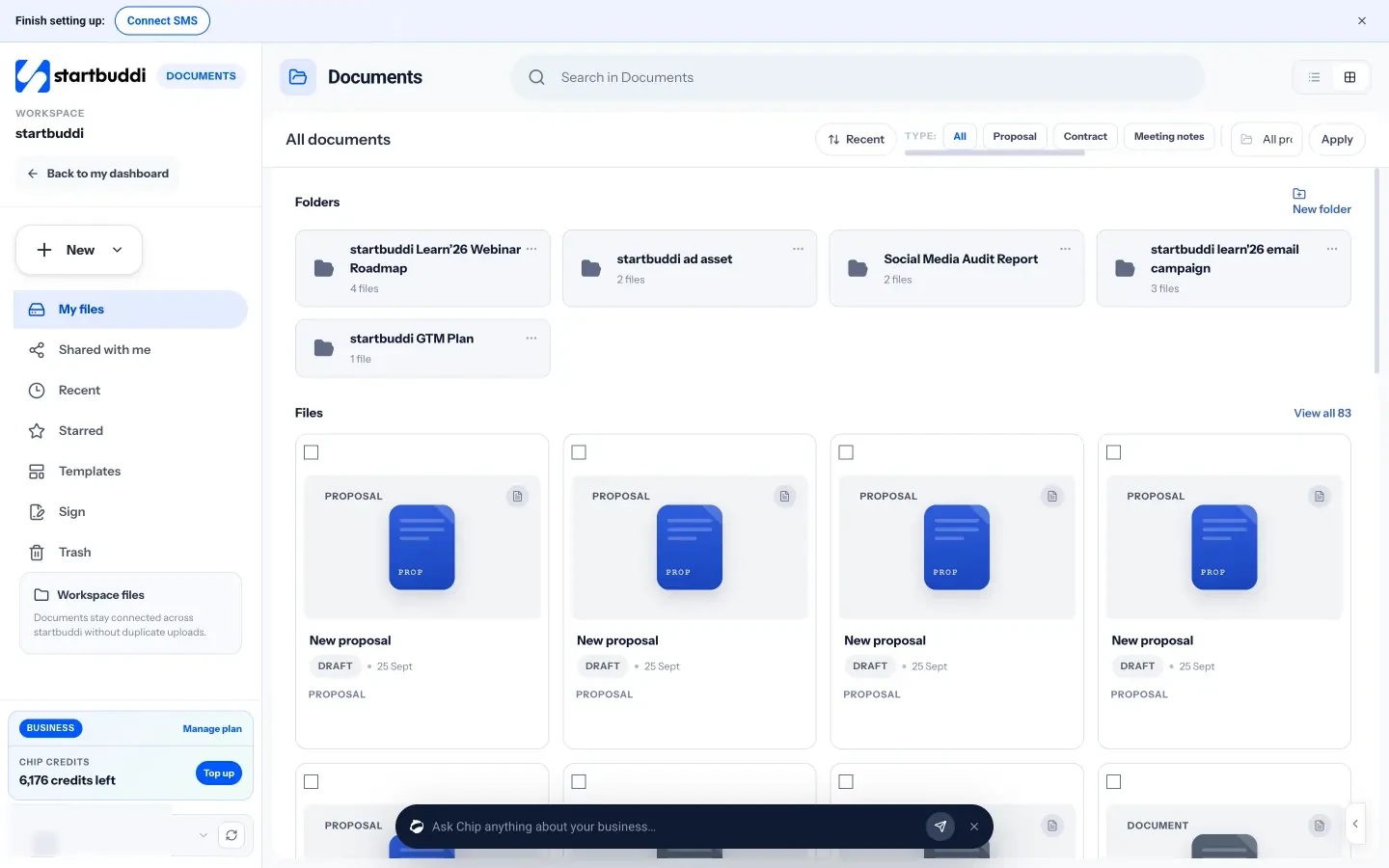
You might create a folder called "How we work" with one document per procedure, and link each SOP to the projects or clients where it is used. Documents can be linked to a project, contact, task or booking, so the procedure is one click away from the work it describes. On the Free plan you can create three documents; paid plans have no document limit.
If your SOPs are mainly for staff, you can also keep them in the People knowledge base, which Chapter 4 covers. Your task for this chapter: list ten recurring processes in your business, score them, and choose the top three to write first. If you want a head start, download our free SOP template.
How to write standard operating procedures, with an SOP template
- Step 1: define the scope
- Step 2: capture how the job is done today
- Step 3: turn the notes into steps
- Step 4: add the context people need
- Step 5: define what good looks like
- Step 6: test it with someone new
- Step 7: publish, assign an owner and set a review date
Writing an SOP is not difficult, but most first attempts fail in one of two ways: they are too vague to follow ("send the client a welcome pack") or so long that nobody reads them. This chapter gives you a step-by-step method for writing standard operating procedures, a template you can copy, rules for clear writing, and a complete worked example.
How to write standard operating procedures: the seven-step method
Step 1: define the scope
Write one sentence that says where the procedure starts and ends. "This SOP covers onboarding a new retainer client, from signed contract to the first monthly check-in call." Clear start and end points stop the document growing to cover everything.
Step 2: capture how the job is done today
Watch the person who does the job best, or do it yourself, and write down every step as it happens. Better still, record your screen or talk through the task on a voice note while you do it. Capture the small things: where files are saved, which email template is used, what you check before sending. Do not tidy it up yet.
Step 3: turn the notes into steps
Rewrite the notes as a numbered list. One action per step, starting with a verb: "Create a folder", "Send the welcome email", "Book the kickoff call". If a step has several parts, break it into sub-steps (3.1, 3.2) rather than writing a long paragraph.
Step 4: add the context people need
For each step, add only what someone new would need: the template to use, the link to open, the decision rule ("if the client is overseas, use the international contract"). Leave out anything that is obvious to everyone doing the job.
Step 5: define what good looks like
Add a short quality check at the end. How will the person know the job was done well? "The client has received the welcome email, the folder is shared with them and the kickoff call is in both calendars."
Step 6: test it with someone new
Give the draft to someone who has never done the job, or who does it rarely, and ask them to follow it exactly while you watch without helping. Every time they hesitate, ask a question or do something unexpected, the SOP needs a fix. This is the single most important step, and the one most people skip.
Step 7: publish, assign an owner and set a review date
Save the final version where the team can find it, name one person as the owner who keeps it up to date, and put a review date in the calendar. Chapter 4 covers this in detail.
An SOP template you can copy
Every SOP in your business should follow the same layout, so people know where to look. This template works for almost any small business procedure. You can also download it as our free SOP template.
| Section | What to include |
|---|---|
| Title | A plain name starting with a verb: "Onboard a new retainer client" |
| Purpose | One or two sentences on why this process matters |
| Scope | Where it starts and ends; what it does not cover |
| Owner | The person responsible for keeping the SOP current |
| Who does it | The role (not the person's name) that carries out the steps |
| When | The trigger: "Within one working day of a signed contract" |
| What you need | Tools, templates, logins, documents |
| Steps | A numbered list, one action per step, with decision rules |
| Quality check | How to know it was done well |
| Exceptions | What to do when something unusual happens, and who to ask |
| Related documents | Links to policies, templates and other SOPs |
| Version and review date | Version number, last updated, next review |
Write decision rules and exceptions clearly
The steps are the easy part. Most confusion comes from the moments where a person has to decide something. Write those decisions as simple rules: "If the order is over $500, get the manager's approval before shipping." "If the customer is not home, wait ten minutes, call once, then leave a card and rebook." Where a rule cannot cover every case, say who to ask and how quickly. A good exceptions section turns "I didn't know what to do so I did nothing" into a quick, confident action.
Choose the right format for the job
Not every procedure should look the same. Pick the format that matches how the task is done.
- Simple checklist: for short routines that people know well but might forget a step, such as opening and closing, end-of-day cash-up or pre-launch checks.
- Numbered steps: for most procedures, where order matters and each step is clear.
- Steps with sub-steps: for longer procedures with several stages, such as client onboarding.
- Flowchart or decision tree: for processes with lots of "if this, then that", such as handling a complaint or a refund request.
- Screenshots or a short video: for software tasks where seeing is faster than reading.
Writing rules that make SOPs easy to follow
- Use plain words. Write the way you would explain it to a smart new starter. Avoid internal jargon, or explain it once.
- Start each step with a verb. "Open", "Check", "Send", "Save".
- One action per step. If you write "and" in a step, consider splitting it.
- Be specific. "Reply within four working hours" beats "reply promptly". "Save as ClientName_Contract_2026" beats "save the contract".
- Say why when it matters. A short reason helps people handle situations the SOP does not cover: "Check the email address twice, because invoices sent to the wrong person are rarely paid on time."
- Use roles, not names. "The account manager" will still be right when Sarah moves on.
- Keep it short. Most small business SOPs fit on one or two pages. If yours is longer, it is probably several procedures.
Worked example: onboard a new retainer client
Title: Onboard a new retainer client
Purpose: Give every new client a clear, professional first week so they feel looked after and we have everything we need to start.
Scope: From signed contract to the first monthly check-in. Does not cover the sales process or invoicing (see "Send and chase invoices").
Owner: Operations lead. Who does it: Account manager.
When: Within one working day of receiving a signed contract.
What you need: Welcome email template; client intake form; project template "Client delivery"; shared calendar.Steps
1. Confirm the contract is signed and the first invoice has been sent.
2. Add the client to the customer list with their main contact, billing contact and start date.
3. Create a new project from the "Client delivery" template and name it "ClientName retainer".
4. Send the welcome email using the template, with the intake form link.
5. Book a 45-minute kickoff call within five working days. Send the agenda with the invite.
6. When the intake form arrives, save it to the project and check it is complete. If anything is missing, ask the client within one working day.
7. Run the kickoff call. Record decisions and new tasks in the project the same day.
8. Set up the client's access to shared files or their client portal.
9. Book the first monthly check-in as a recurring meeting.Quality check: Within ten working days the client has had a welcome email, a kickoff call and access to their files, and the project has tasks with owners and dates.
Exceptions: If the client cannot make a kickoff call within five working days, tell the operations lead.
Version: 1.2, updated 6 October; next review April.
Notice what this example does. It is short. Every step starts with a verb. It links to templates rather than copying their content. It says what "done" means. And it refers to other SOPs instead of trying to cover everything. For more on the client side of this process, read our article on how to onboard a new client and the free client onboarding checklist.
Use recordings, photos and AI to write faster
Writing from a blank page is slow. A few shortcuts help you capture the steps quickly.
- Record your screen while you do a software task, talking through what you are doing. Watch it back and write down each step. The recording can also sit alongside the written SOP for people who prefer to watch.
- Take photos of physical tasks, such as how a display should look, how equipment is set up or how a delivery should be packed. One photo can replace a paragraph.
- Dictate the steps on a voice note while you work, then turn the transcript into a numbered list.
- Ask an AI assistant to turn your rough notes into a numbered procedure using your template, or to point out unclear steps. Then check every line against how the job is really done, because AI does not know your business's details and can invent steps that sound plausible.
How long does it take to write an SOP?
For a typical small business process, allow about two hours for the first version: 30 minutes to capture how the job is done, 45 minutes to write it up, 30 minutes to test it with someone and 15 minutes to fix what the test reveals. Here is why that is worth it. If a task happens twice a week and the SOP saves you 20 minutes of explaining, checking or fixing each time, that is about 35 hours a year back from one two-hour document. At a value of $50 an hour for your time, that is roughly $1,700 a year; at £40 or ₦30,000 an hour, the logic is the same.
Common SOP writing mistakes
- Too vague: "Set up the client" tells a new person nothing.
- Too long: ten pages of background before the first step. Put the steps first.
- Written for yourself: skipping steps that feel obvious to you but are not obvious to anyone else.
- No owner: the SOP goes out of date within months and people stop trusting it.
- Never tested: the first new person to use it finds three missing steps in front of a customer.
Writing SOPs in startbuddi Documents
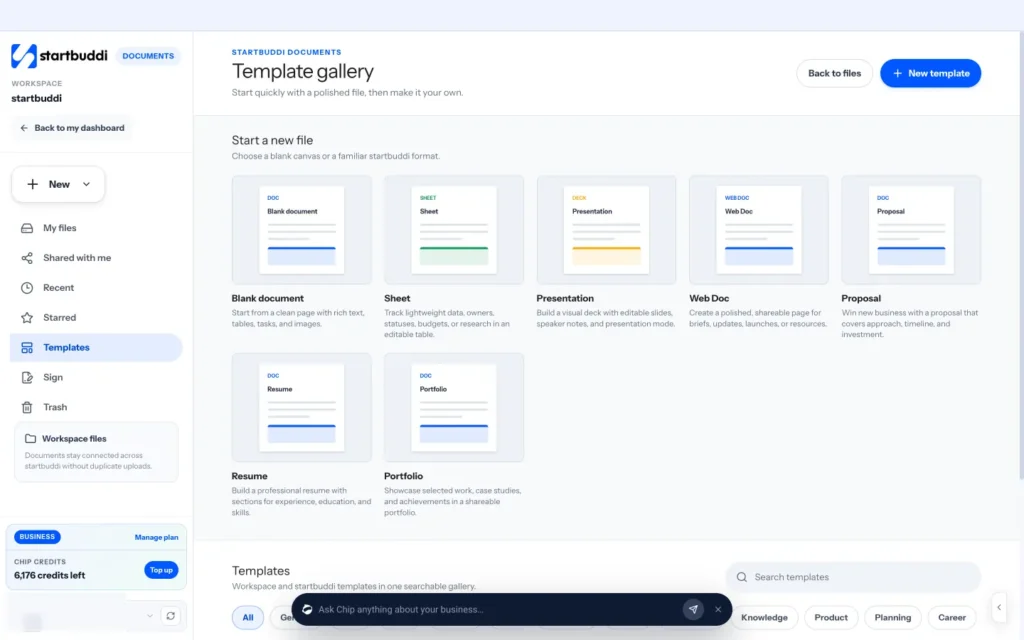
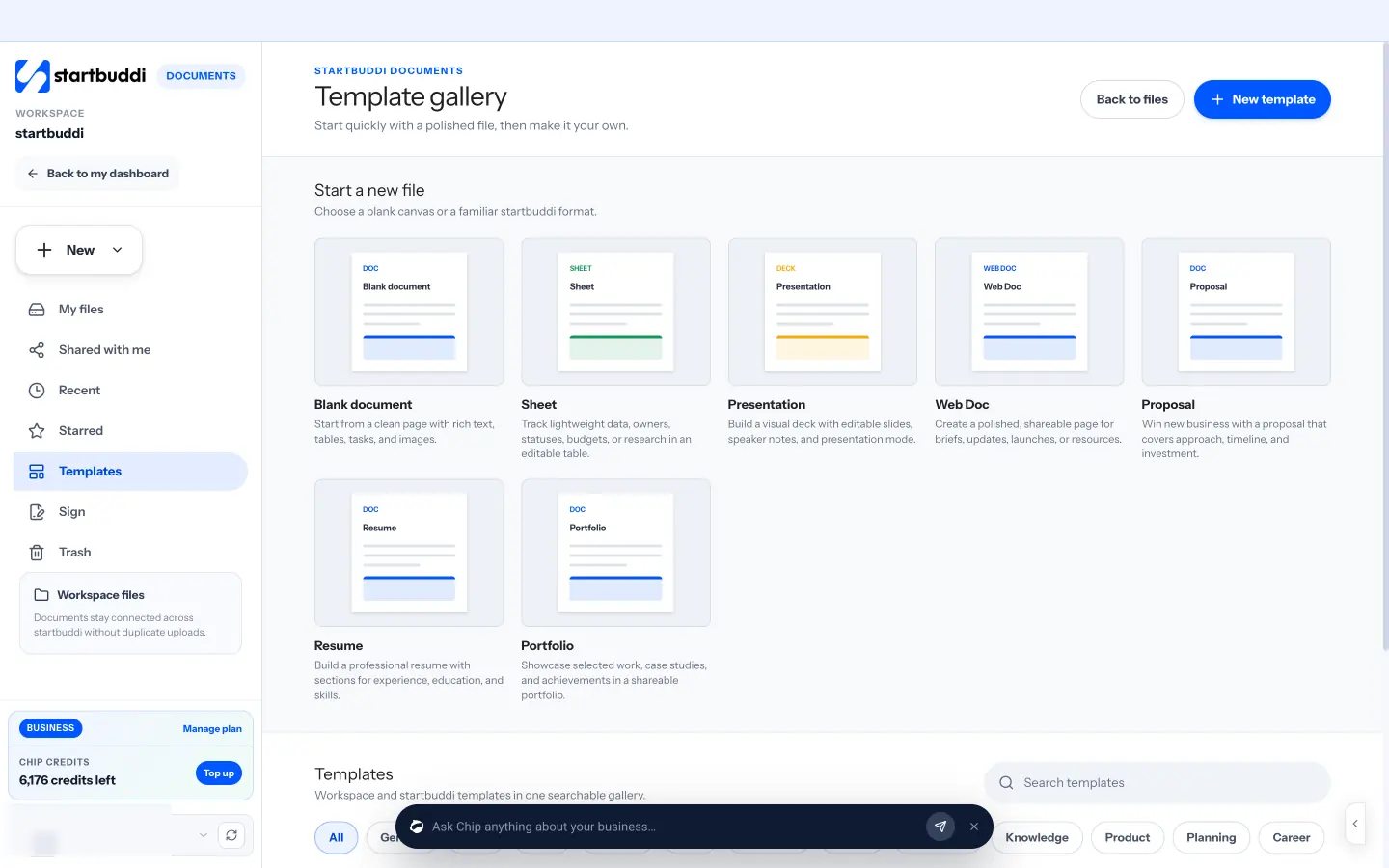
In startbuddi, open Documents, then New, and choose a startbuddi Doc, or open Templates to start from a template. The template gallery includes a blank document, sheets, presentations, proposals and business templates in categories such as legal, sales, operations and planning, and your own workspace templates appear alongside them. A good habit is to write your SOP layout once, save it as a workspace template, and start every new procedure from it so they all look the same.
The editor has headings, bulleted and numbered lists, to-do lists, tables, images and dividers, and you can type / to insert a block quickly. A to-do list is handy for the checklist section of an SOP. As you add headings, the Contents panel builds a table of contents automatically, which helps with longer procedures. Every save keeps a version you can go back to, and you can move a document between stages, such as draft and approved, with an optional reviewer.
To test your draft with a colleague, use Share to invite them as a viewer or editor, and ask them to leave comments on any step that confuses them. Comments attach to the exact text they are about, so fixing the SOP afterwards is quick. You can also ask Chip, the built-in AI assistant, to help from inside the editor, for example to rewrite a section more clearly or to list what is missing before the document is ready. Always check Chip's suggestions against how the job is really done.
Your task for this chapter: write the first draft of your top-priority SOP using the template, then test it with someone who has not done the job.
Business process management: turn SOPs into systems
Once you have a handful of written procedures, a new opportunity opens up. You can start to see your business as a set of processes that can be measured, improved and partly automated, rather than a list of jobs that you and your team push through each day. That way of thinking is called business process management. It sounds like something for large corporations, but the basic ideas are simple and useful at any size.
This chapter explains business process management in plain terms, shows how to map and improve a process, and how to turn your SOPs into project templates, recurring tasks and automations so they run with less effort.
Business process management in plain words
A business process is a set of steps that turns an input into an output for a customer or for the business: an enquiry into a booked job, an order into a delivery, a new hire into a productive team member. Business process management is the habit of looking at those processes as a whole, rather than as separate tasks, and improving them over time. In a small business, it comes down to four repeated steps:
- Document the process as it runs today (your SOP).
- Measure how well it works: how long it takes, how often it goes wrong, how customers feel.
- Improve the weak points: remove steps, change the order, add a check.
- Automate or systemise the parts that are the same every time.
Then you go round again. Standards bodies describe the same idea. ISO 9001, the international standard for quality management, is built around consistent processes and continual improvement, and is designed to be flexible enough for organisations of any size (ISO, the ISO 9000 family). You do not need certification to borrow the thinking.
Map the process before you improve it
An SOP describes the steps for one role. A process map shows how work moves between people and systems. It is useful when a process involves handoffs, because handoffs are where most delays and mistakes happen.
The simplest useful map is a swimlane diagram. Draw a row for each person or team involved (for example, customer, sales, delivery, finance) and place each step in the row of whoever does it, with arrows showing the order. You can do it on paper, a whiteboard or sticky notes. Once it is drawn, look for:
- Waiting: places where work sits between people, such as "waiting for approval".
- Loops: steps that bounce back and forth, such as a quote revised four times.
- Duplication: the same information typed into two places.
- Unclear ownership: steps where nobody is obviously responsible.
- Manual copying: anything moved by hand from one system to another.
Measure what matters
You do not need complex analytics. Pick one or two simple measures for each important process and check them monthly.
| Process | Useful measure | Why it matters |
|---|---|---|
| Enquiry to booked job | Time from first message to quote sent | Slow quotes lose customers |
| Client onboarding | Days from signed contract to kickoff call | A slow start sets a poor tone |
| Order fulfilment | Orders shipped late or wrong, per month | Mistakes cost refunds and reviews |
| Invoicing | Average days to get paid | Cash flow |
| Support | Time to first reply | Customer satisfaction |
Write the current number down before you change anything, so you can see whether the change worked.
Improve with simple questions
For each step in the process, ask four questions, in this order:
- Can we remove it? Many steps exist only because they always have.
- Can we combine it? Two forms that ask for the same details can become one.
- Can we change the order? Collecting information up front often removes a back-and-forth later.
- Can we simplify it? A template, a default or a clear rule can turn a judgement call into a quick action.
Only once the process is as simple as it can be should you think about automation.
Worked example: onboarding from five hours to two
Consider an agency that times its client onboarding and finds it takes about five hours of staff time per client, spread over two weeks. After mapping it, the team makes four changes: one intake form replaces three separate emails asking for information, a project template creates all the onboarding tasks at once, the welcome email goes out automatically when the client is marked as signed, and the kickoff agenda becomes a standard document. The result is roughly two hours of staff time per client and a kickoff within five days instead of ten. With four new clients a month, that is twelve hours a month back, about 144 hours a year. At an internal cost of $40 an hour, that is around $5,760 a year from one improved process.
Turn SOPs into systems: templates, recurring tasks and automation
A written SOP still relies on someone remembering to open it. The next step is to build the procedure into the tools people already use, so following it becomes the easy path.
- Project templates: for processes with many steps over days or weeks, such as client onboarding, a website build or hiring, turn the SOP steps into a project template with tasks, owners and relative due dates. Each new client then gets the full checklist automatically.
- Recurring tasks: for routines on a schedule, such as month-end, weekly reporting or equipment checks, create a task that repeats and link it to the SOP.
- Checklists inside tasks: for short procedures, add the steps as subtasks so people tick them off as they go.
- Automations: for steps triggered by an event and done the same way every time, such as sending a welcome email when a form is submitted, reminding customers before a booking or chasing an overdue invoice, let software do it.
Process examples: what to document, simplify and automate
Here is how some common small business processes break down. The pattern is the same each time: the judgement stays with people, and the predictable steps are candidates for automation.
| Process | Starts when | Keep with people | Good to automate |
|---|---|---|---|
| New enquiry | Someone fills in a contact form | Qualifying the lead and writing the quote | Adding them to your contacts, a thank-you message, a reminder to follow up |
| Booking | A customer books online | Preparing for the appointment | Confirmation, reminder before the booking, a follow-up afterwards |
| Client onboarding | A contract is signed | The kickoff call and first deliverables | Welcome email, onboarding tasks created from a template |
| Getting paid | An invoice is sent | Talking to clients about disputes | Polite reminders when an invoice becomes overdue |
| Win-back | A booking is cancelled | Personal outreach to key clients | A message inviting them to rebook |
For more examples, read our round-up of business workflow automation examples and the explanation of workflow automation.
When not to automate
Automation is not always the answer. Keep a process manual when it happens only a few times a year, when every case is different, when a mistake would be embarrassing or costly and needs a human eye, or when the personal touch is the point, such as thanking a long-standing client. A good SOP for a manual process is often all you need.
Who does what: a light RACI
When a process involves several people, confusion about who decides and who does the work causes most delays. A RACI chart lists each main step and marks who is Responsible (does it), Accountable (owns the outcome and signs off), Consulted (gives input) and Informed (kept in the loop). In a small business, keep it light: one accountable person per step and as few consulted people as possible. Add the chart to the SOP, so there is no doubt who owns each stage.
Pay special attention to handoffs
A handoff is any moment where work passes from one person to another: sales to delivery, kitchen to front of house, the technician to the office for invoicing. Handoffs are where information gets lost and jobs stall, because each side assumes the other has it covered. For every handoff in a process, write down what must be passed on (for example, the client's goals, access details and agreed deadline), how it is passed on (a form, a task, a note in the project) and how the receiver confirms they have it. A three-line handoff standard in your SOP prevents many of the "nobody told me" problems that frustrate small teams and their customers.
Hold a short monthly process review
Once a month, spend 30 minutes with the people involved in your most important processes. Look at the measures, ask what went wrong or felt clumsy, and agree one improvement to try next month. Update the SOP straight away if something changes. Over a year, twelve small improvements to the same process add up to a very different business, and the team gets used to improving how work is done rather than just doing it.
Link processes to your goals
Not every process deserves improvement effort. Focus on the ones connected to what the business is trying to achieve this year. If the goal is more repeat customers, the processes that matter most are service delivery, follow-up and handling complaints. If the goal is better cash flow, look at quoting, invoicing and payment reminders. Pick one or two processes per goal, improve those, and leave the rest documented but alone.
Process mistakes to avoid
- Automating a broken process. Simplify first. Automation makes a bad process fail faster.
- Measuring everything. One or two numbers per process are enough.
- Changing too much at once. Change one thing, measure, then change the next, so you know what worked.
- Forgetting the customer. A process that is efficient for you but confusing for customers is not an improvement.
Turning SOPs into templates and automations in startbuddi
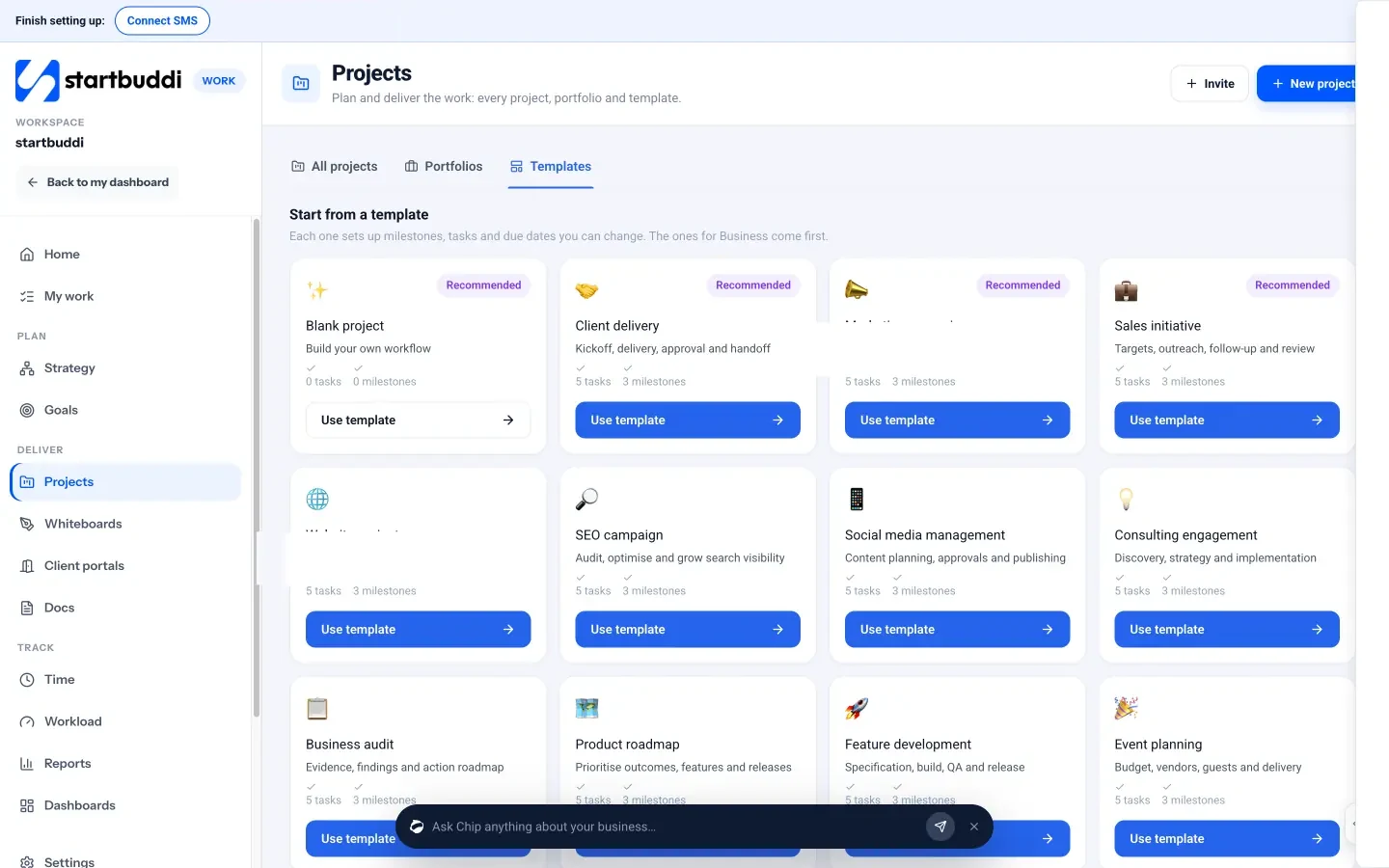
In startbuddi, Work, then Projects, then Templates, is where multi-step procedures become repeatable projects. Each template sets up milestones, tasks and due dates you can change, and there are ready-made templates for client delivery, consulting engagements, website projects, marketing campaigns, event planning, new service launches and more, as well as a blank project. Build a project from the closest template, adjust the tasks to match your SOP, and reuse it for every new client or job.
For routines, open My work, add a task and set it to repeat daily, weekly or monthly. Inside any task you can add subtasks as a checklist and link the SOP document, so the instructions sit next to the work.
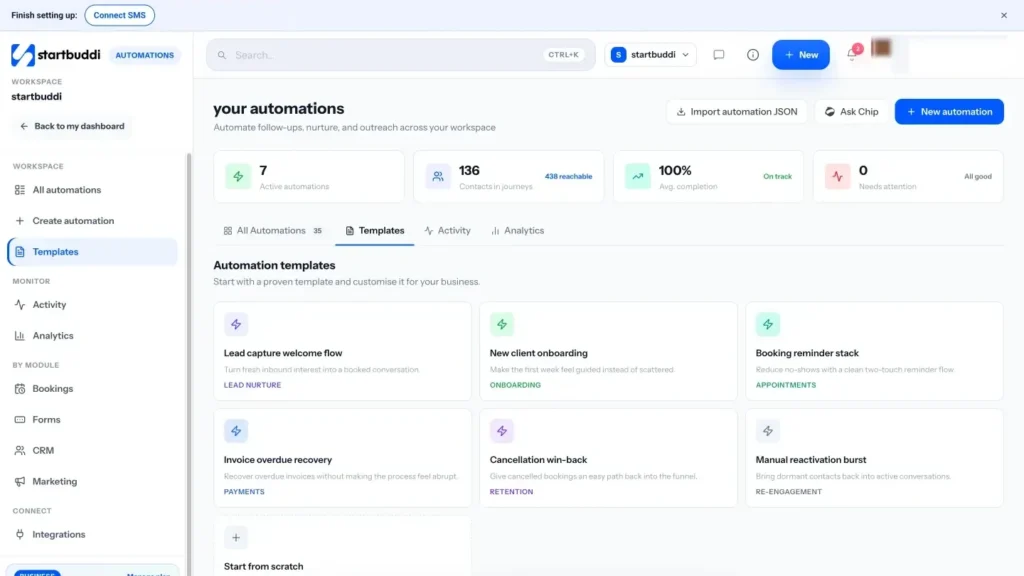
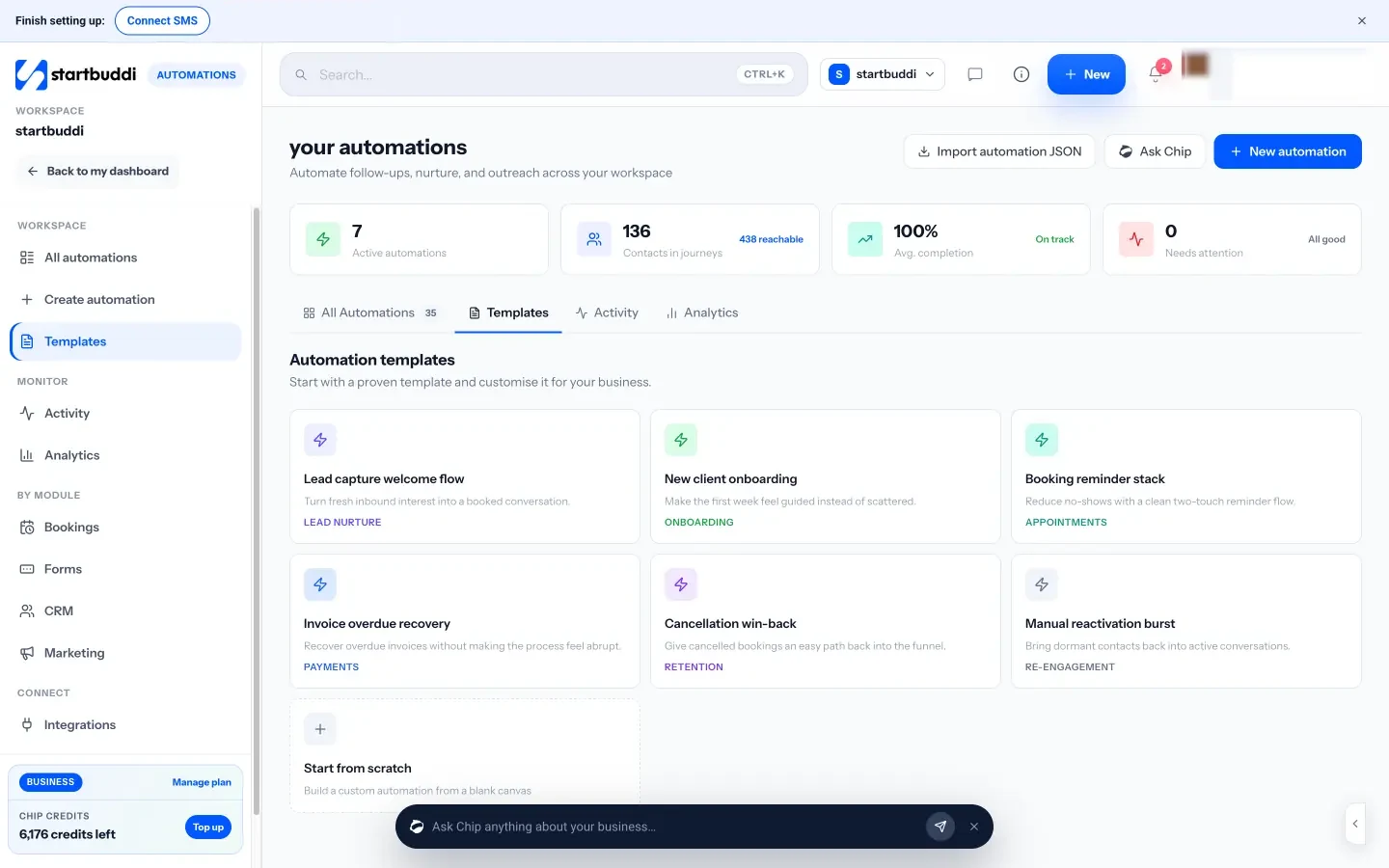
Automations handle the event-driven steps. Start from a template such as new client onboarding, lead capture welcome flow, booking reminders or overdue invoice recovery, build your own by choosing what starts it (for example a form submitted, a new booking, a contact's stage changing or an invoice going overdue) and what happens next, or tell Chip what you want in plain words and review the plan it drafts. Steps can send emails and messages, create tasks or projects, and update contact details. Automations are included on the Starter plan and above. The help article on building an automation sequence walks through the steps.
A practical order of work: first make sure the SOP is current, then build the project template or recurring task, and only then add the automation. Test each automation with your own email address or a test contact before switching it on for customers, and check its activity for the first couple of weeks to make sure it runs when you expect.
Your task for this chapter: map one important process on paper, write down one measure, remove or simplify one step, and turn the SOP into a project template or a recurring task.
Roll out, train and keep your SOPs up to date
- Give every SOP an owner
- Set a review cycle
- Update when things change
- Keep version history
Writing SOPs is the easy part. The hard part is making sure people actually use them, and that they stay accurate as the business changes. An out-of-date procedure is worse than none, because people follow it confidently into the wrong result. This chapter covers where to store SOPs, how to train people on them, how to get them used day to day, and how to keep them current without it becoming a full-time job.
Store SOPs where the work happens
The best SOP in the world is useless if nobody can find it. A few simple rules make procedures easy to reach.
- One home. Keep every SOP in one place, not spread across email attachments, personal drives and printed folders. When there are two copies, one is always wrong.
- A clear structure. Organise by area of the business (Sales, Delivery, Finance, People, Operations), not by who wrote it.
- Consistent names. Start every title with a verb and the thing: "Onboard a new client", "Process a refund", "Close the shop". People search for what they need to do.
- Links from the work. Link each SOP from the task, project template or checklist where it is used. People should not have to go looking.
- An index. A single page listing every SOP, its owner and its review date gives you an overview and shows gaps.
Train people on SOPs: show, do, watch
Handing someone a document is not training. For any procedure that matters, use a simple three-stage approach.
- Show. The trainer does the task while the new person watches and follows the SOP, asking questions.
- Do. The new person does the task, following the SOP, while the trainer watches and only steps in if something is about to go wrong.
- Watch less. The new person does the task alone, and the trainer checks the result against the quality check at the end of the SOP. After two or three good results, they are signed off.
Every question the new person asks is a clue. If the answer is not in the SOP, add it. New starters are your best editors, because they see the gaps experienced people no longer notice. If you are building your onboarding for new staff, our guide on how to onboard a new employee shows where SOPs fit in the first weeks.
Get SOPs used, not just read
Even good procedures drift out of use. People find shortcuts, forget steps or quietly decide the old way is faster. A few habits keep SOPs alive:
- Refer to them, every time. When someone asks how to do something covered by an SOP, answer with the link, not from memory. It trains people to look there first.
- Build them into the tools. As Chapter 3 showed, a procedure built into a project template or checklist is followed far more reliably than one in a separate document.
- Check results, not effort. Use the quality check at the end of each SOP in spot checks. If results are good, there is no need to police each step.
- Welcome better ideas. If someone finds a better way, great: test it and update the SOP so everyone benefits. The SOP is the current best way, not the only way forever.
- Ask for acknowledgement where it matters. For safety, money handling or legal procedures, ask people to confirm they have read the current version.
Keep SOPs up to date without it taking over
Give every SOP an owner
The owner is not necessarily the person who does the job. It is the person responsible for making sure the SOP matches reality. In a small team, the owner is often the most experienced person in that area.
Set a review cycle
Review high-risk or frequently changing procedures every six months, and stable ones once a year. Put the review date on the SOP itself and in the owner's calendar or task list as a recurring task. A review often takes ten minutes: read it, check it against how the job is done now, fix what has changed and update the date.
Update when things change
Some changes should trigger an immediate update rather than waiting for the review: a new tool, a price change, a new regulation, a mistake that the SOP did not prevent, or a customer complaint that points to a gap. Make "update the SOP" a standard step whenever you change how something is done.
Keep version history
Record what changed and when, at least with a version number and a one-line note. If a mistake happens, you can check which version the person was following. If a change turns out badly, you can go back.
Document control basics
You do not need a formal document control system, but a few basics stop confusion. Give every SOP a version number and a "last updated" date at the top. When you replace a procedure, archive the old version rather than leaving both in the same folder. Keep only the current version where people look, so nobody follows last year's steps by accident. If you print procedures, write the version on the paper and replace printed copies when the master changes. And decide who can edit SOPs: usually the owner of each one, with everyone else able to comment or suggest changes.
A simple SOP review checklist
- Does the SOP still match how the job is actually done?
- Are the tools, links and templates still correct?
- Have there been any mistakes or complaints this SOP should have prevented?
- Can any step be removed, combined or automated?
- Is the owner still the right person?
- Has the version number and next review date been updated?
Ask for sign-off on critical procedures
For procedures involving safety, money or customer data, it is worth asking each person to confirm they have read and understood the current version, and asking again whenever it changes. It is not about paperwork for its own sake. It makes sure an important change actually reaches everyone, rather than being lost in a message thread, and it gives you a clear record if a question ever comes up later.
Measure whether your SOPs are working
You will know SOPs are working when you see a few signs: fewer repeat questions to the owner, new starters becoming independent faster, fewer mistakes in the processes you documented, and the business running normally when key people are away. You can also track the process measures from Chapter 3. If a process measure improves after you introduce an SOP, you have evidence it is worth the effort. If it does not, the procedure may be unclear, unused or solving the wrong problem.
Make SOPs easy to use away from a desk
Not everyone works at a computer. Cleaners, kitchen staff, technicians and shop assistants need procedures where the work happens. Options include a laminated one-page checklist on the wall, a QR code on the equipment that opens the SOP on a phone, or short photo-based procedures designed for a small screen. Whatever the format, keep a single master copy and date any printed version, so everyone can tell whether the paper on the wall is current.
Capture knowledge before people leave
When an experienced team member resigns, the procedures in their head leave with them unless you act. As part of every notice period, ask them to review the SOPs they own, write down anything missing and walk their successor through the most important tasks. Owners planning a long break, or thinking of selling the business one day, should do the same exercise for themselves. It is the fastest way to discover which parts of the business still depend on one person.
Teams that work in more than one language
If your team works in several languages, write the master SOP in the language most of the team reads, keep sentences short and avoid idioms, which translate badly. For key safety or customer procedures, provide a translated version and have a fluent team member check it. Photos and diagrams help everyone, whatever their first language.
Growing your SOP library over time
Do not try to build a full operations manual in a month. A realistic pace for a small business is two or three new procedures a month, starting with the highest-scoring processes from Chapter 1. After a year, you will have 25 to 35 procedures covering most of what matters. Many owners find that writing an SOP becomes the natural first step whenever they are about to hand a job to someone else, which is exactly the point. Our guide on how to delegate tasks shows how SOPs and delegation work together, and how to build a team covers onboarding the people who will use them.
Celebrate the procedures that work
When a new starter becomes independent in a week, or a busy season passes without the usual mistakes, say so, and credit the people who wrote and improved the procedures. Recognition keeps the habit alive. It shows the team that writing things down is valued work, not an extra chore squeezed in around the real job.
Mistakes that kill SOP programmes
- The owner ignores them. If you skip the SOP, the team will too.
- They live in too many places. Consolidate to one home.
- Nobody owns them. Unowned procedures decay quickly.
- They are used to blame. SOPs should help people succeed, not provide evidence against them. When something goes wrong, fix the process first.
- They never change. A procedure that has not been updated in two years is almost certainly wrong somewhere.
Sharing and maintaining SOPs in startbuddi
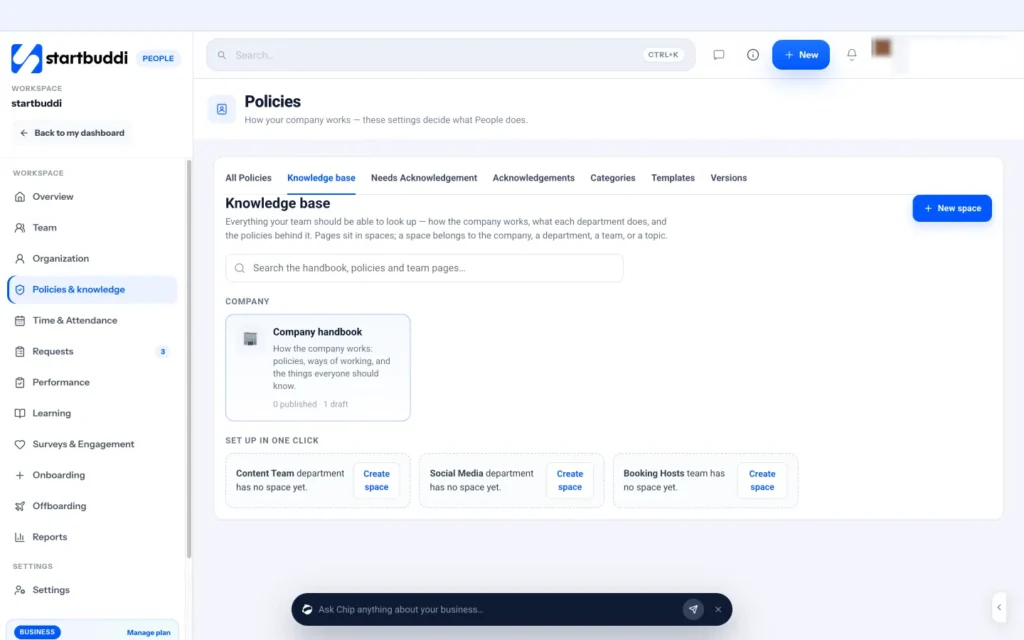
For procedures your staff need to follow, startbuddi's People handbook and knowledge base gives you a searchable home. Under People, then Policies & knowledge, the Knowledge base holds pages in spaces, and a space can belong to the whole company, a department, a team or a topic. A company handbook space is created for you, and you can set up spaces for each department in one click. Everyone can search the handbook, policies and team pages from one box.
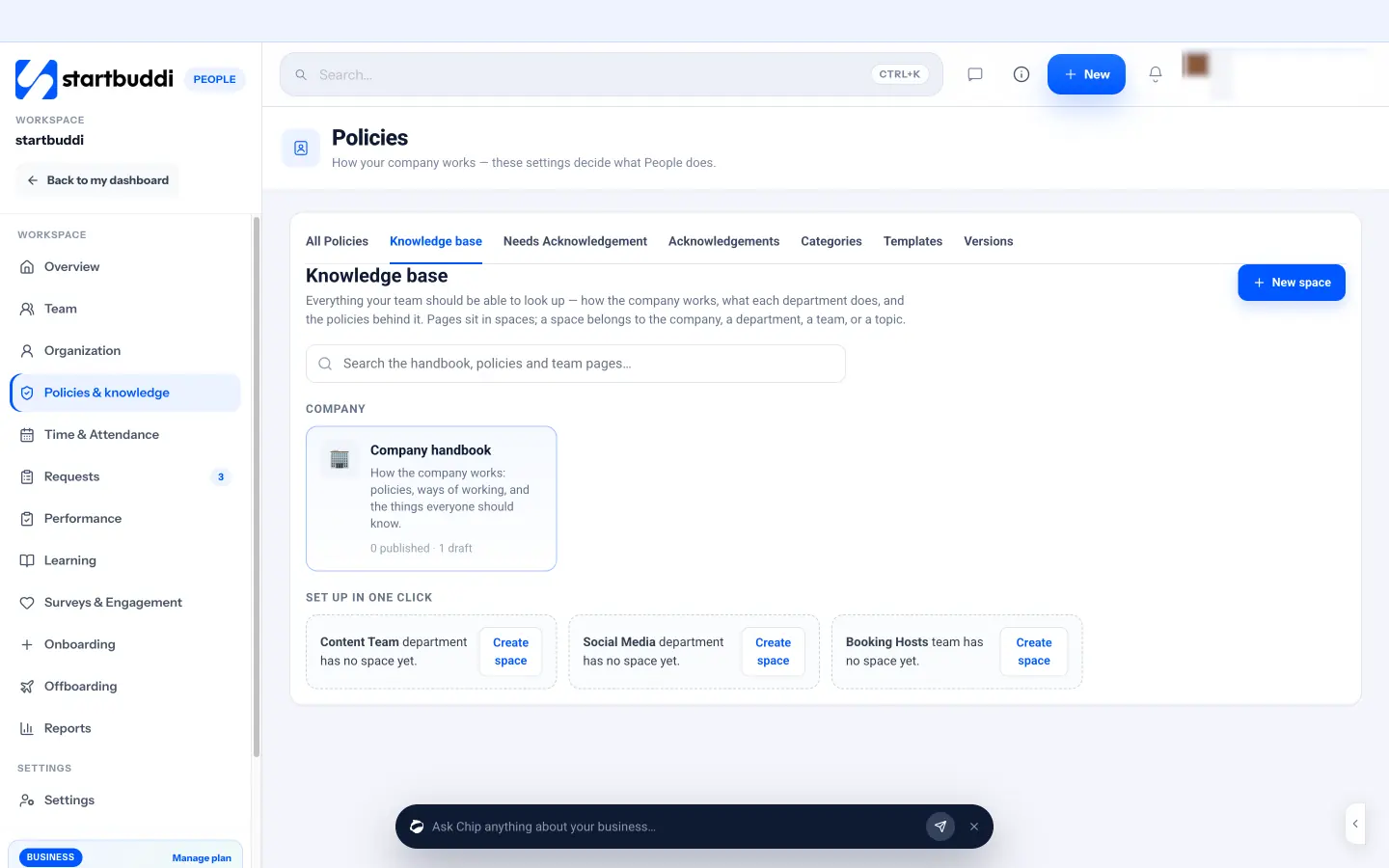
Pages have a nested page tree, a rich-text editor, labels, drafts that only editors can see and page versions. When a procedure needs a formal sign-off, such as a safety or cash-handling procedure, use Make this a policy and choose a policy that needs sign-off. Team members then see a request to acknowledge it, and the Needs Acknowledgement and Acknowledgements tabs show who has and has not confirmed, with a Remind button. When the page changes, everyone is asked to acknowledge the new version. Chip HR can answer team questions from your published handbook and names the page it used, and says so plainly when nothing covers the question. Our article on writing an employee handbook shows how procedures and policies fit together.
For procedures that also involve clients or projects, Documents keeps a version every time you save, lets you share with teammates as viewers or editors, and lets you link each SOP to the projects, tasks and contacts it relates to.
Whichever home you choose, keep one rule: every SOP lives in exactly one place, and everything else links to it. A procedure copied into three tools will soon exist in three different versions.
Your next step
Choose your highest-scoring process from Chapter 1, write it with the template in Chapter 2, test it with someone new this week, and give it an owner and a review date. Then do the next one. You can keep your first procedures in startbuddi Documents on the Free plan (up to three documents), and every paid plan has a 30-day trial. See plans and pricing for details.
Tiwalade Joanna Okedara-Kalu is the founder, CEO and CTO of startbuddi, the business system that brings clients, bookings, invoices, projects, marketing and the Chip AI assistant into one place. Tiwalade builds software around how service businesses really work day to day, and writes about client management, getting paid on time and why small businesses outgrow the tools they start with.
Founded startbuddi and leads its product and engineering