How to onboard a new team member (in person or remote): an employee onboarding plan
A practical employee onboarding plan for small teams: what to prepare before day one, a first-day schedule, a 30/60/90-day template and a full checklist.


Photo: Sebastian Herrmann / Unsplash
- Employee onboarding is a planned first 90 days, not a first-day tour. Prepare paperwork and equipment before day one, give every step an owner, agree a 30/60/90-day plan and hold regular check-ins, with extra written guidance for remote hires.
Good employee onboarding is a planned first 90 days that gets a new person paid, equipped, introduced and doing useful work, with one owner for every step. For a small team that means a written checklist that starts before day one, a named buddy, clear goals for 30, 60 and 90 days, and short check-ins so problems surface early. You don’t need an HR department to do it well. You need a plan and the discipline to follow it.
This guide gives you that plan. It works whether your new hire sits next to you in Lagos or logs in from another city, and it’s built for teams of two to twenty people who are hiring for the first few times.
Why employee onboarding matters so much in a small team
In a big company, one weak start gets absorbed. In a team of five, one new person is 20% of your capacity, and a slow or confusing start costs you weeks of output. It also shapes whether they stay.
The research is not flattering. Gallup reports that only 12% of employees strongly agree their organisation does a great job of onboarding new people. The same article notes that replacing an employee can cost six to nine months of their salary once you count finding, hiring and training someone new. For a small business, that is real money and real time.
The upside is that small teams can onboard better than big ones. You can give a new hire direct access to the founder, fewer layers to learn and a clear view of how their work affects customers. The trick is to be deliberate rather than hoping they’ll “pick it up”.
The four things onboarding has to cover
The SHRM Foundation’s guide to onboarding, written by researcher Talya Bauer, groups good onboarding into four building blocks, often called the four Cs:
- Compliance: the paperwork, rules and legal basics. Contract, tax and bank details, policies to read.
- Clarification: what the job is, what good looks like and how they’ll be measured.
- Culture: how you actually work. How decisions get made, how you talk to customers, what “done” means.
- Connection: the relationships that help someone feel they belong and know who to ask.
Most small businesses stop at compliance, and some don’t even finish that. The checklist below covers all four.
Before day one: preboarding
Preboarding is everything between the signed offer and the first morning. It’s where most avoidable problems start: no laptop, no email account, no idea where to go or who to ask for.
Paperwork and legal basics
Send the contract or written terms before they start, and keep a signed copy. Rules differ by country, so check what applies to you:
- Nigeria: Section 7 of the Labour Act says an employer must give a worker a written statement of the key terms no later than three months after they start. It covers pay and how it’s calculated, hours, holidays, sick pay, notice and the nature of the job.
- United Kingdom: employers must give a written statement of employment particulars on or before the first day, with a wider statement within two months.
Even where the law gives you months, send it before day one. It removes doubt and shows you are organised. This is general information, not legal advice. Check the rules with the labour ministry or a lawyer in your country.
Equipment and access
List everything they need to do their job on day one, then make sure it exists before they arrive:
- Laptop or phone, charged and set up
- Work email and calendar
- Access to the tools you use: your customer list, project boards, shared files, chat
- Any physical items: keys, ID card, uniform, a desk
A useful habit: give access in stages, starting with what they need in week one. You can add more later, and it keeps sensitive data (like finances or payroll) with the people who need it.
The welcome message
A few days before the start date, send a short, friendly note. Tell them the start time, where to go or which link to open, who will meet them, what to bring and what the first day looks like. Remote hires need this even more, because they can’t read the room on arrival.
Day one: make it human, not a form-filling marathon
The first day sets the tone. The goal is simple: by the end of it, your new hire should feel welcome, know who to ask for help and have done one small, real piece of work.
A day-one schedule that works
| Time | What happens | Owner |
|---|---|---|
| First hour | Welcome, coffee or a video call, walk through the plan for the week | Manager |
| Morning | Log in to every tool, fix access problems on the spot | IT or admin |
| Late morning | Short story of the business: who you serve, how you make money, what’s hard right now | Founder |
| Lunch | Lunch with the team or their buddy (paid for, if you can) | Buddy |
| Afternoon | One small, real task with a clear finish line | Manager |
| End of day | Ten-minute check-in: what was confusing, what they need tomorrow | Manager |
Assign a buddy
A buddy is a teammate (not their manager) who answers the small questions people feel silly asking: where files live, how to book leave, who to ask about a customer. In a team of three, the buddy might be the only other employee. That’s fine. What matters is that someone has the job on purpose.
Week one: clarity before speed
The first week is for learning how things work and getting early wins. Resist the urge to throw a new hire straight into the busiest project.
- Meet the key people. Book short introductions with everyone they’ll work with, including one or two customers or suppliers if that’s relevant.
- Read the handbook and policies. Leave, expenses, working hours, how to handle customer data. If you don’t have a handbook yet, read our guide on how to write an employee handbook.
- Shadow real work. Let them sit in on sales calls, customer chats and project meetings before they run them.
- Ship something small. A first task finished in week one builds confidence faster than any presentation.
- End with a check-in. Ask three questions: what’s clear, what’s unclear, and what would make next week easier?
The 30/60/90-day plan
Onboarding doesn’t end on Friday. Most guidance, including the SHRM Foundation’s, treats the first few months as the onboarding period. A 30/60/90-day plan gives both of you a shared picture of progress.
A simple template
| Stage | Focus | Example goals for a customer success hire |
|---|---|---|
| Days 1 to 30 | Learn | Know every product and price. Handle simple customer questions with a review. Meet the ten biggest customers. |
| Days 31 to 60 | Contribute | Handle the inbox alone during working hours. Run onboarding calls for new customers. Suggest one process fix. |
| Days 61 to 90 | Own | Own renewals for a group of customers. Hit an agreed response time. Train the next hire on one process. |
Keep goals specific enough that you’ll both agree whether they were met. “Get to know customers” is vague. “Speak to the ten biggest customers by day 30” is clear.
Check-ins that actually happen
Put the check-ins in the calendar on day one: a quick weekly one-to-one for the first month, then every two weeks. At 30, 60 and 90 days, hold a longer review against the plan. If you use a probation period, the 90-day review is a natural point to confirm it. Gallup’s advice is that managers should meet new hires early and often, so treat these conversations as part of the job, not optional extras.
Onboarding a remote employee
Remote onboarding follows the same plan with a few extra steps, because the casual learning that happens in an office doesn’t happen by accident online.
- Ship equipment early. Allow for delivery delays, and have a backup plan if a laptop is stuck.
- Test logins before day one. A remote hire who can’t get in on the first morning has nothing to do and no one to ask in person.
- Write things down. Short written guides beat long video calls. They can be read twice and searched later.
- Over-communicate on day one. Keep a video call open for the first hour and check in at lunch and at the end of the day.
- Create a place for questions. A team chat room where no question is too small, and a buddy who replies quickly.
- Plan social time. A virtual coffee with each teammate in week one helps connection more than a big group welcome.
- Agree working hours. Especially across time zones, agree when they’re expected to be online and how quickly to reply.
The employee onboarding checklist
Copy this into your own tools and adapt it. Every line needs an owner and a due date, or it won’t happen.
Before day one
- Signed offer and written terms (HR or founder)
- Bank, tax and emergency contact details collected (HR)
- Laptop and accounts ready (IT or admin)
- Welcome message sent with start details (manager)
- Buddy chosen and briefed (manager)
Day one
- Welcome and plan for the week (manager)
- All logins working (IT or admin)
- Business story and customers explained (founder)
- First small task set (manager)
Week one
- Introductions booked with every key person (buddy)
- Handbook and core policies read and acknowledged (new hire)
- Shadowing sessions done (manager)
- End-of-week check-in (manager)
First 90 days
- 30/60/90-day plan agreed in week one (manager and new hire)
- Weekly then fortnightly one-to-ones (manager)
- Reviews at 30, 60 and 90 days (manager)
- Probation confirmed, if you use one (founder or HR)
Common employee onboarding mistakes
- Nothing ready on day one. No laptop, no login, no desk. It tells the new hire they’re an afterthought.
- Information overload. Ten policy documents in the first hour. Spread it out and focus on what they need this week.
- No owner. “Someone will sort their email” means no one will. Name a person for every step.
- Stopping after a week. Most of the useful learning happens in months two and three.
- Skipping feedback. Ask new hires what was confusing. They see your gaps more clearly than you do, and the next hire benefits.
- Forgetting the exit. Onboarding and offboarding are two ends of the same process. If you know what access you gave, you know what to take back when someone leaves.
How startbuddi helps with employee onboarding
startbuddi’s People module is HR for a team that doesn’t have an HR department yet. Onboarding lives in one place, next to your team directory, leave, policies and reviews.
A checklist that runs itself. In People, open Onboarding and click Start onboarding. The wizard walks through who is joining, their employment details (job title, department, manager, start date, location) and which checklist to use. The built-in Company onboarding template covers the standard first two weeks: account and equipment before day one, introductions on day one, and training and goals in the first fortnight. You can build your own templates, scope them to a department and group steps by Day 1, Week 1 and so on.
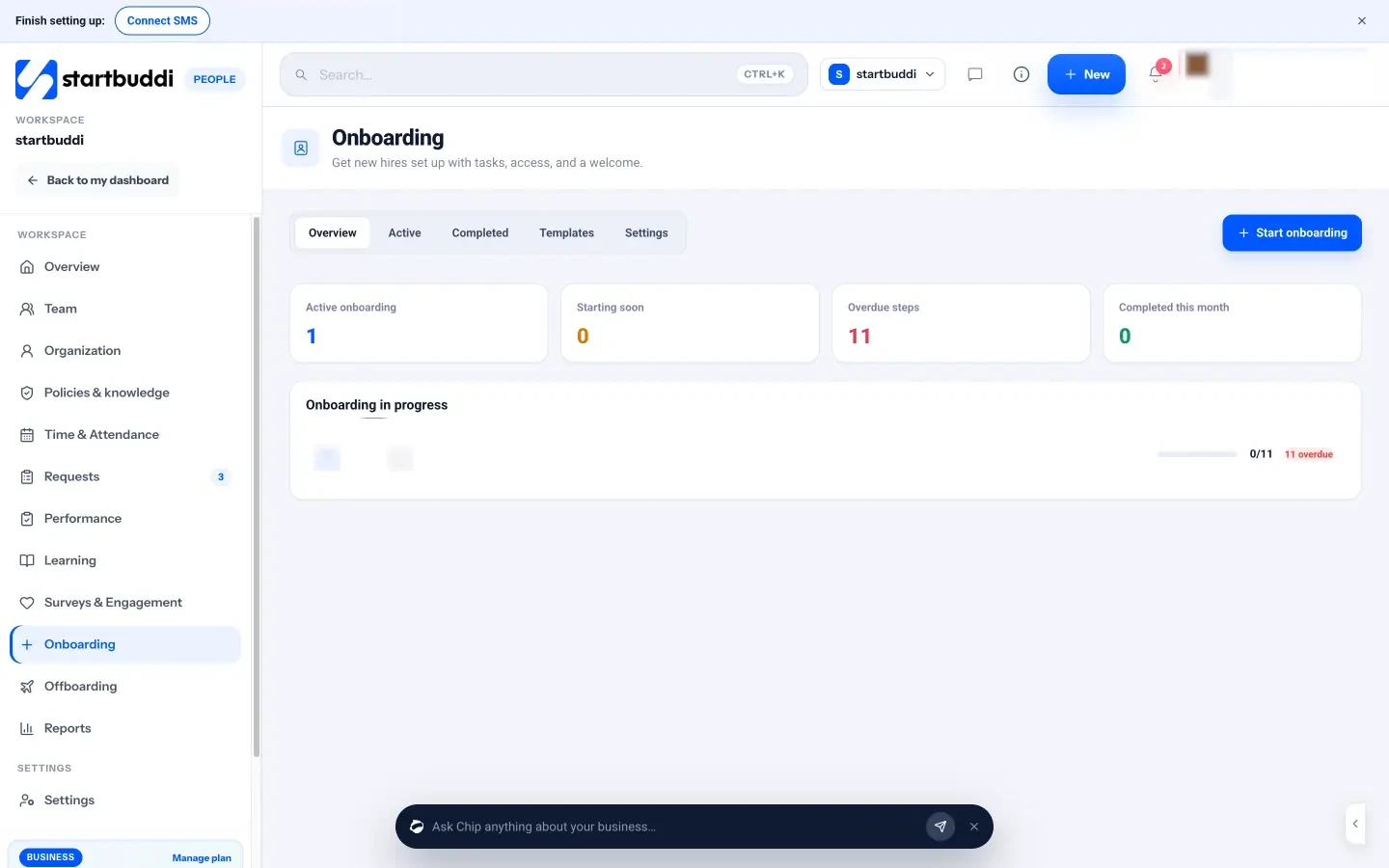
Every step has an owner. Steps are assigned to the new hire, their manager, HR or IT and admin, and each owner is notified when a step is assigned. Overdue steps show in red, and you can send a reminder in one click. Once the checklist is complete, the new hire becomes an active employee.
The extras happen automatically if you want them. Onboarding settings let you assign required learning, ask for policy acknowledgements, send a welcome memo and notify the manager when someone joins. New hires see their own progress and open steps on their People overview, so they always know what’s waiting on them.
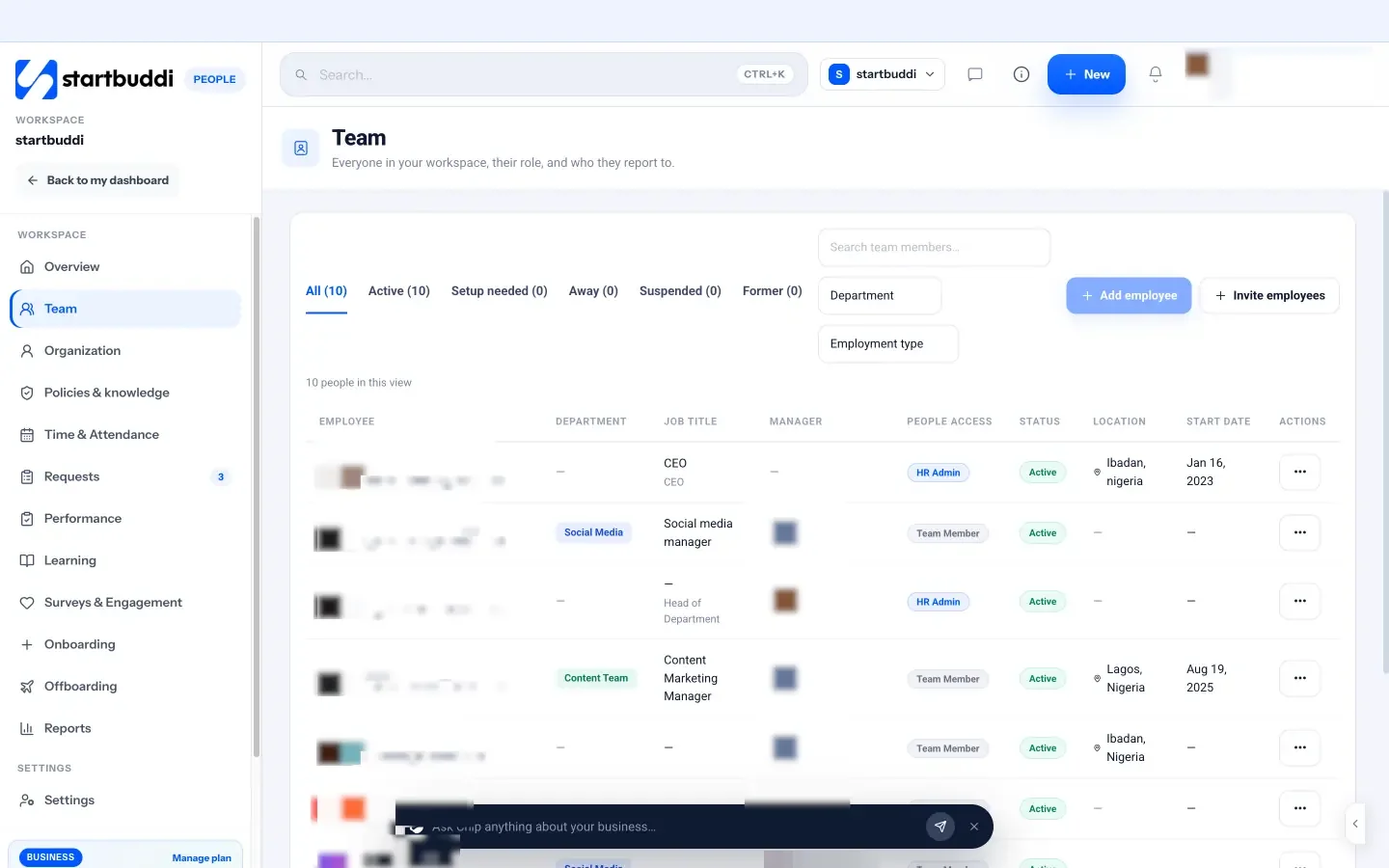
One profile for everything. Each person in the team directory has a profile with their job details, leave balance, documents, equipment and reviews, and your org chart updates from each person’s manager.
Chip HR does the drafting. Chip HR, the HR assistant built into People, can draft a 30/60/90-day plan for a new hire and save it in Documents, build a role-specific onboarding checklist, and tell you which employees have incomplete onboarding. It shows you a preview before it creates anything.
People itself is on every plan, including Free. Inviting teammates needs a paid plan with seats: Starter includes 2 seats, Growth 5 and Scale 15, and every paid plan starts with a 30-day trial. See pricing for the details.
Your next step
Before your next hire starts, write down the checklist above with a name and a date against every line, and put the 30, 60 and 90-day reviews in the calendar. If you’d like it to run itself, with reminders, owners and a plan drafted by Chip HR, set up onboarding in startbuddi and try it with your next new starter.
Sources
- Gallup: Why the onboarding experience is key for retention
- SHRM Foundation: Onboarding new employees, maximising success (Talya N. Bauer)
- Nigeria Labour Act, section 7: written particulars of terms of employment
- GOV.UK: Written statement of employment particulars
Frequently asked questions
How long should employee onboarding last?
Plan for about 90 days. The first week covers setup and introductions, but most people need two to three months to work independently, so keep check-ins going until the 90-day review.
Who should be in charge of onboarding in a small business?
The new hire's manager owns the overall plan. Individual steps can belong to others, such as the founder, a buddy or whoever handles IT, as long as each step has one named owner.
What is preboarding?
Preboarding is the period between a signed offer and the first day. It covers contracts, collecting details, preparing equipment and accounts, and sending a welcome message so day one runs smoothly.
Is remote onboarding very different?
The plan is the same, but you need more written guidance, earlier equipment delivery, tested logins before day one and deliberate social time, because informal learning doesn't happen on its own online.
Chinedu Kalu is the co-founder and chief operating officer of startbuddi, responsible for how the company runs day to day. Chinedu writes about the operational side of a small business: registering and running the company, money, hiring and the routines that keep a team on track.
Co-founded startbuddi and runs its operations