
How to build a team: hiring, onboarding and leave for your first employees
A practical guide to building your first team: decide what help you need, hire fairly, onboard people well and set up leave that everyone trusts.

This guide shows you how to build a team when you’ve never hired before and there’s no HR department to lean on. It’s for solo founders and small business owners who are ready for their first employee, or who have hired one or two people on a handshake and want to put things on a proper footing.
It has four chapters. First, you’ll work out what help you actually need, choose between an employee and a contractor, and cost it properly. Then you’ll hire with a simple, fair process: a clear advert, structured interviews, a work sample and a written offer. Next, you’ll plan onboarding so your new hire is useful and happy within 90 days. Finally, you’ll set up a leave policy and a light rhythm of check-ins and reviews. Each chapter covers the thinking first, with templates and examples, then shows how to do it in startbuddi.
Employment law differs by country, so we link official sources throughout. Treat everything here as general information, not legal advice.
How to build a team: work out what help you need first
- Know when you're ready for help
- Do a one-week time audit
- Employee, contractor or freelancer?
- Work out the real cost of a hire
- Write a role scorecard
- Sketch the team you're building towards
- Common mistakes before the first hire
- What good looks like before you advertise
- How to set up your team structure in startbuddi
Every business reaches a point where the founder becomes the bottleneck. Enquiries wait a day for a reply, invoices go out late, and the work you're best at gets squeezed between admin. That's usually the moment people start asking how to build a team. The instinct is to post a job straight away. Resist it for an hour. The most expensive hiring mistakes happen before the job is even advertised: hiring for the wrong role, on the wrong terms, at a cost you haven't fully worked out.
This chapter is about the thinking before the hire. You'll work out what help you actually need, choose between an employee, a contractor or a freelancer, understand the real cost, and write a simple role scorecard you'll use in every later step.
Employment law differs by country, and sometimes by state or region. This guide gives general principles and links to official sources. It's general information, not legal advice; for your situation, check with a qualified adviser or the relevant government body.
Know when you're ready for help
There's no perfect moment, but a few signs suggest it's time:
- You regularly turn down work, or reply to enquiries too slowly to win them.
- The same tasks eat hours every week, and someone else could do them well with a little training.
- You've got steady income for at least the next few months, not just one good month.
- Quality is slipping because you're rushing.
- You can describe clearly what the new person would do on a normal Tuesday.
That last point matters most. If you can't describe the work, you're not ready to hire for it. You might be ready to get help with a project, which is a different thing.
Do a one-week time audit
Before you decide what role to hire, find out where your time actually goes. For one normal week, jot down what you work on in 30-minute blocks. Don't change your behaviour; just record it. At the end of the week, sort every task into one of four groups:
| Group | What it means | Example |
|---|---|---|
| Only you | Needs your skills, judgement or relationships | Pitching to big clients, final design sign-off |
| Skilled, repeatable | Needs skill, but follows a pattern someone can learn | Running installations, first drafts, bookkeeping |
| Admin | Important but routine | Scheduling, chasing invoices, answering common questions |
| Shouldn't be done | Low value, habit or leftover | Reports nobody reads, manual copying between tools |
Delete or automate the last group first. Then look at the middle two. If "admin" is 15 hours a week, you might need a part-time assistant. If "skilled, repeatable" is 30 hours, you might need a second person who does the core work. The answer shapes the whole hire.
Worked example. A solar installation business owner in Abuja found she spent 12 hours a week on site surveys, 10 on quotes and follow-up calls, 8 on scheduling and payments, and only 6 on selling to larger commercial clients, the work that grew the business. Her first hire wasn't another installer. It was an operations assistant to handle scheduling, payments and follow-up, freeing her to spend 20 hours a week on sales.
Employee, contractor or freelancer?
Not every kind of help needs a full-time employee. The three common options have different costs, levels of control and legal duties.
| Employee | Contractor or freelancer | Intern or apprentice | |
|---|---|---|---|
| Best for | Ongoing, core work you want done your way | Specific projects or specialist skills | Learning roles with close supervision |
| Control | You set hours, methods and priorities | You agree the outcome; they decide how | You guide and train |
| Your legal duties | Highest: contract, leave, tax, pension and more | Lower, but the contract matters | Depends on country; often similar to employees |
| Commitment | Long-term | Per project or retainer | Fixed period |
Be careful with labels. In many countries, what matters is how the relationship works in practice, not what you call it. If you set someone's hours, supply their tools, and they work only for you, the law may treat them as an employee even if the contract says "freelancer". The UK government's guidance on employment status explains the tests used there, and courts in other countries look at similar questions. Getting this wrong can mean back-paying leave, pension contributions or tax.
A common path for small teams is to start with a contractor for a trial project, then offer an employment contract once you both know it works. If you do, write down the change clearly so there's no confusion about when employment started.
Work out the real cost of a hire
A salary is only part of what an employee costs. Before you commit, add up the full picture for a year:
- Gross pay, including any allowances you agree (transport, housing, data).
- Employer contributions required by law, such as pension and social insurance.
- Paid leave, sick pay and public holidays, when the person is paid but not working.
- Equipment and software: laptop, phone, tools, accounts.
- Recruitment and onboarding time, including your own hours training them.
- A buffer for the first months, while they learn and aren't yet fully productive.
What's required by law depends on where you are. Two examples:
Nigeria. Under the contributory pension scheme overseen by the National Pension Commission (PenCom), the minimum contribution is 18% of monthly emoluments (basic salary, housing and transport), with 10% paid by the employer and 8% deducted from the employee. In July 2026 PenCom said it was consulting on a possible increase to the employer's share, but no final decision had been taken, so check the current position. Employers also contribute to the Employees' Compensation Scheme run by the Nigeria Social Insurance Trust Fund (NSITF), may owe the Industrial Training Fund levy once they pass the size thresholds, and deduct PAYE income tax for the state where the employee lives. Which rules apply depends on your headcount and set-up, so confirm with each body or an accountant.
United Kingdom. The government's guide to employing staff for the first time lists the steps: check the person is really an employee, make sure you can afford minimum wage, National Insurance, sick pay, pension and family leave, register as an employer with HMRC and set up payroll, meet your workplace pension duties, and get Employers' Liability insurance.
If the full yearly cost makes you nervous, that's useful information. It might point to a part-time role, a contractor for now, or a longer runway before hiring.
Write a role scorecard
A role scorecard is a one-page description of what success looks like. It's more useful than a traditional job description because it focuses on outcomes, and you'll reuse it for the job advert, the interview questions, the onboarding plan and the first review.
Use this template:
- Role title: plain words. "Operations assistant", not "Chief Happiness Officer".
- Why this role exists: one or two sentences. "To handle scheduling, payments and customer follow-up so the founder can focus on sales."
- Outcomes after six months: three to five measurable results. "Every enquiry answered within four working hours." "Invoices sent within one day of job completion." "Installer schedule published every Friday for the next week."
- Key tasks: the regular work that produces those outcomes.
- Skills and qualities: split into must-haves and nice-to-haves. Be honest about which is which.
- Working pattern: hours, location, remote or on-site, and who they report to.
- Pay range and main benefits.
A filled-in example, for the solar business's first hire:
Role: Operations assistant, full-time, on-site in Abuja with occasional remote days. Reports to the founder.
Why it exists: to run scheduling, payments and customer follow-up so the founder can spend 20 hours a week on commercial sales.
After six months: every enquiry answered within four working hours; site surveys booked within two days of a request; invoices sent the day a job finishes; overdue payments chased weekly; the installer schedule published every Friday.
Must-haves: clear written English, calm on the phone, organised, comfortable with spreadsheets or business software. Nice-to-haves: experience in solar or construction, Hausa or Yoruba.
Pay: a stated monthly range, plus pension and paid leave.
Notice there's nothing about "passion" or "rockstar". Every line helps a candidate decide if the job suits them, and helps you judge whether they're doing well later.
Sketch the team you're building towards
Your first hire is the first piece of a bigger picture, so spend ten minutes sketching where you'd like to be in two years. Draw simple boxes: who sells, who delivers, who handles money and admin, who looks after customers. Today most boxes have your name in them. Mark which box your first hire takes over, and which you expect to fill next. This stops you hiring on impulse, and it helps you explain to candidates how the role could grow, which good people care about.
Common mistakes before the first hire
- Hiring a copy of yourself. Your first hire should cover your gaps, not duplicate your strengths.
- Hiring a friend or relative without clear terms. It can work well, but only with the same written terms you'd give anyone else.
- Calling an employee a freelancer to save on contributions. It rarely saves money in the end and can create legal risk.
- Vague expectations. "Help with everything" guarantees disappointment on both sides.
- Hiring in a panic after one busy month. Check that demand is steady first.
What good looks like before you advertise
You know where your time goes, you've chosen the type of help you need, you've costed a full year of it, and you have a one-page scorecard with outcomes. You've also noted which legal registrations apply to you and started them early, because some take time.
How to set up your team structure in startbuddi
startbuddi's People module is built for teams that don't have an HR department yet. It keeps everyone's details, time off, onboarding, reviews and company policies in one place. You can set it up before your first hire, so it's ready when they start. Read more on the People page.
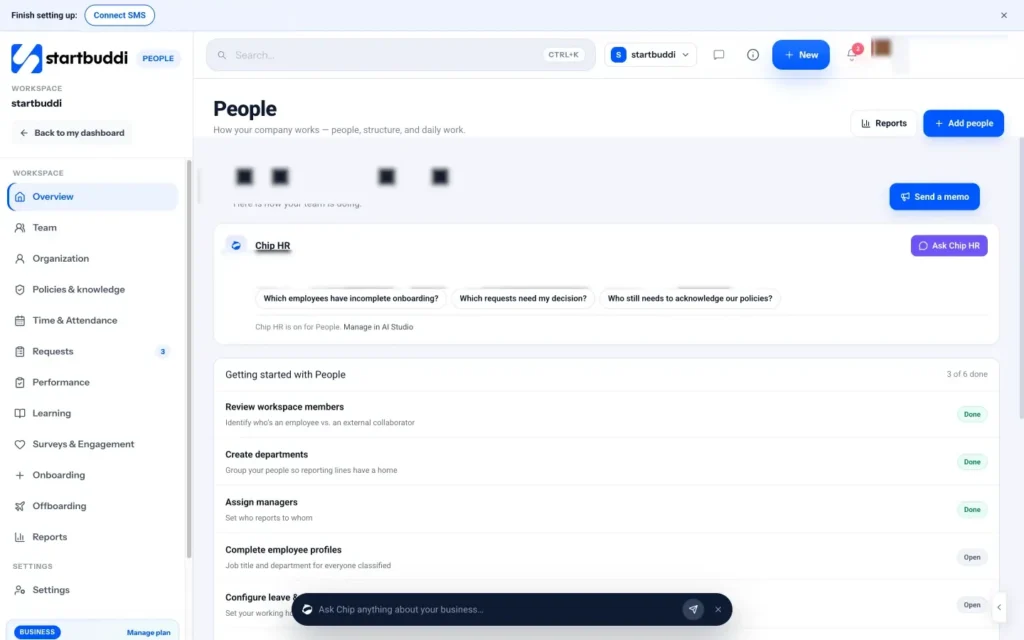
Open People from the sidebar. The overview shows a setup checklist: review workspace members, create departments, assign managers, complete employee profiles, configure leave and attendance, and add company policies. You don't need all of it on day one, but working down the list gives your team a clean start.
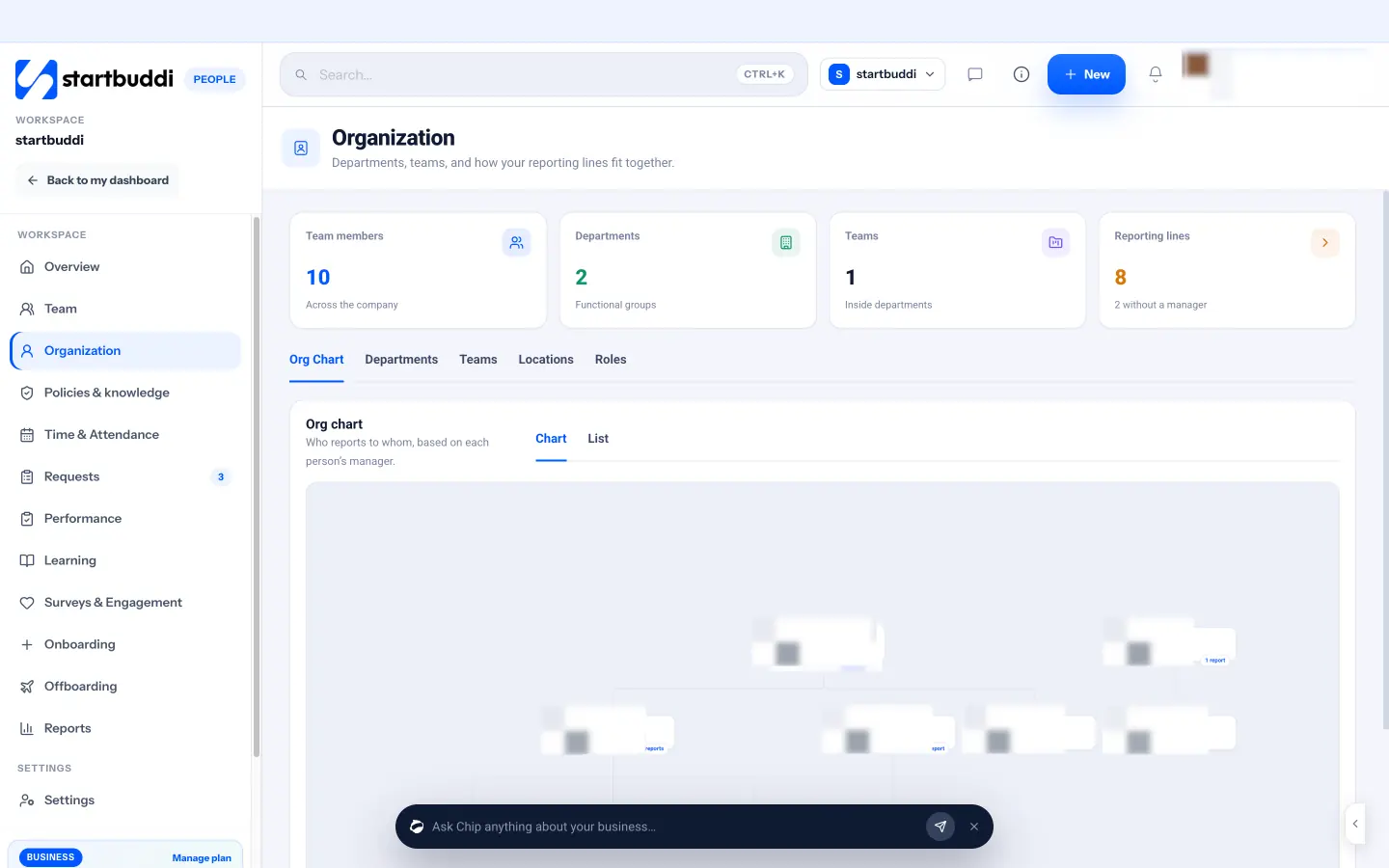
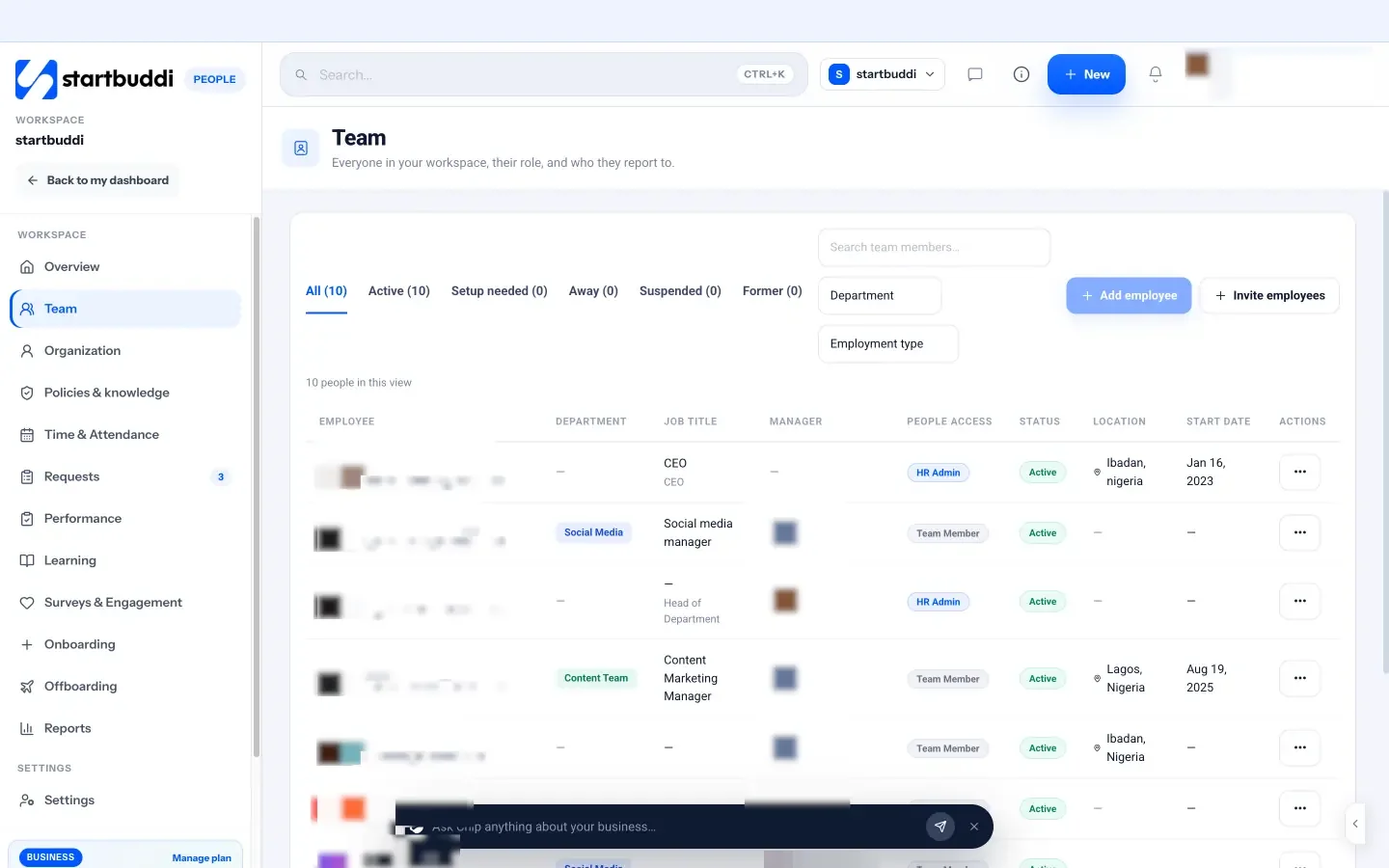
Next, go to Organization. Add departments that match how your business actually works, even if each has only one person for now: for example Operations, Sales and Installations. Each department can have a head and a short description of what it owns. As you set who reports to whom, the org chart draws itself from each person's manager, with no drawing needed.
Then check your plan and seats. People records don't need a seat: you can add a hire as a preboarding employee before they have an account. But anyone who logs in to startbuddi needs a seat. The Free plan includes the owner seat only; Starter includes 2 seats, Growth 5 and Scale 15, and you can add extra seats on any paid plan (see pricing). Every paid plan starts with a 30-day trial.
When you invite someone, you choose their workspace role. Start with Member for most teammates, use Manager for someone who owns delivery or client work, and keep Admin and Owner for people who truly run the workspace. There's also a Client role that only sees the projects they've been added to, and a View only role. Each role comes with sensible module access, and on the Scale plan you can fine-tune it module by module, so a new assistant can see bookings and customers without seeing everything else.
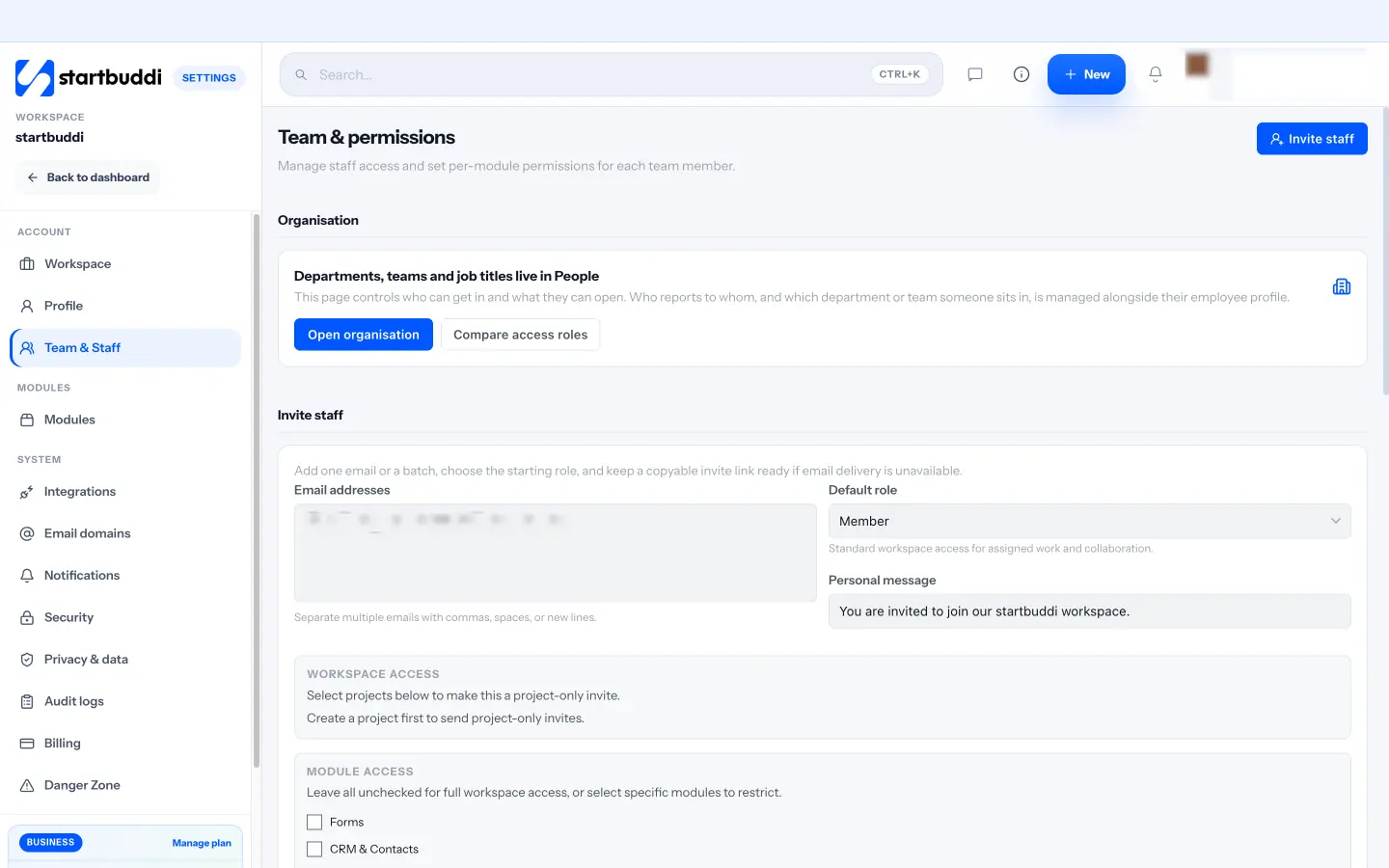
People access is separate from workspace roles. In People, each person is an HR admin, a Team member or has No access, and managers automatically see their own reports and nobody else. That means you can give a team lead visibility of their people's leave and reviews without giving them the whole company.
If you work with freelancers or contractors as well as employees, People asks the same question you answered earlier in this chapter. When you set someone up, it asks "How do you work together?" You can choose Yes, they're part of our team, or mark them as an external collaborator, such as a freelancer, contractor, consultant, agency or temporary collaborator. Keeping the two groups separate from the start makes your headcount, leave and reports honest. Fuller tracking for external collaborators, such as their contracts and timesheets, is marked as coming soon in the app.
One thing startbuddi doesn't do is payroll. It doesn't calculate pay, tax or pension contributions or produce payslips, so use your accountant or a payroll provider for that, and keep People for everything around it.
Next up: finding and choosing the right person.
Sources for this chapter
- GOV.UK: Employment status
- GOV.UK: Employing staff for the first time
- National Pension Commission (PenCom)
- Nairametrics: PenCom DG on proposed pension contribution increase (July 2026)
- Nigeria Social Insurance Trust Fund (NSITF)
Hire the right person with a simple, fair process
- Write a job advert that attracts the right people
- Find candidates where they already are
- Shortlist quickly and fairly
- Run structured interviews
- Test real skills with a work sample
- Check references and the right to work
- Make a clear written offer
- Use probation well
- Hiring remotely
- Common hiring mistakes
- What good looks like
- How to run hiring with startbuddi
With a scorecard in hand, you're ready to find people. Small businesses have one big advantage in hiring: you can move fast and talk to candidates personally. The risk is that you rely on gut feel and hire the most likeable person rather than the most capable one. This chapter gives you a simple, fair process that fits a small team: write an advert people actually read, find candidates in the right places, interview with structure, test real skills, check references, and make a clear written offer.
Write a job advert that attracts the right people
Your scorecard becomes your advert with a friendlier tone. Good adverts are specific, honest and short enough to read on a phone. Use this structure:
- A clear title people search for: "Operations assistant", "Junior graphic designer", "Salon receptionist".
- Two lines about your business: what you do, who for, and why it's a good place to work.
- What you'll do: five or six bullet points of real tasks.
- What success looks like: two or three outcomes from your scorecard.
- What you need: must-haves only. Every extra "requirement" puts off good candidates who don't tick every box.
- Pay range, hours and location: including a pay range saves everyone time and signals that you're serious.
- How to apply and what happens next: the steps and a rough timeline.
Ask applicants one or two short questions instead of, or as well as, a CV. "Tell us about a time you had to organise a busy week for someone else" reveals far more about an operations assistant than a list of past job titles.
Check your wording for bias. Phrases like "young and energetic" or "recent graduate" can exclude older candidates and, in many countries, break equality law. The UK government's guide for employers on preventing discrimination is a useful checklist even if you're elsewhere.
Find candidates where they already are
Big job boards work, but they aren't the only option, and for small businesses they're often not the best. Consider:
- Referrals from people you trust: past colleagues, customers, suppliers. Tell them exactly what you're looking for.
- Your own audience: a post on your social media or WhatsApp status. People who already like your business can make great hires.
- Industry communities: professional groups, WhatsApp and Telegram communities, online forums in your field.
- Universities, polytechnics and training schools for junior and trainee roles.
- General and specialist job boards in your country.
Collect every application in one place with the same questions. When applications arrive by email, DM and WhatsApp, you can't compare them fairly and good people slip through.
Shortlist quickly and fairly
Before you read a single application, decide what you'll look for, using the must-haves from your scorecard. Then score each application against those points, for example 1 to 3 on each. This takes a few minutes per application and stops you being swayed by a nice photo or a famous university.
Reply to everyone, including a short, kind "no". It's good manners, and in a small market your reputation as an employer travels.
A short phone or video screen of 15 minutes is often worth doing before a full interview. Check the basics: they understand the role, the pay range works, the hours and location work, and they can communicate clearly.
Run structured interviews
A structured interview means asking every candidate the same questions, linked to the job, and scoring their answers against the same guide. It sounds rigid, but it's the single best-supported interview method we know of. A large 2022 re-analysis of hiring research by Sackett and colleagues in the Journal of Applied Psychology found structured interviews were the strongest predictor of job performance among the common selection methods it reviewed. Google's re:Work guide to structured interviewing reaches a similar conclusion from its own hiring data, and adds that candidates tend to find structured interviews fairer.
How to build one in an evening:
- Take the three to five outcomes from your scorecard.
- For each, write one past-behaviour question ("Tell me about a time you…") and one situation question ("What would you do if…").
- For each question, write what a weak, good and excellent answer looks like.
- Score each answer from 1 to 4 straight after the interview, before you talk to anyone else about the candidate.
Example questions for the operations assistant:
- "Tell me about a time you had more tasks than time. How did you decide what came first?"
- "A customer calls, upset that the installer is late, and you can't reach the installer. What do you do in the next ten minutes?"
- "Tell me about a time you found a mistake in something you'd already sent. What happened next?"
- "How do you keep track of follow-ups so nothing is forgotten?"
Leave ten minutes for their questions. What they ask tells you a lot about how they think.
A simple scoring sheet keeps your decision honest. Fill one in for each candidate straight after each stage:
| What you're checking | Evidence from | Score (1 to 4) |
|---|---|---|
| Organises competing priorities | Interview question 1, work sample | |
| Stays calm with upset customers | Interview question 2, reference | |
| Owns and fixes mistakes | Interview question 3, reference | |
| Follows up reliably | Interview question 4, work sample | |
| Clear written communication | Application answers, work sample |
When two candidates are close, look at the evidence rather than the total. The one who scored higher on your most important outcome usually wins.
Test real skills with a work sample
The best way to see if someone can do the job is to watch them do a small piece of it. Keep the task short (an hour or two), realistic and relevant:
- An operations assistant schedules a fictional week for three installers from a list of requests.
- A designer adapts an existing social post for three platforms.
- A salon receptionist handles a role-played phone call with a tricky booking.
- A bookkeeper sorts a month of sample transactions.
Don't ask candidates to do real client work for free. If a task takes more than a couple of hours, pay for it. Paid trial projects are fairer, and they tend to attract stronger candidates who have other options.
Check references and the right to work
Talk to at least one or two previous managers or clients, by phone if you can. Ask specific questions: "What was she responsible for?", "What would you want her next manager to know?", "Would you work with her again?" Listen for hesitation as much as for words.
Check that the person is legally allowed to work for you. In the UK, employers must check a candidate's right to work before employment starts, and can face penalties if they don't. Other countries have their own rules, especially for foreign nationals, so check your local immigration or labour authority.
Make a clear written offer
Once you've chosen someone, call them first, then send a written offer. The offer should cover, at minimum: job title, start date, pay and when it's paid, hours and place of work, probation period if any, leave entitlement, notice period, who they report to, and anything the offer depends on, such as references. Our free job offer letter template is a good starting point.
Then follow up with the full terms of employment. Many countries set a deadline. In Nigeria, the Labour Act requires employers to give workers a written statement of the main terms of employment within three months of starting. In the UK, the principal written statement must be given on the first day, with the rest within two months. Whatever the rule where you are, giving clear written terms before day one avoids misunderstandings and protects you both.
This is general information, not legal advice. Employment contracts carry legal weight; have yours checked by a qualified adviser, at least the first time.
Use probation well
Many employers start new hires with a probation period, often a few months, during which both sides check the fit and notice periods may be shorter. Whether and how probation works is set by your contract and local law, so write it clearly into the offer. A probation period only helps if you use it. Agree the goals for it on day one, taken from your scorecard; check in every couple of weeks; and hold a proper review before it ends, with a written outcome: confirmed, extended with clear reasons, or ended. Nobody should find out on the last day that something was wrong all along.
Hiring remotely
If the role can be done from anywhere, you can widen your search a lot, but a few things change. Run interviews on video with cameras on, and tell candidates the format in advance so nobody is caught out by technology. Make the work sample something they can do in their own time. Be clear about the hours you need them to overlap with you, and check which country's employment rules apply if they live abroad, because the rules that apply often depend on where the person works, not where your business is registered.
Common hiring mistakes
- Hiring the best interviewer, not the best worker. Structure and work samples fix this.
- Different questions for different candidates. You end up comparing conversations, not abilities.
- Skipping references because you "have a good feeling".
- Vague offers. "We'll sort out leave later" becomes a dispute later.
- Going silent on candidates. Keep people updated, even when the answer is no.
What good looks like
You have one place where every application arrives with the same questions, a scoring sheet, a set of structured interview questions with answer guides, a short paid or unpaid work sample, at least one reference call, and a signed offer with written terms. It's more effort than hiring a friend's cousin on a handshake, but a bad hire costs you far more time than this process does.
How to run hiring with startbuddi
startbuddi doesn't have a dedicated applicant tracking system switched on yet, but the tools you need for a small, well-run hiring round are already there.
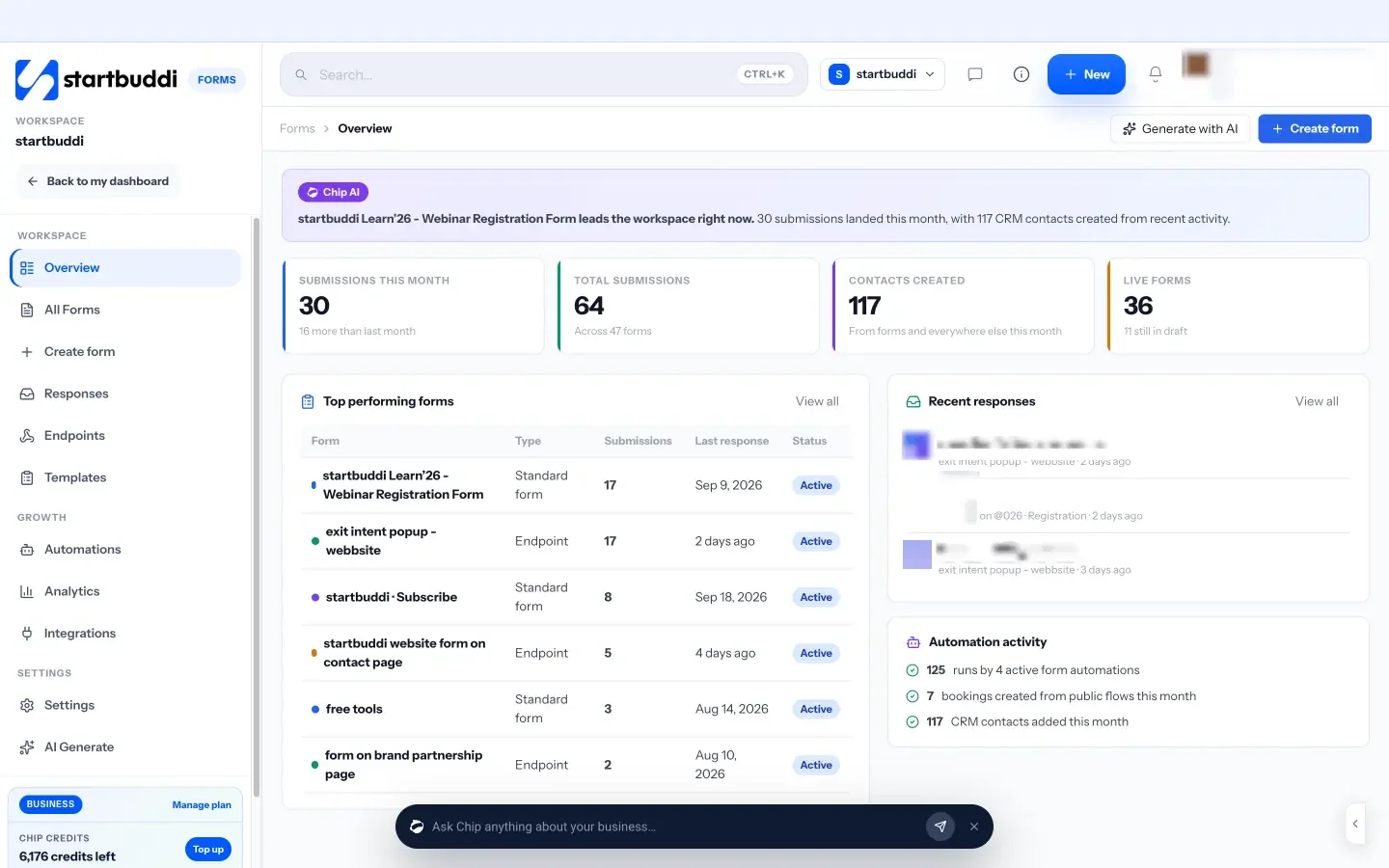
Collect applications with a form. In Forms, create an application form with the same questions for everyone: name, contact details, your one or two screening questions, and a file upload for a CV if you want one. Share the form link in your advert, on social media and on WhatsApp. Every submission arrives in one list, so you can read and score them side by side. The Free plan includes one form; Starter includes 20, and Growth and above are unlimited. If you'd like a proper page around it, a landing page in Publish can hold your advert with the form embedded.
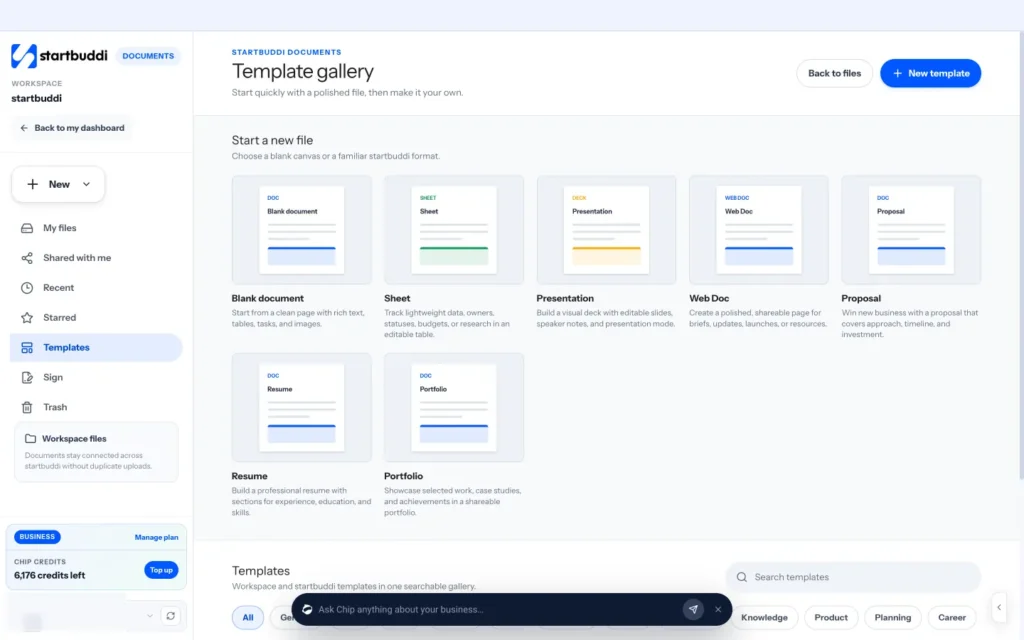
Write the offer and get it signed. In Documents, create a new document for the offer letter, starting from our template if you like, and fill in the details. Then send it for signature with startbuddi eSign: add the candidate as a signer, place the signature and date fields, and send. The document locks while it's out for signature, and you can remind anyone who hasn't signed yet. If you're staring at a blank page, use Write with Chip in the editor to draft a friendly opening or check what's missing before you send, then review every line yourself. The Free plan includes three documents; paid plans are unlimited. Use the same route for the written statement of terms or employment contract once your adviser has checked it.
Add your new hire to People. Once they've accepted, go to People, then Team. You can invite them by email or add them with a job title, department, employment type and manager. Their profile then holds their contact details, emergency contact, job details, leave, reviews, documents and equipment in one place, so you're not keeping a paper file in a drawer.
If you'd rather set up their onboarding before they have an account, you can: the onboarding wizard lets you add a brand-new hire with just a name and work email, and their steps wait with HR until they join. That's the subject of the next chapter.
For more on the whole process in a shorter read, see how to hire your first employee: a checklist.
Sources for this chapter
- Sackett, Zhang, Berry and Lievens (2022), Revisiting meta-analytic estimates of validity in personnel selection, Journal of Applied Psychology
- Google re:Work: Use structured interviewing
- GOV.UK: Employers, preventing discrimination
- GOV.UK: Check a job applicant's right to work
- Labour Act, Cap L1, Laws of the Federation of Nigeria (via PLAC)
- GOV.UK: Written statement of employment particulars
Onboard new hires so they thrive in 90 days
- Think of onboarding in four stages
- Preboarding: get everything ready before day one
- Day one: make them feel expected
- The first 90 days: a 30/60/90 plan
- A worked example: the first week for an operations assistant
- Give access carefully
- Write down how your business works
- Check in often, and do a proper review
- Onboarding someone remotely
- Common onboarding mistakes
- What good looks like
- How to onboard a new hire in startbuddi
You've found the right person. Now the real work starts. A new hire's first few weeks shape how they feel about the job, how quickly they become useful, and whether they stay. In a small business, onboarding often means "here's the laptop, shadow me for a bit". That's understandable when you're busy, but it's costly. People who don't know what's expected guess, and guessing leads to mistakes, stress and, sometimes, an early exit.
Gallup has reported that only 12% of employees strongly agree their organisation does a great job of onboarding new people (Gallup: Why the onboarding experience is key for retention). The research is based on larger US employers, but the lesson applies anywhere: a clear, planned start is rare, which means it's also a chance to stand out. This chapter gives you a simple onboarding plan you can reuse for every hire.
Think of onboarding in four stages
Onboarding isn't one day. It's a series of stages, each with a different job:
| Stage | When | The goal |
|---|---|---|
| Preboarding | From signed offer to day one | They feel welcome and everything is ready |
| Day one | First day | They feel expected, meet people and know the plan |
| First weeks | Weeks 1 to 2 | They learn the basics and deliver something small |
| First 90 days | Months 1 to 3 | They build confidence and own real outcomes |
Preboarding: get everything ready before day one
The time between the signed offer and the first day is when new hires are most excited and most anxious. Use it:
- Send a welcome message with the start date, time, address or video link, who to ask for, dress code if any, and what to bring (ID, bank details for pay, any documents you need).
- Prepare equipment and accounts: laptop, phone, email address, logins for the tools they'll use. Nothing says "we weren't expecting you" like waiting three days for a password.
- Collect the admin: signed contract or written terms, emergency contact, bank and tax details for payroll, and any right-to-work documents.
- Tell the team and key clients who's joining and what they'll do.
- Plan the first week, hour by hour for day one and day by day after that.
A welcome message you can adapt:
Hi Zainab, we're so glad you're joining us! Your first day is Monday 3 November. Please come to our office at 9am and ask for Ngozi. Bring a photo ID and your bank details so we can set up your pay. Your laptop and email will be ready. On day one we'll walk through how the business works, introduce you to the installers and get you set up. We'll finish by 4pm. If you have any questions before then, message me here.
Day one: make them feel expected
A good first day is calm and human. It isn't about paperwork. A simple running order:
- A proper welcome. Be there on time. If you're remote, be on the video call before them.
- The story of the business, in 20 minutes: who you serve, how you make money, what you're proud of, what's hard right now.
- Their role and the scorecard. Walk through the outcomes you wrote in chapter 1, so they know what success looks like from the start.
- Introductions to everyone they'll work with, including one or two key suppliers or clients if relevant.
- Set-up time for accounts and tools, with someone on hand to help.
- A small first task they can finish today. Finishing something on day one builds confidence.
- A short end-of-day chat: "What was confusing? What do you need tomorrow?"
Assign a buddy if you have more than one other person on the team: someone who isn't their manager, who they can ask the "silly" questions. In a two-person business, that's you, so say it out loud: "No question is too small this month."
The first 90 days: a 30/60/90 plan
A 30/60/90 plan breaks the first three months into three steps, each with a focus and a few measurable goals. It gives the new hire a map and gives you a fair way to check progress. A simple template:
- Days 1 to 30, learn: understand the business, customers, tools and processes. Shadow real work. Take over one or two routine tasks. Example goal: "Handle all booking confirmations by the end of week three."
- Days 31 to 60, contribute: own a set of regular tasks independently. Suggest one improvement. Example goal: "Answer every new enquiry within four working hours."
- Days 61 to 90, own: take full responsibility for their area and start measuring it. Example goal: "Publish the weekly installer schedule every Friday without prompting."
Write the plan together in the first week. People commit more to goals they helped shape.
A worked example: the first week for an operations assistant
- Monday: welcome, business story, scorecard, introductions, tool set-up. First task: confirm tomorrow's three bookings using a written script.
- Tuesday: shadow the founder on enquiry calls in the morning; answer email enquiries in the afternoon with the founder reviewing replies before they go.
- Wednesday: learn how quotes and invoices are sent. Send two real invoices with a check.
- Thursday: visit a site with an installer to understand what the job actually involves, so scheduling makes sense.
- Friday: draft next week's installer schedule with help. End-of-week chat, then write the 30/60/90 plan together.
Notice the pattern: each day mixes learning with a real, small piece of work, and responsibility grows a little every day. By Friday the new person has touched every part of their role at least once.
Give access carefully
New people need the right tools, but not every tool. Give access to what the role needs, and add more as they take on more. It protects your customers' data, which you're responsible for under data protection laws in many countries, and it makes offboarding simpler if things don't work out. Keep a simple list of every account and piece of equipment each person has, so you can take it back cleanly when they leave.
Write down how your business works
Most small businesses run on what's in the founder's head. That's fine until someone new joins and has to ask you everything. Before or during their first month, write down the basics. You don't need a thick manual; short pages are better:
- A company handbook: working hours, how to request leave, sick leave, expenses, how you communicate, conduct expectations, and who to go to with problems. Our free employee handbook template gives you a structure.
- How-to pages for recurring tasks: "How we confirm a booking", "How we send an invoice", "What to do when a customer complains".
- Key policies you need people to read and agree to, such as data protection, use of company equipment and leave.
Every time a new hire asks a question twice, that's a sign it belongs in writing. Ask them to write the page; it's a great learning exercise and saves you time.
Check in often, and do a proper review
Short, regular check-ins beat a big review at the end. For the first month, a 15-minute chat once or twice a week is plenty. Use three questions: What's going well? What's getting in your way? What do you need from me? After the first month, a weekly or fortnightly one-to-one is enough.
At the end of 90 days, or the end of probation, hold a proper review against the 30/60/90 plan and the scorecard. Write down the outcome and agree the goals for the next three months.
Onboarding someone remotely
Remote onboarding needs more structure, not less. Ship equipment early and check it works before day one. Schedule short video calls through the first week so they aren't alone with a list of links. Record short screen videos of common tasks. And be deliberate about introductions, because they won't bump into people in the kitchen.
Common onboarding mistakes
- No equipment or logins on day one. Prepare them during preboarding.
- Information overload. Spread learning over weeks, not one exhausting day.
- No clear goals. Without a 30/60/90 plan, both sides judge progress by feel.
- Disappearing after week one. Keep checking in through the whole first quarter.
- Nothing written down. Every repeated question costs you time for as long as the business exists.
What good looks like
Before day one, equipment and accounts are ready and admin is done. On day one, the new person meets everyone, understands the business and their scorecard, and finishes a small task. By the end of week one they have a 30/60/90 plan. By day 90 they own their area, and you've had a review with a written outcome. The next hire's onboarding takes far less effort, because it's all written down.
How to onboard a new hire in startbuddi
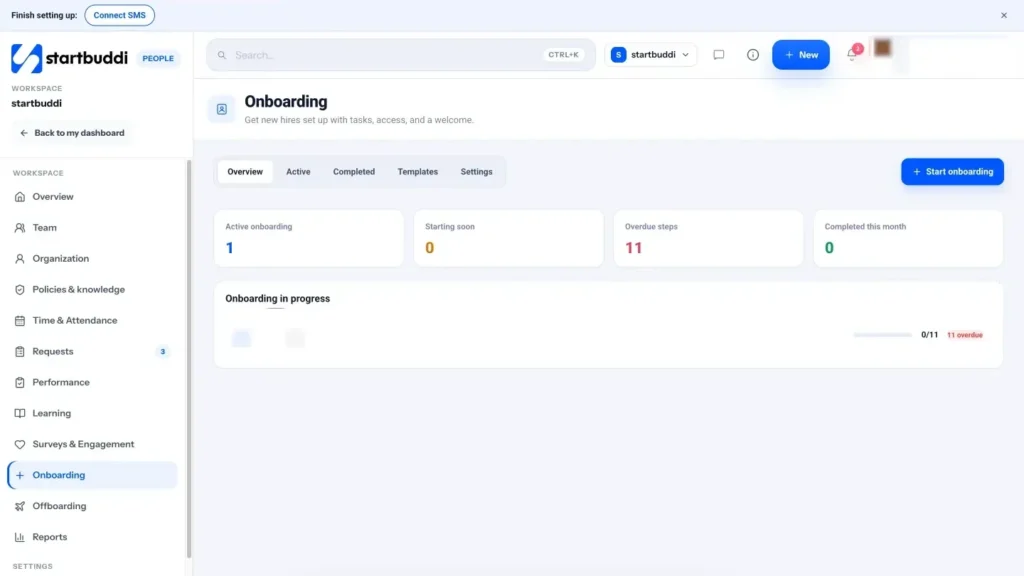
In startbuddi, open People, then Onboarding and choose Start onboarding. The wizard has four steps:
- Who: pick someone already in your workspace, or choose a brand-new hire and enter their full name and work email to invite them. If you don't have a spare seat yet, their steps wait with HR until they join.
- Employment details: job title, department, who they report to, employment type, start date and location. Checklist due dates count from the start date.
- Checklist: choose a template.
- Review and start. Everyone who owns a step is notified.
The built-in Company onboarding template covers a standard first two weeks: account and equipment before day one, introductions on day one, and training and goals in the first fortnight. It includes a request to prepare a laptop and a request to set up workspace access. Each step has an owner, whether that's the new hire, their manager, HR or IT and admin, so the right person knows what to do and when. You can build your own templates under the Templates tab, scope them to a department, and group steps into "Day 1", "Week 1" and so on.
The onboarding overview shows who's onboarding, who's starting soon and any overdue steps. You can send a reminder on an overdue step, and when every step is done, complete the onboarding and the hire becomes an active employee. New hires see their own progress and open steps on their People overview, so they always know what's next. More detail is on the onboarding and offboarding page.
Each person's profile in Team keeps the details you collected during preboarding in one place: contact information and emergency contact, job details, documents such as the signed offer, and an Equipment tab listing assigned equipment, software access and anything that needs to come back later. That list is exactly what you'll need if the person ever leaves. To announce a new joiner, use Send a memo from the People overview: pick everyone or one department, and it's delivered by email, by Chat or both.
Let Chip HR draft the plan. The Chip HR card on the People overview can draft a 30/60/90 plan for a named person and save it in Documents, or build a role-specific onboarding checklist, for example for a new designer. It shows you a preview and asks before creating anything, and a person always makes the final decisions. See Chip for HR for what else it can do.
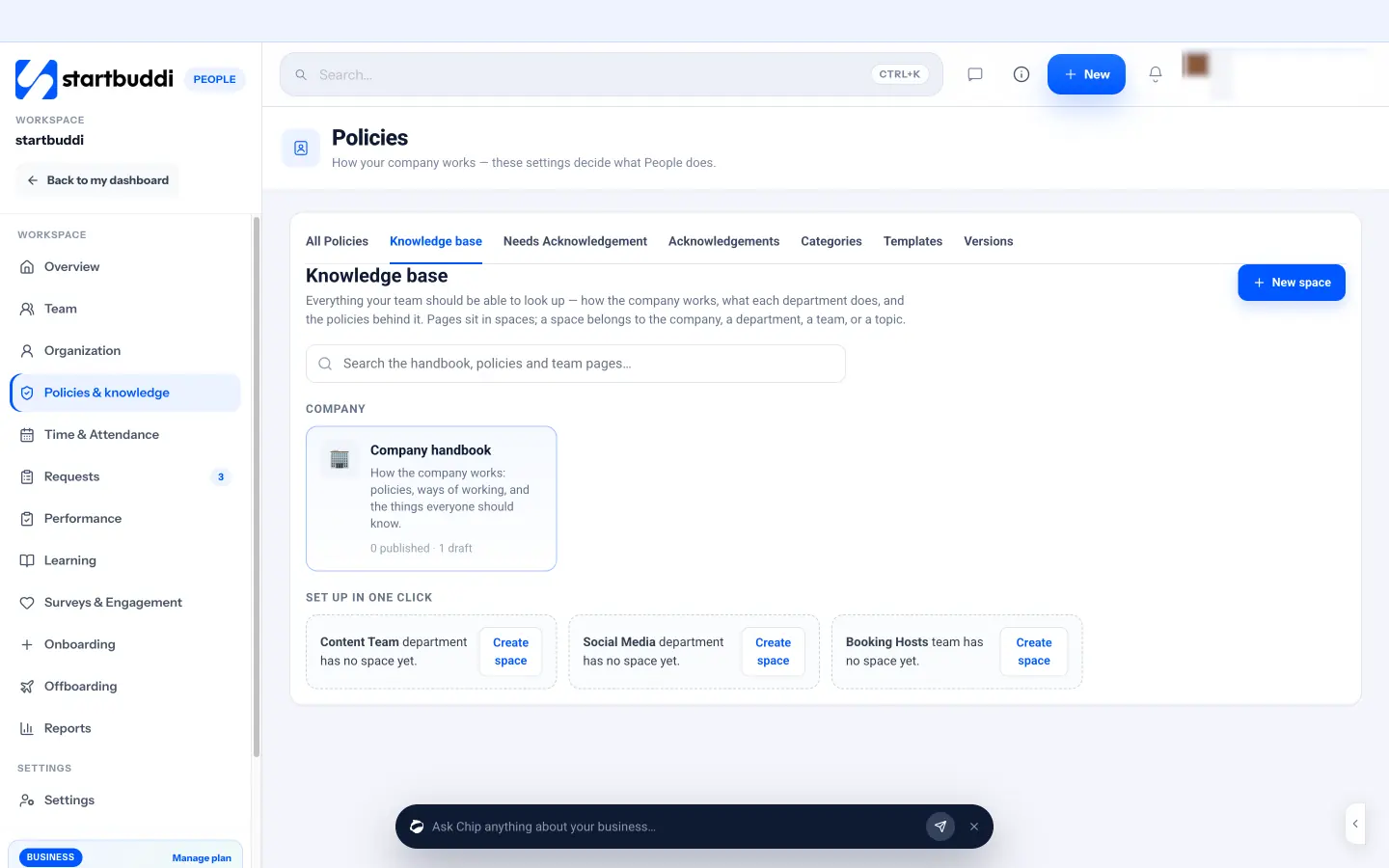
Put your handbook and policies in one place. Go to Policies & knowledge. Start a policy from a template or with New policy, answer a few questions (Chip can suggest answers if you describe how your company works), choose who it applies to, and publish it. Policies such as leave, working hours and attendance don't just sit there as text; publishing them changes how requests and approvals work in People. Anything you mark as needing sign-off asks people to acknowledge it, and you can see who has and hasn't, with a button to remind them. When you change a policy, everyone is asked to acknowledge the new version.
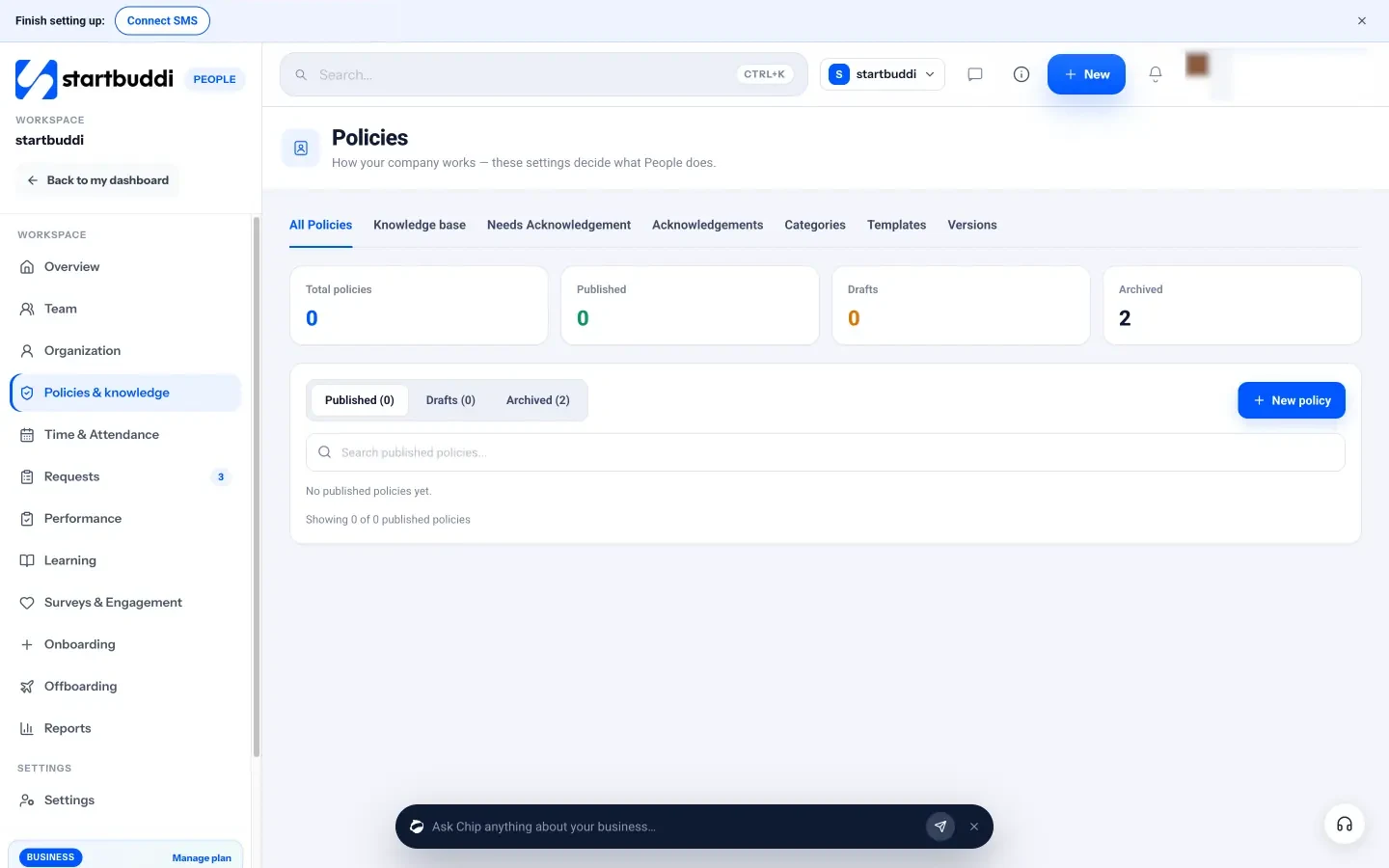
The Knowledge base holds everything else your team should be able to look up: how-to pages, checklists and decisions, organised into spaces for the company, a department or a team. Any page can be turned into a policy that needs sign-off. Chip HR can answer team questions from your published handbook and tells you which page it used; if nothing covers the question, it says so rather than guessing. There's more on the handbook, policies and knowledge base page.
Finally, you can turn on onboarding automations in People settings: create the checklist automatically when someone joins, assign required learning and policy acknowledgements, send a welcome memo and notify the manager. These run on workspace automations, which need a paid plan.
Next up: leave, time off and keeping your team running smoothly.
Sources for this chapter
Set up leave, time off and reviews your team can trust
- Start with the legal minimum where you are
- Decide what your leave policy covers
- A leave policy template for a small team
- Plan cover so the business keeps running
- Handle sickness with care
- Keep good records
- Keep the team growing: check-ins and reviews
- Common leave mistakes
- What good looks like
- How to manage leave and reviews in startbuddi
- Your next step
Time off is where small teams most often run into trouble. With one or two employees, leave is usually agreed in a chat: "Can I take next Friday?" "Sure." It works until two people want the same week, someone is sick during your busiest month, or a disagreement comes up about how many days are left. A simple, written leave policy and one place to request and track time off prevents almost all of it. It also shows your team that the rules are the same for everyone.
This chapter covers the legal minimums in a few countries, how to write a leave policy that fits a small business, how to plan cover, and how to keep a light rhythm of check-ins and reviews so your team keeps growing.
Leave law differs by country, and the rules below are summaries of official sources as of September 2026. They're general information, not legal advice. Always check the current law where your employees work, and your contracts, before you set your policy.
Start with the legal minimum where you are
Most countries set a minimum amount of paid annual leave and some form of sick leave. Your policy can be more generous, but never less. A few examples:
| Country | Minimum paid annual leave | Official source |
|---|---|---|
| Nigeria | At least 6 working days after 12 months of continuous service, for workers covered by the Labour Act | Labour Act, section 18 |
| Kenya | At least 21 working days with full pay after every 12 months of continuous service | Employment Act 2007, section 28 |
| Ghana | At least 15 working days with full pay in a calendar year of continuous service | Labour Act 2003 (Act 651), section 20 |
| South Africa | At least 21 consecutive days per annual leave cycle (15 working days for a five-day week) | Department of Employment and Labour: basic guide to annual leave |
| United Kingdom | 5.6 weeks a year for almost all workers (28 days for a five-day week); bank holidays can be counted within this | GOV.UK: Holiday entitlement |
A few important details for Nigeria. The Labour Act also provides for paid sick leave of up to 12 working days a year when an illness is certified by a registered medical practitioner (section 16), and for maternity leave, including six weeks after the birth, with at least half pay for women who have worked for six months or more (section 54). But the Act's definition of a "worker" in section 91 excludes people in administrative, executive, technical or professional roles, so for many office and knowledge jobs the employment contract sets the leave terms. Many employers choose to offer more than the statutory minimum to attract and keep good people. Check your contracts carefully, and take advice if you're unsure which rules cover which role.
In the UK, eligible employees also get Statutory Sick Pay, currently up to £123.25 a week for up to 28 weeks, according to GOV.UK's Statutory Sick Pay page. Rates change each April, so check the current figure.
Decide what your leave policy covers
Once you know the minimum, decide what you'll actually offer. A clear leave policy for a small team usually covers:
- Types of leave: annual leave, sick leave, compassionate or bereavement leave, family leave (maternity, paternity and others), unpaid leave, and any extras such as a study day or a birthday off.
- How much of each type, and whether it's paid.
- How it builds up: all at once at the start of the year, or month by month. Month by month is fairer for new starters.
- How to ask: through which system, and how much notice is needed for different lengths of leave.
- Who approves, and how quickly they should answer.
- Busy periods: any times of year when leave is limited, and why.
- Carry over: whether unused days move to next year, and how many.
- Public holidays: whether they're on top of annual leave or included.
- Sickness: how to report it, by when, and when a medical note is needed.
- What happens when someone leaves: how unused leave is handled.
A leave policy template for a small team
Adapt this to your country's minimums and your own choices:
Annual leave. Full-time team members get [X] working days of paid annual leave a year, on top of public holidays. Leave builds up monthly from your start date. Part-time team members get a proportional amount.
Requesting leave. Request leave in our People system. For up to two days, give at least one week's notice; for longer, give at least four weeks. Your manager will reply within two working days.
Busy periods. We limit leave during [our busiest weeks] so we can serve customers. If you need time off then, talk to your manager as early as possible.
Carry over. You can carry up to [5] unused days into the next year. They must be used by [31 March].
Sick leave. If you're ill, message your manager before your usual start time. For absences longer than [two] days, we'll ask for a medical note. [Paid sick leave terms.]
Compassionate leave. If someone close to you dies or is seriously ill, you can take up to [X] days of paid compassionate leave. Just tell us; we'll sort the details later.
For a longer walk-through, read our post on what to include in a leave policy for a small business.
Plan cover so the business keeps running
In a team of three, one person on leave is a third of the business. Plan for it:
- Write down each person's key tasks and who covers them. Your how-to pages from chapter 3 make this much easier.
- Set a simple coverage rule, such as "no more than one person from operations away at a time".
- Look ahead each month at who's away, especially around holidays and your busy season.
- Handover before leave: a short note of what's in progress, what might come up, and who to contact.
- Respect time off. Don't message people on leave unless it's truly urgent. Rest is the whole point.
Worked example: planning the December rush. A three-person catering business knows December is its busiest month and that everyone wants time off around the holidays. In September, the owner shares the rule: during 1 to 24 December, only one person can be on leave at a time, and requests for that period must be in by 31 October. Requests are approved in the order they arrive. Everyone gets at least three consecutive days off between Christmas and the New Year, when the kitchen closes. Nobody is surprised, nobody fights over dates, and the busiest weeks are fully staffed.
Encourage people to actually take their leave. Tired people make more mistakes, and a team that never rests is heading for burnout. Founders are included: when you take time off, you show everyone it's normal.
Handle sickness with care
Sick leave is where policy meets people's lives, so apply it kindly and consistently. Make reporting easy: one message to a named person before the usual start time. Ask for a medical note only when your policy or the law says so, not for every day off. When someone returns after a longer absence, have a short, private return-to-work chat about whether they need any adjustments. And keep health information confidential: it's sensitive personal data, so share it only with the people who genuinely need to know.
Keep good records
Keep a record of every leave request, approval and day taken, and of sickness absence. You'll need it to answer "how many days do I have left?", to handle disputes fairly, and to pay people correctly when they leave. In many countries, employers are expected to keep records like these for a period of time, so a shared spreadsheet with no history isn't ideal.
Keep the team growing: check-ins and reviews
Leave is part of a bigger habit: paying attention to how your people are doing. For a small team, a light rhythm works best:
- Weekly or fortnightly one-to-ones of 20 to 30 minutes. Their agenda first, then yours.
- Feedback in the moment, both thanks and corrections, while it's still useful.
- A simple review twice a year: the person writes a short self review, you write yours, you talk, and you agree goals for the next six months. Use the outcomes from the scorecard, not vague traits.
Reviews shouldn't hold surprises. If something has been going wrong, the person should already know from your one-to-ones.
Common leave mistakes
- No written policy. Unwritten rules get applied unevenly, and people notice.
- Offering less than the legal minimum because you didn't check.
- Approvals that take a week. Slow answers make it hard for people to plan their lives.
- Leave tracked in chats. Nobody can find the history, and balances become guesses.
- Making people feel guilty for taking time off. It's their entitlement, not a favour.
What good looks like
A written leave policy at or above the legal minimum, shared with everyone and acknowledged. One place to request leave and see balances. A clear approver who answers quickly. A coverage rule for busy periods. Complete records. And a light rhythm of one-to-ones and reviews, so your first team keeps getting better.
How to manage leave and reviews in startbuddi
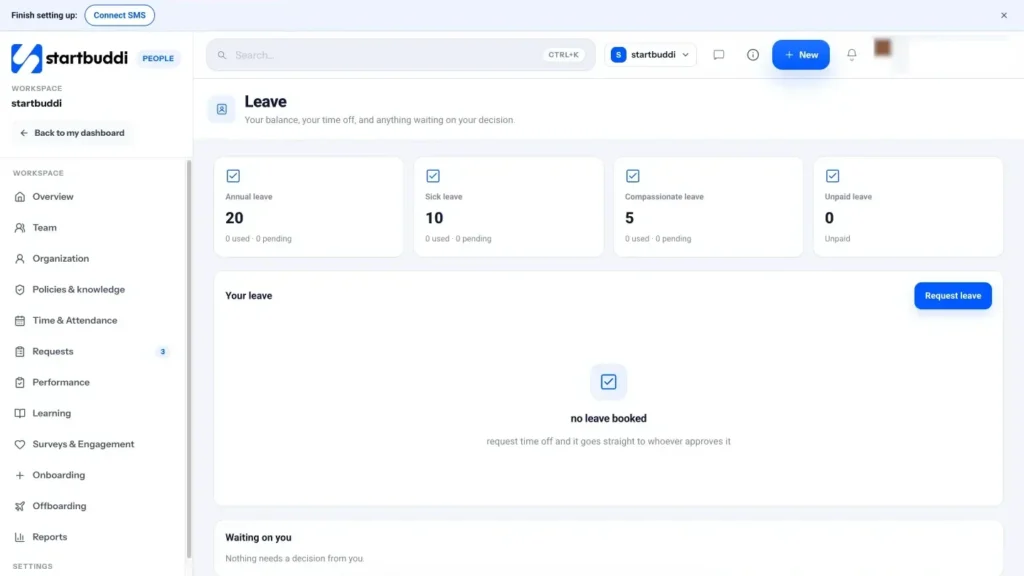
In startbuddi, leave rules live in People, then Policies & knowledge, under the Leave policy. People comes with four default leave types: annual leave, sick leave, compassionate leave and unpaid leave. Open Edit leave policy to set the rules, such as how much notice is required, what carries over, whether people can approve their own leave, and whether a team coverage guard should warn when too many people are away at once. Public holidays aren't charged as leave. When you publish the policy, it applies to new requests from then on, and your team can be asked to acknowledge it.
You also decide who approves leave. It can be a single approver or a chain that runs in order, so the next person is asked only once the one before approves. Approvers can be the person's manager, a department head, a People admin, a finance admin or the workspace owner, and a leave type can have its own chain: sick leave straight to the manager, for example, and long leave up the line.
To take time off, a team member opens Request leave, picks the type and dates, and adds a note. startbuddi works out the number of working days as they go and checks the request before it's sent: is there enough leave left, has enough notice been given, is the team covered, does it fall in a restricted period? If something blocks the request, they see why before sending it.
Requests go to the first approver. Approvers see everything waiting for them in Requests, under Needs My Approval, and can approve, or reject with a reason such as "Conflicts with policy". The same screen handles other requests too, such as expenses, remote working, equipment and attendance corrections, so your team has one place to ask for anything.
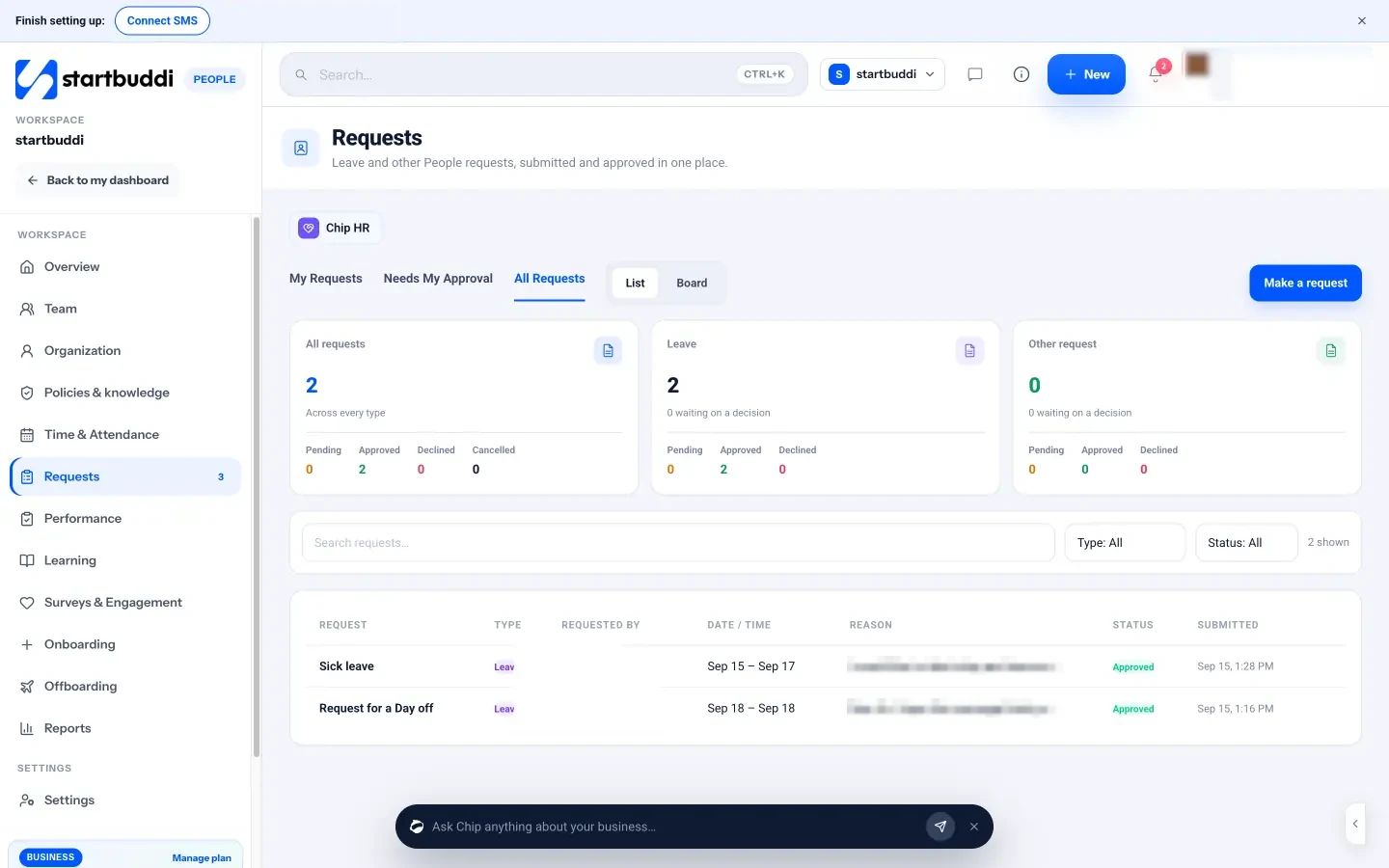
Once approved, balances update and the time off shows on the person's profile, on the overview's upcoming time off, and in "Who's away today". Team members can check their own balance on the Leave page at any time, or simply ask Chip HR "How much leave do I have left?". Read more on the leave and attendance page.
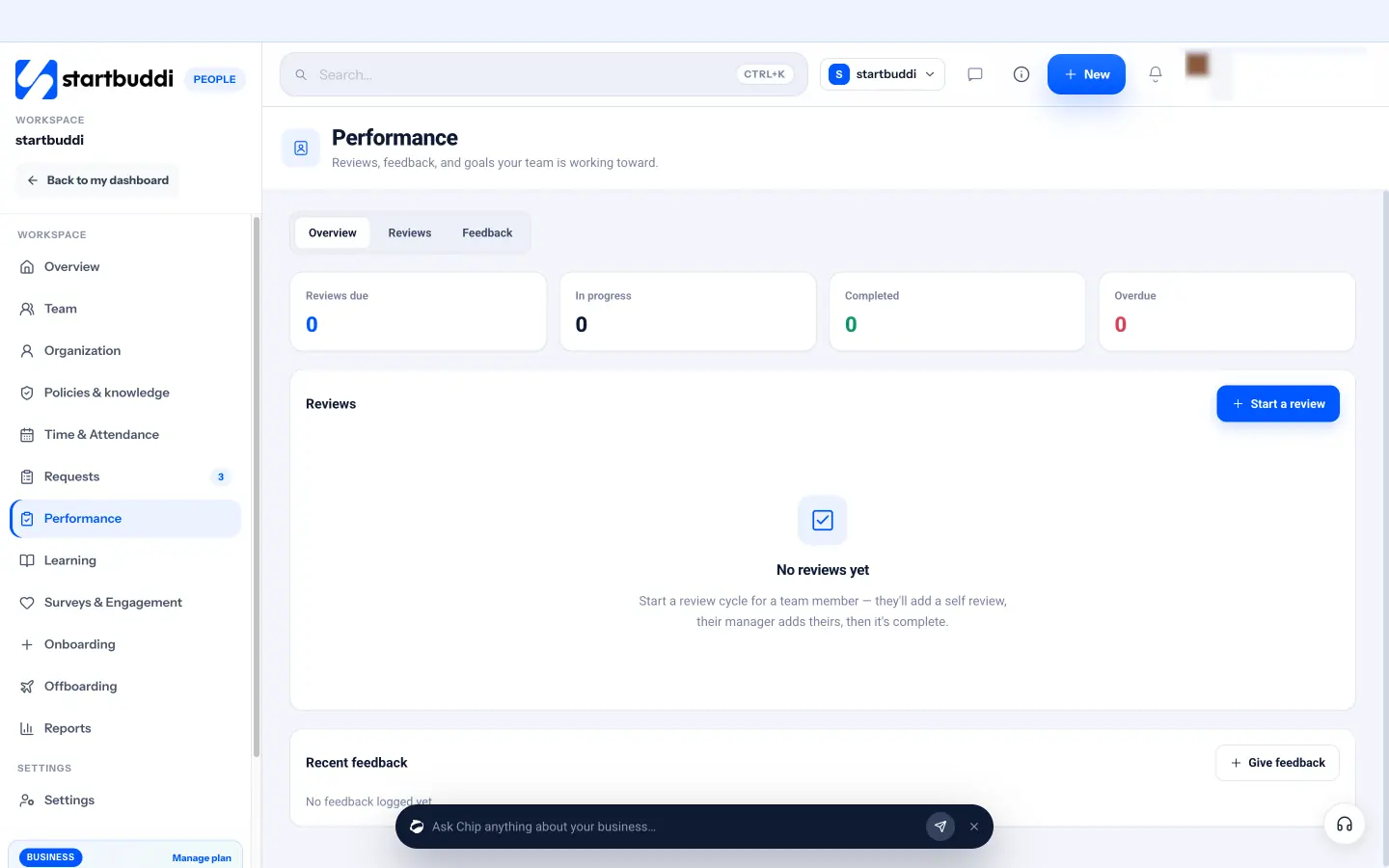
For reviews, open Performance and choose Start a review. Pick the team member, name the cycle (for example "H1 2026") and set a due date. The team member writes a self review, the manager writes theirs and chooses a rating from 1 to 5, and the review is marked complete. You can also give written feedback at any time. Chip HR can gather someone's reviews, feedback, goals and training into a short, balanced draft summary for you to edit; a person always decides the rating.
A reminder of what startbuddi doesn't do here: it doesn't run payroll, calculate pay or tax, or file anything with tax authorities. Keep your payroll with your accountant or payroll provider, and use People for the records and approvals around it.
Your next step
You now have the whole path from "I need help" to a team that's hired fairly, onboarded well and has clear rules for time off. Pick the one piece you're missing today, whether that's a scorecard, a written offer, an onboarding checklist or a leave policy, and do it this week. If you'd like it all in one place, you can try People in startbuddi; inviting teammates needs a paid plan, and every paid plan starts with a 30-day trial. Compare plans on the pricing page.
Sources for this chapter
- Nigeria Labour Act, section 18 (annual holidays), section 16 (sick leave), section 54 (maternity) and section 91 (definitions), via Jurist.ng
- Kenya Employment Act 2007 (Kenya Law)
- Ghana Labour Act 2003, Act 651 (GIPC)
- South Africa Department of Employment and Labour: basic guide to annual leave
- GOV.UK: Holiday entitlement
- GOV.UK: Statutory Sick Pay
Chinedu Kalu is the co-founder and chief operating officer of startbuddi, responsible for how the company runs day to day. Chinedu writes about the operational side of a small business: registering and running the company, money, hiring and the routines that keep a team on track.
Co-founded startbuddi and runs its operations