
Employee engagement surveys for small teams: questions, pulse checks and eNPS
A four-part guide to running an employee engagement survey in a small team: what to measure, which questions to ask, how to keep it anonymous and what to do next.

This guide shows you how to run an employee engagement survey in a small business: what engagement means, which questions to ask, how to keep answers honest when your team is only eight people, and how to turn the results into changes people notice. It is for owners and managers of teams from about four to fifty people who want to know how their team really feels, without hiring a consultant or buying an enterprise survey platform.
The short version: ask a small number of clear questions, keep it anonymous, tell people in advance why you are asking, share what you heard within two weeks, and change one or two things they can see. A short pulse survey every month or quarter, with an eNPS question to track over time, is enough for most small teams.
Each chapter starts with the thinking and templates, then shows how to do it in startbuddi. By the end you will have a question bank, a pulse survey and an annual survey ready to send, a plan for anonymity and timing, and a simple way to read results and act on them.
What an employee engagement survey is, and why small teams need one
In a team of six, you might think you already know how everyone feels. You work side by side, you chat at lunch, you would notice if something were wrong. Often you would. But people rarely tell the owner that they feel stuck, overworked or unheard, because the owner is also the person who decides their pay, their hours and their future. An employee engagement survey gives them a safe way to say it, and gives you a way to see patterns before they turn into resignations.
What engagement actually means
Engagement is how involved and committed people are to their work and the business. An engaged employee cares whether the job is done well, puts in effort beyond the minimum, and is likely to stay. A disengaged employee does what is required, and sometimes less, and is often quietly looking elsewhere.
It helps to separate engagement from two things it often gets confused with:
- Satisfaction is whether people are content with their job, pay and conditions. Someone can be satisfied (good pay, easy hours) and not engaged at all.
- Happiness is a mood, and it changes day to day. A busy week can make an engaged person tired and grumpy without changing how committed they are.
An employee engagement survey tries to measure the conditions that lead to engagement: whether people know what is expected of them, have what they need to do the job, feel their work matters, get recognition and feedback, have a manager who supports them, and can see a future in the business.
Why it matters, in numbers
Engagement is low in most workplaces. Gallup, which surveys employees in more than 160 countries, reported that global employee engagement fell to 20% in 2025, its lowest level since 2020 (Gallup, State of the Global Workplace). Gallup also estimates that low engagement cost the world economy around $10 trillion in lost productivity in 2025 (Gallup, global employee engagement continues decline).
The finding most useful to small businesses is about managers. Gallup's research has found that managers account for about 70% of the variance in team engagement (Gallup, managers account for 70% of variance). In a small business, the manager is often the owner. That is good news: it means the things that move engagement are mostly within your control, and you do not need a big budget to change them.
What drives engagement in a small business
Big-company engagement programmes talk about culture, values and employer brand. In a small business, engagement usually comes down to everyday things you can see and change. Here is what each driver looks like in practice.
- Clear expectations. A cleaner who knows exactly what a "standard clean" includes, and how long it should take, feels confident. One who gets different instructions from different people feels anxious and blamed.
- The right tools. A barista fighting a grinder that jams every morning, or a designer on a laptop that freezes, spends energy on frustration instead of work.
- Fair workload and notice. Last-minute rota changes and constant overtime wear people down faster than hard work itself.
- Recognition. A specific thank-you, in person or in the team chat, costs nothing and is remembered for weeks.
- A manager who listens. Regular, short conversations where the person can raise problems without being brushed off.
- Growth. Learning new skills, taking on a bigger client, training a new starter. In a small business, growth is more about responsibility than job titles.
- Belonging. Being included in decisions and in the team's small rituals, whether that is Friday lunch or a group chat that is more than rota updates.
Your survey questions should map to these drivers, because each one points to something you can do.
Signs you can already see
Before any survey, your business is already giving you engagement signals. Keep an eye on:
- People leaving, especially good people and people in their first six months.
- Short-notice sick days clustering on certain days or shifts.
- Silence in meetings. When nobody suggests anything, it is rarely because everything is perfect.
- Customer complaints about attitude rather than skill.
- Nobody volunteering for anything extra, such as training a new starter or trying a new service.
These signals tell you something is wrong. A survey helps you find out what.
What disengagement can cost: a worked example
Suppose a small agency in Manchester loses a mid-level employee paid £32,000 a year. Advertising the role costs £300. The owner and a senior spend 20 hours shortlisting and interviewing, worth about £600 of their time. The role is empty for six weeks, so £4,000 of client work is either delayed or done at overtime rates. The new hire takes three months to reach full speed, during which the team loses roughly a month of their output, about £2,700. The total is close to £7,600, before counting any client who leaves. The numbers will differ for your business, but the method is the same: add advertising, interviewing time, the gap, and the ramp-up. It usually makes a quarterly five-minute survey look very cheap.
The main types of employee survey
"Employee engagement survey" is used loosely for several different things. Here are the ones worth knowing, and when each fits a small team.
| Survey | What it is | How often | Best for |
|---|---|---|---|
| Engagement survey | 15 to 30 questions across the main themes of engagement | Once or twice a year | A full picture and a baseline to compare against |
| Pulse survey | 3 to 8 quick questions, often the same each time | Weekly to quarterly | Spotting changes early and checking whether actions worked |
| eNPS | One question: how likely are you to recommend working here, 0 to 10 | Monthly or quarterly | One trend line you can track for years |
| New joiner check-in | How the first weeks went, while it is fresh | Once, around 30 days in | Improving onboarding and training |
| Exit survey | Why someone is leaving and what would have kept them | When someone resigns | Finding the reasons people leave |
For most small teams, a good starting rhythm is one engagement survey a year, a short pulse survey every quarter (or monthly if things are changing fast), a new joiner check-in for every hire, and an exit survey for every leaver.
Does a small team really need a survey?
Surveys are not a replacement for talking to people. If you have three employees, regular one-to-ones and an open door will tell you more than any survey. But from about five people upwards, a survey adds three things conversation cannot:
- Honesty. People will tell an anonymous form things they will not say to your face, especially about you.
- Comparison. The same questions every quarter show you whether things are getting better or worse, instead of relying on a feeling.
- Everyone's voice. Quiet people, part-timers and people on different shifts or sites get the same say as the loudest person in the room.
A survey also sends a signal. Asking the question says "I want to know". That signal only works if you then act on what you hear, which is why chapter 4 matters as much as the questions.
When not to run a survey
There are times when a survey will do more harm than good:
- When you are not ready to act. If you already know you will not change anything, do not ask. Asking and ignoring is worse than not asking.
- In the middle of a crisis. During layoffs, a major dispute or a sudden change, talk to people directly first. A survey can come later.
- When the team is too small for anonymity. With two or three people, answers cannot be truly anonymous. Use one-to-ones instead.
- When you are surveying too often. If the last survey's results have not been shared yet, do not send another.
How surveys fit with one-to-ones, reviews and exit interviews
A survey is one way of listening, and it works best alongside the others. One-to-ones are where individual problems are raised and solved. Performance reviews are where growth and goals are discussed. Exit interviews tell you why people left. The engagement survey is the only one of these that shows you the whole team's view at once, anonymously, in a form you can compare over time.
Use each for what it is good at. If a survey comment points at a problem one person is having, the fix happens in a one-to-one, not by announcing it to the team. If one-to-ones keep raising the same issue, add a question about it to your next pulse to see how widespread it is.
What an engagement survey will and will not tell you
A survey tells you how people feel and roughly where the problems are. It will not tell you exactly what to do. If "I have the tools I need to do my job" scores low, you still need a conversation to find out which tools, and what "need" means. Treat results as a map of where to dig, not a list of answers.
It also cannot measure everything that matters. Pay, for example, is something people often feel strongly about, and a survey will surface that, but fixing it is a business decision with constraints the survey cannot see. Be honest with your team about what is and is not on the table.
A quick readiness checklist
Run through these before your first survey. If you can tick them all, you are ready.
- I know why I am running this survey, and I can say it in one sentence.
- I am willing to change at least one or two things based on the results.
- I have set aside time to read the results within a few days of the survey closing.
- I have a date, within two weeks of closing, to share results with the team.
- I have decided whether the survey is anonymous, and I can protect that promise.
- The team is big enough, around five people or more, for anonymity to be real.
- Nothing major is happening this month that would drown out the survey or skew the answers.
If you cannot tick the second or fourth item, wait. A survey that is not followed up does more harm to trust than no survey at all.
Common mistakes before you even start
- Copying a 60-question survey from a big company. Long surveys get rushed answers and fewer responses.
- Not deciding who sees the results. Decide in advance, and tell people.
- Treating the score as the goal. The goal is a better place to work. The score is only a way to see whether you are getting there.
- Running it once. One survey is a snapshot. The value comes from repeating the same questions over time.
Finally, a survey works best in a business where the basics are written down. If people are unsure about leave, hours or who to ask about what, they will say so in the survey, and the fix is often a clear handbook. Our post on how to write an employee handbook is a good companion to your first survey.
How startbuddi helps
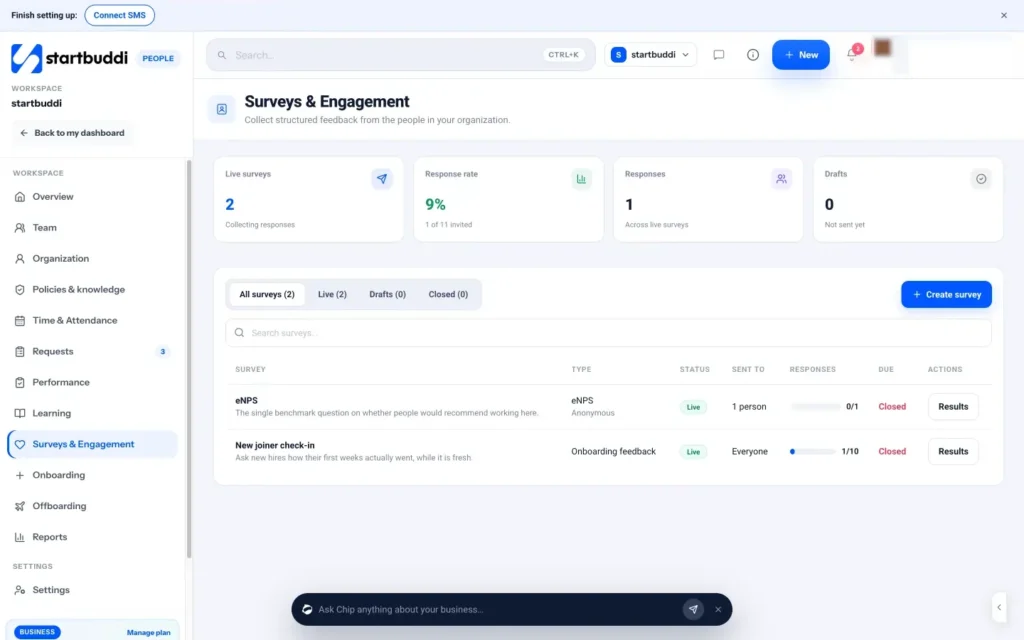
In startbuddi, employee surveys are built into People, under Surveys & Engagement. The team answers inside startbuddi and results come back there, so you do not need a separate survey tool or to email a form link around. The page shows how many surveys are live, the response rate, total responses and drafts, and a list of every survey with its type, status, who it was sent to, how many have responded and a link to the results.
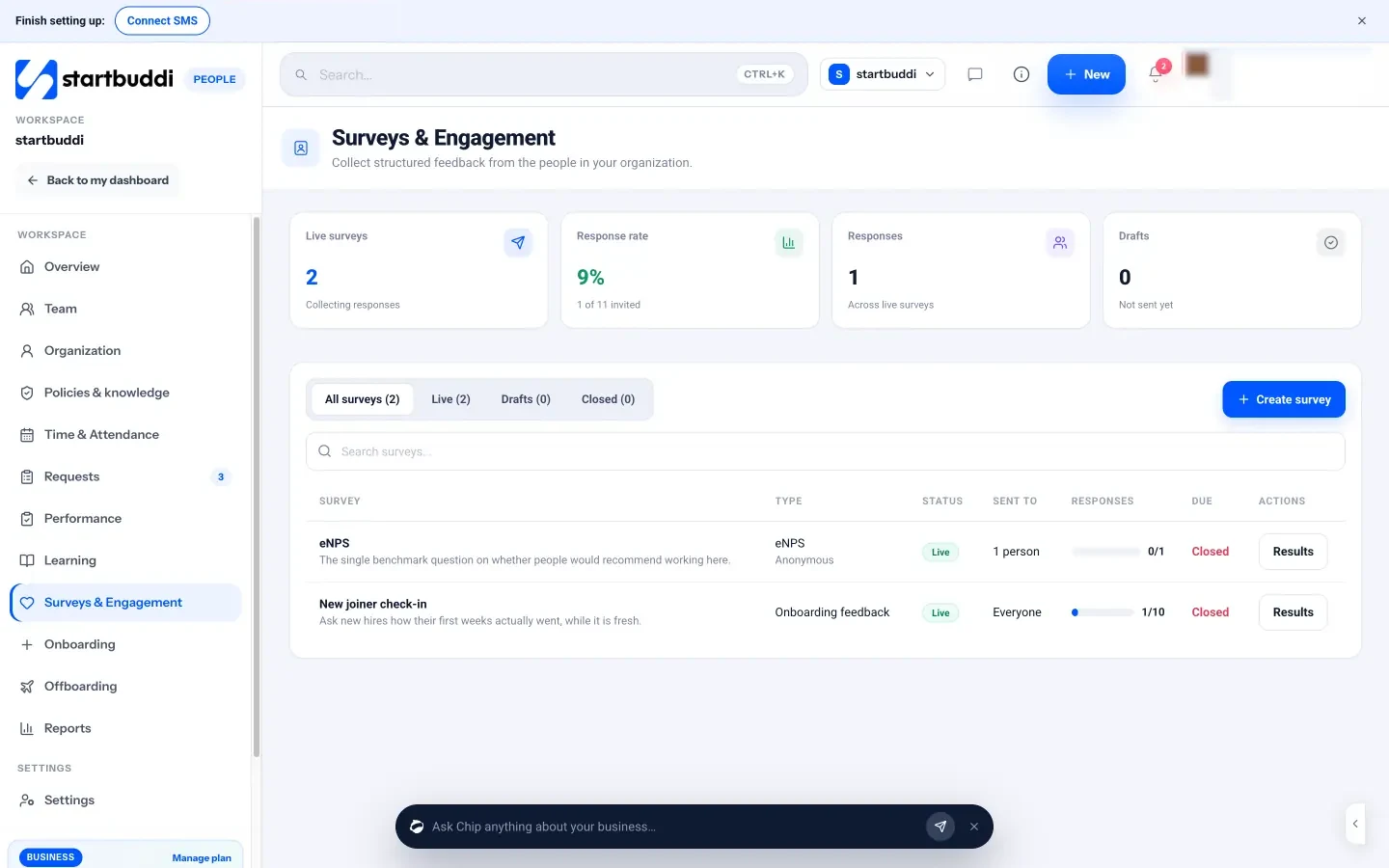
To start, there are ready-made templates for each of the survey types above: Weekly pulse check, eNPS, Engagement survey, New joiner check-in and Exit interview, plus Start from scratch. Surveys are anonymous by default, and people see any survey waiting for them in a "Waiting on you" section when they open People. Chapter 2 covers the questions; chapter 3 covers sending it.
People surveys are for your own team. If you want to survey customers, that is a different job, and our guide to organising your customers is a better starting point. For the wider people toolkit, see the People page.
Engagement survey questions: a question bank, pulse template and eNPS
- Clarity
- Tools and resources
- Workload
- Recognition
- Manager support
- Growth
- Belonging and voice
- Purpose and pride
- Open-text questions
- New joiner check-in (around day 30)
- Exit survey
- Remote and hybrid teams
- Shift and site-based teams
- After a big change
The questions decide everything. Good questions are short, specific and about things you can change. Bad questions are vague, leading, or about two things at once, and they produce answers you cannot use. This chapter covers the principles of writing survey questions, the main themes to cover, a question bank you can copy, ready-made pulse and annual templates, and how eNPS works with a worked example.
Five rules for writing survey questions
- One idea per question. "My manager gives me clear goals and useful feedback" is two questions. If someone agrees with one half and not the other, their answer means nothing. Split it.
- Write statements people can agree or disagree with. "I know what is expected of me at work" works well on a 1 to 5 agreement scale. "How is work going?" does not.
- Keep it neutral. "How much do you enjoy our great new rota system?" pushes people towards a positive answer. "The rota gives me enough notice to plan my week" is neutral.
- Use plain words. Avoid HR language like "psychological safety" or "alignment". "I feel able to raise a problem without worrying about how it will be received" says the same thing clearly.
- Only ask what you can act on. If there is nothing you could change in response, leave the question out.
Choose the right question type
| Type | Looks like | Use it for |
|---|---|---|
| Agreement scale (1 to 5) | Strongly disagree to strongly agree | Most engagement questions, because the answers are easy to compare over time |
| Multiple choice | Pick one or more options | Practical questions, such as which benefit would help most |
| Open text | A free-text box | The "why" behind the scores, and ideas you had not thought of |
| eNPS (0 to 10) | How likely are you to recommend working here? | One overall trend line |
A good survey is mostly agreement-scale questions, one eNPS question, and two or three open-text questions at the end. Open text is where the most useful insight usually sits, but it takes effort to answer, so do not ask more than three.
Why a 1 to 5 scale works well
Five points gives people a middle option ("neither agree nor disagree"), which is honest when they genuinely have no strong view, and enough range to show a shift from "agree" to "strongly agree". Longer scales, such as 1 to 10 for every question, add little precision and make surveys slower. Keep the same scale for every agreement question so results are easy to compare, and label both ends clearly so nobody has to guess whether 1 is good or bad.
Be careful with "about you" questions
Large companies ask about department, age, tenure and role to compare groups. In a small team, those questions mostly make people identifiable. If you need any grouping at all, keep it broad, such as "office" or "on site", and only where each group has at least five people. Otherwise leave them out and read results for the team as a whole. You lose some detail and gain a lot of honesty, which is the better trade for a small business.
The themes to cover
Most engagement models cover a similar set of themes. For a small business, these eight are a sensible set:
- Clarity: do people know what is expected and how their work fits in?
- Tools and resources: do they have what they need to do the job well?
- Workload: is the amount of work manageable?
- Recognition: do they feel their effort is noticed?
- Manager support: do they get feedback, help and fairness from their manager?
- Growth: are they learning, and can they see a future here?
- Belonging and voice: do they feel part of the team, and does their opinion count?
- Purpose and pride: do they care about what the business does?
A question bank you can copy
Pick two or three per theme for an annual survey, or one per theme for a longer pulse. All of these work on a 1 to 5 agreement scale.
Clarity
- I know what is expected of me in my role.
- I understand how my work helps the business succeed.
- When priorities change, I am told why.
Tools and resources
- I have the equipment and tools I need to do my job well.
- I can find the information I need without having to ask several people.
Workload
- My workload is manageable most weeks.
- I can take my breaks and leave on time most days.
- I get enough notice of my shifts or deadlines to plan my life.
Recognition
- In the last month, someone has thanked me for good work.
- Good work is noticed here, not only mistakes.
Manager support
- My manager gives me useful feedback on my work.
- My manager treats everyone in the team fairly.
- I can talk to my manager about a problem without worrying about how it will be received.
Growth
- I have learned something new at work in the last three months.
- I can see how I could grow in this business over the next year.
Belonging and voice
- I feel part of the team.
- When I share an idea, it is taken seriously.
- People here treat each other with respect.
Purpose and pride
- I am proud of the work we do for our customers.
- I would be happy for a friend to be a customer of this business.
Open-text questions
- What is one thing we should keep doing?
- What is one thing we should start or stop doing?
- If you could change one thing about working here tomorrow, what would it be?
A five-question pulse survey template
Use the same questions every time so you can see trends. Send it monthly or quarterly. It should take under two minutes.
- I know what is expected of me this month. (1 to 5)
- My workload has been manageable over the last few weeks. (1 to 5)
- I have had useful feedback or recognition recently. (1 to 5)
- How likely are you to recommend this business as a place to work to a friend? (0 to 10)
- Anything you want us to know? (open text, optional)
An annual engagement survey template
Around 20 questions is plenty for a small team. Take two from each of the eight themes in the question bank (16 questions), add the eNPS question, and finish with the three open-text questions. That is 20 questions, which most people can answer honestly in ten minutes. Add a few practical questions if there is a decision coming up, such as "Which of these would help you most?" with a list of benefit options, but keep the total under 25.
Questions for specific situations
New joiner check-in (around day 30)
- My first weeks were well organised. (1 to 5)
- I had what I needed on my first day: equipment, logins, information. (1 to 5)
- My training prepared me to do my job. (1 to 5)
- The job is what I expected when I accepted the offer. (1 to 5)
- What is one thing we should add to, or remove from, the first month? (open text)
Exit survey
- What is the main reason you are leaving? (multiple choice: pay, workload, manager, growth, schedule, personal reasons, other)
- What could we have done that would have made you stay? (open text)
- What did you enjoy most about working here? (open text)
- Would you consider working here again in the future? (multiple choice: yes, maybe, no)
Remote and hybrid teams
- I have enough contact with my manager to do my job well. (1 to 5)
- I feel included in team decisions even when I am not in the office. (1 to 5)
- I can switch off from work at the end of my working day. (1 to 5)
Shift and site-based teams
- I get enough notice of my shifts to plan my life. (1 to 5)
- Problems I report on site get fixed. (1 to 5)
- I feel safe doing my job. (1 to 5)
After a big change
- I understand why the change was made. (1 to 5)
- I was given enough information and support to adapt. (1 to 5)
- What is still unclear or not working since the change? (open text)
How long should the survey be?
As short as it can be while still answering your questions. A pulse should take under two minutes, which means five questions or fewer. An annual survey can take ten minutes, around 20 questions. If you find yourself above 25, cut: remove any question you would not act on, merge themes, and drop anything you already know the answer to. People notice when a survey respects their time, and it shows in the quality of the open-text answers.
Test before you send
Ask one or two trusted people (a partner, a friend in another business, or a long-serving employee who will not be surveyed) to take the survey first. Ask them three things: which question was confusing, which felt uncomfortable, and how long it took. Then fix those questions. Five minutes of testing saves you from a question that half the team misreads.
If your team works in more than one language, offer the survey in the languages people are most comfortable in, or at least keep the English very plain. A mistranslated question gives you confident-looking data that means nothing.
How eNPS works
eNPS stands for employee Net Promoter Score. It borrows the Net Promoter idea developed at Bain & Company by Fred Reichheld, which asks how likely someone is to recommend something on a scale from 0 to 10, groups answers into promoters (9 to 10), passives (7 to 8) and detractors (0 to 6), and subtracts the percentage of detractors from the percentage of promoters (Bain & Company, introducing the Net Promoter System). For eNPS, the question is about recommending your business as a place to work.
The score runs from -100 (everyone is a detractor) to +100 (everyone is a promoter). Passives count towards the total number of answers but are not added or subtracted.
Two warnings about eNPS in small teams. First, one person changing their answer moves the score a lot, as the example shows, so watch the trend over several quarters rather than reacting to one result. Second, eNPS tells you how people feel overall, not why. Always pair it with at least one open-text question.
You will see published "good" eNPS ranges in articles, but they vary between sources and industries. Your own trend over time is a far better guide than someone else's benchmark.
The new joiner check-in is also the fastest way to improve your onboarding, because the answers arrive while the experience is fresh. If you are building your onboarding from scratch, our post on how to onboard a new employee covers the first weeks step by step, and the check-in questions above tell you whether it worked.
Questions to avoid
- Double questions: "I am paid fairly and have good benefits."
- Leading questions: "How much has the new manager improved things?"
- Questions that identify people: "Which shift do you work?" in a team where only one person works nights. Anyone who works nights is instantly identified.
- Questions about individuals: "What do you think of Sam?" Surveys are about conditions, not colleagues.
- Questions you will not act on, as covered above.
How to build the survey in startbuddi
In People, open Surveys & Engagement and click Create survey. Pick a template (Weekly pulse check, eNPS, Engagement survey, New joiner check-in, Exit interview) or Start from scratch. Each template comes with questions you can edit, remove or add to.
You can use four question types: Agreement scale (1 to 5), Multiple choice, Open text and eNPS (0 to 10). That covers every question in this chapter. Paste in questions from the bank above, keep the eNPS question if you want to track it, and add your open-text questions at the end. You can Save draft at any point and come back later.
A practical tip: build your pulse survey once, with the five questions above, and reuse the same wording every time you run it. The value of a pulse is comparing like with like.
For eNPS surveys, the results page breaks answers into Promoters (9 to 10), Passives (7 to 8) and Detractors (0 to 6) for you, so you do not need to do the maths by hand. Chapter 4 covers reading those results. You can see the survey features on the Surveys page.
Run the survey: anonymity, timing and the right survey tool
Even perfect questions fail if people do not trust the survey. In a small team, trust is the whole game: if people suspect you can work out who said what, they will either skip the survey or give you polite, useless answers. This chapter covers how to protect anonymity in a small team, what to tell people before you send it, the best timing and frequency, how to lift your response rate without pressure, data protection basics, and how to choose survey tools for a small business.
Anonymity: the rule that makes surveys work
Anonymous means nobody, including you, can link an answer to a person. Confidential means someone can, but promises not to share it. For engagement surveys, anonymous is almost always the right choice, and you should say exactly which one you are using. Never promise anonymity and then run a survey where you can see names.
In a small team, true anonymity takes more than hiding names. Watch for these traps:
- Small groups. If you split results by department and the design team is two people, you have effectively named them. A sensible rule is to never look at results for any group smaller than five, and to show company-wide results only if the whole team is small.
- Identifying questions. Age, length of service, shift and role can identify someone in a small team. Leave them out unless the group is large enough.
- Writing style. Open-text answers can give people away through their phrasing. Tell people this honestly, and suggest they keep comments general if they are worried.
- Timing. If you check results live and only one person has answered so far, you know who that was. Wait until the survey closes.
What to tell people before you send it
A short message before the survey goes out makes a big difference to both the response rate and the honesty of answers. Cover five things: why you are asking, whether it is anonymous, how long it takes, when it closes, and what will happen with the results. Here is a template you can adapt:
Hi everyone. This week I am sending a short survey about what it is like to work here. It takes about five minutes and closes on Friday. It is anonymous: I will see the overall results, not who said what, and I will not look at results for any group smaller than five people. I will share what I heard at our team meeting on the 14th, and we will pick one or two things to change together. Please be honest. The things that are not working are the most useful to hear about. Thank you.
If this is your first survey, say so, and say that you are nervous about getting it right too. People respond well to an owner who is trying.
Timing and frequency
- Avoid your busiest weeks. A cleaning company should not survey during the end-of-tenancy rush; a retailer should avoid the run-up to the holidays.
- Avoid right after big news, good or bad. A bonus announcement or a difficult resignation will skew answers for a few weeks.
- Keep it open for about a week. Long enough for part-timers and people on leave, short enough to keep momentum.
- Give time to answer. For shift workers, let them answer during paid time rather than asking them to do it at home.
- Do not over-survey. Monthly pulses work if they are very short and you act on them. If you cannot act that often, go quarterly.
A simple calendar for a small team: annual engagement survey in a quiet month, quarterly five-question pulse, new joiner check-in at 30 days, exit survey for every leaver.
Who should see the results?
Decide this before you send the survey, and say it in your message. In a small business, a sensible default is:
- The owner and any HR lead see all results, including comments.
- Managers see company-wide results and, only where the group is large enough, their own team's results. They do not see individual comments that could identify people in their team.
- The whole team sees a summary: response rate, top and bottom scores, main themes and the actions you will take.
Keep raw results somewhere only the people above can open, and do not forward exports around by email.
Reaching people who do not sit at a desk
Cleaners, drivers, kitchen staff and shop teams are often the people you most need to hear from and the hardest to reach. A few things help:
- Make sure the survey works on a phone, and keep it short enough to finish in a break.
- Give paid time to answer, and say so.
- Put a notice and a QR code or link where people gather: the staff room, the van, the back office.
- Mention it at the start of a shift, briefly, with the closing date.
- If some people have no work email, check how your survey tool invites them before you rely on it.
Anonymous or named?
Named surveys have their place. A new joiner check-in is often better named, because you want to fix that person's onboarding, and they know it. The same goes for a short survey about practical choices, such as which training course people want. For anything about how people feel about their manager, workload or the business, use anonymous. If in doubt, choose anonymous.
A simple survey calendar for the year
| When | Survey | Length |
|---|---|---|
| January | Pulse (5 questions, same wording every time) | 2 minutes |
| April | Pulse | 2 minutes |
| June (a quiet month for many businesses) | Annual engagement survey | 10 minutes |
| October | Pulse | 2 minutes |
| Around 30 days after each hire | New joiner check-in | 3 minutes |
| When someone resigns | Exit survey | 5 minutes |
Adjust the months to your own quiet periods. The point is a predictable rhythm, so the team knows when to expect a survey and when to expect results.
Getting a good response rate without pressure
You want most of your team to answer, but pressure undermines honesty. Things that help:
- Keep it short and say how long it takes.
- Send one reminder halfway through and one on the last day, to everyone, not to named people.
- Make it easy on a phone, especially for staff who do not sit at a desk.
- Share results from the last survey and what changed. Nothing lifts response rates like proof it matters.
A reminder can be as short as this:
Quick reminder: the team survey closes on Friday. It takes about five minutes and it is anonymous. Thank you to everyone who has already answered. If you haven't yet, now's a good time.
Things that hurt: chasing individuals, making it compulsory, and looking at who has and has not responded in an anonymous survey.
Freelancers, contractors and part-timers
Many small businesses rely on people who are not full-time employees. Decide who the survey is for before you send it. Regular part-timers should almost always be included, since they experience the same rota, tools and managers, and leaving them out tells them they matter less. Freelancers and contractors are a judgement call: if they work with you most weeks and depend on your processes, their view on clarity, tools and communication is valuable, but keep questions about pay, benefits and growth for employees. If you include them, say so in your message, and consider a short separate survey so their answers do not blur the employee picture.
Whoever you include, make sure they can actually open the survey. People without a work email, or without access to your systems, are easy to miss by accident.
Answering the team's worries
People may be wary, especially if a previous employer used surveys badly. Be ready for these questions, and answer them plainly:
- "Can you really not see who said what?" Explain exactly how your tool handles anonymity, including any minimum number of responses before results show.
- "What if I say something negative about you?" Say that criticism is what you most need to hear, and that nobody will be treated differently because of the survey.
- "Will anything actually change?" Promise a date for sharing results and say you will pick at least one action with the team. Then do it.
- "Do I have to do it?" No. It is voluntary. You hope people will, because it helps make the business a better place to work.
- "Why this survey, and why now?" Give the honest reason: you want a baseline, you have grown, something has changed, or you want to check an earlier fix worked.
Data protection basics
This is general information, not legal advice. Check the rules where you operate.
Survey answers are personal information whenever they can be linked to a person, and even anonymous surveys can collect personal data if you ask identifying questions. Collect only what you need, tell people what you collect and why, keep results secure, delete raw answers you no longer need, and avoid questions about health unless you have a clear reason and a lawful basis. For more, see guidance from the UK's Information Commissioner's Office on employment, Nigeria's Nigeria Data Protection Commission and Kenya's Office of the Data Protection Commissioner. Other countries have similar bodies.
Choosing survey tools for a small business
You have three broad options for running an employee survey, and the right one depends on what else you use.
| Option | Good for | Watch out for |
|---|---|---|
| General form or survey builder | One-off surveys, customer surveys, teams already using the tool | Anonymity depends on settings; results live separately from your team records; eNPS maths is manual |
| Dedicated engagement platform | Larger companies wanting benchmarks, manager dashboards and action planning | Often priced per employee and built for organisations much bigger than yours |
| Survey built into your HR or business system | Small teams who want surveys next to their people records, onboarding and reviews | Fewer question types and reporting options than a specialist tool |
Whatever you choose, check these things: can it be truly anonymous, does it hide results until enough people answer, does it work well on a phone, can you target a department or the whole team, can it send reminders, does it calculate eNPS for you, and where is the data stored. If you are comparing general form builders, our form builder buyer's list and startbuddi vs Google Forms comparison may help.
How to send the survey in startbuddi
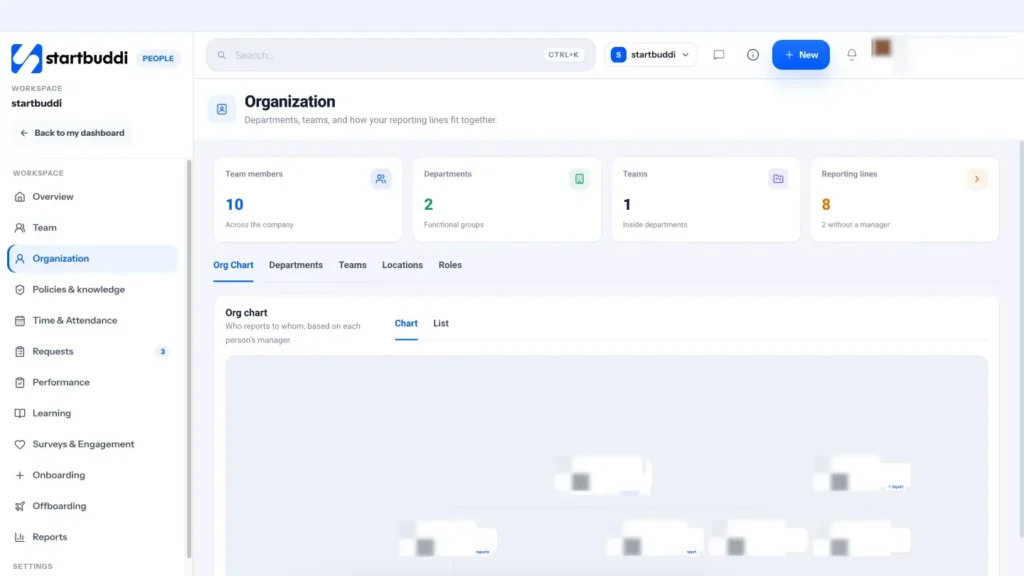
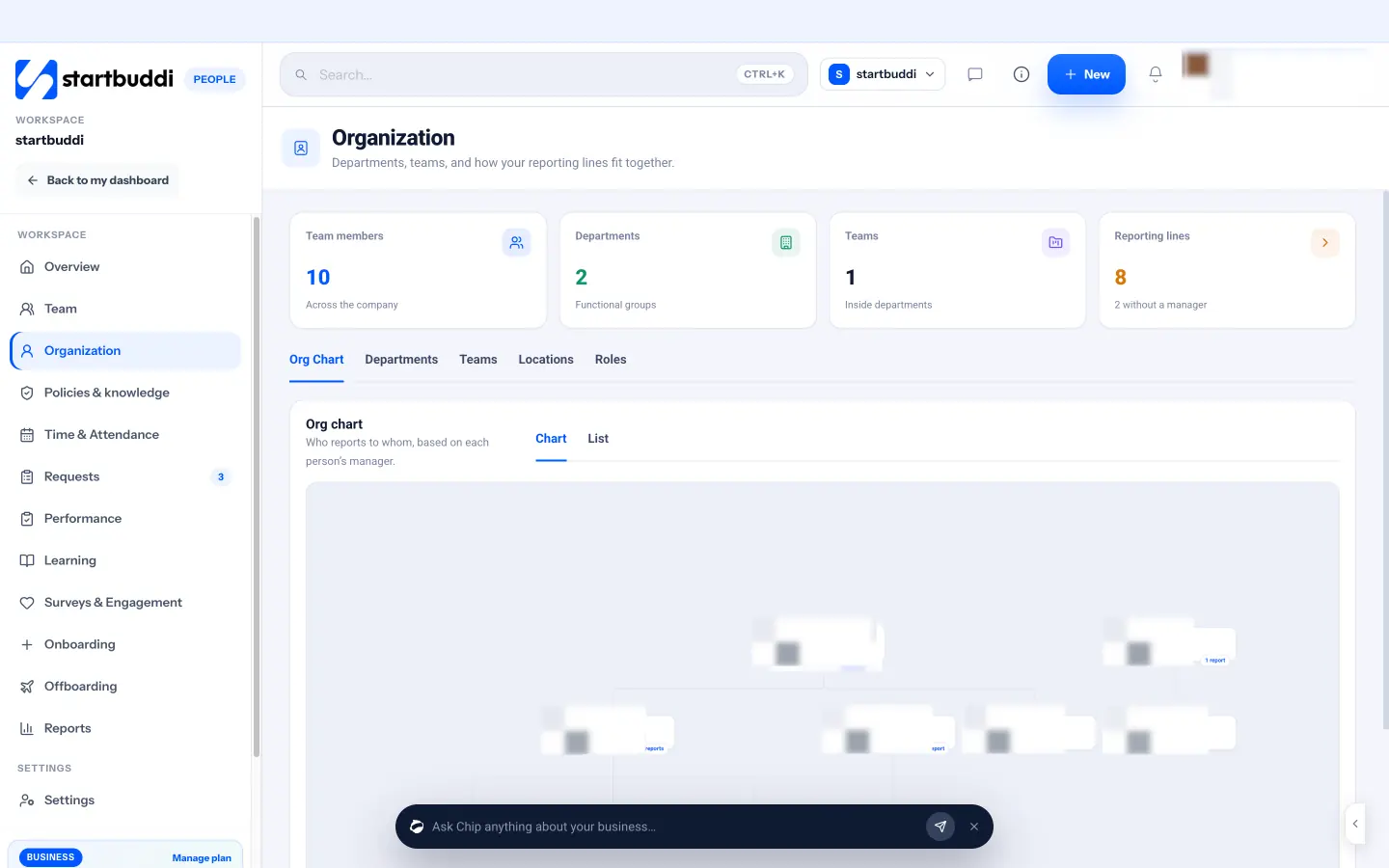
Surveys in startbuddi sit alongside your team structure, which is what makes targeting easy. Departments come from People, then Organization, where you set up departments and teams and startbuddi builds the org chart from each person's manager. If you have not set these up yet, do it first.
When you create a survey, choose Anonymous or Named. With Anonymous, startbuddi says answers are never linked to a person, and results stay hidden until at least 3 people respond. That built-in threshold protects the smallest groups, but for small departments you may still prefer to send to everyone and read results company-wide, following the "groups of five" rule above.
Then pick the audience (everyone, or a department), set a due date and reminders, and click Send to team. People see the survey in a "Waiting on you" section when they open People, and answer it there. Surveys and memos are sent from your email sending domain if you have verified one, so invitations come from your business name.
A note on seats: for teammates to answer surveys in startbuddi, they need to be members of your workspace. The Free plan includes only the owner seat; Starter includes 2 seats, Growth 5 and Scale 15. Details are on pricing.
Before sending, use Send a memo from the People overview to share the pre-survey message above. Memos can go to everyone or a specific department, by email, Chat or both. That keeps the message and the survey in the same place.
Read the results and act on them
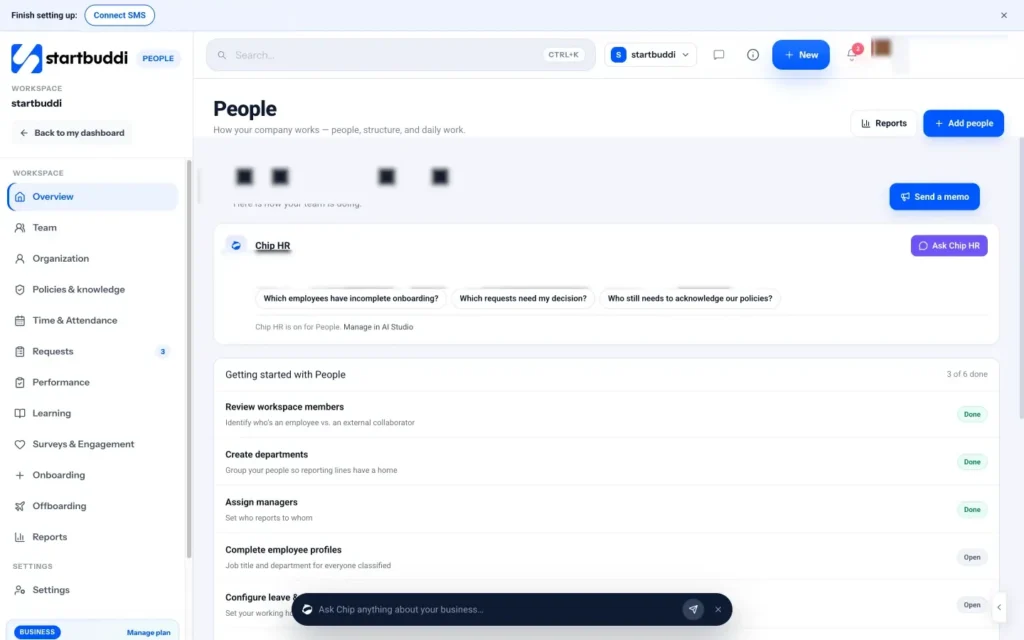
The survey is closed and the answers are in. This is where most employee engagement surveys go wrong: the owner looks at the results, feels a bit bruised by a few comments, and quietly moves on. Six months later the team concludes that surveys are pointless. This chapter shows you how to read scores and comments calmly, share results honestly, choose a small number of actions, and prove to your team that answering was worth it.
Before you look: a word about reactions
Reading anonymous feedback about your own business is uncomfortable. Some comments will feel unfair. That is normal. Three habits help:
- Read everything once, then walk away for a day before deciding anything.
- Look for patterns, not individuals. One harsh comment is one person's view. Five comments about the same thing are a finding.
- Never try to work out who said what. Even guessing, privately, damages trust if it shows in how you treat people.
How to read the scores
For agreement-scale questions, the simplest useful measure is the percentage favourable: the share of people who answered 4 or 5. It is easier to explain than an average. "75% of the team agree they know what is expected of them" is clear to everyone.
Sort your questions from lowest to highest favourable score. Then look at:
- The bottom three. These are your candidates for action.
- The top three. These are strengths to protect and to thank people for.
- Changes since last time. A drop of more than a few points on any question deserves a look, even if the score is still decent.
- Themes. Several low scores in one theme, such as workload, tell you more than one low question.
A worked example
A 14-person home cleaning company in Cape Town runs its first annual survey. Twelve people respond. The results, sorted:
| Question | % favourable |
|---|---|
| I am proud of the work we do for our customers | 92% |
| I feel part of the team | 83% |
| I know what is expected of me in my role | 75% |
| My manager gives me useful feedback | 58% |
| I have the equipment I need to do my job well | 42% |
| I get enough notice of my shifts to plan my life | 33% |
The eNPS is +8. Comments mention "rota changes the night before" four times, "vacuums keep breaking" three times, and "Thandi is great to work with" twice.
The story is clear: people like the work and each other, but last-minute rota changes and poor equipment are wearing them down. The owner picks two actions: publish the rota a week ahead with changes only for emergencies, and replace the two worst vacuums this month. Feedback, the third-lowest score, goes on the list for next quarter.
How to read the eNPS
Look at the eNPS alongside the other scores, not on its own. A low eNPS with good scores on everything except workload points at workload. A low eNPS with low scores everywhere suggests something bigger, and it is worth talking to people directly soon. Track it every quarter, and look at the direction over a year rather than any single number.
How to read the comments
Open-text answers are where the "why" lives. With a small team you can read them all. A simple method:
- Read every comment once without judging.
- On a second read, give each comment one or two short tags: "rota", "equipment", "pay", "manager", "clients", "praise".
- Count the tags. The most common are your themes.
- Pick one or two comments per theme that say it clearly, to quote when you share results (only if they cannot identify anyone).
Share the results within two weeks
Share results quickly and honestly, including the bad news. People already know what they said; if you only share the good parts, they will notice. A good results session takes 20 to 30 minutes:
- Thank people and give the response rate.
- Share the strengths: the top three scores and a positive comment or two.
- Share the problems: the bottom three scores and the main comment themes, in plain words.
- Say what you will do: one or two actions, with dates, or ask the team to help choose.
- Say what you cannot do, and why. "I can't raise everyone's pay this quarter, but I can publish how pay reviews work by March" is honest and respected.
Here is a short results message you can adapt for a memo or the team chat, to send the same day as the session:
Thank you to the 12 of you who answered the survey. What's going well: 92% of you are proud of the work we do, and 83% feel part of the team. What isn't: shift notice (33%) and equipment (42%). Several of you said rota changes the night before make it hard to plan. Here's what we're doing: from 1 March the rota goes out two weeks ahead, and two new vacuums arrive this month. We'll check in with a short pulse survey in June. Thank you for being honest.
Protect what is working
It is easy to focus only on problems. Your highest scores deserve attention too. They tell you what people value, and they are the things most at risk when you are busy fixing something else. If "I feel part of the team" scores highly, ask what creates that feeling (the Friday lunch, the group chat, the way new people are welcomed) and make sure it survives your next busy season or your next few hires. Say thank you for it in the results session, and name the people or habits behind it where you can do so without identifying anyone's answers.
Choose one to three actions
The biggest mistake is trying to fix everything. Pick one to three actions that are specific, visible and within your control. Good actions have an owner, a date and a way of checking. Compare:
- Vague: "Improve communication."
- Specific: "From next month, the rota is published every Friday for the week after next, and changes are only made for sickness. Owner: Lindiwe. Check: pulse survey question on shift notice in three months."
Involve the team in the fix where you can. Ask two or three volunteers to suggest how to solve the top issue. People support solutions they helped shape.
An action plan template
Write your actions on one page, share it with the team, and review it monthly.
| Issue from the survey | Action | Owner | By when | How we will check |
|---|---|---|---|---|
| Shift notice (33% favourable) | Publish the rota two weeks ahead; changes only for sickness | Lindiwe | 1 March | Pulse question on shift notice in June |
| Equipment (42% favourable) | Replace two vacuums; add a "broken kit" form | Owner | 15 February | Count of broken-kit reports; pulse in June |
| Feedback (58% favourable) | Monthly 15-minute check-in for every cleaner | Team leads | From April | Annual survey next year |
Dig deeper with a small group conversation
Scores tell you where the problem is; people tell you what it is. For your lowest-scoring theme, invite four to six volunteers to a 30-minute conversation. Do not ask who gave which answer. Instead, share the result and ask open questions:
- "Equipment scored lowest. What gets in your way most often?"
- "If you were running this business, what would you change first?"
- "What would 'good' look like here in three months?"
Listen more than you talk, write down the suggestions, and thank people at the end. Then report back on which ideas you are trying. If the manager of the team is part of the problem, ask someone else to run the conversation.
When results are really bad
Sometimes the survey shows widespread unhappiness: low scores across most themes, a negative eNPS, angry comments. It is tempting to explain it away. Don't. Instead:
- Acknowledge it plainly to the team: "The results show a lot of you are unhappy, and I take that seriously."
- Talk to people individually over the next two weeks, starting with those you have not spoken to in a while.
- Look hard at the manager theme. If one manager's team scores very differently from the rest, that is a conversation to have with that manager, privately and supportively first.
- Pick the single most mentioned issue and fix it quickly, even partly, to show movement.
- Run a short pulse after two or three months to see whether things have shifted.
A bad first survey is not a failure. It is the most useful survey you will ever run, because it tells you what you did not know.
Close the loop: "you said, we did"
Every few weeks after the survey, tell the team what has changed because of it. A short note is enough: "You said shift notice was too short. We now publish the rota two weeks ahead. Since then, only two shifts have changed." Then use your next pulse survey to check whether the relevant score moved. This loop, ask, act, tell, check, is what builds trust and response rates survey after survey.
Track progress between surveys
You do not need to wait for the next survey to see whether an action is working. Pick an everyday sign linked to each action and glance at it monthly. For shift notice: how many rota changes happened with less than a week's warning. For equipment: how many broken-kit reports came in and how quickly they were fixed. For feedback: how many check-ins actually happened. These small numbers keep actions honest, and they give you something concrete to report in your "you said, we did" notes.
Mistakes to avoid after the survey
- Sitting on results. Every week of silence reduces trust.
- Getting defensive in the results session. Listen, thank, and follow up later if something needs discussing.
- Hunting for the author of a critical comment.
- Promising too much. Two actions delivered beat ten announced.
- Treating it as a one-off. The next pulse is what shows whether your actions worked.
How to act on results in startbuddi
Open the survey from Surveys & Engagement and click Results. You will see the number of responses, the response rate and, for eNPS questions, the breakdown into promoters, passives and detractors, plus all written answers. Anonymous results stay hidden until at least three people have responded.
To share results and updates, use Send a memo on the People overview. Choose an Announcement to everyone in the workspace or a specific department, delivered by email, Chat or both. It is a simple way to send your results summary and your "you said, we did" notes.
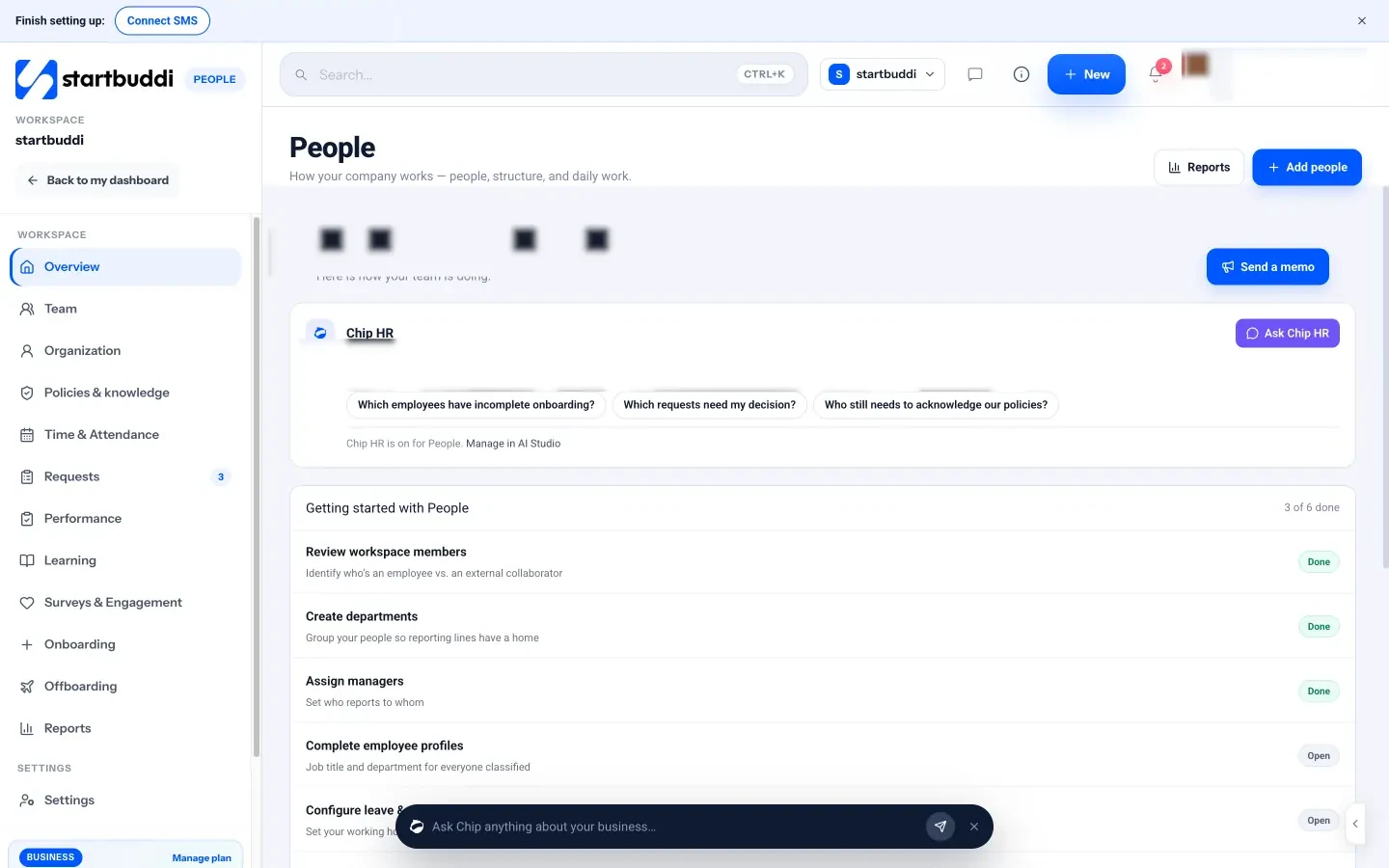
Turn actions into tracked work so they do not get lost. Create a task or a small project in Work for each action, with an owner and a due date. If an action changes a rule, such as how much notice people get of shift changes, update or publish the policy in Policies & knowledge so it is written down and people can acknowledge it. For feedback-related actions, Performance lets managers send ongoing feedback and run reviews, and the new joiner check-in helps you test changes to onboarding. If training came up in the comments, our guide on how to train employees covers building a plan.
Some survey themes point at wider people processes that startbuddi also covers. If workload and notice come up, Time & Attendance and Leave show who is in, who is away and what leave is pending, and leave requests go to the right approver automatically. If "who do I ask?" comes up, Chip HR answers questions from your published handbook and names the page it used. And if people say they want to grow, Learning lets you assign training and see who has finished it.
One honest limit: there is no survey-specific Chip tool, so Chip will not summarise survey comments for you inside Surveys. You read and tag them yourself, which, for a small team, takes less than an hour.
A good next step: send the five-question pulse survey this month, with the pre-survey message, and put the results session in the diary before you press send. Explore Surveys or compare plans on pricing.
Chinedu Kalu is the co-founder and chief operating officer of startbuddi, responsible for how the company runs day to day. Chinedu writes about the operational side of a small business: registering and running the company, money, hiring and the routines that keep a team on track.
Co-founded startbuddi and runs its operations