How to send your first invoice and get paid on time
A four-part guide to sending your first invoice: agree terms, build a clear bill, make it easy to pay, and follow up calmly when payment is late.


This guide shows you how to send an invoice that gets paid on time, from the first conversation about price to the polite reminder when a client is late. It is written for freelancers, solo founders and small service businesses sending their first invoices, or anyone whose current system is a Word document and hope.
Each chapter starts with the business thinking: why it matters, what good looks like, examples and templates you can copy, and the mistakes to avoid. Each one ends with how to do it in startbuddi. By the end you will have agreed terms with your client, a clear and correct invoice, at least two easy ways for clients to pay, and a follow-up routine that takes 15 minutes a week.
Before you invoice: agree the price, terms and deposit
- Why the agreement matters more than the invoice
- The four things to agree before you start work
- Choosing payment terms that suit a small business
- Deposits: the simplest protection you have
- A worked example: Amaka's branding job
- Estimates, quotes and proposals
- Setting your prices so the invoice is not a guess
- Common mistakes at this stage
- What good looks like
- Setting this up in startbuddi
Most payment problems start before an invoice exists. If a client pays you late, argues about the amount or asks "what is this for?", the cause is usually a conversation that never happened: nobody agreed the price in writing, the due date was a guess, or the scope drifted and the bill came as a surprise. This chapter is about the ten minutes of groundwork that make the invoice itself the easy part.
Here is the short answer if you are in a hurry. Before you send an invoice, you and your client should agree four things in writing: what you are delivering, what it costs, when payment is due, and how they will pay. A WhatsApp message they reply "yes" to counts. A signed estimate is better. Once those four things are settled, the invoice is simply a formal record of what you both already agreed.
Why the agreement matters more than the invoice
An invoice is a request for money that is already owed. It is not a negotiation. When a client receives a bill for an amount they expected, due on a date they already knew about, there is nothing to discuss, so they pay. When the amount is new information, the invoice turns into the start of a conversation, and conversations take time.
Late payment is common enough that you should plan for it rather than hope to avoid it. Xero, which studies anonymised invoice data from millions of small businesses, reported that US small businesses waited an average of 29.3 days to be paid in the June quarter of 2026, and were paid an average of 8.5 days late (Xero, late payments guide). You cannot control how your client's finance team works, but you can remove every excuse that sits on your side of the table.
There is a second reason to agree terms first: it protects the relationship. Asking about money feels awkward for many new business owners, so they avoid it until the work is done. By then they are tired, the client is busy, and a small misunderstanding about price can sour a good project. Talking about money at the start, when everyone is excited, is far easier.
The four things to agree before you start work
Use this as a checklist for every new client or new piece of work. It takes a few minutes and saves hours later.
- The scope. What exactly are you delivering? "A logo" is vague. "One logo in three colour versions, two rounds of changes, files in PNG and SVG" is clear. The clearer the scope, the easier it is to invoice for anything extra.
- The price. A fixed price, an hourly or daily rate, or a price per item. Say whether tax is included. If the price is in dollars but the client pays in naira, agree which exchange rate you will use and on which date.
- The payment terms. When is the money due? Common options are "due on receipt", "due in 7 days" or "due in 30 days". Also agree whether there is a deposit and when the rest is due.
- The payment method. Bank transfer, card, a payment link, or cash. If you want to be paid online, tell them now so they are not surprised by a link later.
If you only remember one thing from this chapter, remember that each of these four points should exist in writing somewhere you can find again. An email, a message thread, an estimate or a short contract all work. Your memory of a phone call does not.
Choosing payment terms that suit a small business
Payment terms tell the client how long they have to pay. Large companies often ask suppliers to accept 30, 60 or even 90 days. As a small business, you do not have to accept the longest option, and for small jobs you usually should not.
Stripe's guide to invoice terms explains the common options well: "net 30" means payment is due 30 days after the invoice date, while "due on receipt" means payment is expected straight away (Stripe, invoice payment terms). Here is how to choose between them.
| Situation | Terms that usually work | Why |
|---|---|---|
| Small one-off job for an individual | Due on receipt, or payment before delivery | Individuals pay from their own pocket and forget quickly. |
| Regular client, small business | Due in 7 or 14 days | Enough time to approve, short enough to stay front of mind. |
| Larger company with a finance team | Due in 30 days, with a deposit up front | Their approval process takes time; the deposit protects you. |
| Long project (more than a month) | Staged payments at milestones | You are never owed more than one stage of work. |
If you sell to businesses in the UK, it helps to know the default rules. GOV.UK explains that if no payment date is agreed, payment is late 30 days after the customer receives the invoice or the goods or service, whichever is later, and that agreed payment terms between businesses must usually be within 60 days (GOV.UK, late commercial payments). Other countries have their own rules, so check with your local business authority if a client insists on very long terms.
Deposits: the simplest protection you have
A deposit is part of the price paid before you start. It proves the client is serious, pays for any materials, and means you are never working entirely on trust. Many service businesses ask for 30 to 50 per cent up front, and 100 per cent for small jobs under a certain value. There is no single right number; it depends on your costs and how much risk you can carry.
A few rules of thumb help:
- If the job needs you to buy materials, the deposit should at least cover them.
- If a client cancelling halfway would leave you out of pocket, ask for more up front.
- For new clients with no track record, ask for a larger deposit. Relax it once they have paid you on time a few times.
- Always say whether the deposit is refundable, and in what situations.
If you want to work out a fair figure, try the deposit calculator, and read our guide on how much deposit to charge clients for more detail.
A worked example: Amaka's branding job
Amaka is a made-up example, but her situation is typical. She runs a small design studio in Lagos. A restaurant owner, Tunde, messages her on WhatsApp asking for a new logo and menu design. Here is how she handles the groundwork.
First, she asks three questions: how many menu pages, how many rounds of changes he expects, and when he needs the files. Then she sends a short estimate:
Hi Tunde, here is the plan for the new branding. Logo in full colour, one colour and white, plus a two-page menu. Two rounds of changes included. Total ₦250,000. I ask for 50% (₦125,000) to start, and the balance when I send the final files. Payment by bank transfer or card through the link on the invoice. Delivery in 10 working days from the deposit. Does this work for you?
Tunde replies "Yes, go ahead". That single reply settles scope, price, terms and payment method. When Amaka sends her deposit invoice the same afternoon, there is nothing new in it. When she sends the final invoice two weeks later, it is exactly the number Tunde already agreed to.
Notice what she did not do. She did not start designing before the deposit arrived, she did not leave "rounds of changes" open, and she did not assume Tunde knew how he would pay.
Estimates, quotes and proposals
These three words get mixed up, so here is a plain explanation.
- An estimate or quote is a priced list of what you will do. It is the most common way to agree price before work starts. Some people use "quote" for a fixed price and "estimate" for a best guess, so say which you mean.
- A proposal adds context: the problem, your approach, timelines and options. It is useful for bigger jobs where the client is comparing suppliers.
- A contract sets the legal terms: what happens if either side cancels, who owns the work, how disputes are handled.
For your first few clients, a clear estimate is usually enough. If you want a head start, the quote and estimate template and the quote generator are free, and the freelance agreement template covers the basics of a contract. This is general information, not legal advice; for larger contracts it is worth asking a lawyer to check your terms.
Setting your prices so the invoice is not a guess
If you are still working out what to charge, fix that before you send estimates. Underpricing is one of the most common mistakes new businesses make, and it is hard to raise a price once a client is used to it.
A simple way to start is to work backwards. Decide what you need to earn in a month, add your business costs, and divide by the number of hours you can realistically bill (not the hours you work: some of your time goes on admin, sales and learning). The hourly rate calculator does this sum for you. Then compare the result with what similar businesses charge. If your number is far lower, you are probably undercharging.
Common mistakes at this stage
- Starting work on a verbal "yes". Always get something in writing, even a one-line message.
- Leaving scope open. "Unlimited changes" turns a fixed price into an hourly job with no hourly rate.
- Forgetting tax. If you are registered for VAT or sales tax, say whether your price includes it. Adding 7.5 per cent at the end is a nasty surprise for a client who budgeted the round number.
- Not knowing who pays. In a company, the person who hired you is often not the person who pays invoices. Ask for the name and email of whoever handles payments, and whether they need a purchase order number on the invoice.
- Not collecting the client's details. You need their full name or business name, address and email for the invoice. Ask at the start, not when you are chasing money.
What good looks like
You know the groundwork is done when you can answer yes to all of these:
- The client has agreed the scope, price, terms and payment method in writing.
- You have their correct name, business name, email and address.
- You know who approves and pays invoices on their side.
- Any deposit is clear, and you know whether it is refundable.
- Your prices, tax status and invoice numbering are settled.
Setting this up in startbuddi
Everything in this chapter can live in one place, so you are not hunting through message threads when it is time to bill. Invoices sit in Money Manager, and your clients sit in Customers. The two are connected: Money Manager does not keep a separate customer list, so an invoice is always addressed to a real contact with their history attached.
1. Add the client as a contact. Open Customers, go to Contacts and click Add Contact. As the app puts it, a name, an email or a phone number is enough to start, but for invoicing you will want the email and company name too. If the client first reached you through a form, a booking or website chat, they may already be there.

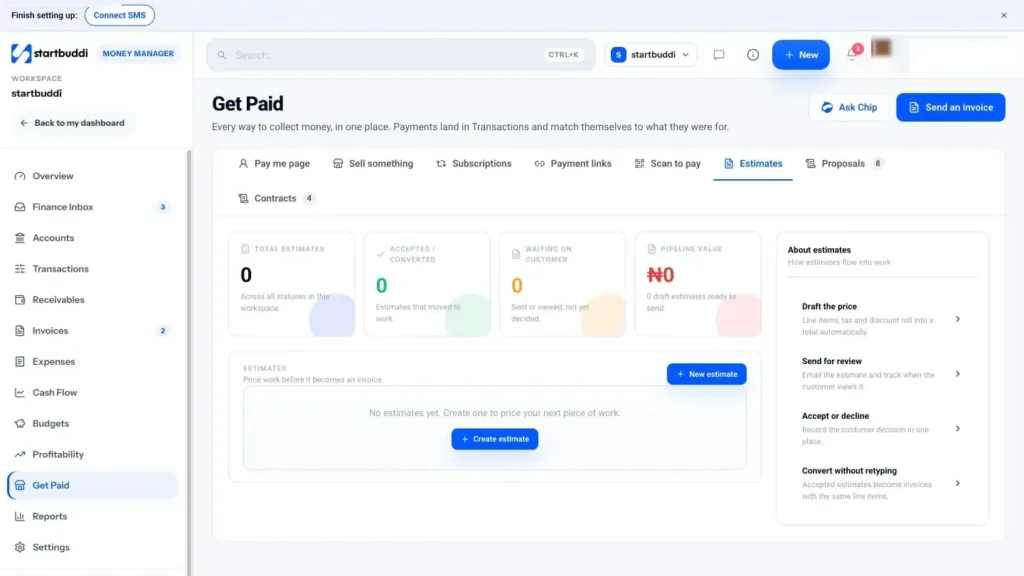
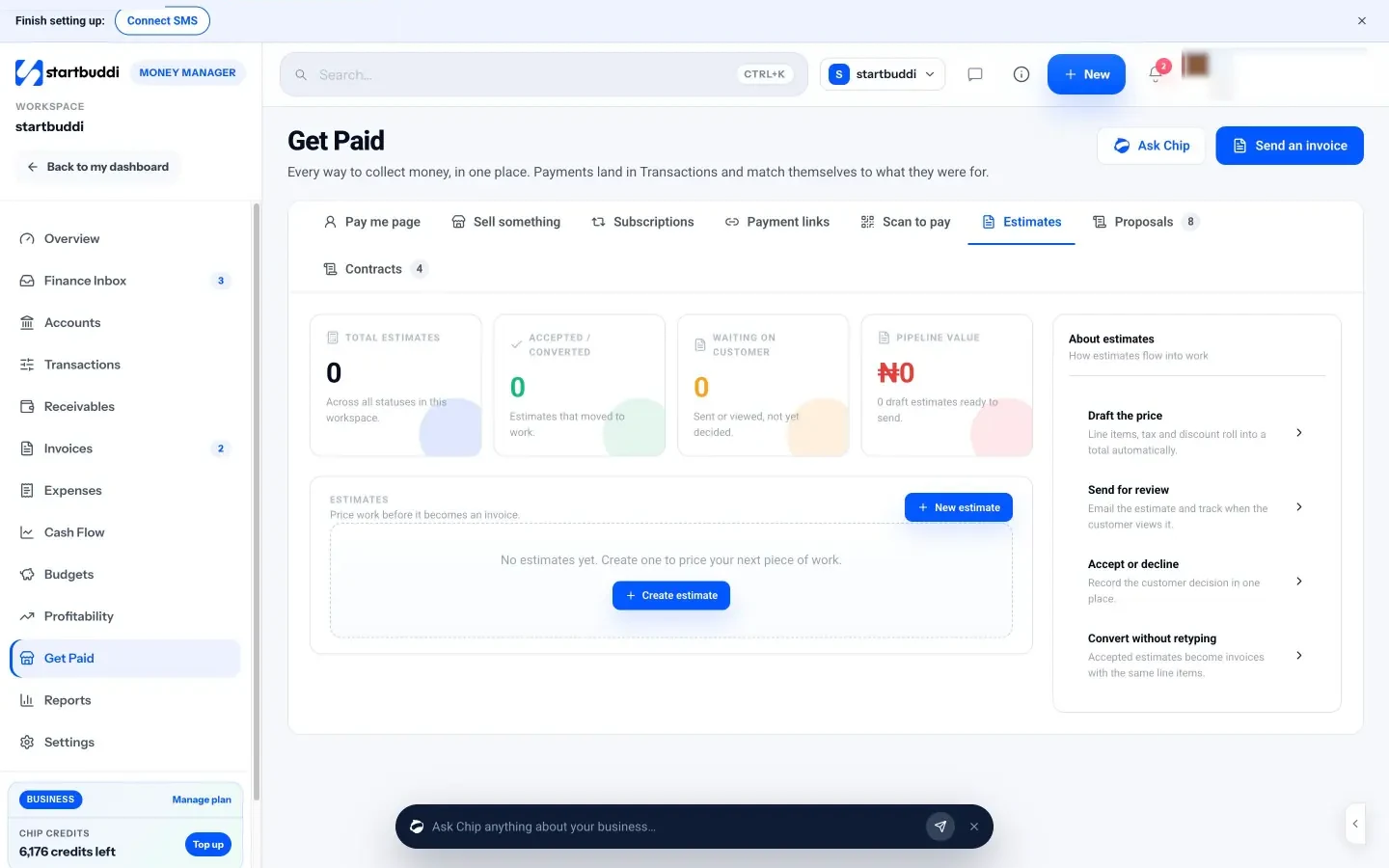
2. Send an estimate first for bigger jobs. In Money Manager, open Get Paid and choose the Estimates tab. Estimates, proposals and contracts all live here, next to the ways you collect money. Send the estimate to your client and keep their written reply. Today the client replies by email to accept; there is no online "accept" button on the estimate.
3. Set your invoice defaults once. In Money Manager, open Settings and find the invoice defaults. You can set the invoice number prefix (for example INV), the default number of days until an invoice is due (7, 14, 21 or 30), a default tax rate and label such as VAT, and footer text. Doing this now means every invoice you create later starts with the right terms, and your numbering stays in order.
4. Connect how you get paid. While you are in Settings, connect Paystack, Stripe or both if you want clients to pay online. You can still send invoices with bank-transfer details without either, so this step is optional. We cover payment options properly in chapter 3.
Money Manager is on every plan, including Free, which includes 5 invoices a month. Starter and above include unlimited invoices. You can compare plans on the pricing page.
With the terms agreed and your defaults set, you are ready to build the invoice itself. That is the next chapter.
What to put on an invoice (with a complete example)
- The parts of a professional invoice
- What the law expects (a quick tour)
- Invoice numbers: keep it boring
- Writing line items clients understand
- Tax, discounts and currency
- Payment instructions: the most important lines on the page
- A complete example
- Common mistakes on the invoice itself
- A 60-second check before you press send
- Building your invoice in startbuddi
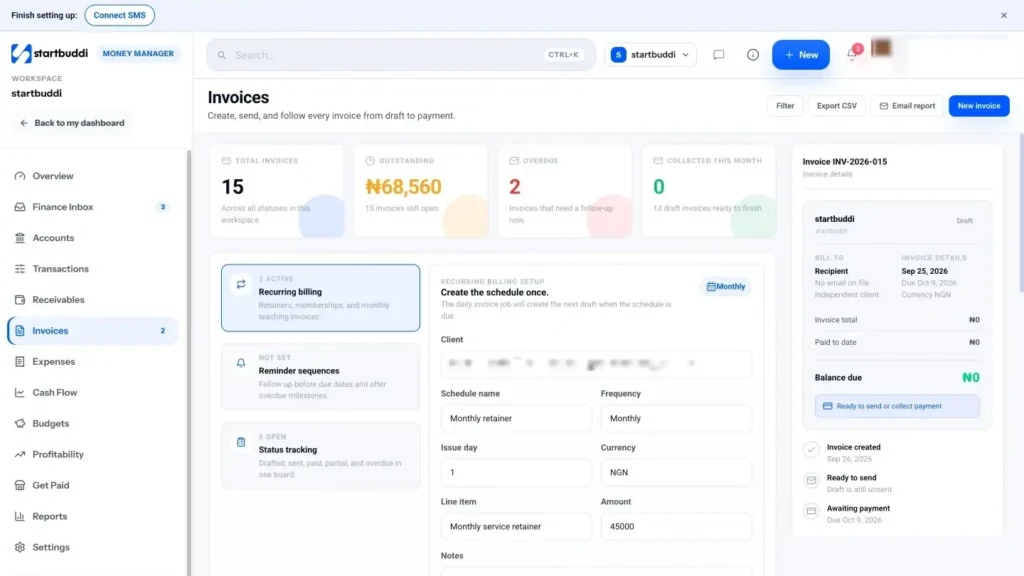
An invoice has one job: to make it obvious what the client owes, why, by when and how to pay. If any of those four answers is missing or hard to find, payment slows down. This chapter walks through every part of a professional invoice, explains what the law in a few common countries expects, and then shows you how to build one in startbuddi.
The parts of a professional invoice
Whatever tool you use, a good invoice has the same building blocks. Think of it as a checklist to run through before you press send.
| Part | What to put | Why it matters |
|---|---|---|
| The word "Invoice" | Clearly at the top | So nobody mistakes it for a quote or a receipt. |
| Invoice number | A unique number in sequence, such as INV-0001 | You and the client can refer to it, and your records stay in order. |
| Your details | Business name, address, email, phone, and tax or registration number if you have one | The client knows who is billing them and where to send questions. |
| Client details | Their name or business name, address and email | Their finance team can match it to the right account. |
| Issue date and due date | Both, written in full (for example 3 October 2026) | Removes any doubt about when payment is late. |
| Line items | Description, quantity, price and line total | Shows exactly what they are paying for. |
| Subtotal, tax, discount, total | Each shown separately | No hidden maths; the client can check it quickly. |
| Payment instructions | Bank details, a pay link, or both, plus a reference to use | The easier it is to pay, the faster you get paid. |
| Notes or terms | Short, such as late payment terms or a thank you | Sets expectations without a separate message. |
If you want to see these parts laid out on a page, the free invoice template and invoice generator follow the same structure. Our glossary entry on what an invoice is covers the basics in more depth.
What the law expects (a quick tour)
Rules differ from country to country, and they change. Here is a short overview of three places many of our readers work. This is general information, not legal or tax advice; check with your tax authority or an accountant for your situation.
United Kingdom. GOV.UK lists what every invoice must include: a unique identification number, your business name, address and contact details, the customer's name and address, a clear description of what you are charging for, the date of supply and the invoice date, the amounts charged, any VAT, and the total owed. Sole traders must also show their own name alongside any business name, and limited companies must show their full registered company name (GOV.UK, what invoices must include). If you are VAT registered and bill other VAT-registered businesses, you need a full VAT invoice with extra details.
Nigeria. The Nigeria Tax Act 2025 took effect on 1 January 2026, and tax administration now sits with the Nigeria Revenue Service (NRS). The standard VAT rate remains 7.5 per cent, according to Baker Tilly Nigeria's summary of the reform Acts. EY's summary of the Act notes new e-invoicing and fiscalisation requirements, and that VAT invoices need sequential numbering and business registration details (EY, Nigeria Tax Act 2025 highlights). Thresholds for small businesses have changed under the new rules, so confirm whether you need to charge VAT with the Nigeria Revenue Service or an accountant before you add it to your invoices.
United States. There is no single federal list of what an invoice must contain, but the IRS expects you to keep records that support the income on your tax return, generally for at least three years (IRS, how long to keep records). Sales tax rules are set by each state.
The common thread: every invoice should be numbered, dated, clear about who and what, and kept. If you follow the checklist above, you will cover what most tax authorities ask for.
Invoice numbers: keep it boring
Your numbering system should be simple, sequential and never reused. A few good patterns:
- INV-0001, INV-0002, INV-0003: the simplest and the most common.
- 2026-001, 2026-002: starts again each year, which some people find tidy.
- AMK-0001: a short prefix for your business, useful if clients receive invoices from many suppliers.
Avoid putting the client's name in the number, skipping numbers, or starting at 1000 to look bigger. Gaps in the sequence can raise questions from a tax inspector, and clever numbering helps nobody.
Writing line items clients understand
Line items are where most confusion happens. The client should be able to read each line and think "yes, that is what I asked for". Compare these two versions of the same bill.
Vague:
- Design work: ₦250,000
Clear:
- Logo design: full colour, one colour and white versions, 2 rounds of changes: 1 × ₦150,000
- Menu design: 2 pages, print-ready PDF: 1 × ₦100,000
- Less deposit paid on 12 September (INV-0014): −₦125,000
The second version answers questions before they are asked. It also makes extras easy: if the client asked for a third round of changes, it appears as its own line with its own price, which they agreed to during the project.
Some tips for line items:
- Use the same words the client used in the estimate. If they agreed to "Brand identity package", do not invoice for "Visual identity services".
- For hourly work, show hours and rate: "Website updates, 6 hours × $40". If you track time, attach or offer a timesheet.
- Show discounts as their own line or field, so the client sees the favour you did them.
- Keep each line short. A description is not a report.
Tax, discounts and currency
Show the subtotal, then any discount, then tax, then the total. Label the tax clearly (for example "VAT 7.5%") so the client's accountant can reclaim it if they are allowed to.
If you invoice in a currency different from your own, state the currency on every amount, not just the total, and use the three-letter code if there is any doubt (NGN, USD, GBP, KES, GHS). Clients abroad sometimes assume a dollar sign means US dollars when you meant something else, so be explicit.
Payment instructions: the most important lines on the page
Many invoices bury the payment details at the bottom in small print. Put them where they are easy to find and make them complete. For a bank transfer, include:
- Bank name
- Account name, exactly as it appears at the bank
- Account number (and sort code, SWIFT or IBAN for international transfers)
- The reference to use, usually the invoice number
If you accept online payment, include the link or a "Pay now" button. Asking the client to use the invoice number as the reference makes it much easier to match their payment when it arrives. We will look at payment methods in detail in the next chapter.
A complete example
Here is Amaka's final invoice to Tunde from chapter 1, written out in full.
INVOICE INV-0015
From: Amaka Studio, 14 Admiralty Way, Lekki, Lagos · hello@amakastudio.example · +234 800 000 0000
To: Tunde's Kitchen, 22 Allen Avenue, Ikeja, Lagos · accounts@tundeskitchen.example
Issued: 26 September 2026 · Due: 3 October 2026Logo design, 3 versions, 2 rounds of changes: 1 × ₦150,000 = ₦150,000
Menu design, 2 pages, print-ready PDF: 1 × ₦100,000 = ₦100,000
Subtotal: ₦250,000
Less deposit received 12 September (INV-0014): −₦125,000
Balance due: ₦125,000Pay online with the "Pay" button, or by transfer to: Example Bank · Amaka Studio · 0123456789 · Reference INV-0015.
Thank you for your business.
It is short, but every question has an answer. (The names and numbers are made up for this example.)
Common mistakes on the invoice itself
- No due date. "Payment terms: 14 days" is weaker than "Due: 3 October 2026". Always write the date.
- Wrong or missing client details. A company's finance team may reject an invoice addressed to the wrong entity. Check the registered name.
- Maths errors. A total that does not add up gives the client a reason to pause. Use a tool that calculates for you.
- Missing purchase order number. If a larger client gave you one, it must be on the invoice or it may sit unpaid.
- Sending a Word file. Clients can edit it, and it looks unfinished. Send a PDF or a link to an online invoice.
- Mixing up invoices and receipts. An invoice asks for payment; a receipt confirms it arrived. See invoice vs receipt if you are unsure.
A 60-second check before you press send
Invoices that bounce back with questions cost you days. Run through this short check every time, until it becomes habit.
- Name. Is the client's name or registered business name spelled exactly right?
- Email. Is it going to the person who pays, not only the person who hired you? Copy both if needed.
- Dates. Is there an issue date and a due date, and does the due date match what you agreed?
- Lines. Would the client recognise every line from the estimate or your conversations?
- Numbers. Does the total match the agreed price, less any deposit already paid?
- Tax. Is tax shown only if you are registered to charge it, at the right rate?
- Payment. Are your bank details correct and complete, and does the pay link work?
- Reference. Have you asked the client to use the invoice number as their payment reference?
- Purchase order. If the client gave you one, is it on the invoice?
It sounds like a lot, but with a tool that fills most of it in for you, the check takes less than a minute. The minute is worth it: a wrong account number or a missing purchase order can hold up payment for weeks while emails go back and forth.
Building your invoice in startbuddi
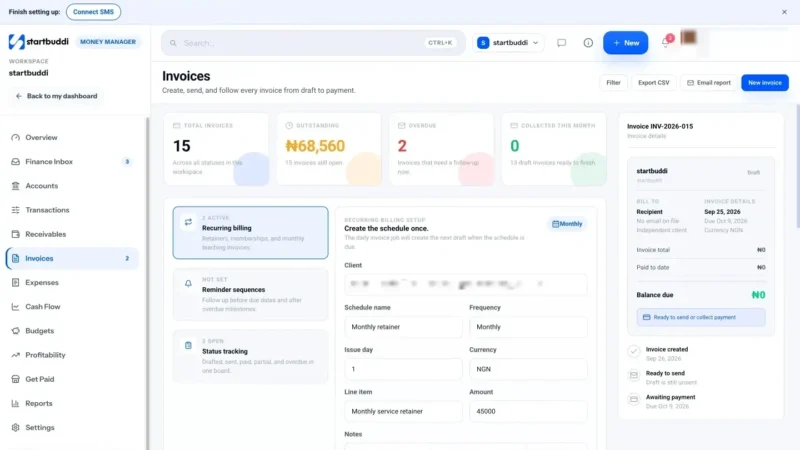
The invoice builder in Money Manager's invoicing handles the numbering, the maths and the layout, so you only fill in what is unique to this bill. Here is how to create one.
1. Start a new invoice. Open Money Manager and click Create invoice on the overview, or go to Invoices and click New invoice. The top bar reads "New invoice" and reminds you that it is saved as a draft until you send it, so nothing reaches your client by accident.
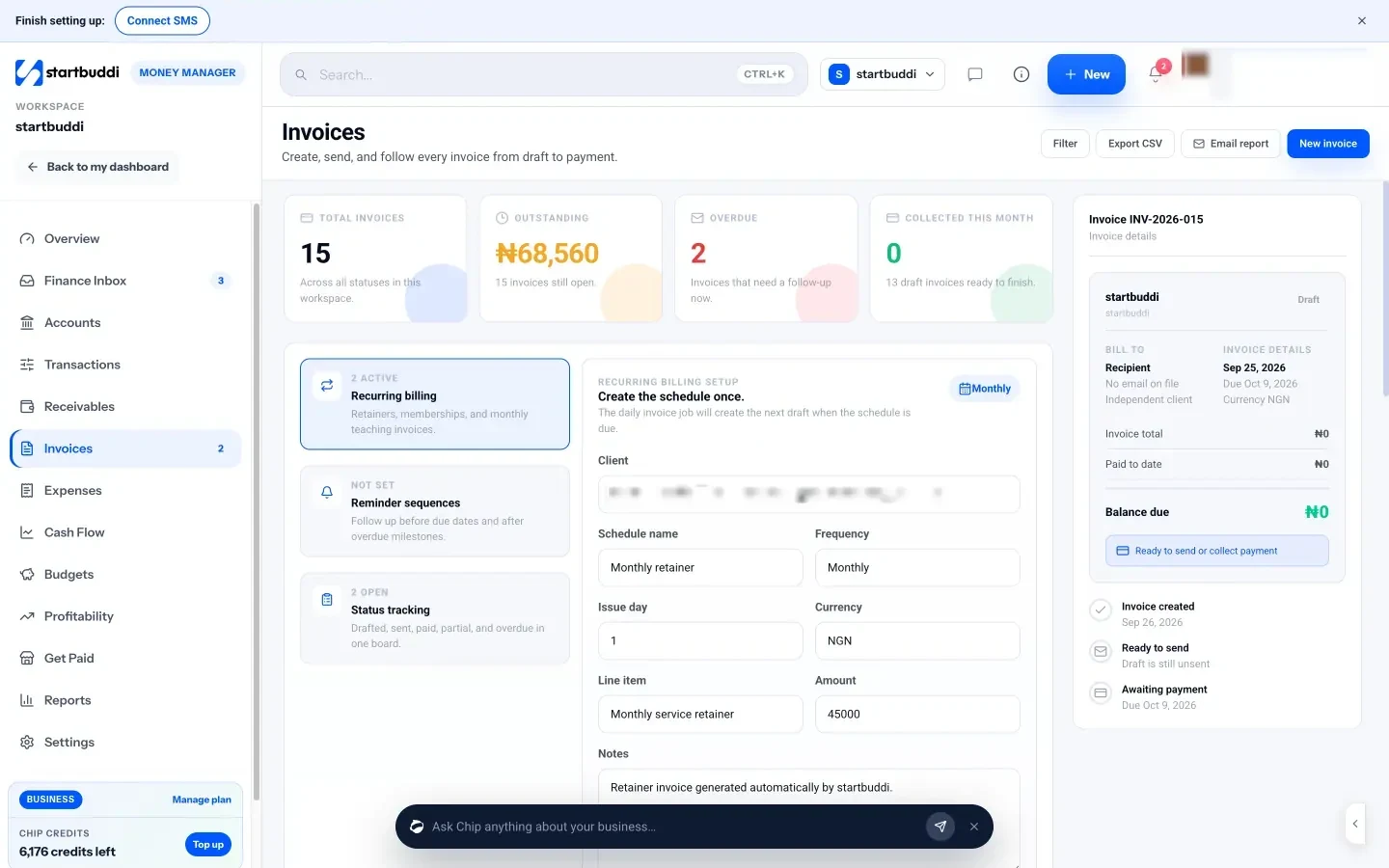
2. Choose who it is for. Pick an Existing client from your contacts, or switch to One-off recipient and type a name, email, phone and company. If this person is likely to come back, tick Also save as a contact so they appear in your contact list and on future invoices. You can also start an invoice straight from a contact's page: open the contact, use the menu, and choose "Create an invoice", which opens the builder already addressed to them.
3. Add your line items. Type a description, quantity and price for each line, and use Add item for more. Each line rolls into the subtotal automatically, so you never add up by hand. If you are billing for a booking, starting the invoice from the booking pre-fills the service and suggests the price.
4. Set tax, discount and currency. Enter your tax rate (it defaults to what you set in Settings) and any discount. The subtotal and total update as you type. The currency defaults to your workspace currency, and you can change it per invoice with a three-letter code, which is handy for a client paying in dollars or pounds.
5. Add payment instructions and a footer. The notes field is where your bank details go. The placeholder shows the format: bank, account number and the invoice number as a reference. The footer is printed at the bottom of the PDF; "Thank you for your business" is the default.
6. Turn on online payment if you want it. You will see options to accept payment via Paystack and via Stripe. If you have not connected one yet, there is a connect button right there. We explain when to use each in chapter 3.
7. Save as a draft, or send. Choose Save as draft if you want to check it later, or Create and send when you are ready. Invoice numbers follow the prefix you set, so your sequence stays unbroken.
Before you send, use Download PDF from the invoice to see exactly what your client will receive. Read it once as if you were the client: is it obvious what you owe, by when, and how to pay? If yes, it is ready.
Free plans include 5 invoices a month, and Starter and above include unlimited invoices. The next chapter covers sending the invoice and giving your client the easiest possible way to pay.
How to send an invoice and make it easy to pay
- When to send an invoice
- Who to send it to
- What to write in the email or message
- Make paying easy: choosing payment methods
- Deposits and small amounts: use a payment link
- Recording payments when they arrive
- Invoicing clients in another country
- Should you pass card fees on to the client?
- What good looks like
- Common mistakes when sending and collecting
- Sending and getting paid in startbuddi
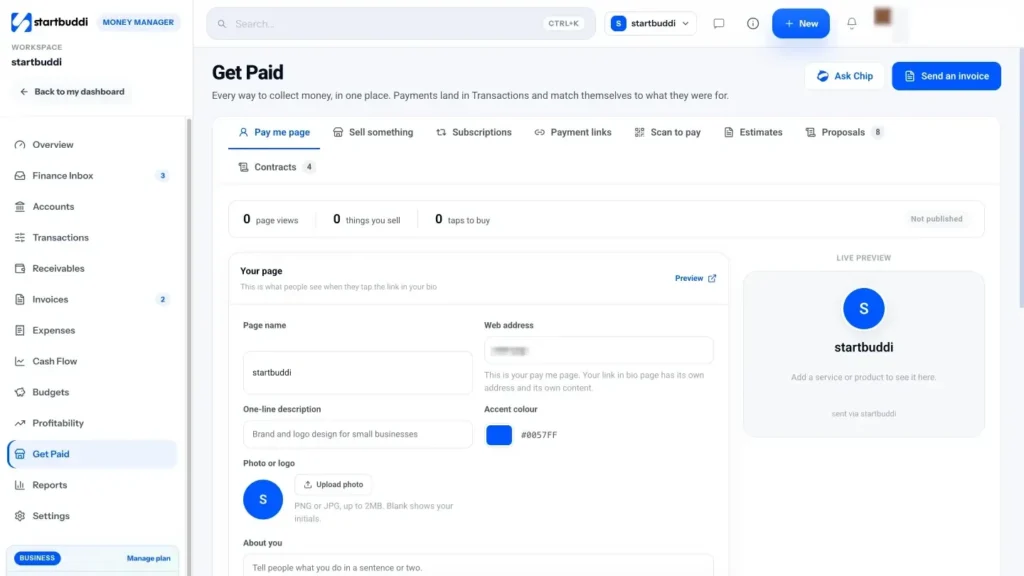
You have agreed the terms and built a clear invoice. Now it has to reach the right person, at the right moment, with a way to pay that takes them less than a minute. This chapter covers when to send, what to write in the message, which payment methods to offer, and how to record money when it arrives, including the bank transfers that happen outside any app.
When to send an invoice
The best time to send an invoice is as soon as you are entitled to be paid. Every day you wait is a day added to the time it takes to get your money, and clients take a late invoice as a sign that payment is not urgent.
- Deposits: send the deposit invoice the moment the client says yes. Do not start work until it is paid.
- Fixed-price jobs: send the final invoice the same day you deliver, ideally in the same message as the finished work.
- Hourly or ongoing work: pick a regular day (the last working day of the month, or every other Friday) and stick to it. Clients learn your rhythm.
- Milestone projects: invoice as each milestone is signed off, not at the end.
There is one more timing rule: if your client's company pays suppliers on fixed dates (many pay once or twice a month), ask when their payment run is and send your invoice a few days before it. Missing a run can add two to four weeks.
Who to send it to
In a one-person business, the client and the payer are the same. In any company with more than a handful of staff, they are often not. Send the invoice to the person who pays, and copy the person who hired you so they can approve it. If you are unsure, ask your contact: "Who should I send invoices to, and do you need anything on them, such as a purchase order number?" It is a normal question and saves weeks.
What to write in the email or message
The invoice carries the details; the message around it only needs to be short, friendly and clear. Here are templates you can adapt.
Deposit invoice
Hi Tunde, thanks for confirming. Here is the deposit invoice for ₦125,000 (INV-0014), due today. You can pay by card or transfer using the button on the invoice. As soon as it lands I will start on the first logo ideas, which you will have by Friday.
Final invoice on delivery
Hi Tunde, the final files are attached and I am really pleased with how the menu came out. Here is the invoice for the balance of ₦125,000 (INV-0015), due on 3 October. Thank you for trusting me with this. Let me know if anything needs a tweak.
Monthly invoice for ongoing work
Hi Grace, here is September's invoice for social media management, $600 (INV-0021), due on 15 October. The monthly report is attached too. Any questions, just reply here.
Notice the pattern: the amount, the invoice number, the due date, how to pay, and one line of warmth. Do not apologise for sending an invoice. You did the work; this is the normal next step.
If you are not sure how to phrase money conversations, our post on how to ask a client for payment politely has more templates.
Make paying easy: choosing payment methods
The single biggest thing you can do to get paid faster is reduce the effort it takes to pay you. Xero reports that its customers who use online invoice payments get paid up to twice as fast (Xero, late payments guide). Every extra step, such as logging into a banking app, copying an account number or finding a card, is a chance for your client to think "I will do it later".
Here are the main options and when each makes sense.
| Method | Good for | Watch out for |
|---|---|---|
| Bank transfer | Local clients who prefer it, larger amounts, businesses that pay in batches | Matching payments to invoices by hand; always ask for the invoice number as reference. |
| Card or bank payment through a provider (Paystack, Stripe) | Clients who want to pay in one click, international clients | Provider fees, which are usually a percentage of each payment; check the provider's pricing page. |
| Payment link | Deposits, small jobs, sales in WhatsApp or Instagram DMs | Less detail than an invoice, so use it for simple amounts. |
| Cash | In-person trades and shops | Always give a receipt and record it the same day. |
For many small businesses in Nigeria and across Africa, the best answer is "both": bank details on the invoice for clients who like transfers, plus a "Pay" button for clients who would rather use a card, bank app or USSD. Paystack supports several local methods, and Stripe is widely used for cards internationally. Fees differ by provider and country, so check each provider's own pricing before you decide whether to absorb the fee or build it into your prices.
Deposits and small amounts: use a payment link
Not every payment needs a full invoice. A payment link is a web address that opens a checkout for a set amount. You paste it into a WhatsApp chat, a DM or an email, and the client pays there and then. It is perfect for deposits, booking fees and quick one-off sales.
Use a payment link when the amount is simple and the client is ready to pay now. Use an invoice when you need line items, a due date and a proper record, for example for a company that has to file your bill with its accounts. Read more in our glossary entry on what a payment link is.
Recording payments when they arrive
Getting paid is not the end of the job. You need to mark the invoice as paid, so you do not chase someone who has already paid (an embarrassing mistake) and so your records match your bank.
- Online payments through a connected provider can be recorded automatically.
- Bank transfers and cash need recording by you. Do it the same day, with the date and any bank reference.
- Part payments should be recorded as partial, with the balance still shown as owed.
Once paid, send a short thank you. It is polite, it confirms the money arrived, and it keeps the relationship warm for the next job. If the client needs a receipt, send one. Our glossary explains the difference between an invoice and a receipt.
Invoicing clients in another country
Working with clients abroad is one of the best ways for a small business to grow, but it adds a few extra questions. Settle them before the first invoice, not after.
- Which currency? Agree it in the estimate. If you price in dollars or pounds, invoice in that currency and show the three-letter code on every amount.
- How will they pay? International bank transfers can be slow and carry fees at both ends. A card payment through a provider is often quicker for the client, but check which currencies and countries your provider supports.
- Who pays the fees? Say so on the estimate. "Transfer fees are paid by the sender" avoids receiving less than you billed.
- What goes on the invoice? Some companies abroad need your full legal name, address and a tax number before they can pay a foreign supplier. Ask their finance team what they need.
Keep a note of the exchange rate on the day you were paid. When you do your accounts, you will need to record the amount in your home currency, and working it out months later is painful.
Should you pass card fees on to the client?
Online payment providers charge a fee on each payment. You have three options: absorb it as a cost of doing business, build it into your prices, or add a separate charge for card payments. Most small businesses choose one of the first two, because an extra line for fees feels petty and can annoy clients. Some countries also restrict surcharges for card payments, so check local rules before adding one.
A useful way to think about it: if paying by card gets you paid a week or two sooner, and saves you from chasing, the fee often pays for itself. Work out what a late payment costs you in time and stress, then decide.
What good looks like
You know your sending routine is working when invoices go out the day the work is done, clients rarely ask how to pay, most payments arrive with the right reference, and you can tell at a glance which invoices are paid, viewed or still waiting.
Common mistakes when sending and collecting
- Waiting until the end of the month. Send as soon as you can.
- One payment method only. Offer at least two where you can.
- No reference. Unreferenced transfers are hard to match. Ask for the invoice number every time.
- Forgetting to mark invoices paid. Your list of who owes you becomes useless, and you risk chasing the wrong people.
- Sending to a general inbox. "info@" addresses are where invoices go to be forgotten. Find a named person.
Sending and getting paid in startbuddi
In startbuddi, sending the invoice, taking payment and recording it happen in one place, and each step is logged on the client's contact record so you can see the full history later.
1. Connect a payment provider (optional but recommended). In Money Manager, open Settings to connect Paystack, Stripe or both. Paystack supports cards, bank transfer, USSD and mobile money in several African countries, and settles straight to your bank. Stripe supports cards, with payments going to your own Stripe account. If you do not connect either, you can still send invoices with your bank details in the notes.
2. Send the invoice. On a new invoice, leave Accept payment via Paystack and/or Accept payment via Stripe switched on, then click Create and send. Your client receives an email with a link to their invoice online. On that page they see a Pay button for the amount, plus a bank-transfer block with your account details if you added them, and a PayPal option if you use PayPal. When they open it for the first time, the invoice is marked as viewed, so you know it arrived.
3. Share the link yourself if you prefer. From the invoice you can copy the invoice link or generate a payment link and paste it into WhatsApp. View as client shows you exactly what they see.
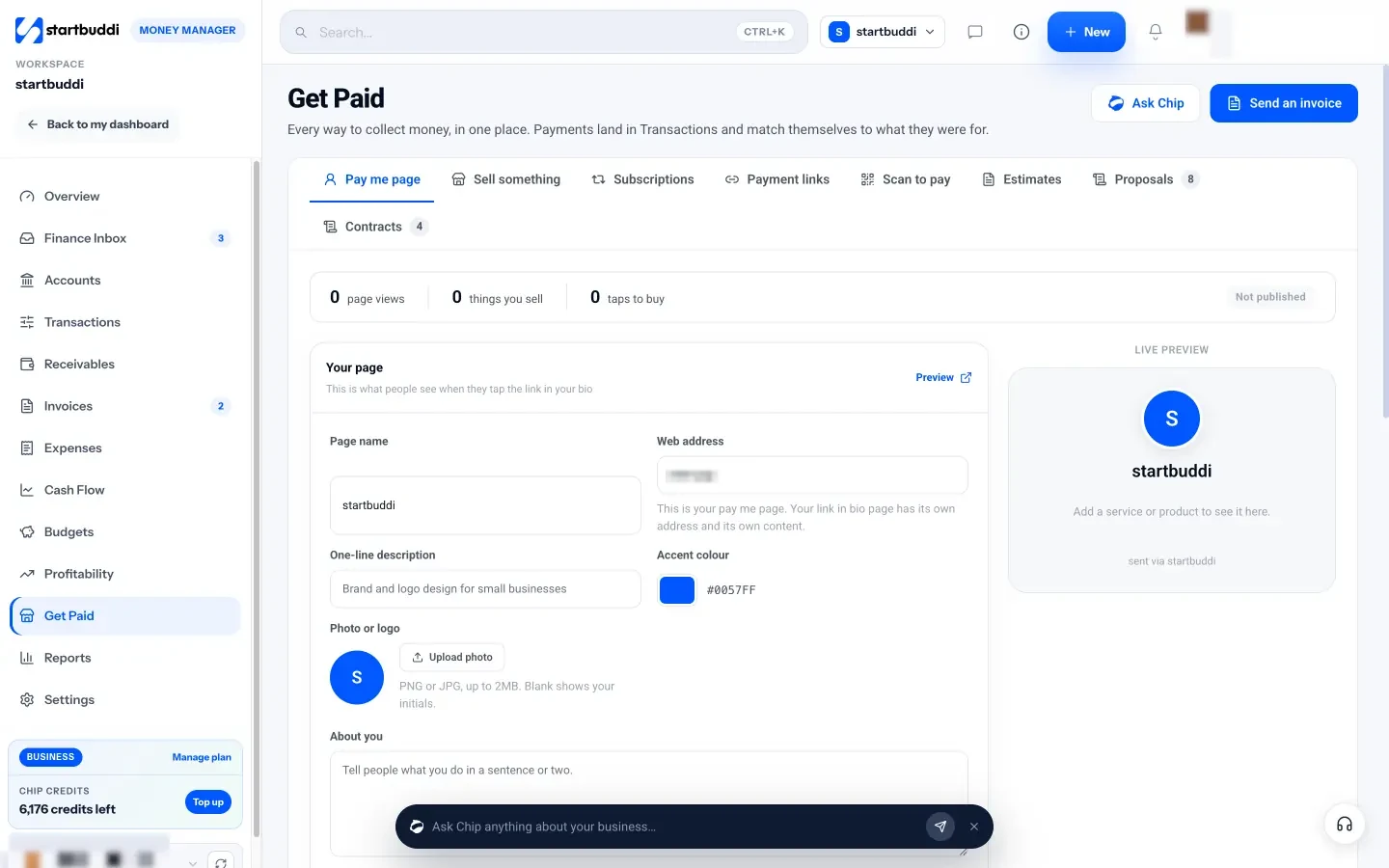
4. Use payment links for deposits. Open Get Paid and choose Payment links. Enter the title (for example "Deposit: branding project"), the amount and the currency, then click Create payment link. Copy the link into a message, or send it by email. As the app says, payment links are best for one-off collections, deposits or quick follow-ups, while invoices are better when you need line items, due dates and a fuller billing record.
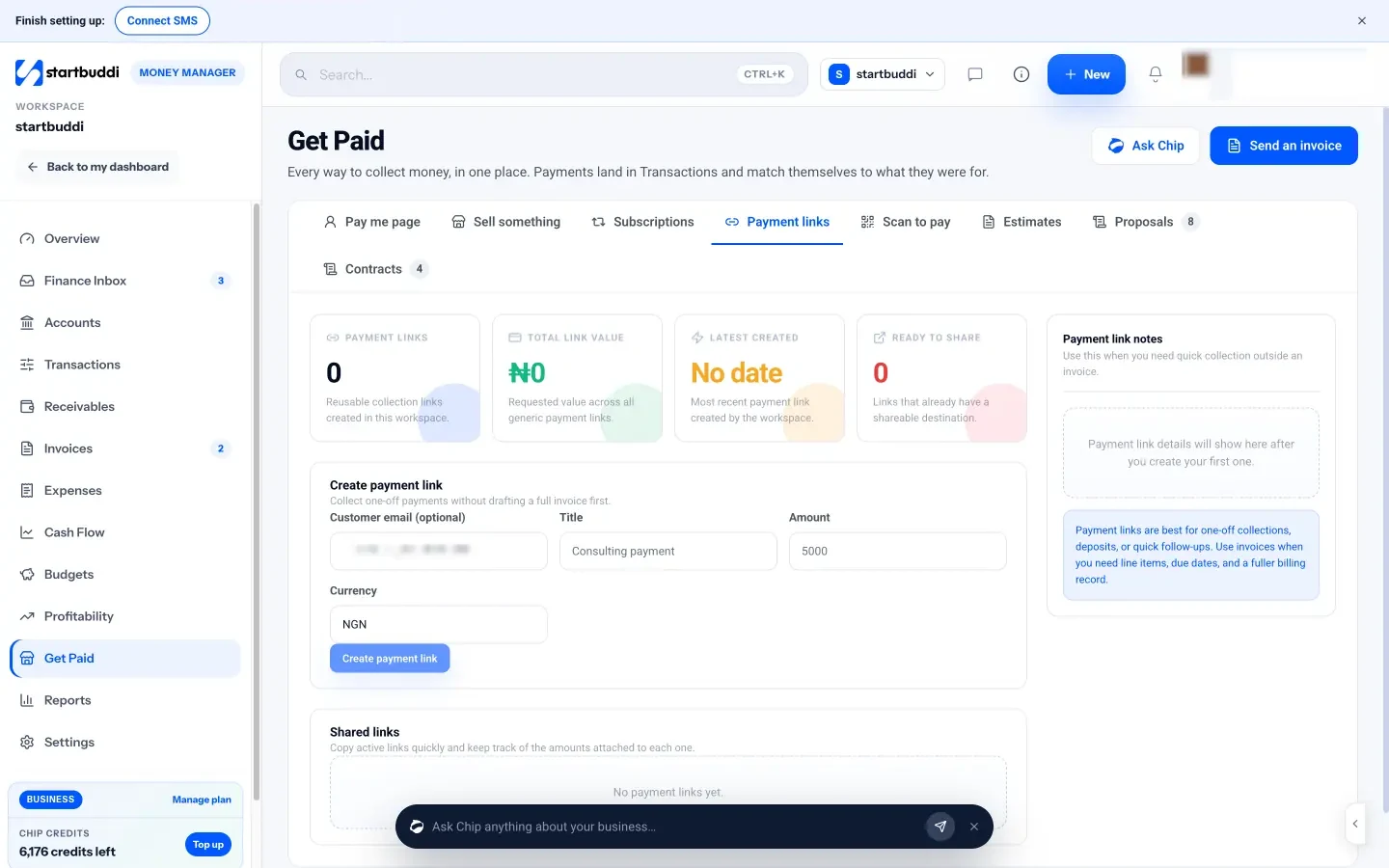
5. Let online payments record themselves. When your client pays through Paystack or Stripe, the invoice is marked paid and the payment appears in Transactions without you doing anything. It also shows on the client's contact record.
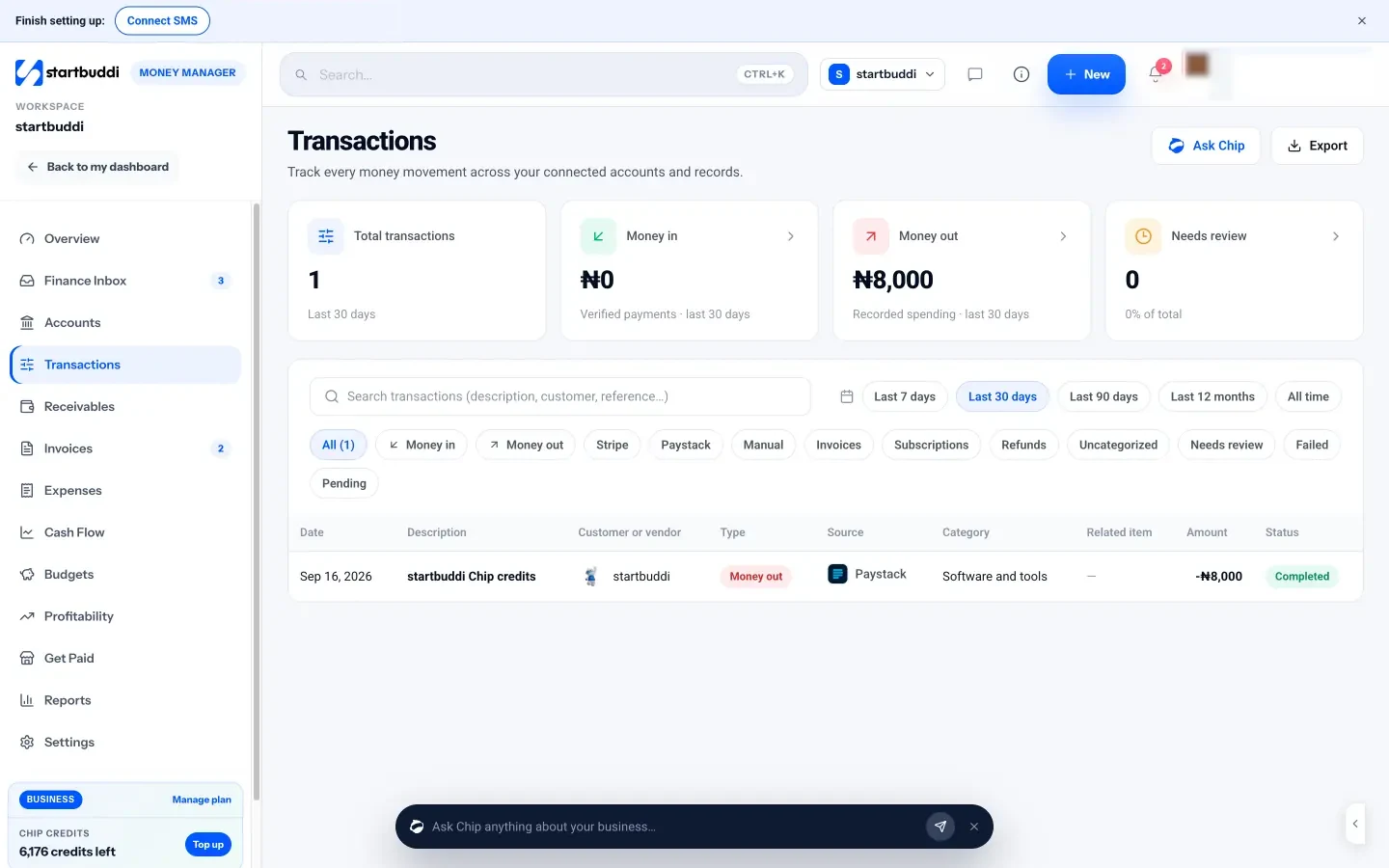
6. Record bank transfers and cash by hand. Open the invoice and click Record payment. Enter the amount (part payments are fine), choose the method, such as bank transfer or cash, set the date and add a note like the transfer reference. The balance updates, the invoice shows as partially paid or paid, and a receipt and audit entry are created.
7. See every way to get paid in one place. The Get Paid hub also includes a pay me page (one link with your services and prices), a quick Sell something tool for in-person sales, Subscriptions for recurring plans, and Scan to pay QR codes you can print. They all feed the same Transactions list. Learn more on the Get Paid page.
With the invoice sent and the payment options clear, most clients will simply pay. For the ones who do not, the final chapter shows you how to follow up without damaging the relationship.
Follow up on late invoices without losing the client
- Why follow-up matters more than you think
- The follow-up schedule
- Reminder templates you can copy
- What to do when the client has a real problem
- How to make the follow-up phone call
- Late payment interest and your legal options
- Protecting yourself on the next job
- A weekly money routine (15 minutes)
- Common mistakes when chasing payment
- What good looks like
- Following up in startbuddi
- Your next step
Even with clear terms, a tidy invoice and easy ways to pay, some invoices will go past their due date. That is normal, and it is rarely personal. Most late payers are busy, disorganised or waiting on someone else. This chapter gives you a calm, step-by-step follow-up routine, word-for-word reminder templates, a plan for the rare client who will not pay, and a weekly habit that keeps your cash coming in on time.
Why follow-up matters more than you think
Late payment is not a rare event you can ignore. Xero's small business data shows that US small businesses were paid an average of 8.5 days late in the June quarter of 2026, and that 56 per cent of small and midsize businesses were owed money at any given time (Xero, late payments guide). For a small business, a few late invoices can be the difference between paying your own bills on time or not.
The good news is that many late invoices are paid soon after a polite reminder, because the client simply forgot. The problem is that many business owners never send one, because it feels awkward, or they send one angry message after weeks of silence. A steady, friendly routine beats both.
The follow-up schedule
Here is a simple schedule that works for most service businesses. Adjust the days to match your payment terms.
| When | What to send | Tone |
|---|---|---|
| 3 days before the due date | A friendly heads-up with the invoice link | Helpful |
| On the due date | A short "due today" note | Neutral |
| 3 days overdue | A reminder asking if anything is holding it up | Polite, curious |
| 7 days overdue | A clear reminder with the amount and a new date | Firm, friendly |
| 14 days overdue | A phone call, then a written summary | Direct |
| 30 days overdue | A final notice explaining next steps | Formal |
Two principles make this schedule work. First, every message includes the invoice number, the amount and a way to pay, so the client can act the moment they read it. Second, you move from written reminders to a phone call once an invoice is two weeks late. A call is harder to ignore, and it often reveals the real problem in thirty seconds.
Reminder templates you can copy
Before the due date
Hi Tunde, a quick reminder that invoice INV-0015 for ₦125,000 is due on Friday 3 October. Here is the link again if it is useful. Thanks!
On the due date
Hi Tunde, just a note that INV-0015 (₦125,000) is due today. You can pay by card or transfer from this link. Let me know if you need anything from me.
A few days late
Hi Tunde, I have not seen payment for INV-0015 (₦125,000), which was due on 3 October. Could you check whether it is on its way, or if anything is holding it up? Happy to resend the invoice or bank details.
A week late
Hi Tunde, INV-0015 for ₦125,000 is now a week overdue. Please could you arrange payment by Friday 17 October? If there is a problem with the invoice or the timing, tell me and we can work something out.
Final notice
Dear Tunde, invoice INV-0015 for ₦125,000 was due on 3 October and remains unpaid despite my reminders on 6, 10 and 17 October. Please pay the full amount by 31 October. If I do not receive payment or hear from you by then, I will pause any further work and consider the next steps to recover the debt.
For more ideas, the free payment reminder generator and late payment email writer will draft reminders in your tone, and our post on how to handle late payments professionally goes deeper.
What to do when the client has a real problem
Sometimes a client replies to your reminder with a genuine issue: cash is tight this month, their manager is on leave, or they are unhappy with part of the work. How you respond decides whether you keep the client.
- If they cannot pay in full: offer a payment plan with clear dates, for example half now and half in two weeks. Confirm it in writing and record each part payment as it arrives.
- If an approval is stuck: ask who else you should contact, and send the invoice to them directly.
- If they dispute part of the work: ask them to pay the undisputed part now while you sort out the rest. Refer back to the scope you agreed in writing.
- If they have simply forgotten: thank them when they pay and move on. Do not lecture.
How to make the follow-up phone call
Many people dread the call more than anything else in this process. It helps to have a short plan, so you are not making it up while you are nervous.
- Open warmly. "Hi Tunde, it is Amaka. Do you have two minutes? I wanted to check on the menu invoice."
- State the facts. "INV-0015 for ₦125,000 was due on the 3rd, and I have not seen it come through yet."
- Ask an open question, then stop talking. "Is there anything holding it up?" The silence is where you learn the real reason.
- Agree a specific next step. A date, an amount and a method: "So you will transfer it on Wednesday? Great."
- Confirm in writing. Straight after the call, send a short message: "Thanks for the chat. As agreed, ₦125,000 by Wednesday 15 October. Here is the link again."
Keep your tone the same as when you first won the work. You are not accusing anyone; you are sorting out an admin task together. Most calls end with a date, and most dates are kept once they are written down.
If you really cannot make calls, a voice note on WhatsApp is a good middle ground. It feels more personal than text and is harder to leave unanswered, but follow it with the written summary all the same.
Late payment interest and your legal options
In some countries, the law gives you a right to charge interest on late business payments. In the UK, for example, businesses can charge "statutory interest" of 8 per cent plus the Bank of England base rate on late payments from other businesses, unless the contract sets a different rate (GOV.UK, charging interest on commercial debt). Other countries have their own rules, and many small businesses in Nigeria and elsewhere rely on the terms written into their contract instead.
In practice, most small businesses use interest as a last resort, because it can end the relationship. It is more useful as a line in your terms that encourages prompt payment. If a debt is large and the client has stopped replying, your options include a formal letter before action, a small claims court process where one exists, or a debt recovery service. This is general information, not legal advice; speak to a lawyer or your local small business support body before taking formal action.
Protecting yourself on the next job
A late payer teaches you something. Before you take more work from them, change the terms:
- Ask for a larger deposit, or full payment up front.
- Shorten the payment terms.
- Break the work into smaller milestones, each paid before the next begins.
- Pause work when an invoice goes overdue. Say this in your terms so it is not a surprise.
And look at your own process. If several clients pay late, the cause may be on your side: invoices sent late, unclear line items, or only one way to pay. Go back through chapters 1 to 3 and tighten each step.
A weekly money routine (15 minutes)
The businesses that get paid on time are not the ones with the toughest reminders. They are the ones that look at their money every week. Put 15 minutes in your calendar, on the same day each week, and do this:
- Send any invoices for work finished this week.
- Record any bank transfers or cash that arrived.
- Look at every invoice that is due in the next seven days and send a heads-up where it helps.
- Look at every overdue invoice and send the next reminder in the schedule.
- Note who to call if anything is more than two weeks late.
That is it. Fifteen minutes a week replaces the end-of-month panic when you realise three clients owe you and you do not know when they were last reminded.
Common mistakes when chasing payment
- Saying nothing for weeks, then sending an angry message. Small, regular reminders are kinder and work better.
- Reminders without a payment link. Make it possible to pay from the reminder itself.
- Chasing someone who has already paid. Record payments the day they arrive.
- Carrying on with new work while old invoices are unpaid. Pause politely until you are paid.
- Using the same message for every client. A personal note, with the right name and details, usually gets a faster reply than an obvious template.
What good looks like
You are in control of getting paid when you can answer these questions in under a minute: who owes you money, how much, how late each invoice is, and when you last reminded them. If you can, you will rarely be surprised by a gap in your cash.
Following up in startbuddi
Money Manager gives you one view of who owes you and a quick way to act on it.
1. Open Receivables. In Money Manager, go to Receivables. The page is built to show who owes you, what is due soon and what needs follow-up. Stat cards at the top show what is outstanding, what is overdue, what is due in the next 7 days, what you collected this month and your Average days to pay. Tabs split the list into All, Due soon, Overdue, Partially paid, Paid and Drafts, which lines up with the follow-up schedule above.
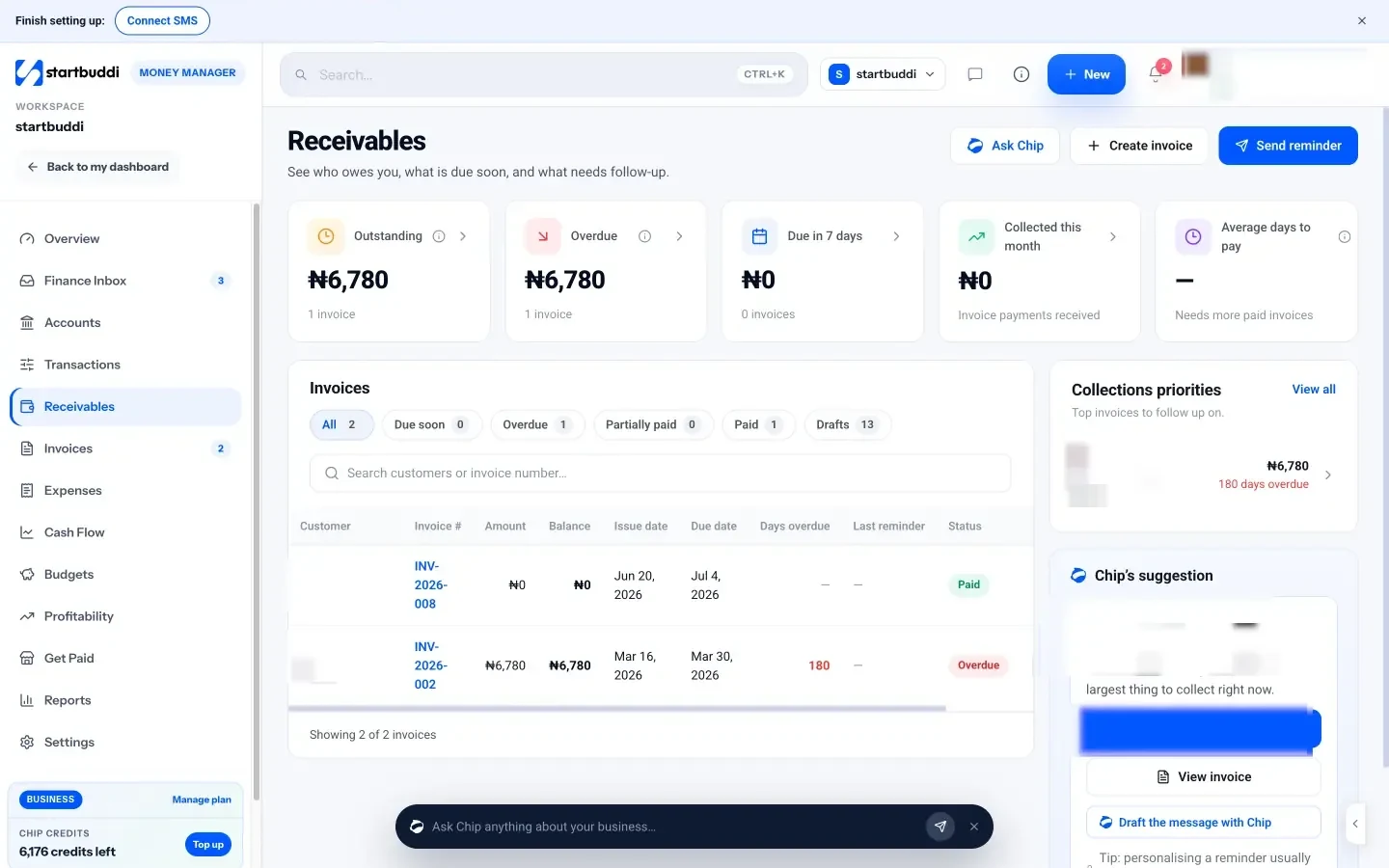
2. Send a reminder. Each open invoice has a Remind button. You can also open an invoice and resend it; each reminder is logged on the customer's timeline in Customers, so you always know when you last chased. The invoice's status (Draft, Sent, Viewed, Partially paid, Paid, Overdue) tells you whether the client has at least opened it.
3. Let Chip draft a personal note. On an invoice, the Chip's advice panel includes Draft a message, which writes a friendly reminder, or a firm but friendly one if the invoice is overdue. On Receivables, you can ask Chip which invoices to chase first and why, and it suggests who to start with. You read and edit every draft before it goes anywhere.
4. Check the customer snapshot. Each invoice shows a snapshot of the customer: total invoiced, total paid, outstanding, and their typical days to pay, with a link to open them in Customers. This is where you spot the client who always pays two weeks late, and decide to ask for a bigger deposit next time.
5. Record part payments. If you agree a payment plan, use Record payment on the invoice for each part. The invoice shows as partially paid until the balance is cleared.
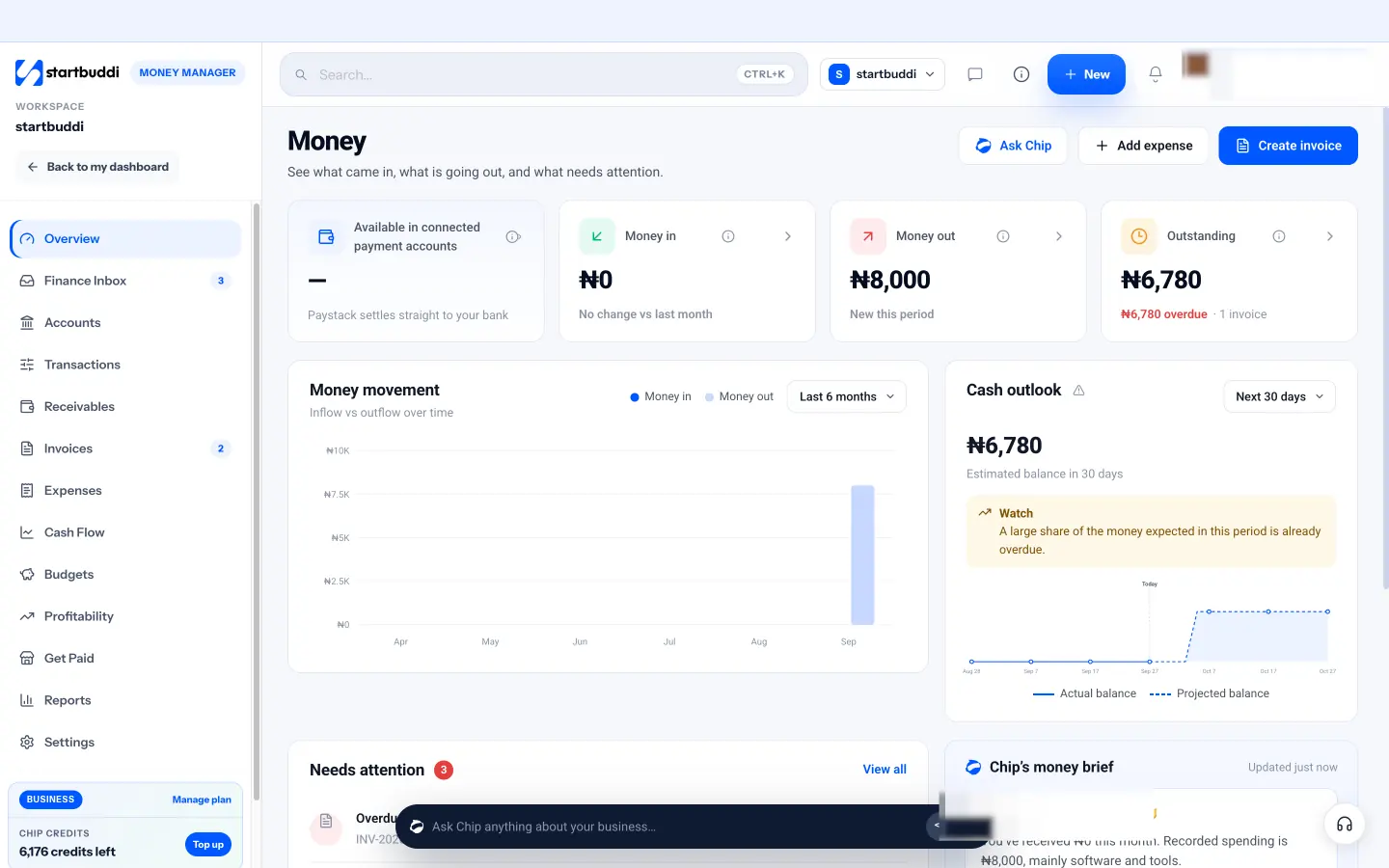
6. Start your weekly routine on the overview. The Money Manager overview shows money in, money out and what is outstanding, with overdue amounts in red. The Needs attention block lists the most urgent items, each with a one-click action such as sending a reminder. It is a good place to start your 15-minute weekly check.
For clients you bill every month, set up a subscription plan under Get Paid, then Subscriptions, and send them a subscribe link. Renewals are charged automatically by your connected Paystack or Stripe account, which means one less invoice to chase.
Your next step
You now have the whole cycle: agree the terms, build a clear invoice, make it easy to pay, and follow up calmly. The fastest way to put it into practice is to send your next invoice from a tool that does the numbering, maths and tracking for you. Money Manager is included on the Free plan with 5 invoices a month, and every paid plan comes with a 30-day trial. Compare plans and send your first invoice today.
Tiwalade Joanna Okedara-Kalu is the founder, CEO and CTO of startbuddi, the business system that brings clients, bookings, invoices, projects, marketing and the Chip AI assistant into one place. Tiwalade builds software around how service businesses really work day to day, and writes about client management, getting paid on time and why small businesses outgrow the tools they start with.
Founded startbuddi and leads its product and engineering