Vendor Onboarding Checklist: Step-by-Step List + Free Template
A vendor onboarding checklist for small businesses: approve, verify, contract, set up payment, give access, review. Copy the template or run it as tasks.


Photo: Giorgio Trovato / Unsplash
A vendor onboarding checklist is the list of steps you follow before a new supplier starts work or gets paid: approve the need, verify the business and its bank details, sign an agreement, set up payment terms, give only the access they need, and review them after the first job. The same list every time protects your money and data.
Key takeaways
- Onboard vendors in six phases: approve, verify, contract, set up payment, give access, review.
- Match the checks to the risk. A one-off printer needs less checking than an IT contractor with access to client data.
- Verify bank details by phone on a number you already have, never only by email. A fake “our bank details have changed” email is a known fraud trick.
- If a vendor handles personal data for you, you usually need a written contract that covers it.
- Keep every vendor’s documents, terms and contacts in one place, so the next person can find them.
Why small businesses need a vendor onboarding checklist
A small business might add a new vendor every month: a cleaner for the office, a freelance designer, an IT support firm, a caterer for an event, a software tool. Each one is a chance to pay the wrong account, sign terms you didn’t read or hand over a password you’ll forget to take back.
A written checklist fixes that. It becomes part of your standard operating procedures, so whoever sets up the vendor follows the same steps, and nothing depends on the owner remembering.
The complete vendor onboarding checklist
Copy this list into your own document or task app. Skip lines that don’t apply to the vendor in front of you.
1. Approve the need
2. Verify the vendor
3. Agree the contract and terms
4. Set up payment
5. Give access and hand over
6. Review and maintain
Match the checks to the risk
Not every vendor needs every step. Sort each one into a risk level and apply the checks that fit. This is an example; set your own thresholds.
| Risk level | Example vendors | Checks to run |
|---|---|---|
| Low | One-off printing, office supplies, a caterer for one event | Phases 1, 4 and 6; quote, bank details confirmed by phone, invoice checked |
| Medium | Regular cleaner, freelance designer, bookkeeper | All phases; registration check, written agreement, review at 90 days |
| High | IT support, payroll provider, anyone handling client or staff data | All phases plus insurance, references, data protection terms and access review every 6 months |
For high-risk vendors, data protection is the line people miss. In the UK, the ICO explains that when a business uses a processor to handle personal data for it, the processing must be governed by a binding contract (checked on 1 October 2026). Other countries, Nigeria included, have their own data protection laws, so if a vendor touches personal data, get qualified advice on the contract. Our small business cybersecurity checklist covers the access side.
Worked example: onboarding an IT support firm in Accra
This example is illustrative. A 12-person consultancy in Accra is hiring an IT support firm for GH₵4,500 a month to manage laptops and email.
- Approve: the owner gets three quotes (GH₵3,800, GH₵4,500 and GH₵6,000) and picks the middle one because it includes same-day site visits. Yearly cost: 12 × GH₵4,500 = GH₵54,000.
- Risk: high, because the firm will have admin access to email accounts containing client data.
- Verify: the office manager checks the firm’s registration, collects its tax details, and calls two of its existing clients.
- Contract: a service agreement with response times, monthly price, data protection terms and a 30-day notice period.
- Payment: bank details arrive on the firm’s letterhead; the office manager confirms them by calling the firm’s office line from its website. The first invoice is due 14 days after the end of each month.
- Access: the firm gets its own admin account, not the owner’s. A review of what it can access is set for six months’ time.
Total time: about three hours spread over a week. The phone check on the bank details took five minutes and is the step most likely to save money.
Common vendor onboarding mistakes
- Paying before the paperwork. Once a vendor is paid, it’s harder to get the agreement signed.
- Trusting an email about new bank details. Always call back on a number you already have.
- Sharing one password. Give each vendor their own login so you can remove it cleanly.
- No end date for access. Vendors who finished a job last year often still have access.
- Keeping documents in someone’s inbox. If that person leaves, so does your vendor history.
Copy the vendor onboarding checklist template
Copy the checklist above into a document or spreadsheet and save it as your template. Add a column for the vendor name, the risk level and the date each phase was done. Keep one copy per vendor, with the signed agreement and tax details attached.
How to run this vendor onboarding checklist in startbuddi
startbuddi doesn’t replace your accountant or a lawyer’s review of a contract. It keeps the vendor process, documents and payments in one workspace.
- Collect vendor details with a form. In Forms, open Templates and start from the Vendor Registration template, which includes a file upload for registration documents. Send the link to the vendor and their answers arrive in one place.
- Save the checklist as a task with subtasks. In Work, open My work, add a task called “Vendor onboarding” and add each line as a subtask. Assign phases to the people who own them and set due dates.
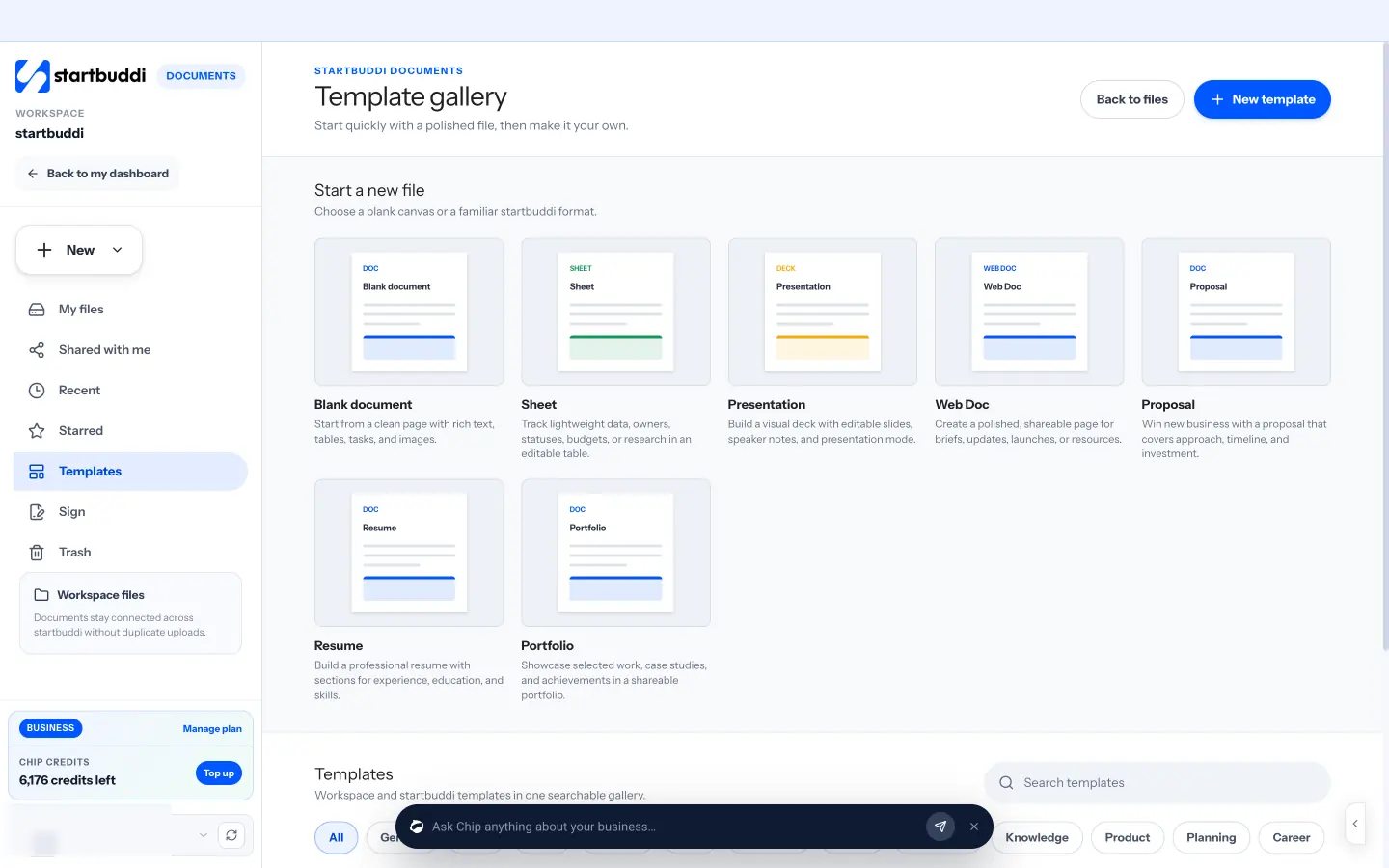
- Sign the agreement online. In Documents, start from a template such as Service Agreement or Non-Disclosure Agreement (NDA), edit it, add the vendor as a signer and send it for e-signature.
- Track what you owe. In Money Manager, log expenses with the vendor’s name and receipts, and record bills with due dates under Expenses, then Bills. Partial payments are recorded until the bill is paid, which keeps accounts payable visible. Our guide to tracking business expenses explains how to categorise them.
- Classify freelancers and agencies. In People, when you add someone who isn’t on your team, mark them as an external collaborator (freelancer, contractor, consultant or agency) so they’re kept apart from staff.
A free plan is available; see pricing for what each plan includes, or how professional services firms use startbuddi. You can also read more about expense tracking in Money Manager.
Turn the checklist into your standard process
Save the checklist once, and every new vendor starts from the same steps. Start free with startbuddi, no card needed, to collect vendor details, sign agreements and track what you owe in one place.
Frequently asked questions
What is a vendor onboarding checklist?
A vendor onboarding checklist is a step-by-step list for setting up a new supplier before they start work or get paid. It usually covers approving the need, verifying the business, signing an agreement, setting up payment, giving access and reviewing the first delivery. Using the same list every time reduces fraud, mistakes and missing paperwork.
What documents do you need to onboard a vendor?
Typical documents are the vendor's business registration details, tax identification (a TIN in Nigeria, a VAT number in the UK, a Form W-9 in the US), bank details on letterhead, a signed agreement and, for higher-risk vendors, proof of insurance and licences. If the vendor handles personal data for you, the contract should include data protection terms.
How long does vendor onboarding take?
For a low-risk vendor, onboarding can take an hour or two. For a high-risk vendor with access to client data, allow a week to collect documents, check references and sign the agreement. Most of the time is spent waiting for the vendor's paperwork, so send your requests early.
What is the difference between vendor onboarding and supplier onboarding?
There's no real difference; the two terms are used interchangeably. Some businesses say supplier for goods and vendor for services, but the checklist is the same: approve, verify, contract, pay and review.
How do I protect my business from vendor invoice fraud?
Confirm bank details by phone on a number you got independently, and do it again whenever a vendor asks to change them. Check each invoice against the agreed price before paying, and limit who can approve payments. Fake emails asking you to pay a new account are a known trick, so never change payment details on email alone.
Tiwalade Joanna Okedara-Kalu is the founder, CEO and CTO of startbuddi, the business system that brings clients, bookings, invoices, projects, marketing and the Chip AI assistant into one place. Tiwalade builds software around how service businesses really work day to day, and writes about client management, getting paid on time and why small businesses outgrow the tools they start with.
Founded startbuddi and leads its product and engineering