How to track leads in a small business: a simple system that works
A practical way to track leads from the first enquiry to a paying customer: what to record, the stages to use, the numbers to watch and the tools that make it stick.


Chinonye wrote this while on the startbuddi team. The product has changed since, so the team updated it on .
- To track leads, capture every enquiry in one place, record the same few details for each, move each lead through a handful of clear stages, and give every open lead a next step with a date. Then review where leads come from and where they get stuck once a week.
Here’s how to track leads in one sentence: put every enquiry in one place, record the same few details for each person, move them through a small number of clear stages, and never leave an open lead without a next step and a date. That’s the whole system. Everything else, from spreadsheets to CRMs, is just a way to make those four habits easier.
A lead is anyone who has shown interest in buying from you but hasn’t bought yet: someone who filled in a form, messaged about prices, booked a discovery call or asked for a quote. Most small businesses don’t lose leads because they can’t sell. They lose them because the lead arrived on Instagram on Sunday night, got a quick “thanks, I’ll get back to you”, and was never seen again.
This guide is for small business owners and CRM beginners. It walks through where leads come from, what to record, the stages to use, a follow-up rhythm, the numbers worth watching, and when to move from a spreadsheet to proper software.
Why businesses lose track of leads
Leads slip for the same few reasons in almost every business:
- Too many doors. Enquiries arrive by WhatsApp, Instagram, email, phone, website forms and word of mouth. Each channel is a separate pile.
- No single list. Some leads are in your head, some in a notebook, some in chat.
- No next step. A lead with no date for the next action is a lead you’ll forget.
- Slow replies. Interest fades fast. In a study of 1.25 million online sales leads published in Harvard Business Review, firms that tried to contact a lead within an hour were nearly seven times as likely to have a meaningful conversation with a decision maker as those that tried even an hour later.
- No review. Nobody looks at the whole list, so stuck leads stay stuck.
Step 1: List every place leads come from
Write down every channel where someone can ask to buy from you. For a typical small business, that’s something like:
- Website contact or quote form
- WhatsApp and phone calls
- Instagram, Facebook, TikTok or LinkedIn messages and comments
- Referrals from existing clients
- Marketplaces and directories, including your Google Business Profile
- Events, markets and walk-ins
Then decide how each one gets into your list. Forms can go in automatically. Messages and calls need a habit: add the person to the list before you reply, or at the end of every day at the latest.
Step 2: Record the same details for every lead
Consistency matters more than detail. A short record, filled in every time, beats a long one filled in sometimes. For each lead, capture:
| Field | Example | Why it matters |
|---|---|---|
| Name and company | Tunde Bello, Bello Dental | Who you’re talking to |
| Phone and email | +234…, tunde@… | How to reach them |
| Source | Google search, website form | Shows which channels are worth your time |
| What they want | New website, 5 pages | So you don’t ask twice |
| Estimated value | $2,000 | Helps you prioritise |
| Stage | Quote sent | Where they are right now |
| Next step and date | Call Thursday 11am | The single most important field |
| Owner | Ada | Who’s responsible, if you’re a team |
| Date added | 3 March | Shows how long leads take to decide |
If you ask for these details on your enquiry form, most of the record fills itself in. Our client intake form template is a good starting point.
Step 3: Use a few clear stages
Stages show where each lead is and what should happen next. Keep them few and specific. A good starting set for a service business:
- New: just arrived, not yet contacted.
- Contacted: you’ve replied and are finding out what they need.
- Qualified: they have a real need, a budget and a timeframe that fit.
- Proposal sent: they have a price or quote.
- Won or Lost: the outcome, with a short reason if lost.
Move a lead only when something real happens: a reply, a call, a sent quote. Seen as a board, with one column per stage, this is your sales pipeline. Our glossary entry on the sales pipeline explains the idea in more detail, and our guide to managing a client pipeline covers the day-to-day.
Not every enquiry deserves the same effort. If you get more leads than you can handle, a simple scoring system helps you decide who to call first. See lead scoring for small businesses.
Step 4: Give every lead a next step
This is the habit that separates businesses that track leads from businesses that collect them. Every lead that isn’t Won or Lost has a next action and a date. When you finish a conversation, set the next one before you close the chat.
A simple follow-up rhythm for a quote:
- Day 0: send the quote with one clear next step.
- Day 2: check they received it and answer questions.
- Day 7: share something useful: an example, a date that’s free, an answer to a common worry.
- Day 14 to 21: a polite close. “Shall I keep this open, or is now not the right time?”
Our guide on how to follow up with leads has message examples for each step.
Step 5: Review your leads every week
Block 30 minutes on the same day each week. Go through every open lead and ask three questions: is the stage right, is there a next step with a date, and is this lead still real? Close the ones that have gone cold, with a reason. A tidy list you trust is worth more than a long list you don’t.
The numbers worth tracking
Once leads are in one place, a few numbers tell you a lot. You don’t need a dashboard; a monthly count is enough.
- Leads by source. Where enquiries come from. If most good leads come from referrals and Google, that’s where to spend time.
- Conversion rate by source. The share of leads from each source that become customers. A busy channel that never converts may not be worth it.
- Response time. How long a new lead waits for a first reply. Aim for under an hour during working hours.
- Time to close. Days from first enquiry to won. Tells you how long to keep following up.
- Reasons for losing. Price, timing, went elsewhere, never replied. Patterns here often point to a fix.
- Pipeline value. The estimated total of all open leads, which helps you plan cash flow.
How to track leads in a spreadsheet (and when to stop)
A spreadsheet is a fine place to start. Make one row per lead with the columns from Step 2, add a filter on Stage and sort by next-step date each morning. Colour overdue dates red.
Two small additions make a sheet far more useful. First, a drop-down list for Stage and Source, so everyone spells them the same way and your counts add up. Second, a “days open” column that subtracts the date added from today, so old leads stand out. Freeze the header row, keep lost leads on a separate tab rather than deleting them, and you have a lead tracker that will carry a small business for months.
It starts to break when:
- More than one person updates it, and edits clash.
- You forget to add leads from chats, so the sheet is never complete.
- Nothing reminds you of today’s follow-ups unless you open the file.
- You can’t see the conversation history next to the lead.
- You have more than a few dozen open leads and the sheet is hard to read.
At that point, a CRM (customer relationship management software) does the same job with reminders, history and teamwork built in. Our comparison of a CRM vs a spreadsheet covers the switch honestly, and our explainer on what a CRM does for a small business helps you decide if you need one.
An example: one week of lead tracking
Here’s how the system looks in practice for a two-person web design studio in Nairobi.
Monday. Three new leads arrive: a website form (a dentist wanting a new site), a WhatsApp message (a bakery asking about prices) and a referral email (a friend of an old client). Each goes on the list as New, with its source. The form lead already has its details; the other two get a quick reply asking the same four questions the form asks.
Tuesday. The dentist replies and books a call for Thursday. Stage: Contacted, next step: call Thursday 11am. The bakery answers the questions; their budget is well below the studio’s smallest package, so they’re offered a simpler option and marked Qualified with a follow-up on Friday.
Thursday. The call goes well. A proposal goes out the same afternoon. Stage: Proposal sent, next step: check in Monday.
Friday review. Eight leads are open. Two haven’t been touched in three weeks and have stopped replying; they’re marked Lost with the reason “no response”. The referral hasn’t replied yet, so they get a friendly nudge. The studio notes that referrals and Google have produced every won project this quarter, while Instagram brings lots of messages but few customers.
Nothing here is complicated. The value comes from doing it every day and reviewing it every week.
Tracking leads as a team
When more than one person handles enquiries, add three rules:
- Every lead has one owner. Shared leads become nobody’s leads.
- Notes go on the lead, not in private chats. Anyone should be able to pick up a lead and see what’s been said.
- New leads are shared fairly. Either take turns or assign by type of work, and agree how quickly the owner must reply.
A weekly team review of open leads, even 15 minutes, catches the ones that fall between people.
Common lead tracking mistakes
- Tracking only website leads. WhatsApp and phone enquiries often convert best. They belong on the list too.
- Too many stages. If you can’t explain the difference between two stages, merge them.
- Never marking leads as lost. A list full of dead leads hides the live ones.
- Not recording the source. Without it, you can’t tell which marketing works.
- Following up with no reason. “Just checking in” is weak. Bring something new each time.
How startbuddi helps you track leads
In startbuddi, leads, conversations and deals sit in one place, so the system above runs with less effort.

- Leads that add themselves. Every form submission, booking and website chat can create or update a contact, with its source saved. You can also import a CSV of up to 10,000 contacts at a time.
- Filters for the questions that matter. In Contacts, filter by source, lead status (New, Qualified, Disqualified), last contacted and owner, then save the view as a segment. Switch to the board view to drag leads between stages.
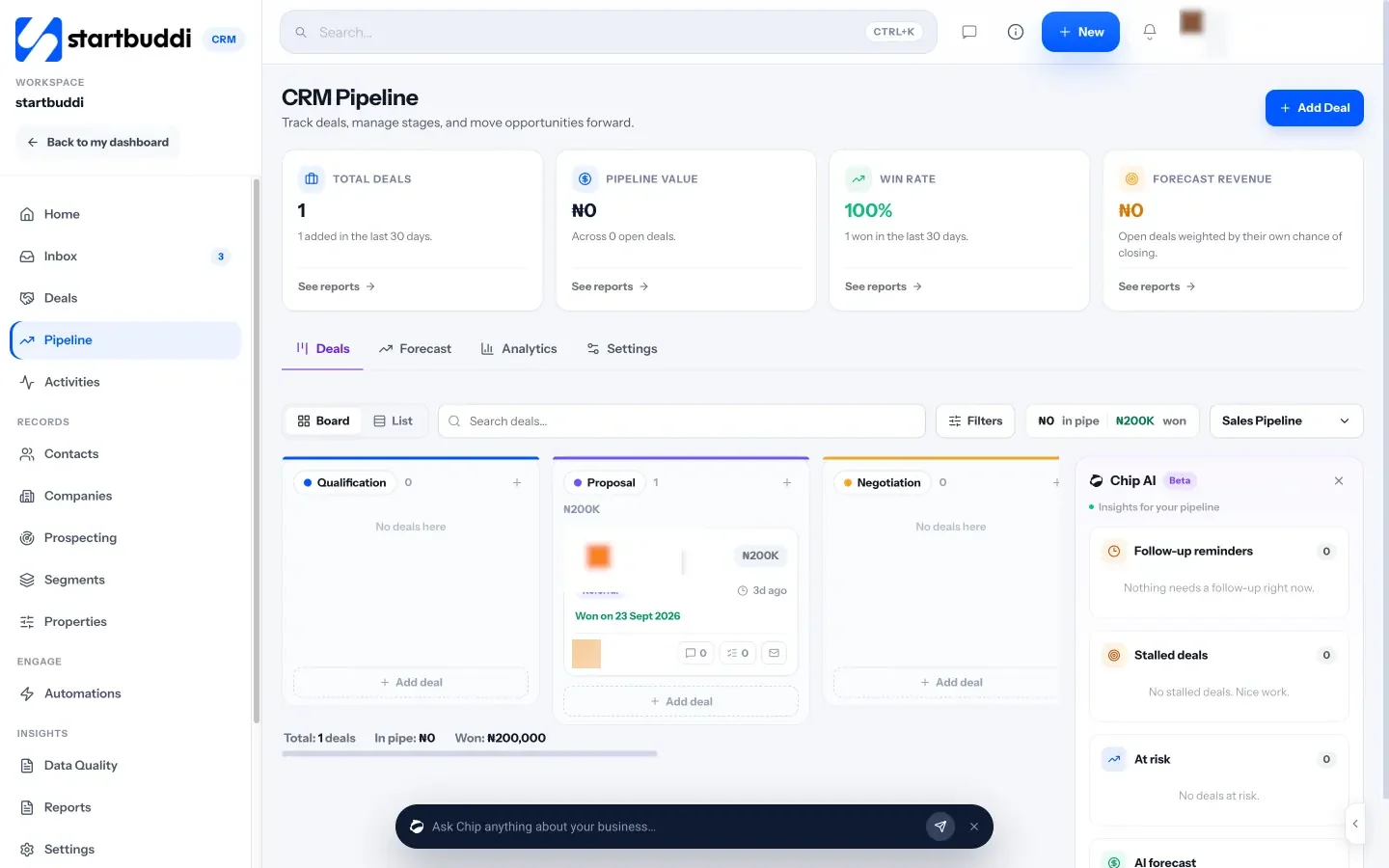
- A pipeline for deals. The Pipeline shows deals by stage with values, win rate and a forecast. When a contact replies, their deal moves out of the first stage; when an invoice on a deal is paid, the deal is marked won.
- Every conversation next to the lead. The Inbox brings WhatsApp, email, SMS and website chat together, and notes you add appear on the contact too (WhatsApp and SMS need Starter or above).
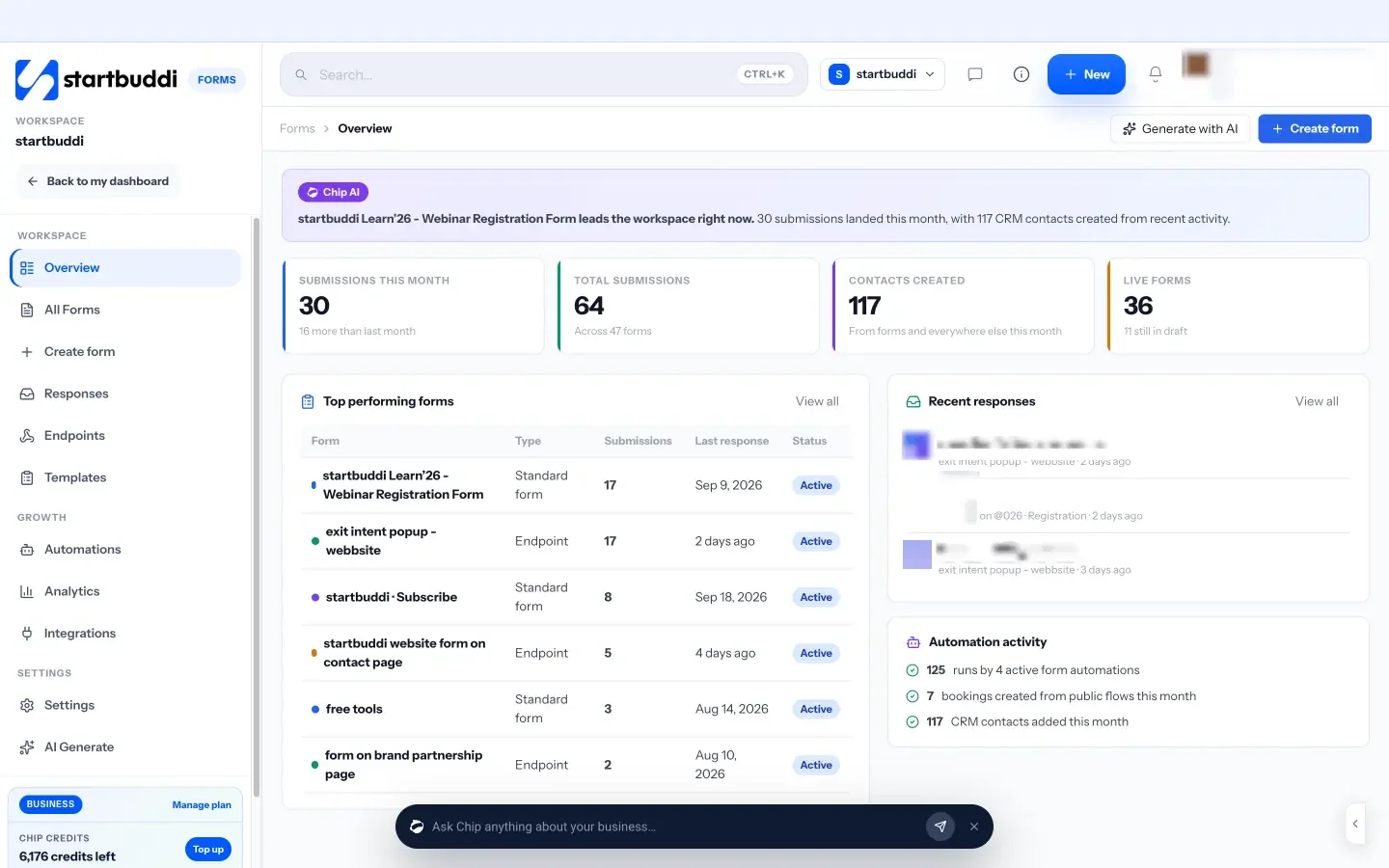
- Chip, the AI assistant. On the Customers home, ask Chip “Who needs a reply?” or “Which deals are at risk?” and it answers from your real data. It also flags deals that have stalled.
- Reports. See pipeline value, deals won and win rate, so the weekly review takes minutes.
The Free plan costs nothing for up to 250 contacts. Starter holds up to 2,500 contacts and allows 10 active automations for follow-ups (see pricing), with a 30-day trial on every paid plan. See pricing, and the help article on setting up your sales pipeline.
Next step
Today, list every channel your leads come from and gather this month’s enquiries into one list with a stage and a next-step date for each. Book 30 minutes on Friday to review it. When the list outgrows a spreadsheet, move it into startbuddi Customers on the Free plan.
Sources
Frequently asked questions
What is the easiest way to track leads?
One list with the same few details for every lead, a stage, and a next step with a date. Start in a spreadsheet and move to a CRM when follow-ups start slipping.
What should I record for each lead?
Name, contact details, source, what they want, estimated value, stage, next step and date, and owner if you work in a team.
How many stages should a lead pipeline have?
Usually four to six. New, Contacted, Qualified, Proposal sent, then Won or Lost covers most service businesses.
Can I track leads from WhatsApp and Instagram?
Yes. Add them to the same list as your form leads. A CRM with a shared inbox can bring those messages in and link them to the contact.
SEO Copywriter| Email growth Specialist| I help businesses increase revenue with strategic SEO content & high-converting email funnels.