14 Best Free Scheduling Apps in 2026, Sorted by Job
The best free scheduling app for meetings, client bookings, group polls or staff shifts: 14 apps with genuine free plans, all checked on 14 October 2026.



The best free scheduling app depends on the job. For letting people book a meeting with you, Cal.com has the most generous free plan for one person. For finding a time that suits a group, Doodle. For staff shift rotas, Connecteam is free for up to 10 people and Sling for up to 30. Every app here has a free plan checked on 14 October 2026.
startbuddi is our product. It’s on this list for client bookings only, and its limits are written as plainly as everyone else’s.
Key takeaways
- “Scheduling app” covers four different jobs: meetings, client appointments, group polls and staff rotas. Pick the job first, then the app.
- Free meeting schedulers vary most on how many meeting types and calendars they allow. Cal.com, Koalendar and TidyCal allow many; Calendly allows one event type.
- Free shift-rota apps are generous for small teams: Homebase (1 location, up to 10 employees), Connecteam (up to 10 users) and Sling (up to 30 users).
- For personal use or students, Google Calendar and Doodle are free and need nothing new to learn.
Free scheduling apps compared
| App | Job | Free plan limit (checked 14 Oct 2026) | Paid plans from |
|---|---|---|---|
| Cal.com | Meetings | 1 user; unlimited event types and calendars | $12/user/month billed yearly |
| Calendly | Meetings | 1 event type, 1 calendar | $10/seat/month billed yearly |
| Google Calendar | Meetings, personal | 1 booking page on a personal account | Google One or Workspace |
| Koalendar | Meetings | Unlimited bookings; no reminders or payments | $9/month billed annually |
| Zoho Bookings | Meetings, appointments | 1 user | US$6/user/month billed yearly |
| HubSpot Meetings | Sales meetings | 1 personal meeting link, HubSpot branding | $20/seat/month (Starter) |
| TidyCal | Paid sessions | 1 calendar connection | $12/month or $29 lifetime |
| Doodle | Group polls | 1 group poll, 1 booking page, 1 one-to-one | US$11/seat/month billed annually |
| Setmore | Client appointments | Up to 4 users | $5/user/month billed yearly |
| Square Appointments | Client appointments | Unlimited staff calendars | $49/month per location |
| startbuddi | Client appointments with deposits | 1 seat, 1 live service | See pricing |
| Connecteam | Staff shifts | Up to 10 users | $29/month billed annually (first 30 users) |
| Homebase | Staff shifts | 1 location, up to 10 employees | $24/location/month billed annually |
| Sling | Staff shifts | Up to 30 users | $1.70/user/month billed annually |
Prices in US dollars before tax, from each vendor’s own pricing page.
How we chose
We kept only apps with a free plan that doesn’t expire, checked on each vendor’s pricing page on 14 October 2026. Trials didn’t count, which rules out Acuity Scheduling and When I Work, among others. We grouped the apps by the job they do, and judged each free plan on what you can actually run on it, and on what it leaves out. We didn’t run hands-on tests or quote review scores.
Meetings: let people book time with you
These apps put a booking link on top of your calendar, so a client, colleague or tutor can pick a free slot without the back-and-forth. If you’re new to this, appointment booking explains the idea.
1. Cal.com
Best for: consultants, coaches and freelancers who want several meeting types at no cost.
Free plan: one user with unlimited event types and calendars, email and SMS notifications, Stripe and PayPal payments, and more than 100 integrations, per Cal.com’s pricing page.
Limits: one user; round robin, routing forms and removing Cal.com branding need Teams at $12 a user a month billed yearly.
Why it’s first: you can offer a free intro call and a paid session, check every calendar you own for clashes, and take payment, all without a subscription. No other meeting scheduler here gives one person that much for free.
Skip it if two or more people share bookings. See Calendly vs Cal.com for the full comparison.
2. Calendly
Best for: someone with one kind of meeting who wants the most familiar link.
Free plan: one event type, one calendar connection, unlimited one-on-one meetings and a customisable booking page, per Calendly’s pricing page.
Limits: no automated reminders, payments or second event type until Standard at $10 a seat a month billed yearly ($12 monthly).
Why it’s here: many of the people you’ll send a link to have booked through Calendly before, so there’s nothing for them to learn.
Skip it if you offer more than one meeting type.
3. Google Calendar appointment schedules
Best for: personal use, students and anyone who already lives in Google Calendar.
Free plan: with a personal Google account you can create a single booking page, per Google’s comparison of appointment schedule features.
Limits: multiple schedules, automatic reminder emails, checking several calendars and payments need an eligible Google One or Google Workspace plan.
Why it’s here: a lecturer’s office hours, a parent-teacher slot or a personal trainer’s free consultation can all run on one page, inside the calendar you already check every day.
Skip it if you need reminders without paying.
4. Koalendar
Best for: free one-to-one meetings with calendar conflict checks.
Free plan: unlimited bookings, booking pages and event types, sync with Google, Outlook and Apple calendars, video links and website embedding, per Koalendar’s pricing page.
Limits: reminders, payments, booking questions and group sessions start on Pro at $12 a month ($9 billed annually).
Skip it if you need reminders or payments.
5. Zoho Bookings
Best for: a solo owner who keeps personal events in Google or Outlook and wants them to block slots.
Free plan: one user, online meetings, email notifications and reminders, and two-way sync with Zoho, Google and Microsoft calendars, per Zoho Bookings pricing.
Limits: one user; Basic is US$6 a user a month billed yearly.
Skip it if you need payments, which Zoho presents as a Premium feature.
6. HubSpot Meetings
Best for: small sales teams that want meetings logged against contacts in a free CRM.
Free plan: HubSpot’s free tools include meeting scheduling with a “Maximum of 1 personal meeting link” and HubSpot branding, according to its product and services catalogue. Bookings land in HubSpot’s free CRM.
Limits: one personal link; more needs a paid hub, starting at $20 a month per seat in the same catalogue.
Why it’s here: HubSpot’s meeting scheduler page says every interaction syncs to your contact records, so a small sales team gets a meeting history without extra admin.
Skip it if you don’t want a CRM attached to your calendar.
7. TidyCal
Best for: freelancers and tutors who charge for sessions and dislike subscriptions.
Free plan: unlimited bookings and booking types, paid bookings and package bookings, with one calendar connection, per TidyCal’s pricing page.
Limits: no automatic video links or team features on Free, and payments on Free carry a platform fee shown on the pricing page. Pro is $12 a month or $99 a year; a lifetime deal is $29 one-off.
Skip it if you have staff.
Group polls: find a time that suits everyone
8. Doodle
Best for: a committee, a study group or a family finding one time that suits everybody.
Free plan: one group poll, one booking page, one one-to-one and basic sign-up sheets, per Doodle’s pricing page. Pro lists “No ads” as a feature, so expect ads on Free.
Limits: one active poll at a time is tight for anyone organising often. Pro is US$11 a seat a month billed annually and adds unlimited polls, reminders and deadlines.
Skip it if you need to run several polls a week. For one-off student projects, it’s ideal.
Client appointments: let customers book services
These are the booking apps for service businesses, where a client picks a service, a person and a time. We cover them in much more depth in our best free booking app list, so here’s the short version.
9. Setmore
Free plan: up to 4 users with unlimited appointments, online payments and one email reminder, per Setmore’s pricing page. Deposits, SMS reminders and two-way sync need Pro at $5 a user a month billed yearly.
Best for: a small team, such as a cleaning company where clients book a visit with a named cleaner. See Setmore vs Calendly.
10. Square Appointments
Free plan: online booking, unlimited staff calendars, deposits and text and email reminders, per Square’s pricing page. No-show fees and Google Calendar sync need Plus at $49 a month per location.
Best for: salons and barbers in the eight countries where Square processes payments.
11. startbuddi
Free plan: a booking page with one live service and one seat, unlimited bookings, and Require payment to book, which takes the full price or a deposit through Paystack (card, bank transfer, USSD or mobile money) or Stripe before the booking is confirmed. Each booking gets one automatic email reminder and updates the client’s contact.
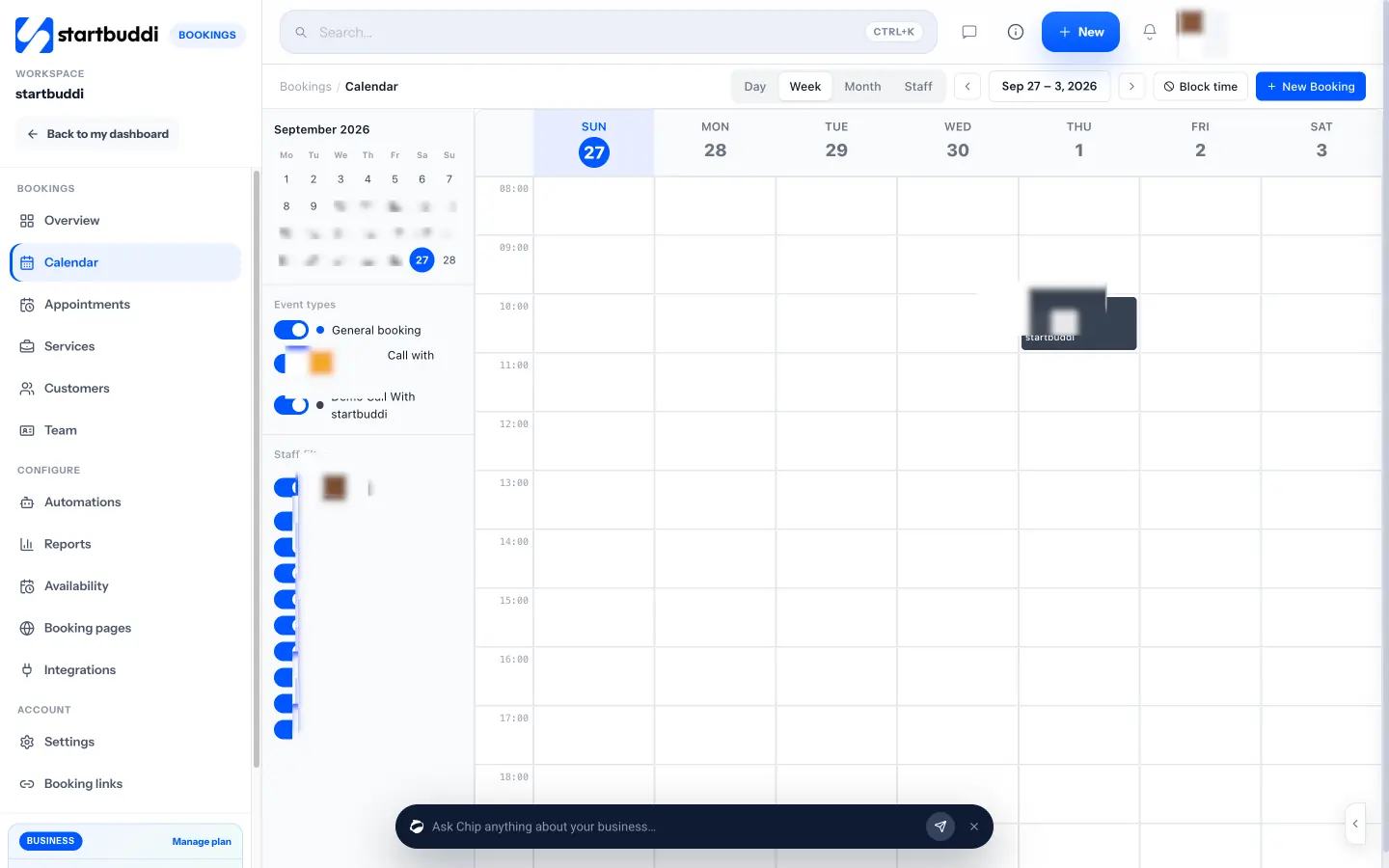
Limits: more services and seats, embedding the page on your website and the booking QR code need a paid plan; see pricing. Calendar sync pushes bookings to Google Calendar without reading your busy times, there are no recurring bookings, and it isn’t a staff rota tool.
Best for: service businesses in Nigeria and across Africa that take deposits, such as a cleaning business in Lagos that wants a deposit before sending a team out. See booking software for cleaning companies.
Staff shifts: rotas for your team
These apps plan who works when, rather than who books with you. Our guide to employee scheduling for small teams covers how to build a fair rota.
12. Connecteam
Best for: a small team in the field, such as cleaners, carers or a delivery crew, that needs shifts, time clocks and messages in one app.
Free plan: the Small Business Plan is “entirely free for up to 10 users”, with all hubs and features (see the plan’s feature list), per Connecteam’s pricing page.
Limits: at 11 users you move to paid hubs, from $29 a month billed annually ($35 monthly) for the first 30 users.
Skip it if you’re likely to pass 10 people soon and want a lower per-user price.
13. Homebase
Best for: a single shop, café or salon that wants rotas and time tracking.
Free plan: Basic is $0 for 1 location and up to 10 employees, with basic scheduling, basic time tracking and point-of-sale integration, per Homebase’s pricing page.
Limits: advanced scheduling and team messaging start on Essentials at $24 per location a month billed annually ($30 monthly).
Skip it if you have two locations or more than 10 staff.
14. Sling
Best for: a team of up to 30 that mainly needs a shared shift schedule.
Free plan: shift scheduling and team communication free for up to 30 users, per Sling’s pricing page.
Limits: time tracking, labour costs and overtime tracking need Premium at $1.70 a user a month billed annually ($2 monthly).
Skip it if you need clock-ins on the free plan.
What free plans usually leave out
Across all 14 apps, the same handful of features sit behind the paywall. Knowing them saves you a surprise a month in.
| Feature | Free on | Usually paid on |
|---|---|---|
| Automatic reminders | Square Appointments (text and email), Setmore, Zoho Bookings, startbuddi (email), Cal.com (notifications) | Calendly, Koalendar, Google Calendar, Doodle |
| Taking payment at booking | Cal.com, TidyCal, Setmore, Square Appointments, startbuddi | Calendly, Koalendar, Zoho Bookings, Google Calendar |
| More than one person | Setmore (4), Square (unlimited staff calendars), Connecteam (10), Homebase (10), Sling (30) | Cal.com, Calendly, Zoho Bookings, Koalendar, TidyCal |
| Removing the app’s branding | None of the meeting schedulers here | Calendly, Cal.com, Setmore, Koalendar |
| Time clocks for staff | Connecteam, Homebase (basic) | Sling |
The pattern is simple: meeting schedulers are generous with features for one person and charge for a second; rota apps are generous with people and charge for features like time tracking and labour costs.
Set up a free scheduling app in 20 minutes
Whichever app you pick, the setup is the same few steps. Do them in this order and you’ll avoid the usual first-week problems.
For a staff rota app, the equivalent is: add your team, set each person’s availability, copy last week’s rota as a template, publish it, and ask everyone to install the app so shift changes reach them.
When a free scheduling app isn’t enough
Free plans are built to be outgrown. You’ll know it’s time to pay when one of these keeps happening:
- Double bookings, because your free plan checks only one calendar or syncs one way.
- No-shows you can’t recover, because the free plan can’t take a deposit or charge a late-cancellation fee.
- A second person needs their own link, and your meeting scheduler stops at one user.
- Your rota team passes the free limit: 10 on Homebase and Connecteam, 30 on Sling.
When that happens, compare the next plan up across two or three apps rather than moving up on the one you’re already using by default.
Best free scheduling app by use
| If you need a scheduling app for… | Best free pick | Why |
|---|---|---|
| A small business taking client bookings | Setmore or Square Appointments | Staff calendars and payments on Free |
| Client bookings with deposits in Africa | startbuddi | Deposits through Paystack on Free |
| Personal use | Google Calendar | One free booking page, nothing new to learn |
| Students | Doodle or Google Calendar | A poll for group work, a page for office hours |
| Employees | Sling (up to 30) or Connecteam (up to 10) | Shift rotas free for small teams |
| A cleaning business | Setmore for client visits, Connecteam for the crew | Two jobs, two apps |
| Freelance sessions | Cal.com or TidyCal | Several session types and payments for one person |
How to choose a free scheduling app
- Name the job. Are people booking you, are you finding a time for a group, or are you planning who works when? Mixing these up is the most common reason a free app feels wrong.
- Count the people. Free meeting schedulers mostly stop at one person. Free rota apps stop at 10 or 30. Free appointment apps vary from 1 to 4 users or unlimited staff calendars.
- Check your calendar. If your personal events must block booking slots, you need two-way sync or conflict checks on the free plan: Cal.com, Koalendar, Zoho Bookings and Calendly (one calendar) do this.
- Decide on money. If you charge for time, check payments on Free: Cal.com, TidyCal, Setmore, Square Appointments and startbuddi take them.
Here’s an illustrative example. A four-person cleaning company in Nairobi takes about 80 client bookings a month and runs two crews. Setmore Free covers the four cleaners’ client bookings; Connecteam Free covers the crew’s shifts and time clock. Monthly cost: zero, until a fifth cleaner joins Setmore or an eleventh person joins Connecteam. If clients there pay by M-Pesa and no-shows hurt, a booking tool with mobile money deposits is worth comparing.
If you still schedule by hand, our article on manual scheduling shows what you lose, and the time management guide covers protecting your own diary. For paid tools too, see our best booking software list and SimplyBook.me alternatives, or how startbuddi works as a calendar booking system.
Try startbuddi Bookings free
If clients book services with you and you want a deposit before they turn up, set up one service with a deposit and share the link. Start free with startbuddi, no card needed, and see the Bookings features.
Frequently asked questions
What is the best free scheduling app?
It depends on the job. Cal.com has the most generous free plan for letting people book meetings with one person. Doodle is the easiest free way to find a time for a group. For staff shifts, Sling is free for up to 30 users and Connecteam for up to 10.
What is the best free scheduling app for a small business?
For client bookings, Setmore is free for up to four users with unlimited appointments, and Square Appointments is free with deposits in Square's eight countries. For staff rotas, Homebase, Connecteam and Sling all have free plans for small teams.
What is the best free scheduling app for personal use?
Google Calendar, because a personal Google account can already create one booking page, and you don't need to learn anything new. If you need several meeting types, Cal.com's free plan covers one person with unlimited event types.
What is the best free scheduling app for employees?
Sling is free for up to 30 users for shift scheduling and team messaging, Connecteam is free for up to 10 users with all its features, and Homebase is free for one location with up to 10 employees. Time tracking on Sling needs Premium.
What is the best free scheduling app for students?
Doodle for group projects, because a free group poll finds a time everyone can make. Google Calendar for organising your own week, and for tutors or student societies who want a simple booking page.
Are free scheduling apps really free?
The plans listed here have no monthly fee, but they cap people, meeting types, polls or features. Payment providers charge for card payments, and some apps add their own fee on payments taken on a free plan.
Omolola Akiyode is the operations and project manager at startbuddi, leading cross-functional projects and the content that helps founders get set up. Omolola writes about projects, websites and getting found online, and turns complex ideas into clear, practical steps.
Runs operations and projects at startbuddi