Manual scheduling: why your calendar is always a mess, and what to do instead
Booking clients by message and diary works until it doesn't. Here's what manual scheduling really costs, the warning signs, and how to move to online booking in a day.


Chinonye wrote this while on the startbuddi team. The product has changed since, so the team updated it on .
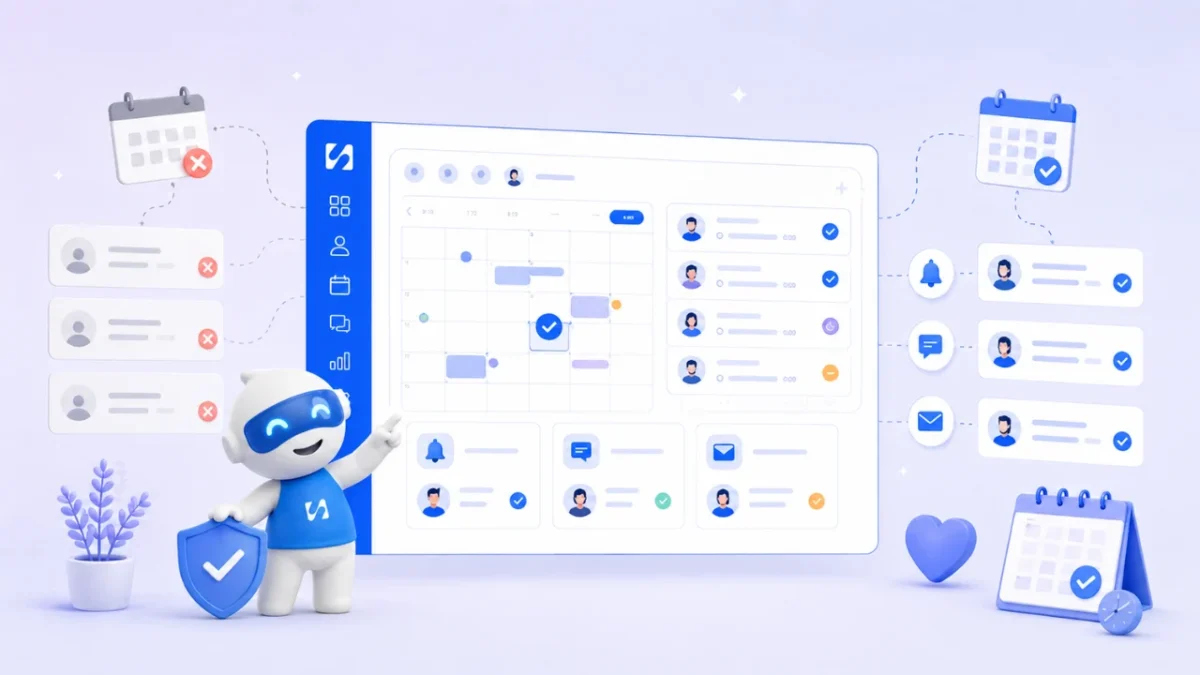
- Manual scheduling means every booking depends on you: reading messages, checking a diary, confirming, reminding and chasing deposits. It causes double bookings, no-shows and lost enquiries as you grow. Move to a booking link with your real availability, automatic confirmations and reminders, and deposits taken at booking.
Manual scheduling is booking appointments by hand: a client messages you, you check your diary, you reply with a few times, they pick one, you write it down, and later you remember (or forget) to remind them. It works fine at five clients a week. At twenty or thirty, it starts working against you. Double bookings creep in, enquiries wait hours for a reply, no-shows go up, and deposits get chased instead of collected.
This guide explains why manual scheduling breaks as you grow, what it quietly costs, the signs you’ve outgrown it, and a step-by-step plan to replace it with online booking in about a day. It’s for anyone who sells their time by appointment: salons, barbers, clinics, therapists, coaches, consultants, tutors, trainers, photographers and home services, wherever you work.
What manual scheduling looks like day to day
Count the steps in one ordinary booking:
- A client messages on WhatsApp, Instagram or email asking for “sometime next week”.
- You check your paper diary, phone calendar or spreadsheet.
- You reply with three options. They reply the next morning.
- Two of the options are now gone, so you go back and forth again.
- You write the booking down, maybe in two places.
- You send your bank details and ask for a deposit.
- You check your bank app to see if it arrived.
- The day before, you try to remember to send a reminder.
That’s eight steps, each depending on you being available and remembering. Any single slip causes a problem the client notices. None of this is a discipline issue. It’s a process built on one person’s memory, and memory doesn’t scale.
The hidden costs of manual scheduling
The obvious cost is time. The less obvious costs do more damage.
Enquiries that never become bookings
People often book on impulse, late at night or between meetings. If they have to message and wait, some will book whoever lets them pick a time straight away. You never see those lost bookings, which is why they’re easy to ignore.
Double bookings
When your availability lives in your head, your phone and a notebook, updating one doesn’t update the others. A client books through Instagram, another by email, both see the same free slot, and you’re apologising to one of them.
No-shows
Without a reminder, people forget. Reminders make a measurable difference: a Cochrane review of text-message reminders for healthcare appointments found they increased attendance compared with no reminder. Without a deposit, missing an appointment costs the client nothing and costs you the slot.
Chasing money
If payment happens after the session, by bank transfer, someone has to check it arrived and chase it if it didn’t. That someone is usually you, at 10pm.
Admin instead of paid work
Every hour spent confirming, rescheduling and chasing is an hour you can’t bill. For a solo business, that’s often the difference between a full week and a tired one.
Scattered client history
When bookings live in chats, you can’t easily see how often someone comes, what they had last time, or whether they paid. You rebuild context before every appointment.
Why double bookings keep happening, however careful you are
Double bookings aren’t a sign you’re careless. They happen because there’s no single source of truth. Any system where availability is copied by hand between places will eventually disagree with itself. The fix isn’t trying harder; it’s having one calendar that every booking goes into automatically, where a slot disappears the moment someone takes it.
A few habits help while you’re still manual:
- Use one calendar only, on your phone, and delete the paper backup.
- Block time the moment you agree a booking, before you reply.
- Offer specific slots (“Tuesday 10am or Thursday 2pm”), not open questions (“when suits you?”).
- Add travel and clean-up time as blocks, not mental notes.
These reduce the problem. They don’t remove it, because you’re still the link between every message and the calendar.
Signs you’ve outgrown manual scheduling
Any two of these mean it’s time to switch:
- You spend more than 30 minutes a day on booking messages.
- You’ve double-booked or mis-timed someone in the last month.
- Clients regularly wait hours for a reply about availability.
- No-shows happen most weeks.
- You don’t take deposits because asking feels awkward or takes too long.
- You can’t say, without scrolling, how many appointments you had last month.
- Someone else (a stylist, an assistant, a second coach) now takes bookings too.
Work out what manual scheduling costs you
Put your own numbers into this quick sum. The figures below are an example, not an average; swap in yours.
| Item | Example | Yours |
|---|---|---|
| Minutes a day on booking messages, reminders and rescheduling | 40 minutes, 5 days a week | |
| Hours a month | About 14 hours | |
| Your hourly rate | $40 | |
| Admin time cost a month | About $560 | |
| No-shows a month, times the price of a slot | 4 x $60 = $240 | |
| Total a month | About $800 |
Even if your numbers are half of this, manual scheduling is probably your most expensive piece of “free” software. Our no-show cost calculator works out the missed-appointment part for you.
Manual scheduling vs online booking
| Manual scheduling | Online booking | |
|---|---|---|
| How clients book | Message and wait for a reply | Pick a free time from a link, any hour |
| Availability | In your head, diary and phone | One calendar, updated instantly |
| Confirmation | You type it | Sent automatically |
| Reminders | If you remember | Sent at a set time before |
| Deposits | Bank details and a check later | Paid online when they book |
| Team bookings | Group chat and guesswork | Shared rota or rotation |
| Client history | Scattered across chats | On the client record |
When more than one person takes bookings
Manual scheduling gets much harder the moment a second person is involved. A receptionist, a partner or a second stylist each hold part of the picture. Common problems: two people promise the same slot, one person is always fully booked while another sits idle, and nobody knows who is covering on a day off.
If you’re a team, decide three things before you switch to any tool:
- Who can be booked for what. Not everyone offers every service.
- How bookings are shared. Clients choose a person, or the next available person gets the booking in turn (often called round robin).
- Who owns changes. Who can move or cancel a booking, and who tells the client.
Our explainer on round robin scheduling covers the sharing options.
How to replace manual scheduling in a day
Step 1: List your services
Write down each thing people book, its length and its price. Keep it short: five clear services beat fifteen confusing ones. Add a buffer after services that need clean-up or travel.
Step 2: Set your real working hours
Be honest about when you want to work, not when you could. Block lunch, school runs and admin time. Decide how far ahead people can book (for example, up to 30 days) and how much notice you need.
Step 3: Decide your deposit and cancellation policy
A deposit is the single most effective way to protect your time. Many businesses take a portion upfront for first-time clients or long appointments. Our guide on how much deposit to charge and our booking policy writer help you set one, and the cancellation policy guide covers the wording.
Step 4: Turn on confirmations and reminders
Send a confirmation straight away and a reminder the day before (or a few hours before for short-notice services). Include the address or meeting link, what to bring and how to reschedule.
Step 5: Share one booking link everywhere
Put it in your Instagram bio, WhatsApp Business profile, email signature, Google Business Profile and on your website. Print a QR code for your counter or van. Our booking link QR code tool makes one in seconds.
Step 6: Tell existing clients
Send a short message: “You can now book and pay online at any time, here’s the link.” Keep replying personally to anyone who prefers messages for a few weeks, but add their bookings through the same system.
Step 7: Review after two weeks
Check how many bookings came through the link, how many no-shows you had, and which times filled first. Adjust hours and buffers.
What to look for in booking software
You don’t need the most advanced tool, just one that covers the basics well:
- A clean booking page that works on a phone, shows your services and prices, and asks only what you need.
- Real availability rules: working hours, buffers, notice periods and time off.
- Confirmations and reminders sent without you lifting a finger.
- Online payments or deposits through a provider that works in your country.
- Self-service rescheduling or cancelling, within the rules you set.
- A client record that builds up with every booking.
- Team support if more than one person takes appointments.
- Honest calendar sync. Check whether it only sends bookings to your calendar, or also reads your busy times.
Our guide to choosing a scheduling app for a small business and our list of booking software for service businesses compare options in more detail.
Common worries about switching
“My clients prefer to message me.” Some will, and that’s fine. Reply personally, then send the link or add the booking yourself. Most people are glad to book at midnight without waiting for you.
“Deposits will put people off.” A clear, fair policy rarely puts off good clients. It mainly puts off the people who weren’t going to turn up.
“It’ll take ages to set up.” A handful of services and your weekly hours take about an hour. You can add questions, team members and extra pages later.
Take payment at booking, not after
A common question is how to schedule payments without manual entry. For most appointment businesses, the answer is simpler than an accounting system: take the money, or a deposit, when the booking is made. The client pays online at the moment they’re most committed, the slot is confirmed only once it’s paid, and there’s nothing to chase later. For work you bill after the session, create the invoice from the booking so the client’s details and the service are already filled in.
How startbuddi replaces manual scheduling
startbuddi Bookings gives you a booking page, your availability, reminders and payments in one place, connected to your contacts and invoices.
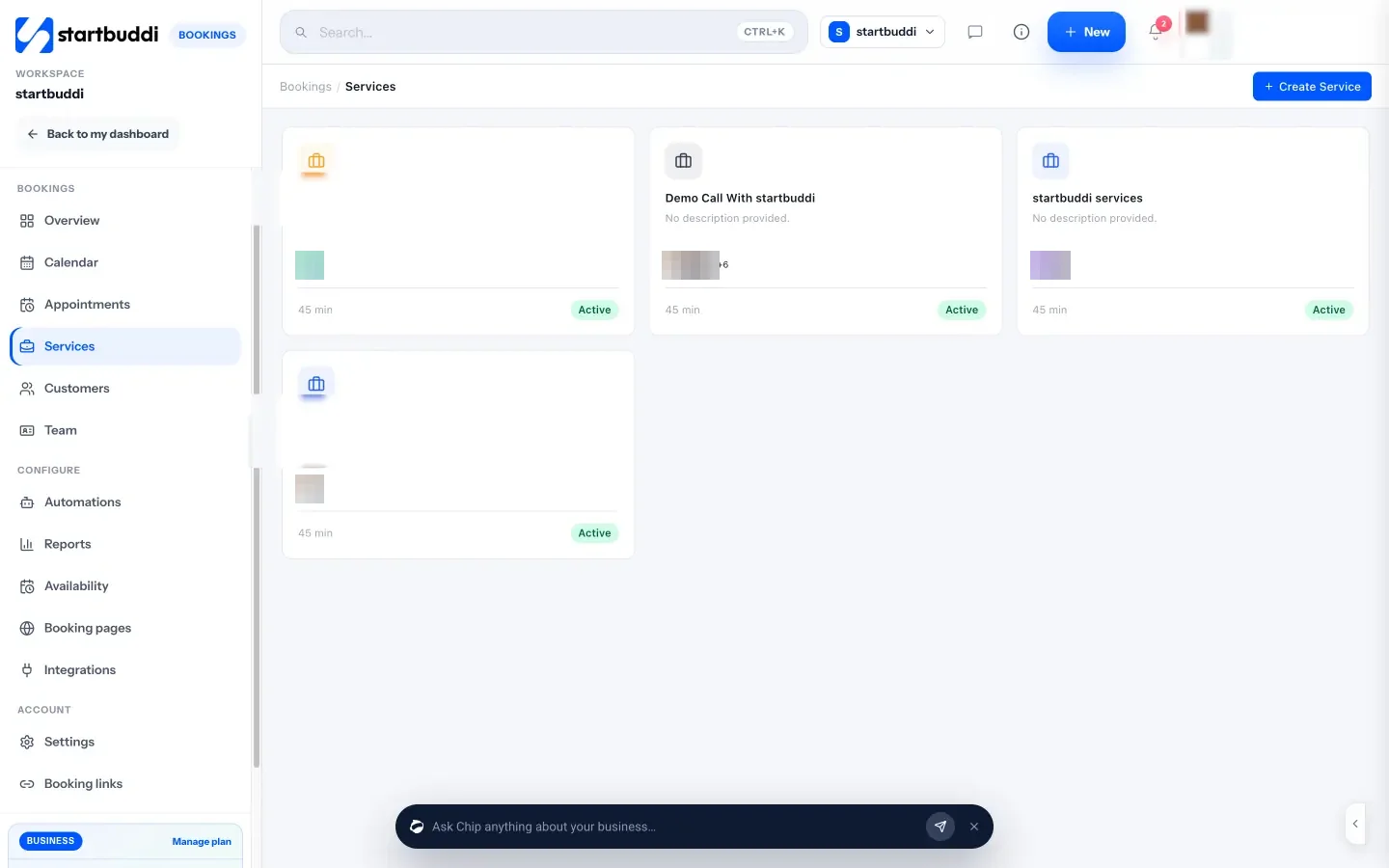
- Services. Create each service with a duration, price and currency. Turn on “Require payment to book” to take the full amount or a deposit through Paystack or Stripe; the slot is held while the client pays.
- Availability. Set working hours per weekday, a buffer after each appointment and how far ahead people can book. Block time for lunch, meetings or holidays.
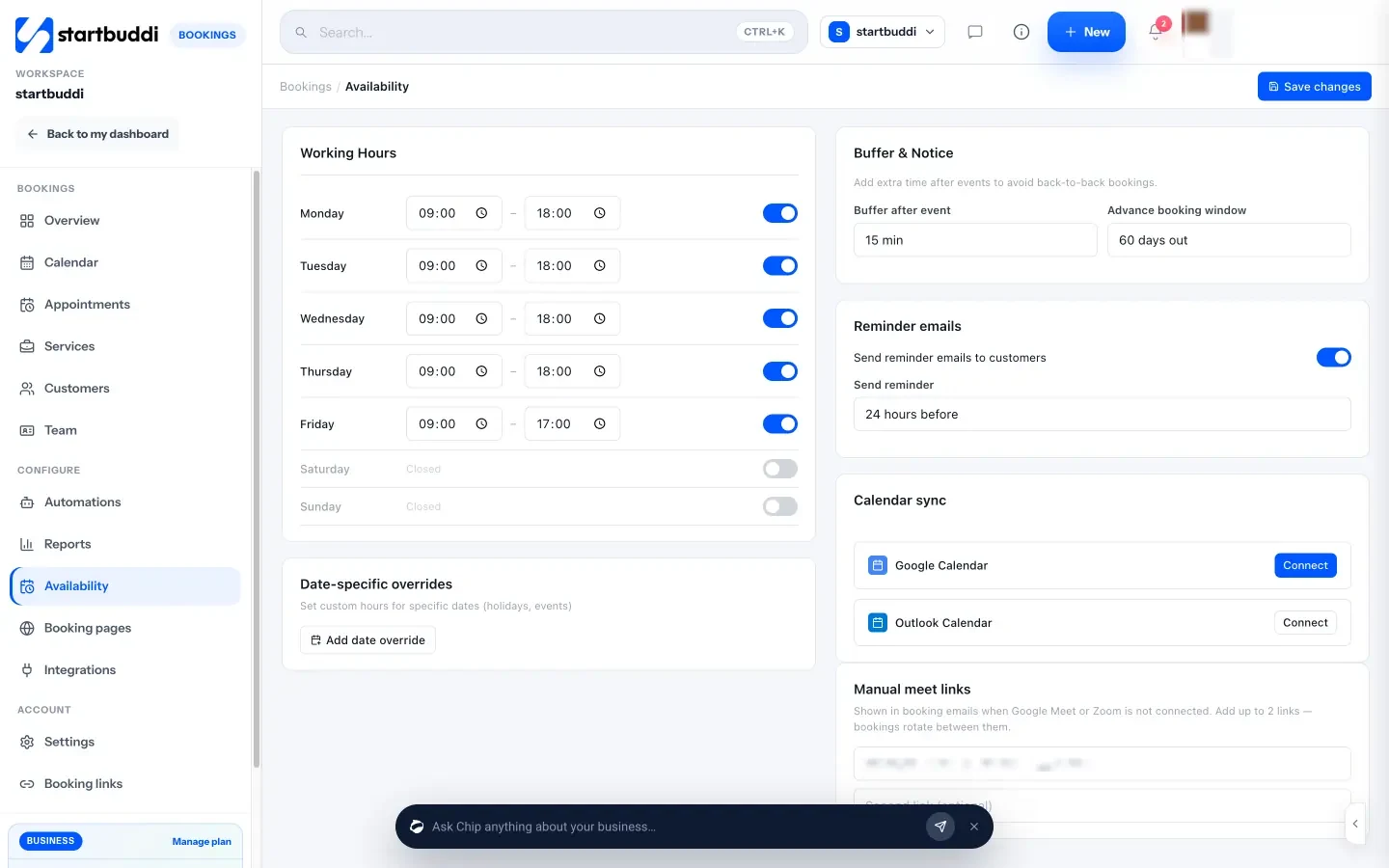
- Confirmations and reminders. Clients get a confirmation email and calendar invite, and reminder emails go out at the lead time you choose (from 1 to 48 hours before).
- One link, shared anywhere. Copy your booking link, share it by WhatsApp or email, embed it on your site or download a QR code. Clients can join or cancel from their own booking page.
- Team scheduling. Add team members with their own hours and share bookings in a rotation, so the next available person gets the booking.
- No-shows and follow-ups. Mark a no-show from the Needs attention list and a follow-up email goes out using your own template, inviting them to rebook.
- Calendar and invoices. Bookings are pushed to your Google Calendar. Sync is one way, so busy times in Google don’t block slots in startbuddi; block them in Bookings instead. You can generate an invoice from any booking.
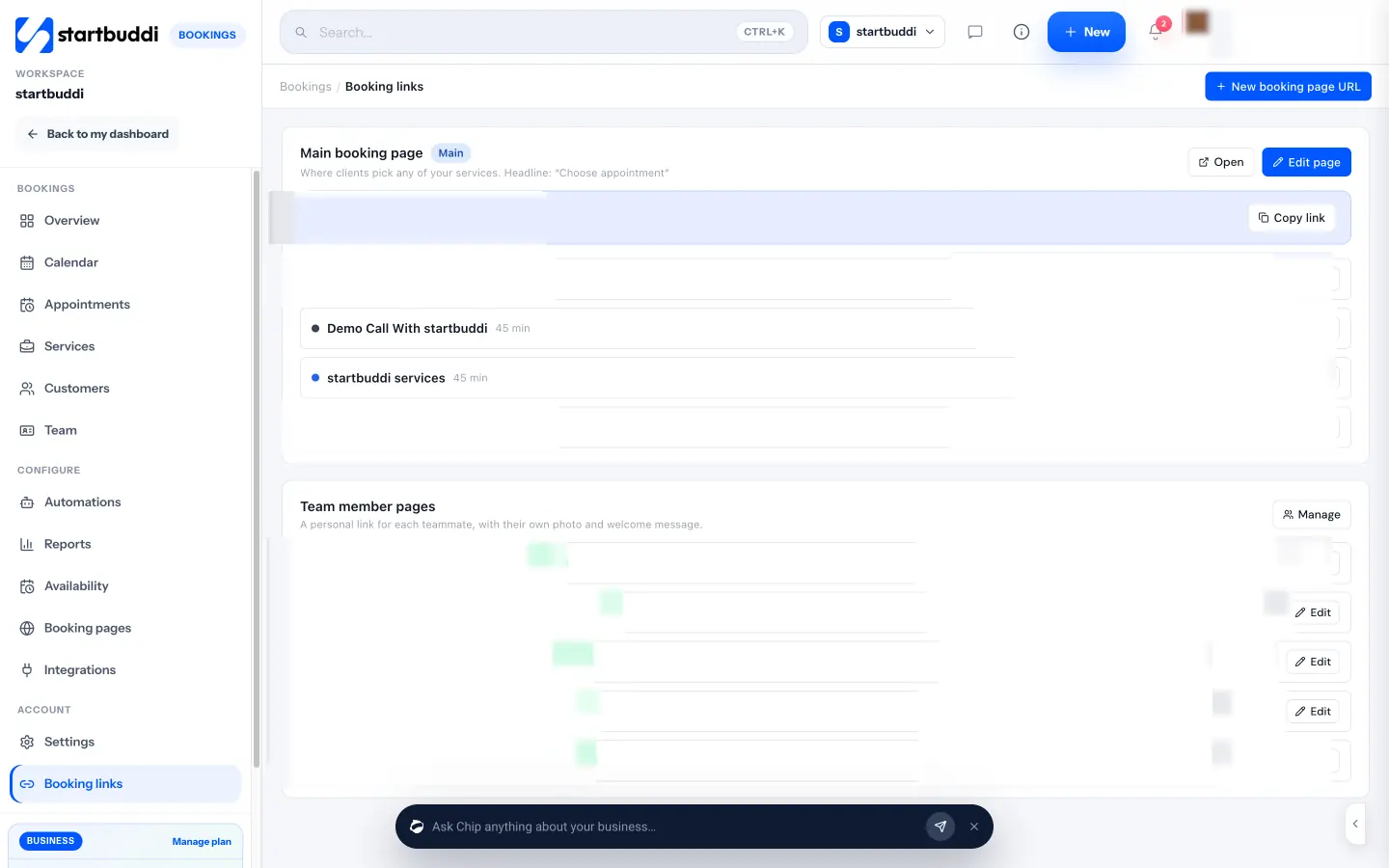
Every booking also creates or updates the client in your contacts, so their history is in one place. The Free plan includes one live service; Starter includes ten (see pricing), and every paid plan has a 30-day trial. See pricing for the full limits.
Next step
Tonight, count how many booking messages you sent this week and how many no-shows you had this month. If either number bothers you, set aside tomorrow morning, list your services and hours, and publish one booking link. You can start on the Free plan with startbuddi Bookings.
Sources
Frequently asked questions
What is manual scheduling?
Booking and managing appointments by hand through messages, a diary or a spreadsheet, with every confirmation and reminder sent by a person.
How do I stop double bookings?
Use one calendar that every booking goes into automatically. An online booking link removes a slot the moment someone takes it.
Will clients use an online booking link?
Most will, because they can book at any hour. Keep replying to people who prefer to message for a while, but add their bookings through the same system.
Should I take a deposit when clients book?
For long appointments, first-time clients or busy times, a deposit reduces no-shows. State the policy clearly when they book.
SEO Copywriter| Email growth Specialist| I help businesses increase revenue with strategic SEO content & high-converting email funnels.