12 Best Booking Apps for Tattoo Shops in 2026
The best booking app for tattoo shops handles consultations, reference images, deposits and consent forms. 12 apps compared, all checked 14 October 2026.



The best booking app for tattoo shops handles the whole run from enquiry to finished piece: a request with reference images, a consultation, a deposit, consent forms and several sessions. Porter and Tattoo Studio Pro suit US and international studios that want tattoo-only software. Venue Ink is the best free start for artists. startbuddi suits studios in Nigeria and Africa taking deposits through Paystack. Checked 14 October 2026.
startbuddi is our product. It’s a general tool, not a tattoo app, and we list its gaps below.
Key takeaways
- Tattoo booking isn’t salon booking. You approve a request before anyone gets a slot, and a big piece may need three or four sessions.
- Deposits are standard in tattooing. Check whether the app applies the deposit to the final price, and how it handles a forfeited one.
- Consent forms with ID checks are a legal and insurance matter in many places, so look for digital waivers you can store.
- Tattoo-specific apps (Porter, TattooGenda, Tattoo Studio Pro, Venue Ink) do the request-to-session flow best. Salon apps (Booksy, Fresha, Vagaro, Square) are fine for flash and walk-ins.
Tattoo booking apps compared
| App | Best for | Starting price (checked 14 Oct 2026) | Free plan | Standout for tattoo |
|---|---|---|---|---|
| Porter | US artists and studios that want tattoo-only software | $35/month (Artist Essentials) | No (30-day trial) | Commission splits and 1099s for resident artists (Studio Pro) |
| Tattoo Studio Pro | Studios that want every feature at every size | $29/month (Solo) | No (30-day trial) | Consent forms with photo ID and guardian fields, unlimited SMS |
| TattooGenda | European studios planning multi-session projects | $20/month or €45/month (Expert) | No (14-day trial) | “Tattoo projects” with several appointments per piece |
| Venue Ink | Artists and studios who don’t want a subscription | $0/month (Solo, Studio) | Yes | Reference image uploads and flash booking |
| Bookedin | Shops wanting free or paid consultations as services | $0 (Free, limited bookings); Plus from $19/month | Yes | Consultations as their own bookable service |
| Goldie | Solo artists starting out | Free (20 appointments a month); Pro $19.99/month | Yes | Deposits on the free plan |
| Booksy | Shops wanting marketplace clients | $29.99/month + tax (US) | No (14-day trial) | Custom forms and liability waivers included |
| Fresha | Studios in Fresha’s payment countries wanting a marketplace | $19.95/month (US, Independent) | No (7-day trial) | Deposits per artist or service, waivers and ID photos stored |
| Vagaro | US, UK, Canada and Australia shops wanting a bundle | $23.99/month for 6 months, then $30 (US) | No (30-day trial) | Free marketplace listing, forms add-on |
| Square Appointments | Flash and walk-in shops in Square’s countries | $0 (Free); Plus $49/month per location | Yes | Free plan with deposits |
| Acuity Scheduling | Artists who want detailed intake questions | $16/month billed annually ($20 monthly) | No (7-day trial) | Intake forms and deposits on every plan |
| startbuddi | Studios in Nigeria and Africa booking through Instagram and WhatsApp | See pricing | Yes | Deposits by card, transfer, USSD or mobile money through Paystack |
Prices are in each vendor’s own currency, before tax and card processing. Fresha’s US price is from its pricing page as published on 12 October 2026; its page shows local prices by location.
How we chose
We judged each app on the tattoo workflow, step by step:
- Request: can a client describe placement, size and budget, and upload reference images?
- Approval and consultation: can the artist review first, and book a consultation separately?
- Deposit: is it taken at booking, and can it count towards the final price?
- Sessions: can one piece span several appointments with the right artist?
- Consent: digital consent forms and ID, stored with the client.
- Studio setup: per-artist calendars and links, guest artists and resident or booth-renting artists.
Facts come from each vendor’s own pricing, feature and help pages, read on 14 October 2026. We didn’t test the apps hands-on and don’t use review scores. FlashBooker, a tattoo booking tool that several lists rank highly, is left out because its site only offers a waitlist, with no public pricing. Payment-processing and booking fees are charged on top by several apps; check each vendor’s own page.
1. Porter
Porter is booking and studio software built for tattoo artists and shops in the US.
Best for: US artists and studios that want deposits, waivers and studio money in one tattoo-only app.
Key features
- Calendar, deposits and payments, automated reminders and follow-ups on every plan.
- Artist Pro adds “Automated liability waivers & consent forms”, plus 100 marketing texts and 250 marketing emails a month.
- Studio Pro adds unlimited artists and staff, automated commission splits, 1099s for artists, shop booking requests and a shop website.
Pricing: Porter’s pricing page lists Artist Essentials at “$35 / mo”, Artist Pro at “$65 / mo” and Studio Pro at “$250 / mo”, with a 30-day trial on the artist plans and 14 days on Studio Pro. Studio Ultimate, for several locations, is through sales.
Pros
- Built around how tattoo studios pay residents.
- Waivers and reminders handled for you.
Cons
- Waivers need Artist Pro, not the entry plan.
- Studio Pro is a big step up for a two-artist shop.
Skip it if you’re outside the US: its studio money tools (1099s) are US-specific.
2. Tattoo Studio Pro
Tattoo Studio Pro is studio management software for tattoo shops, priced by number of artists.
Best for: studios that want every feature on every plan and pay only for headcount.
Key features
- Stripe deposit link per booking, with the booking confirmed when it’s paid.
- Consent forms archived as PDFs, with fields for minors and guardians and photo ID.
- “Unlimited SMS on every plan, no per-text charge”, up to five reminders, reference images on the client profile, per-artist services and hours, and artist commissions.
Pricing: Tattoo Studio Pro’s pricing page lists Solo at $29 a month ($239 a year), Crew (up to 5 artists) at $69 ($579), Tribe (up to 10) at $119 ($999), and larger tiers up to Legion (25 artists) at $299. “Every plan includes every feature.” There’s a 30-day trial, and a payment method is needed to start it.
Pros
- No feature gating by plan.
- Strong consent and ID handling.
Cons
- A card is needed to start the trial.
- Its pages don’t describe consultations or multi-session pieces.
Skip it if you want a free plan.
3. TattooGenda
TattooGenda is booking and studio software for tattoo shops, based in Europe.
Best for: studios, especially in the EU, that plan large pieces across several sessions.
Key features
- “Tattoo projects: Plan one or more appointments per tattoo project.”
- Deposits through Stripe or Mollie, with the choice to use the deposit towards the payment, tracking of what remains, and up to two automatic deposit reminders before a booking cancels.
- Online consultation requests, consent forms by email, QR code or SMS, and Ink Passports for EU rules. Artists only see their own calendar; guest artists are supported.
Pricing: TattooGenda’s pricing page lists Expert at “€45 / month or €495/year” plus €0.11 per SMS, or “$20 / month” in US dollars, and Ultimate at €89 a month or “$50 / month”. Ultimate adds an inbox for WhatsApp, Instagram, Facebook and email, and a project form built around the client’s reference images. There’s a 14-day trial with no card and unlimited users.
Pros
- The best multi-session handling in this list.
- Deposits applied to the final price, with reminders.
Cons
- SMS costs extra on Expert.
- Euro and dollar prices differ a lot, so check which applies to you.
Skip it if you mostly do flash and walk-ins.
4. Venue Ink
Venue Ink is a tattoo booking app that’s free to use, earning money from a booking fee on card payments.
Best for: artists and small studios who don’t want a monthly subscription.
Key features
- Clients upload reference images while booking, per its studio page.
- Flash upload and booking, deposits, payments and tips, and automated reminders.
- Studio plan: a central studio link that assigns requests to artists, a shared calendar, and a link, form and account for each artist. Guest spots and conventions are supported.
Pricing: Venue Ink’s pricing page lists Solo and Studio at “$0/mo”, Solo Pro at “$50/mo” and Studio Pro at “$150/mo”. Venue charges a booking fee on card deposits and payments, which clients pay by default; the paid plans lower that fee. The page sets out the exact rates.
Pros
- Nothing to pay monthly to start.
- Reference images and flash built in.
Cons
- The booking fee falls on clients by default, which some artists won’t want.
- Its pages don’t describe consent forms or multi-session pieces.
Skip it if you’d rather pay a fixed subscription than a fee per booking.
5. Bookedin
Bookedin is general booking software with a page for tattoo shops.
Best for: shops that want consultations as their own service, free or paid.
Key features
- Consultations set up as separate service types, free or paid, per its tattoo page.
- Clients pay before the booking is confirmed; each artist has a calendar and link; reference images stored on client profiles.
- Pro adds text reminders, add-on services and limits on what staff can see.
Pricing: Bookedin’s pricing page lists a free plan with a monthly booking limit (its pages give 50 and 20 bookings), Plus at $19 a month billed annually ($24 monthly) for one calendar, and Pro at $39 ($48). There’s a 14-day trial.
Pros
- Paid consultations filter out time-wasters.
- A free plan to start.
Cons
- Waivers and multi-session booking aren’t described.
- Text reminders need Pro.
Skip it if you need consent forms in the same app.
6. Goldie
Goldie is a booking app for independent beauty, wellness and tattoo pros.
Best for: solo artists starting out who want deposits for free.
- Key features: free Starter plan with 20 appointments a month, deposits and built-in payments; Goldie’s tattoo page says clients can add images when they book; Pro adds unlimited bookings, automated reminders, 500 SMS credits and a portfolio; Pro Plus adds teams, forms and a waitlist.
- Pricing: Goldie’s pricing page lists Starter as free, Pro at $19.99 a month and Pro Plus at $39.99.
- Pros: free deposits; portfolio for your work.
- Cons: manual reminders on Free; forms need Pro Plus.
- Skip it if you run a multi-artist studio.
7. Booksy
Booksy is a booking app with a consumer marketplace, used by barbers, stylists and tattoo artists.
Best for: shops in Booksy’s countries that want new clients from an app.
- Key features: one plan with “Custom Forms & Liability Waivers”, no-show protection, waitlists, memberships and packages; reminders always free; 2,000 marketing texts a month in the US.
- Pricing: Booksy’s US pricing page lists “$29.99 per month + tax”, extra users at $20 a month, and a 14-day trial. Boost, the optional marketplace promotion, takes 30% of a new client’s first visit, up to $100 in the US. On a large first piece, that cap matters.
- Pros: waivers included on the only plan.
- Cons: no consultation-first flow; each extra artist costs $20 in the US.
- Skip it if most work comes through Instagram DMs and custom requests. Compare it in Fresha vs Booksy.
8. Fresha
Fresha is booking and payments software with a marketplace and a page for tattoo and piercing studios.
Best for: studios in Fresha’s payment countries that do flash, custom work and piercing.
- Key features: per its tattoo and piercing page, “Book custom designs, flash appointments, and consultations with artist-specific calendars”, “Set deposits for each artist or service”, and “Store signed waivers, ID photos, treatment history”; walk-ins and scheduled piercings.
- Pricing: Fresha’s pricing page, as published in the US on 12 October 2026, lists Independent at $19.95 a month and Team at $14.95 per team member, with a 7-day trial. Brand-new marketplace clients carry a 20% one-time commission, $6 minimum, in the US.
- Pros: waivers and ID photos stored; cheap per artist.
- Cons: deposits need Fresha payments, which showed as unavailable when we loaded the page from Nigeria; multi-session pieces aren’t described.
- Skip it if you’re outside Fresha’s payment countries.
9. Vagaro
Vagaro is salon, spa and studio software with a free marketplace listing.
Best for: US, UK, Canadian and Australian shops that want booking, reminders and a marketplace in one bill.
- Key features: unlimited reminders, 1,000 free emails a month, a free marketplace listing; add-ons include Forms ($10 a month) for custom forms such as consent forms.
- Pricing: Vagaro’s US pricing page shows “$23.99 / mo. Exclusive rate for the first 6 months”, normally $30, for one calendar, plus $10 per extra calendar up to seven. There’s a 30-day trial.
- Pros: cheap extra artists, capped for bigger studios.
- Cons: not tattoo-specific; forms are an add-on.
- Skip it if you want a request-and-approve flow.
10. Square Appointments
Square Appointments is Square’s booking app, linked to its card readers.
Best for: flash and walk-in shops in Square’s countries that want a free plan.
- Key features: free plan with unlimited staff calendars, online booking, reminders, deposits and prepayments; Plus adds cancellation and no-show fees and a waitlist.
- Pricing: Square’s US pricing page lists Free at $0, Plus at $49 and Premium at $149 a month per location.
- Pros: free, with deposits and point of sale.
- Cons: no tattoo request flow or waivers listed.
- Skip it if you mostly do custom work. See Square Appointments alternatives.
11. Acuity Scheduling
Acuity Scheduling is general scheduling software from Squarespace.
Best for: artists who want a detailed intake questionnaire and deposits, and keep consent elsewhere.
- Key features: intake forms and deposits on every plan (Stripe, Square, PayPal or Venmo); packages from Standard; buffer time before and after appointments.
- Pricing: Acuity’s pricing page lists Starter at $16 a month billed annually ($20 monthly), Standard at $27 ($34) and Premium at $49 ($61). There’s a 7-day trial.
- Pros: very flexible questions before booking.
- Cons: no tattoo-specific tools.
- Skip it if you want studio features. See Acuity Scheduling alternatives.
12. startbuddi
startbuddi is an all-in-one workspace for service businesses: bookings, forms, a client list, an inbox for WhatsApp, Instagram and email, documents and invoices.
Best for: tattoo studios in Nigeria and across Africa whose clients enquire by Instagram DM and WhatsApp and need to pay deposits by transfer or USSD.
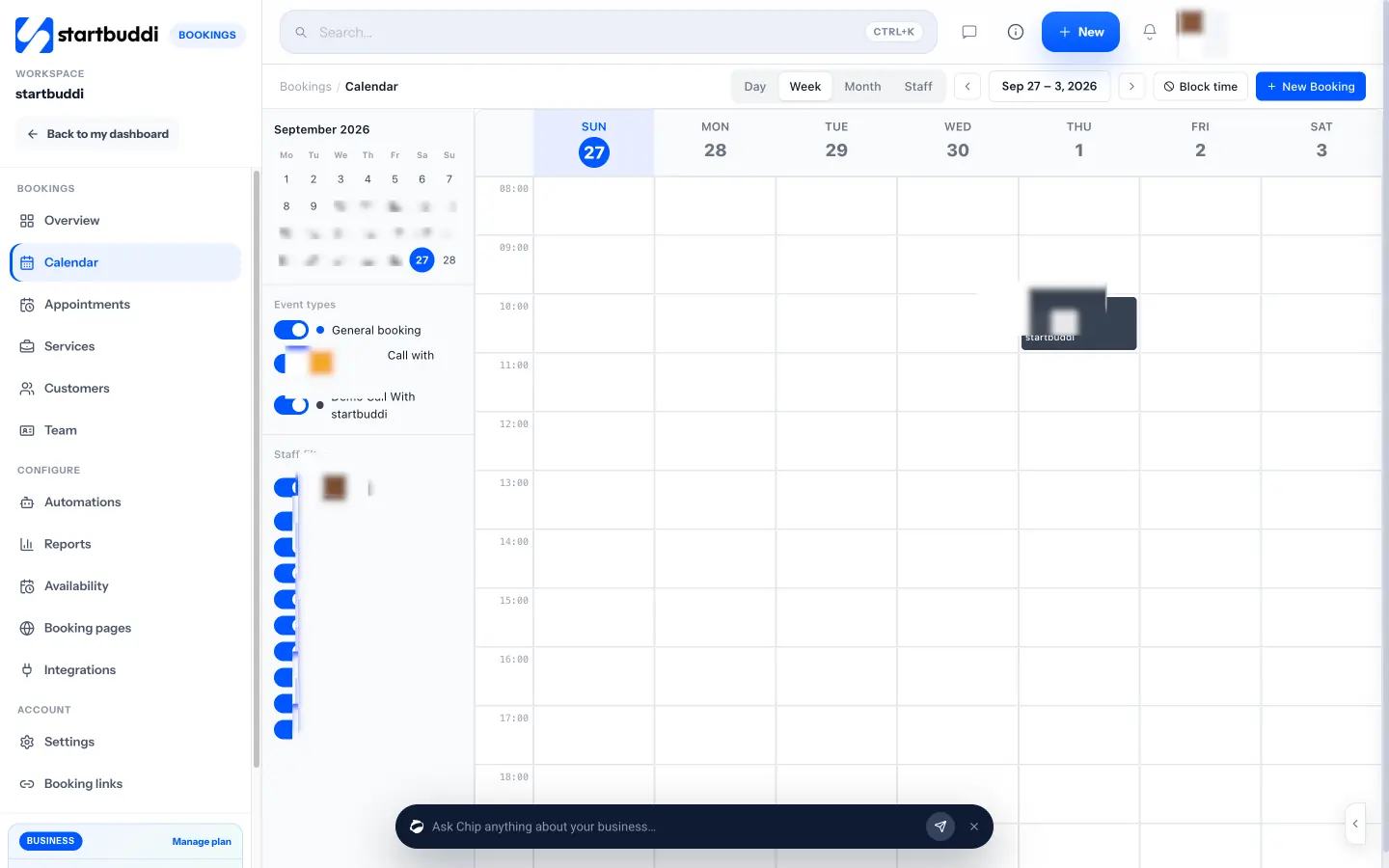
- Key features: a request form with a file upload field for reference images and questions on placement, size and budget, which saves the enquiry to the client’s record; once you approve, you send the booking link for the right service with “Require payment to book” (deposit by card, bank transfer, USSD or mobile money through Paystack, or card through Stripe); a personal booking page for each artist; Forms also have a signature field you can use for a simple consent form; Instagram and WhatsApp messages land in one inbox.
- Pricing: a free plan is available with one live service and one form; see pricing.
- Pros: deposits by methods Nigerian clients use; enquiry, chat and bookings on one client record.
- Cons: not a tattoo app: the request form and the booking are separate steps, there are no multi-session projects or recurring bookings, no automatic deduction of the deposit from the final bill (you invoice the balance), no ID checks or guardian fields, no point of sale, and on a phone you only get the overview and booking links.
- Skip it if you want a tattoo-only workflow with projects and consent built in.
How to choose the best booking app for tattoo shops
Answer these in order:
- Custom work, flash or both? Custom pieces need a request, approval and consultation step: Porter, TattooGenda, Venue Ink and Bookedin handle that. Flash and walk-ins work fine in Square, Fresha or Booksy.
- How big are your pieces? If a back piece runs over four sessions, multi-session projects (TattooGenda) or a “schedule all sessions” feature saves real admin.
- How do deposits work in your shop? Decide whether the deposit comes off the final price, when it’s forfeited and whether it moves with a reschedule. Then check the app can do exactly that.
- Consent and ID: if your local rules or your insurer need signed consent and ID on file, pick an app that stores them (Tattoo Studio Pro, Fresha, Porter Artist Pro, TattooGenda).
- Residents and guests: if artists rent a station, look for commission splits or separate artist accounts (Porter Studio Pro, Venue Ink Studio, Tattoo Studio Pro).
A deposit that works for a big piece: a worked example
Illustrative numbers for a Lagos studio quoting ₦450,000 for a half-sleeve over three sessions.
| Step | Amount | Notes |
|---|---|---|
| Deposit at booking (20%) | ₦90,000 | Non-refundable if the client cancels within 72 hours; covers drawing time |
| Session 1 | ₦120,000 | ₦150,000 session price minus the ₦30,000 share of the deposit |
| Session 2 | ₦120,000 | Same split |
| Session 3 | ₦120,000 | Same split |
| Total paid | ₦450,000 | ₦90,000 + 3 × ₦120,000 |
Spreading the deposit across all sessions keeps every session payment the same, and stops a client walking away after session one with most of the deposit used. Whatever you choose, write it down. The booking policy writer drafts one for you, the no-show policy template covers missed sessions, and how to ask for a deposit has scripts for the DM. The booking deposit and no-show fee pages explain the terms.
How do clients book a tattoo appointment online?
Usually in four steps. The client fills in a request with the idea, placement, size, budget and reference images. The artist reviews it and replies with a quote, or offers a consultation. The client picks a date and pays a deposit to confirm. Before the session they sign a consent form and bring ID. Shops that put this link in their Instagram bio and Google profile turn up when people search for tattoo shops with online booking near them, and spend far less time in DMs.
Is there a free booking app for tattoo artists?
Yes. Venue Ink has $0 plans (it earns a booking fee on card payments), Goldie’s free plan includes deposits for 20 appointments a month, Bookedin and Square Appointments have free plans, and startbuddi has a free plan with one live service. Free plans usually leave out automatic text reminders, consent forms or extra artists.
Run enquiries and deposits in startbuddi
If your studio is in Lagos, Accra or Nairobi and every booking starts as a DM, put a request form and a deposit link in your bio and keep the chat, the enquiry and the booking on one client record. Start free, no card needed. For other trades, see the best booking apps for barbers, nail salons and massage therapists, GlossGenius alternatives, the general best booking software list, or our appointment scheduling software page. More on startbuddi Bookings.
Frequently asked questions
What is the best booking app for tattoo shops?
For tattoo-only software, Porter suits US studios and TattooGenda suits European studios planning multi-session work. Tattoo Studio Pro is strong on consent forms and includes every feature on every plan. Venue Ink is the best free start, and in Nigeria and much of Africa, startbuddi takes deposits through Paystack.
What is the best booking app for tattoo artists working alone?
Venue Ink and Goldie both let a solo artist start free and take deposits. Porter Artist Essentials ($35 a month) or Tattoo Studio Pro Solo ($29 a month) suit artists who want reminders and studio tools from a tattoo-only app.
How much deposit should a tattoo artist take?
Many artists take enough to cover drawing time and the slot, often a fixed amount for small pieces and a percentage for large ones. Say clearly whether it comes off the final price and when it's forfeited. Our worked example above spreads a 20% deposit across three sessions.
Can clients upload reference images when booking a tattoo?
In some apps, yes. Venue Ink and Goldie say clients can add images when they book, and TattooGenda's Ultimate plan builds the request around reference images. In startbuddi, you use a form with a file upload field for the request, then send the booking link.
Do tattoo booking apps include consent forms?
Many do. Tattoo Studio Pro, TattooGenda, Fresha, Booksy and Porter Artist Pro include digital waivers or consent forms, and Vagaro offers a forms add-on. Check whether the app stores ID photos too if your rules need it.
How do I stop tattoo no-shows?
Take a deposit at booking, send reminders two days and one day before, and publish a cancellation window, often 48 to 72 hours for tattooing. Keep the deposit if the client doesn't show, as your policy says.
Olabimpe Salami is the email and outreach specialist at startbuddi. Olabimpe writes about the messages that bring customers in and back: email, WhatsApp and SMS campaigns, follow-ups, and turning enquiries into paying clients.
Runs email and outreach at startbuddi