8 Acuity Scheduling Alternatives for Service Businesses
Acuity Scheduling alternatives compared on price, free plans, deposits and local payments, checked on each vendor's own site. See which one fits your team.



People look for Acuity Scheduling alternatives because Acuity has no free plan, prices climb with every extra calendar, and its payment options don’t reach every country. The best three: Square Appointments for solo professionals in Square’s countries, Setmore for small teams wanting a free start, and startbuddi for service businesses in Africa taking deposits through Paystack.
startbuddi is our product. We’ve included it where it fits and listed its limits as plainly as everyone else’s.
Key takeaways
- Acuity starts at $16 a month billed yearly ($20 monthly) for one calendar, with a 7-day trial and no free plan, according to its pricing page.
- Text reminders, waitlists, packages and gift certificates sit on Acuity’s Standard plan or above, so a solo therapist who wants SMS pays $27 to $34 a month.
- Square Appointments, Setmore, SimplyBook.me, Zoho Bookings, Calendly and Cal.com all have a free plan. Each limits it in a different way.
- If your clients pay by bank transfer, USSD or mobile money, check payment options before features. That rules out most US-built tools in Lagos, Accra or Nairobi.
- Moving off Acuity starts with exporting your client list. Acuity’s export gives you names, emails, phone numbers and notes.
Why look for an Acuity Scheduling alternative?
Acuity Scheduling is booking software for appointment-based businesses: coaches, therapists, consultants, tutors, salons and clinics. Clients pick a service and a time, fill in an intake form and pay. It’s a mature product, and many people stay on it for years. The reasons they leave are usually specific, and you can check each one on Acuity’s pricing page (checked on 1 October 2026):
- No free plan. Every plan is paid after a 7-day trial. If you take five bookings a month, a free tool may be enough.
- Price per calendar. Starter covers 1 calendar, Standard up to 6, Premium up to 36. A practice that adds a seventh practitioner jumps from Standard ($27 a month billed yearly) to Premium ($49 billed yearly).
- Text reminders cost more. SMS reminders, a waitlist, memberships, packages and gift certificates start on Standard. Starter has email reminders only.
- Payment options. The pricing page lists Stripe, Square, PayPal and Venmo. That’s fine in the US or UK. A Lagos consultant whose clients pay by bank transfer or USSD needs something else.
- It does one job. Acuity books appointments. Your client notes, invoices, messages and projects live in other tools, and you keep them in step by hand.
None of these makes Acuity a bad choice. If you’re in the US, need HIPAA support or sell packages and gift certificates, it’s strong. The list below is for the cases where one of those reasons bites.
Acuity Scheduling alternatives compared
Prices are the starting list prices on each vendor’s own pricing page, checked on 1 October 2026. They exclude tax and card processing fees.
| Tool | Best for | Starting price | Free plan | Standout feature |
|---|---|---|---|---|
| Square Appointments | Solo pros in Square’s countries | $0 (Free plan) | Yes | Free plan with card payments built in |
| Setmore | Small teams wanting a free start | $0 for up to 4 users | Yes | Pro is $5 a user a month billed yearly |
| startbuddi | Service businesses in Africa taking deposits | Free plan, paid plans on the pricing page | Yes | Paystack or Stripe deposits, plus client records, invoices and an inbox |
| Calendly | Consultants booking meetings | $0 (one event type) | Yes | Routing and team scheduling on Teams |
| SimplyBook.me | Businesses wanting pricing by booking volume | €0 for 50 bookings a month | Yes | Plans priced by bookings, not seats |
| Zoho Bookings | Teams already on Zoho | $0 for 1 user | Yes | Basic from $6 a user a month billed yearly |
| Cal.com | Tech-comfortable owners | $0 for 1 user | Yes | Open source, can be self-hosted |
| Fresha | Salons, spas and wellness | NGN 6,800 a month for one person (as shown in Nigeria) | No (7-day trial) | Marketplace that charges only on brand-new clients |
How we chose these Acuity alternatives
We looked for tools a small service business could set up in an afternoon and run without a developer. Each one had to offer:
- Online booking by service, with the client picking a time from your real availability.
- Automatic reminders, by email at least.
- A way to take payment or a deposit at booking, or a clear reason why not.
- Public pricing we could read and link to.
Every price and feature claim below comes from the vendor’s own pages, linked, checked on 1 October 2026. We didn’t run paid trials, so nothing here is “we tested”. Read each pricing page again before you buy; vendors change plans often.
1. Square Appointments
Square Appointments is the booking side of Square’s payments platform. It suits a hair stylist, massage therapist or personal trainer who already takes cards with Square.
Best for: solo professionals in a country Square serves who want booking and payments in one free account.
Key features: online booking site, appointment reminders, unlimited staff calendars on every plan, card payments in person and online, and no-show fees from the Plus plan.
Pricing: Square’s Appointments pricing page lists Free at $0, Plus at $49 a month per location and Premium at $149 a month per location. Card payments go through Square, at the rates on Square’s fees page.
Pros:
- A free plan that already takes card payments.
- Cancellation and no-show fees on Plus.
- Strong point-of-sale hardware if you also sell products.
Cons:
- Square works in eight countries only, listed in its developer documentation: Australia, Canada, France, Ireland, Japan, Spain, the UK and the US.
- Payments have to go through Square, so you can’t bring your own processor.
- Plus is priced per location, which adds up for a two-site clinic.
Who should skip it: anyone outside Square’s eight countries.
2. Setmore
Setmore is a booking tool with one of the more generous free plans. Up to four people can share it at no cost.
Best for: a small team (a two-chair studio, a three-person tutoring business) that wants to start free and pay later only if it needs texts.
Key features: booking page, unlimited appointments, payments through Square, Stripe, PayPal or LawPay, and on Pro: SMS reminders, two-way calendar sync, recurring appointments, deposits and branding removal.
Pricing: Setmore’s pricing page lists Free at $0 for up to 4 users with one email reminder, and Pro at $12 a user a month, or $5 a user a month billed yearly, with 500 SMS credits a month per user.
Pros:
- Four free users, which is rare.
- A low yearly price for Pro.
- Deposits and recurring appointments on Pro.
Cons:
- The free plan has a single email reminder and no SMS.
- Free keeps Setmore branding on your booking page.
- Payments run through US-centred processors.
Who should skip it: teams that need text reminders but won’t commit to a yearly bill.
3. startbuddi
startbuddi is an all-in-one workspace for service businesses. Bookings is one module; the same account holds your client records, inbox, invoices, projects and team. If you use Acuity plus a CRM, an invoicing app and WhatsApp on your phone, this is the alternative that replaces more than the booking tool.
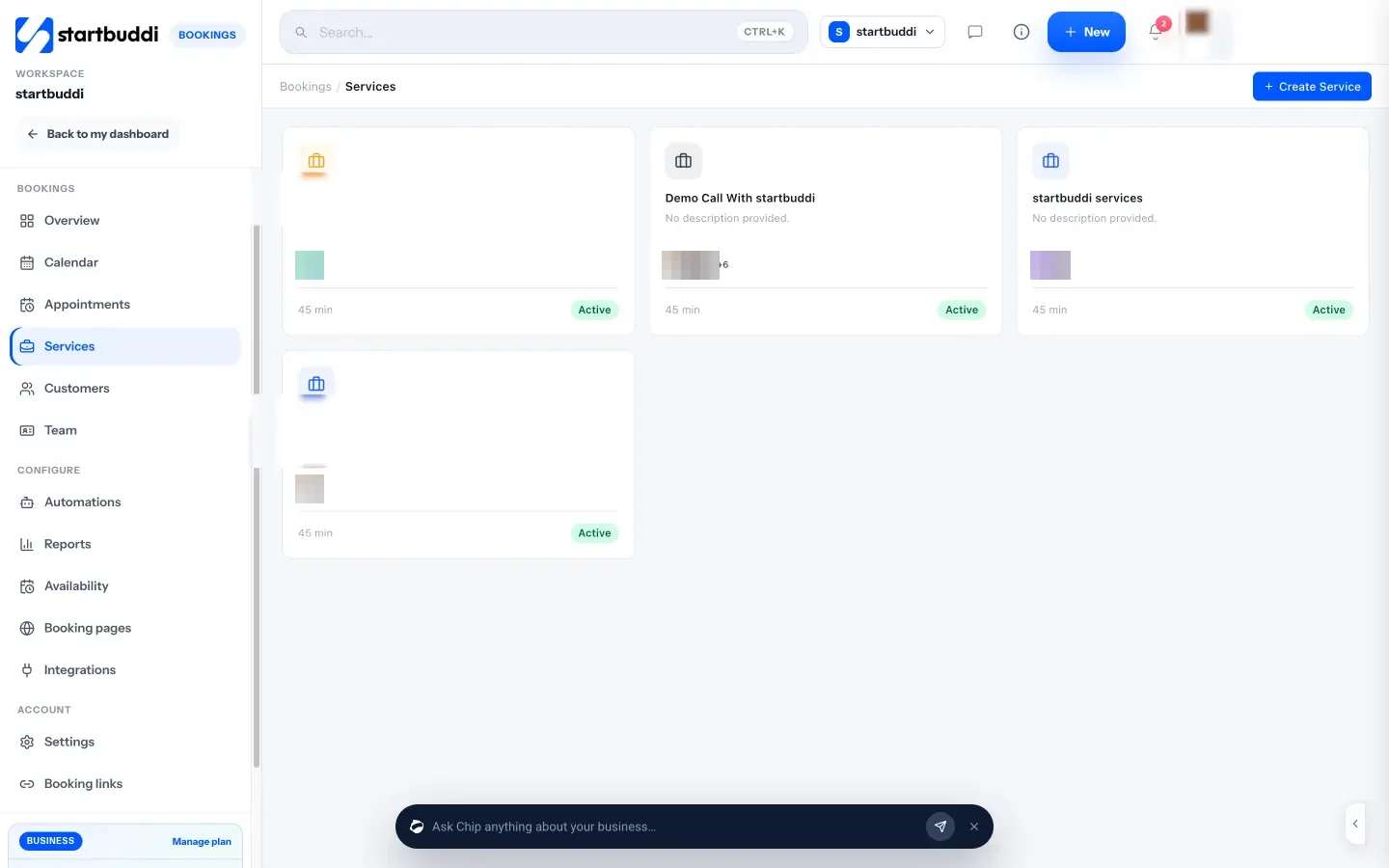
Best for: service businesses in Nigeria, Ghana, Kenya and other Paystack countries that take deposits, and teams who want bookings to land straight in their client list.
Key features:
- Booking pages for your business and for each team member, with a QR code and embed code.
- Require full payment or a booking deposit at booking, through Paystack (card, bank transfer, USSD or mobile money) or Stripe (card). The slot is held for 30 minutes while the client pays.
- Round robin scheduling across hosts, with each person’s own working hours.
- One automatic reminder per confirmed booking, at the time you pick (1 to 48 hours before; 24 by default). Email, WhatsApp and SMS reminder switches work once those channels are set up: WhatsApp needs a connected number, SMS needs an SMS connection and a plan that includes SMS.
- Bookings create or update the client’s record in Customers, and you can generate an invoice from a booking.
- No-show and “after a completed booking” follow-up emails you can edit.
Pricing: free plan available. Paid plans (Starter, Growth, Scale) are on the pricing page. The Free plan allows one live service.
Pros:
- Local payment methods through Paystack, which most US booking tools don’t offer.
- Bookings, client history, messages and invoices in one place.
- Booking pages and questions are quick to set up; there’s a step-by-step guide to creating a booking page.
Cons:
- No recurring bookings: each appointment is booked on its own.
- Calendar sync is one way. Bookings go to Google Calendar, but Google events don’t block your booking slots.
- No date-specific overrides; you block holidays with Block time.
- No packages, gift certificates or waitlist, which Acuity has on Standard.
- The Free plan has one live service, so a business with a menu of services needs a paid plan.
Who should skip it: a US practice that needs HIPAA support, or anyone who sells session packages and gift cards. For a closer look, see our startbuddi vs Acuity comparison.
4. Calendly
Calendly is the best-known meeting scheduler. It’s built for booking calls and meetings more than service appointments with prices.
Best for: consultants, coaches and B2B service firms booking discovery calls.
Key features: booking links, calendar connections, Stripe and PayPal payments on paid plans, and round robin and routing on Teams.
Pricing: Calendly’s pricing page lists Free (one event type, one calendar connection, no payments), Standard at $10 a seat a month or $8.30 billed yearly, and Teams at $16 a seat a month or $12.80 billed yearly.
Pros:
- Clients often know the booking screen already.
- Good routing for sales calls on Teams.
- A free plan for one meeting type.
Cons:
- Free has no payments, so deposits mean a paid plan.
- Round robin needs Teams.
- It’s a meeting scheduler, so it lacks salon-style features such as service menus with staff and resources.
Who should skip it: salons, clinics and anyone selling a menu of priced services. Our Calendly alternatives list covers that ground.
5. SimplyBook.me
SimplyBook.me prices its plans by how many bookings you take each month, not by how many people you have.
Best for: a business with several providers and modest volume, such as a five-person physiotherapy practice taking 80 bookings a month.
Key features: booking website, admin app, payments and point of sale from Basic, and add-ons for SMS and WhatsApp credits.
Pricing: SimplyBook.me’s pricing page lists Free (50 bookings a month, 1 provider), Basic at €11.90 a month billed yearly (100 bookings, 5 providers), Standard at €24.90 (500 bookings, 15 providers) and Premium at €49.90 (2,000 bookings, 30 providers). SMS or WhatsApp credits cost $8 per 100.
Pros:
- Five providers on Basic, where Acuity’s Starter has one calendar.
- A real free plan for very small volume.
- Many optional features you switch on as needed.
Cons:
- A busy month can push you over the booking limit; extra bookings are $4 per 100.
- Text reminders are paid credits on top.
- The number of options can take a while to learn.
Who should skip it: high-volume, low-price businesses, where the booking caps bite.
6. Zoho Bookings
Zoho Bookings is the scheduling app in the Zoho suite.
Best for: teams already using Zoho CRM or Zoho Mail.
Key features: booking links, two-way calendar sync on every plan, round robin from Basic, and on Premium: payment integrations, SMS and email workflows, WhatsApp notifications and Zoho CRM sync.
Pricing: Zoho Bookings’ pricing page lists Free for 1 user, Basic at $6 a user a month billed yearly ($8 monthly) and Premium at $9 a user a month billed yearly ($12 monthly).
Pros:
- Low per-user prices.
- Two-way calendar sync even on Free.
- Deep links into the rest of Zoho.
Cons:
- Payments, SMS and WhatsApp need Premium.
- Free is one user only.
- Best value only if you use other Zoho apps.
Who should skip it: anyone who doesn’t use Zoho and doesn’t plan to.
7. Cal.com
Cal.com is an open-source scheduler. You can use the hosted version or run it on your own server.
Best for: owners who are comfortable with tech, or have a developer friend, and want control over their data.
Key features: unlimited event types and calendars, email and SMS notifications, and Stripe and PayPal payments on the free plan for one user.
Pricing: Cal.com’s pricing page lists Free for individuals, Teams at $12 a user a month billed yearly and Organizations at $28 a user a month billed yearly.
Pros:
- A generous free plan for one person, payments included.
- Open source, so you can self-host.
- Good integrations.
Cons:
- Team features need a paid plan.
- Self-hosting is a job in itself.
- Built around meetings rather than service menus.
Who should skip it: owners who want something that just works without settings to learn.
8. Fresha
Fresha is booking and payments software for salons, spas, barbers and wellness businesses, with a consumer marketplace.
Best for: beauty and wellness businesses that want new clients from a marketplace.
Key features: calendar, point of sale, client records, memberships and packages, gift cards, and listing on the Fresha marketplace.
Pricing: viewed from Nigeria on 1 October 2026, Fresha’s pricing page listed Independent at NGN 6,800 a month for one person and Team at NGN 4,500 a month per bookable team member, with a 7-day trial. New clients who find you through the marketplace carry a one-time fee; returning clients don’t. Prices differ by country.
Pros:
- Packages, memberships and gift cards, like Acuity’s Standard plan.
- A marketplace that only charges on brand-new clients.
- Pricing shown in local currency.
Cons:
- No permanent free plan.
- Messages beyond the free monthly allowance cost extra.
- Made for beauty and wellness, less for consultants or tutors.
Who should skip it: professional services firms that don’t need a marketplace.
Which Acuity alternative fits your business?
| Your situation | Look at first |
|---|---|
| Solo, in the US, UK, Canada or Australia, taking cards | Square Appointments |
| Two to four people, want to start free | Setmore |
| In Nigeria, Ghana or Kenya, clients pay by transfer or USSD | startbuddi |
| Booking discovery calls for a consultancy | Calendly or Cal.com |
| Several providers, low monthly volume | SimplyBook.me |
| Already on Zoho CRM | Zoho Bookings |
| Salon or spa wanting new clients from a marketplace | Fresha |
How to choose an alternative to Acuity Scheduling
Work through these questions in order. The first one rules out the most tools.
- How do your clients pay? List the methods. If bank transfer, USSD or mobile money matter, keep only tools that support them.
- How many people take bookings? Price per seat, per location and per booking volume give very different totals. Work out a year’s cost for your team size, not the headline price.
- Which reminders do you need? Email is standard. If no-shows hurt, check how text or WhatsApp reminders are charged. Our guide to automating appointment reminders explains the options.
- Do you sell packages or recurring sessions? If yes, check those features before anything else. Several tools here don’t have them.
- Where does the client go after booking? If you then invoice, message and track the job somewhere else, an all-in-one tool may save more time than a cheaper booking app.
A worked example, with illustrative numbers: a three-practitioner wellness studio on Acuity needs Standard for three calendars and SMS, which is $27 a month billed yearly, or $324 a year before tax. On Setmore Pro billed yearly, three users cost 3 × $5 = $15 a month, or $180 a year. On Zoho Bookings Premium billed yearly, three users cost 3 × $9 = $27 a month, the same $324 a year. The cheapest headline price isn’t always the cheapest total, so do the sum for your own team.
Migrating from Acuity Scheduling
Plan the move for a quiet week and keep Acuity running until your new booking page has taken a few bookings.
- Export your clients. In Acuity, go to Clients, then Import/export, then Export client list. Acuity’s help page on exporting says the file includes names, emails, phone numbers, notes and days since last appointment.
- List upcoming appointments. Note every booking from today forward, so nobody is lost in the switch.
- Set up services and hours in the new tool, with the same names, lengths and prices clients know.
- Import your clients. In startbuddi this is Customers, then Contacts, then Import, with up to 10,000 contacts per CSV file. It imports contacts only, not past appointments.
- Re-create future bookings in the new tool, or let them finish in Acuity.
- Swap your links. Update your website, Instagram bio, Google Business Profile and WhatsApp business profile.
- Tell your regulars with a short message and the new link.
- Cancel Acuity once the last old booking has passed.
Try startbuddi free
If Acuity’s price per calendar or its payment options are the problem, set up your services, deposits and reminders in startbuddi and see whether it fits. Start free, no card needed, compare plans on the pricing page, or read how appointment scheduling software in startbuddi works for a service business. If you’re still comparing, our list of the best booking software covers more tools.
Frequently asked questions
What is the best free alternative to Acuity Scheduling?
It depends on what you need from the free plan. Setmore is free for up to four users with email reminders, Square Appointments is free and takes card payments, and SimplyBook.me is free for 50 bookings a month. startbuddi has a free plan with one live service.
Is Acuity Scheduling free?
No. Acuity has a 7-day free trial with no card needed, then every plan is paid. Its pricing page listed Starter at $16 a month billed yearly or $20 monthly, checked on 1 October 2026.
Is Calendly better than Acuity Scheduling?
Calendly is better for booking meetings and sales calls, and it has a free plan. Acuity is better for appointment businesses that sell priced services, packages and gift certificates. Pick by what you book, not by brand.
Can I take deposits with an Acuity alternative?
Yes. Setmore Pro supports deposits, Square Appointments Plus adds no-show and cancellation fees, and startbuddi can require a full payment or a deposit at booking through Paystack or Stripe. Check that the payment methods suit your clients.
Which Acuity alternative works in Nigeria?
Look for a tool that connects to a local payment provider. startbuddi takes payments through Paystack, which accepts card, bank transfer, USSD and mobile money. Square doesn't operate in Nigeria, according to its developer documentation.
How do I move my clients from Acuity to another tool?
Export your client list from Acuity as a spreadsheet, then import it into the new tool. In startbuddi, use Customers, then Contacts, then Import, with up to 10,000 contacts per file.
Tiwalade Joanna Okedara-Kalu is the founder, CEO and CTO of startbuddi, the business system that brings clients, bookings, invoices, projects, marketing and the Chip AI assistant into one place. Tiwalade builds software around how service businesses really work day to day, and writes about client management, getting paid on time and why small businesses outgrow the tools they start with.
Founded startbuddi and leads its product and engineering