
Content marketing for small business: research, create and share content that sells
A four-part guide to content marketing for small business: find the questions customers ask, create useful content faster with AI, share it widely and measure what it brings in.

This guide explains content marketing for small business owners: how to win customers by publishing genuinely useful articles, videos, emails and guides instead of chasing them with adverts. It is for founders, freelancers, consultants, trades and shops who have heard that “content” works but do not know where to start, have tried a blog that fizzled out, or want to use AI without sounding like everyone else.
Each chapter starts with the business thinking, with examples, templates, worked numbers and mistakes to avoid, then shows where startbuddi helps. By the end you will have a clear audience and goal, a list of real customer questions to answer, a repeatable way to create content faster with AI, and a plan to share it and measure what it brings in.
Content marketing for small business: what it is and how it pays
- Why content marketing suits small businesses
- Content marketing compared with advertising and social posting
- Formats and how long they last
- How content marketing turns into money
- A worked example of the numbers
- Decide who you are writing for
- Content marketing in practice: five examples
- Own your home base
- Choose one goal and one or two formats
- Set a rhythm you can keep for a year
- What it costs: time, money or both
- Is content marketing right for your business?
- Common mistakes at the start
- Doing this in startbuddi: set your voice and plan the work
Content marketing is creating and sharing useful material, such as articles, how-to videos, guides, checklists, newsletters and case studies, that attracts the people you want as customers, earns their trust and eventually leads them to buy. The Content Marketing Institute describes it as creating and distributing valuable, relevant and consistent content to attract and retain a clearly defined audience and, ultimately, to drive profitable customer action (Content Marketing Institute, what is content marketing).
The short answer for a small business: find the questions your customers ask before they buy, answer them better than anyone else in formats they like, put those answers where people look (search, social media, email), and make the next step obvious. Do it consistently for six to twelve months. That is the whole method; the rest is detail.
Why content marketing suits small businesses
Big companies can outspend you on adverts. They cannot out-care you. A small business owner knows the real questions customers ask, has stories from real jobs and can answer in a human voice. Content marketing turns that knowledge into an asset that keeps working after you publish it.
- It compounds. An advert stops working the moment you stop paying. A helpful article or video can bring visitors for years.
- It builds trust before the sale. People who have read three of your guides arrive already believing you know what you are doing, so sales conversations are shorter.
- It feeds every other channel. One good article can become social posts, a newsletter, a sales email and an answer you send to customers.
- It costs time more than money. That suits businesses with more expertise than budget.
The trade-off is patience. Content marketing is slow to start. Most small businesses see little in the first two or three months and meaningful results after six to twelve, which is why the plan in this guide is built to be sustainable rather than intense.
Content marketing compared with advertising and social posting
| Advertising | Social posting | Content marketing | |
|---|---|---|---|
| How people find it | You pay to put it in front of them | Followers and the platform's feed | They search for an answer, or someone shares it |
| How long it works | As long as you pay | Hours to days | Months to years |
| Main cost | Money | Time, every week | Time up front, less later |
| Best for | Quick tests and launches | Staying visible, conversation | Trust, search visibility, long buying cycles |
They work well together. Content gives your social posts and adverts something worth sharing, and adverts or posts can put your best content in front of more people.
Formats and how long they last
| Format | Effort | Lifespan | Good for |
|---|---|---|---|
| How-to article or guide | Medium | Years, if updated | Search, answering questions, email |
| Price guide | Medium | A year, then refresh | Buyers close to a decision |
| Case study | Medium | Years | Proof for B2B and high-value services |
| Checklist or template | Low | Years | Growing your email list |
| Short video | Low to medium | Days on social, longer on YouTube | Reach and personality |
| Long video or webinar | High | Years on YouTube | Teaching, demonstrating, trust |
| Newsletter | Low to medium | One send, but builds the relationship | Staying in touch, repeat business |
| Podcast | High | Years | Deep trust with a niche audience |
How content marketing turns into money
Think of the journey in three stages, sometimes called a funnel. Each stage needs different content.
| Stage | What the reader is thinking | Content that helps | Example for a kitchen fitter |
|---|---|---|---|
| Aware of a problem | "Our kitchen is falling apart. What are our options?" | Guides, explainers, ideas, checklists | "Kitchen refit or replace? How to decide" |
| Comparing options | "How much will it cost, and who should we trust?" | Price guides, comparisons, case studies, FAQs | "What a kitchen refit costs in 2026, with three real examples" |
| Ready to decide | "Is this business right for us?" | Reviews, portfolio, process, guarantees, a clear offer | "How we work: from first visit to finished kitchen in six weeks" |
Beginners often write only for the first stage, because it is easiest. But the second and third stages are closer to money. A good small business content plan covers all three, with extra weight on the questions people ask just before they buy.
A worked example of the numbers
Here is an illustration of how content pays, so you can do your own sums. A bookkeeping firm publishes one practical guide a month. After a year it has twelve guides, which together bring 1,500 visitors a month from search and social. Two percent of visitors download a free "year-end checklist" in exchange for their email, which is 30 new subscribers a month. The firm's newsletter and follow-up emails turn one in ten subscribers into a paid consultation over the following months, which is three consultations a month. If one in three becomes a client worth $1,800 a year, that is one new client a month, or about $21,600 of annual revenue added each year from content that took roughly a day a month to produce.
Your traffic, conversion rates and prices will be different, and the early months will be slower. The point of the sum is to show which levers matter: how many people find you, how many join your list, and how well you follow up. In pounds the same client might be worth £1,400; in naira, the same logic applies at local prices.
Decide who you are writing for
The most common reason content fails is that it is written for everyone. Choose a specific reader. A useful exercise is to describe one real customer in a short paragraph:
"Ngozi runs a small events company in Lagos with three staff. She is great at events and bored by admin. She searches for answers late at night on her phone, mostly on Google and Instagram. Her biggest worries are cash flow and clients who cancel. She would pay for anything that saves her time."
Every piece of content should help Ngozi with something she cares about. If it would not interest her, it probably will not bring you customers.
Content marketing in practice: five examples
- A solar installer in Abuja publishes a plain-language guide to battery sizes with real costs for three typical homes, and a short video of each installation. Customers arrive knowing roughly what they need and what it will cost.
- An immigration adviser in London writes one article a month explaining a common visa question in plain English, with a note that it is general information and a link to the official government page. The articles bring in consultations from people who have already read three of them.
- A bakery in Melbourne films a two-minute "how we make it" video for each new product and sends a monthly newsletter with a recipe. Regulars forward it to friends.
- An IT support company in Nairobi publishes a simple security checklist for small offices and gives it away in exchange for an email address, then follows up with a free audit offer.
- A freelance copywriter in Cape Town writes a short LinkedIn post twice a week about mistakes she sees in websites, and turns the best ones into a monthly long article on her own site.
Own your home base
Wherever you share content, keep a copy on a platform you control, ideally your own website, and send readers to your email list. Social platforms change their rules and reach, and accounts can be lost. An article on your own site, linked from your social posts and newsletter, keeps working for you whatever happens to any one platform. If you do not have a website yet, our guide to getting your business online shows how to set one up quickly.
Choose one goal and one or two formats
Pick a goal you can measure, such as "20 new email subscribers a month" or "four enquiries a month from our website". Then pick one main format you can produce well and one supporting format. Some combinations that suit different businesses:
- Consultant, accountant, lawyer: written guides plus a monthly newsletter.
- Trades and home services: short how-to videos plus a price guide page.
- Shops and makers: product guides and "how to use" videos plus social posts.
- Coaches and trainers: a short weekly video or podcast plus an email list.
- B2B services and agencies: case studies and opinion pieces plus LinkedIn posts.
Set a rhythm you can keep for a year
One excellent piece a month beats four rushed ones. A realistic starting rhythm for most small businesses is one main piece of content a month (a guide, a video or a case study), cut into several social posts and one newsletter. That is roughly one day of work a month. Once it is a habit, you can increase it.
What it costs: time, money or both
Put a number on your time so you can judge the return. If your time is worth $50 an hour and one piece of content takes eight hours to research, create and share, each piece costs $400 of your time. Over a year of monthly pieces that is $4,800. Compare that with what one new client is worth to you. For many service businesses, one or two clients a year from content covers the cost, and everything after that is profit.
You can also pay for help. A freelance writer or video editor can turn your notes and recordings into finished pieces, which saves you hours but costs money. The part you should never hand over completely is the expertise: the stories, examples and opinions that make the content yours. A good arrangement is a 30-minute interview with the writer for each piece, followed by your review of their draft.
Is content marketing right for your business?
Content marketing suits most small businesses, but it works best when customers research before they buy, when trust matters, and when you have expertise to share. It is slower to pay off for impulse purchases or businesses that depend entirely on passing trade. If that is you, keep content light (a useful Google Business Profile, a few strong social posts and a newsletter for regulars) and put more effort into local visibility and offers.
Common mistakes at the start
- Writing about yourself. "Our company news" rarely attracts new customers. Their problems do.
- Chasing broad topics. "Marketing tips" competes with millions of pages. "How a dental practice in Leeds can fill cancelled appointments" competes with very few.
- Stopping too soon. Most content programmes are abandoned in month three, just before they would have started working.
- No next step. Every piece should invite the reader to do something: join the list, download a checklist, book a call.
- Forgetting existing customers. Content that helps current customers get more from you also drives repeat business and referrals.
Doing this in startbuddi: set your voice and plan the work
A note first: startbuddi does not host a blog for you: you publish articles on your own website. What it does is help you plan, write, share and track content alongside your customers and marketing. The Marketing module is on the Starter plan and above, with a 30-day trial.
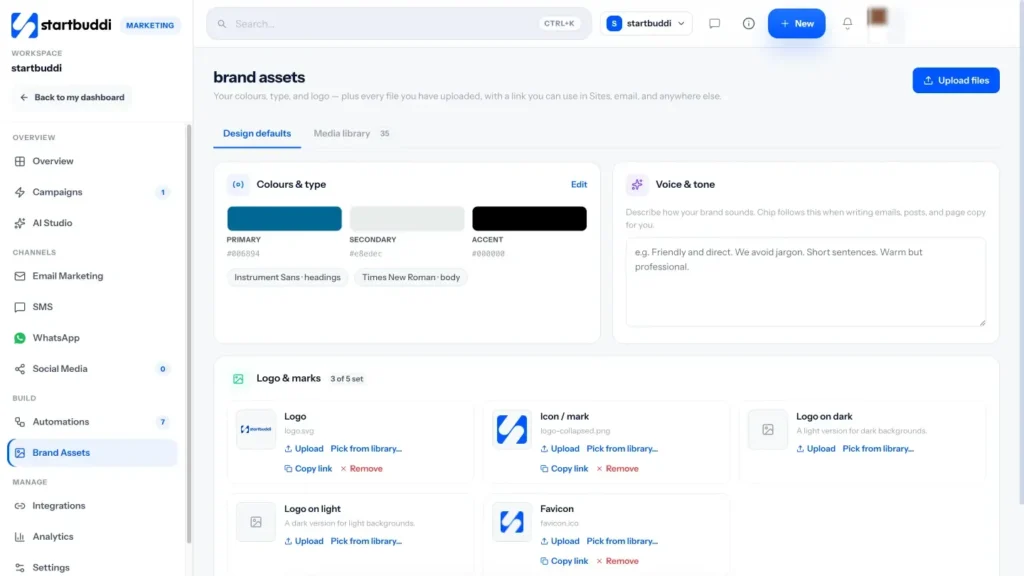
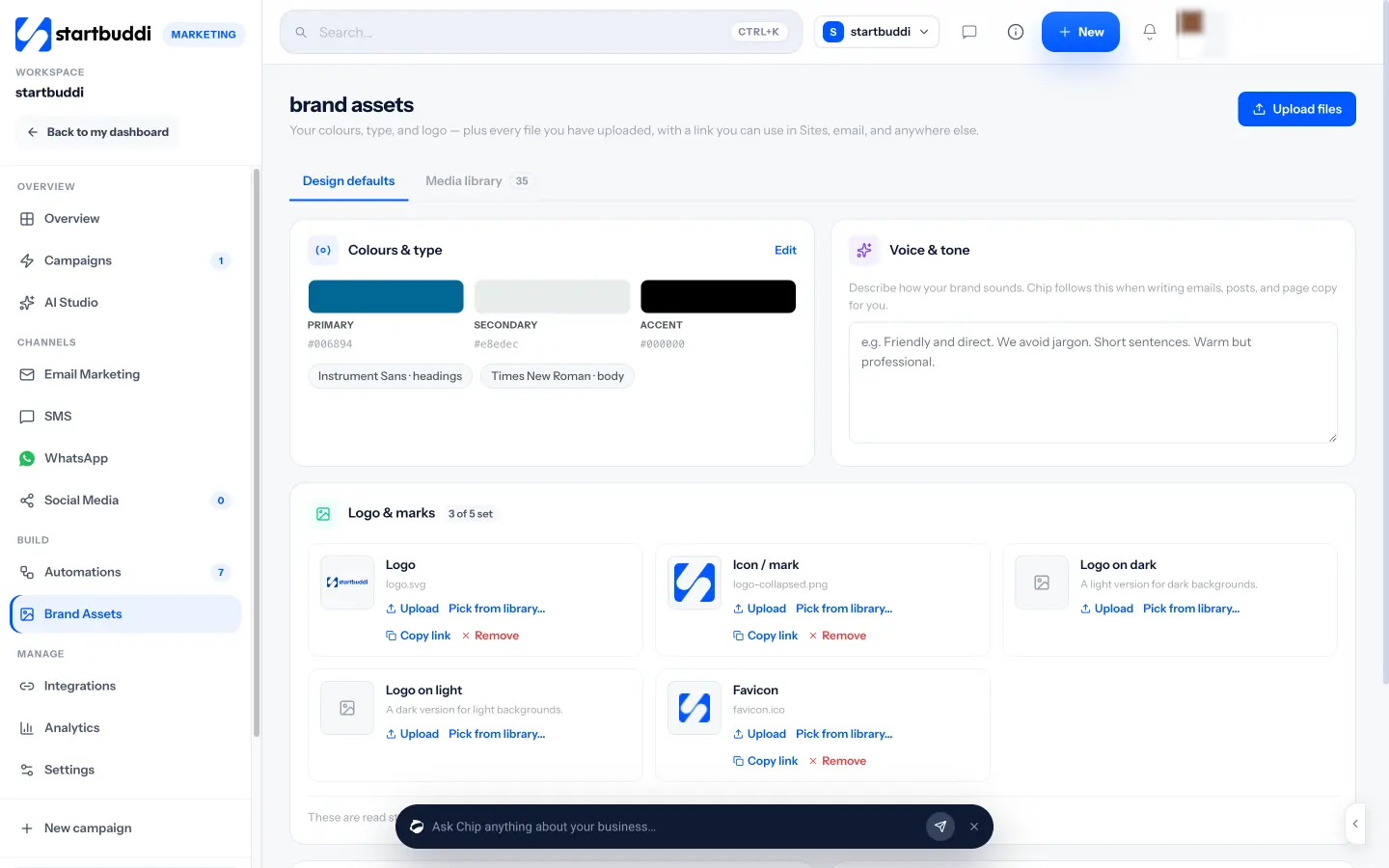
1. Write down your brand voice once. Go to Marketing, then Brand Assets. Under Design defaults, add your logo, colours and fonts, and fill in Voice & tone with a short description of how you sound, for example "Friendly and direct. We avoid jargon. Short sentences. Warm but professional." Chip uses this whenever it writes for you, in email drafts, social posts and elsewhere, so drafts start closer to your voice. What Chip knows shows what it has to work with.
2. Set up a campaign to hold your content plan. In Marketing, open Campaigns and click New campaign. Give it a name such as "Content: Q1", choose an objective such as Build brand awareness or Generate leads, set dates and choose the channels to include. You can start from a template or use Build with Chip (Beta) to draft goals, milestones and a duration for you to review.
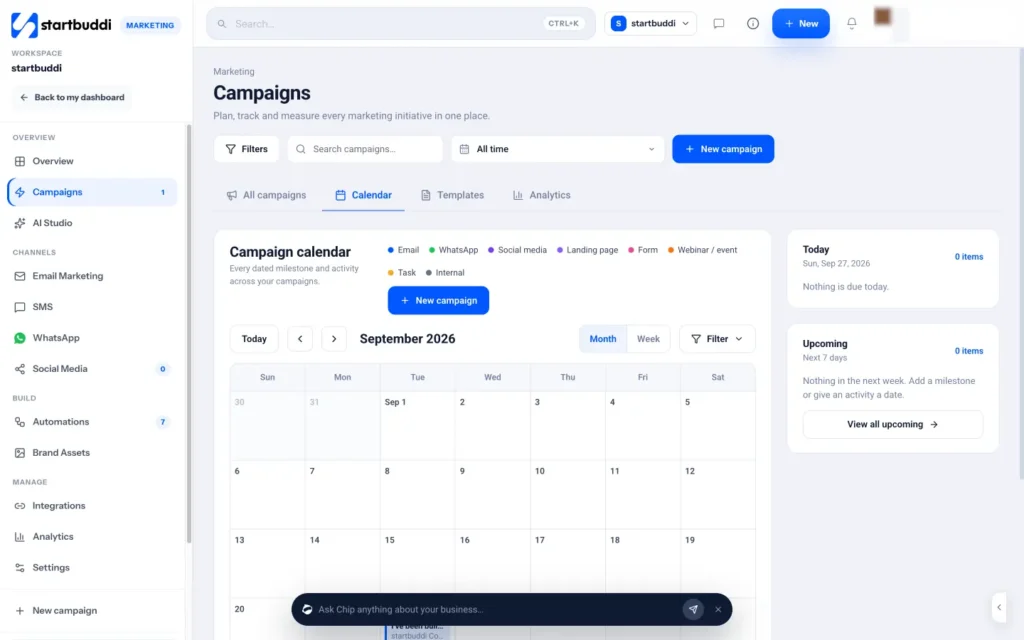
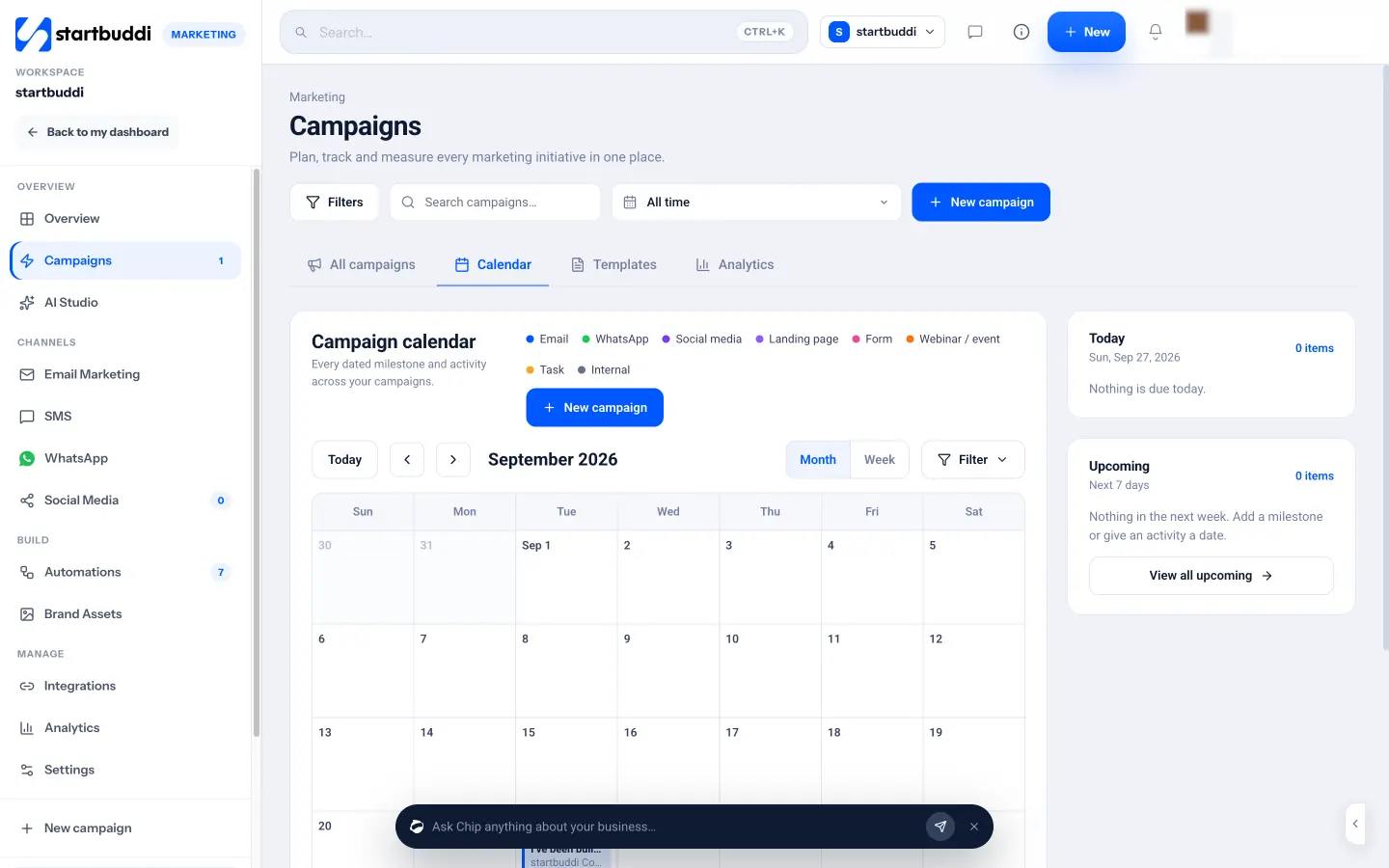
3. Put your content dates on the calendar. The campaign Calendar shows every dated activity and milestone across campaigns, colour-coded by type: email, WhatsApp, social media, landing page, form, webinar or event, task and internal. Add a milestone for each piece of content so you can see your year at a glance. The Campaigns page explains goals and attribution in more detail.
With a reader, a goal and a rhythm in place, the next step is finding exactly what to write about.
Market research for content: find the questions customers ask
- What market research means for a small business
- Start with what you already have
- Ask your customers directly
- A customer interview script
- The questions buyers always ask
- Check what people search for
- Use official data for the bigger picture
- Keep your question bank growing
- Reading Google Trends: a quick example
- Research across countries
- Understand search intent
- Add a local angle
- Research your competitors
- Market research tools for small business: what to pay for
- Turn research into a content plan
- Common research mistakes
- Doing this in startbuddi: research with Chip and your own data
The best content ideas are not clever; they are answers to questions your customers already ask. This chapter covers market research for small business content: how to find those questions, how to check whether people search for them, how to see what competitors already publish, and which market research tools for small business are worth your time, many of them free.
What market research means for a small business
Market research is simply finding out what your customers want, what they already use and what they will pay. The US Small Business Administration describes it as blending consumer behaviour and economic trends to confirm and improve your business idea, and splits it into two kinds: secondary research using data others have already gathered, and primary research such as surveys, questionnaires and interviews that you do yourself (SBA, market research and competitive analysis).
For content, you need both. Secondary research tells you what people search for and which topics are growing. Primary research tells you the exact words customers use and the worries behind their questions. The best content ideas sit where the two overlap.
Start with what you already have
Before you open any tool, mine the conversations you already have. This is the richest source of ideas for most small businesses, and it is free.
- Your inbox and messages. Search your email, WhatsApp and social DMs for question marks. List every question a customer has asked in the last three months.
- Sales calls. Note the questions people ask before they agree to buy, and the objections they raise.
- Your team. Ask whoever answers the phone or the front desk which questions they answer most.
- Reviews. Read your reviews and your competitors' reviews. They show what people value and what disappoints them.
- Your own data. Which services sell most? Which pages on your site get visits? Which emails get clicks?
Put everything into one list. Most businesses end up with 30 to 60 questions in an hour, which is a year of content.
Ask your customers directly
Primary research does not need a research agency. A short survey or five conversations give you insight no tool can.
- A three-question survey sent to customers: "What were you trying to solve when you found us?", "What nearly stopped you buying?", "What would you like to learn more about?"
- Five short calls with recent customers. Ask them to describe, in their own words, the problem that made them look for you. Write down their exact phrases.
- A poll on social media asking which of three topics followers want next.
Keep surveys short, tell people how long they take, and never promise a reward you cannot give fairly. Customers' exact words become your headlines, because they are the words other customers type into search.
A customer interview script
If you call five customers, a simple script keeps the conversation useful and short (15 minutes):
- "What was happening in your business or life when you started looking for help with this?"
- "What did you search for, or who did you ask, when you started looking?"
- "What else did you consider before choosing us?"
- "What nearly stopped you going ahead?"
- "What do you wish you had known at the start?"
Listen more than you talk, and write down their exact words. Answers to questions 2 and 5 are content titles waiting to be written.
The questions buyers always ask
Across almost every industry, people who are close to buying ask the same kinds of questions. Make sure your plan covers each type:
- Cost: "How much does it cost?" and "What affects the price?"
- Problems: "What can go wrong?" and "What are the downsides?"
- Comparisons: "X or Y: which is better for me?"
- Best: "What is the best option for someone like me?"
- Reviews and proof: "Does this work? Who else has done it?"
Many businesses avoid these topics, especially cost and problems, because they feel risky. That is exactly why answering them honestly builds so much trust.
Check what people search for
Once you have a list of questions, check which ones people search for and how they phrase them. Free tools cover most small business needs:
- Google search itself. Type the start of a question and look at the autocomplete suggestions, the "People also ask" box and the related searches at the bottom of the page.
- Google Trends shows whether interest in a topic is rising, falling or seasonal, and compares phrases.
- Google Search Console shows the searches that already bring people to your own website, which often reveals topics you rank for by accident.
- Google Keyword Planner, inside a Google Ads account, gives rough search volumes for phrases.
- Platform search bars on YouTube, Pinterest, TikTok and Instagram show what people look for on those platforms.
Do not obsess over volume. A question searched 50 times a month by people who are ready to hire a local accountant is worth more than a phrase searched 50,000 times by people who will never buy. Our guides to local SEO for small business and the best marketing automation tools go further on search and tools.
Use official data for the bigger picture
For questions about market size, population, spending or industry trends, national statistics offices publish free data. The SBA points US businesses to the Census Bureau, the Bureau of Labor Statistics and the Bureau of Economic Analysis. Elsewhere, look at the Office for National Statistics in the UK, the National Bureau of Statistics in Nigeria, Statistics South Africa and Statistics Canada. Local data makes content more credible, for example "the average household in our city spends X on energy", as long as you link the source.
Keep your question bank growing
Research is not a one-off job. Make collecting questions part of your week: a shared note where anyone in the team adds a question a customer asked, with the date and the exact words. Review it monthly when you plan content. Questions that come up again and again move to the top. Over time the bank becomes one of the most valuable documents in your business, useful for content, sales training, your FAQ page and saved replies.
Reading Google Trends: a quick example
Suppose you run a garden design business in the UK and are choosing between "garden rooms" and "garden offices" as the name of a guide. Google Trends lets you compare both phrases over five years in the United Kingdom. If one is clearly more searched, and both peak in spring, you know which words to use in the title and when to publish: early in the year, before the peak. Doing this check takes five minutes and can double the number of people who find the piece.
Research across countries
If you sell in more than one country, research each market separately. People in the UK, the US, Nigeria and India may use different words for the same thing ("estate agent" and "realtor", "invoice" and "bill"), search at different times of year and worry about different rules. Set Google Trends and Keyword Planner to each country, and ask customers in each market the same interview questions.
Understand search intent
The same topic can be searched for different reasons. Someone typing "email marketing" might want a definition; someone typing "email marketing software price" is shopping. Look at what already ranks for a phrase: if the results are mostly guides, people want to learn; if they are mostly product pages and comparisons, they want to buy. Create the kind of content that matches what the searcher wants, or it will struggle to be found.
Add a local angle
If you serve a town or region, local content is one of the easiest ways to stand out. "How much does a boiler service cost in Leeds?" or "Best time of year to paint a house in Lagos" faces far less competition than national topics and attracts exactly the people who can hire you. Mention local places, prices, weather and rules where relevant, and link to local official sources.
Research your competitors
Look at the five businesses your customers compare you with, plus the websites that appear when you search your main topics. For each, note:
| Question | What it tells you |
|---|---|
| Which topics do they cover? | What customers already expect to find |
| Which topics do they skip? | Gaps you can fill |
| How deep do they go? | How much better your version needs to be |
| What formats do they use? | Whether a video or checklist would stand out |
| What do their comments and reviews say? | Unanswered questions and frustrations |
The aim is not to copy. It is to find the questions nobody answers well, and answer them properly.
Market research tools for small business: what to pay for
Most small businesses can do excellent content research with free tools and their own customers. Paid market research tools for small business earn their cost when you publish often, compete in a crowded national market, or need to track many keywords. When you compare them, check: whether the data covers your country (many tools have thin data outside the US and UK), whether they show the questions people ask and not just keywords, what the price is at your usage, and whether a free tier covers what you need. Start free, and only pay once you know which question you need answered.
Turn research into a content plan
Now score each idea on three things, from 1 to 3:
- Customer value: how much does answering this help the reader?
- Business value: how close is the reader to buying what you sell?
- Ease: how quickly can you produce a great answer?
Add the scores and sort. Your top 12 ideas are your first year, one a month. Mix the stages from chapter 1: a few "aware" topics to attract new readers, and more "comparing" and "deciding" topics close to the sale. A free content calendar template helps you lay them out month by month.
Common research mistakes
- Guessing instead of asking. Your assumptions about what customers want are often wrong in the details.
- Chasing search volume alone. High-volume topics are often the least likely to bring buyers.
- Researching forever. Research should take a few hours, not a few months. Publish, then learn.
- Ignoring seasonality. Check Google Trends so your "summer garden" guide goes out in spring, not August.
Doing this in startbuddi: research with Chip and your own data
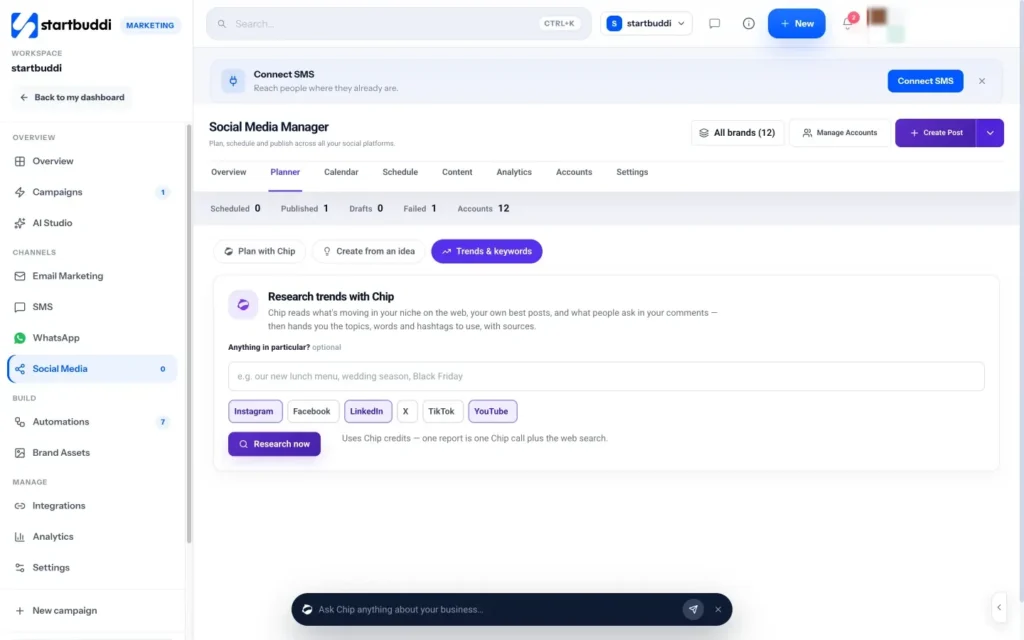
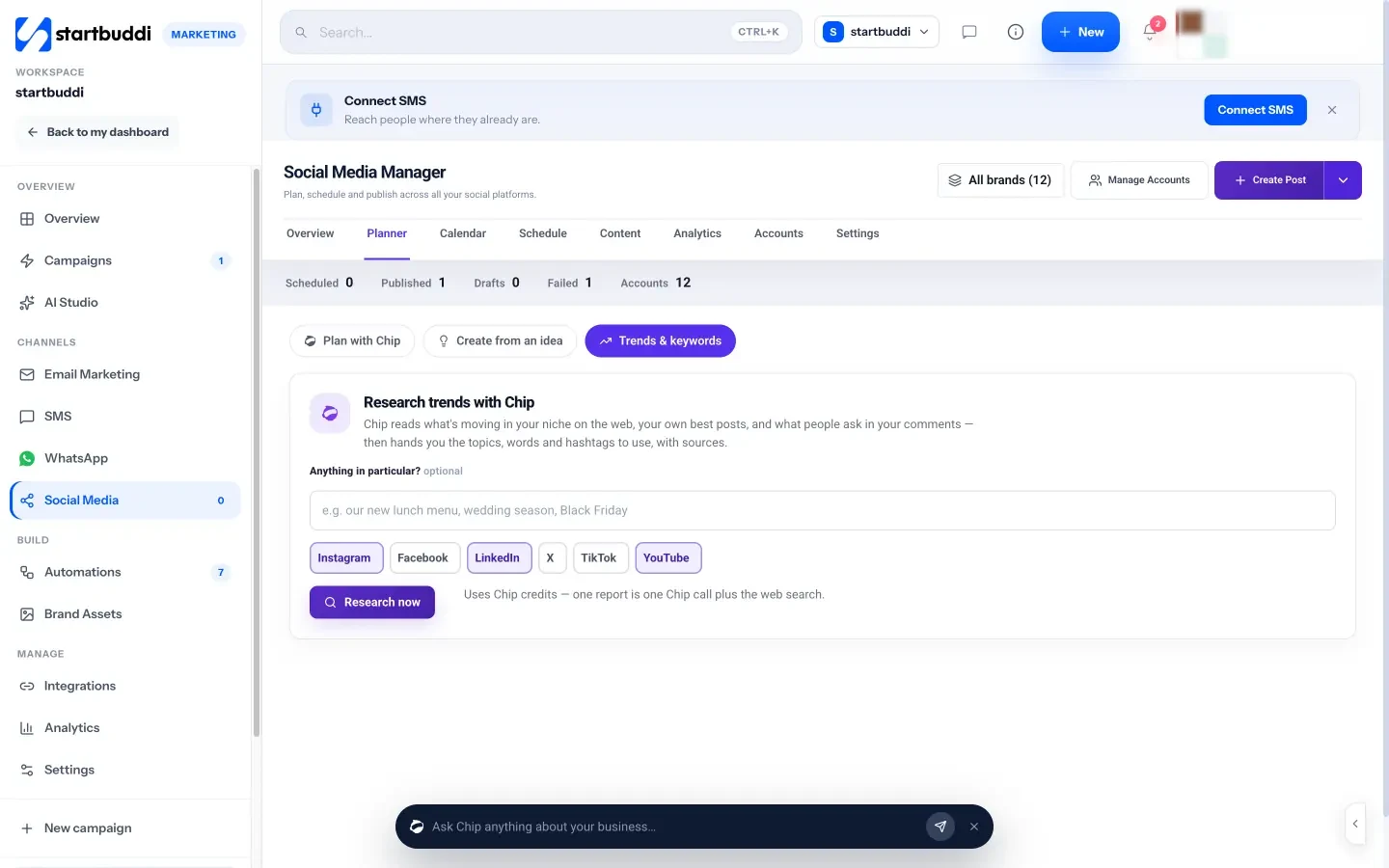
1. Research trends and questions in your niche. In Marketing, open Social Media, then Planner, then Trends & keywords. Add an optional focus, such as "wedding season" or "our new lunch menu", pick the platforms you care about and click Research now. Chip reads what is moving on the web, your own best posts and what people ask in your comments, then returns what is moving, words and hashtags to use, what people are asking, your own numbers and post ideas, with the sources it read. Each report uses Chip credits and past reports are saved.
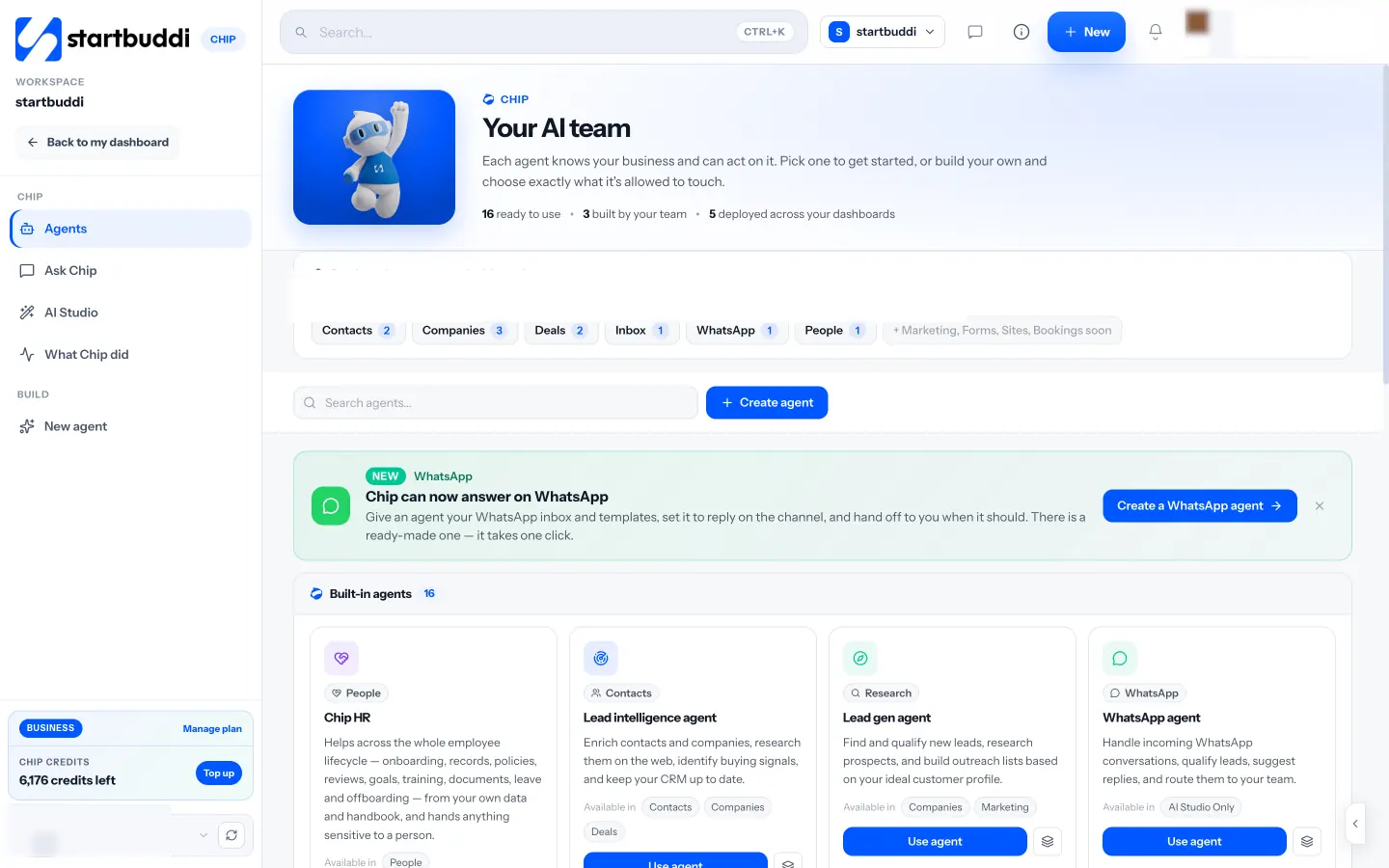
2. Use a research agent for competitor homework. Under Chip, the Agents page lists built-in agents. The Web Research Agent (Beta) searches the web for current information and researches competitors, always with sources, and the SEO Advisor helps with search visibility. Ask for "the questions people ask about kitchen refits in Manchester, with sources", then check the sources yourself before you rely on them. The Chip and AI agents page lists what each agent does.
3. Ask customers with a form. In Forms, create a short survey with the three questions above. The Rating, Long text and Multi-select fields cover most research questions, and every answer is saved against the contact. Share the link in an email or at the end of a job.
4. Mine your inbox. The Inbox in Customers holds email, WhatsApp, live chat, SMS and social messages in one place. Search it for common words such as "how much" or "how long" to find the questions you answer most, and turn the best ones into content.
With your list scored and sorted, you are ready to create. The next chapter shows how to do that faster, including where AI helps and where it does not.
Create useful content faster, with AI marketing tools used well
- The anatomy of a useful piece of content
- A simple writing process
- Templates for formats that work
- Repurpose: one piece, many uses
- AI marketing tools for small business: where they help
- Where AI falls short, and how to stay credible
- A prompt template for AI drafts
- Video without fear
- Write in your own voice
- The legal and ethical basics
- Keep a consistent format for each series
- An editing checklist
- Write for skimmers
- A content creation day
- Make it easy to read on a phone
- Common creation mistakes
- Doing this in startbuddi: draft with Chip, publish where it fits
Creating content is where most small businesses stall. A blank page, a busy week and a vague idea add up to nothing published. This chapter gives you a repeatable process for creating useful content quickly, shows how to turn one piece into many, and explains how to use AI marketing tools for small business in a way that saves time without making you sound generic.
The anatomy of a useful piece of content
Whatever the format, good small business content has the same bones:
- A specific title that names the reader's question or problem: "How much does a website cost for a small business in Kenya?"
- A direct answer early. Give the short answer in the first few lines. People reward content that respects their time.
- Depth where it matters: examples, numbers, steps, mistakes to avoid, and your own experience.
- Proof: a real example, a photo, a result, a quote from a customer (with permission).
- One next step: download, subscribe, book or get in touch.
Google's own advice to site owners points the same way. Its guidance on helpful content asks whether content provides original information, reporting, research or analysis, and whether it demonstrates first-hand expertise (Google Search Central, creating helpful, reliable, people-first content). Small businesses have a natural advantage here, because first-hand experience is what you do every day.
A simple writing process
Here is a process that turns a question into a finished article in about three hours:
- Brief (15 minutes). Write the question, who asks it, the short answer, and the next step you want.
- Outline (15 minutes). List the four to six things the reader needs to know, in order.
- Talk it through (20 minutes). Record yourself explaining the answer as you would to a customer. Your spoken explanation is usually clearer than your writing.
- Draft (60 minutes). Turn the recording and outline into a draft. This is where AI can help (see below).
- Add proof (30 minutes). Insert a real example, numbers, photos and anything only you would know.
- Edit (30 minutes). Cut anything that does not help the reader. Shorten sentences. Check every fact and price.
- Finish (10 minutes). Add the title, a short summary and the call to action.
Templates for formats that work
The how-to guide
Title: How to [achieve result] without [common pain]
Intro: who this is for and the short answer.
Steps: 5 to 7 numbered steps with one example each.
Mistakes: the three things people get wrong.
Next step: a checklist download or a booking link.
The price guide
Title: How much does [service] cost in [place] in [year]?
Short answer: the typical range and what drives it.
Three worked examples: small, medium and large jobs with real prices.
What affects the price: a table of factors.
How to get an accurate quote: your process and a link to request one.
The case study
Title: How [customer type] [achieved result] in [time]
The situation before, in their words.
What you did, step by step.
The result, with numbers where you can.
What other businesses like them can learn.
Price guides are often the most valuable content a service business can publish, because they answer the question buyers most want answered and competitors most often avoid.
Repurpose: one piece, many uses
Once you have one strong piece of content, spread it. A single guide can become:
- Five social posts, each covering one step or tip.
- A carousel summarising the steps.
- A short video of you explaining the main point.
- A section of your monthly newsletter.
- A downloadable checklist that grows your email list.
- A saved reply you send when customers ask the question.
- A talking point for your next sales call.
This is how a small business produces a steady stream of content from one day of work a month. Our guide to social media marketing for small business covers turning pieces like this into a posting plan.
AI marketing tools for small business: where they help
AI writing and research tools can remove a lot of the slow work. Used well, they help you:
- Get past the blank page with a first draft from your outline and notes.
- Turn long content into short pieces: social captions, email summaries, video scripts.
- Suggest titles and subject lines for you to choose from.
- Tidy and shorten your writing, or adjust the tone.
- Translate content for customers who speak another language, with a native speaker checking it.
- Research topics and summarise sources, which you then read and verify.
Where AI falls short, and how to stay credible
AI is only as good as what you give it and how carefully you check the result. Watch for these problems:
- Made-up facts. AI can state wrong numbers, laws or prices confidently. Check every fact against a source you trust.
- Generic writing. Without your stories and opinions, AI drafts sound like everyone else's. Add the details only you know.
- Out-of-date information. Rules and prices change. Confirm anything time-sensitive.
- Volume for its own sake. Google says using generative AI tools to generate many pages without adding value for users may violate its spam policy on scaled content abuse (Google Search Central, guidance on using generative AI content). Publishing fewer, better pieces is safer and more useful.
A good rule: AI can do the first draft and the repurposing, but a person who knows the business decides what is true, what is useful and what goes out.
A prompt template for AI drafts
The quality of an AI draft depends on the brief you give it. This template works with most AI assistants:
"You are writing for [reader description]. Write a [format, length] that answers: [question]. Use these points from our experience: [your notes, examples and numbers]. Tone: [your tone]. Use British English. Do not invent statistics, prices or customer names; leave [placeholders] where facts are needed. End with this call to action: [next step]."
Then edit the draft as you would a junior colleague's work: check it, cut it and make it yours. Our free AI prompt pack for service businesses has more prompts you can adapt.
Video without fear
Many owners avoid video because they dislike being on camera. You can start without showing your face: film your hands doing the work, a screen recording, or a slideshow of photos with captions. When you do appear, film in natural light, hold the phone at eye level, keep it under two minutes and speak as if you were explaining to one customer. Nobody expects a small business to look like a television studio; they expect you to know your stuff.
Write in your own voice
Your voice is what makes content from a small business worth reading. Write a short style guide and use it every time, whether you write or an AI drafts:
- How you address readers ("you", first names, formal or casual).
- Words you use and words you avoid.
- Sentence length and paragraph length.
- How you handle prices, promises and competitors.
- Spelling conventions (British or American English, for example).
The legal and ethical basics
A few rules keep your content safe. Only use images, music and text you have the right to use: your own, properly licensed stock, or material you have written permission for. Get permission before naming or quoting customers, and before sharing photos of people or their property. Do not make claims you cannot back up, such as "the cheapest in town", and be careful with health, financial and legal topics: say when something is general information and link to the official body. This is general information, not legal advice.
Keep a consistent format for each series
If you publish regularly, give each type of content a fixed shape. For example, every price guide has a short answer, three worked examples, a table of what affects the price and a quote request link; every case study has the situation, what you did, the result and the lesson. Readers learn where to find what they need, and you write faster because half the decisions are already made. Save each format as a template in your documents so anyone in the team can start from it, and review the templates once a year to see whether they still serve readers.
An editing checklist
- Does the first paragraph answer the question?
- Could a 16-year-old follow it?
- Is every fact, price and date checked and, where needed, linked to a source?
- Is there at least one real example from your business?
- Are paragraphs short, with helpful subheadings?
- Is there one clear next step?
- Have you read it aloud once?
Write for skimmers
Most people skim before they read. Help them: put the answer in the first paragraph, use descriptive subheadings that could stand alone, keep paragraphs to two to four sentences, use lists for steps and tables for comparisons, and bold the few phrases that matter most. Clear structure also helps search engines and AI assistants understand and summarise your page accurately, which matters more as people get answers from AI tools.
A content creation day
If you prefer to batch, block one day a month for content:
- 9:00 Choose the question and write the brief and outline.
- 10:00 Record yourself explaining it, and film any short clips.
- 11:00 Draft, with AI help if you use it.
- 13:00 Add proof, photos and examples. Edit.
- 14:30 Create the newsletter version and five social posts.
- 15:30 Schedule everything and publish the main piece.
By the end of the day, a month of content is done.
Make it easy to read on a phone
Preview every piece on a phone before you publish. Check that tables fit or scroll, images load quickly, buttons are big enough to tap and the call to action appears without endless scrolling. Most of your readers will meet your content on a small screen, often in a hurry.
Common creation mistakes
- Perfectionism. A useful piece published beats a perfect piece in drafts. You can update it later.
- Burying the answer. Long introductions lose readers. Answer first, explain second.
- No proof. Claims without examples or numbers are forgettable.
- Walls of text. Use short paragraphs, subheadings, lists and tables.
- Publishing and forgetting. Review your best pieces once a year and refresh anything out of date.
Doing this in startbuddi: draft with Chip, publish where it fits
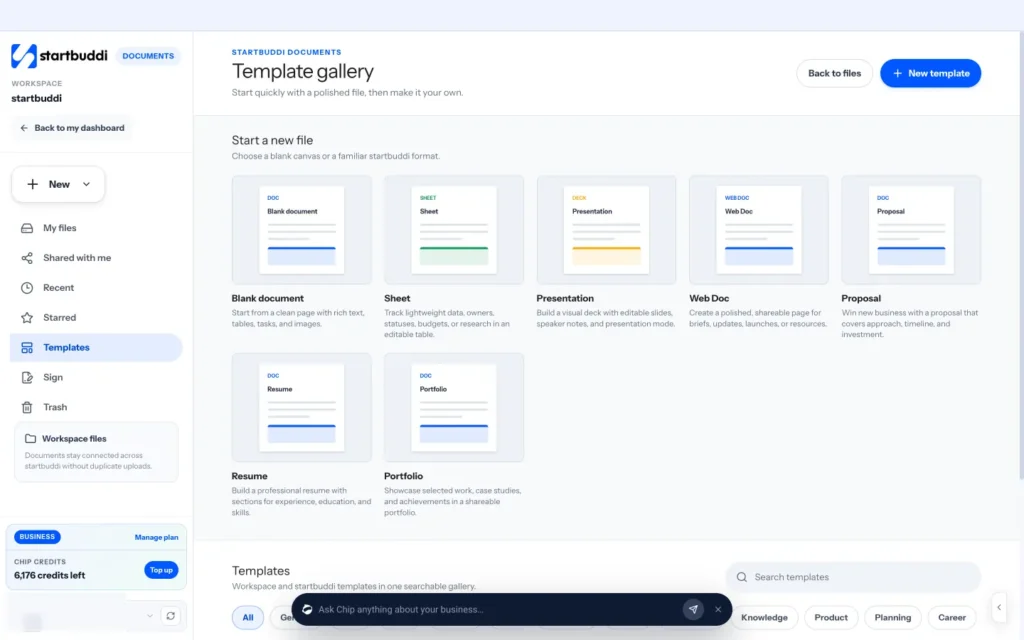
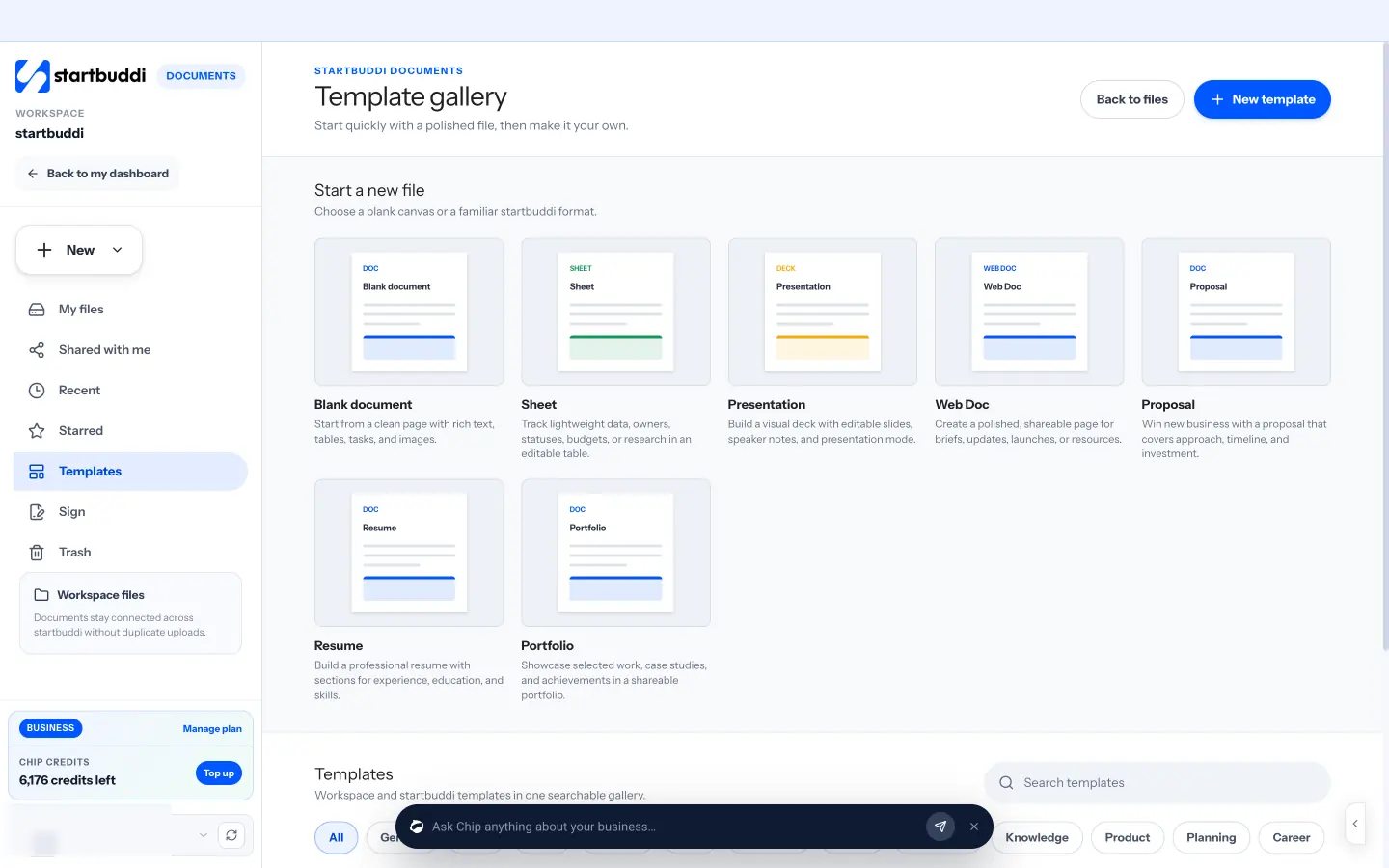
1. Draft long content in Documents. Open Documents, click New and choose a startbuddi Doc, or start from the template gallery, which includes starters such as a content calendar. Type a forward slash (/) to add headings, lists, tables and quotes. Click Write with Chip to prompt Chip from the editor, for example "Draft a price guide for kitchen refits using my notes below". Quick prompts include rewriting more clearly, drafting an introduction and summarising the key points. Teammates can comment on selected text, and every save keeps a version you can go back to.
2. Use a writing agent for repeat jobs. On the Agents page in Chip, the built-in Content Writer writes blog posts, business documents and polished copy for your brand, and the Social Media Agent drafts posts and content calendars. Both follow your brand voice from Brand Assets. Every action Chip takes goes through a preview and confirm step, and Chip features use credits.
3. Turn the article into posts and emails. In Social Media, use Plan with Chip and describe the article to get a set of draft posts to approve and schedule. In Email Marketing, choose Create with Chip on the Message step to turn it into a newsletter with a subject line, preview and call to action.
4. Publish on your website, and build a page for your lead magnet. Publish finished articles on your own website or blog. For downloads such as a checklist, create a landing page in Publish with a signup form, so people who want the download join your list. Chip's page flow can write the page in your brand, and it never makes up prices, reviews or numbers, leaving placeholders for you to fill. See the landing pages product page.
You now have content. The last chapter makes sure people see it, and that you know what it brings in.
Share, capture and measure your content
- The distribution checklist
- Help search engines find it
- A four-week repurposing plan for one piece
- Work with partners
- Should you pay to promote content?
- Capture readers so they come back
- Measure what matters
- A worked example of reading results
- A newsletter template for sharing content
- Early signs content is working
- Measure monthly, decide quarterly
- Retire what no longer helps
- Update or write something new?
- Refresh and reuse your best content
- Your 90-day content plan
- Content for customers you already have
- Common mistakes at this stage
- Doing this in startbuddi: share, capture and track
- Your next step
Publishing is not the finish line. A great article nobody sees does nothing for your business. This chapter covers how to distribute content so it reaches the right people, how to capture readers so they come back, how to measure what content brings in, and how to improve and refresh what you have. It closes with a simple 90-day plan for content marketing for small business owners with limited time.
The distribution checklist
A useful rule of thumb is to spend as much time sharing a piece as you spent creating it. Every time you publish, run through this list:
- Email it to your list in your next newsletter, with a short summary and a link.
- Post it on your main social platform, then cut it into several smaller posts over the following weeks.
- Send it to people who asked. If a customer asked this question last month, send them the link personally.
- Add it to your saved replies so your team can share it when the question comes up.
- Link to it from related pages on your website and from older articles on similar topics.
- Share it in communities where it genuinely helps: local groups, industry forums, professional associations. Answer the question first, then link.
- Tell partners who serve the same customers. A wedding photographer and a florist can share each other's guides.
Help search engines find it
Search is where content keeps working for years. You do not need to be an SEO expert to cover the basics:
- Use the reader's words in the title and the first paragraph, the words they would type into Google.
- Write a clear page title and description. Keep the title under about 60 characters and the description to one or two sentences that say what the reader gets.
- Use headings that describe each section, so both readers and search engines can scan the page.
- Link between your pages so readers and search engines find related content.
- Make it fast and mobile-friendly. Most readers are on a phone.
- Connect Google Search Console so you can see which searches bring people to each page.
Local businesses should also keep their Google Business Profile complete and active, because many local searches never reach a website at all. Our post on local SEO for small business covers this step by step.
A four-week repurposing plan for one piece
| Week | What to publish |
|---|---|
| 1 | The full piece on your website. Newsletter feature. One social post announcing it. |
| 2 | Two social posts, each covering one tip from the piece. A short video of the main point. |
| 3 | A carousel or checklist version. Share in one community where it genuinely helps. |
| 4 | A customer question answered using the piece. Add the link to your saved replies. |
One piece of work, a month of useful posts, and you have not repeated yourself once.
Work with partners
Other businesses that serve your customers, without competing with you, are a natural route to new readers. Offer to write a guest article for a partner's newsletter, run a joint webinar, or create a shared guide, such as a wedding venue and a caterer publishing "Planning a wedding for 100 guests". Each partner shares it with their audience, and both gain new readers who already trust the partner. Our post on running a webinar that sells covers the webinar route.
Should you pay to promote content?
Once a piece has proved itself organically, with good engagement and signups, a small paid boost on social media or search can put it in front of more of the right people. Promote content that leads to a signup or enquiry, not just a page view, and set a small test budget you judge on results. Paying to promote untested content usually wastes money.
Capture readers so they come back
Most people who read your content will not buy on their first visit. Give them a reason to stay in touch. The most common way is a lead magnet: something useful and specific that people get in exchange for their email address.
| Business | Lead magnet |
|---|---|
| Accountant | A year-end checklist for sole traders |
| Wedding planner | A 12-month planning timeline |
| Fitness coach | A four-week beginner plan |
| Web designer | A "before you hire a designer" question list |
| Landscaper | A seasonal garden care calendar |
Place the offer inside and at the end of related content, collect the email with a short form and clear consent, and deliver it in a welcome email that also sets expectations for future emails. Our guide to email marketing for beginners covers the welcome email and list rules in detail.
Measure what matters
Match your measures to the goal you chose in chapter 1. For most small businesses, a few numbers are enough:
| Measure | Where to find it | What it tells you |
|---|---|---|
| Visitors per piece | Your website analytics | Which topics attract people |
| Search clicks and phrases | Google Search Console | Which pieces search engines send people to, and for what |
| Email signups per piece | Your form or email tool | Which content turns readers into subscribers |
| Enquiries and sales | Your customer list and invoices | Which content brings money |
| Replies and mentions | Your inbox and sales calls | Qualitative proof that content builds trust |
To connect content with enquiries, add tracking parameters (UTM tags) to links you share, so your analytics shows where each visit came from, and ask every new customer how they found you. When someone says "I read your guide on pricing", write it down. Those notes are often more persuasive to you than any chart.
A worked example of reading results
A tutoring business in Toronto publishes six guides in six months. Looking at the numbers, "How to prepare for the grade 9 maths test" gets 1,200 visits a month and 40 downloads of its revision checklist, while "Our teaching philosophy" gets 60 visits and no signups. Three new families in the last month mentioned the maths guide. The decision is clear: write more practical, exam-specific guides, add a checklist to each, and fold the philosophy page into the "About" page. One review, one clear change.
A newsletter template for sharing content
Subject: How much does a kitchen refit really cost?
Preview: Three real examples from this yearHi {{first_name}},
It is the question we are asked most, so we finally wrote the honest answer, with three real kitchens and what they cost.
The short version: most refits we did this year cost between $9,000 and $18,000, and the biggest factor was whether the layout changed.
[Read the full guide]
If you are planning a kitchen this year, reply to this email and we will send you our free planning checklist.
Sam
Short, specific and focused on one piece, with one link and an invitation to reply. The figures here are an illustration; use your own.
Early signs content is working
Sales take time, so watch the leading signs in the first months: more people replying to your newsletter, customers mentioning a piece in calls, people sharing your content without being asked, more branded searches for your business name, and your articles starting to appear in Search Console for relevant phrases. If you see these, keep going. If after six months you see none, revisit your reader, your topics and your distribution before you give up.
Measure monthly, decide quarterly
Content results are noisy week to week. Look at your numbers once a month to spot problems, such as a broken form or a page that suddenly lost its search traffic, but make bigger decisions once a quarter: which topics to do more of, which formats to drop, and whether your lead magnet needs replacing. Write each quarter's decisions at the top of your content plan so you remember why you changed direction.
Retire what no longer helps
Not every piece earns its place for ever. If an article is out of date and not worth updating, or covers a service you no longer offer, either redirect it to the closest current page or remove it. A smaller library of accurate, useful content serves readers better than a large one full of old prices and dead offers.
Update or write something new?
When a topic has already been covered, update the existing piece rather than writing a second one on the same subject. Two similar pages compete with each other and confuse readers. Write new pieces for new questions, and keep one strong, current answer for each existing one.
Refresh and reuse your best content
Your best pieces deserve maintenance. Once a year, review your top ten pieces by visits and signups. Update prices, dates, rules and screenshots, add new examples and questions, and improve the call to action. A refreshed guide often performs better than a new one, because it already has readers and links. Also look for pieces that get visits but no signups: they usually need a better, more relevant offer.
Your 90-day content plan
| When | What to do |
|---|---|
| Week 1 | Write your reader description and goal. List 30 customer questions. |
| Week 2 | Check searches and competitors. Score the questions and choose your first 12. |
| Week 3 | Create your lead magnet and a page with a signup form. Write your welcome email. |
| Weeks 4 to 5 | Create piece 1. Share it in five places. Cut it into social posts. |
| Weeks 6 to 9 | Create piece 2. Send your first newsletter featuring pieces 1 and 2. |
| Weeks 10 to 12 | Create piece 3. Review visits, signups and enquiries. Choose what to do more of. |
After 90 days you will have three strong pieces, a working lead magnet, a growing list and real data about what your customers respond to.
Content for customers you already have
Content marketing is not only for strangers. Guides that help existing customers get more from what they bought (care instructions, how-to videos, "what to expect next" emails) reduce support questions, increase repeat purchases and make referrals more likely. A landscaper who sends clients a seasonal care guide is more likely to be booked for the next job than one who goes quiet after the invoice is paid.
Common mistakes at this stage
- Publish and pray: no sharing plan means few readers.
- No capture: readers leave and never come back.
- Vanity metrics: page views without signups or enquiries do not pay the bills.
- Quitting at month three: content compounds. The businesses that win are the ones still publishing in month twelve.
Doing this in startbuddi: share, capture and track
1. Group each content push as a campaign. In Marketing, open Campaigns. Inside a campaign, the Assets tab lets you create or add the pieces that belong together: the email, the social posts, the landing page, the form, the automation and the document. The campaign calendar shows every dated send, post and milestone in one view.
2. Capture readers with a form and a welcome automation. Build a signup form in Forms, embed it on your article pages or link to it, and turn on Counts as marketing consent for the consent box. In Automations, the Lead capture welcome flow template starts when a form is submitted and sends your welcome email with the download.
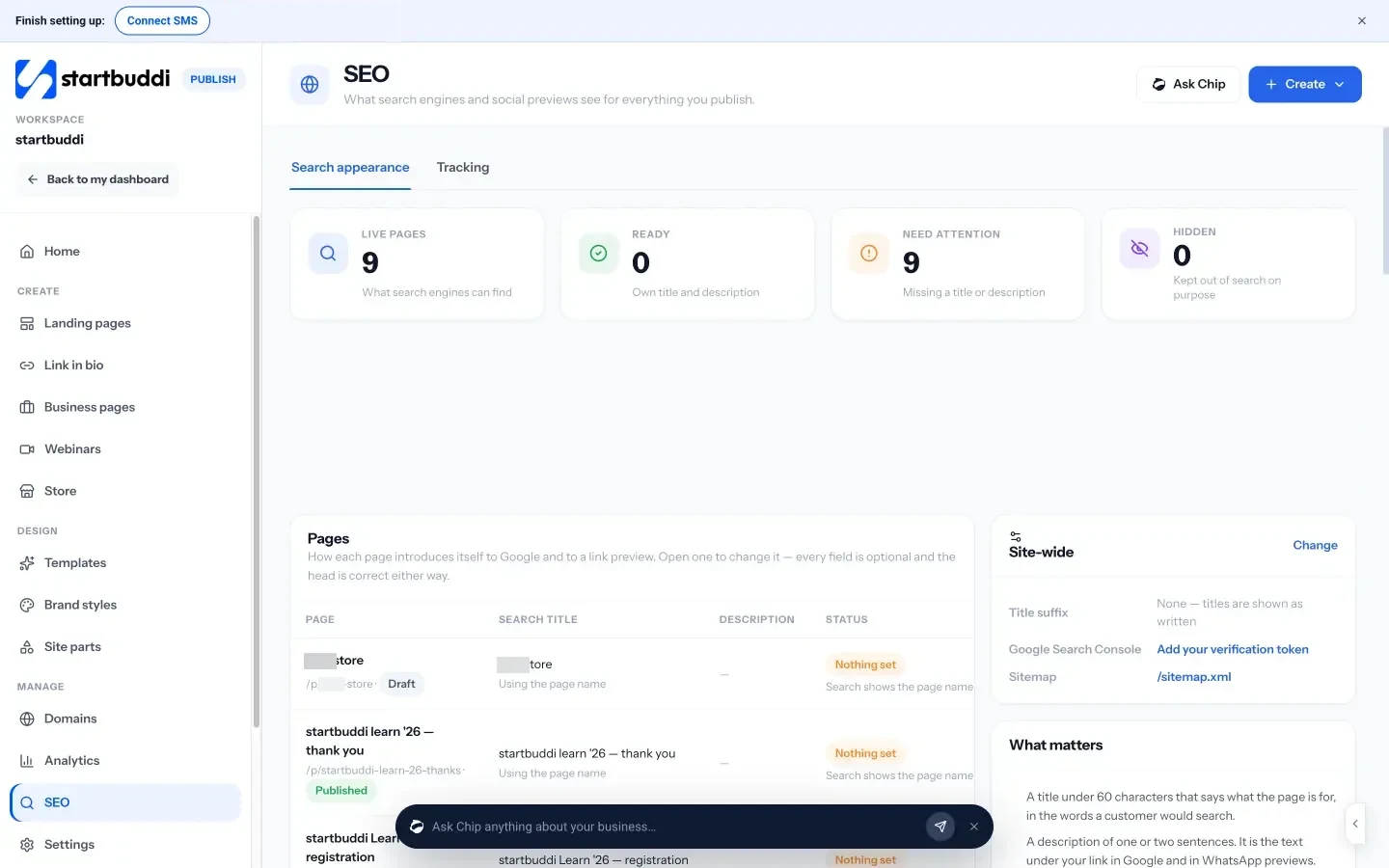
3. Check how your pages appear in search. For pages you publish with startbuddi, open Publish, then SEO. The Search appearance tab lists every live page with its search title and description and flags any that need attention. The Tracking tab is where you add your Google Analytics measurement ID, Google Tag Manager, a Search Console verification token and a Meta Pixel.
4. See what content brought in. Campaign Goals track live numbers such as contacts influenced, form responses, bookings and revenue influenced, and the Performance tab splits revenue across channels by the attribution model you choose, when contacts the campaign reached pay an invoice in startbuddi. The Leads view shows the contacts a campaign brought in and how they came.
Your next step
Open a blank note and list the ten questions customers asked you most this month. Pick the one closest to a sale and answer it properly this week. If you want your research, drafts, email list, social posts and results in one place, with Chip helping in your own voice, start a 30-day trial of the Starter plan and explore the startbuddi Marketing hub. You can compare plans on the pricing page.
Olabimpe Salami is the email and outreach specialist at startbuddi. Olabimpe writes about the messages that bring customers in and back: email, WhatsApp and SMS campaigns, follow-ups, and turning enquiries into paying clients.
Runs email and outreach at startbuddi