How to run a webinar that turns attendees into customers
A practical guide to webinar marketing for small businesses: pick a topic that sells, fill the room, get people to show up and follow up so attendees buy.

Photo: Julio Lopez / Unsplash
- A webinar sells when it teaches one useful thing, makes a clear offer and follows up with everyone, including the half of registrants who never show up. Promote hardest in the final week, send reminders the day before, an hour before and 15 minutes before, and send different follow-ups to attendees and no-shows.
A webinar sells when it does three jobs in order: it teaches one useful thing, it shows people the next step, and it follows up with everyone afterwards, whether they turned up or not. That is the whole of good webinar marketing for a small business. The slides matter far less than the topic, the reminders and the follow-up.
This guide walks you through each stage: choosing a topic that leads to a sale, building a registration page, getting people to actually show up, running the session, making the offer without feeling pushy, and following up. There are templates you can copy, a simple timeline, and the numbers worth watching.
Why webinar marketing works for small businesses
A webinar is a free online session, usually 30 to 60 minutes, where you teach something and answer questions live. For a coach, consultant, agency or trainer, it does in one hour what a dozen sales calls would do: people hear how you think, see your work, and ask you questions in front of others who have the same problem.
It also builds your list. Everyone who registers gives you their name and email, so even people who never attend become contacts you can talk to again. That is why webinar marketing suits businesses with a considered purchase: a course, a retainer, a programme, a consultation or a higher-priced service that people want to “try before they buy”.
One honest warning before you start: attendance is lower than most first-timers expect. Livestorm’s 2026 webinar benchmark report, based on more than 33,000 sessions and 7 million registrations, found that an average webinar with 175 registrants had about 83 live attendees and 92 no-shows. Roughly half of your list will not come. Plan for that from day one, and the follow-up becomes part of the sale, not an afterthought.
Step 1: choose a topic that leads to your offer
The most common mistake is picking a topic that is interesting but has nothing to do with what you sell. A hair salon teaching “the history of braids” will get polite viewers and no bookings. The topic should solve a real problem that your paid offer solves more completely.
A simple test for your topic
- Is it a problem people search for or ask you about? Look at the questions in your WhatsApp chats, DMs and enquiry forms.
- Can you teach a real win in 30 to 40 minutes? People should leave able to do one thing better.
- Does the win make your offer the obvious next step? Teach the “what” and the first “how”. Your paid service covers the rest, faster or done for them.
Examples that work
| Business | Webinar topic | The offer at the end |
|---|---|---|
| Bookkeeping consultant | How to separate business and personal money in one afternoon | A monthly bookkeeping package |
| Fitness coach | A 20-minute home routine for busy parents, and how to stick to it | An 8-week coaching programme |
| Web design agency | Five fixes that make a small business website get more enquiries | A website review or redesign |
| Software product | A live demo: set up your first project in 15 minutes | A paid plan or a trial |
Give the session a title that promises the result, not the subject. “Pricing masterclass” is vague. “How to raise your prices without losing clients” tells people exactly what they get.
Step 2: build a registration page that does one job
Your registration page has a single job: get the right people to sign up. It should not be your homepage and it should not have a menu full of exits. Our guide to building a landing page that converts covers the basics; for a webinar, include these parts.
- A headline with the result. “Learn how to get paid on time, every time.”
- Date, time and time zone. If your audience spans Lagos, Nairobi and London, show the time zone clearly or let the page convert it.
- Three bullet points on what they will learn. Concrete and specific, not “valuable insights”.
- Who it is for. One line such as “For freelancers who invoice more than five clients a month.”
- Who is teaching. A photo and two sentences about why you are worth an hour.
- A short form. Name and email is enough. Every extra field costs signups. Add one question only if you will use the answer, for example “What is your biggest challenge with this?”
After someone registers, send them to a thank-you page that confirms the date, offers an “add to calendar” button and suggests one small action, such as following you on Instagram or joining your WhatsApp channel. The thank-you page is seen by your most interested people, so use it.
If you collect personal data, say how you will use it and add a link to your privacy notice. In Nigeria, the Nigeria Data Protection Commission oversees the Data Protection Act 2023; in the UK it is the Information Commissioner’s Office. This is general information, not legal advice.
Step 3: promote it, and know when people register
Most people sign up late. In Livestorm’s data, about half of all registrations came in the final week and around 15% on the day itself, while only about one in six registered three or more weeks ahead. So start promoting two to three weeks out, but save your biggest push for the last seven days.
A simple three-week promotion timeline
| When | What to send or post |
|---|---|
| 3 weeks before | Announce it to your email list. One post on each social account. Pin it on your profile. |
| 2 weeks before | Share one tip from the session as a teaser. Personal WhatsApp messages to warm contacts. |
| Final week | Email twice (start of week and the day before). Daily social posts or stories. Ask partners to share. |
| On the day | “Starting in 3 hours” post and a last email to people who have not registered yet. |
Your own list is your best channel. If yours is small, read our guide on growing an email list from zero; a webinar is itself one of the best ways to grow it.
Step 4: get registrants to show up
Because about half of registrants miss the live session, the reminders you send between signup and start time are some of the most valuable messages you will write. A good sequence looks like this:
- Straight after registering: confirmation with the date, time, their join link and a calendar file.
- The day before: a reminder with one reason to come live, such as “I will review three attendees’ pricing live, so bring yours.”
- One hour before: a short nudge with the link.
- Fifteen minutes before: “We are starting soon” with the link again.
- When you go live: “We are live now, join here.”
Give people a reason to come live
Livestorm’s survey found that more than half of teams struggle to turn registrants into live attendees, and the usual cause is simple: there is no reason to come live rather than watch the replay. Fix that on purpose.
- Live Q&A or live reviews of attendees’ work.
- A bonus (a checklist or template) shared only in the live chat.
- A time-limited offer for people who stay to the end.
Timing helps too. The same report found Tuesday had the highest show-up rate, with midweek generally strong. Pick a time that suits your audience’s working day, and avoid clashing with school runs or prayer times if you serve a local audience.
Step 5: run a session that teaches and sells
People give you an hour, but they rarely give you all of it. Livestorm measured an average watch time of about 26 minutes for sessions that averaged 68 minutes. Put your best material early, and do not hold the offer until minute 58.
A 45-minute structure you can copy
- Minutes 0 to 5: welcome, what they will learn, and a quick question in the chat (“Where are you joining from?”). Mention the live-only bonus.
- Minutes 5 to 10: your story in brief, and why this problem matters.
- Minutes 10 to 30: the teaching. Three points, each with an example and one action.
- Minutes 30 to 35: the offer. What it is, who it is for, the price, and how to get it.
- Minutes 35 to 45: questions. Answer the ones that reveal doubts about the offer, honestly.
Make the offer without feeling pushy
If the teaching was useful, the offer is a service to the people who want more help. Keep it plain:
“Some of you will go away and do this yourself, and that is great. If you would rather have help, I run an 8-week programme where we do this together. It costs ₦150,000, and the first 10 people who join this week also get a one-to-one review call. The link is in the chat.”
Put the link in the chat, say it out loud, and show it on a slide. Then go back to answering questions. A second, softer mention at the end is enough.
Step 6: follow up with attendees and no-shows
The follow-up is where most of the sales happen, and it is where most small businesses stop. Send two different messages within 24 hours.
Template: to people who attended
Subject: Thanks for coming, here is the replay and your checklist
Hi {{first_name}}, thank you for joining today. Here is the replay and the checklist I promised. If you want help putting this into practice, the programme is open until Friday: [link]. Reply to this email with any question and I will answer it personally.
Template: to people who missed it
Subject: Sorry we missed you, the replay is here
Hi {{first_name}}, life happens. Here is the full replay. The most useful part starts at minute 12. If it helps, the programme I mentioned is open until Friday: [link].
Should you put the replay behind a signup? Livestorm’s report found that public replays got around 368% more views than gated ones. If your goal is reach, share it openly; if your goal is list building, gate it. Then send one or two more emails over the next week: a case study or answer to a common question, and a final reminder before the offer closes. Our guide to email drip sequences explains how to space them.
The webinar marketing numbers to track
You only need five numbers to know what to fix next time.
| Number | How to work it out | If it is low, fix |
|---|---|---|
| Registration rate | Signups ÷ visitors to the registration page | The headline, the topic or the length of the form |
| Show-up rate | Live attendees ÷ registrants | Reminders, timing and your reason to come live |
| Watch time | Average minutes attended | A slow start or a session that is too long |
| Offer clicks | People who clicked the offer link ÷ attendees | How clearly you explained the offer and who it is for |
| Sales | Buyers within 7 days ÷ registrants | The follow-up emails and the deadline |
Run the same webinar three or four times before judging it. Each round you will tighten the title, the teaching and the offer.
How startbuddi helps
startbuddi has Webinars inside Publish, built for exactly this setup work. You create a webinar with a title, a date and time, and a choice of live at a set time or on demand. startbuddi then makes three pages for you: a registration page to share, a thank-you page, and a replay page for anyone who missed it.
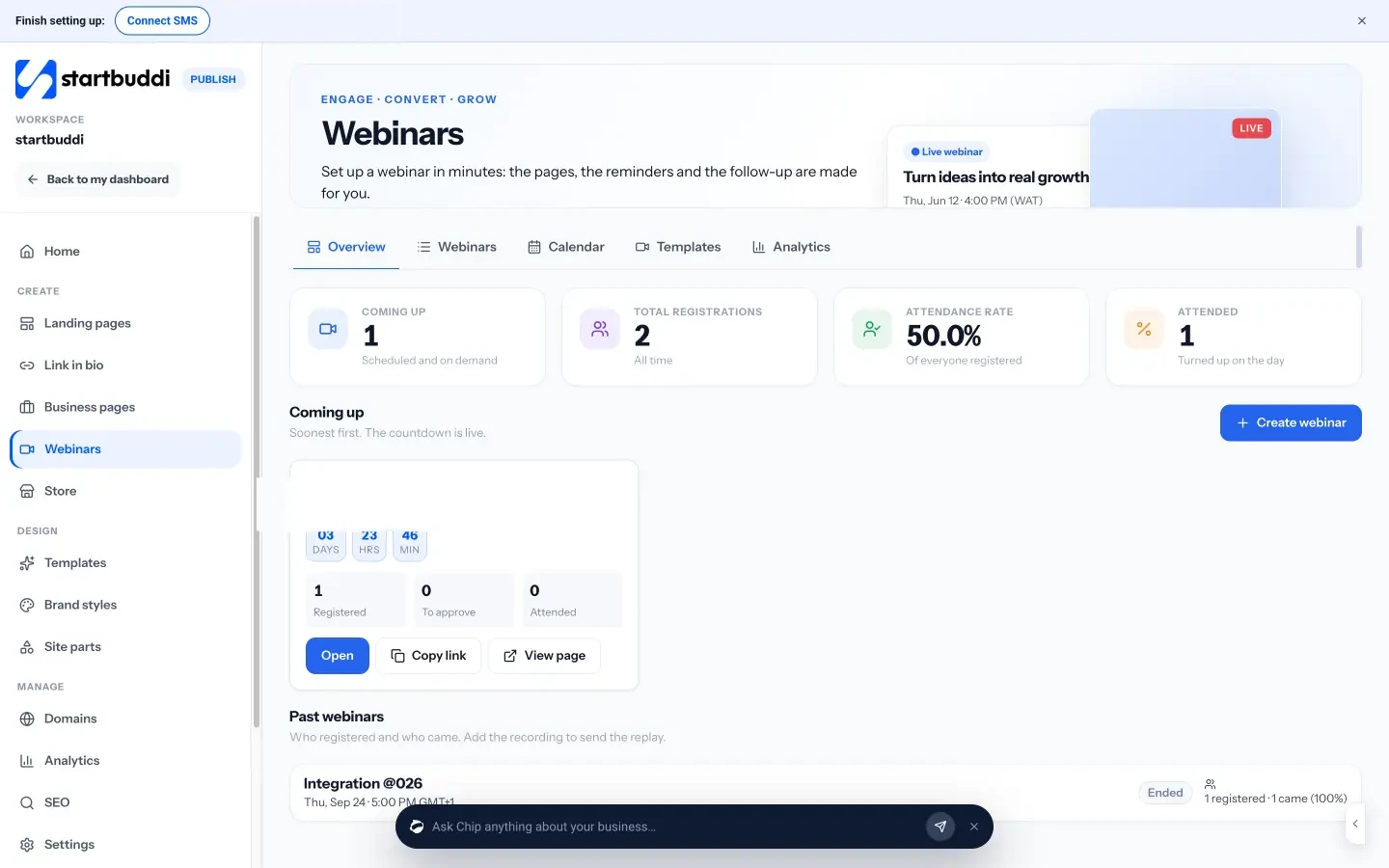
On Starter and up you can host the session in startbuddi Live: press Go live and each registrant’s own link opens their seat. Or run it on Zoom, Google Meet or YouTube Live and paste the joining link in, and startbuddi sends everyone there with their own join link. The confirmation email and reminders the day before, one hour before and 15 minutes before go out automatically, along with a “we are live” notice. For the follow-up, you can send one version to people who attended and another to people who missed it, and add the recording so the replay email goes out.
Everyone who registers becomes a contact in Customers, and attendance is added to their timeline, so you can see who attended and for how long. That makes the follow-up personal: you know who stayed to the end and who dropped off before the offer.

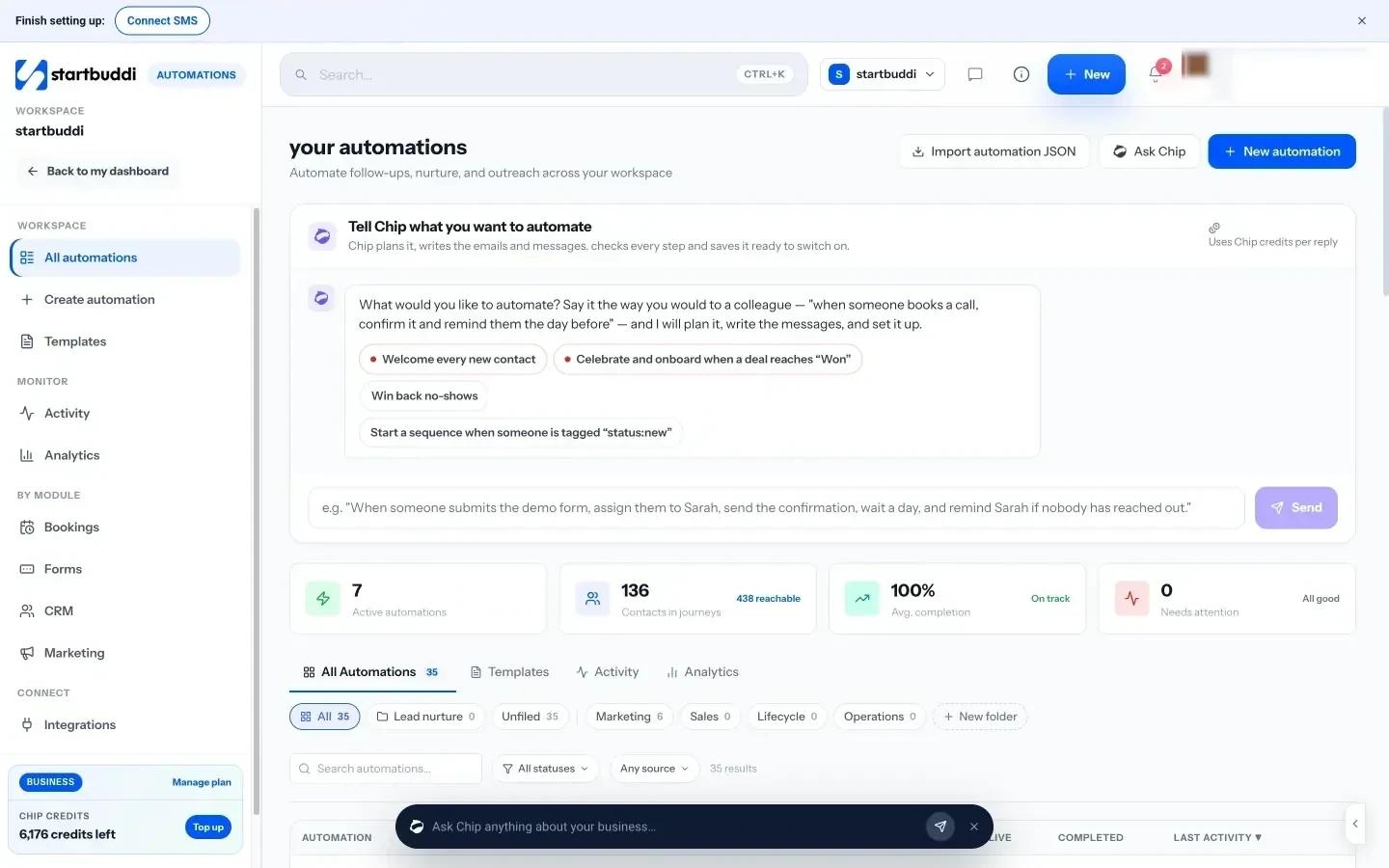
If you would rather not start from blank, Chip can build the webinar pages, registration form and emails from a single sentence such as “A masterclass on pricing for freelancers, live next Thursday”, and Chip can draft promo copy for email and social posts. Chip uses credits, and every plan includes a monthly allowance. To go further with follow-ups, Automations can start when someone registers, attends or misses a webinar, and email marketing lets you send a wider campaign to your list. Both need the Starter plan or above.
Your next step
Pick one topic from your most common customer question, set a date three weeks from today, and write the title as a result. Then create the webinar in startbuddi, share the registration link and let the reminders do their work. Webinars have no plan gate, so you can start on the Free plan and see what each plan adds when you are ready to automate more of the follow-up.
Sources
- Livestorm, The Pipeline Truth: 2026 Webinar Benchmark Report
- Livestorm, webinar metrics and benchmarks
- Nigeria Data Protection Commission
- Information Commissioner’s Office, direct marketing guidance
Frequently asked questions
How long should a sales webinar be?
Aim for 45 to 60 minutes including questions. Viewers drop off over time, so put your best teaching in the first 20 minutes and make the offer by around the halfway point.
Do I need special webinar software?
Not to start. You can run the live session on Zoom, Google Meet or YouTube Live. What matters more is a registration page, automatic reminders and a follow-up for attendees and no-shows.
Should I charge for a webinar?
Most small businesses keep the webinar free and charge for the offer at the end. A free session removes the barrier to signing up and builds your contact list.
How many people need to register for a webinar to be worth it?
Even 20 registrants can be worth it if your offer is a higher-priced service. Expect about half to attend live, then treat the replay and follow-up emails as a second chance to sell.
Olabimpe Salami is the email and outreach specialist at startbuddi. Olabimpe writes about the messages that bring customers in and back: email, WhatsApp and SMS campaigns, follow-ups, and turning enquiries into paying clients.
Runs email and outreach at startbuddi