Workflow: Definition, Examples and How It Works

A workflow is the sequence of steps, people and hand-offs that takes one piece of work from start to finish, such as a support request moving from "reported" to "fixed and confirmed". It can be run by hand, by software, or by a mix of both, and it repeats every time the same kind of work comes in.
So what is workflow, in practice? It’s the answer to “what happens next, and who does it?” for work your business does again and again.
Key takeaways
- Every workflow has five parts: a starting point, steps, owners, decision rules and an end result.
- A workflow is about the order and the hand-offs. A standard operating procedure explains how to do each step well.
- You don’t need software to have a workflow, but writing it down is what makes it consistent.
- Workflow automation is when software runs some of the steps for you.
What is workflow, and why does it matter to a small business?
In a small business, most work already follows a workflow. Nobody has written it down. A new enquiry arrives, someone replies, someone quotes, someone books the job. When the person who “just knows” is off sick, enquiries sit unanswered.
Writing a workflow down does three things. It shows where work waits, which is usually where customers get annoyed. It makes hand-offs clear, so nothing falls between two people. And it gives you a base you can improve or automate later.
How a workflow works: the five parts
| Part | What it means | Example from an IT support firm |
|---|---|---|
| Starting point | The event that kicks the workflow off | A client reports a problem by form, email or WhatsApp |
| Steps | The actions, in order | Log it, triage it, fix it, confirm with the client, close it |
| Owners | Who does each step | Office manager logs; senior technician triages; assigned technician fixes |
| Decision rules | Where the path splits | Urgent (server down) goes straight to a technician; routine goes to the queue |
| End result | What “done” looks like | The client confirms it works and the request is closed |
If you want to draw one, Business Process Model and Notation (BPMN) is the standard notation. The Object Management Group describes it as “a graphical notation for specifying business processes” (OMG: BPMN, checked on 1 October 2026), and its latest listed version is BPMN 2.0.2 (checked on 1 October 2026). Boxes and arrows on a whiteboard are usually enough.
Workflow vs process vs procedure
These words get mixed up. Here’s how they differ in everyday use:
- Process: the big picture of what the business does, such as “client support”.
- Workflow: the order of steps and hand-offs inside that process, such as how one request moves from report to closed.
- Procedure or SOP: the detailed instructions for doing one step well, such as how to reset a client’s email password. A standard operating procedure is the written version.
- Workflow automation: software running some of the steps for you. See workflow automation and automation workflow for the automated side.
Example: a support workflow at an IT services firm in Lagos
An illustrative three-technician IT support company handles about 150 client requests a month. Requests arrive by WhatsApp, email and phone, and the office manager copies each one into a spreadsheet. That takes about 5 minutes per request: 150 × 5 = 750 minutes, or 12.5 hours a month, just logging work.
The firm writes its workflow down:
- A client reports a problem through one request form, linked from every email signature and the WhatsApp profile.
- The form creates a task with the client’s name and details.
- The senior technician triages it each morning and at 2pm: urgent or routine.
- The assigned technician fixes it and messages the client.
- The client confirms, and the task is closed.
Logging now takes about 1 minute per request to check details: 150 × 1 = 150 minutes, or 2.5 hours a month. That frees 10 hours a month, and every request has an owner and a status.
How to map your first workflow
- Pick one piece of repeat work that causes trouble, such as quotes that go out late.
- Write the starting point and the end result.
- List every step in order, with who does it.
- Mark where work waits and where the path splits.
- Remove one wait or one hand-off, run it for two weeks, then improve it.
Our guide to automating your small business covers what to automate once a workflow works by hand, and business workflow automation examples shows common ones. To write the detailed steps, see how to write standard operating procedures.
Related terms
- Workflow automation: using software to run repeatable workflow steps.
- Automation workflow: one automated set of steps, with a trigger, actions, waits and conditions.
- Task management system: where the tasks a workflow creates are tracked.
How startbuddi handles workflows
In startbuddi, you can run a workflow by hand in Work: each project has its own task statuses, owners, due dates and dependencies, so a request moves through the steps you’ve defined. When you’re ready to automate, Automations runs “when this happens, do that” flows across forms, bookings, invoices and contacts, such as creating a task and assigning it to a teammate when a form is submitted. You can start from a template, build from scratch or describe it to Chip in plain words. Automations are included on paid plans.
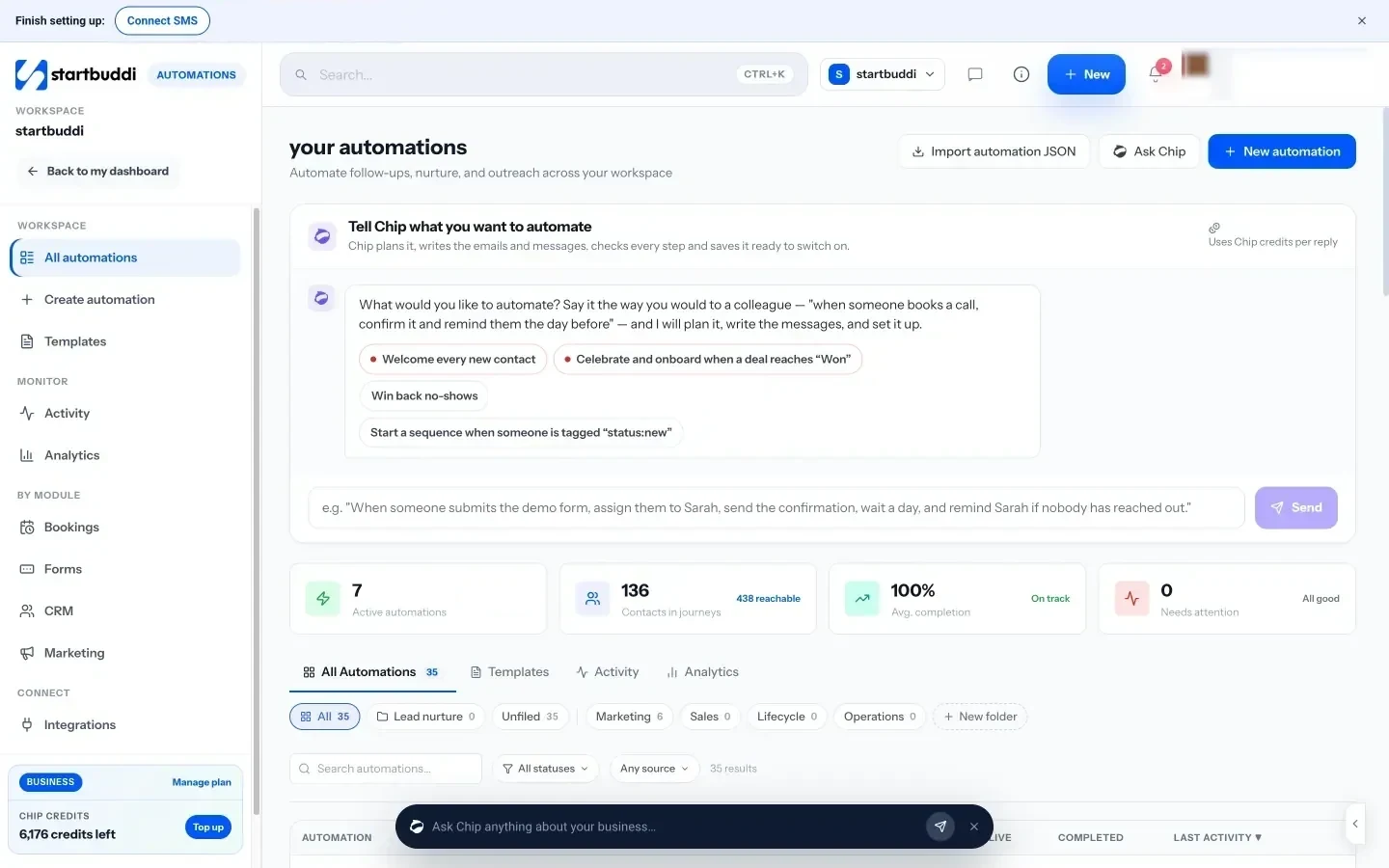
See Automations and Projects for details.
Map one workflow this week
Pick the job that causes the most chasing, write its steps down and give each one an owner. Then run it in startbuddi Work and automate the repeat steps when you’re ready. Start free.
Related terms
FAQ
What is a workflow in simple terms?
A workflow is the set of steps a piece of work goes through from start to finish, and who does each step. For example, a new enquiry is logged, answered, quoted and booked. It repeats every time the same kind of work comes in.
What is an example of a workflow?
A support request workflow is a common one: the client reports a problem, someone logs and triages it, a technician fixes it, the client confirms, and the request is closed. Other examples are approving an expense, onboarding a new client and sending an invoice after a job.
What is the difference between a workflow and a process?
A process is the broader activity, such as client support. A workflow is the specific order of steps and hand-offs inside it. One process can contain several workflows.
Do I need software to have a workflow?
No. A workflow can live on a whiteboard or a one-page checklist. Software helps you track who has what and can automate repeat steps, but it works best once the workflow already runs well by hand.
Tiwalade Joanna Okedara-Kalu is the founder, CEO and CTO of startbuddi, the business system that brings clients, bookings, invoices, projects, marketing and the Chip AI assistant into one place. Tiwalade builds software around how service businesses really work day to day, and writes about client management, getting paid on time and why small businesses outgrow the tools they start with.
Founded startbuddi and leads its product and engineering