Workforce Planning Analytics: A Practical Guide for Small Business Owners
Workforce planning analytics for small businesses: the numbers to track, how to forecast demand and spot staffing gaps, and a worked example you can copy.


Photo: Markus Spiske / Unsplash
Workforce planning analytics means using a few numbers about your team (hours available, work coming in, people likely to leave) to decide who you need, when and in what form. For a small business, it’s a monthly table that compares the work you expect with the capacity you have, so you hire, contract or slow down before the gap hurts.
Key takeaways
- Workforce planning looks forward; workforce analytics measures what has already happened. You need both, but planning is what changes decisions.
- Start with three numbers: capacity (hours available), demand (hours of work coming) and attrition (who might leave).
- The gap between demand and capacity tells you whether to hire, use freelancers, train someone or say no to work.
- A small team needs a monthly review and a 3 to 6 month horizon, not a five-year model.
- Keep the data honest and lawful: collect only what you need and tell staff what you track.
What is workforce planning analytics?
The CIPD, the UK professional body for HR, describes workforce planning as “the process of balancing labour supply (skills) against the demand (numbers needed)” (CIPD workforce planning factsheet, checked on 1 October 2026). Analytics is the part that puts numbers on both sides.
In a large company this is a team with a model. In a business of five to thirty people, it’s simpler:
- Supply: how many productive hours your team can give each month, and which skills those hours cover.
- Demand: how many hours of work you expect, from existing clients, your sales pipeline and seasonal patterns.
- The gap: the difference, month by month, and what you’ll do about it.
It sits next to two related ideas. HR data analytics looks at records like leave, absence and exits. Workforce analytics looks at how time and cost turn into work. Workforce planning analytics uses both to look ahead.
Why it matters when you’re hiring your first team
Founders usually hire too late or too early. Too late, and the best people burn out, quality slips and you turn work away. Too early, and a salary eats your cash before the work arrives.
A simple plan helps you:
- Time hires properly. Recruiting and onboarding can take two to three months, so you need to see a gap before it opens.
- Choose the right fix. Not every gap needs a permanent hire. A short peak may suit a freelancer; a lasting one needs an employee.
- Spot single points of failure. If only one person can do payroll queries or fix the server, that’s a risk even if total hours look fine.
- Have better conversations. Telling a stretched team “we’re hiring in March, and here’s why” is more reassuring than “we’re looking into it”.
How workforce planning analytics works
1. Measure your capacity
List everyone and their available hours per month after leave, public holidays, admin and internal meetings. For client businesses, focus on billable or productive hours.
A quick formula: capacity = people × contracted hours × productive share. Five people on 160 hours a month at 75% productive gives 5 × 160 × 0.75 = 600 hours.
2. Forecast demand
Add up the hours of work you expect for the next 3 to 6 months:
- Committed work: retainers, signed projects and recurring bookings.
- Likely work: your sales pipeline, weighted by how likely each deal is to close.
- Seasonal patterns: December events for a Lagos events firm, spring for a Toronto cleaning company, January for an accountant.
3. Add attrition and absence
Note anyone likely to leave, go on long leave or change role. Your past staff turnover is a useful guide: if one person in ten left last year, plan for that again.
4. Find the gap
Compare demand with capacity for each month and each key skill. A team can have spare hours overall and still be short of the one skill clients are waiting for.
5. Decide and act
For each gap, pick the cheapest fix that solves it well: overtime for a short spike, a freelancer for a peak, training to widen skills, a new hire for a lasting gap, or saying no to work that doesn’t fit.
6. Review monthly
Update the numbers once a month. Plans go wrong quickly in a small business, and a monthly look catches it.
The numbers worth tracking
Keep this list short. Each one should lead to a decision. These are the KPIs most small teams can actually maintain:
| Metric | How to calculate it | What it tells you |
|---|---|---|
| Headcount | People employed at month end, by team | Your starting point |
| Capacity hours | People × contracted hours × productive share | What the team can deliver |
| Demand hours | Committed hours + weighted pipeline hours | What you’ll need to deliver |
| Utilisation | Productive hours ÷ available hours | Whether people are overloaded or idle |
| Staff turnover | Leavers in the year ÷ average headcount | How much replacement hiring to plan |
| Absence rate | Days absent ÷ working days available | Hidden loss of capacity |
| Time to hire | Days from approving a role to the start date | How far ahead you must plan |
| Revenue per person | Revenue ÷ average headcount | Whether growth is coming from people or efficiency |
A worked example: a six-person agency in Lagos
These figures are illustrative.
Bisi runs a digital marketing agency in Yaba, Lagos, with six people who do client work. She reviews the next three months in late September.
Capacity. Each person has about 130 productive hours a month, so the team has 6 × 130 = 780 hours. One designer has resigned and leaves at the end of October.
Demand. Retainer clients need about 620 hours a month. Her pipeline has three projects of about 120 hours a month each, and she judges each a 50% chance, so she adds 3 × 120 × 0.5 = 180 hours. Expected demand is 800 hours a month.
| October | November | December | |
|---|---|---|---|
| Capacity (hours) | 780 | 650 | 650 |
| Expected demand (hours) | 800 | 800 | 800 |
| Gap (hours) | −20 | −150 | −150 |
October’s gap is small enough for overtime. From November the gap is 150 hours a month, more than one person.
Options. A freelancer at ₦9,000 an hour for all 150 hours would cost 150 × ₦9,000 = ₦1,350,000 a month. A new designer on ₦450,000 a month covers 130 hours, leaving 20 hours for a freelancer at 20 × ₦9,000 = ₦180,000, so ₦630,000 a month in total.
Because the gap lasts at least three months, hiring is cheaper. Bisi starts recruiting in early October so the new designer can start in November, and books a freelancer for the overlap. She writes the role up with a job description template the same week.
If the pipeline deals don’t close, demand falls to 620 hours and capacity of 650 covers it. Her plan says: confirm the hire only once two of the three deals are signed, or once the retainers grow.
Common mistakes
- Planning only headcount. Six people isn’t a capacity figure. Count hours and skills.
- Treating the pipeline as certain. Weight every deal, and plan a version where half of them fall through.
- Forgetting time to hire. If it takes 10 weeks to recruit and onboard, a gap you see this month is already late.
- Collecting data nobody uses. If a number doesn’t change a decision, stop tracking it.
- Ignoring the law on staff data. Workforce data is personal data. In the UK, the ICO’s employment guidance covers records and monitoring; in Nigeria, the Nigeria Data Protection Act 2023 applies, overseen by the Nigeria Data Protection Commission (both checked on 1 October 2026). Be open with staff about what you track and why.
How to get started this month
- List your people with their contracted hours, main skills and any known leave or departures.
- Pull your hours for the last three months from timesheets or estimates, and work out a realistic productive share.
- Add up demand for the next three months: committed work plus weighted pipeline.
- Draw the gap in a simple table like the one above.
- Decide one action for any gap over about half a person, and put a date on it.
- Book a monthly review, 30 minutes on the first Monday, to update the table.
Our guide on how to build your first team covers what to do once the numbers say “hire”.
How startbuddi helps with workforce planning
startbuddi isn’t a dedicated workforce planning tool, and it doesn’t forecast demand for you. It does keep the inputs in one place so a monthly plan takes minutes rather than an afternoon:
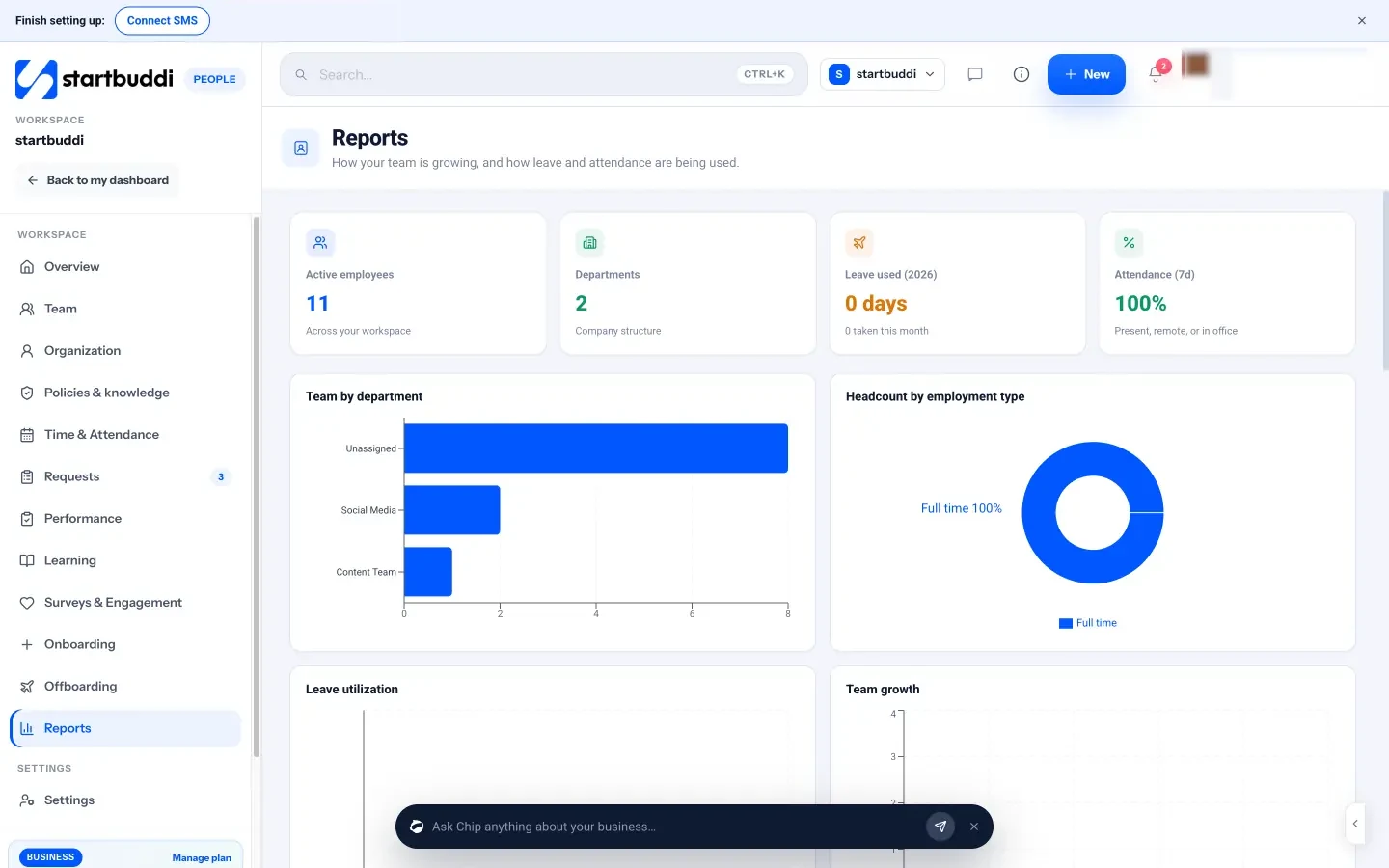
- People → Reports shows active employees, new starters and leavers, team by department, headcount by employment type, team growth, attendance and leave, so you can see supply and turnover at a glance. There’s no export or custom report builder yet.
- Work → Time gives weekly timesheets for each person and the team, so your productive hours come from real records.
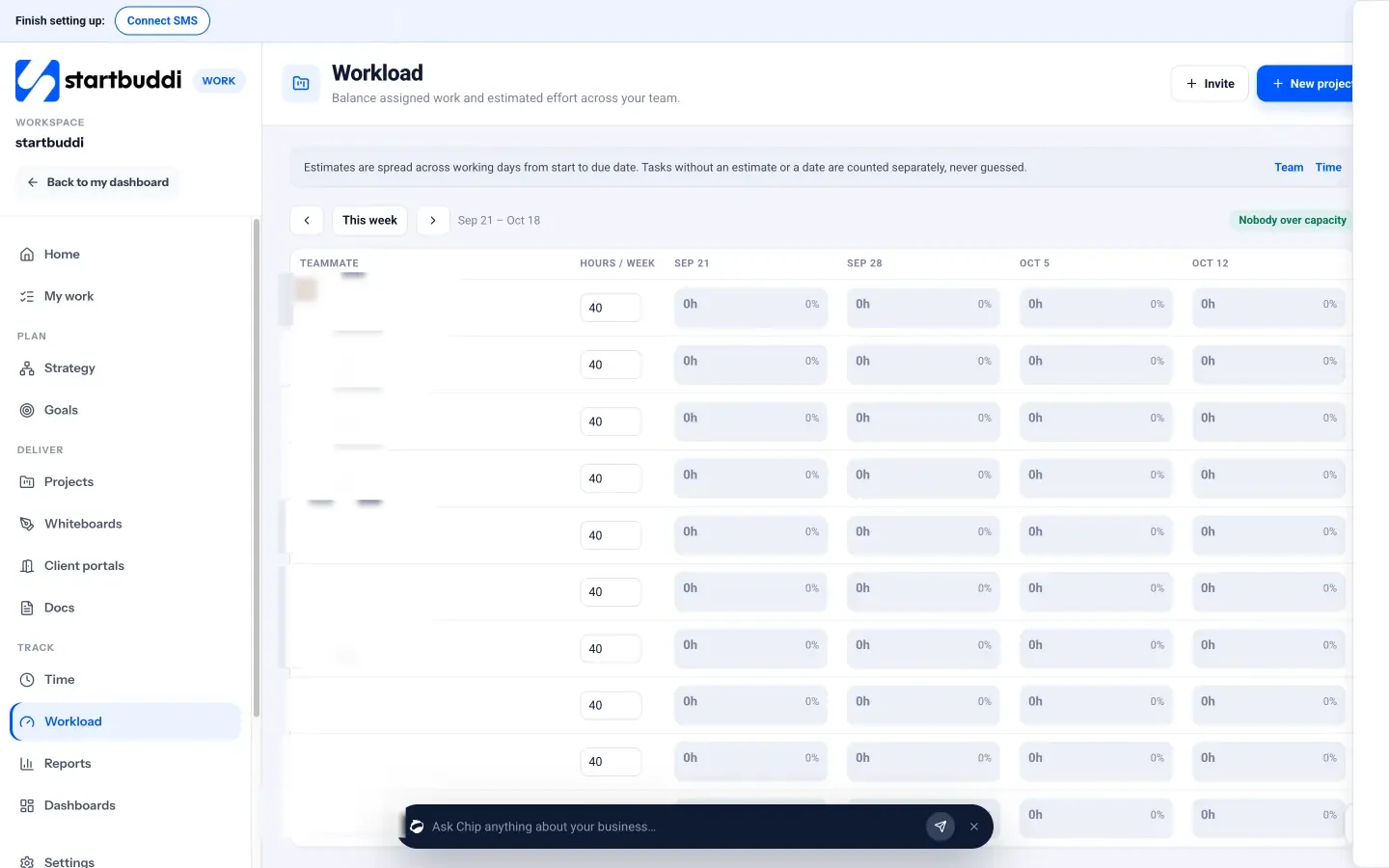
- Work → Workload spreads task estimates across each teammate’s weekly hours and flags anyone over capacity, with Reassign… to move work.
- Customers → Pipeline holds the deals you weight for demand.
See startbuddi People and time tracking in Work, or how early teams use it on startbuddi for startups. For the wider people side, read our HR for small business guide.
Plan your next hire with real numbers
Keep your team, timesheets, workload and pipeline in one place, so your monthly staffing review takes minutes. Start free with startbuddi, no card needed.
Frequently asked questions
What is workforce planning analytics?
Workforce planning analytics is the use of data about your team's capacity, the work coming in and likely departures to plan who you need and when. It compares future demand with future supply and shows the gap. Small businesses can do it with a monthly table and a few metrics.
What is the difference between workforce planning and workforce analytics?
Workforce analytics measures what has happened, such as hours worked, utilisation and turnover. Workforce planning uses those numbers, plus forecasts of demand, to decide future staffing. Analytics is the evidence; planning is the decision.
What data do I need for workforce planning?
You need headcount and contracted hours, a realistic share of productive time, expected demand from committed work and your pipeline, and known or likely departures and leave. Timesheets and past turnover make the estimates more reliable. Start with what you have and improve it each month.
How often should a small business review its workforce plan?
Monthly works for most small businesses, with a horizon of three to six months. Review sooner if a big client signs or leaves, or someone resigns. The point is to see a gap early enough to recruit or contract.
Do I need software for workforce planning analytics?
Not at the start. A spreadsheet with capacity, demand and the gap for each month is enough for a team of up to about twenty. Software helps when your hours, headcount and pipeline live in one system, because the monthly update becomes quick.
Tiwalade Joanna Okedara-Kalu is the founder, CEO and CTO of startbuddi, the business system that brings clients, bookings, invoices, projects, marketing and the Chip AI assistant into one place. Tiwalade builds software around how service businesses really work day to day, and writes about client management, getting paid on time and why small businesses outgrow the tools they start with.
Founded startbuddi and leads its product and engineering