How to keep track of client information without notebooks and scattered chats
What to keep on every client record, how to collect it once through forms and bookings, and how to keep appointments and deposits on the same page.


Chinonye wrote this while on the startbuddi team. The product has changed since, so the team updated it on .

- Give every client one record in one place, collect their details once through an intake form or booking page, and attach appointments, notes, preferences and payments to that record. One calendar and payment status on each booking end double bookings and deposit confusion.
The simplest way to keep track of client information is to give every client one record in one place, capture their details once at the start (through a form or booking page rather than by hand), and attach everything that happens afterwards to that record: appointments, notes, preferences, deposits and payments. When a client comes back, you open one page and see their whole history.
This matters most for service businesses with repeat clients: tailors and seamstresses, salons, personal trainers, therapists, consultants, cleaners and tutors. If your client details are spread across a notebook, WhatsApp, your phone’s calendar and bank alerts, this guide shows you what to keep, how to collect it without typing it all in, and how to stop the double bookings and “did they pay the deposit?” moments that come with scattered records.
Why client information gets lost
Picture a seamstress with a busy Saturday. One client booked the 10am slot on WhatsApp on Tuesday. Another booked the same slot in person and went into the notebook. Nobody noticed until both arrived at the door. Later, a returning client asks for “the same as last time”, and the measurements are in a notebook from last year.
None of this is carelessness. It happens because each piece of client information lives somewhere different, and your memory is the only thing linking them:
- Contact details are in your phone.
- Appointments are in a notebook or calendar that doesn’t know who the client is.
- Preferences and measurements are in chat threads or on paper.
- Deposits and payments are in bank alerts, not next to the booking.
With two or three clients, memory copes. With 20 regulars and new enquiries every week, it doesn’t. The fix is structure, not effort.
What client information should you keep?
Keep what you need to serve the client well and nothing more. For a service business with repeat appointments, a client record usually needs:
| Information | Examples | Why it matters |
|---|---|---|
| Contact details | Name, phone with country code, email, preferred channel | You reach them the way they like |
| Service details | Service booked, measurements, hair type, fitness goals, room sizes | You don’t ask the same questions twice |
| Preferences | Favourite stylist, fabric choices, allergies to note, preferred times | Repeat visits feel personal |
| Booking history | Past and upcoming appointments, no-shows, cancellations | You spot regulars and patterns |
| Money | Deposit paid, balance due, invoices, payment method | No awkward “did you pay?” conversations |
| Notes | What was agreed, what went well, what to do next time | Anyone on your team can pick up where you left off |
| Source | Instagram, referral from a client, Google | You learn where good clients come from |
Be careful with sensitive details such as health information. Only keep them if you genuinely need them for the service, and keep access limited. Data protection rules in many countries say the same thing: the UK regulator describes data minimisation as keeping personal data that is adequate, relevant and limited to what you need. In Nigeria, check the guidance from the Nigeria Data Protection Commission, and wherever you are, check your local rules. This is general information, not legal advice.
Examples by type of business
The core fields are the same everywhere. The service details change with what you do:
| Business | Service details worth keeping |
|---|---|
| Tailor or seamstress | Measurements with the date taken, fabrics, styles, event dates |
| Hair or beauty salon | Hair type, colour formulas, products used, preferred stylist, patch test dates |
| Personal trainer | Goals, starting measurements, injuries to work around, session package left |
| Cleaning company | Address, access instructions, rooms, products to avoid, pets |
| Consultant or coach | Company, goals, what was covered in each session, agreed actions |
Write down your own list of five to eight service details before you set anything up. It keeps every record consistent, whoever creates it.
Step 1: put every client in one place
Start with a single list of every client. Not a list per notebook, per phone or per staff member. One list.
- Gather your active clients: anyone you’ve served in the last six to twelve months, plus anyone with an upcoming appointment.
- Export what you can. Phone contacts and spreadsheets can usually be saved as a CSV file.
- Clean it: one row per person, full name, phone number in one format with the country code, duplicates removed.
- Import it into the tool you’ll use from now on.
- Add the important details by hand for your top regulars: measurements, preferences, anything you’d hate to lose.
Don’t aim for perfection on day one. An accurate list of 40 regulars beats a messy list of 400 old numbers. For a deeper walk-through of setting up the list itself, see how to create a customer database.
Step 2: collect client information once, at the start
Typing details from chats into a spreadsheet is where mistakes creep in. Let clients give you their information directly, in a consistent format, the first time they get in touch or book.
- Use an intake form for new clients: contact details, what they need, and the service-specific questions you always ask. Our client intake form template is a good starting point.
- Ask questions in your booking page, so the details arrive with the appointment. A tailor might ask for the occasion and date needed; a trainer might ask about goals and injuries to be aware of.
- Keep forms short. Ask only what you need for the first appointment. You can collect the rest in person.
For example, a personal trainer’s intake form might ask just six things: full name, phone number, email, main goal (lose weight, build strength, train for an event), any injuries or conditions to be aware of, and preferred training days. That’s enough to plan the first session. Measurements and progress can be added in person and kept on the record from then on.
Ask for phone numbers with the country code, and let people choose how they’d like you to contact them. It saves guesswork later, especially if you work with clients in more than one country.
When the form or booking page feeds your client list directly, the record exists before you’ve even replied, and there’s no copying.
Step 3: keep bookings on the client record
Double bookings happen when appointments live in more than one place. The rule is simple: every appointment goes into one calendar, and every appointment is linked to a client.
- One calendar for all bookings, whether they came from WhatsApp, a phone call, a walk-in or your booking link. If you take a booking by message, add it to the calendar before you confirm it.
- Let clients pick from available times through a booking page, so they can’t choose a slot that’s already taken.
- Block time for breaks, holidays and personal appointments so nobody books over them.
- Add a buffer between appointments if you need time to clean up, travel or write notes.
Once bookings attach to the client, you can see at a glance who comes every month, who hasn’t been back in a while and who has missed appointments. That’s the information that turns one visit into a long relationship. If missed appointments are a problem, our post on reducing no-show appointments covers reminders and deposits.
Step 4: attach payments to bookings
Many service businesses track bookings in one place and money in another. A deposit arrives by transfer, you make a note somewhere, and on the day of the appointment nobody can find it. You end up either asking a client for money they’ve already paid or losing money you can’t prove you were owed.
Keep payment status on the booking and the client record:
- Deposit paid, with the amount and date.
- Balance due and when.
- Paid in full once it’s settled.
The easiest way is to take the deposit when the client books, so the payment and the booking are recorded together. Our guide to how much deposit to charge helps you set the amount.
Step 5: write short notes after every appointment
The details that make clients feel remembered are the ones you learn during appointments. Capture them straight away, while they’re fresh. Two or three lines is enough:
12 June: second fitting for wedding gown. Took in waist 2cm. Client prefers ivory lace for sleeves. Final fitting booked for 26 June, balance of ₦85,000 due then.
Good notes answer three questions: what happened, what was decided and what happens next. Write them in the client’s record, not in your phone’s notes app or a chat with yourself.
Step 6: make it a habit your team shares
A client system only works if everyone uses it the same way. If you have staff, agree a few rules:
- Every new client gets a record before or at their first appointment.
- Every booking goes into the one calendar, no matter how it was made.
- Every deposit and payment is recorded on the booking the same day.
- Notes are added after every appointment, before the next client.
- Duplicates are merged, not left side by side.
Spend ten minutes at the end of each week checking tomorrow’s and next week’s bookings against the records: phone numbers present, deposits recorded, notes up to date.
Use your client information to bring people back
Good records aren’t just about avoiding mistakes. They show you where your next bookings will come from. Once a few months of history sit on each client, look for:
- Regulars who have gone quiet. A client who came every four weeks and hasn’t booked in eight is worth a friendly message.
- Clients due a repeat service. Colour touch-ups, seasonal alterations, quarterly deep cleans: the date of the last visit tells you when to get in touch.
- Your best clients. The people who book most often or spend most deserve a thank-you, first pick of busy dates, or a referral ask.
- Where good clients came from. If most of your regulars came from referrals, put more effort there than into ads.
Tags help here. Tag clients by service, frequency or status (for example “Monthly regular” or “Wedding 2026”), then filter the list when you plan follow-ups. For a broader look at structuring customer data across a whole business, read how to organise customer information.
Is a notebook or spreadsheet ever enough?
| Situation | Notebook or spreadsheet | Client system |
|---|---|---|
| A few clients, no deposits | Workable | Nice to have |
| Regular clients with history to remember | History gets lost | Full history on one page |
| Deposits and balances | Easy to lose track | Payment status on each booking |
| Bookings from several channels | Double bookings likely | One calendar with live availability |
| More than one person taking bookings | Constant confusion | Shared records and calendar |
| Appointment reminders | Sent by hand, if at all | Sent automatically |
If most of your business is WhatsApp conversations, our post on managing clients on WhatsApp covers how to bring those chats into a proper system.
How startbuddi helps you keep track of client information
In startbuddi, your client list, bookings, forms and payments are linked, so client information collects itself in one place.
- One page per client. Contacts hold each client’s details, tags, notes, tasks, files and conversations, with a money tile showing what’s been invoiced, paid and outstanding. You can import your existing list from a CSV file.
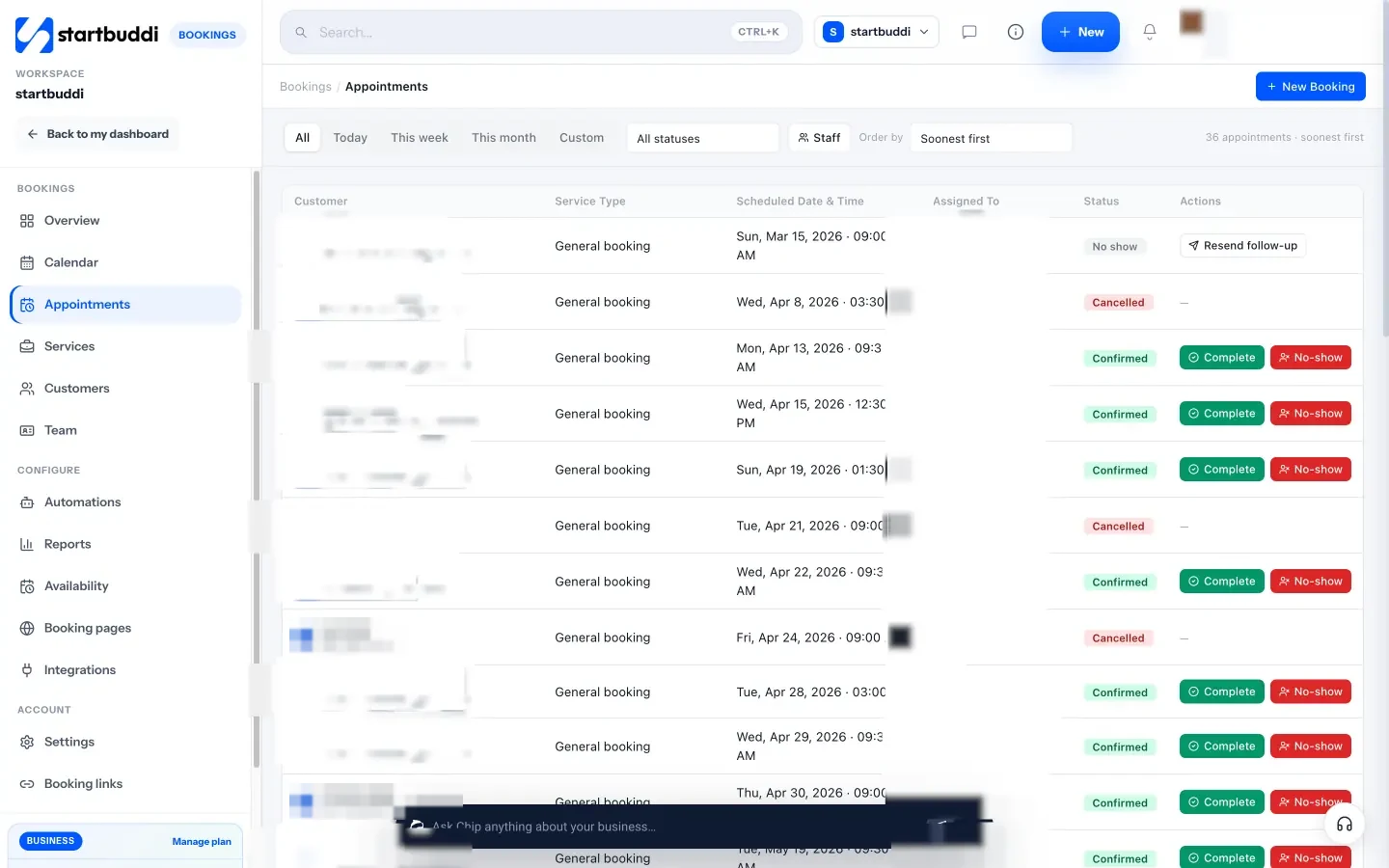
- Bookings that create client records. When someone books through your booking page, startbuddi creates or updates their contact. You can add booking questions and save the answers to the client’s record, take a full payment or deposit through Paystack or Stripe before the booking is confirmed, and send reminder emails.
- One calendar. Walk-ins and phone bookings can be added by hand, time can be blocked for breaks and holidays, and each booking has internal notes and an activity timeline.
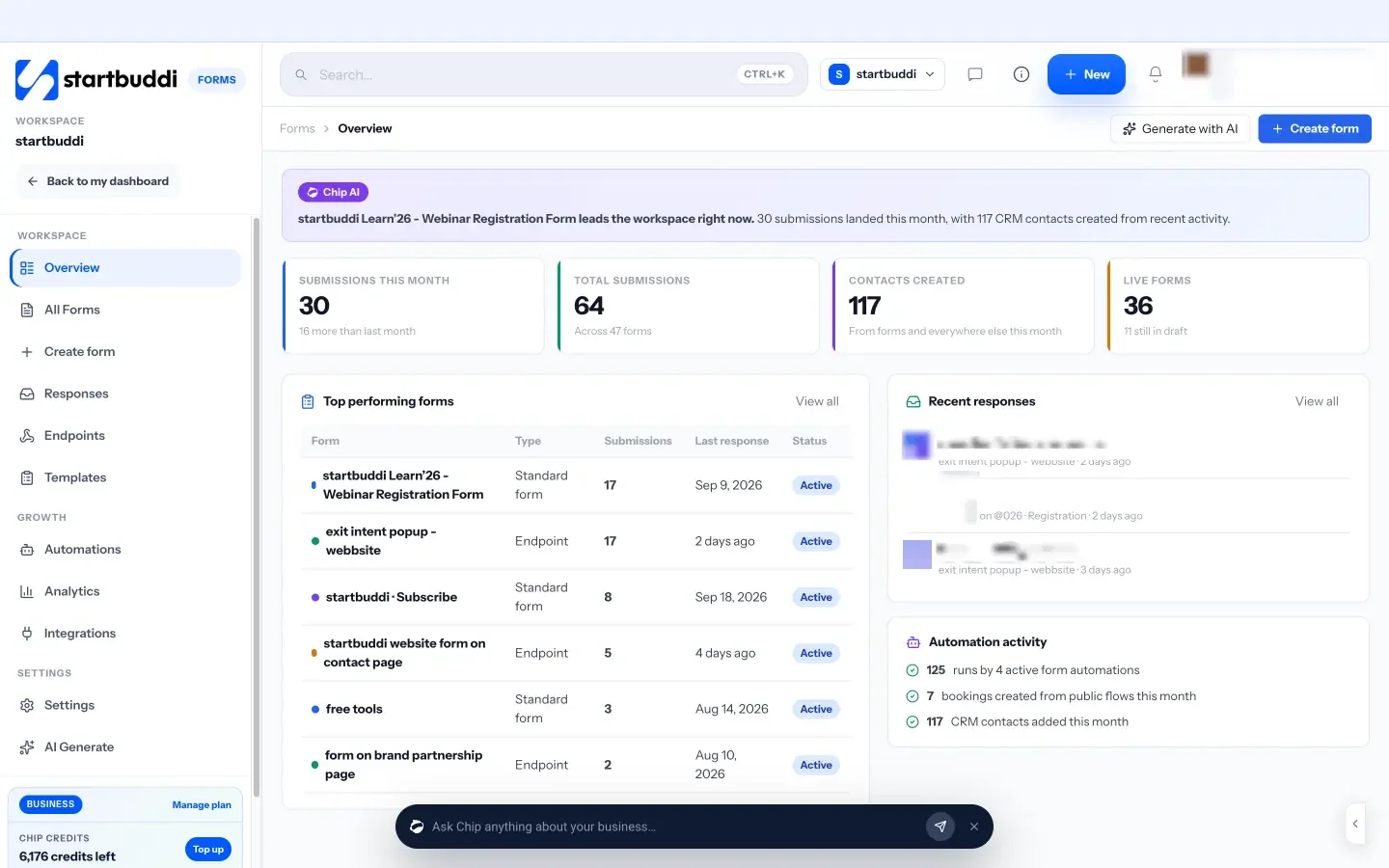
- Forms for intake. Forms send every response into your contacts, and you can map answers to fields on the client’s record.

The Free plan includes up to 250 contacts, one form and one live bookable service. Our help article on importing contacts shows how to bring your current list across.
Your next step
Today, pick your ten most regular clients and create one complete record for each: contact details, key preferences, next appointment and anything they’ve paid in advance. Once those ten live in one place, move the rest. If you’d like that place to be startbuddi, start free and share your booking link with your next client.
Sources
Frequently asked questions
What is the best way to keep track of client information?
Keep one record per client in one shared place, collect details through a form or booking page, and attach bookings, notes and payments to that record.
How do I avoid double bookings?
Put every appointment in one calendar, however it was booked, and let clients choose only from available times on a booking page.
Should I keep client information in WhatsApp?
Use WhatsApp to talk, not to store records. Copy agreed details, dates and payments into the client's record the same day.
How much client information is too much?
If you won't use a detail to serve the client, don't collect it. Keep sensitive data only when the service needs it, and limit who can see it.
SEO Copywriter| Email growth Specialist| I help businesses increase revenue with strategic SEO content & high-converting email funnels.