How to set up a CRM for a small service business: a step-by-step guide
A ten-step CRM setup guide for service businesses: goals, stages, clean data, fields, forms and bookings, follow-ups, delivery, training and a monthly review.


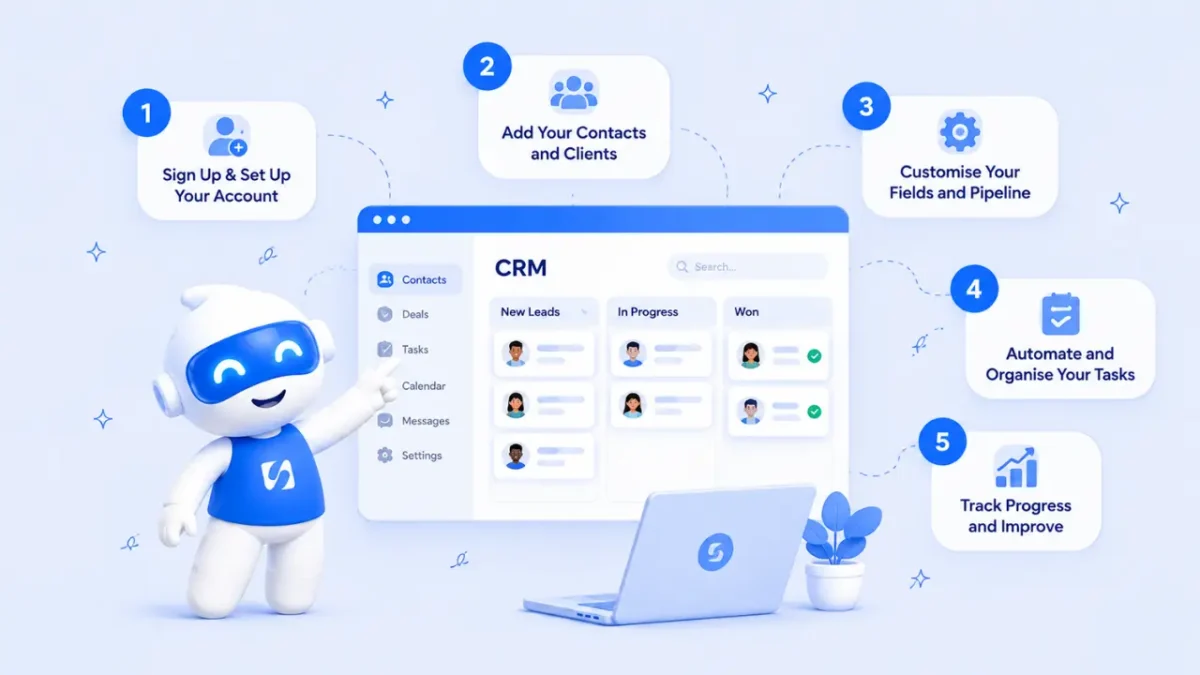
- Decide what the CRM must fix, map how clients actually buy from you, then import only clean data with a handful of useful fields. Connect your forms and booking page so records create themselves, add two or three follow-up rules, test the whole path with one sample client and review it monthly.
If you want to know how to set up a CRM for a small service business, here is the short version. Decide what the CRM has to fix, map the steps a client takes from first message to finished job, import only clean records, and connect your forms and booking page so new enquiries arrive on their own. Then add a few follow-up rules, test everything with one pretend client, and review it once a month. Most solo owners and small teams can do this over a weekend.
This guide walks through those ten steps in order. It is written for cleaners, consultants, designers, coaches, trades and agencies who get enquiries from WhatsApp, Instagram, email and their website, and who are tired of piecing a client’s story together from five apps.
Why a CRM matters for a service business
A CRM (customer relationship management system) is one place that holds every person you deal with, every conversation you have had with them and what should happen next. If the term is new, our glossary entry on what a CRM is covers the basics.
For a service business the value is practical. A lead messages you on a Tuesday, you quote on Thursday, and by the following week nobody remembers whether they replied. Multiply that by twenty enquiries a month and money leaks out quietly. A CRM turns memory into a list you can trust: who is new, who is waiting on you, who has gone quiet and who has paid.
It also matters when you grow. The day you hire your first assistant, everything that lives in your head or your personal phone becomes a problem. A shared record means anyone can pick up a client conversation without asking the client to repeat themselves.
Step 1: Decide what you want the CRM to fix
Start with problems, not features. Write down the three things that cost you the most today. Common answers are:
- Enquiries that wait days for a reply.
- Quotes that are sent and never followed up.
- Client details scattered across chats, notebooks and spreadsheets.
- No idea how many enquiries turn into paying work.
Give each one a simple target. “Every new enquiry gets a reply within one working day.” “Every quote gets a follow-up after three days.” “Every client has one record with their phone, email and what they bought.” These targets keep your setup small. If a field, stage or automation does not help one of them, leave it out for now.
Step 2: Map how clients actually buy from you
Next, write down the path a typical client follows. Be honest about what really happens, not what you wish happened. For many service businesses it looks like this:
- New enquiry: someone has asked about your service.
- Contacted: you have replied and started a conversation.
- Qualified: you know they need what you offer, can afford it and want it soon.
- Quote or proposal sent: they have a price in writing.
- Won or lost: they have paid a deposit or signed, or they have said no.
These become your pipeline stages. Each stage should describe something the client has done, so there is no argument about where a card belongs. If you can’t explain the difference between two stages in one sentence, merge them. Five or six stages, including Won and Lost, suits most small businesses.
Two examples
A cleaning company in Toronto might use New enquiry, Site visit booked, Quote sent, Deposit paid, Won and Lost, because the site visit is where most jobs are decided. A bookkeeper in Nairobi selling monthly packages might use New enquiry, Discovery call, Proposal sent, Engagement letter signed, Won and Lost. Different words, same idea: every stage is a real client action.
If you want to go deeper on stage design and weekly reviews, read our guide to client pipeline management.
Step 3: Choose a CRM your team will actually open
The best CRM for a small business is the one people use every day. Before you compare feature lists, check these basics:
- Quick to learn. You should be able to add a contact and move a deal in your first ten minutes.
- Works with your channels. If most enquiries come through WhatsApp or website forms, the CRM should take them in without copy and paste.
- Connects to what happens after the sale. Service businesses book appointments, send invoices and deliver projects. A CRM that stops at “Won” leaves you retyping details into three more tools.
- Clear pricing and limits. Know how many contacts and users each plan includes before you import anything.
Our guide on how to choose a CRM goes through the decision in detail.
Step 4: Clean your data before you import it
A CRM is only as useful as what goes into it. Before importing, gather your existing lists (phone contacts, spreadsheets, form exports, email address books) and tidy them up:
- Remove duplicates. The same person often appears three times with slightly different spellings.
- Split full names into first and last names if your CRM asks for them, so greetings in emails read properly.
- Put phone numbers in international format, such as +44 7700 900123 or +234 803 000 0000, so messages reach the right country.
- Add a source column (referral, Instagram, website form, walk-in) if you know it. It tells you later where good clients come from.
Only import people you have a genuine business reason to keep. Data protection laws in many countries say you should hold what you need and no more. The UK’s regulator describes this as keeping personal data “limited to what is necessary” in its guide to data minimisation, and Nigeria’s Data Protection Commission oversees similar rules under the NDPA 2023. This is general information, not legal advice, so check the rules where you operate.
Step 5: Add a few fields and groups that earn their place
Every CRM has the standard fields: name, email, phone, company. Service businesses usually benefit from three to six extra ones. Good candidates:
| Field | Why it helps |
|---|---|
| Service interested in | Lets you send the right follow-up and see which services attract the most enquiries. |
| Budget range | Helps you prioritise and avoid long calls with people who can’t afford you. |
| Location or area | Essential for trades and home services, useful for local marketing. |
| Preferred channel | Some clients answer WhatsApp in minutes and ignore email for weeks. |
| Owner | Who on the team is responsible for the next step. |
Then create a handful of saved groups (often called segments) such as “New this month”, “Quote sent, no reply” and “Past clients”. Groups turn your list into to-do lists. If nobody would act on a field or a group, don’t create it.
Step 6: Connect your forms and booking page
Manual data entry is where CRMs die. The fix is to let the places where clients already reach you feed the CRM directly:
- Enquiry or intake form on your website or link in bio. Each submission should create or update a contact, so the same person is never counted twice. Our client intake form template lists the questions worth asking.
- Booking page for calls, consultations or appointments. When someone books, their details should land on their record with the booking attached.
- Shared inbox for WhatsApp, email and social messages, so conversations sit next to the contact rather than in one person’s phone.
Test each connection by filling in your own form and booking your own slot. If the contact doesn’t appear with the right source, fix it now while there is only one test record.
Step 7: Set up follow-up rules for the moments that matter
Start with two or three rules, not twenty. The ones that usually pay back fastest:
- New enquiry: send an instant acknowledgement and create a task for the owner to reply personally the same day.
- Quote sent: create a follow-up task three days later if the deal hasn’t moved.
- Gone quiet: flag any open deal with no activity for seven days.
Speed matters. In a study of more than 2,000 US companies published in Harvard Business Review, firms that contacted a web lead within an hour were nearly seven times as likely to have a meaningful conversation with a decision maker as those that waited longer. You don’t need a sales team to act on that. An instant confirmation plus a same-day personal reply does most of the work.
Keep automated messages short and human, and always give people an easy way to reach a real person. Automation should remind you to be personal, not replace you. For more ideas, see our post on how to follow up with leads.
Step 8: Connect the sale to the work
For a service business, “Won” is the start of the job, not the end. Decide what happens the moment a deal is won:
- Send a welcome message and your onboarding questions.
- Send the agreement for signature and the deposit invoice.
- Create a project or task list for delivery, linked to the client.
- Book the kick-off call.
When these live in the same place as the contact, you can open a client and see the conversation, the signed agreement, the invoice status and the work in progress without switching apps. Our guide on how to onboard a new client has a full checklist.
Step 9: Train your team and test the whole path
Keep training to the five actions people will do daily: add a contact, log a note, move a deal, reply to a message and create a task. Give every contact and every deal an owner so there is never a question of who acts next.
Then run one fake client through the entire process. Submit your own form, receive the confirmation, reply from the inbox, move the deal to Quote sent, wait for the follow-up task to appear, mark it Won, send a test invoice and create the project. Anything that breaks or feels clumsy in this test will break for real clients too.
Step 10: Review your CRM setup every month
Put 30 minutes in the calendar once a month. Look at:
- New enquiries and where they came from.
- Response time to new enquiries.
- Win rate: deals won divided by deals closed (won plus lost).
- Stuck deals: anything sitting in one stage for weeks.
- Unused fields and rules you can delete.
Each review should end with one change: a stage renamed, a field removed, a follow-up rule adjusted. Small, regular tweaks keep a CRM useful. A big rebuild once a year usually means it was ignored in between.
How startbuddi helps you set up a CRM
This is exactly the setup startbuddi is built for. Customers is the CRM, and it sits next to Forms, Bookings, Money Manager and Work, so the path from enquiry to paid job stays in one place.
- Contacts and imports. Add a contact with just a name, email or phone number, or import a CSV of up to 10,000 contacts at a time. The import lets you map columns and choose whether to update or skip duplicates. See contacts and companies.
- Properties and segments. Create your own fields (text, dropdown, money, date and more) and segments that keep themselves up to date.
- Pipeline. The default stages are New Leads, Qualified, Proposal Sent, Negotiation, Won and Lost, and you can rename them. When a contact replies, their deal moves out of the first stage, and when an invoice on a deal is paid, the deal is marked won. See sales pipeline and deals.
- Forms and bookings. Form answers can be added to your contacts, and booking pages collect details and questions before a call.
- Inbox. WhatsApp, email, SMS, website chat, Instagram and Facebook messages in one shared inbox, with notes your team can see.
- Automations. Follow-up rules such as “create a follow-up task when a lead is added” or “remind me when a deal moves to Proposal Sent”. Free includes 2 active automations, and Starter allows 10.

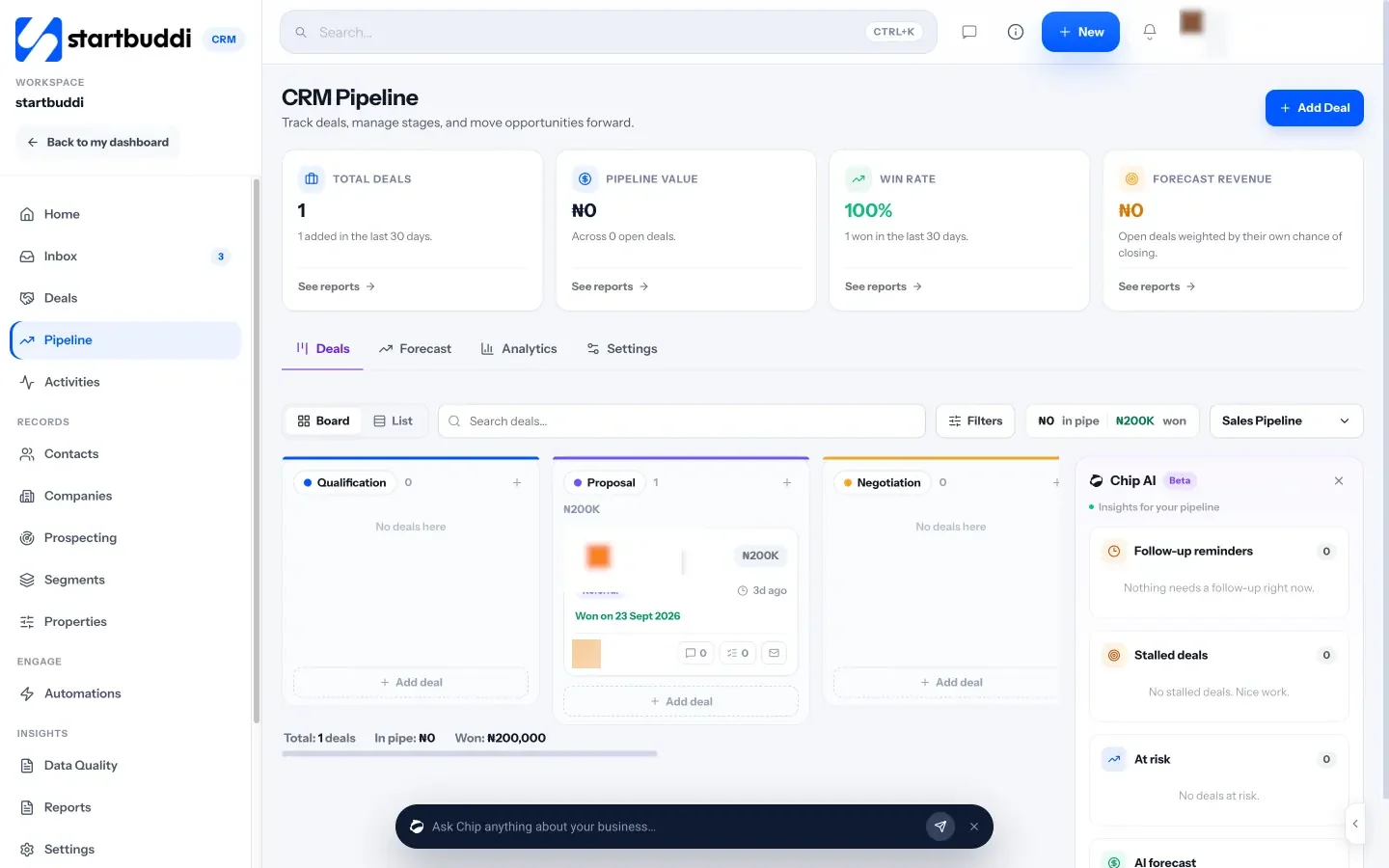
Chip, the AI assistant, is available on every screen. On the Customers home it answers questions like “Who needs a reply?” and “Who haven’t I contacted in 14 days?”, which is a quick way to run your weekly check.

The Free plan includes up to 250 contacts, which is enough to test the whole setup. Starter raises that to 2,500 contacts and adds more automations, WhatsApp and SMS (see pricing). Every paid plan starts with a 30-day trial.
Your next step
Pick your three problems from Step 1 and write your pipeline stages on paper today. That takes 20 minutes and makes every other step faster. When you are ready to build it, compare what each plan includes on our pricing page, or read getting started with the startbuddi CRM.
Sources
- Oldroyd, McElheran and Elkington, “The Short Life of Online Sales Leads”, Harvard Business Review, March 2011
- ICO: principle (c), data minimisation
- Nigeria Data Protection Commission
Frequently asked questions
How long does it take to set up a CRM for a small business?
A basic setup with stages, a clean import, one form and two follow-up rules takes a weekend for most solo owners. Migrating years of messy data or building many automations takes longer.
What information should a small business CRM hold?
Name, phone, email, where they came from, what service they want, their current stage, who owns them, the conversation history and the next follow-up date.
Can a one-person business use a CRM?
Yes. Solo owners often benefit most, because there is nobody else to remember follow-ups. Start with a free plan and only the fields you will actually use.
Should I import all my old contacts?
No. Import people you have a real business reason to keep, such as clients and recent enquiries. Old, unknown numbers clutter your lists and may break data protection rules.
Omolola Akiyode is the operations and project manager at startbuddi, leading cross-functional projects and the content that helps founders get set up. Omolola writes about projects, websites and getting found online, and turns complex ideas into clear, practical steps.
Runs operations and projects at startbuddi