How to choose the best invoice app for your small business
What a good invoicing app does, what every invoice must include, published prices and free plans for well-known apps, and five questions to help you choose.



Photo: Adhitya Sibikumar / Unsplash
- The best invoice app for a small business sends a professional invoice in a minute, lets customers pay from the invoice, shows who owes you and makes reminders easy. Free apps are often enough at the start, but compare payment fees and limits, not just the monthly price.
The best invoice app for small business is the one that gets you paid fastest with the least typing. In practice that means five things: professional invoices you can send in a minute, a pay button so customers can pay by card or transfer straight from the invoice, a clear list of who owes you what, easy reminders for late payers, and records that keep your accountant happy. Plenty of invoicing apps do this for free or for a few dollars a month. The right choice depends on how many invoices you send, how your customers pay, and whether you want invoicing on its own or connected to the rest of your business.
This guide covers what a good invoicing app does, what an invoice legally needs to include, published prices and free plans for well-known apps, and how to choose.
Why the invoicing app you choose matters
Late payment is a real threat to small businesses, not just an irritation. In May 2026, the UK government said late payments cost the UK economy £11 billion a year and close 38 businesses every day (GOV.UK). In North America, Atradius’s 2025 survey found 43% of B2B sales on credit in the US were overdue (Atradius).
An invoicing app can’t make a customer pay, but it removes the excuses. A clear invoice, sent the day the work is done, with a button to pay by card, gets paid sooner than a PDF with bank details at the bottom sent a week later. Our guide to handling late payments covers what to do when it still goes wrong.
What an invoice must include
Rules differ by country, but most tax authorities expect the same core details. In the UK, for example, every invoice must show a unique invoice number, your business name, address and contact details, the customer’s name and address, a clear description of what you’re charging for, the supply date, the invoice date, the amount charged, VAT if it applies (a VAT calculator helps you check it), and the total owed (GOV.UK). VAT-registered businesses have extra rules, including issuing a VAT invoice within 30 days of the tax point (HMRC VAT Notice 700).
Other countries add their own requirements:
- United States: no national invoice format, but the IRS says you should generally keep records for three years, and longer in some cases (IRS).
- India: GST e-invoicing applies to businesses with aggregate turnover above ₹5 crore, from 1 August 2023 (GST Council).
- Canada, Australia, Nigeria, Kenya and South Africa each have their own rules on tax invoices and, increasingly, electronic invoicing. Check with the CRA, the ATO or your national revenue service.
This is general information, not tax advice. A good invoicing app lets you add tax numbers, tax rates and custom fields so you can meet your local rules. Our explainer on invoices vs receipts covers the difference between the two documents.
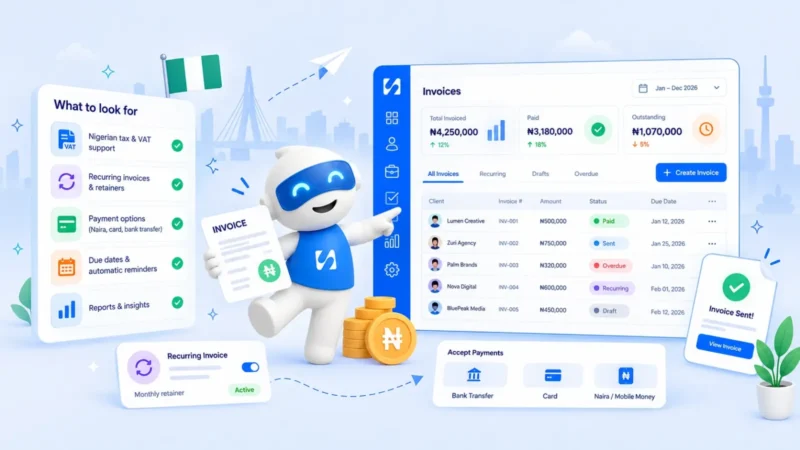
What to look for in an invoicing app
Fast invoice creation
You should be able to pick a customer, add line items from saved products or services, and send in under a minute. Tax, discount and totals should calculate as you type. If you have to rebuild every invoice from scratch, you’ll put it off.
A pay button on the invoice
This is the single biggest feature. When the customer can pay by card, bank transfer or mobile money from the invoice itself, you remove a step. Check which payment providers the app supports where you and your customers are, and what the fees are.
Clear tracking of who owes you
You want a list of open invoices by status (sent, viewed, partially paid, overdue, paid) and a total of what’s outstanding, without building a spreadsheet.
Reminders
Look for one-click reminders at least, and scheduled reminders before and after the due date if possible. Check you can edit the wording, because a friendly personal note usually works better than a stiff template.
Quotes and recurring invoices
If you quote before you invoice, it saves time when an accepted quote becomes an invoice without retyping. If you bill the same clients every month, look for recurring invoices.
Partial payments and deposits
Many small businesses take a deposit upfront and the balance later. The app should record part-payments and show the balance due.
Multi-currency
If you have clients abroad, check you can invoice in their currency and get paid in it without losing too much on conversion.
Export and accountant access
At year end, your accountant needs your invoices and payments. Make sure you can export them, or that the app works with your accountant’s software.
Best invoicing app for small business: options compared
Here are well-known invoicing apps, with prices exactly as each company publishes them on its own site (checked in September 2026). Many run introductory discounts, so the table shows the regular listed price where one is given. Prices change and vary by country, so check before you sign up.
| App | What it is | Free plan | Published starting paid price |
|---|---|---|---|
| Wave | Accounting and invoicing for small businesses | Yes: unlimited estimates and invoices | Pro US$19 a month billed monthly, or US$190 a year |
| Zoho Invoice | Invoicing for small businesses and freelancers | Yes: 500 invoices a year, 2 users | Free |
| Invoice Ninja | Invoicing and payments | Yes: up to 5 clients | Pro US$14 a month billed monthly, or US$140 a year |
| FreshBooks | Online accounting and invoicing | No, 30-day free trial | Lite US$23 a month billed monthly, up to 5 billable clients |
| Bonsai | Client management and invoicing for freelancers | No, 7-day free trial | Basic US$9 per user a month billed annually |
| QuickBooks Online | Accounting software with invoicing | Limited free tier | Simple Start US$38 a month billed monthly |
| Xero (UK) | Accounting software with invoicing | No | Ignite £18 a month billed monthly, excluding VAT, 20 invoices |
Payment providers also offer invoicing, charging per payment rather than per month:
- Square Invoices: included on Square’s free plan; customers pay by card or bank transfer (ACH), and you pay per payment at the rates on Square’s fees page.
- PayPal: sending invoices is included with a business account, and fees apply when the customer pays; see PayPal’s merchant fees page for your country.
- Stripe Invoicing: charged per paid invoice, on top of Stripe’s payment fees; see Stripe Invoicing pricing for current rates.
For a wider comparison built around service businesses, see our list of the best invoicing software.
Free invoice app or paid: how to decide
A free invoicing app is often enough when you are starting out. The limits to watch are the number of invoices, clients or users, whether you can take card payments, and whether reminders and recurring invoices are included. Also check how payments are charged, because payment fees come on top of any subscription.
A quick way to compare: estimate how much you’ll invoice through the app in a year, work out the payment fees on that amount, and add twelve months of any subscription. The lowest total, for the features you need, wins. If you only send a handful of invoices, our free invoice generator may be all you need for now.
Invoicing app types: which one fits you?
Invoicing-only apps
Simple, cheap or free, and quick to learn. Good for freelancers and very small businesses that just need to bill and get paid. You’ll still need somewhere else for customers, bookings and follow-ups.
Accounting software with invoicing
QuickBooks, Xero, Wave and FreshBooks combine invoicing with bookkeeping, bank feeds and tax reports. Good if you want one place for the numbers your accountant needs. They cost more and take longer to learn.
Payment-provider invoicing
Square, PayPal and Stripe let you invoice from the same place you take payments. Good if you already use one of them, though the invoicing features are usually basic.
All-in-one business apps
These connect invoicing to your customer list, bookings, quotes and projects, so an invoice starts from a booking or accepted quote without retyping. Good for service businesses that want fewer apps. Contractors have extra needs such as job costing and progress billing, covered in our guide to invoicing software for contractors.
How to get paid faster with any invoicing app
The app is only half of it. These habits make a difference whichever tool you choose.
- Agree terms before you start. Put your payment terms, deposit and late payment policy in the quote or contract, so the invoice is never a surprise.
- Invoice the same day. Send the invoice when the work is delivered, not at the end of the month. The longer you wait, the less urgent it feels to the customer.
- Use short, clear terms. “Due in 7 days” or a specific date is clearer than “net 30” for many small customers.
- Make it easy to pay. Offer the payment methods your customers actually use, and put the pay button or bank details at the top, not buried at the bottom.
- Describe the work plainly. “Logo design, 3 concepts and 2 rounds of changes” gets approved faster than “Design services”.
- Send to the right person. In larger companies, ask who approves invoices and whether you need a purchase order number on it.
- Follow up on a schedule. A friendly reminder a few days before the due date, another on the day, and firmer ones after. Being consistent matters more than being clever.
- Say thank you. A short thank-you when an invoice is paid keeps the relationship warm and makes the next invoice easier.
Five questions to ask before you choose
- How do my customers want to pay? Card, bank transfer, mobile money, PayPal? Choose an app that supports it where you are.
- How many invoices do I send a month? This decides whether a free plan’s limits will bite.
- Do I quote first? If so, look for quotes that convert to invoices.
- Do I need it to talk to my accountant’s software? Ask your accountant before you choose.
- What else do I use to run the business? If invoices start from bookings, jobs or projects, an app that connects them saves time every week.
How startbuddi handles invoicing
startbuddi’s invoicing sits inside Money Manager, next to your customers, bookings and quotes. It is not accounting software: there is no general ledger, bank reconciliation or tax filing, so keep your accountant’s software for that.
You create an invoice for an existing contact or a one-off recipient, add line items, tax and discount, and set the currency. Turn on online payment and customers get a public invoice page with a pay button for Paystack (card, bank transfer, USSD or mobile money) or Stripe (card), plus your bank transfer details. When they pay online, the invoice is marked paid automatically. For money that arrives another way, “Record payment” handles full or partial payments.
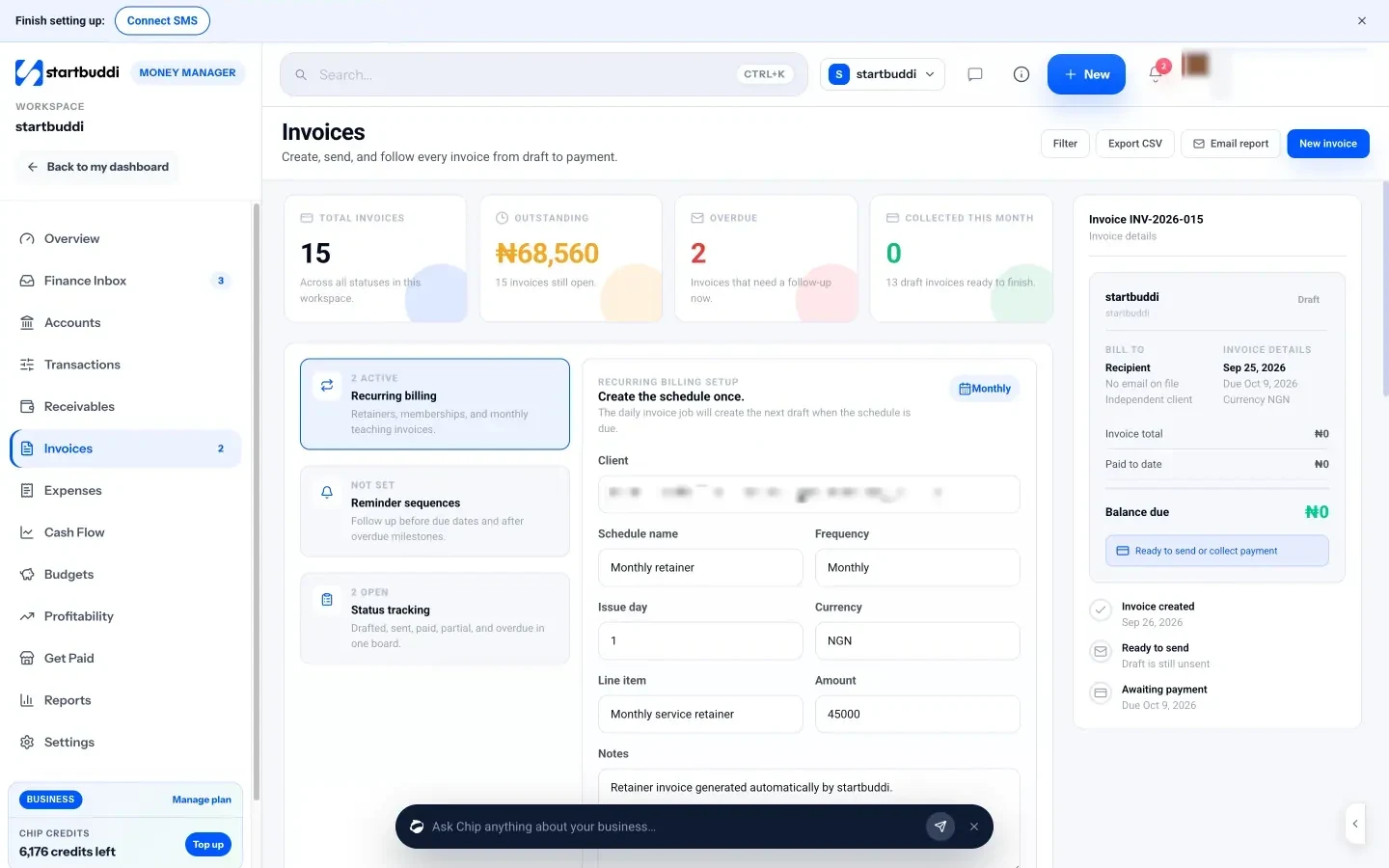
Receivables shows who owes you, what is due soon and what is overdue, with a Remind button on each open invoice and Chip’s suggestion of which invoice to chase first. Chip can also draft a personal reminder message for you to send.
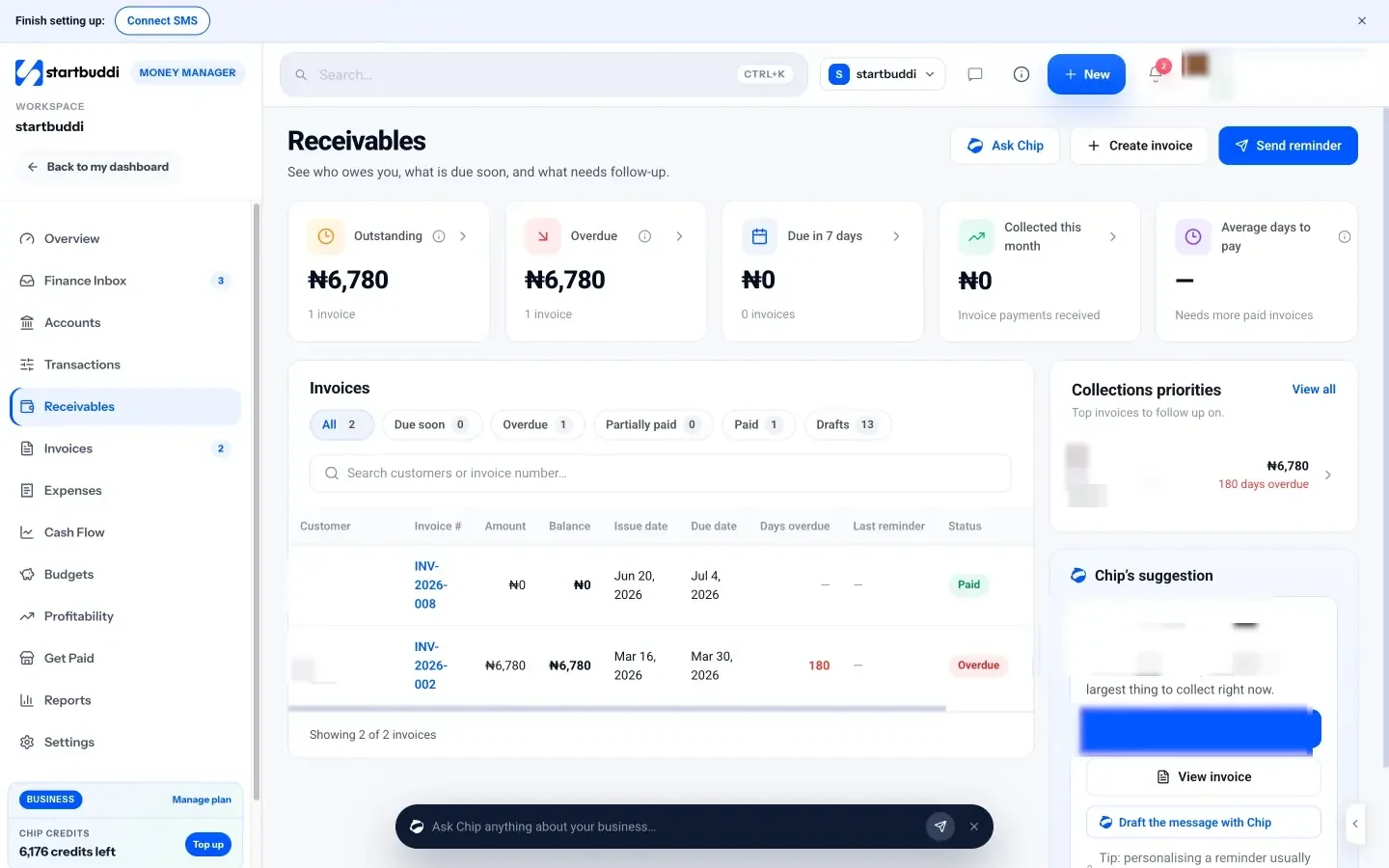
Before the invoice, estimates let you price the job, send it, mark it accepted, and convert it to an invoice with the same line items. You can also create an invoice straight from a booking. For one-off payments without a full invoice, Get Paid has payment links.
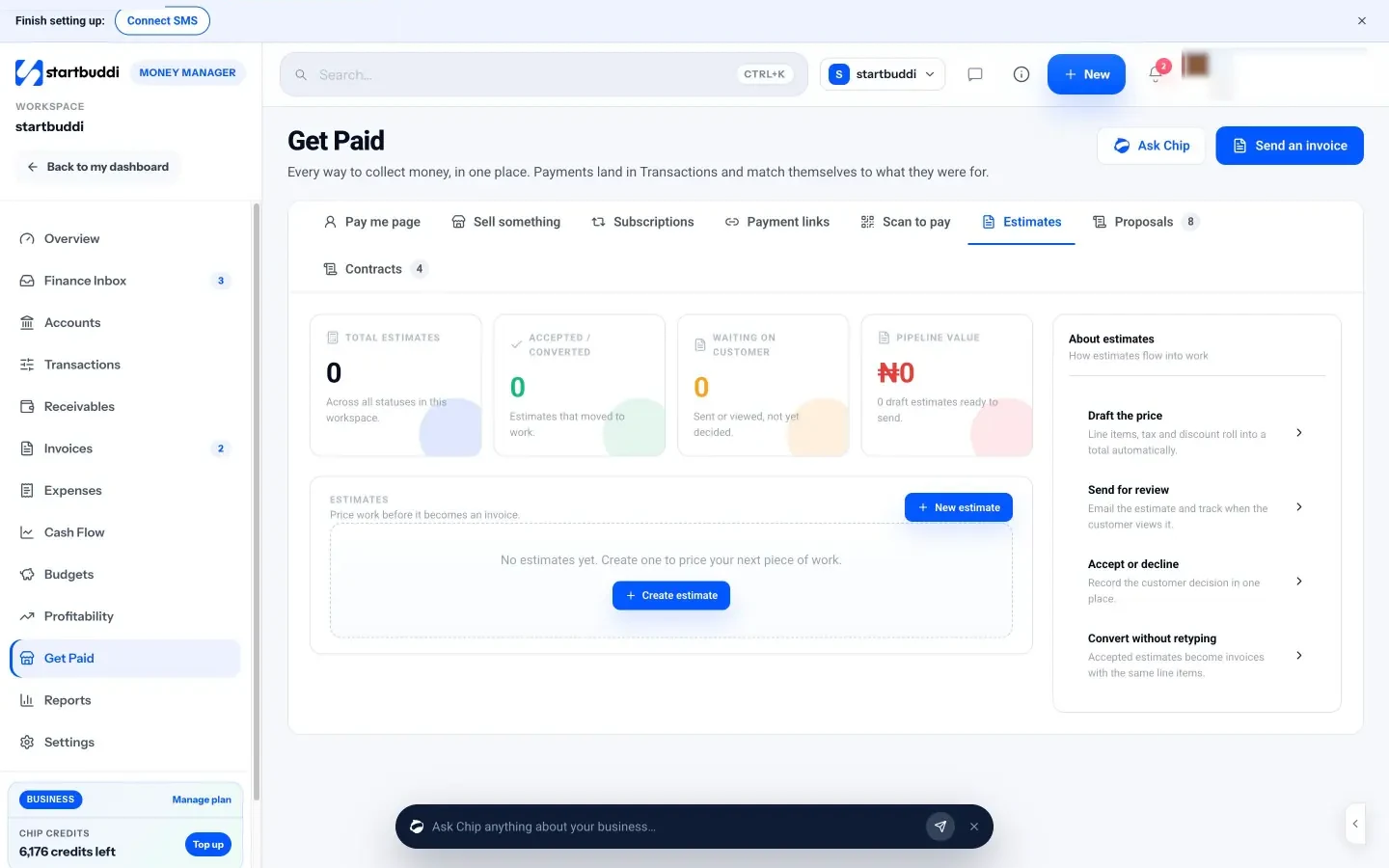
The Free plan includes 5 invoices a month. Starter unlocks unlimited invoices (see pricing), and every paid plan has a 30-day trial. See how it compares in startbuddi vs Wave.
Your next step
Look at your last ten invoices and count how many days each took to get paid. If the average is longer than your payment terms, the fix is usually a pay button and a reminder, not a new pricing plan. Choose an app from the table that fits how your customers pay, send your next invoice from it the day the work is done, and compare startbuddi plans on the pricing page if you want invoicing connected to the rest of your business.
Sources
- GOV.UK: Largest crackdown on late payments in over 25 years (May 2026)
- Atradius: B2B payment practices trends in North America 2025
- GOV.UK: Invoices, what they must include
- HMRC: VAT guide (VAT Notice 700)
- IRS: How long should I keep records?
- GST Council: e-invoicing notification 10/2023
- Wave pricing
- Zoho Invoice pricing
- Invoice Ninja pricing
- FreshBooks pricing
- Bonsai pricing
- QuickBooks Online pricing
- Xero UK pricing
- Square fees
- PayPal business fees
- Stripe Invoicing pricing
Frequently asked questions
What is the best invoicing app for a small business?
It depends on how you work. Freelancers often do well with a free invoicing app, while businesses that quote, book and invoice benefit from an app that connects those steps. Compare payment options and fees first.
Is there a free invoice app for small business?
Yes. Wave, Zoho Invoice and Invoice Ninja all have free plans, and payment providers like Square and PayPal let you send invoices free and charge only when you are paid.
Can an invoicing app replace accounting software?
Not usually. Invoicing apps handle billing and payments, while accounting software handles bookkeeping, bank reconciliation and tax reports. Many small businesses use both.
Do invoicing apps send payment reminders?
Most offer reminders, either one click or scheduled. Check whether you can edit the wording and when reminders go out before relying on them.
Tiwalade Joanna Okedara-Kalu is the founder, CEO and CTO of startbuddi, the business system that brings clients, bookings, invoices, projects, marketing and the Chip AI assistant into one place. Tiwalade builds software around how service businesses really work day to day, and writes about client management, getting paid on time and why small businesses outgrow the tools they start with.
Founded startbuddi and leads its product and engineering