On-page optimization service: what it includes and how it brings in more enquiries
What an on-page optimization service covers, why it turns visitors into enquiries, a checklist you can do yourself, and how to choose a provider if you hire one.


Chinonye wrote this while on the startbuddi team. The product has changed since, so the team updated it on .
- An on-page optimization service improves the parts of your pages you control, such as titles, descriptions, headings, content, internal links, speed, mobile layout and calls to action, so the right people find you and then get in touch. You can do the basics yourself with Google's free guidance; hire help for audits, larger sites or when time is short.
An on-page optimization service improves the parts of your website you control directly: page titles, descriptions, headings, content, internal links, images, speed, mobile layout and the calls to action that turn a visitor into an enquiry. Done well, it helps search engines understand what each page is about, so the right people find it, and it makes those people more likely to get in touch once they arrive. You can do much of it yourself with free guidance from Google, or hire a specialist when time or skills are short.
This guide explains what the work includes, why it matters so much for enquiries, a checklist you can run on your own site this week, and what to look for if you decide to hire help. It is written for service businesses, shops and freelancers whose website should be bringing in customers but isn’t.
What is on-page optimization?
SEO (search engine optimisation) is usually split into three parts:
- On-page: everything on the page itself, including words, headings, titles, images, links and layout.
- Technical: how the site is built and served, including speed, mobile support, indexing and site structure.
- Off-page: signals from elsewhere, such as links from other websites, reviews and your Google Business Profile.
An on-page optimization service focuses on the first part and usually touches the second. It is often the best place to start, because it is fully in your control and every improvement also helps the people reading the page, not just search engines. Google’s own SEO Starter Guide makes the same point: create content that is useful to people first.
Why on-page work turns into enquiries
Many owners assume the problem is traffic. Often it isn’t. Picture someone searching for “wedding photographer in Leeds” or “accountant for freelancers in Lagos”. They see your result, click, and within seconds decide whether to stay. If the page is slow, vague or doesn’t show a clear next step, they go back and click the next result.
On-page optimisation works on both halves of that moment:
- Being chosen in the results. A clear title and description that match what the person searched for earn the click.
- Being chosen on the page. A page that loads quickly, answers the question and makes it easy to book, call or enquire earns the enquiry.
That’s why a good service looks at calls to action and forms, not just keywords. Rankings without enquiries don’t pay the bills.
What an on-page optimization service usually includes
| Area | What is checked or improved |
|---|---|
| Keyword and intent mapping | Which search each page should answer, so pages don’t compete with each other |
| Title tags | Unique, descriptive titles for every page |
| Meta descriptions | Short, accurate summaries that encourage the click |
| Headings and structure | One clear main heading, logical sections, scannable layout |
| Content | Answers the searcher’s question, shows expertise, covers prices, areas and process where relevant |
| Internal links | Links between related pages with descriptive link text |
| Images | Compressed files, descriptive alt text, sensible file names |
| Speed and mobile | Load time, layout shifts and how the page works on a phone |
| Calls to action | Clear buttons, visible contact details, short forms, booking links |
| Structured data | Markup that helps search engines understand things like your business details and FAQs |
A good provider should also measure before and after: search impressions and clicks in Google Search Console, and enquiries from each page.
A do-it-yourself on-page checklist
You don’t need a specialist to fix the basics. Work through your five most important pages, usually the homepage, main service pages and contact page, with this list.
1. One page, one search
Decide the main thing each page should be found for, in the words a customer would type. “Emergency plumber in Croydon” is clearer than “plumbing solutions”. If two pages target the same phrase, merge them or give each its own angle.
2. Titles that say what the page is
Google recommends that every page has a title that is descriptive, concise and unique, and warns against stuffing it with repeated keywords, in its guidance on title links. A pattern that works for most service pages is “Service in Place | Business name”.
3. Descriptions that earn the click
Google often builds the snippet under your title from the page content, but it can use your meta description when that describes the page better, according to its snippet documentation. Write a unique one or two sentences per page that say what the visitor gets. Long strings of keywords are less likely to be shown.
4. Headings a skimmer can follow
Use one main heading that matches the title’s promise, then section headings for the questions customers ask: what’s included, how much it costs, how it works, which areas you cover, what others say.
5. Content that answers real questions
List the ten questions customers ask you most, on calls and in messages. Answer them on the relevant pages. Include specifics: prices or price ranges, areas served, timings and what happens after someone gets in touch. Specific pages are more useful to readers and give search engines more to understand.
6. Fast on a phone
Many people search for local services on their phones, often while on the move. Google’s Core Web Vitals guidance suggests aiming for the main content to load within 2.5 seconds, pages to respond to taps in under 200 milliseconds, and a layout shift score below 0.1. In practice, compress images, remove heavy scripts you don’t need and test your key pages on your own phone over mobile data.
7. Internal links with clear words
Link from your homepage and blog posts to your service pages using descriptive text such as “our bathroom renovation service”, not “click here”. It helps visitors move on and helps search engines understand how pages relate.
8. Images that pull their weight
Use real photos of your work where you can. Compress them, give them descriptive file names and alt text that says what the image shows.
9. A next step on every screen
Put a clear call to action near the top, after key sections and at the end: book a call, get a quote, message us on WhatsApp. Keep enquiry forms short, with just the details you need to reply well. Show your phone number and service area in the header or footer.
10. Measure
Connect Google Search Console to see which searches show your pages and how often people click. Track enquiries by page, so you know which changes worked. Our round-up of SEO tools for small business covers free and paid options for checking your pages.
An example: one service page, before and after
Here is what on-page work looks like on a typical service page for a small, made-up cleaning company in Johannesburg.
Before
- Title: “Home | Sparkle”
- No meta description, so the snippet showed a cookie notice.
- Main heading: “Welcome to our website”.
- One paragraph about “quality cleaning solutions”, no prices, no areas.
- A large slider of stock photos that took several seconds to load on mobile.
- A contact form with nine required fields at the very bottom.
After
- Title: “Home cleaning in Randburg and Sandton | Sparkle Cleaning”.
- Meta description: “Weekly and one-off home cleans in Randburg and Sandton. Vetted cleaners, prices from the first message, book online in two minutes.”
- Main heading: “Home cleaning in Randburg and Sandton”, followed by sections for what’s included, prices, areas covered and how booking works.
- Three real photos, compressed, with descriptive alt text.
- A “Get a quote” button at the top and after each section, and a four-field form asking only for name, phone, suburb and home size.
None of these changes needs a developer. Together they make the page easier to find for the searches it deserves, and much easier to act on once someone arrives. For more on the design side, see our guide to a high-converting website.
Should you hire an on-page optimization service?
Doing it yourself makes sense when your site is small, you know your customers’ questions well and you can set aside a few hours a month. Hiring help makes sense when:
- Your site has dozens of pages, or several locations or services competing with each other.
- Technical problems such as slow templates or indexing issues need a developer.
- You’ve made the basic fixes and want a deeper audit and content plan.
- You simply don’t have the time, and your website is an important source of work.
How to choose a provider
- Ask what they’ll check and ask for a sample audit. It should be specific to pages, not a generic score.
- Ask how they measure success. Look for search impressions, clicks and enquiries, not just rankings for a handful of phrases.
- Be wary of guarantees. Google’s guidance on hiring an SEO says plainly that no one can guarantee a number one ranking.
- Check who does the writing. Content should sound like your business and answer your customers’ questions, not read like it was written for a robot.
- Agree ownership. Make sure you keep full access to your site, analytics and Search Console.
Prices vary widely by country, provider and site size, so ask two or three providers to quote against the same list of pages and tasks.
On-page optimisation for local businesses
If you serve a local area, on-page work goes hand in hand with local search. Put your business name, address or service area and phone number on your site in the same format everywhere, create a page for each main service and area you genuinely cover, and link to your Google Business Profile. Avoid creating near-identical pages for dozens of towns you don’t really serve, as thin copies help nobody. Our guides on local SEO for small business and setting up your Google Business Profile cover the off-page side.
Common on-page mistakes
- The same title on every page, often just the business name.
- A homepage that tries to rank for everything instead of separate pages for separate services.
- Beautiful but slow pages, with huge images and sliders that take seconds to load on mobile.
- No price information at all, which sends price-sensitive visitors back to search.
- Contact forms with ten required fields, which stop enquiries at the last step.
- Keyword stuffing, which reads badly and can hurt more than it helps.
For more on pages that turn visitors into customers, see common website mistakes.
How startbuddi helps with on-page basics
To be clear, startbuddi isn’t an SEO agency, and it won’t write your strategy for you. What it does is give the pages you publish with it the on-page basics, and connect every enquiry to your contacts.
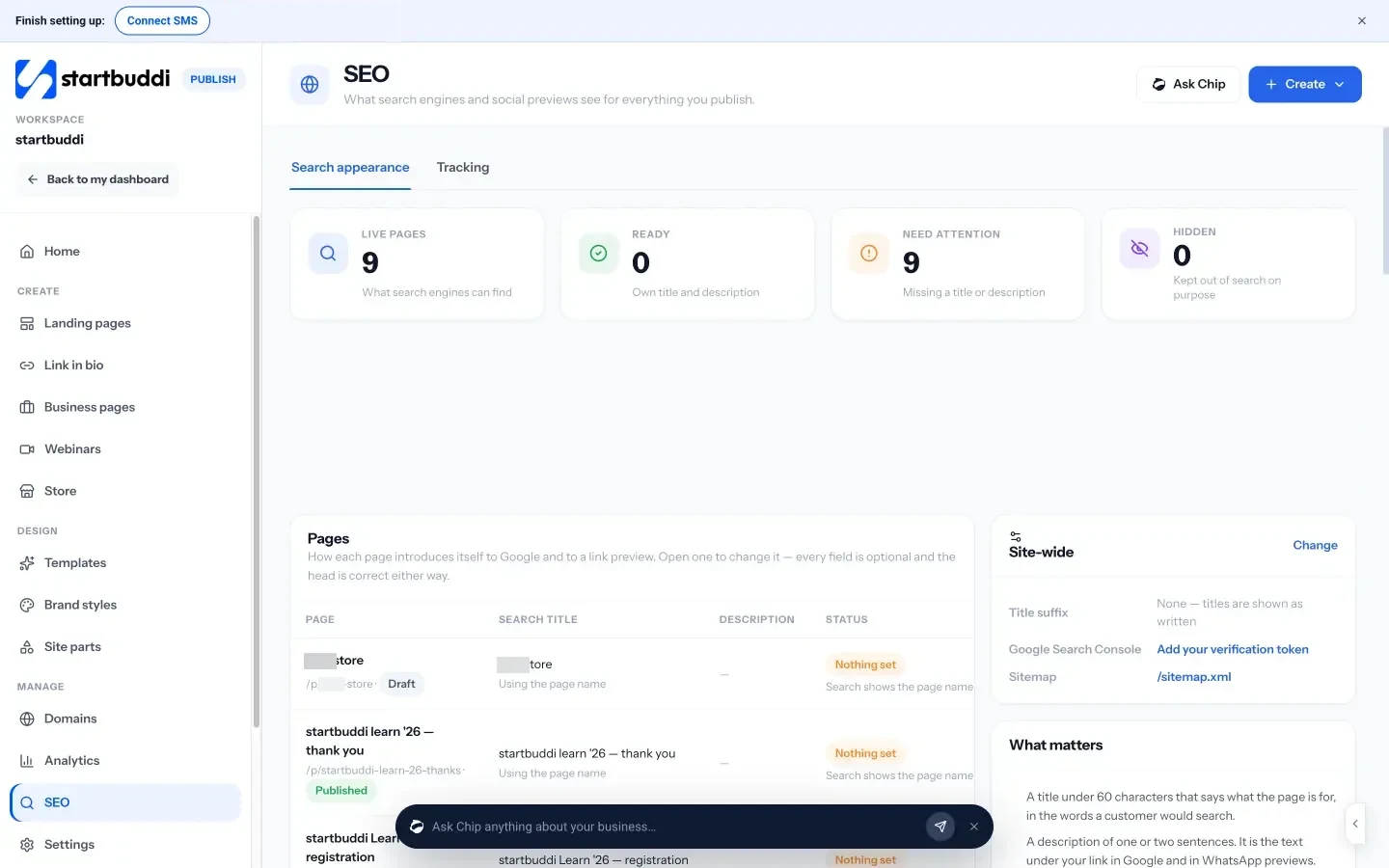
- SEO overview. The SEO screen in Publish lists every live page with its search title, description and status, so you can see which pages are missing a title or description and fix them. It also has a “What matters” guide: a title under 60 characters, a description of one or two sentences, a share image and your own domain.
- Site-wide settings. Add a title suffix, your Google Search Console verification token and see your sitemap. The Tracking tab takes Google Analytics, Google Tag Manager and Meta Pixel IDs.
- A publish check. Before a page goes live, a checklist flags a missing SEO title or meta description, broken links, images without descriptions, a missing social image and whether a form is connected. They are suggestions, not blockers.
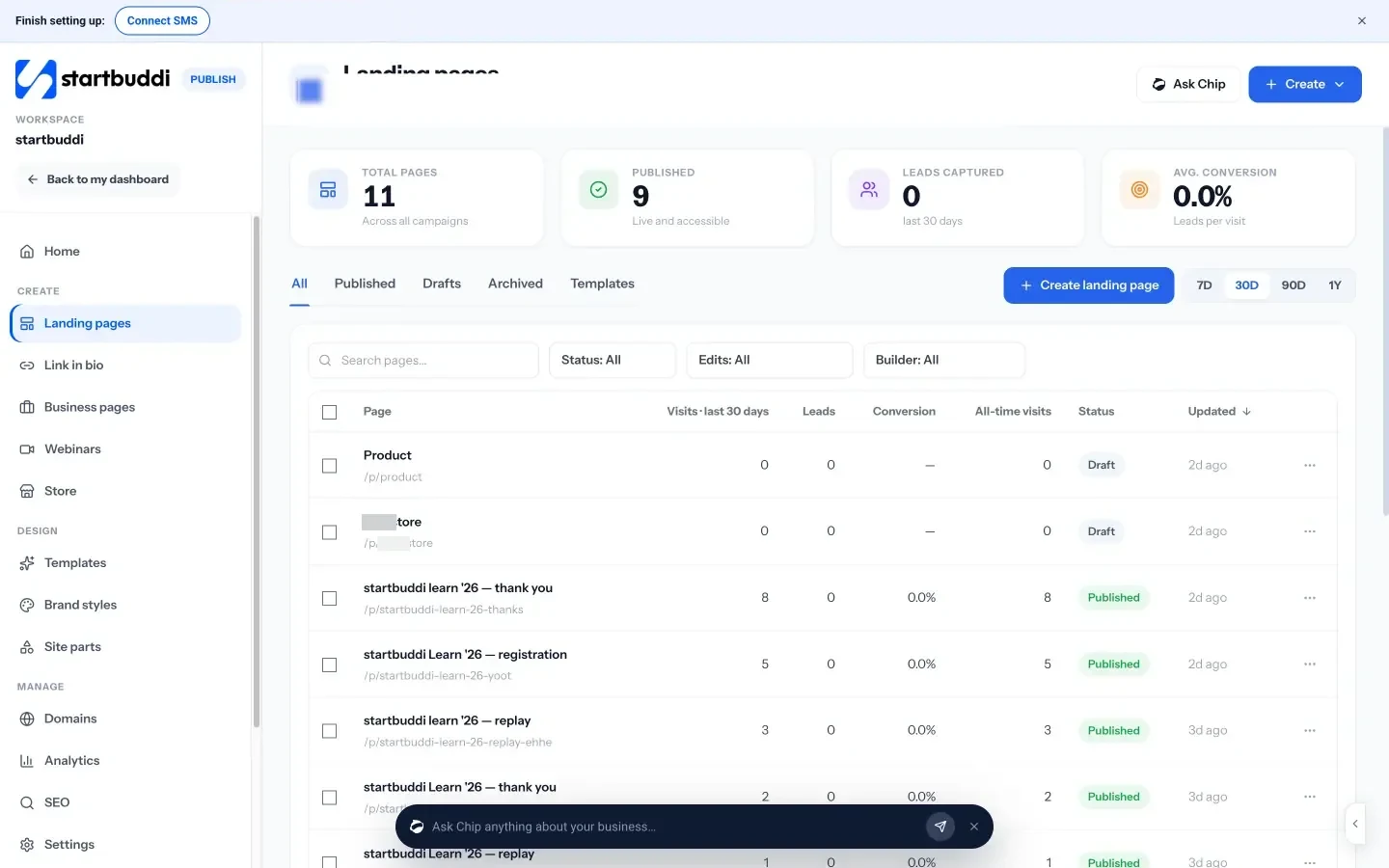
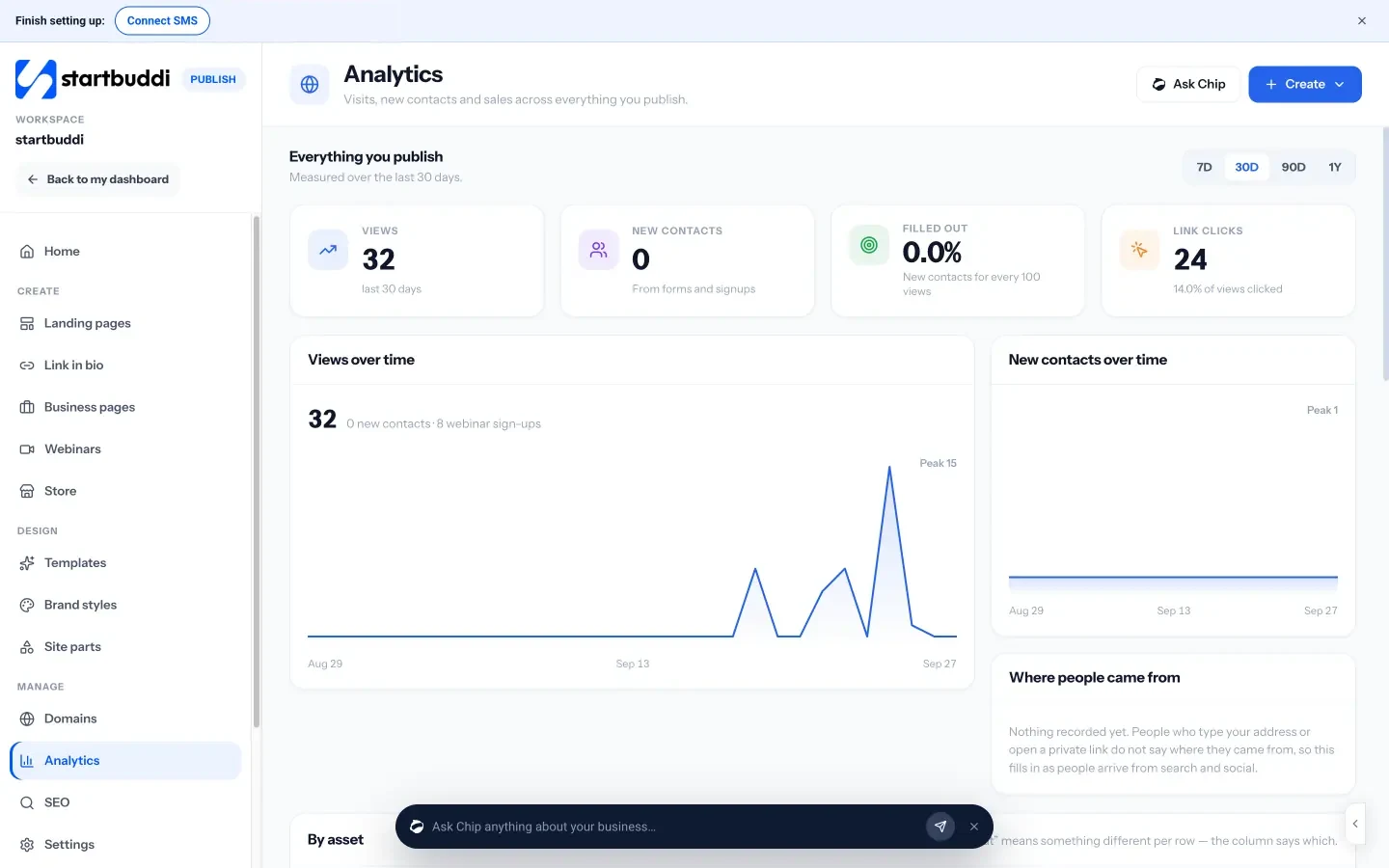
- Pages that capture enquiries. Landing pages can include forms, and every submission creates or updates a contact with its source, so follow-up can start straight away.
You can start on the Free plan and see what each paid plan adds on the pricing page.
Your next step
Pick your single most important service page and run the ten-point checklist on it today. Fix the title, description and call to action first, since those are quick. Then connect Google Search Console so you can see the effect over the next few weeks.
Sources
- Google Search Central: SEO Starter Guide
- Google Search Central: Influencing your title links
- Google Search Central: Control your snippets in search results
- Google Search Central: Understanding Core Web Vitals
- Google Search Central: Do you need an SEO?
Frequently asked questions
What does an on-page optimization service include?
Usually keyword and intent mapping, titles, meta descriptions, headings, content improvements, internal links, image optimisation, speed and mobile checks, calls to action and structured data.
How long does on-page SEO take to show results?
It varies with your site, competition and how often search engines revisit your pages. Measure impressions and clicks in Google Search Console over several weeks rather than expecting overnight changes.
Can I do on-page optimisation myself?
Yes, the basics. Google's free guidance and Search Console cover most of what a small site needs. Hire help for larger sites, technical problems or when time is the real constraint.
What is the difference between on-page and off-page SEO?
On-page covers changes on your own pages, such as content, titles and links. Off-page covers signals from elsewhere, such as links from other sites, reviews and your Google Business Profile.
SEO Copywriter| Email growth Specialist| I help businesses increase revenue with strategic SEO content & high-converting email funnels.