Resource Scheduling: Definition, Examples and How It Works

Resource scheduling is assigning the people, rooms and equipment a piece of work needs to specific times, so each resource is booked only once and every job has what it needs when it starts. So what is resource scheduling in a small business?
Resource scheduling is assigning the people, rooms and equipment a piece of work needs to specific times, so each resource is booked only once and every job has what it needs when it starts. So what is resource scheduling in a small business? Deciding who does which job, when, and with what, before clients are promised a time.
Key takeaways
- A resource is anything with limited time: a person, a room, a vehicle or a piece of equipment.
- Resource scheduling decides specific times; resource planning decides how much capacity you need over weeks or months.
- A job is only schedulable when every resource it needs is free at the same time.
- Your real capacity is set by your scarcest resource, which often isn’t people.
- Small teams can schedule well with clear working hours, blocked time, buffers and one shared view of who is busy.
Why resource scheduling matters for a small business
Small businesses run close to capacity, and one clash costs a client. An IT support company promises an onsite visit at 10:00, then finds the only engineer with the right certification is already at another client, or the network tester is in someone’s car across town. The client waits, the engineer rushes, and the next three jobs slip.
Good resource scheduling turns those surprises into decisions made in advance. It also shows where to invest: if jobs keep waiting for the same piece of kit, a second one may pay for itself faster than a new hire.
What is resource scheduling, and how does it work?
Types of resource
| Resource | Example in an IT services firm | What limits it |
|---|---|---|
| People | Engineers, a project manager, a trainer | Working hours, skills, leave, travel time |
| Rooms | A training room, a meeting room, a repair bench | One booking at a time |
| Equipment | A network tester, a loan laptop, a server rack | One location at a time, maintenance |
| Vehicles | The company van | Fuel, distance, one driver |
The basic steps
- List what each job needs. An onsite network check needs one certified engineer, the network tester and two hours plus travel.
- Know each resource’s availability. Working hours, leave, maintenance and anything already booked.
- Find a time when everything is free together. This is the core of scheduling: the engineer free at 10:00 doesn’t help if the tester isn’t.
- Book it, and protect it. Mark each resource as taken so nobody else books it, and add buffer time for travel and overruns.
- Adjust when things change. Sickness, a late client or a failed device means moving work and telling clients early.
Larger platforms automate this matching. Microsoft’s overview of Universal Resource Scheduling in Dynamics 365 (checked on 1 October 2026) describes assigning the best resources to jobs based on availability, skills, location and other factors, using a schedule board. At the simpler end, Google Calendar lets organisations set up rooms and shared spaces as bookable calendars (checked on 1 October 2026), which are booked by adding them to an event like a guest.
Resource scheduling vs resource planning
Resource planning looks ahead: how many engineers will we need next quarter, and do we need another van? Resource scheduling is the daily and weekly work of putting named resources against specific times. Planning without scheduling gives you the right team with a messy diary; scheduling without planning gives you a tidy diary that’s always full.
Example: finding the real bottleneck
An IT support company in Lagos has three engineers and two network testers. Every onsite installation needs one engineer and one tester for a two-hour slot. The working day is 08:00 to 17:00 with an hour for lunch, so each engineer and each tester can cover four two-hour slots a day. These figures are illustrative.
| Resource | Number | Slots each a day | Slots a day in total |
|---|---|---|---|
| Engineers | 3 | 4 | 12 |
| Network testers | 2 | 4 | 8 |
| Onsite installations possible a day | 8 (limited by testers) |
Hiring a fourth engineer wouldn’t add a single installation, because the testers are already full. Buying a third tester would raise capacity from 8 to 12 installations a day. At ₦80,000 per installation, those four extra slots are worth up to ₦320,000 a day in revenue, if the demand is there. That’s the kind of answer resource scheduling makes visible.
Common mistakes with resource scheduling
- Scheduling people but not kit. The job is booked, the engineer turns up, the equipment is elsewhere.
- No travel time. Back-to-back onsite visits across Lagos traffic look fine on paper and fail by 11:00.
- Calendars that don’t agree. If bookings live in one app and meetings in another, read our entry on calendar sync before trusting either to show real availability.
- Ignoring leave. A schedule built before someone’s annual leave is approved creates a double booking of one person.
- Uneven load. The same two people get every job because they’re quickest to say yes. Round robin scheduling spreads bookings fairly.
If you still schedule from a whiteboard or spreadsheet, our article on manual scheduling explains where that breaks down.
How startbuddi handles resource scheduling
startbuddi schedules people, not rooms or equipment. It doesn’t keep separate booking calendars for rooms, vans or devices, so if a job depends on shared kit, track that kit separately.
For people, it covers the two halves of the job:
- Client appointments, in Bookings. Each team member sets their own working hours, and bookings are shared round robin between the hosts on a service, so clients see the next available host. Each member can pause new bookings, you can cap bookings per day on a service, and buffers add time after each appointment. Block time stops bookings for everyone or for one person during lunch, training or holidays. Bookings are added to Google Calendar one way, so block busy time in startbuddi too.
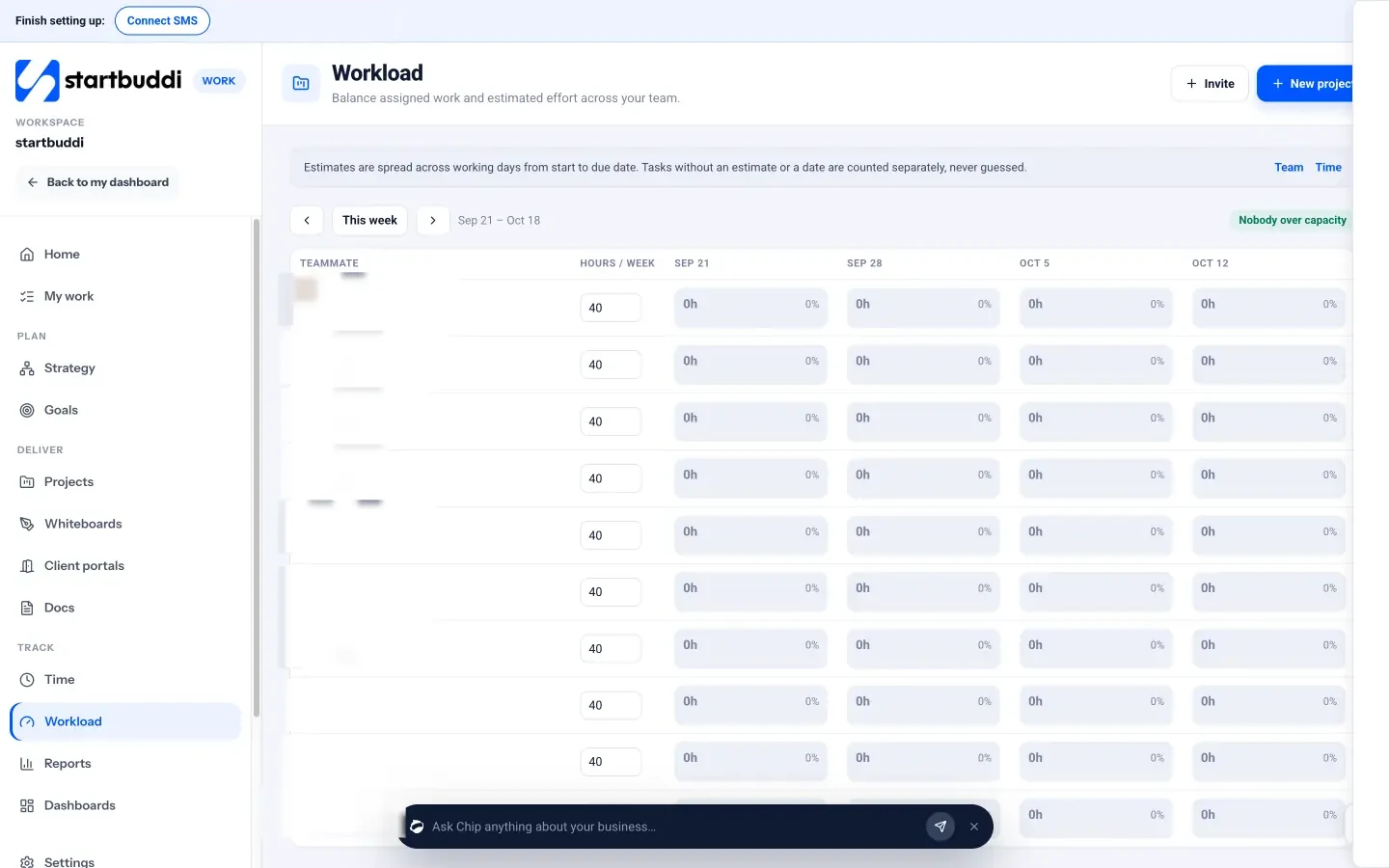
- Project work, in Work. The Workload view shows each teammate’s hours a week against their capacity, built from task estimates and dates, and flags anyone over capacity so you can reassign a task. It’s visible to managers, admins and owners.
A free plan is available. See pricing, how startbuddi Bookings and startbuddi Work handle scheduling, or project management for IT teams.
Related terms
FAQ
What is resource scheduling?
Resource scheduling is assigning people, rooms, equipment and other limited resources to specific times so the work can happen without clashes. A job can only be scheduled when every resource it needs is free at the same time.
What is the difference between resource scheduling and resource planning?
Resource planning works out how much capacity you'll need over the coming weeks or months, such as whether to hire. Resource scheduling assigns named resources to specific dates and times. Planning sets the size of the team; scheduling decides who does what, and when.
What counts as a resource?
Anything with limited time or availability: staff, contractors, meeting or training rooms, vehicles, tools and equipment. In a service business, people are the main resource, but shared equipment is often the real bottleneck.
How do small businesses schedule resources without special software?
Many start with a shared calendar per person and per shared item, clear working hours, blocked time for leave and travel, and a simple rule for who takes the next job. Once clients book online or several people share equipment, a booking tool with staff hours and round robin saves time and prevents clashes.
What is staff scheduling in resource scheduling?
Staff scheduling is resource scheduling for people: setting working hours, assigning shifts or appointments and accounting for leave and skills. It's usually the largest part of resource scheduling in a service business.
Tiwalade Joanna Okedara-Kalu is the founder, CEO and CTO of startbuddi, the business system that brings clients, bookings, invoices, projects, marketing and the Chip AI assistant into one place. Tiwalade builds software around how service businesses really work day to day, and writes about client management, getting paid on time and why small businesses outgrow the tools they start with.
Founded startbuddi and leads its product and engineering