Calendar Sync: Definition, Examples and How It Works

Calendar sync is the automatic copying of events between two calendars or apps, so a change in one shows up in the other without retyping it. So what is calendar sync worth checking before you connect a tool?
Calendar sync is the automatic copying of events between two calendars or apps, so a change in one shows up in the other without retyping it. So what is calendar sync worth checking before you connect a tool? Its direction: one-way sync only sends events across, while two-way sync also reads your busy times back.
Key takeaways
- Calendar sync can be one-way (events flow in one direction) or two-way (both calendars stay in step).
- Whether a booking tool reads your busy times is the detail that decides if it can prevent clashes.
- Connected accounts usually sync within seconds or minutes; calendar subscriptions by link can lag by hours.
- Importing a calendar file isn’t syncing: it’s a one-off copy that never updates.
- If your tool only syncs one way, block busy time in the booking tool itself.
Why calendar sync matters for a small business
Most owners keep more than one calendar: a work Google or Outlook calendar, a booking tool, maybe a shared team calendar and a phone calendar with school runs on it. Without sync, each one is a partial picture. A client books a slot your booking page thinks is free, and you discover the clash when two people turn up.
Sync also saves typing. Every booking that lands in your main calendar automatically, with the client’s name and the meeting link, is one less thing to copy across at 10pm.
What is calendar sync, and how does it work?
One-way and two-way sync
| Type | What happens | Good for | Watch out for |
|---|---|---|---|
| One-way (push) | Events from app A are added to calendar B | Seeing all your bookings in your main calendar | Events you add in B don’t affect A |
| One-way (read) | App A reads calendar B’s busy times | Stopping bookings when you’re busy | A doesn’t write anything back |
| Two-way | Both calendars write and read | One accurate diary everywhere | Permissions, duplicates if set up twice |
Three ways calendars connect
- A connected account. You sign in to Google or Microsoft from the other app and grant access. The app then reads or writes events through the calendar provider’s API. Google’s developer reference for free/busy queries (checked on 1 October 2026) describes a call that returns free and busy information for a set of calendars, which is how booking tools check your availability without reading event details.
- A subscription link (ICS or iCal). You paste a calendar’s web address into another calendar, which fetches it on a schedule. It’s read-only and slow: Microsoft’s guide to subscribing to a calendar in Outlook (checked on 1 October 2026) says updates should happen about every 3 hours in Outlook.com and every 6 hours in Outlook on the web, but can take more than 24 hours.
- An import. You upload a calendar file once. The same Microsoft guide calls this a snapshot that doesn’t refresh when the original changes, so it isn’t sync at all.
Checking availability is a separate switch
Even tools with a connected account may not check your calendar for clashes unless you ask them to. Google’s guide to appointment schedules (checked on 1 October 2026) has a separate “check calendars for availability” setting, and notes that by default it doesn’t check co-hosts’ availability. Always test: add a fake busy event, then see whether your booking page still offers that slot.
Example: one-way sync with numbers
An IT consultant in Toronto takes about 60 client sessions a month through a booking page, and every booking is pushed into her Google Calendar. Her booking tool syncs one way, so Google events don’t block slots. On top of client sessions, she adds about 12 meetings a month straight into Google: supplier calls, a networking lunch, a dentist appointment. These figures are illustrative.
| Item | Figure |
|---|---|
| Bookings pushed into Google each month | 60 |
| Events added directly in Google each month | 12 |
| Of those, inside her bookable hours | 8 |
| Possible clashes a month if she does nothing | Up to 8 |
| Time to block each one in the booking tool | About 1 minute |
| Time spent blocking a month | About 8 minutes |
Eight minutes a month removes every possible clash. The habit is simple: anything inside working hours goes into the booking tool as blocked time, and the sync carries it into Google with everything else. Adding buffer time between sessions covers overruns that no calendar can predict.
Common mistakes with calendar sync
- Assuming two-way. “Syncs with Google Calendar” often means push only. Read the tool’s own help page or test it.
- Connecting the wrong calendar. Bookings land in a personal calendar your team can’t see, or availability is checked against an empty one.
- Syncing twice. Connecting a calendar by account and by subscription link creates duplicate events.
- Relying on subscription links for availability. Hours of lag is long enough for a double booking.
- Forgetting time zones. Check each calendar’s time zone, especially when clients are in Lagos and London.
How startbuddi handles calendar sync
startbuddi Bookings connects to Google Calendar with your Google account. Bookings made in startbuddi are added to your Google Calendar as events, updated if they’re rescheduled and removed if they’re cancelled, and a Google Meet link can be created for video sessions. Clients also get a calendar invite with their confirmation, plus an Add to Google Calendar button after booking.
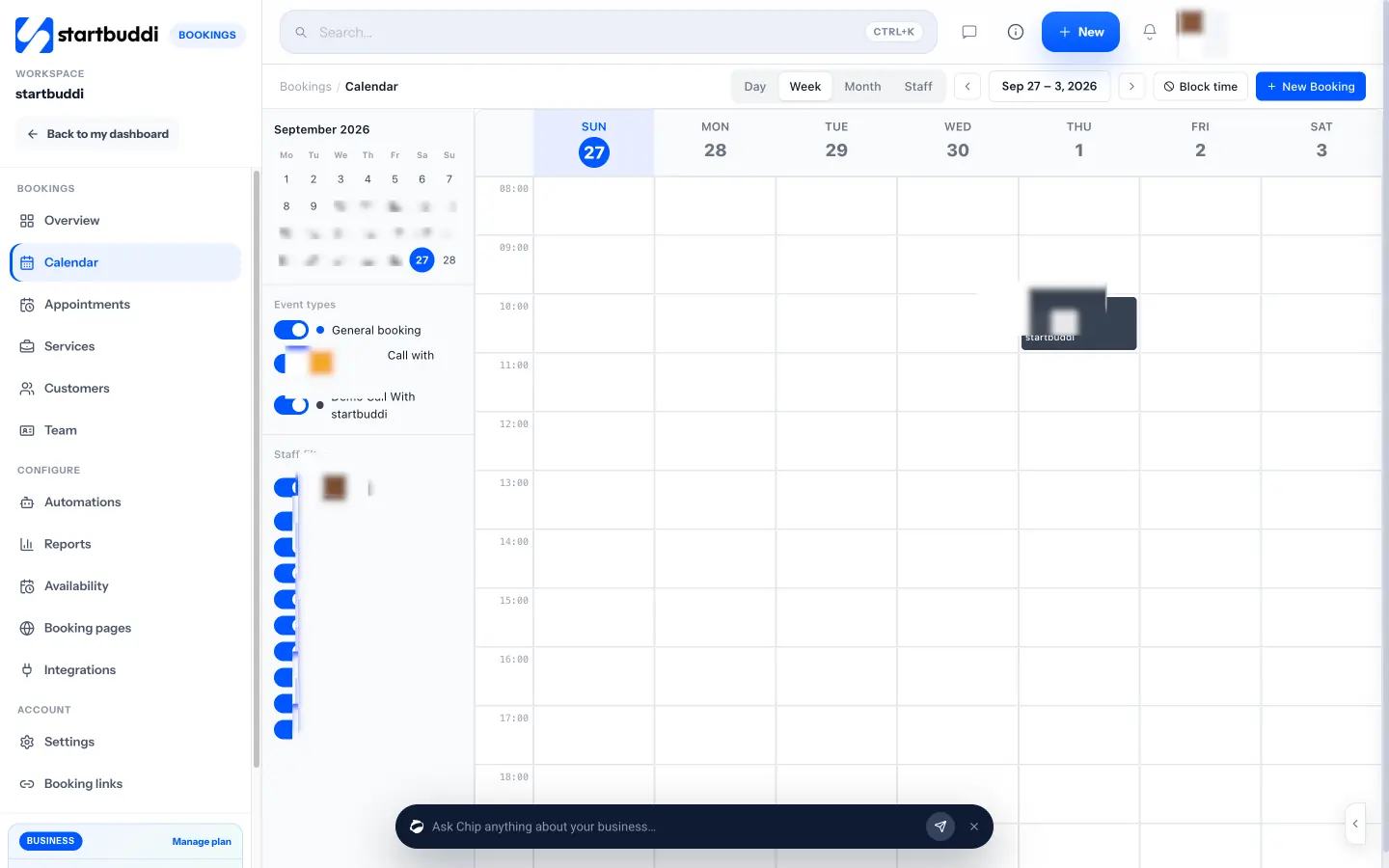
The sync is one way. Events you create directly in Google Calendar don’t block slots on your booking page. startbuddi prevents clashes between its own bookings and any time you block, so use Block time on the Bookings calendar for meetings, lunch, training or holidays, for everyone or for one staff member. The calendar booking system page explains the setup in more detail.
A free plan is available. See pricing, how startbuddi Bookings works, or startbuddi for IT teams.
Related terms
FAQ
What is calendar sync?
Calendar sync is the automatic copying of events between two calendars or apps, so a change in one appears in the other. It can run one way, where events flow in a single direction, or two ways, where both calendars stay in step.
What is the difference between one-way and two-way calendar sync?
One-way sync sends events in one direction only, for example from a booking tool into Google Calendar. Two-way sync also reads changes back, so busy events in your main calendar stop people booking those times. Two-way sync gives the most accurate availability but needs broader access to your calendar.
Why isn't my calendar syncing straight away?
If you added the calendar by a subscription link, it refreshes on a schedule rather than instantly; Microsoft says Outlook subscriptions can take more than 24 hours to update. Connected accounts are usually much faster. Check which method you used and whether the connection needs signing in again.
Does calendar sync prevent double bookings?
Only if the booking tool reads your busy times. A tool that pushes bookings into your calendar but doesn't read it can still offer a slot you've filled elsewhere. In that case, block busy times in the booking tool itself.
Is it safe to sync my work calendar with a booking tool?
Usually, if you connect through the official sign-in with Google or Microsoft and review the permissions requested. Tools that only check free and busy times see less detail than tools that read full events. Remove access for any app you stop using.
Tiwalade Joanna Okedara-Kalu is the founder, CEO and CTO of startbuddi, the business system that brings clients, bookings, invoices, projects, marketing and the Chip AI assistant into one place. Tiwalade builds software around how service businesses really work day to day, and writes about client management, getting paid on time and why small businesses outgrow the tools they start with.
Founded startbuddi and leads its product and engineering