Tools for solo founders: what you actually need (and what to skip)
The seven jobs every solo founder's tool stack has to cover, what good enough looks like at the start, and a lean sample stack you can set up in a weekend.



Photo: Skytech Aviation / Unsplash
- A solo founder needs seven jobs covered: getting paid, tracking customers, bookings or sales, getting found, organising work, documents and security. Keep your bank, password manager and accountant separate, and put the rest in one connected system so you aren't switching apps all day.
When you run a business alone, every tool you add is another login to check, another bill and another place for information to hide. The good news is that the list of tools for solo founders is shorter than the internet suggests. You need seven jobs covered: get paid, keep track of customers, let people book or buy, get found online, organise the work, store documents, and keep it all secure. Some of those can live in one system. A few, such as your bank and your password manager, should stay separate.
This guide walks through each job, what “good enough” looks like when you are just starting, the questions to ask before you pay for anything, and a sample stack you can set up in a weekend.
Why fewer tools beat more tools when you work alone
It is tempting to sign up for the “best” app for every job. The hidden cost is switching between them. A study reported in Harvard Business Review followed workers at three large companies and found they toggled between apps and websites around 1,200 times a day, spending just under four hours a week getting their focus back. That study was about big-company employees, but a solo founder is support, sales, finance and delivery at once, so the switching adds up quickly.
Three rules keep your stack lean:
- One home for customer information. Every enquiry, booking, invoice and conversation should point to the same customer record.
- Pay for problems, not possibilities. Add a tool when a real task is costing you time or money today, not because it might be useful one day.
- Always be able to leave. Check that you can export your contacts and records before you commit.
The 7 jobs your tools for solo founders must cover
Here is the whole picture at a glance. The sections below explain each one.
| Job | What you need at the start | Signs you need more |
|---|---|---|
| 1. Get paid | A business bank account, invoices and a way to take card or transfer payments | You chase the same late payers every month |
| 2. Keep track of customers | One contact list with notes and history | Leads fall through the cracks |
| 3. Let people book or buy | A booking link or a simple way to order | Endless “what time works?” messages |
| 4. Get found online | One page or link in bio, and a business email | People can’t find your prices or contact details |
| 5. Organise the work | A task list with due dates | You juggle several client projects at once |
| 6. Store documents | Proposals, contracts and templates in one place | You rewrite the same proposal every time |
| 7. Stay secure | A password manager and 2-step verification | You share logins with a helper or freelancer |
1. Getting paid: bank, invoices and payments
Money tools come first, because a business that can’t collect cash doesn’t last. You need three things.
- A separate business bank account. Mixing personal and business money is the fastest way to lose track of profit and make tax time painful. In Nigeria, you will usually need your business registered with the Corporate Affairs Commission to open one.
- Proper invoices. Numbered, dated, with your business details and clear payment terms. A good invoice gets paid faster.
- A way to take payment online. A card and bank transfer checkout on your invoice removes the “send me your account number” back and forth. In Nigeria that usually means a provider such as Paystack. Internationally, Stripe or PayPal are common.
What you don’t need yet: full accounting software with a general ledger. Most solo founders can track income and expenses themselves for the first year and hand clean records to an accountant at year end. Our guide to bookkeeping basics explains what to record.
2. Keeping track of customers
Your customer list is your most valuable asset, and it usually starts scattered across WhatsApp, email and a notebook. At the start, you need one list where each person has a name, a way to reach them, where they came from, and notes on what you discussed.
You don’t need a heavy sales system with forecasts and territories. You do need something that reminds you to follow up, because follow-up is where solo founders lose the most money. Our guide on how to follow up with leads covers the habit itself.
Questions to ask
- Can new enquiries from my form, booking page or chat land in the list automatically?
- Can I see a customer’s invoices and bookings on their record?
- Can I import my existing list from a spreadsheet?
3. Letting people book or buy
If you sell time (coaching, consulting, repairs, beauty, lessons), a booking link saves hours of messaging. Clients pick a service and a slot that suits both of you, and the tool confirms it and sends a reminder. Taking a deposit at the time of booking also cuts no-shows.
If you sell products, you need a simple way to take orders and payment. For many small sellers that starts as a payment link or a small online store rather than a full e-commerce site.
Before you choose, check whether the booking tool connects to your calendar and how that works. Some tools only push bookings out to your calendar and don’t read the busy times already in it, which matters if you book personal appointments elsewhere.
4. Getting found online
You don’t need a ten-page website on day one. You need one place that answers the four questions every customer has: what do you do, how much, why you, and how do I contact or book you.
- A single page or link in bio. If most of your customers find you on Instagram or TikTok, a link in bio page with your services, booking link and WhatsApp button does most of the work.
- A business email on your own domain. hello@yourbusiness.com looks more trustworthy than a free email address, and it helps your emails reach the inbox.
- A free Google Business Profile if you serve customers in a local area.
Social media scheduling and email marketing come later, once you have something worth saying regularly and a list of people to say it to.
5. Organising the work
A solo founder’s task list has two parts: client work with deadlines, and the business work that nobody pays you for but that keeps the lights on (sending invoices, posting, following up). Put both in one list with due dates, so neither gets forgotten.
If you run several client projects at once, group tasks by project and track what is due this week. If you bill by the hour, add time tracking so every billable hour ends up on an invoice. Our guide to time tracking for freelancers explains how.
6. Storing documents
Proposals, contracts, price lists and standard emails get rewritten far too often. Keep a small library of templates you reuse and adjust:
- A proposal template with your standard scope, timeline and prices.
- A service agreement or contract, reviewed once by a lawyer if the stakes are high.
- A client onboarding checklist, so every new client gets the same smooth start.
- A price list you can send in one tap.
Look for a way to send documents for e-signature, so contracts come back signed in hours, not weeks. You can start with our free business proposal template.
7. Staying secure
When you are the whole company, one hacked email account can take down everything, because it is the key to every password reset. The UK’s National Cyber Security Centre recommends that small organisations turn on 2-step verification for important accounts, starting with email, and use strong, separate passwords.
- Use a password manager so every login is unique and you never reuse a password.
- Turn on 2-step verification for email, banking, payment providers and your main business tools.
- Don’t share your own login with a helper. Give them their own account with limited access instead.
- Look after customer data. If you are in Nigeria, the Nigeria Data Protection Commission oversees how businesses collect and keep personal information.
Common mistakes when choosing tools
- Copying a big company’s stack. A 50-person startup needs tools you don’t. Their setup solves their problems, not yours.
- Stacking free trials. Five trials that end in the same month turn into five bills and five places your data is stuck. Try one tool at a time.
- Letting the tool decide the process. Decide how you want to handle an enquiry first (reply, quote, follow up, invoice), then pick the tool that fits that flow.
- Forgetting the phone. If you run the business from your phone, test every tool on your phone before you commit.
- Never reviewing. Put a reminder in your calendar every six months to list what you pay for and cancel anything you haven’t opened in a month.
A weekend plan to set it all up
You can get a working setup in two focused days.
- Saturday morning: money. Confirm your business bank account, connect a payment provider and create your invoice template with your logo and payment terms.
- Saturday afternoon: customers. Import or type in your current clients and open leads, with a note on where each one stands.
- Sunday morning: bookings and your page. Create your main services, set your working hours and publish one page or link in bio with your booking link on it.
- Sunday afternoon: work and security. Add this week’s tasks with due dates, save your proposal template, and turn on 2-step verification everywhere that matters.
A sample stack for your first year
Here is a lean setup for a solo service business, such as a designer, coach or consultant. Swap pieces to fit your work.
| Keep separate | Put in one business system | Add later, if needed |
|---|---|---|
| Business bank account | Customers, notes and follow-ups | Email newsletters and campaigns |
| Password manager | Invoices, payment links and expenses | Social media scheduling |
| Payment provider account (for example Paystack or Stripe) | Booking page with deposits | Automated follow-up sequences |
| Accountant, for year-end | Tasks, projects and time | An online store |
| Proposals, contracts and templates | A team, when you hire |
If you want to see how the costs of separate tools compare with one system, we worked through the numbers in all-in-one workspace vs five separate tools.
How startbuddi covers a solo founder’s stack
startbuddi was built for exactly this person: one founder, no system yet, and not much time. It covers most of the middle column above in one account, with Chip, the AI assistant, available on every screen.
One home screen for the day
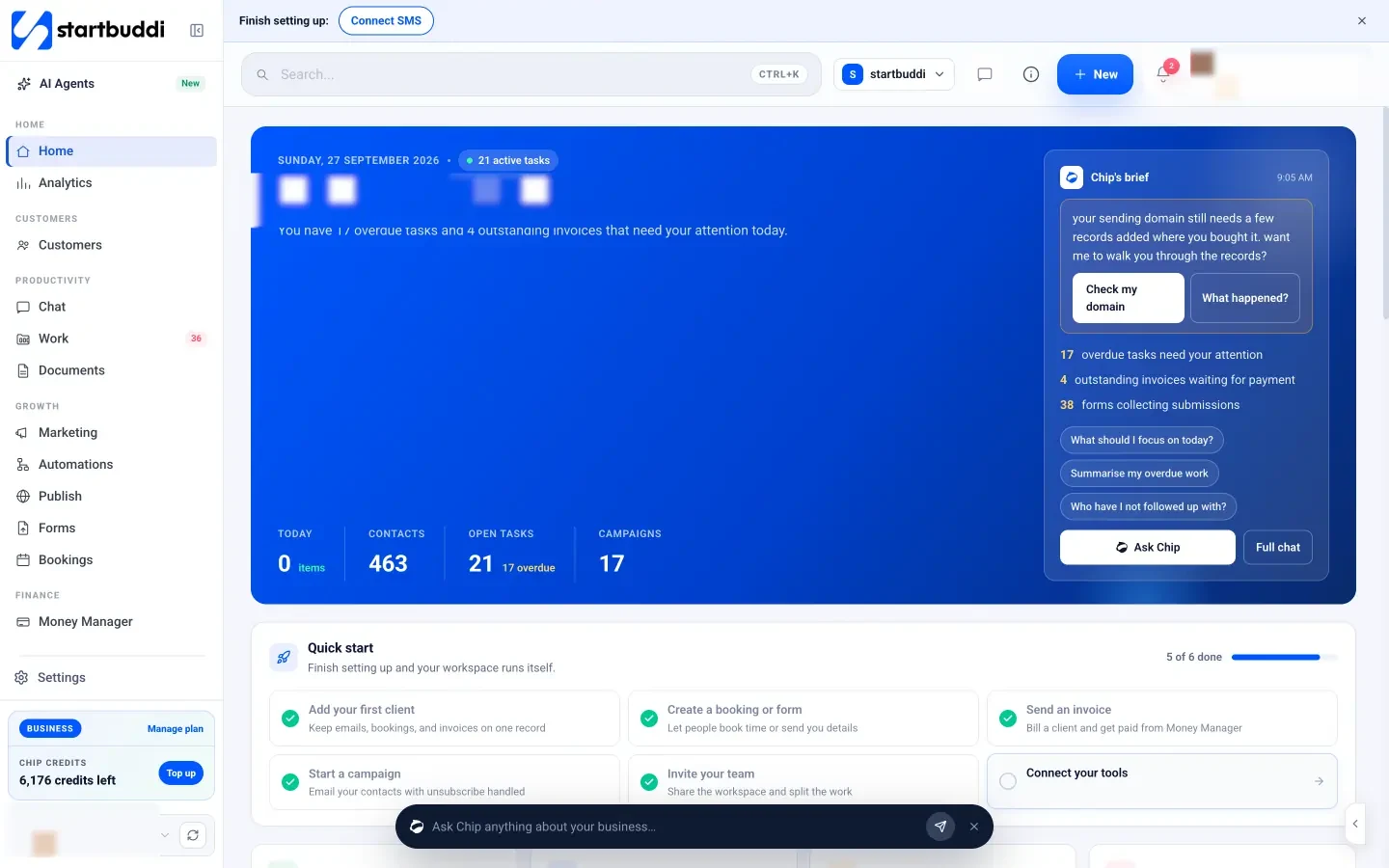
The Home dashboard shows what is due today, customers who are waiting, and invoices still owed, with Chip’s brief on top. A quick start card walks you through the first steps: add your first client, create a booking or form, send an invoice, and connect your tools.
Customers, bookings and payments on one record
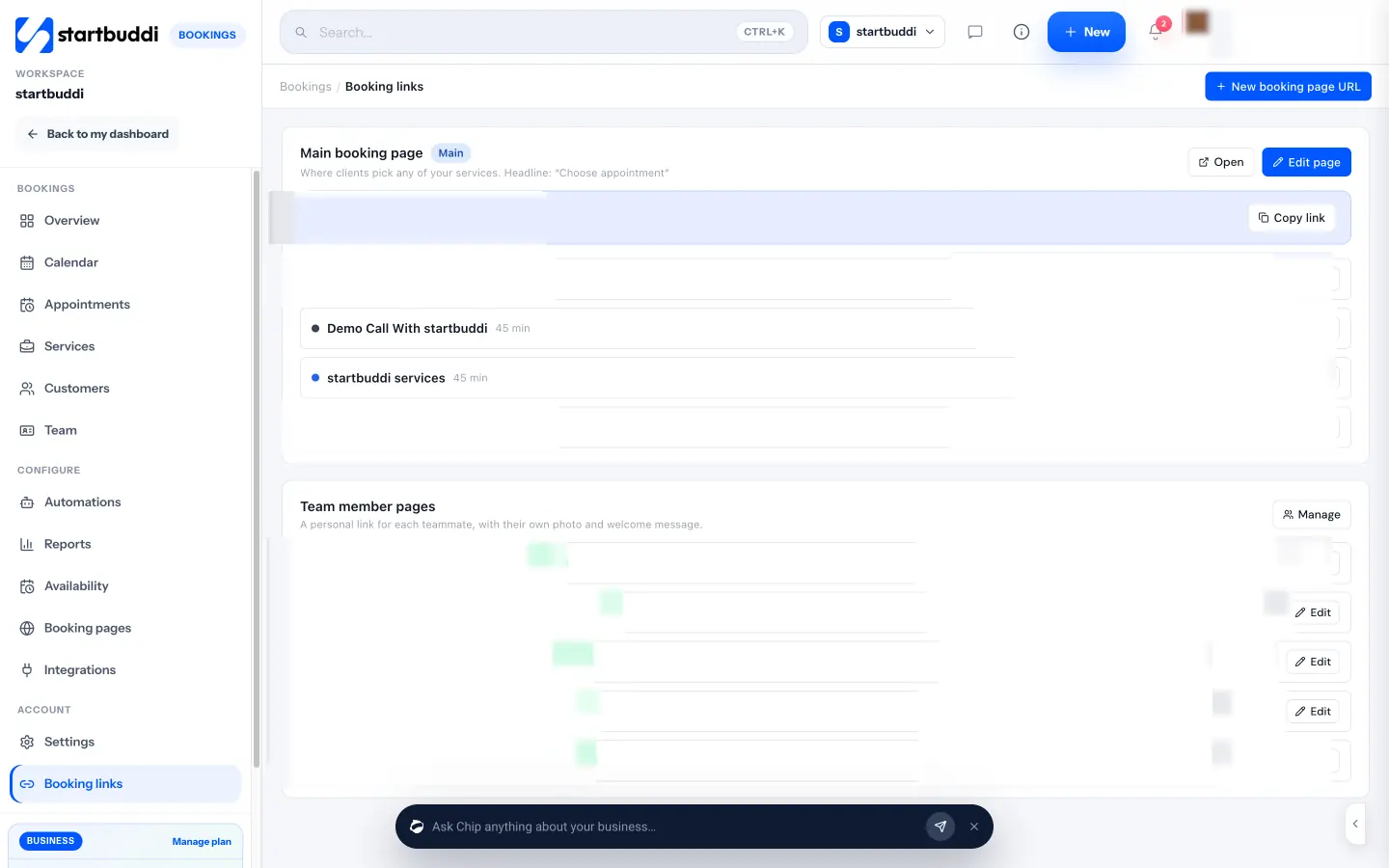
Contacts keeps every customer’s details, notes and history. Bookings gives you a link where clients pick a service and time, can pay the full price or a deposit, and get reminder emails before their appointment. Bookings are pushed to your Google or Outlook calendar.
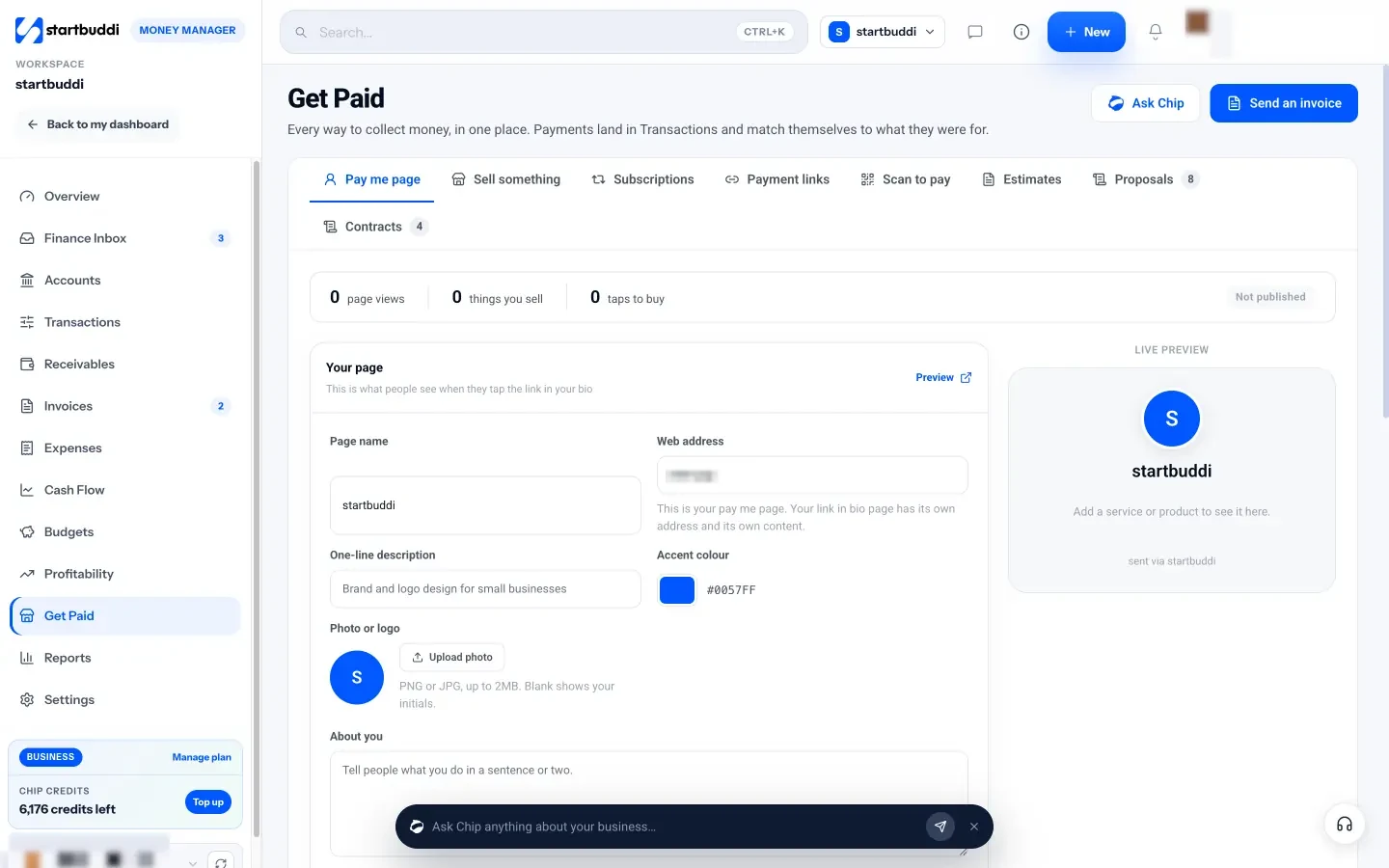
In Money Manager, you send invoices and payment links that customers can pay through Paystack or Stripe, with the money going straight to your own account. Expenses and receipts live in the same place.
Work and documents
Work holds your tasks, projects and time tracking. Documents holds proposals, contracts and templates, with e-signature built in.
You can start on the Free plan, which includes 1 seat, 250 contacts, 5 invoices a month, one form and one booking page. Starter unlocks unlimited invoices, 2,500 contacts, marketing and more automations, and every paid plan comes with a 30-day trial.
Your next step
Look at the seven jobs and write down the tool you use for each today. Anywhere you wrote “nothing” or “WhatsApp and memory” is your first gap to close. Start with getting paid and keeping track of customers, because those two protect your income. When you are ready, you can see how startbuddi fits a one-person business on the freelancers page, or compare plans on the pricing page.
Sources
- Harvard Business Review: How much time and energy do we waste toggling between applications? (2022)
- National Cyber Security Centre: setting up 2-step verification
- Nigeria Data Protection Commission
- Corporate Affairs Commission, Nigeria
Frequently asked questions
How many tools does a solo founder need?
Usually four or five: a business bank account, a payment provider, a password manager, one business system for customers, money and work, and an accountant at year end.
Should I pay for tools before I have customers?
Start on free plans and pay only when a real task costs you time or money. Your first spend should protect income, such as invoicing and payments.
Do I need a website to start?
Not a big one. A single page or link in bio with your services, prices and a booking or contact button is enough to begin.
Is an all-in-one tool better than separate apps?
For one person, usually yes, because customer, money and work information stays connected. Keep banking and passwords in dedicated tools.
Tiwalade Joanna Okedara-Kalu is the founder, CEO and CTO of startbuddi, the business system that brings clients, bookings, invoices, projects, marketing and the Chip AI assistant into one place. Tiwalade builds software around how service businesses really work day to day, and writes about client management, getting paid on time and why small businesses outgrow the tools they start with.
Founded startbuddi and leads its product and engineering