A simple CRM lead management system for service businesses
How to set up a simple CRM lead management system for a service business: capture every enquiry, qualify fast, clear stages, scheduled follow-up and five numbers to track.


Chinonye wrote this while on the startbuddi team. The product has changed since, so the team updated it on .
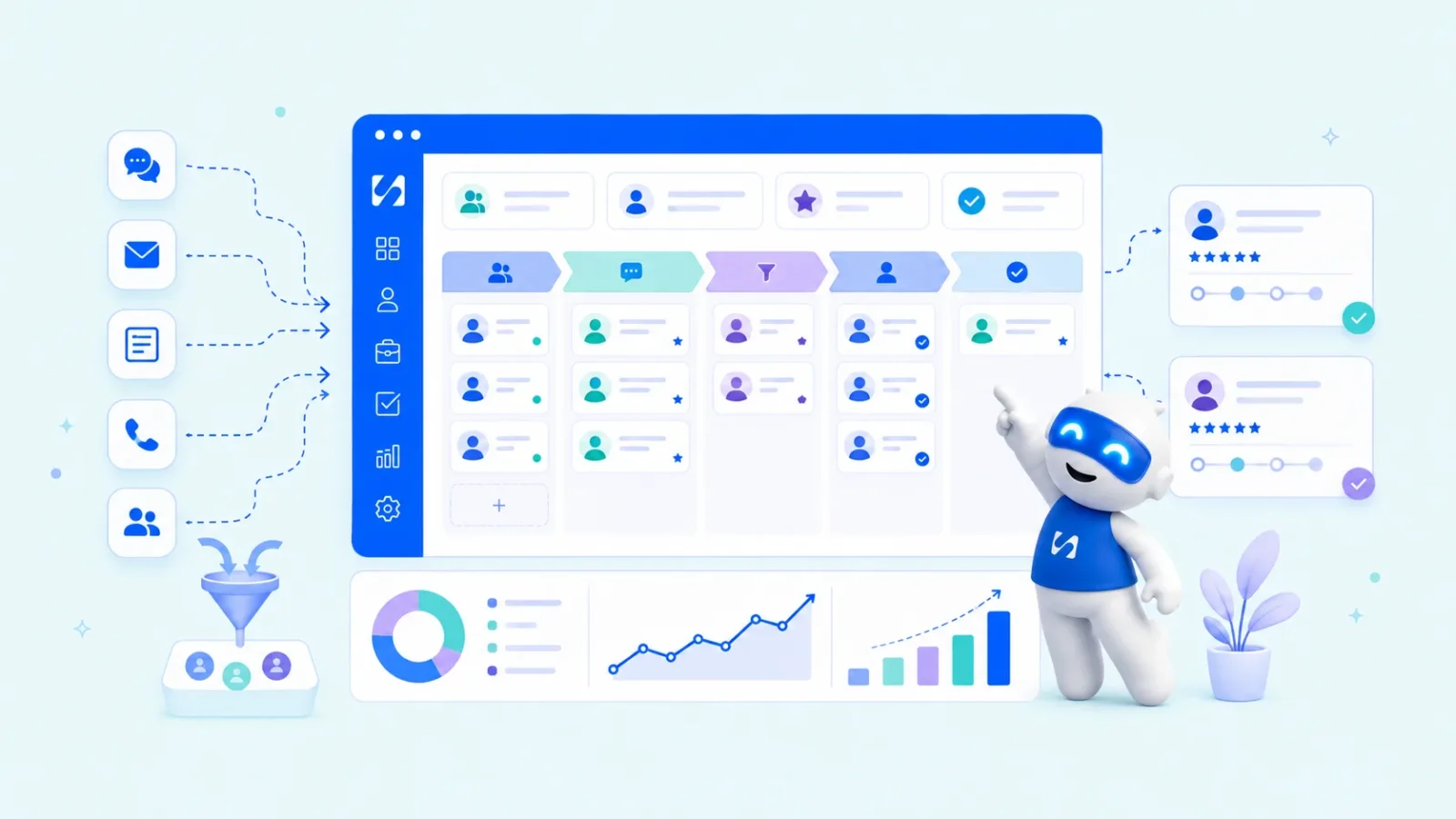
- A lead management system captures every enquiry in one place, qualifies it with a few questions, moves it through stages with clear exit rules, follows up on a schedule and measures where leads drop out. Decide the rules first; the CRM makes them easy to follow.
A CRM lead management system is the process, and the software behind it, that takes every enquiry from “someone got in touch” to “they became a client” or “they said no”, without anyone falling through the gaps. For a service business it has five parts: capture every lead automatically, qualify it quickly, move it through clear stages, follow up on a schedule, and measure where leads drop out. Keep each part simple and you’ll win more of the enquiries you already get, before spending anything on getting new ones.
This guide explains each part in plain terms, with a sample setup for a service business, qualifying questions you can copy, the numbers worth tracking and the mistakes that quietly break the system. It’s written for owners of small service businesses anywhere: consultants, agencies, trades, clinics, cleaners, coaches and studios.
What a lead management system does
A lead is anyone who has shown interest: a form submission, a WhatsApp message asking for a price, a referral, a missed call. Lead management is what happens between that first signal and a decision. A working system answers, for every lead, three questions: where did they come from, where are they now, and what happens next?
A CRM is where that system usually lives. It stores the lead, its history and its next step, and it can do some of the work for you: creating records from forms, sending first replies and reminding you when a lead has gone quiet. But the software is only half of it. The other half is a few rules you decide once. For the definitions, see the glossary entry on the lead management system.
Why service businesses lose leads
Service businesses are especially exposed because the person who sells is usually the person doing the work. When the week fills with client jobs, enquiries wait. And in services, waiting is expensive: someone who needs a plumber, a photographer or a bookkeeper often contacts two or three and goes with whoever replies first.
The evidence on speed is striking. An audit of 2,241 US companies, published in Harvard Business Review as The Short Life of Online Sales Leads, found that firms that contacted leads within an hour were nearly seven times as likely to qualify them as firms that waited longer, and that 23% of companies never responded at all. It’s an older study of larger firms, but it points the same way as most owners’ experience: a quick, useful first reply wins work.
Leads also leak later on: a quote sent with no follow-up, a “let me think about it” that nobody revisits, a promising enquiry buried under 40 WhatsApp chats. A lead management system plugs each of those holes.
Part 1: capture every lead in one place, automatically
If leads arrive in six places, you’ll miss some. Start by listing every way people contact you, then decide how each one reaches your lead list.
| Source | How it should reach your lead list |
|---|---|
| Website contact or quote form | Automatically: the form creates the lead |
| Booking page | Automatically: the booking creates or updates the contact |
| Website chat | Automatically, where your chat tool supports it |
| WhatsApp, Instagram, Facebook | Via a shared inbox, or add manually the same day |
| Via a connected mailbox, or add manually when you reply | |
| Phone calls and referrals | Add manually straight after the call |
The aim is fewer manual steps, not zero. Aim for “automatic where possible, same day where not”. Our guide to multi-channel lead tracking goes deeper on joining up channels.
Part 2: qualify leads without extra work
Not every lead deserves the same effort. Qualifying means working out quickly whether someone is a good fit, so you spend your time on the people most likely to buy. The easiest way is to ask the right questions up front, in your form or first reply.
Qualifying questions for service businesses
- What do you need help with? (Choose from your main services.)
- When do you need it done by?
- Roughly what budget do you have in mind? (Give ranges.)
- Where are you based, or where is the job?
- How did you hear about us?
Four or five questions is the limit. Every extra field means fewer people finish the form. Use the answers to sort leads into three simple groups:
- Good fit: right service, workable timing and budget. Reply personally today.
- Maybe: unclear budget or timing. Reply with a question or a booking link.
- Not a fit: wrong service or location. Reply politely, suggest an alternative if you know one.
A first reply that qualifies without sounding like a form
Hi Daniel, thanks for asking about a bathroom refit. To give you a realistic price, could you tell me roughly the size of the room, whether you’re keeping the existing layout, and when you’d like the work done? If it’s easier, you can book a free 15-minute call here.
It’s friendly, it asks only what you need, and it offers a quicker route for people who’d rather talk.
For more on this, see how to pre-qualify leads. If you want a numeric rank, some CRMs give each contact a lead score based on their activity; our post on lead scoring for small business explains when that helps.
Part 3: set clear pipeline stages
Every lead should sit in exactly one stage, and every stage should have a clear meaning. For most service businesses, six stages cover it:
| Stage | Means | Leaves this stage when |
|---|---|---|
| New | Arrived, not yet replied to | You send the first reply |
| Contacted | In conversation | A call, visit or quote is arranged |
| Call or visit booked | Meeting in the diary | The meeting happens |
| Quote sent | They have a price | They accept, decline or go silent |
| Won | Accepted, deposit or first invoice sent | Handed over to delivery |
| Lost | Declined or no response after your last follow-up | Moved to long-term nurture |
The “leaves this stage when” column is what makes stages useful. Without it, leads sit in “Contacted” for months and the board stops meaning anything. If you want the board view explained, see how to manage a client pipeline.
Part 4: follow up on a schedule, and automate the routine parts
Most lost leads aren’t rejected. They’re forgotten. A follow-up schedule tied to each stage fixes that. A starting point:
- New: an automatic acknowledgement straight away, a personal reply the same working day.
- Contacted but quiet: one useful nudge after two days.
- Call booked: confirmation straight away, reminder the day before.
- Quote sent: check in after three days, again after a week with something helpful, then a polite close.
- Lost: a gentle check-in every few months, if they agreed to hear from you.
Automate the predictable messages (acknowledgements, confirmations, reminders) and the reminders to yourself. Keep real replies and quote follow-ups personal. Our client follow-up system guide has message templates for each stage.
Part 5: measure where leads drop out
Once a month, count five things. You’ll quickly see which part of the system needs work.
| Measure | How to calculate it | If it’s low, look at |
|---|---|---|
| Response time | Average time from enquiry to first reply | Capture and acknowledgement |
| Contact rate | Leads you had a real conversation with ÷ all leads | First reply quality, channel |
| Meeting rate | Calls or visits booked ÷ leads contacted | Qualifying and booking link |
| Win rate | Quotes won ÷ quotes decided | Proposals, pricing, follow-up |
| Best sources | Won jobs by source | Where to spend marketing time |
A one-person business can count these by hand from the pipeline in 15 minutes. The point isn’t the maths; it’s knowing which stage to fix first.
A worked example: a small cleaning company
Imagine a four-person cleaning company in Birmingham that gets about 40 enquiries a month from its website, Facebook and WhatsApp. Before setting up a system, the owner answers enquiries in the evenings, quotes by WhatsApp and rarely follows up.
After a weekend of setup, it looks like this:
- The website quote form asks for property size, type of clean, preferred date and postcode, and creates a lead automatically.
- An automatic reply thanks them and says someone will call within two hours during working hours.
- WhatsApp and Facebook messages land in one shared inbox that the office manager checks every hour.
- Quotes go out by email with a booking link. A task reminds the office manager to check in after three days.
- Every Friday, the owner looks at the pipeline: what’s stuck, which source brought the best jobs, and the win rate.
Nothing here is complicated. The difference is that every enquiry now has an owner, a stage and a next step.
Common mistakes in lead management
- Buying software before deciding the rules. A CRM can’t tell you what your stages are. Decide them on paper first.
- Forms that ask too much. Ten required fields put people off. Ask what you need to reply well, nothing more.
- Stages without exit rules. Leads pile up in the middle and the board becomes decoration.
- No owner. “The team” doesn’t follow up. A named person does.
- Treating every lead the same. Spend your personal time on good-fit leads and let automation handle the rest politely.
- Never recording why you lost. “Too expensive”, “went with someone faster” and “no reply” need different fixes.
What to look for in lead management software
Once your rules are on paper, pick software that makes them easy to follow. For a small service business, check these:
- Forms and booking pages that create leads directly. Every copy-and-paste step is a place leads get lost.
- The channels your customers actually use. In many countries that means WhatsApp as much as email. Check whether messages land on the lead’s record or stay on someone’s phone.
- A pipeline board with editable stages. You should be able to rename stages to match your exit rules.
- Tasks and reminders with owners. Every lead needs a next step with a date and a name.
- Simple automation. Acknowledgements, confirmations and reminders without needing a developer.
- A link to quotes and invoices. Winning a lead should flow into billing without retyping.
- Reports you’ll read. Response time, win rate and best sources are enough to start.
- A price that fits your stage. A free plan or trial lets you test with real leads before committing.
Our best CRM software for small business list compares the main options, and how to choose a CRM walks through the decision step by step. Whatever you choose, set it up with a week of real leads before moving everything over.
How startbuddi works as a CRM lead management system
You can run the five parts above in a spreadsheet at small volumes. Here is how they map to startbuddi if you want them in one place.
Capture. Forms, booking pages and website live chat create contacts automatically. The shared inbox brings email, WhatsApp, SMS, Instagram and Facebook messages together (WhatsApp and SMS need Starter or above).
Qualify. Form and booking questions can save answers to contact properties such as budget or service type, so you can filter by them. Each contact also gets a lead score from 0 to 100 based on activity, spend, recency and deals, which you can filter on.

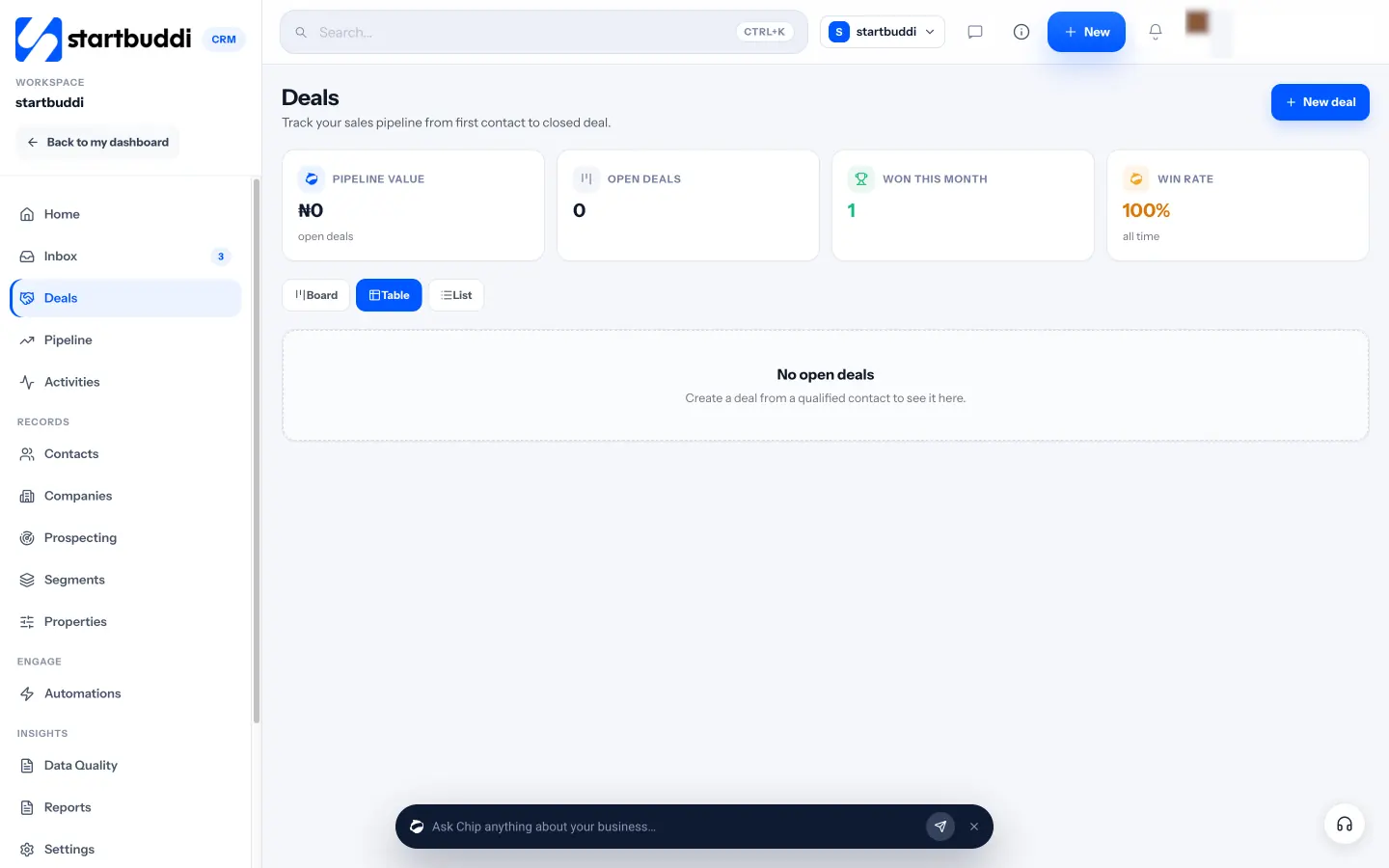
Stages. The sales pipeline starts with New Leads, Qualified, Proposal Sent, Negotiation, Won and Lost, which you can rename. When a contact replies, their deal moves out of the first stage, and a paid invoice marks the deal won.
Follow up. Automations start from triggers such as a form submission, a new booking or a new deal, then send emails, wait, create tasks or notify the team. CRM settings include ready rules for a follow-up task when a lead is added and a re-engagement task after seven days without activity. Free includes 2 active automations, and Starter allows 10.
Measure. Customers shows pipeline value, win rate and won this month, and CRM reports break results down further.
The Free plan includes 250 contacts and one form. Starter adds 2,500 contacts, 20 forms and 10 active automations, with a 30-day trial (see pricing). See pricing.
Your next step
Write down every place a lead can reach you today, then decide for each one how it will get into a single list. Next, set your six stages with an exit rule for each. Those two pages of notes are your lead management system. The software just makes it easier to follow.
Sources
Frequently asked questions
What is a CRM lead management system?
It's the process and software that take each enquiry from first contact to a decision: capturing the lead, qualifying it, moving it through stages, following up and measuring results.
What is the difference between a CRM and a lead management system?
A CRM manages every customer relationship, before and after the sale. Lead management is the part of it that deals with enquiries that haven't bought yet. In a small business, the same tool usually does both.
Do I need a lead management system if I work alone?
Yes, arguably more so. When you're the only one selling and delivering, a simple system with automatic acknowledgements and reminders stops leads waiting while you're busy with client work.
How many stages should a lead pipeline have?
Five to seven for most service businesses. Fewer stages with clear exit rules are more useful than many stages nobody updates.
SEO Copywriter| Email growth Specialist| I help businesses increase revenue with strategic SEO content & high-converting email funnels.