Job management for plumbers: from first call to paid invoice
How job management software for plumbers works at each stage of a job, from enquiry and quote to booking, invoice and follow-up, and how to pick the right app.



- Plumbing jobs move through six stages: enquiry, quote, booking, the work, invoice and follow-up. Good job management closes the gaps between them. Solo plumbers and small teams need quotes, bookings and payments; fleets of vans need dispatch and GPS.
Job management software for plumbers keeps every job in one place, from the first phone call or WhatsApp message to the paid invoice. At its simplest it does five things: captures the enquiry, turns it into a quote, books the visit, records what you did, and gets you paid. Bigger platforms add dispatch maps, GPS tracking and stock control. Whether you need those depends on how many vans you run, not on how serious your business is.
This guide walks through each stage of a plumbing job, what good job management looks like at each one, the questions to ask before you pay for an app, and how to choose between a light system and a full field service platform. It is written for plumbers and heating engineers anywhere, from a one-person business in Leeds to a five-van team in Nairobi or Texas.
What job management for plumbers really means
Plumbing is a good trade to be in. The US Bureau of Labor Statistics counts 510,600 jobs for plumbers, pipefitters and steamfitters, with median pay of $63,800 in 2025 and employment projected to grow 7% from 2025 to 2035, much faster than average (BLS). Demand is rarely the problem. Admin is.
Most plumbers lose money in the gaps between stages: the missed call from a customer with a leak, the quote that never got followed up, the job done on Friday and invoiced three weeks later, the parts bought and never billed. Job management is simply closing those gaps. Think of each job as moving through six stages:
- Enquiry: the customer gets in touch.
- Quote: you price the work.
- Booking: you agree a time.
- The job: you do the work and record it.
- Invoice and payment: you get paid.
- Follow-up: a review, a repeat booking, a service reminder.
Any system, even a notebook, should make each job’s stage obvious at a glance. Software just makes it faster and harder to forget.
Stage 1: capture every enquiry
A customer with a burst pipe keeps calling until someone answers. A customer planning a new bathroom usually compares a few quotes. Either way, the enquiry has to land somewhere you will see it, with the customer’s name, number, address and the problem written down.
- One list of customers. Every enquiry becomes a contact, whether it came by phone, WhatsApp, email or your website.
- A job request form. Ask for the address, the problem, photos and the best time to call. You save a phone call and arrive with the right parts.
- A reply the same day. Even “Thanks, I’ll call you by 4pm” keeps you ahead of slower competitors. Our guide to following up with leads has templates.
Stage 2: quote the job clearly
Be clear with customers about whether you are giving a quote or an estimate. In the UK, Citizens Advice describes a quote as a promise to do the work at an agreed price, which you generally cannot increase just because your costs went up, while an estimate is your best guess at the cost. Many customers do not know the difference, so say which one you are sending.
A good plumbing quote lists labour and parts separately, says what is not included (making good plaster, for example), states how long the price is valid and how much deposit you need. The free quote generator gives you a clean starting point. In your software, the accepted quote should become the invoice without retyping.
Stage 3: book the visit
Scheduling is where plumbing gets hard, because emergencies do not wait for a gap in the diary. A few habits help:
- Keep emergency slots. Leave a morning or afternoon block each day for call-outs, and release it for planned work the day before if nothing comes in.
- Use time windows, not exact times. “Between 8 and 10” is honest when you cannot predict traffic or the job before.
- Add travel buffers. A 60-minute repair on the other side of town needs 90 minutes in the diary.
- Let routine work book itself. Boiler services and annual checks are perfect for an online booking link. The customer picks a time, and you avoid three phone calls. See booking software for plumbers.
- Remind people. A reminder the day before cuts wasted trips. Our post on reducing no-shows covers what to send.
Stage 4: do the job and record it
What you record on site protects you later. For each job, keep notes on what you found, what you did, parts used, any extra work the customer approved, and photos before and after. When a customer disputes a bill or a problem comes back six months later, this record settles it.
Some work also comes with legal duties about who can do it. In Great Britain, HSE guidance says work on gas fittings in homes and in most workplaces must be done by a Gas Safe registered engineer. In other countries plumbing licences are often issued by states, provinces or local authorities, so check your regulator. If only some of your team are qualified for certain jobs, your system should make it obvious who can take which booking.
For bigger jobs, such as a bathroom refit or a new heating system, treat the work as a small project with tasks, dates and a budget, not as a single appointment.
Stage 5: invoice and get paid on the day
The best time to invoice is before you leave the property. The customer has just seen the work, the price is fresh in their mind, and they are standing next to you. Send the invoice from your phone with a payment link, or take a card or mobile money payment there and then.
For work that runs over several days, take a deposit before you order parts and invoice the balance on completion. The guide to invoicing software for contractors explains deposits, stage payments and what your invoices must include, and our advice on asking for payment politely has wording for the awkward moments.
Stage 6: follow up and bring them back
A satisfied plumbing customer is worth far more than one job. Ask for a Google review the same day (a Google Business Profile makes this easy), add a note to remind them about a boiler service next year, and save their details so the next call starts with their history in front of you.
A simple job sheet you can copy
Before you buy anything, agree what a finished job record looks like. If your team fills in the same fields every time, any software you pick later will be easy to set up. Here is a job sheet that works for most plumbing and heating visits:
| Field | Example |
|---|---|
| Customer and address | Mrs Okafor, 14 Elm Road, side gate code 2291 |
| Problem reported | Kitchen tap dripping, pressure low upstairs |
| Found on arrival | Worn cartridge, partly closed stopcock |
| Work done | Replaced cartridge, opened stopcock, tested flow |
| Parts used | 1 x ceramic cartridge |
| Extra work approved | None |
| Photos | Before and after, stopcock position |
| Time on site | 1 hour 10 minutes |
| Next action | Invoice today, service reminder in 12 months |
The last row is the one most plumbers skip, and it is the one that makes money. Every job should end with a next action and a date, even if it is only “ask for a review on Friday”.
Common job management mistakes
- Invoicing at the weekend. The longer the gap between the job and the invoice, the longer the customer takes to pay.
- Parts on your own card, never billed. Log materials against the job as you buy them.
- Quotes with no follow-up. A short message three days later wins work that would otherwise go to someone else.
- Buying for the business you might become. A ten-van platform is a heavy load for a one-van business. Pick what fits today and make sure you can export your data.
Plumbers job management app: what to look for
Most plumbing job management apps cover the six stages above. The differences are in how they handle a team on the road. Use these questions to compare:
| Question | Why it matters |
|---|---|
| Is there a native mobile app, and does it work offline? | Basements and rural jobs often have no signal |
| Does it include dispatch, GPS tracking or route planning? | Essential with several vans, overkill for one |
| Can it take payments on site? | Cash flow, and fewer invoices to chase |
| Does it track parts and stock? | Stops unbilled materials leaking away |
| How is it priced: per user, per job or flat? | A per-user price grows fast as you hire |
| Can customers book online? | Fills your diary with routine work while you are on jobs |
Job management software for plumbers compared
These are popular field service tools used by plumbers, with the cheapest paid plan as published in US dollars on each tool’s own pricing page in September 2026. Several tools show different prices by region, so check the page for your country.
| Tool | Cheapest paid plan | Free plan | GPS or route planning |
|---|---|---|---|
| ServiceM8 | Starter, $29 a month (50 jobs) | Yes, 30 jobs a month, 1 user | Live staff locations and route optimisation on all plans |
| Jobber | Core, $49 a month billed monthly | No (14-day trial) | GPS tracking and routing on Grow and above |
| Housecall Pro | Basic, $79 a month billed monthly or $59 billed yearly | No (14-day trial) | GPS tracking on Essentials and above |
| Fergus | Basic, from $53 a month | No (14-day trial) | GPS tracking on Professional |
| Tradify | Lite, $47 per user a month | No (14-day trial) | Not listed on the pricing page |
We have not ranked these. Each fits a different size and style of business, so book a trial and run a real job through it.
How to choose job management for plumbers
- Solo plumber. You need a customer list, quotes, a booking link, invoices and payments that work on your phone. Dispatch maps add cost and screens you will not use.
- Two to five people. Add shared calendars, job notes everyone can see, and a clear record of who did what. Online booking starts to pay for itself.
- Six or more vans. Now dispatch, live locations, route planning and stock tracking earn their keep. A dedicated field service platform is usually the right call.
Whatever your size, add up the real monthly cost including per-user fees and card fees, and check how easily you can export your customer list if you ever move.
How startbuddi helps plumbing businesses
Let us be clear about the fit. startbuddi is not field service dispatch software. It has no GPS tracking, route planning, stock control or native mobile app (it runs in your phone’s browser). If you run a fleet of vans, a dedicated field service tool is the better choice. What startbuddi does well is the office side of a small plumbing business: customers, quotes, bookings, bigger jobs and getting paid, in one place.
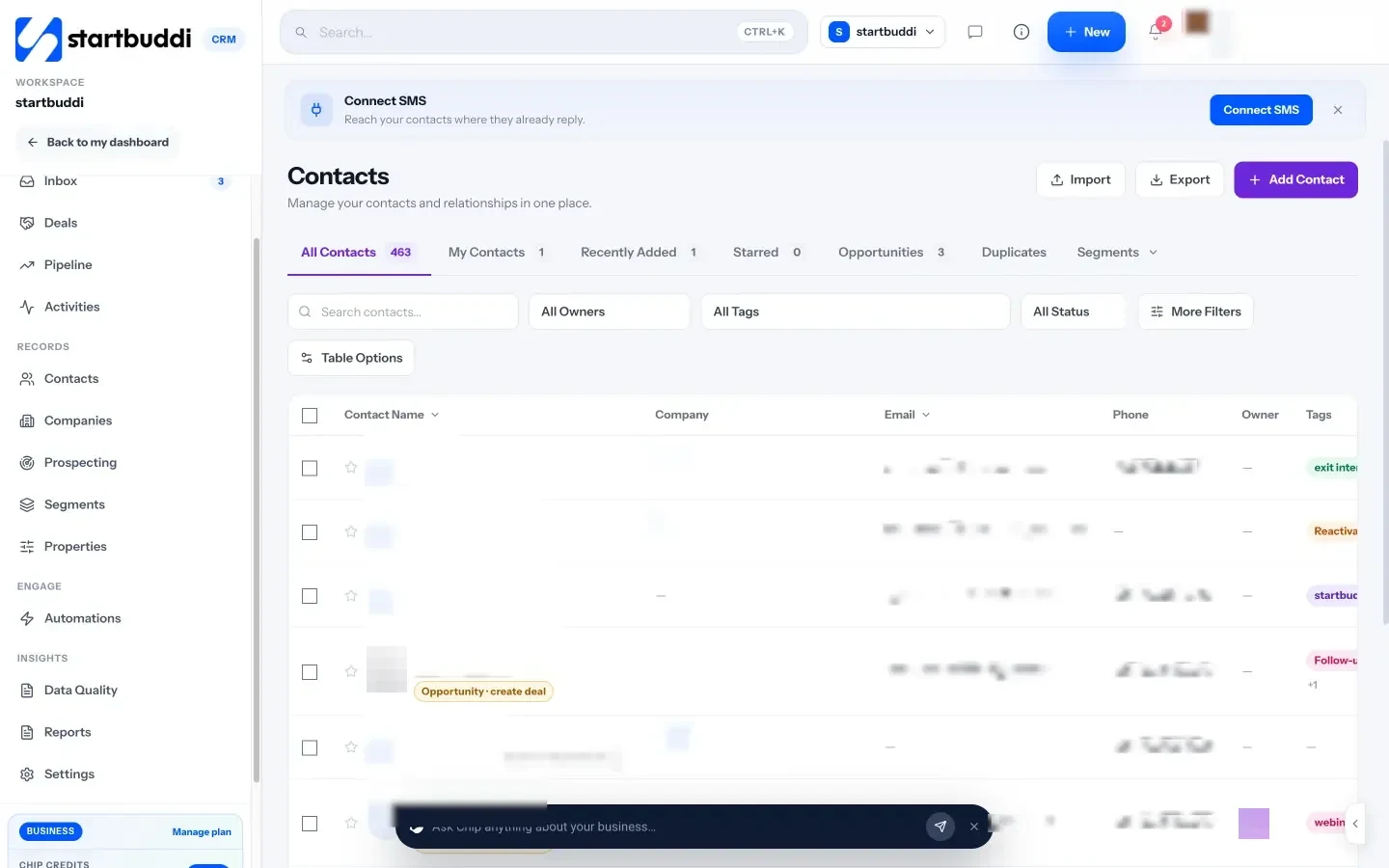
Enquiries from WhatsApp, email, SMS and your website chat can land in one shared Inbox (WhatsApp and SMS need the Starter plan), and each customer becomes a contact with their history and notes. A form can collect job requests with the address and photos.
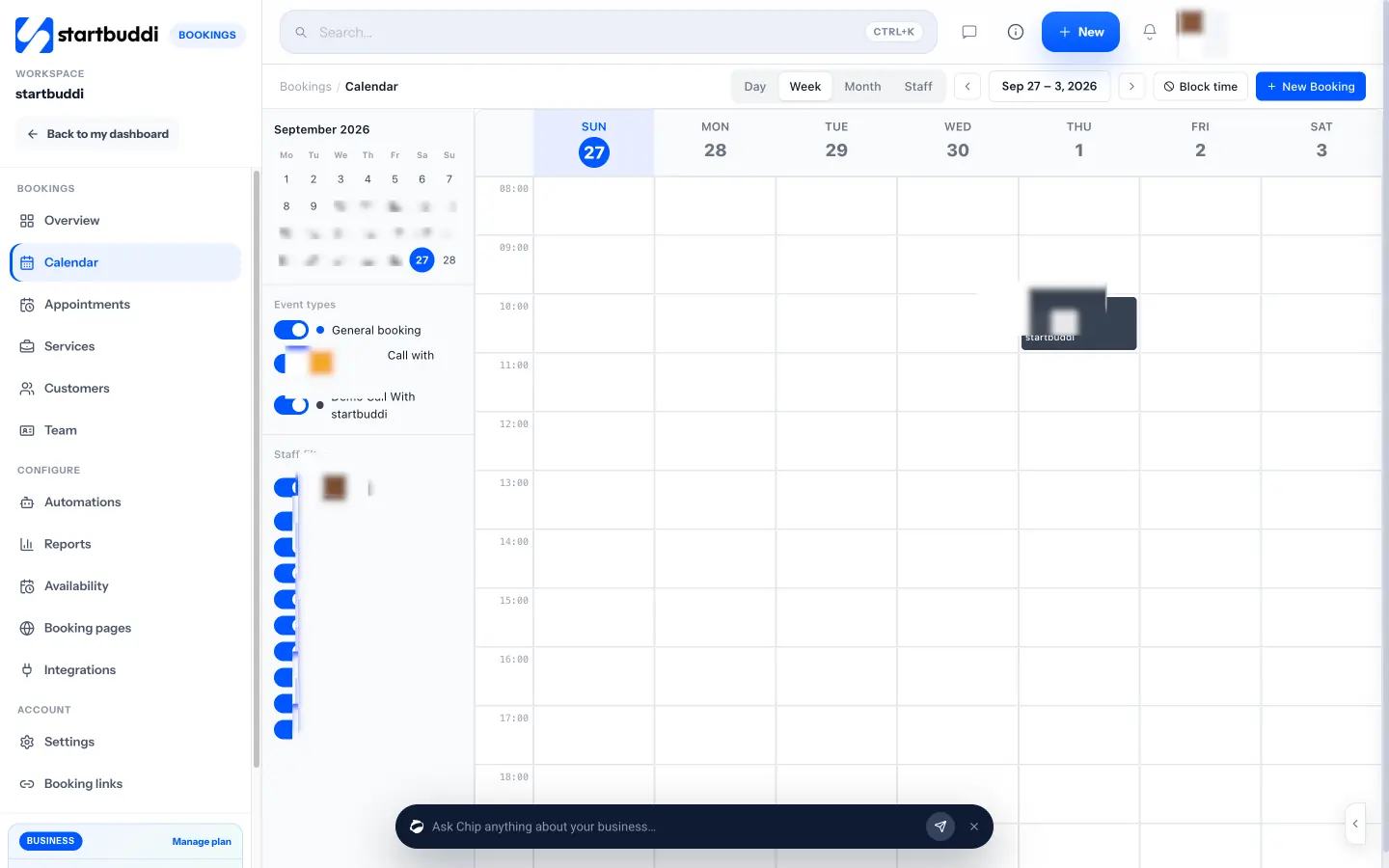
For routine work, Bookings gives you a booking page where customers choose a service and a time, with buffers between visits, email reminders and an optional deposit through Stripe or Paystack. Bookings has no built-in address field, so add a booking question asking for the address and access notes. The calendar shows every booking by day, week, month or staff member, and you can block time for emergency slots.
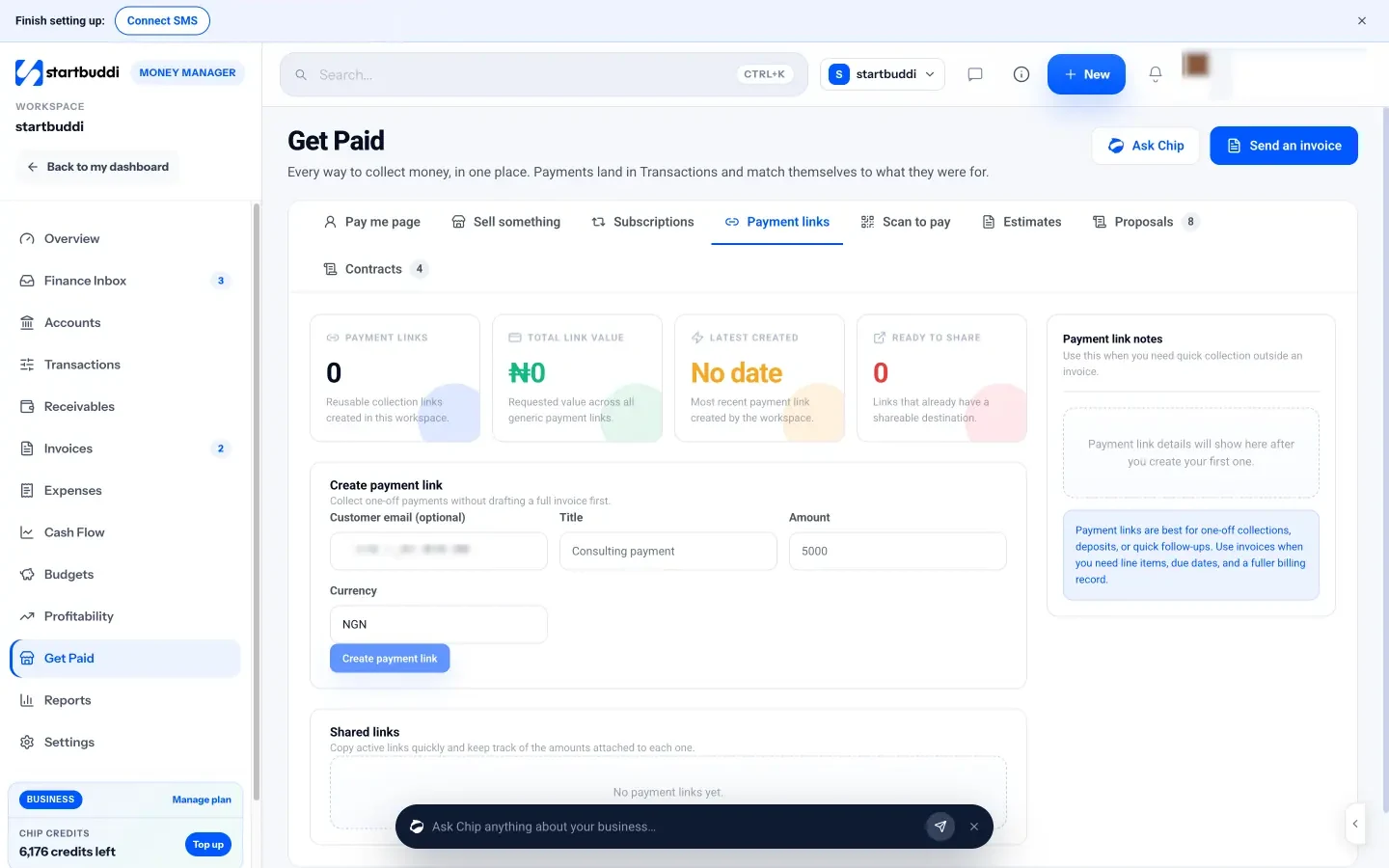
Bigger jobs, like a bathroom refit, work well as projects with tasks, milestones, logged time and a budget that pulls in expenses from Money. To get paid, send an estimate and convert it to an invoice when accepted, or create a payment link on site and text it to the customer.
You can start on the Free plan, with one live bookable service and 5 invoices a month. For the whole picture, see how startbuddi works for plumbing and trade services.
Your next step
Take your last ten jobs and mark the stage where each one slowed down: slow reply, slow quote, slow invoice or slow payment. Fix that stage first, with whatever tool you choose. If it is the office side, try startbuddi free and set up your booking link and first estimate this week.
Sources
- US Bureau of Labor Statistics: Plumbers, pipefitters and steamfitters
- Citizens Advice: Problems with home improvements (quotes and estimates)
- HSE: Gas safety for employers
- Pricing pages: ServiceM8, Jobber, Housecall Pro, Fergus, Tradify
Frequently asked questions
What is job management software for plumbers?
It is software that tracks each job from enquiry to payment: customer details, quotes, bookings, job notes, invoices and follow-ups. Larger platforms add dispatch, GPS tracking and stock control.
Do I need a plumbers job management app with GPS?
Only if you run several vans and need to see where everyone is. A solo plumber or small team usually gets more value from fast quotes, online booking and taking payment on site.
Is there free job management software for plumbers?
Some tools have free plans with limits, such as ServiceM8's free plan for 30 jobs a month. startbuddi's Free plan includes one bookable service and 5 invoices a month.
Should I send a quote or an estimate?
Send a quote when you can fix the price, and an estimate when you cannot know until you open things up. Always say which one it is, and what would change the price.
Omolola Akiyode is the operations and project manager at startbuddi, leading cross-functional projects and the content that helps founders get set up. Omolola writes about projects, websites and getting found online, and turns complex ideas into clear, practical steps.
Runs operations and projects at startbuddi



