HTML form vs form builder: which should you use?
Hand-coded HTML, an HTML form with a hosted endpoint, or a drag-and-drop builder? What each involves, a side-by-side comparison and a decision guide.


Photo: Khaleelah Ajibola / Unsplash
- Hand-coded HTML gives total design control but you must build validation, spam protection and storage. Visual builders give logic, payments and storage with no code but less styling control. An HTML form sent to a hosted endpoint gives you both for simple forms.
In the HTML form vs form builder choice, use hand-coded HTML when your form has to match your website exactly and someone on your team is comfortable with code. Use a drag-and-drop (or click-to-add) builder when you want a working form today, with logic, payments and a place to store answers, and nobody wants to touch code. Many small businesses end up doing both: they keep a form designed in their own website’s HTML and send the answers to a hosted form backend, so they get their own design without building a server.
This guide explains what each option really involves, what an HTML form needs behind it to be safe and useful, where visual builders shine and where they get in the way, a side-by-side comparison, a decision guide by situation, and the form basics that matter whichever route you pick.
The three ways to build a web form
“HTML versus drag-and-drop” is really a choice between three set-ups:
| Option | What you build | What handles the answers |
|---|---|---|
| 1. Hand-coded HTML with your own backend | The form in your site’s HTML and CSS | Code on your own server that validates, stores and emails each submission |
| 2. HTML form with a hosted backend (an “endpoint”) | The form in your site’s HTML and CSS | A form service that receives the submission, stores it, filters spam and notifies you |
| 3. Visual builder (drag-and-drop or click-to-add) | The form in the builder’s editor, shared as a link or embedded | The same service that hosts the form |
Option 1 is what developers mean by building a form “from scratch”. Option 3 is what most people picture with tools like Google Forms, Typeform or Jotform. Option 2 sits in the middle, and it’s often the best fit for a small business that already has a website built by a developer or agency. Form backend services such as Formspree exist for exactly this, and some all-in-one tools include endpoints too.
What an HTML form needs behind it
An HTML form on its own only collects input in the browser. The form’s “action” attribute says where to send the data and its “method” says how. What happens next is entirely down to whatever receives it. Mozilla’s developer guide on sending form data is blunt about the receiving side: never trust what users send, always validate and clean it on the server, limit the size of what you accept, and never send sensitive data with the GET method, because it shows up in the address bar.
So if you choose hand-coded HTML with your own backend, someone has to build and maintain:
- Server-side validation (checking an email looks like an email, required fields are filled, numbers are numbers).
- Spam protection, such as a hidden “honeypot” field bots fill in and people don’t, and limits on how many submissions one visitor can send.
- Storage somewhere you can search and export later, not just an email inbox.
- Notifications so the right person hears about a new enquiry quickly.
- Privacy and security: secure transport (HTTPS), safe handling of file uploads, and deleting data you no longer need.
- What happens next: adding the person to your contacts, sending a confirmation, starting a follow-up.
None of this is hard for an experienced developer, but it’s ongoing work. When the developer who built it leaves, the form often quietly stops sending emails and nobody notices for weeks.
What visual form builders do well
Drag-and-drop and click-to-add builders exist to remove all of that plumbing. A good one gives you, without code:
- Speed. A contact or enquiry form in ten minutes.
- Conditional logic. Show a question only if an earlier answer makes it relevant.
- Multi-step forms. One question per screen, which helps on phones and for longer intake forms.
- Payments. Take a deposit or registration fee as part of the form.
- Storage, export and notifications built in.
- Analytics. Views, completion rates and which questions people skip.
- Connections to your contacts, email marketing and automation.
The trade-offs are real, though. You get less control over exact styling. Embedded forms usually sit in an iframe, which can look slightly out of place on a carefully designed site. Many tools show their own branding on free plans. And your data lives in the vendor’s system, so check exports before you commit. For a longer look at why dedicated builders beat basic free tools for client work, read why your agency needs a form builder and not just Google Forms.
HTML form vs form builder: side by side
| Hand-coded HTML + own backend | HTML + hosted endpoint | Visual builder | |
|---|---|---|---|
| Time to first working form | Hours to days | Under an hour if your site is ready | Minutes |
| Design control | Total | Total | Limited to the builder’s options |
| Skills needed | Front-end and back-end development | Basic HTML | None |
| Spam filtering and validation | You build it | Provided (check what’s included) | Provided |
| Conditional logic and multi-step | You build it | You build it in your own code | Built in |
| Payments | You integrate a payment provider | Usually separate | Often built in |
| Where answers live | Your database | The service, with export | The service, with export |
| Who maintains it | Your developer | Shared | The vendor |
| Best for | Custom apps and unusual workflows | Designed websites with simple forms | Most small business forms |
Which should you use? A decision guide
You have a custom-built website and a simple contact form
Keep the HTML form that matches your design and point it at a hosted endpoint. You get your look plus storage, spam checks and notifications, with no server to maintain.
You have no developer, or a site built on a website builder
Use a visual builder and share the link or embed it. Don’t hire someone to hand-code a contact form.
You need logic, several steps or file uploads
A client intake form, a quote request that changes depending on the service, or a job application with a CV upload: use a visual builder. Rebuilding conditional logic by hand is where custom forms get expensive.
You need to take money
Event registrations, deposits or order forms: pick a builder with a payment field connected to your payment provider, or pair a simple form with a payment link. Don’t build card handling yourself.
You’re building a product, not a form
If the form is part of your own software (a sign-up flow, a settings page), write it in code as part of the app. Form builders aren’t meant for that.
You’re an agency building forms for clients
Standardise. Pick one builder your team knows well for most client forms, and keep endpoints for the clients whose sites are custom-designed. Our form builder for agencies page covers that set-up.
Count the real cost, not just the price
A hand-coded form looks free because there’s no subscription. It rarely is. Add up the developer’s time to build it, test it and fix it when something changes, plus the cost of enquiries lost while it was broken. For a small business, one missed week of leads can cost more than years of a form tool.
A visual builder has a visible price but hidden costs too: time spent working around design limits, a higher tier to remove branding or unlock more forms, and the effort of moving your data if you ever switch. Before you choose, run a quick check:
- How many forms will you need in a year? Contact, quote, booking enquiry, feedback, job applications and event sign-ups add up quickly, and many plans limit the count.
- Who will edit them? If the answer is “whoever is free”, a visual editor wins. If it’s always your developer, HTML is fine.
- Where should answers end up? A form that feeds your contact list and follow-ups saves hours of copying compared with one that only sends an email.
- Can you get your data out? Try an export before you commit.
Common mistakes with both approaches
- Sending answers only to one person’s inbox. When that person is away, enquiries wait. Store every submission somewhere the team can see.
- Relying on browser-only checks. Checks in the browser help people fill a form in correctly, but they’re easy to bypass. The receiving side must check again.
- Building one long form for everything. A single “contact us” form with 15 fields serves nobody well. Short, specific forms convert better.
- Forgetting the follow-up. The form is the start of a conversation, not the end. Decide who replies, how fast, and what the automatic confirmation says.
Form basics that matter whichever you choose
The tool matters less than the form itself. These basics apply to every option.
- Ask for less. Baymard Institute’s checkout research found the average checkout in 2024 had 11.3 form fields, while most sites need only 8. Enquiry forms are the same: every extra field costs you some completions. Ask for what you need to reply, and collect the rest later.
- Label every field properly. The W3C’s accessibility guidance on labelling form controls says to use a proper label element tied to each field wherever possible. Placeholder text inside a box is not a label; it disappears when people start typing.
- Get consent right. If you’ll send marketing, ask separately and leave the box unticked. The UK Information Commissioner’s Office is clear that pre-ticked boxes don’t count as consent and that consent should be separate from other terms. Check your local rules too.
- Design for phones first. Big tap targets, the right keyboard for each field (numbers for phone, email keyboard for email), and one column.
- Say what happens next. The thank-you message should tell people when and how you’ll reply.
- Test it every month. Submit your own form and check the answer arrives where it should. Broken forms are silent.
For more on writing forms that turn visitors into enquiries, see how to build a lead capture form that converts.
How startbuddi helps: a builder and an endpoint in one place
startbuddi Forms covers both routes, so you don’t have to choose one tool per approach. Here’s what each does, including the limits.
The visual builder
You create a form from a blank canvas or a template, or describe it and let Chip, the built-in AI assistant, draft the fields for you to edit. Strictly speaking, the builder is click-to-add rather than drag-and-drop: you click a field type to add it to the form. Field types include short and long text, email, phone, number, dropdown, multi-select, radio buttons, checkboxes, date and time, file upload, signature and rating, plus headings and dividers. The Logic tab lets you show, hide or skip questions based on earlier answers, and you can run a form as a single page or as multi-step, one question at a time. A Payment field takes money through Paystack or Stripe after someone submits.
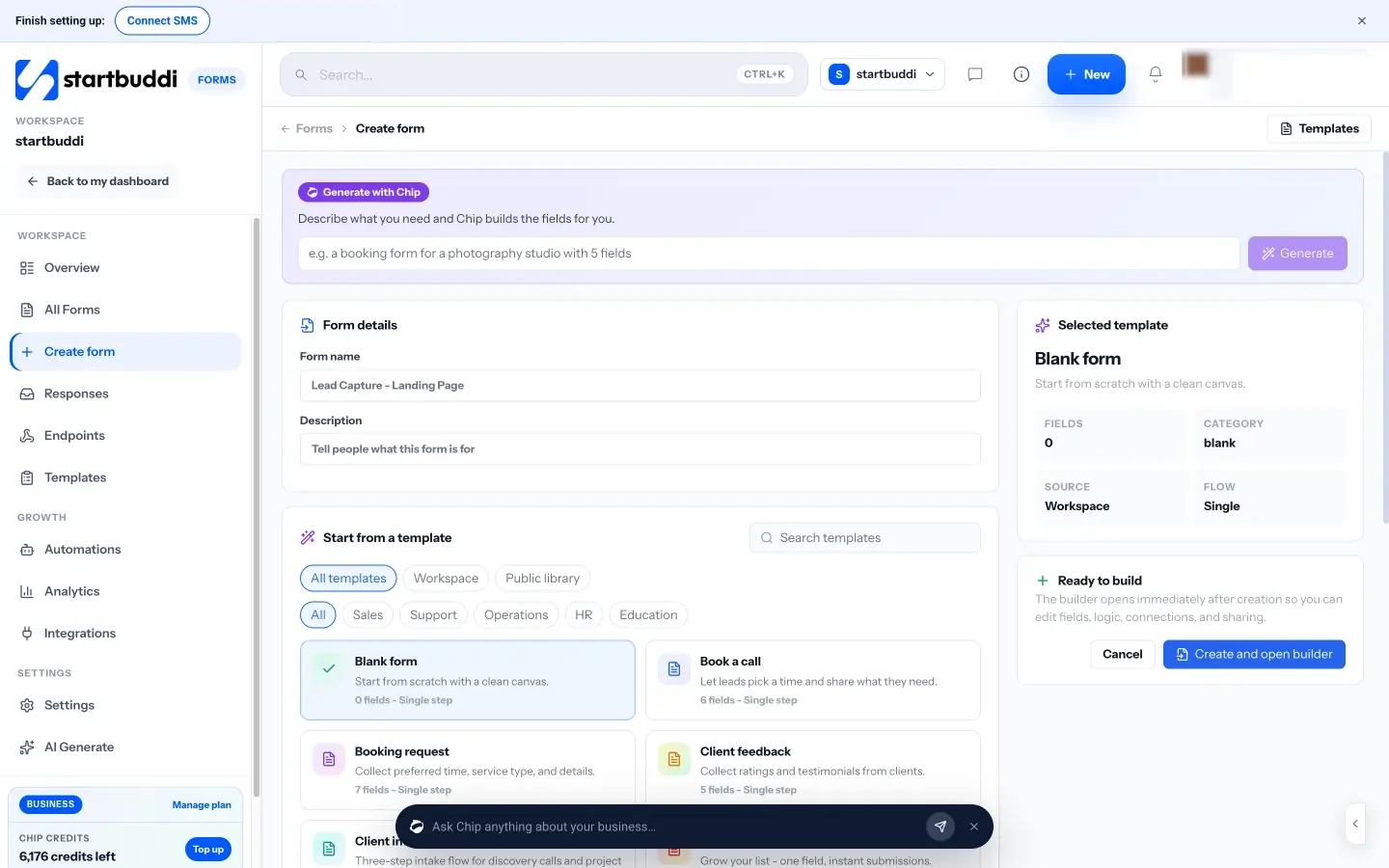
Endpoints for your own HTML
If you’d rather keep your own form design, the Endpoints view gives you a hosted endpoint for your website. You copy a snippet for plain HTML, JavaScript or a popup, and submissions land in Forms alongside the rest, with a honeypot field and rate limits to cut spam, notifications, and CSV or JSON export. Our page on the HTML form builder explains the set-up step by step.

What happens after someone submits
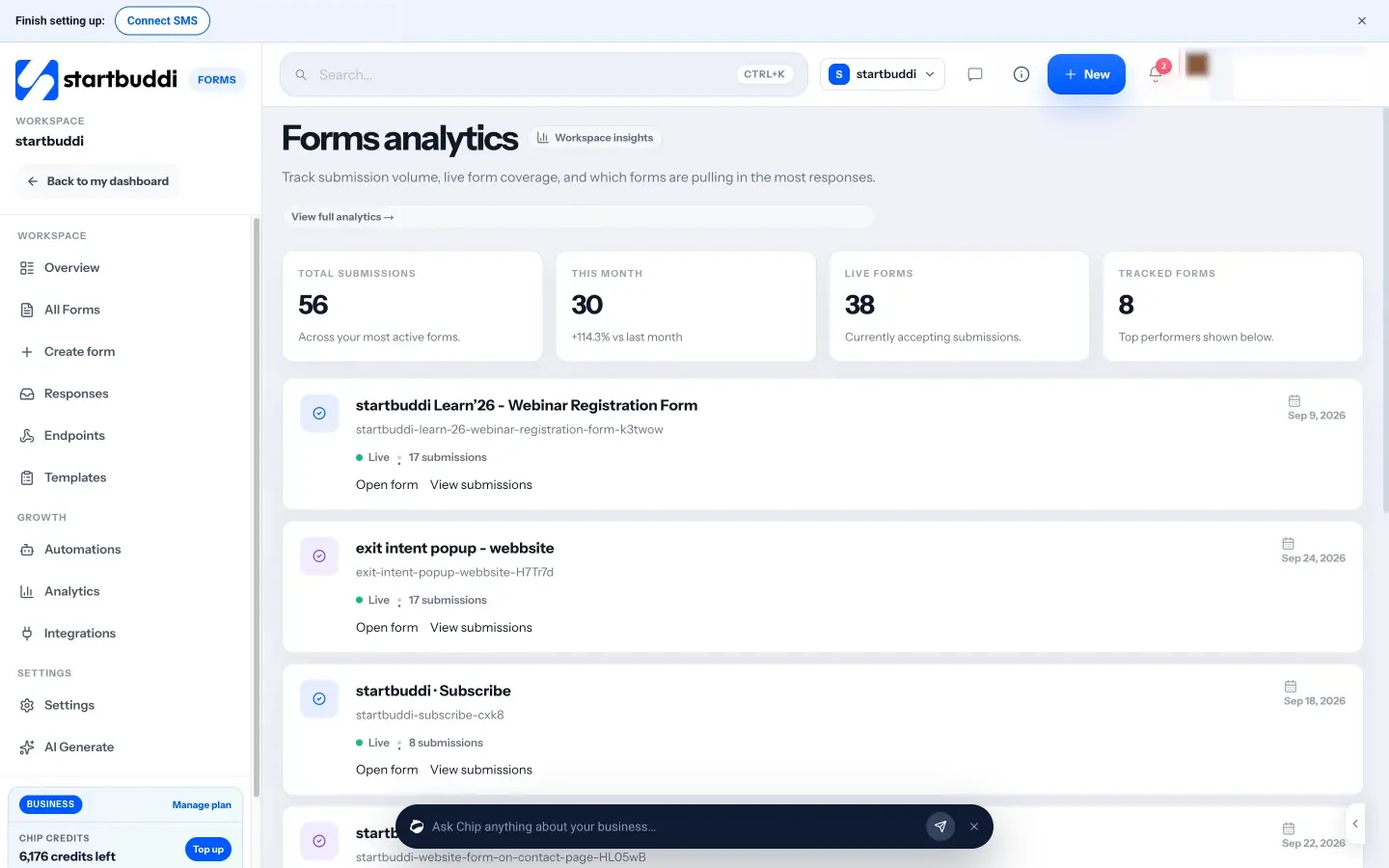
Every response can create or update a contact in your contact list, and form submissions can start an automation, such as a confirmation email, a WhatsApp message or a new task (Free includes 2 active automations, and WhatsApp needs Starter or above). Forms analytics shows submissions across your forms, and the builder’s Responses tab shows views, completion and answers by question.
Now the limits. The Free plan includes 1 form, Starter 20, and Growth and Scale unlimited. Hosted form pages always show a small “Powered by startbuddi” footer, which is hidden when the form is embedded on your site. The appointment picker field is a date field; it doesn’t create a booking in startbuddi Bookings, so use a booking page for appointments. Form settings for reCAPTCHA and email verification aren’t available yet. Compare it with other builders in our startbuddi vs Typeform and startbuddi vs Jotform comparisons, and see how to embed a startbuddi form on your website.
Your next step
Look at the forms on your website today and ask one question of each: where do the answers go, and who checks them? If the honest answer is “an inbox nobody watches”, fix that first. Then choose your route using the guide above. If you want both a builder and an endpoint in one account, start with startbuddi for free and build your first form.
Sources
- MDN Web Docs: Sending form data
- W3C Web Accessibility Initiative: Labeling controls
- Baymard Institute: Checkout flow average form fields
- ICO: What is valid consent?
- Formspree (official site)
Frequently asked questions
Is a hand-coded HTML form more secure than a form builder?
Not automatically. Security depends on the code that receives the data. A well-run form service often handles validation and spam better than a quickly built custom backend.
Can I use my own HTML form without a server?
Yes. Point the form at a hosted form endpoint, which receives, stores and forwards submissions for you.
Will an embedded form builder slow down my website?
An embedded form loads extra content, usually in an iframe, but a single form rarely makes a noticeable difference. Test your page speed before and after.
Which is better for payments?
A builder with a payment field connected to your payment provider. Avoid building card handling into a custom form yourself.
Tiwalade Joanna Okedara-Kalu is the founder, CEO and CTO of startbuddi, the business system that brings clients, bookings, invoices, projects, marketing and the Chip AI assistant into one place. Tiwalade builds software around how service businesses really work day to day, and writes about client management, getting paid on time and why small businesses outgrow the tools they start with.
Founded startbuddi and leads its product and engineering