Google Forms alternative for agencies: why and when to switch
Google Forms is fine for team polls. Here is where agencies outgrow it, what a Google Forms alternative for agencies should do, and the forms to rebuild first.


Photo: Wadi Lissa / Unsplash
- Google Forms is free and familiar, but uploads need a Google sign-in, logic only works through sections, there is no payment question and answers stop in a spreadsheet. A dedicated form builder turns every answer into a contact and a follow-up, with branding, logic, payments and consent tracking.
Google Forms is a good free tool, and plenty of agencies start with it. But an agency uses forms differently from a school or a club: every form is a first impression on a paying client, it often needs files, logic and sometimes a deposit, and every answer should turn into a contact, a task or a follow-up. A good Google Forms alternative for agencies handles that whole journey, from the question to what happens next. Google Forms stops when the answer lands in a spreadsheet.
This guide is fair to Google Forms. It covers what it does well, where agencies outgrow it, what to look for in a replacement, the forms most agencies actually need, and the data rules that apply when you collect details for yourself or for clients.
What Google Forms does well
Credit where it is due. Google Forms is free with a Google account, familiar to almost everyone, and quick to build. Responses flow into Google Sheets, where you can sort, filter and chart them. For internal surveys, team polls, event headcounts and quick feedback, it is hard to beat.
If your agency only needs a form once a quarter to ask the team where they want to go for the end-of-year lunch, keep using it. The case for something else starts when forms become part of how you win and serve clients.
Where Google Forms falls short for agencies
These are the limits agencies run into most, all taken from Google’s own help pages.
File uploads need a Google sign-in
Agencies collect logos, brand guidelines, photos and briefs. In Google Forms, “to answer this question, responders need to sign in to a Google Account”, and uploaded files are stored in a new folder in the form owner’s Google Drive (Google Docs Editors Help). A prospect without a Google account, or signed in to the wrong one at work, may simply give up.
Logic works by sections, and only on some questions
Good intake forms ask follow-up questions only when they matter: ask for a website address only if someone wants a website redesign. Google Forms does this with “Go to section based on answer”, which Google says “is only available for Multiple choice and Dropdown question types” (Google Docs Editors Help). Every branch needs its own section, which means extra pages and more clicks for the person filling it in.
Branding is limited
You can choose a header image, colours and fonts (Google Docs Editors Help), but the form still looks and feels like Google Forms. For a creative agency selling design, that matters more than it would for a book club.
No payment question
Google Forms has no built-in way to take a payment. If you ask for a deposit before a discovery workshop or charge for an audit, you need a second tool and a second step, and that is where people drop off.
Answers end up in a sheet, not in your client list
This is the big one. A response in a spreadsheet is not a contact in your CRM, a task for your account manager or an email to the lead. Someone has to copy it across, and when the agency is busy, that someone is nobody. Add-ons and Zapier-style connectors can fill the gap, but each one is another thing to set up, pay for and fix.
What a Google Forms alternative for agencies should do
When you compare tools, use this checklist. Not every agency needs every item, so tick the ones that match how you work.
| Need | Why it matters | What to look for |
|---|---|---|
| Answers become contacts | No copying between tools, no lost leads | Each submission creates or updates a contact, with duplicates handled |
| Follow-up on submit | Speed wins new business | An email, WhatsApp or task that starts the moment someone submits |
| Conditional logic | Shorter forms, better answers | Show, hide or skip single questions, not just whole sections |
| File uploads without sign-in | Clients send assets without friction | Uploads that work for anyone with the link |
| Payments | Deposits and paid audits in one step | A payment field that works with a processor you can use in your country |
| Your branding | Forms look like your agency | Your colours and logo, and embedding on your own site |
| Consent tracking | Marketing only to people who agreed | A separate consent box recorded against the contact |
| Analytics | Find the question that loses people | Views, completion rate and answers by question |
For a wider comparison of tools, see our researched list of the best form builders for business, and if you are deciding between writing your own HTML and using a visual builder, read HTML form builder vs drag-and-drop.
The forms most agencies need
Most agencies run on five to seven forms. Get these right and you remove a lot of back-and-forth email.
- Website enquiry or lead form. Name, email, company, what they need, budget range and timeline. Keep it short; our guide on building a lead capture form that converts goes into detail.
- Discovery questionnaire. Sent before the first call: goals, audience, competitors, what has and hasn’t worked. Use logic so a social media client doesn’t see website questions.
- Client onboarding or intake form. Billing contact, brand assets, logins you need (collected securely, never in a form field), approval contacts and key dates. Our free client intake form template is a good start.
- Creative brief. One per project: the problem, the audience, the single message, mandatory items, deadline and budget.
- Feedback and approval form. For rounds of review, so feedback arrives in one place instead of across WhatsApp, email and comments.
- Client satisfaction survey. A short score plus one open question at the end of a project or quarter.
- Job or freelancer application. Portfolio link, rates, availability and a file upload for a CV.
Agencies that build forms for their clients, such as event registrations or lead forms for a client’s campaign, need two more things: a way to keep each client’s forms and responses apart, and clear rules on who owns the data.
Data, consent and who owns the responses
When you collect personal details, data protection law applies. This is general information, not legal advice; check the rules where you and your clients operate.
Most laws draw the same line. The business that decides why and how data is used is the controller; a business that handles it on the controller’s behalf is the processor (ICO). For your own lead forms, your agency is usually the controller. For forms you run for a client’s campaign, your client is often the controller and you are the processor, which should be written into your contract.
Consent is the other trap. Filling in an enquiry form is not the same as agreeing to marketing emails. In the UK, marketing by email or text generally needs consent under PECR (ICO). Nigeria’s Data Protection Act 2023 lists consent as one of the lawful bases for processing and sets out what valid consent looks like (Nigeria Data Protection Commission). In practice, add a separate, unticked box for marketing, say what people will receive, and keep a record of who ticked it and when.
Two practical rules help everywhere: only ask for what you need, and never ask for passwords or card numbers in a normal form field.
Speed: follow up while the lead is warm
The real cost of a spreadsheet-only form is slow follow-up. In a study published in Harvard Business Review, companies that tried to contact a web lead within an hour were nearly seven times as likely to have a meaningful conversation with a decision maker as those that waited even an hour longer, and more than 60 times as likely as those that waited a day or more.
For an agency, that means the enquiry form should trigger three things straight away: a thank-you email that says what happens next (and links to book a call), a notification to the right person, and a task with a due date. None of this needs to be clever. It just needs to happen every time, including on a Friday afternoon. Our guide to CRM automation workflows for agencies covers the follow-ups worth building first.
Five form mistakes agencies make
- Asking everything up front. A 30-question enquiry form scares off the leads you want. Ask for enough to qualify and book a call, then send the discovery questionnaire once they are interested.
- Making budget a free-text box. People skip it or write “depends”. Offer three or four ranges in your own currency, such as under $2,000, $2,000 to $5,000 and over $5,000, or the naira, rand or pound equivalents your clients think in.
- No confirmation message. “Thanks, we’ll be in touch” tells people nothing. Say when they will hear back and link to your booking page so they can pick a time now.
- One form for every service. A branding client and a paid ads client need different questions. Use logic, or separate forms, so each person only sees what applies to them.
- Never testing on a phone. Many prospects will open your form from WhatsApp or Instagram on a mobile. Fill it in yourself on a phone before you share the link.
When Google Forms is still the right choice
Stay with Google Forms if all of these are true: the form is internal, nobody needs to upload files from outside your organisation, you don’t need payments, and the answers don’t need to become contacts or tasks. It is also fine as a stop-gap in your first weeks, while you work out which questions actually matter. When a form starts feeding your sales process or client work, that is the moment to move. Our startbuddi vs Google Forms comparison sets the two side by side.
How startbuddi helps agencies with forms
In startbuddi, Forms sits in the same account as your contacts, projects, invoices and marketing, so a submission can go straight into the rest of your work. You can start from a blank form, from a template such as Lead Capture, Client Onboarding or Discovery Questionnaire, or describe what you need and let Chip draft the fields for you to edit. Chip drafts use Chip credits.
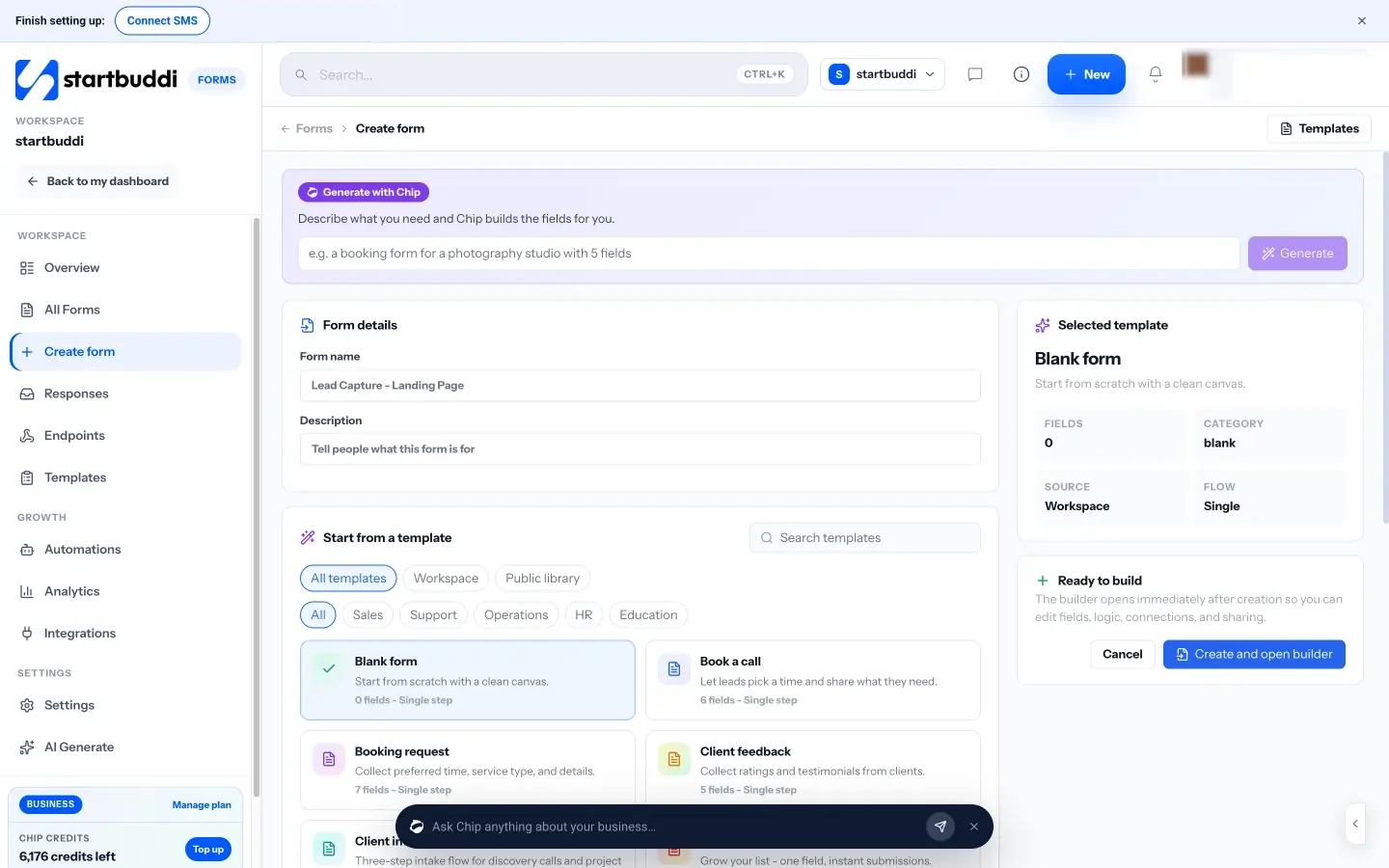
The builder has the field types agencies use, including file upload, signature, rating and a payment field. Logic rules show, hide or skip single questions, make a question required, or end the form, and you can describe a rule in plain English for Chip to build. Forms can be one page or multi-step, one question at a time. Every submission can create or update a contact, with a separate “counts as marketing consent” option and a choice of how duplicates are handled. The payment field takes fixed or pay-what-you-want amounts through Paystack or Stripe, where available in your country. You can share a direct link, embed with an iframe or popup button, show a QR code, or keep your own website form and send it to a startbuddi endpoint.
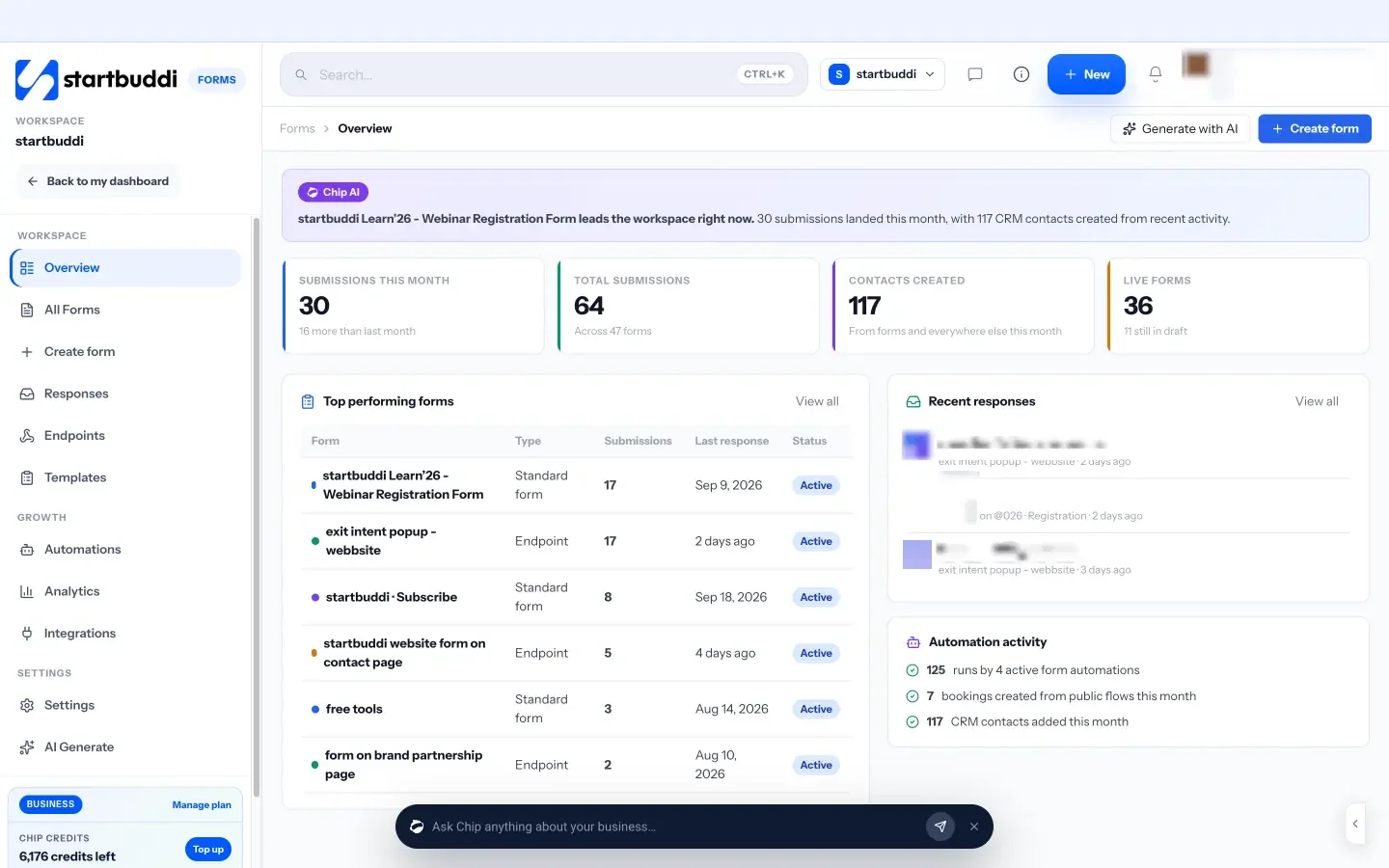
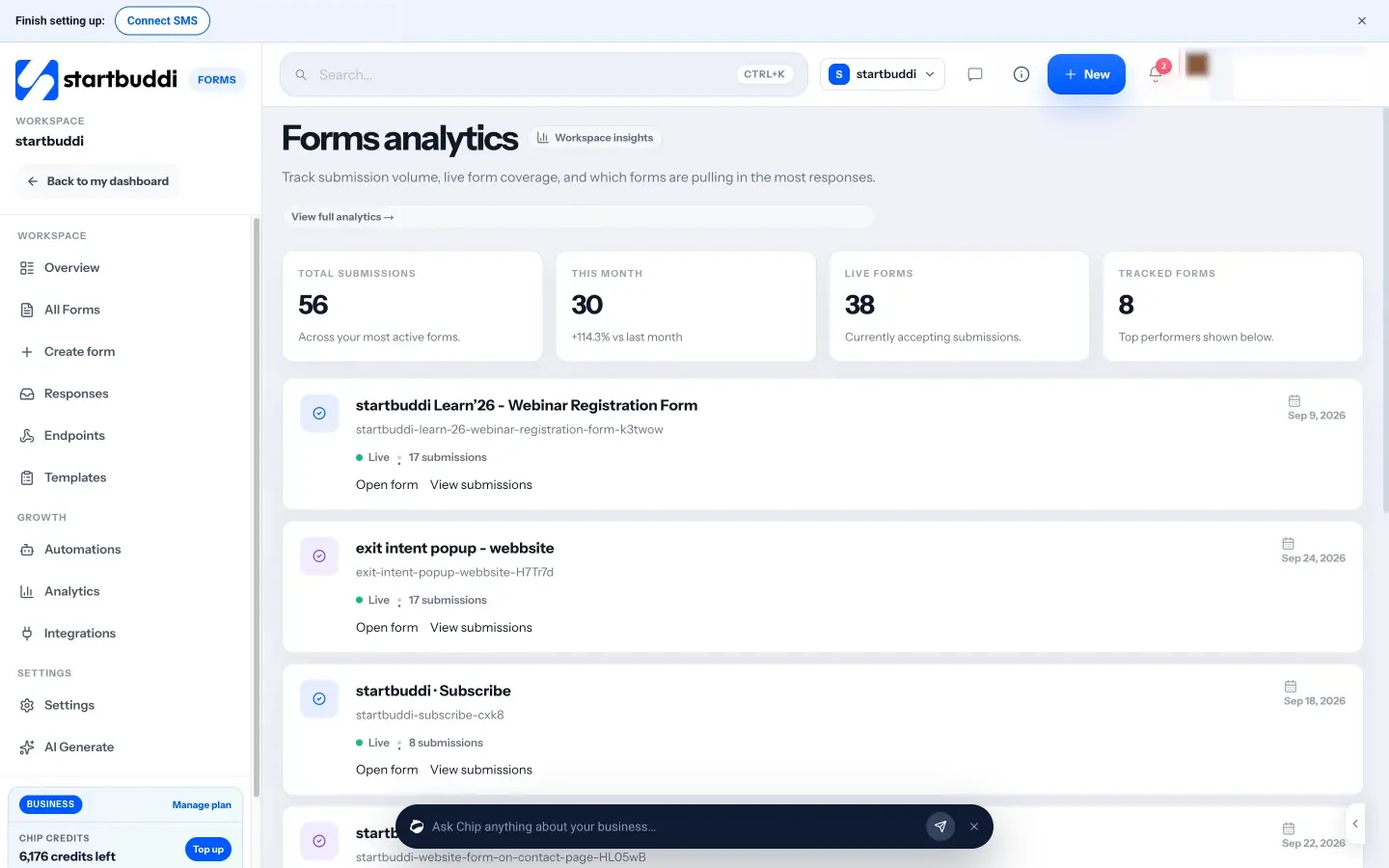
After submit, Automations can send an email, SMS or WhatsApp message, or create a task or project. SMS and WhatsApp need the Starter plan or above, and Free includes 2 active automations against 10 on Starter. Analytics show views, completion rate and answers by question, so you can see which question people skip. Spam protection uses a hidden honeypot field and rate limits.
Honest limits: the Free plan includes one form and Starter includes 20, with unlimited forms on Growth and above. Hosted forms show a small “Powered by startbuddi” footer on every plan, though it is hidden when you embed a form on your own site. The “Appointment picker” field is a date question, not a live booking; to take bookings, share a booking page instead. There is no reCAPTCHA or quiz scoring. For set-up steps, see how to build a form and how to embed a form on your website.
Your next step
List every form your agency uses today and where each set of answers ends up. Pick the one that matters most, usually the website enquiry form, and rebuild it so every submission becomes a contact and triggers a thank-you email and a task. Once that works, move your discovery questionnaire and onboarding form. You can build your first form on the Free plan and compare plans when you need more forms and automations. For a closer look at how startbuddi works for agency teams, see our page on the form builder for agencies.
Sources
- Google Forms, product page
- Google Docs Editors Help, Choose a type of question for your form
- Google Docs Editors Help, Show questions based on answers
- Google Docs Editors Help, Change the theme or font of your form
- ICO, What are controllers and processors?
- ICO, Electronic mail marketing (PECR)
- Nigeria Data Protection Commission, Nigeria Data Protection Act 2023
- Oldroyd, McElheran and Elkington (2011), The Short Life of Online Sales Leads, Harvard Business Review
Frequently asked questions
Is Google Forms good enough for a small agency?
For internal surveys and quick polls, yes. Once forms collect leads, files or payments from clients, most agencies need answers to flow into their contacts and trigger follow-ups.
Can clients upload files to Google Forms without a Google account?
No. Google says people must sign in to a Google account to answer a file upload question, and files are saved to the form owner's Drive.
What forms should an agency set up first?
Start with the website enquiry form, then a discovery questionnaire and a client onboarding form. Those three cover winning work and starting it.
Who owns the data when an agency runs forms for a client?
Usually the client is the controller and the agency is the processor, but it depends on your arrangement. Put it in your contract and check the data protection rules where you operate.
Tiwalade Joanna Okedara-Kalu is the founder, CEO and CTO of startbuddi, the business system that brings clients, bookings, invoices, projects, marketing and the Chip AI assistant into one place. Tiwalade builds software around how service businesses really work day to day, and writes about client management, getting paid on time and why small businesses outgrow the tools they start with.
Founded startbuddi and leads its product and engineering