How to get customer reviews: ask, automate, reply and use them well
A four-part guide on how to get customer reviews honestly: the rules, when and how to ask, review request templates, automated requests and private feedback, and replying to every review.

This guide shows you how to get customer reviews honestly and consistently: why they matter, the rules you must follow, when and how to ask, how to automate the asking, and how to reply to reviews and put them to work. It is for service businesses, shops, trades, clinics, salons, restaurants and freelancers who know reviews bring in customers but only get one when a happy client remembers to leave it.
Each chapter starts with the business thinking, with message templates, worked numbers and mistakes to avoid, then shows how to do it in startbuddi. By the end you will have a review link, request messages for email, SMS and WhatsApp, an automation that asks every customer at the right moment, a private feedback form, and ready-made replies for good and bad reviews.
Why reviews matter, and the rules for asking
- Why reviews matter so much
- Where your reviews should live
- Reviews, testimonials and case studies
- Get your profile ready before you ask
- Set a simple review goal
- The rules: what you can and cannot do
- What you can safely do
- The foundation: an experience worth reviewing
- A few imperfect reviews are not a disaster
- Worked example: what a review routine is worth
- Kick-start plan: your first ten reviews
- What makes a review helpful to readers
- How many reviews is enough?
- Common mistakes
- Doing this in startbuddi: know who to ask
Customer reviews are what past customers say about you in public: star ratings and comments on Google, Facebook, Trustpilot, Yelp, TripAdvisor and industry sites, plus testimonials you share with permission. For most small businesses they are the deciding factor between you and the business down the road. The short answer to how to get customer reviews: deliver a good experience, ask every customer at the moment they are happiest, make leaving a review take under a minute, never offer rewards or filter who you ask, and reply to every review you get.
Why reviews matter so much
People check reviews before they choose a local business, and they are picky about what they see. BrightLocal's Local Consumer Review Survey 2026, based on a panel of 1,002 US consumers, found that 97% of consumers read reviews for local businesses, 41% "always" read them when browsing, and 68% want a business to have at least four stars. It also found that 74% look for reviews written in the last three months (BrightLocal, Local Consumer Review Survey 2026).
Three lessons follow for a small business:
- Volume matters. Ten reviews look more trustworthy than two, even at the same rating.
- Recency matters. A business with 40 reviews but none since last year looks less active than one with 15 from the last few months. You need a steady flow, not a one-off push.
- Your rating matters. Many people filter out businesses below four stars. You cannot fake your way there, but asking every customer, not only the loud ones, usually lifts your average because happy customers are the quiet majority.
Reviews also help you get found. For local businesses, the number, quality and recency of Google reviews are among the signals that affect how prominently you appear in Google Maps and local results. Our post on local SEO for small business explains how reviews fit into local search.
Where your reviews should live
You do not need reviews everywhere. Focus on the places your customers look.
| Platform | Best for | Notes |
|---|---|---|
| Google Business Profile | Almost every local business | Shows in Google Search and Maps. Usually the first priority. |
| Facebook Page | Local and community businesses | Recommendations appear on your Page. |
| Trustpilot | Online shops and national services | Common in the UK and Europe. |
| Yelp | Restaurants and local services, mainly in the US | Has strict rules about asking for reviews; read them before you ask. |
| TripAdvisor | Hospitality, tours, attractions | Key for tourists. |
| Industry sites | Trades, healthcare, legal, wedding suppliers | Check which directories your customers use. |
| Your own website | Everyone | Testimonials you publish with permission. |
Pick one main platform, usually Google, and one supporting platform. Sending customers to five places splits your reviews and confuses people.
Reviews, testimonials and case studies
These three are related but do different jobs:
- Reviews are written by customers on a third-party platform such as Google. You cannot control or edit them, which is exactly why people trust them.
- Testimonials are quotes from customers that you publish yourself, on your website, in proposals or on social media, with their permission.
- Case studies are longer stories of how you helped one customer, usually with their input and approval, and often with numbers.
A healthy mix is a steady flow of public reviews, a handful of strong testimonials on your key pages, and a few case studies for bigger or B2B sales. Most of this guide is about public reviews, because they drive the most decisions, but the same habits of asking well and asking everyone apply to all three.
Get your profile ready before you ask
If you send customers to Google, make sure what they find looks good. Before your first request, check your Google Business Profile: the right business name and category, accurate address or service area, opening hours, phone number, website, a clear description and recent photos of your work, premises and team. A complete, active profile makes people more willing to leave a review and helps everyone who reads it afterwards. Do the same for any other platform you plan to use.
Set a simple review goal
A goal turns "we should get more reviews" into a habit. Good goals are specific and about effort you control, such as "ask every customer within 24 hours" or "get at least eight new Google reviews a month". Look at your two nearest competitors: how many reviews do they have, and how recent is the latest? Aim to match their recent flow within three months and pass it within six. Write the goal down and check it at the end of each month.
The rules: what you can and cannot do
Review rules have tightened in many countries, and platforms enforce their own policies. This is general information, not legal advice, so check the rules where you trade.
- Google's policy. Businesses may encourage genuine reviews, but must not offer incentives such as payment, discounts or free goods in exchange for a review, must not discourage negative reviews or selectively ask only happy customers, and must not require or pressure people to leave reviews while on the premises (Google Maps user-contributed content policy).
- United States. The FTC's rule on consumer reviews and testimonials took effect on 21 October 2024. It bans buying or selling fake reviews, buying positive or negative reviews, undisclosed insider reviews and certain review suppression practices, and lets the FTC seek civil penalties against knowing violators (FTC announcement of the final rule).
- United Kingdom. Since 6 April 2025, the Digital Markets, Competition and Consumers Act bans fake reviews and concealed incentivised reviews, and the Competition and Markets Authority has published guidance on what businesses must do (CMA fake reviews guidance).
- Australia. The ACCC warns against "review gating", where businesses send happy customers to public review sites and unhappy ones to a private channel, and against removing genuine negative reviews (ACCC, online reviews).
- Elsewhere. Consumer protection bodies such as Nigeria's Federal Competition and Consumer Protection Commission treat misleading claims seriously, and platform rules apply wherever you are.
What you can safely do
- Ask every customer for an honest review, whatever you think they will say.
- Make it easy with a direct link or QR code.
- Remind people once if they did not respond.
- Ask for private feedback too, as long as you still invite everyone to review publicly.
- Reply to all reviews, good and bad.
- Share genuine reviews on your website and social media, with the reviewer's permission where needed.
- Report reviews that break the platform's rules, such as spam or reviews from people who were never customers.
The foundation: an experience worth reviewing
No request message can fix a poor experience. Before you focus on asking, check the basics customers mention most in reviews: did you turn up or deliver when you said, communicate clearly, charge what you quoted, fix problems quickly and leave things tidy? A simple test: read your last ten reviews and your competitors' last ten. The words that appear again and again ("on time", "explained everything", "tidy", "friendly") show what your customers value. Make those things reliable, and reviews follow.
A few imperfect reviews are not a disaster
Many owners fear that asking everyone will bring in bad reviews. In practice, a profile of only perfect five-star reviews can look less believable than one with a few honest four-star comments and a calm reply to the occasional complaint. Readers look at the overall pattern and at how you respond. A business with 60 reviews averaging 4.7, including two critical ones answered well, usually earns more trust than one with eight flawless reviews. Asking everyone gives you that volume and honesty, and it shows you where to improve.
Worked example: what a review routine is worth
A dog grooming business sees 120 customers a month. Today it gets about two reviews a month from people who remember on their own. If it asks every customer by text after each appointment and one in five leaves a review, that is 24 reviews a month. In six months, the business goes from 30 reviews to over 170, most of them recent. If better reviews bring in just four extra first-time customers a month at $60 each, who then come back every eight weeks, that is well over $1,000 a month in new recurring revenue by the end of the year. The response rate in this example is an illustration; track your own.
Kick-start plan: your first ten reviews
If you have few or no reviews, start with the people who already like you:
- List your 20 most recent customers who were clearly happy: repeat clients, people who thanked you, people who referred a friend.
- Send each a personal message, not a bulk one, using the templates in chapter 2. Mention the job you did for them.
- Follow up once, a few days later, with anyone who did not respond.
- Reply to every review as it arrives.
- From then on, ask every new customer, not just the favourites, so your reviews reflect everyone you serve.
Asking recent happy customers first is fine as a one-off start, as long as it does not become a filter: once the system is running, everyone gets asked.
What makes a review helpful to readers
The most useful reviews mention the specific service, the result and what it was like to work with you: "They fixed our leaking roof the day after the storm, explained the cost up front and left no mess." You cannot tell customers what to write, but you can make detailed reviews more likely by asking soon after the job, while details are fresh, and by mentioning the service in your request so they remember what to describe.
How many reviews is enough?
There is no magic number, but there are useful benchmarks you can find yourself: search for your service in your area and note the review counts of the top three businesses in the map results. That is roughly what customers in your market are used to seeing. Beyond that, recency matters more than a bigger total, so aim for a steady flow every month rather than a large number collected once.
Common mistakes
- Only asking your favourite customers. It feels safe, but it is selective soliciting and can break platform rules.
- Asking once a year in a big push. You get a burst of reviews, then nothing, and recency suffers.
- Sending people to a long, confusing path ("search for us on Google, then scroll down…"). Use a direct link.
- Ignoring the reviews you get. Unanswered reviews, especially negative ones, look like nobody is home.
- Arguing in public. A defensive reply to a bad review does more damage than the review itself.
Doing this in startbuddi: know who to ask
Before you ask for reviews, you need a clear list of recent customers and a way to see who has already been asked. In startbuddi, every client, booking and invoice sits together, which makes that list easy to build.
1. Check your customer records. In Customers, open Contacts. Every person who booked, paid an invoice, filled in a form or messaged you is here with their history, so you can see who you have served recently.
2. Build a "ready to review" segment. Open Segments and click Create segment. Segments fill themselves from rules and stay up to date. Useful rules for review requests include people who attended a booking, people with a paid invoice, and a date added or last contacted within the last month. Add a tag such as "review asked" when you send a request, and exclude that tag from the segment so nobody is asked twice.
3. Record your review link. Create a custom property for your review link, or keep it in a saved reply, so everyone on your team sends the same direct link. Properties can be copied as merge tags into an email, SMS, WhatsApp message or automation step. The contacts and companies page explains properties and segments.
The next chapter covers the most important part: how to ask, with messages you can copy.
How to get customer reviews: timing, channels and request messages
- Timing: ask at the moment of delight
- Channel: ask where the customer already talks to you
- Get your direct Google review link
- Review request message templates
- Make it take under a minute
- Special cases
- Printed prompts that work
- Asking for reviews on other platforms
- Worked numbers: how many requests do you need?
- When someone says "I'll do it later"
- A first-week plan
- Track your response rate by channel
- Keep your wording fresh
- Help your team ask
- Common mistakes when asking
- Doing this in startbuddi: send review requests by email, SMS or WhatsApp
Most happy customers never leave a review because nobody asked, or because asking came at the wrong time, through the wrong channel, with too many steps. This chapter covers when to ask, where to ask, what to say, and how to make leaving a review take less than a minute. It includes review request message templates for email, SMS, WhatsApp and in person.
Timing: ask at the moment of delight
The best time to ask is shortly after the customer has experienced the result and before life moves on. That moment is different for each business:
| Business | Best moment to ask |
|---|---|
| Salon, barber, spa | Same day, a few hours after the appointment |
| Restaurant or café | That evening or the next morning |
| Trades and home services | When the job is finished and checked, or when the invoice is paid |
| Online shop | A few days after delivery, once the product has been used |
| Consultant, agency, freelancer | After a milestone or result, or at project sign-off |
| Coach, tutor, trainer | After a visible win: a passed exam, a goal reached, a programme completed |
| Clinic or therapist | After a course of treatment, following professional rules on patient contact |
Ask too early and they have not seen the result. Ask too late and the feeling has faded. A good default for most service businesses is within 24 hours, then one polite reminder three to five days later.
Channel: ask where the customer already talks to you
- In person is the most personal. Ask at the end of a good conversation, and hand them a card or show a QR code. Do not pressure or watch them do it.
- SMS is fast and almost always read. Best for appointments and quick services.
- WhatsApp suits businesses whose customers already chat with them there. Marketing-style messages need an approved template and the customer's opt-in.
- Email suits online shops, B2B services and customers you mainly email. It allows a longer, warmer message.
- On the receipt or invoice, a short line with the link is a gentle, low-effort reminder.
Use the channel your customer used to book or talk to you. A client who has only ever messaged you on WhatsApp may never see an email.
Get your direct Google review link
A direct link that opens the review box is the single biggest improvement you can make. Google Business Profile lets you create a link or QR code to request reviews: from your Business Profile, open your reviews and choose the option to get more reviews, then copy the link or download the QR code (Google Business Profile Help, create a link or QR code to request reviews). Google's help pages have the current steps if the menus change. Test the link on your phone before you share it.
Other platforms have similar tools. Facebook Pages, Trustpilot and many industry sites let you share a direct review link. Check each platform's rules on how you may invite reviews.
Review request message templates
Keep requests short, personal and specific. Say thank you, mention what you did, make the ask, give the link, and make it clear any honest review is welcome.
SMS
Hi Aisha, thanks for coming in today! If you have a minute, would you leave us an honest review on Google? It really helps a small business like ours: [link]. Zara at Glow Studio
Hello Mr Okafor, thank you for choosing us for your inverter installation this week. We hope everything is running well. Could you share your honest experience in a quick Google review? It takes about a minute: [link]. If anything is not right, just reply here and we will sort it. Tunde, BrightPower
Subject: How did we do, James?
Hi James,
Thank you for trusting us with your garden redesign. It was a pleasure working on it, and we hope you are enjoying the new space.
Could you spare a minute to leave an honest review on Google? Reviews help other homeowners decide whether we are right for them, and we read every one: [Leave a review]
If anything was not as you hoped, please reply to this email and I will personally put it right.
Thanks again,
Priya
Greenline Gardens
Reminder (once, three to five days later)
Hi Aisha, just a gentle reminder in case our last message got buried. If you have a moment, an honest review would mean a lot: [link]. No worries if not, and thanks again for visiting!
In person
"I'm really glad you're happy with it. We're a small business and reviews help people find us. If you've got a minute later, would you leave us an honest review? This card has a code that takes you straight there."
Our post on WhatsApp message templates for business has more wording you can adapt for other follow-ups.
Make it take under a minute
Every extra step loses people. Check your process from the customer's side:
- The message arrives on the channel they use.
- One tap opens the review box on the right platform.
- They are already signed in, or signing in is quick (Google accounts are common, which is another reason Google is a good first platform).
- They can leave a rating and a sentence and be done.
Some businesses add an optional prompt to help people who do not know what to write: "You might mention what we did and how it went." That is fine. Telling people what rating to give, or what to say, is not.
Special cases
- B2B clients. Business clients may need approval to review publicly. Ask your main contact personally, offer a LinkedIn recommendation or a written testimonial as alternatives, and ask at a natural milestone rather than after every invoice.
- Repeat customers. Ask once after their first great experience, and again only after something notable, such as a new service or an anniversary.
- Sensitive services. Clinics, therapists, lawyers and financial advisers often have professional rules about testimonials and patient or client confidentiality. Check your regulator's guidance before asking, and never reply to a review in a way that confirms someone is your patient or client.
- Customers who had a problem that you fixed. These customers often write the most convincing reviews. Ask them too, once the problem is solved.
Printed prompts that work
For businesses with a counter, a room or a vehicle, a small printed prompt keeps reviews coming without a word said. Ideas: a card handed over with the receipt, a QR stand by the till, a sticker on the equipment you install, a line at the bottom of printed invoices, or a note in the packaging of online orders. Keep the wording simple: "Enjoyed your visit? Scan to leave us an honest review." Test the QR code on several phones before printing a batch.
Asking for reviews on other platforms
The same approach works beyond Google. On Facebook, make sure recommendations are switched on for your Page and share the direct link to your Page's reviews tab. On Trustpilot and similar sites, use the platform's own invitation tools or review links and follow its rules on who you may invite. On industry directories, check whether they need a verified customer email or booking before a review appears. Wherever you send people, use one direct link per message, never a list of five platforms to choose from, which makes it more likely they will choose none.
Worked numbers: how many requests do you need?
Work backwards from your goal. Say you want 10 new Google reviews a month and you know roughly one in five people you ask will leave one. You need to ask about 50 customers a month. If you serve 50 or more, asking everyone gets you there. If you serve fewer, you need a higher response rate: ask in person and follow up by text, which usually works better than email alone. Measure your own response rate for two months and adjust.
When someone says "I'll do it later"
Many customers mean well and forget. If someone says yes in person, ask whether you can text them the link now so it is waiting on their phone. Send it straight away with a thank-you. If they do not leave a review after your one reminder, let it go. A customer who feels chased is less likely to recommend you in any form.
A first-week plan
- Day 1: get your direct review link and QR code, and check your profile is complete.
- Day 2: write your SMS, WhatsApp and email requests using the templates above.
- Day 3: send personal requests to your ten most recent happy customers.
- Day 4: brief your team with the in-person script and print QR cards.
- Day 5: start asking every customer after every job.
- Day 7: send one reminder to anyone from day 3 who has not responded, and reply to every new review.
Track your response rate by channel
Keep a simple record for the first two months: how many people you asked, on which channel, and how many reviews appeared. You may find that texts get twice the response of emails, or that asking in person and following up on WhatsApp beats everything else. Once you know, put your effort where it works. A shared tag on each contact ("review asked", "review left") makes this easy to count.
Keep your wording fresh
If most customers return regularly, they will see your request more than once over the years. Write two or three versions of each message and rotate them, and update them when something changes, such as a new service or a new team member. Read your requests aloud every few months: if they sound like a form letter, rewrite them in the way you would actually speak to a customer at the door.
Help your team ask
If staff meet customers, make asking part of the job, not a favour. Give them a short script, cards or a QR stand, and share every new review with the team so they see the effect. Avoid tying pay or bonuses to review scores, which can push people into pressuring customers. Celebrate the number of customers asked rather than the stars they give.
Common mistakes when asking
- Long messages that bury the link.
- Generic messages that could come from any business. Use their name and mention the job.
- Sending from a no-reply address, which blocks customers who want to reply with a problem.
- Asking before the job is really finished, or before a problem has been fixed.
- Chasing more than once.
- Pressuring people on the spot, such as handing them a tablet at the counter and waiting.
Doing this in startbuddi: send review requests by email, SMS or WhatsApp
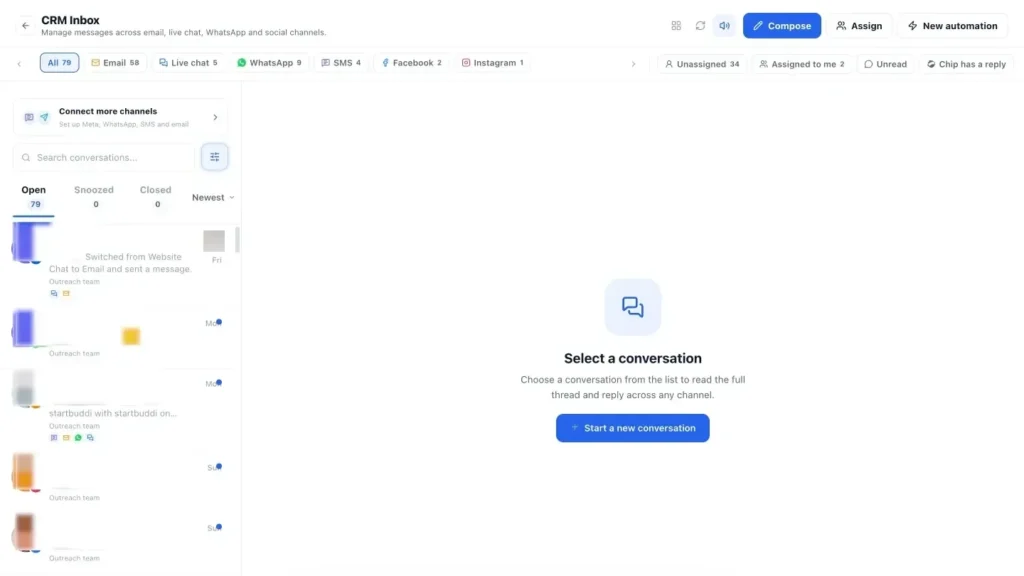
1. Reply personally from the Inbox. For one-off requests, open the customer's conversation in the Inbox in Customers and send your request on the channel they use: email, SMS, WhatsApp or live chat. Save your request wording as a quick reply so it takes seconds and every teammate uses the same message and link. You can also Schedule send so the request goes out a few hours after the appointment.

2. Send to a group by email. In Marketing, open Email Marketing and click + Create campaign. On the Audience step, choose your "ready to review" segment and exclude anyone tagged "review asked". Write a short, personal email using the template above, with {{first_name}} in the greeting and your review link as the button. Check it on the Review step and send.
3. Send by SMS. In SMS, create a campaign, choose the segment, write a message of one or two segments with a merge tag for the first name, and schedule it. Replies of STOP, UNSUBSCRIBE, CANCEL, END or QUIT are handled automatically. SMS needs the Starter plan or above.
4. Send on WhatsApp. In WhatsApp, create a template with your request wording and a link, submit it to Meta for review, and once approved use it in a campaign to opted-in contacts, or send it in a conversation after the 24-hour reply window has closed. Within 24 hours of a customer's last message, you can simply write to them. WhatsApp also needs Starter or above. The WhatsApp marketing page explains templates and opt-in.
Sending requests by hand works while you are small. The next chapter shows how to make them send themselves, and how to collect private feedback at the same time.
Automate review requests and collect private feedback
- What an automated review request looks like
- Choose the right trigger
- Private feedback: useful, as long as you do not gate
- Survey tools for small business: what to use
- Net Promoter Score in plain words
- A short feedback form template
- Three example automations
- Measure your review programme
- What to do with glowing private feedback
- Following up a low score
- Keep the automation honest and human
- How often to ask the same customer
- Look after the data you collect
- Use surveys for more than reviews
- Common automation mistakes
- Doing this in startbuddi: automate requests and collect feedback
Asking by hand works until the week gets busy, and then it is the first thing that slips. The businesses with a steady stream of recent reviews almost always automate the request. This chapter shows how to set up review requests that send themselves at the right moment, how to collect private feedback and ratings with simple survey tools, and how to do both without breaking the rules on review gating.
What an automated review request looks like
An automation is a simple rule: when something happens, wait, then send a message. For reviews, a typical flow is:
- Trigger: a booking is marked completed, an invoice is paid, or an order is delivered.
- Wait: a few hours for a service, a few days for a product.
- Send: the review request by SMS, WhatsApp or email.
- Wait: three to five days.
- Check: has the customer already been tagged as reviewed or replied?
- Send once more if not, then stop.
- Tag the contact as "review asked" so they are not asked again for a while.
Set it up once and every customer is asked, every time, even in your busiest month.
Choose the right trigger
| Business | Trigger | Wait before asking |
|---|---|---|
| Appointment-based (salon, clinic, tutor) | Booking completed | 2 to 4 hours |
| Trades and projects | Invoice paid | Same day |
| Online shop | Payment succeeded, plus expected delivery time | 5 to 10 days |
| Subscriptions and memberships | A milestone, such as 30 days as a member | None |
| Agencies and consultants | Project marked complete, or a manual trigger at sign-off | 1 to 2 days |
Invoice paid is a particularly good trigger for service businesses. By the time someone pays, the work is done and they are satisfied enough to settle the bill.
Private feedback: useful, as long as you do not gate
Private feedback, through a short survey or rating form, tells you what to fix and gives unhappy customers a way to be heard. It is valuable. But there is a line you must not cross: using private feedback to decide who gets asked for a public review. That practice, called review gating, is against Google's policy, which prohibits discouraging negative reviews or selectively soliciting positive reviews (Google Maps user-contributed content policy), and regulators such as the ACCC in Australia have warned businesses about it.
The safe pattern:
- Invite every customer to leave a public review, whatever their feedback score.
- Separately, invite feedback privately, and act on it.
- If someone gives a low score privately, contact them to put things right, and do not stop them reviewing publicly.
Survey tools for small business: what to use
You do not need complex software to collect feedback. Look for a tool that lets you:
- Create a short form in minutes, with rating, multiple choice and comment fields.
- Share it by link, QR code or embedded on your site.
- Link answers to the customer record, so you know who said what and can follow up.
- Trigger a follow-up when someone gives a low score.
- See results over time.
Google Forms is free with a Google account and fine for occasional surveys. Dedicated form and survey builders add design, logic, integrations and analytics. The key question for a small business is whether answers end up next to your customer records or in yet another spreadsheet. Our list of the best form builders compares options.
Net Promoter Score in plain words
Net Promoter Score (NPS) is a simple, widely used way to measure loyalty. You ask one question: "On a scale of 0 to 10, how likely is it that you would recommend us to a friend or colleague?" People who answer 9 or 10 are promoters, 7 or 8 are passives, and 0 to 6 are detractors. Your score is the percentage of promoters minus the percentage of detractors, so it runs from -100 to +100 (Bain & Company, measuring your Net Promoter Score).
Worked example: 50 customers answer. 30 give 9 or 10 (60% promoters), 12 give 7 or 8 (24% passives), and 8 give 0 to 6 (16% detractors). Your NPS is 60 minus 16, which is 44. Track it over time rather than comparing with other businesses, and always add a follow-up question: "What is the main reason for your score?" The answers are where the value is.
A short feedback form template
How did we do?
1. How would you rate your experience? (1 to 5 stars)
2. How likely are you to recommend us to a friend? (0 to 10)
3. What did we do well?
4. What could we do better?
5. May we share your comments on our website? (Yes, with my first name / Yes, anonymously / No)Thank you! If you would like to share your experience publicly, you can leave a review here: [link]
Notice the last line appears for everyone, whatever they answered. That keeps it on the right side of the gating rules, and question 5 gives you permission to use the comments as testimonials.
Three example automations
A salon: booking completed, wait three hours, send an SMS thanking the client by name with the Google review link, wait four days, send one reminder if they have not replied, tag "review asked", then exclude them from review requests for 90 days.
An electrician: invoice paid, wait two hours, send a WhatsApp message with a two-question feedback form, then a thank-you message with the review link for everyone, whatever they answered. If a low score comes in, create a task for the owner to call within 24 hours.
An online shop: payment succeeded, wait eight days (to allow for delivery), send an email asking how the product is working out, with links to review on the shop's main review platform and to reply with any problems.
Measure your review programme
| Measure | What it tells you |
|---|---|
| Customers asked this month | Whether the system is running |
| New reviews this month | Whether the asks are working |
| Response rate (reviews divided by asks) | Whether your timing, channel and wording are right |
| Average rating of new reviews | How your service is really landing |
| Days since your latest review | Recency, which customers notice |
| Private feedback themes | What to fix next |
Look at these once a month. If asks are high but reviews are low, change the timing, channel or message. If reviews are steady but ratings are slipping, the problem is the service, not the request.
What to do with glowing private feedback
When someone gives you a high score and kind words in your feedback form, thank them, and if they ticked the box allowing you to share their comments, add them to your testimonial collection. They have also already received your public review link, so there is no need to chase them again; a single friendly line in your thank-you such as "If you ever have a minute, our Google page is here" is enough. Share the comments with the staff members they mention.
Following up a low score
A low private score is an opportunity, not a threat. Contact the customer within a day, ideally by phone. A simple script:
"Hi Daniel, it's Amaka from CleanSweep. Thank you for your feedback. I saw you weren't happy with how the carpet came out, and I wanted to call personally. Can you tell me what happened? ... I'm sorry about that. Can we come back on Thursday and redo it at no charge?"
Fix the problem, then thank them again. Do not ask them to change or avoid a review; they already received the same public review link as everyone else. Many customers whose problem was handled well become your strongest advocates.
Keep the automation honest and human
Automated requests should still sound like they come from a person. Sign messages with a real name, write in your normal voice, and make it easy to reply: a customer who answers "the plumber was great but the invoice was wrong" should reach a human who can fix it, not a dead end. Check the automation's activity every month to make sure it is running, that messages are being delivered and that nobody is being asked twice. If a trigger stops firing, for example because bookings are no longer being marked as completed, the requests stop quietly, so a monthly glance matters.
How often to ask the same customer
Set a rule and build it into your automation. A common pattern is to ask after the first purchase or job, then not again for three to six months, and only again if something new happens, such as a different service. Use a tag or a date field on the contact so your automation can skip anyone asked recently.
Look after the data you collect
Feedback forms collect personal data: names, contact details and opinions. Only ask for what you need, explain how you will use it, store it securely, and give people a way to have it removed. If you want to publish comments as testimonials, ask for permission in the form, as in the template above. Data protection rules such as the UK GDPR, the Nigeria Data Protection Act and POPIA in South Africa apply to feedback just as they do to marketing lists. This is general information, not legal advice.
Use surveys for more than reviews
Once you have a feedback habit, the same tools help with bigger decisions. A short survey to past customers can test a new service idea, a price change or new opening hours before you commit. Keep each survey to five questions or fewer, tell people why you are asking, and share what you changed as a result. Customers who see their feedback acted on become more loyal, and more likely to review you next time.
Common automation mistakes
- Asking repeat customers every visit. A weekly customer does not need a weekly request. Ask again after several months, or after something new.
- Wrong timing. A request that arrives before the product is delivered or the job is finished gets poor reviews or none.
- Robotic wording. Automated messages should read as if you typed them yourself.
- No stop condition. Stop the sequence when the customer replies, complains or has been asked recently.
- Gating by accident. Check that every branch of your automation includes the public review link.
Doing this in startbuddi: automate requests and collect feedback
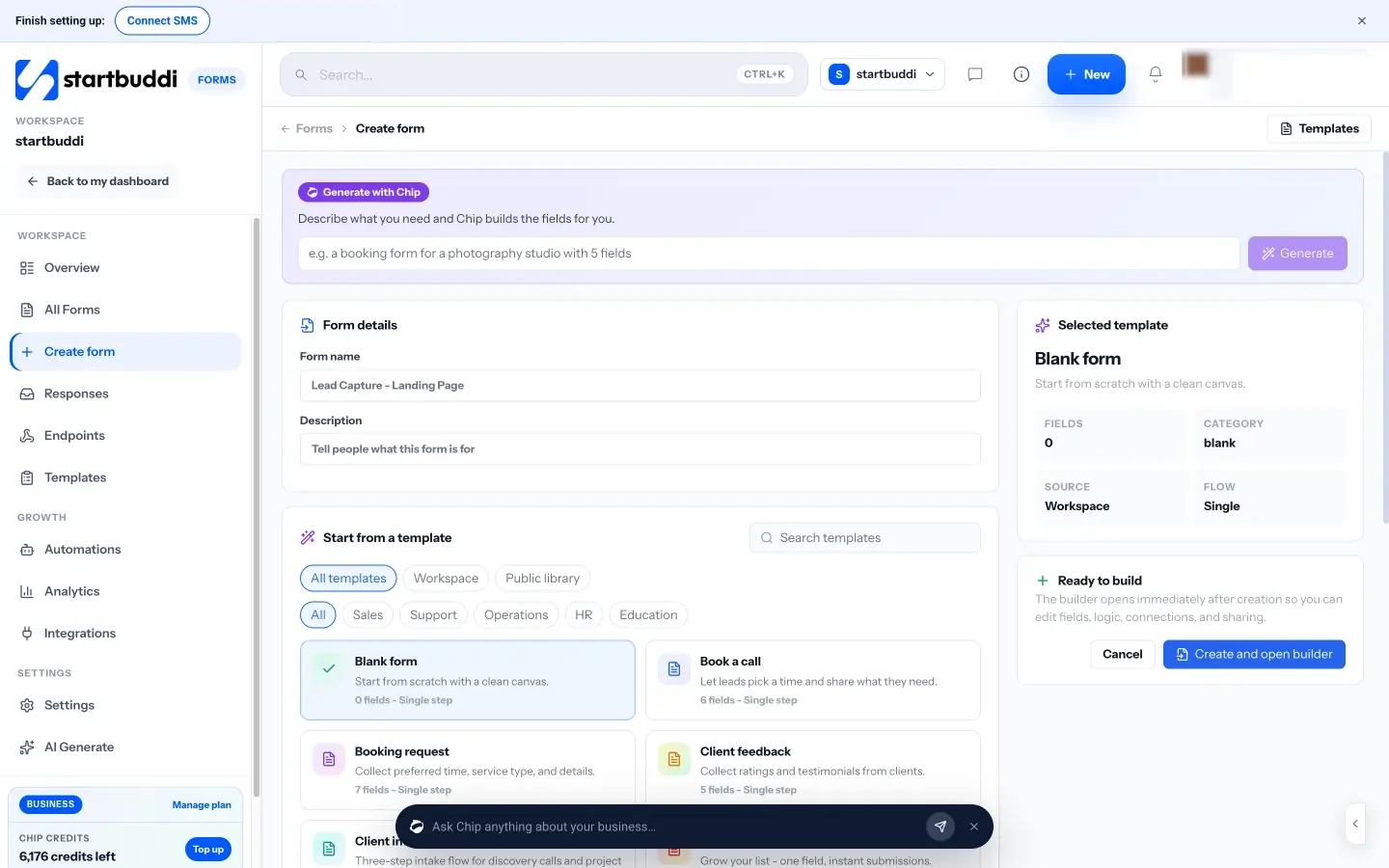
1. Create a feedback form. In Forms, click Create form and start from the Client feedback template ("Collect ratings and testimonials from clients"), or from the NPS and Feedback template. Add a Rating field and long text questions, and under Design, then After submit, show a thank-you message that includes your public review link for everyone. In the form settings, choose to add or update the submitter in your contacts so every answer sits on the right record. You can also describe what you need and let Chip generate the fields.
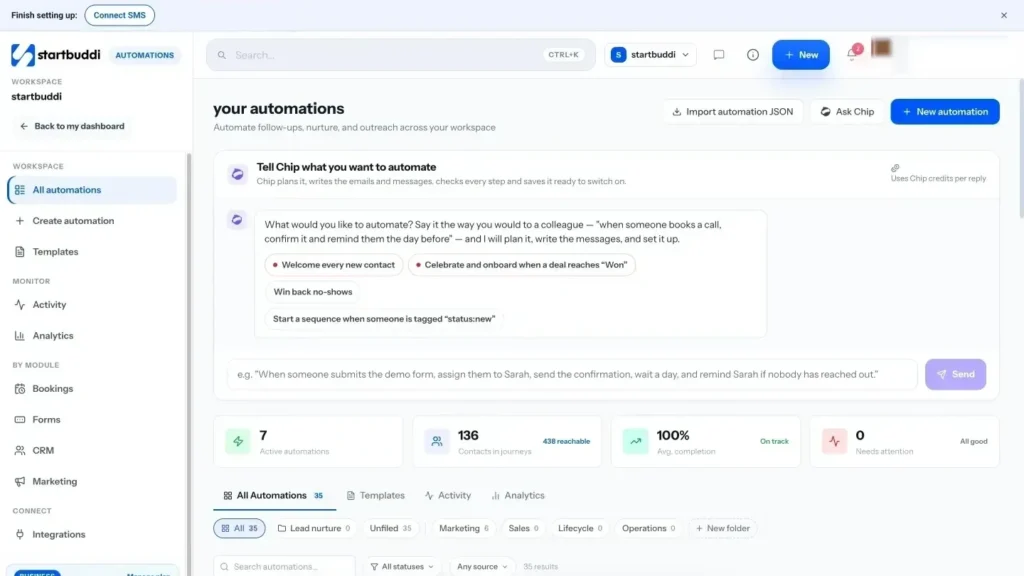
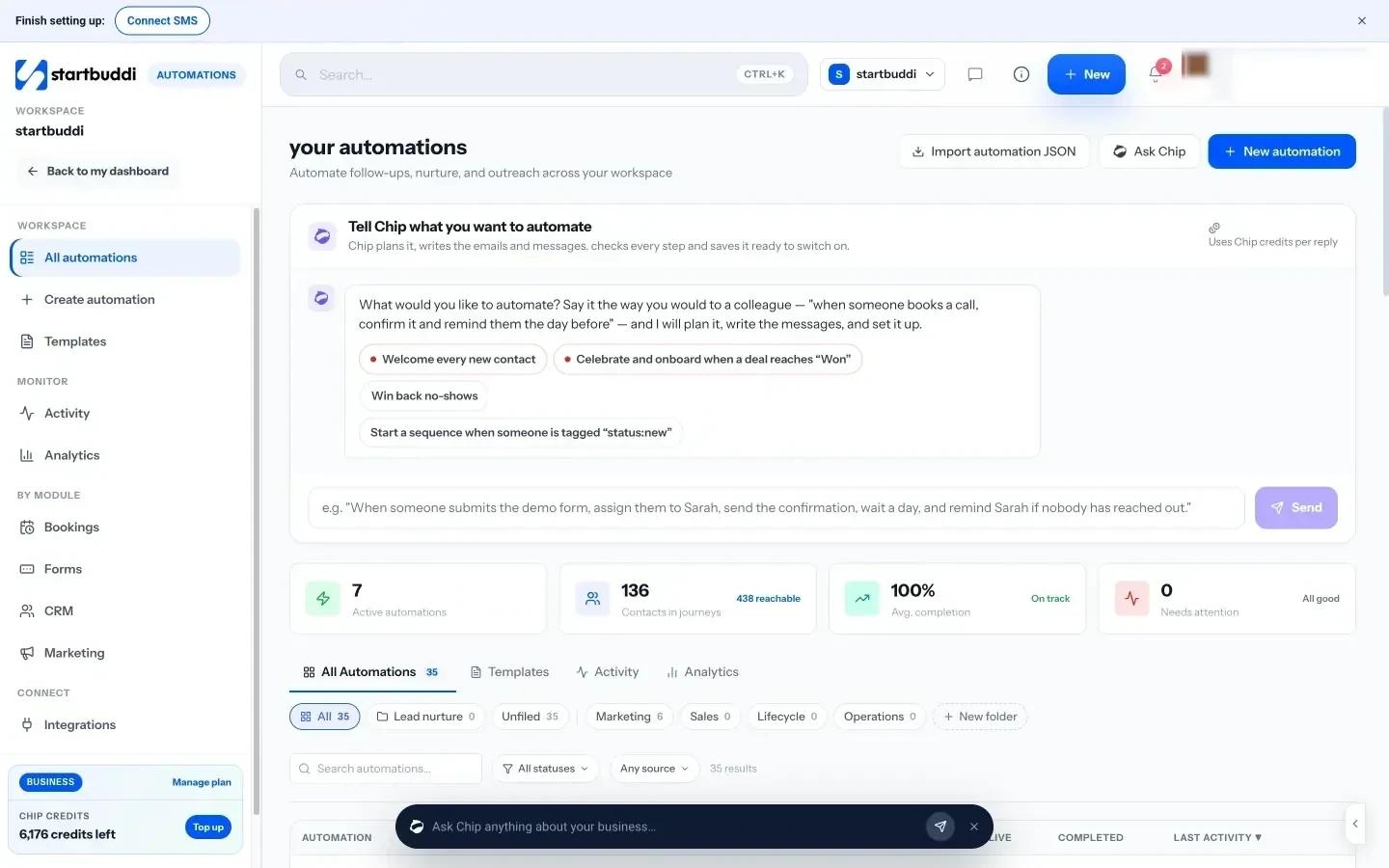
2. Build the review request automation. Go to Automations and create a new automation. For the trigger, choose Booking completed, Invoice paid or Payment succeeded. Add a Wait step, then a Send SMS, WhatsApp message or Send email step with your request and link. Add another wait, a Condition to skip anyone already tagged, a single reminder, and an Add tag step for "review asked". Or click Tell Chip what you want and describe it: "When a booking is completed, wait three hours, text the customer a thank-you with our Google review link, and remind them once after four days." Chip plans it and writes the messages for you to check before you switch it on.
3. Ask inside WhatsApp. In WhatsApp, the Flows & forms tab lets you publish a form that opens inside the chat. The How did we do? starter asks two feedback questions, and the answers land in the thread and on the contact. You can send it from a conversation or from an automation step.
4. Check your plan. Forms are on every plan (Free includes one form). SMS and WhatsApp need Starter or above, Free includes 2 active automations against 10 on Starter, and every paid plan has a 30-day trial. The Automations page lists every trigger and step.
Now the reviews are arriving. The final chapter covers what to do with them.
Reply to reviews and put them to work
- Reply to every review, quickly
- Reply templates for positive reviews
- Reply templates for mixed and negative reviews
- What to do about fake or unfair reviews
- Put reviews to work in your marketing
- Asking permission to use a testimonial
- If a complaint goes public in a big way
- A review reply checklist
- Turn great reviews into case studies
- Show your rating honestly
- Say thank you beyond the reply
- A monthly review round-up for your team
- Use reviews in quotes and proposals
- Keep watch on every platform
- Learn from what customers say
- Worked example: turning reviews into bookings
- Common mistakes with reviews you already have
- Doing this in startbuddi: show reviews where customers decide
- Your next step
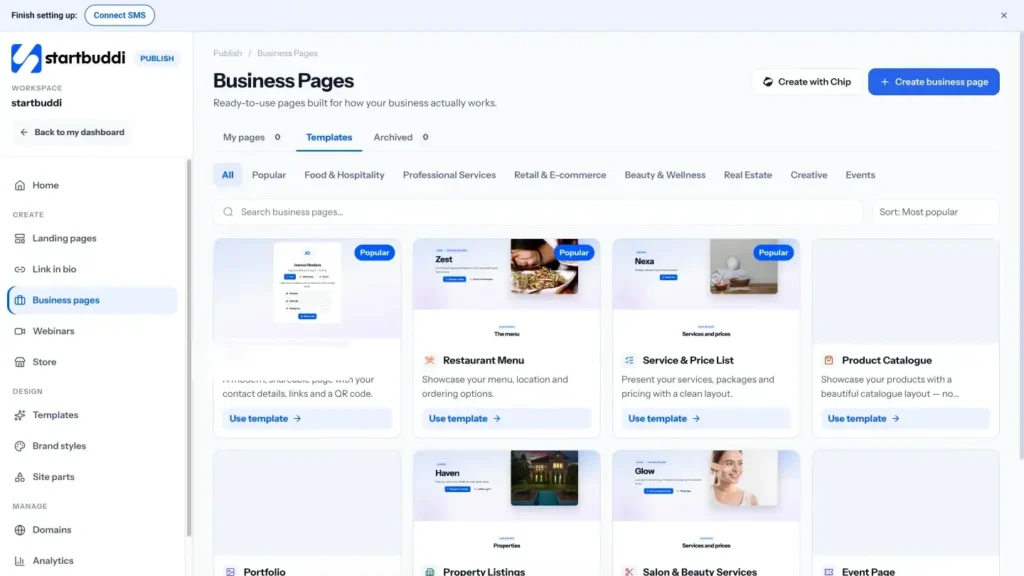
Getting reviews is half the job. How you respond, and how you use them, decides how much they help. Replies show future customers how you treat people. Shared well, reviews persuade people on your website and social media. Read carefully, they tell you exactly what to improve. This chapter covers reply templates for good, mixed and bad reviews, how to deal with fake or unfair reviews, and how to turn reviews into marketing and better service.
Reply to every review, quickly
Customers notice replies. In BrightLocal's 2026 survey, 19% of consumers said they expect a response to their review on the same day, and 81% expect to hear back within a week (BrightLocal Local Consumer Review Survey 2026). Set a routine: check new reviews daily or every couple of days, and reply within 48 hours.
A good reply is short, personal and specific. Use the reviewer's first name, mention something from their review, thank them, and, for problems, take the conversation offline. Never copy and paste the same reply on every review; people notice.
Reply templates for positive reviews
"Thank you, Chiamaka! We are so glad the new braids lasted through your holiday. See you next month."
"Thanks for the kind words, David. The team enjoyed working on your loft conversion, and we are pleased it is already getting used as an office. Good luck with the new job!"
"Thank you for taking the time to write this, Meera. We are delighted the planning checklist helped. Enjoy the big day!"
Reply templates for mixed and negative reviews
Negative reviews feel personal, but they are also a chance to show future customers how you handle problems. Wait until you are calm, check the facts, then reply with this structure: thank them, acknowledge the problem, apologise for their experience without arguing, explain briefly what you are doing about it, and invite them to contact you directly.
"Hi Mark, thank you for the honest feedback, and I am sorry the delivery arrived two days late. That is not the standard we aim for. We have changed our courier for your area. I would like to make this right, so please call me on [number] or email [address]. Emeka, owner"
"Hi Sophie, thanks for letting us know. You are right that the waiting time was too long on Saturday; we were a stylist short. We have added an extra person on Saturdays from this month. I have sent you a message and would love the chance to look after you properly next time."
Never share private details about the customer, their booking or their bill in a public reply, even if the review is unfair. Keep it polite, short and factual.
What to do about fake or unfair reviews
Sometimes a review comes from someone who was never a customer, a competitor, or someone who has confused you with another business. Do not argue or accuse in public. Instead:
- Check your records to confirm whether the person was a customer.
- Reply briefly and politely: "We cannot find a record of your visit. Please contact us on [details] so we can look into this."
- Report the review through the platform's own reporting tool if it breaks the platform's rules, such as spam, conflicts of interest or off-topic content.
- Keep asking every customer for reviews. A steady flow of genuine reviews reduces the impact of one bad one.
Do not remove, hide or edit genuine negative reviews on your own channels simply because you disagree. Regulators including the ACCC say that doing so can mislead consumers.
Put reviews to work in your marketing
Reviews are some of your most persuasive content, because they come from customers, not from you. Places to use them:
- Your website: a few strong reviews near your booking or contact button, and on each service page.
- Social media: a monthly post sharing a review with a photo of the work.
- Emails: one short review in each newsletter, or in your welcome email.
- Quotes and proposals: a review from a similar client on the last page.
- In person: a printed card or screen in your shop or waiting area.
Share reviews accurately: do not edit the meaning, do not cherry-pick parts of a sentence that change what someone said, and keep the reviewer's name only if you have permission or the review is already public under that name. The FTC's rule and the UK's rules on fake and misleading reviews also apply to how you present testimonials.
Asking permission to use a testimonial
Public reviews can usually be quoted with a link to the source, but for testimonials on your own site, in proposals or in adverts it is best to ask. A short message works:
"Hi Grace, thank you for your lovely review! Would you be happy for us to share it on our website with your first name and town? We would not change your words. If you would prefer to stay anonymous, just let us know."
Keep the reply with the customer's record so you can show consent later, and remove the testimonial if they change their mind.
If a complaint goes public in a big way
Occasionally a bad experience spreads: several angry reviews in a day, or a post that gets shared widely. Do not panic and do not reply in anger. Pause any scheduled promotional posts, find out exactly what happened, and post one calm, honest public response that acknowledges the problem and says what you are doing. Contact the people involved directly. Then keep serving customers well and keep asking for reviews; over the following weeks, a steady flow of genuine reviews puts the incident in context.
A review reply checklist
- Used the reviewer's first name?
- Mentioned something specific from their review?
- Said thank you, even for criticism?
- Kept private details private?
- Offered a direct way to talk, for problems?
- Signed with a real name?
- Replied within 48 hours?
If a customer writes in another language, reply in that language if you can, or in simple English with a short note that you are happy to continue in their language by message.
Turn great reviews into case studies
Some reviews hint at a bigger story: "They saved our wedding when the venue fell through" or "Our sales doubled after the new website". Contact those customers, thank them, and ask if they would do a 15-minute call for a short case study. Write it up with the situation, what you did and the result, send it to them for approval, and use it on your website and in proposals. One strong case study can do more for a high-value service than dozens of short reviews.
Show your rating honestly
Once you have a good rating, use it: "Rated 4.8 on Google from 126 reviews" on your website, quotes and flyers is persuasive. Keep it accurate and up to date, say where the rating comes from, and do not round up. If your rating drops, update the figure rather than leaving an old, better number in place.
Say thank you beyond the reply
A public reply is the minimum. For customers who wrote a particularly generous or detailed review, a short personal note or message goes a long way: "We read your review out at our team meeting, it made everyone's week." It must not be a reward for the review, just a genuine thank-you, and it strengthens the relationship that leads to repeat business and referrals.
A monthly review round-up for your team
Share a short summary each month: new reviews, the average rating, two quotes that mention team members by name, and one theme to improve. It takes ten minutes, keeps everyone focused on the experience customers are describing, and makes asking for reviews feel worthwhile to the people who do it.
Use reviews in quotes and proposals
For higher-value work, a relevant review at the point of decision is powerful. Keep a short library of reviews sorted by service and customer type, and add one or two that match each prospect to the end of your quote or proposal. A homeowner comparing three builders will pay attention to a review from someone with a similar project in the same area.
Keep watch on every platform
Customers may review you somewhere you did not ask: Facebook, a directory, a marketplace listing or a local group. Once a week, check each platform where you have a presence, turn on email or app notifications for new reviews where the platform offers them, and search your business name to catch mentions elsewhere. A review nobody answers for a month on a platform you forgot about can be the first thing a new customer sees.
Learn from what customers say
Once a quarter, read every review and piece of private feedback from the last three months and sort comments into themes: timing, communication, quality, price, staff, cleanliness. Count how often each appears, good and bad. The top positive theme is your strongest marketing message. The top negative theme is your most valuable improvement project. A small change based on repeated feedback, such as sending a "we are on our way" text before home visits, often lifts future reviews more than any request message.
Worked example: turning reviews into bookings
A photography studio in Cape Town collects 60 reviews in a year. The owner notices "made us feel relaxed" appears in 22 of them. She changes her website headline to "Relaxed family photos, even for camera-shy kids", adds three reviews mentioning it under the booking button, and posts one review a month on Instagram. Enquiries from the website rise because the page now speaks to the worry most parents have. The reviews told her what to say; she only had to listen.
Common mistakes with reviews you already have
- Ignoring them. No replies looks like no one cares.
- Arguing in public. Even if you are right, you lose.
- Hiding them. Reviews buried on a platform nobody visits do little. Put them where decisions are made.
- Letting them get old. Keep asking so your newest review is always recent.
- Not telling the team. Share good reviews with the people named in them. It is the cheapest motivation there is.
Doing this in startbuddi: show reviews where customers decide
1. Add reviews to your pages. In Publish, the page builder includes Testimonials, Rating and Reviews elements, so you can place real customer reviews next to your booking or contact button on a landing page. When Chip writes a page for you, it never makes up prices, reviews or numbers; it leaves placeholders for you to fill with genuine ones.
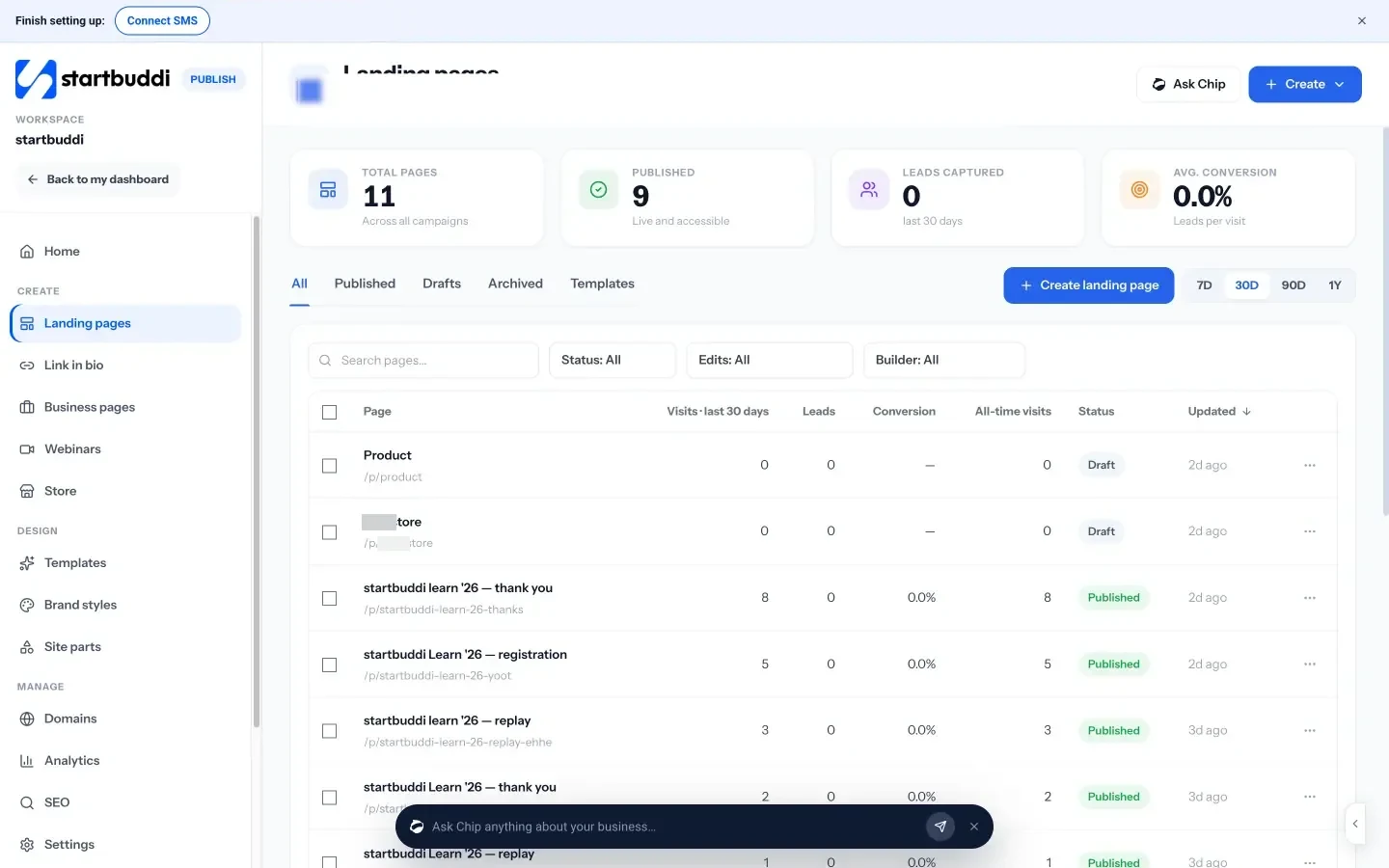
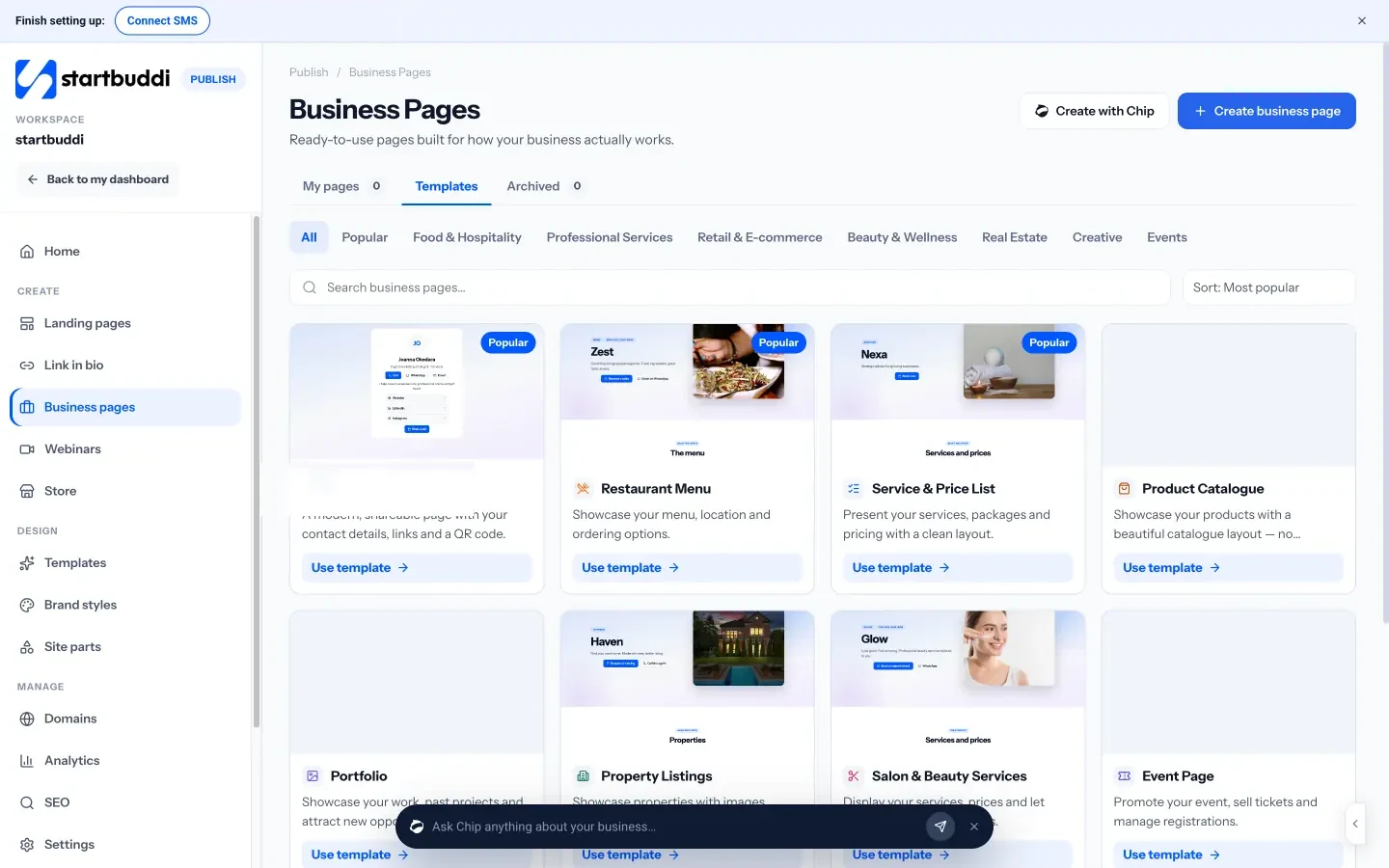
2. Use business pages with a reviews section. Business pages in Publish are ready-made pages for a menu, a service and price list, a portfolio, a salon, a property listing and more, each wired to WhatsApp, bookings and your contacts. They include a reviews editor, so a salon or restaurant can show recent reviews alongside prices and a booking button. See the business pages product page.
3. Share reviews on social media. In Social Media, create a post with the review text and a photo of the work, and schedule it with your other content. Write caption can help you introduce the review in your brand voice. Our guide to social media marketing for small business covers how reviews fit into a content plan.
4. Keep feedback with the customer. Because feedback forms and review requests are tied to contacts, you can see on a customer's record what they told you and when they were asked. For customers who were unhappy, add a task to call them, and use Internal notes in the Inbox to keep the team informed.
Your next step
Today, get your direct Google review link and send it to the last five customers you served, with a short personal message from chapter 2. This week, set up one automation so every future customer is asked at the right moment. If you want your customers, requests, feedback forms, automations and pages in one place, start a 30-day trial and build your first review request in startbuddi Automations. Compare plans on the pricing page.
Olabimpe Salami is the email and outreach specialist at startbuddi. Olabimpe writes about the messages that bring customers in and back: email, WhatsApp and SMS campaigns, follow-ups, and turning enquiries into paying clients.
Runs email and outreach at startbuddi